
Our readers keep the lights on and my morning glass full of iced black tea. As an Amazon Associate, I earn from qualifying purchases.
Specs are compiled from manufacturer listings and verified buyer reviews and can change over time — please confirm the key details on the product page before buying.
You are building a PC on a budget, and the motherboard is the one part that locks in your upgrade path. It determines which processor you can install (via the AM4 socket, the physical slot the CPU clicks into), how much RAM you can run, and whether your next GPU upgrade is a simple swap. A good budget AM4 board supports chips from the Ryzen 3000 series all the way up to the Ryzen 5000 series, so you can drop in a faster CPU later without buying a new board.
I’m Min — the founder and writer behind Gadgets Feed. This guide is built by comparing the manufacturers’ published specifications and the patterns across verified customer reviews, so you get each pick’s real strengths and trade-offs instead of marketing spin.
Choosing your foundation means balancing memory speed, slot count, and chipset features (the chipset is the traffic controller for your components) against your build plan. These are the best AM4 Motherboard Under $100 options that deliver on that promise.
Quick Picks
- Gigabyte A520M K V2 — Best Overall
- ASRock A520M Pro4 — Server & Workstation Pick
- ASRock B450M-HDV R4.0 — Upgrade-Ready Classic
- MSI A520M-A PRO — The Reliable Runner
How To Choose The Best AM4 Motherboard Under $100
Finding the right budget AM4 motherboard is about matching the board’s chipset and specs to the processor you plan to run, not just picking the cheapest option. Here is what to look for.
Chipset: A520 vs. B450 — The Overclocking and Connectivity Difference
The chipset (the traffic controller for all your components) determines a few key things. An A520 chipset (found on the Gigabyte, MSI, and ASRock A520 boards here) supports PCIe 3.0 (Peripheral Component Interconnect Express, the standard slot for your graphics card and M.2 drive) and generally does not support CPU overclocking (pushing your Ryzen processor to run faster than its factory speed). A B450 chipset (like on the ASRock B450M-HDV) often supports basic CPU overclocking and sometimes offers more SATA ports (Serial ATA ports for connecting older hard drives or SSDs). For most budget builds using a Ryzen 5, the A520 is plenty; for tinkerers who want to squeeze extra performance out of a Ryzen 3 or 5, the B450 is the traditional pick.
Memory Support: Speed and Capacity
Your motherboard’s memory clock speed (measured in MHz, or megahertz) determines how fast your RAM can talk to your processor — higher means snappier load times. A board that supports 5100 MHz (like the Gigabyte A520M K V2) future-proofs your build for high-speed DDR4 kits (Double Data Rate 4 memory), while a 2400 MHz base (like the ASRock A520M Pro4) is slower from the start but can be overclocked in the BIOS (Basic Input/Output System, the motherboard’s settings menu) to run faster. The number of memory slots (2 vs. 4) and the maximum capacity (64 GB vs. 128 GB) determine how much RAM you can install total — 2 slots and 64 GB is fine for gaming, 4 slots and 128 GB suits a home server or heavy multitasker.
Form Factor and Ports
Most budget AM4 boards are Micro-ATX (a smaller size than a standard ATX board), so they fit into compact cases. Check that your case has the right standoff holes and that the board’s ports — like the number of USB 3.2 Gen 1 ports on the rear, and whether it has HDMI (High-Definition Multimedia Interface) for integrated graphics from a G-Series Ryzen processor — match what you need to plug in. None of these budget boards include built-in Wi-Fi, so plan on using Ethernet (as buyers report for the Gigabyte A520M K V2) or buying a separate USB Wi-Fi adapter.
Quick Comparison
On smaller screens, swipe sideways to see the full table.
| Model | Best For | Memory Speed (MHz) | RAM Slots | Max RAM (GB) | Amazon |
|---|---|---|---|---|---|
| Gigabyte A520M K V2 | Compact high-RAM-speed builds | 5100 | 2 | 64 | $63.95Amazon |
| ASRock A520M Pro4 | Heavy multitasking & server use | 2400 | 4 | 128 | $69.99Amazon |
| ASRock B450M-HDV R4.0 | Budget builds with upgradability | 3200 | 2 | 64 | $69.50$79.99Amazon |
| MSI A520M-A PRO | Plug-and-play reliability | 4600 | 2 | 64 | $64.00$69.99Amazon |
In‑Depth Reviews
1. Gigabyte A520M K V2

The tiny board that punches high with the fastest memory support in this price tier.
If you want the quickest possible DDR4 RAM your wallet can handle, grab this board. The Gigabyte A520M K V2 supports a memory clock speed of 5100 MHz — over 2.1x faster than the 2400 MHz base on the ASRock A520M Pro4. That means snappier load times and smoother frame rates in memory-bound games. Built in the Micro-ATX form factor (7.8″L x 9.17″W x 1.38″H), it slides into a compact case easily, and at just 420 Grams, it is noticeably lighter than the ASRock B450M-HDV (which is 730 Grams).
Owners mention pairing it with a “Ryzen 5 5500, RTX 3050, 16GB DDR4” and getting a steady 120 FPS in Fortnite at 1080p. The trade-off is you get only 64 GB maximum memory capacity and 2 DIMM slots (Dual Inline Memory Module, the slots where you plug in RAM sticks). If you ever need more than 64 GB of RAM, look at the 4-slot ASRock A520M Pro4 instead. It also lacks built-in Wi-Fi, but customers note the Ethernet delivers fast transfer speeds of around 2Gbps on an NVMe drive.
Reasons to pick it
- Top memory speed in class at 5100 MHz for overclocking-friendly RAM kits
- Very compact and lightweight at 420 Grams for small case builds
- Solid real-world performance: one reviewer built a Ryzen 5 5600G rig that ran daily gaming for nearly a year with zero issues
Reasons to think twice
- Only 2 RAM slots and a 64 GB max capacity limit future expansion
- No built-in Wi-Fi — you will need Ethernet or a separate adapter
- Only one system fan header, as one reviewer pointed out, so plan for a fan splitter
Reach for this if: you prioritize the fastest possible RAM speed (5100 MHz) in a small, budget-friendly build and do not need more than 64 GB of memory.
Look elsewhere if: you plan to install 128 GB of RAM or need four memory slots for a workstation or server.
2. ASRock A520M Pro4
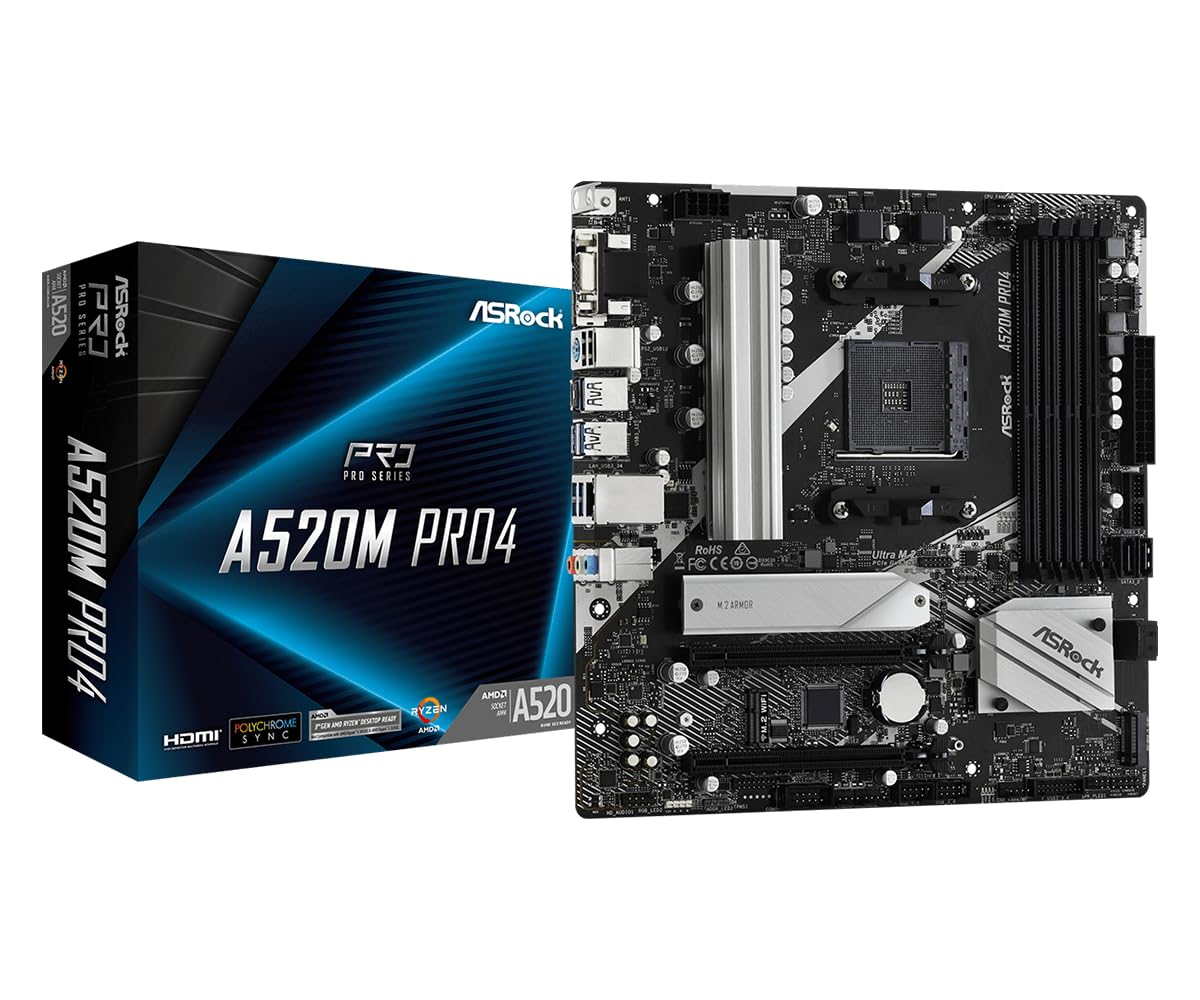
Four RAM slots and a massive 128 GB ceiling make this the board for heavy workloads.
Where most boards in this budget tier cap out at 64 GB, the ASRock A520M Pro4 supports up to 128 GB of DDR4 memory across its 4 memory slots — that is a full 2.0x more capacity than the Gigabyte or MSI A520 boards. This makes it the only pick here that can comfortably handle a home server, a virtual machine lab, or a heavy multitasking workstation with all 128 GB populated. It also includes a dedicated M.2 Key E slot for Wi-Fi, so adding wireless connectivity does not cost you a PCIe slot.
One reviewer noted using it as a server with “64GB RAM, Ryzen 7, onboard graphics, 20TB storage,” calling it a great board after an initial DOA unit was quickly replaced by the seller. The main compromise is its default memory clock speed of 2400 MHz — the slowest base in the group — though you can overclock it in BIOS to run faster-rated RAM. At 2.2 Pounds, it is also the heaviest Micro-ATX board here, though that is rarely an issue inside a case.
Why it stands out
- 128 GB max RAM capacity and 4 DIMM slots — double the memory ceiling of the other picks
- Dedicated M.2 Key E slot for adding Wi-Fi without using a GPU or PCIe slot
- 8 Power Phase Design and Digi Power for stable delivery under load
Where it falls short
- Base memory speed of 2400 MHz is the slowest from the start here — plan on overclocking
- Some buyers mentioned the PCI slots may be slightly misaligned with certain cases
- One initial DOA report (though the seller replaced it quickly)
Best for: users building a home server, a workstation, or any rig that needs to run 64 GB to 128 GB of RAM without moving to a more expensive X570 board.
Not for: someone who just wants to plug in standard 3200 MHz RAM and have it run at full speed immediately without touching the BIOS.
3. ASRock B450M-HDV R4.0

The B450 chipset gives this board overclocking potential that the A520 boards cannot match.
If you want to tweak your processor’s speed beyond its factory boost clock, the B450M-HDV R4.0 uses the B450 chipset, which traditionally allows CPU overclocking — a feature the A520 chipset forgoes. It supports the full range of AM4 processors, from Ryzen 2000 all the way up to Ryzen 5000 G-Series, and ships with a BIOS that works with Ryzen 5000 from the start (one reviewer confirmed it booted a Ryzen 5 5500 with no issues). Its memory clock speed is rated at 3200 MHz, which is a middle ground between the Gigabyte’s 5100 MHz and the ASRock Pro4’s 2400 MHz.
Buyers describe it as a “reliable budget board after 6 months” and praise its simple BIOS and good power efficiency. The catch is that it is the largest board here at 12″L x 2.5″W x 9.6″H and weighs 730 Grams — 54% longer in length than the compact Gigabyte. It also has only 2 DIMM slots and supports a max of 64 GB, so it is not the choice for a memory-heavy server. A few reviewers noted a slow 15-second POST delay (Power-On Self-Test, the initial check the board runs when you press the power button) and occasional cold boot failures, so there is some inconsistency in reliability.
What works well
- B450 chipset offers CPU overclocking flexibility absent from A520 boards
- Compatible with Ryzen 2000 through 5000 processors — great for older CPU hand-me-downs
- Reviewers call it reliable and fast after several months of daily use
What to watch for
- Twice the weight (730 Grams) and much bigger than the Gigabyte A520M K V2 — less ideal for tiny cases
- Only 2 RAM slots, 64 GB max — no room for large-capacity expansion
- Some users report POST delays and cold boot failures that can be frustrating
Grab it for: a budget build where you plan to overclock a Ryzen 3 or 5 and you want chipset-level CPU voltage control.
skip it if: you are building in a compact case or want a board that consistently boots fast on the first press every single time.
4. MSI A520M-A PRO
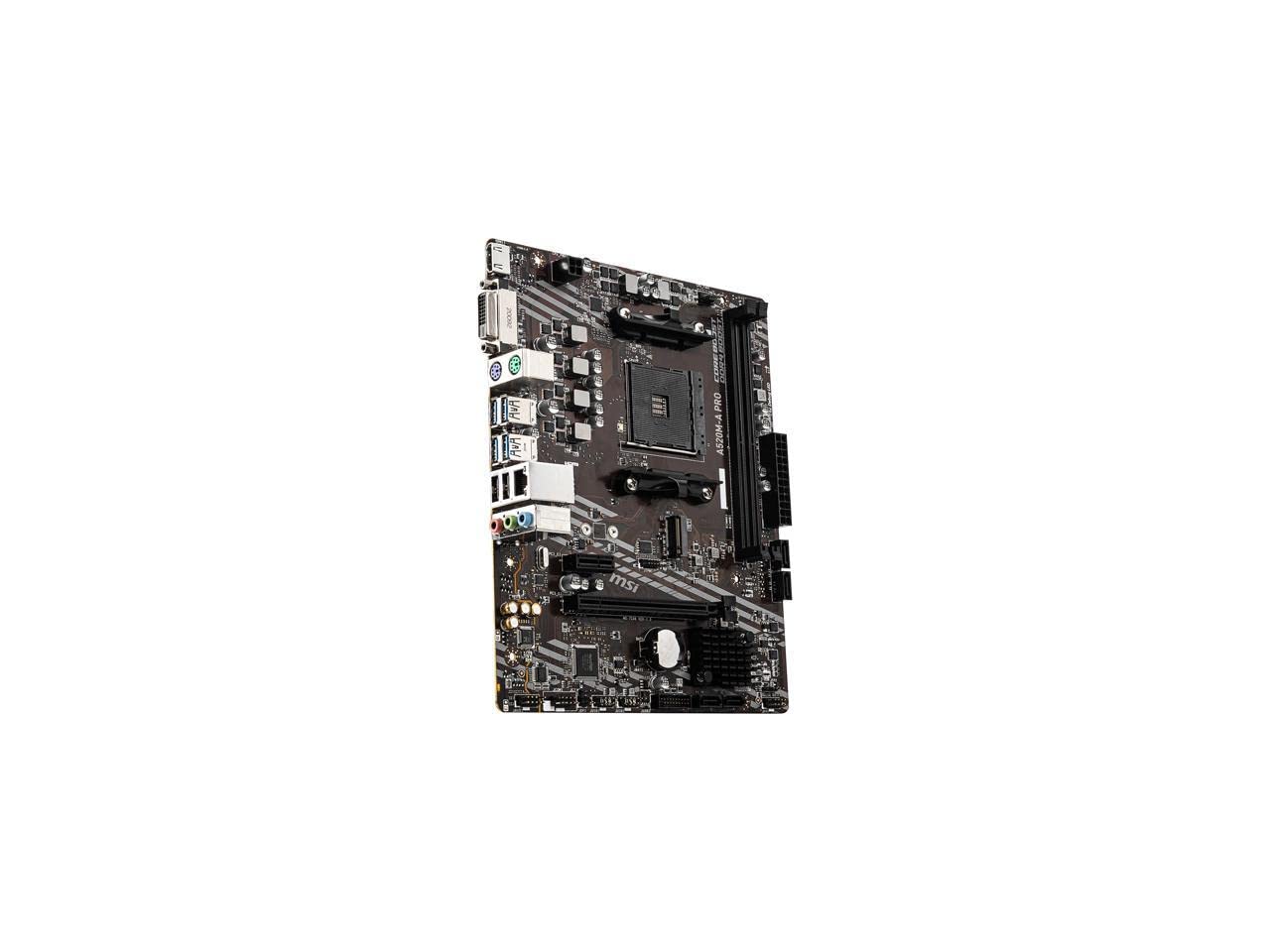
A no-hassle board that “just works” for a first build or a dependable daily driver.
If you want a straightforward, reliable foundation with a well-regarded BIOS, the MSI A520M-A PRO is a strong pick. It supports memory clock speeds up to 4600 MHz (overclocked) — a healthy step below the Gigabyte’s 5100 MHz but well above the ASRock A520M Pro4’s 2400 MHz base. It shares the same 2 DIMM slot / 64 GB maximum as the Gigabyte, but adds MSI’s Audio Boost for cleaner sound output from the onboard audio and the Dragon Center software suite for managing system settings from one dashboard.
One buyer summed it up neatly: “Great budget gaming board for a year” running Overwatch 2, Marvel Rivals, and Call of Duty with a Ryzen 5 5500 and a 2060 Super. Another reviewer replaced a faulty ASRock board with this MSI and called it “plug-and-play” — the PCI-E x1 slot also stays clear of a dual-slot GPU, so you can add a Wi-Fi card later. Just know it has only one case fan header (as one owner noted), so a splitter is necessary if you have more than one fan. That single fan-header limitation is the same as on the Gigabyte A520M K V2, so neither board is ready for a 3-fan case from the start.
Points in its favor
- MSI BIOS is widely liked for its ease of use and stability
- Audio Boost provides slightly better onboard sound quality than bare-bones boards
- PCI-E x1 slot is unblocked by a dual-slot GPU for adding a Wi-Fi card easily
Points to note
- Only 2 DIMM slots — 64 GB max, no option for 128 GB upgrades
- Single case fan header means you need a splitter for multiple chassis fans
- No built-in Wi-Fi or Bluetooth, so plan for Ethernet or a USB adapter
Choose this if: you value a polished BIOS experience and a simple, reliable board that has been proven across many verified builds.
Pass on it if: you need four RAM slots for 128 GB capacity or want the absolute highest out-of-box memory speed for less than.
Understanding the Specs
Memory Clock Speed (MHz)
This number tells you how fast your RAM can talk to your CPU. A higher MHz rating (like 5100 MHz on the Gigabyte A520M K V2) means your processor gets data quicker, which helps in games with many assets to load and in multitasking where you switch between many programs. A lower base speed (like 2400 MHz on the ASRock A520M Pro4) can be overclocked in the BIOS to run faster, but it takes a few minutes of setup to get there.
RAM Slots & Maximum Capacity
The number of memory slots (2 or 4) determines how many sticks of RAM you can install. Two slots means you will fill both with your first upgrade (starting at, say, 16 GB), leaving no room for more without replacing those sticks. Four slots gives you room to start with two sticks and add two more later for a total of 128 GB — useful for a home server or video editing rig that chews through data.
FAQ
Can I use a Ryzen 5000 series CPU on these budget boards?
Do any of these boards have built-in Wi-Fi?
What is the difference between A520 and B450 chipsets?
How much RAM can I install on each board?
Will a Micro-ATX board fit in a standard ATX case?
What kind of graphics card slot do these boards have?
How many case fan headers do these boards have?
Can I use two graphics cards on any of these boards?
What storage does the M.2 slot support?
Do I need to update the BIOS before using these boards?
Final Thoughts: The Verdict
For most people, the am4 motherboard under $100 winner is the Gigabyte A520M K V2 because it offers the fastest memory support at 5100 MHz in a lightweight, compact design that fits any budget build and has proven reliable across many verified builds. If you need 128 GB of RAM capacity for a server or a heavy multitasking workstation, grab the ASRock A520M Pro4 with its 4 DIMM slots. And for the tinkerer who wants to overclock a Ryzen CPU, the ASRock B450M-HDV R4.0 brings the B450 chipset flexibility that the A520 boards simply do not have.
How We Picked
We do not accept paid placement, and we did not hands-on test every unit. Instead, we match each pick to a real buyer and use-case by comparing the manufacturers’ published specifications against the patterns in verified customer reviews — so you get each pick’s real strengths and trade-offs instead of marketing copy.
Sources & Methodology
Specifications: manufacturer listings and product documentation. Review insights: verified customer reviews, as of July 2026. Pricing: not shown on this page (it changes often); check the current price via the retailer link.
As an Amazon Associate, Gadgets Feed earns from qualifying purchases. This does not affect which products we feature.
Product prices and availability are accurate as of the date/time indicated and are subject to change. Any price and availability information displayed on Amazon at the time of purchase will apply to the purchase of this product. As an Amazon Associate I earn from qualifying purchases.
CERTAIN CONTENT THAT APPEARS ON THIS SITE COMES FROM AMAZON. THIS CONTENT IS PROVIDED "AS IS" AND IS SUBJECT TO CHANGE OR REMOVAL AT ANY TIME.
Amazon and the Amazon logo are trademarks of Amazon.com, Inc. or its affiliates.