
Choosing a 3D printer built by an American company means you’re not just buying hardware; you’re investing in local engineering support, community-driven firmware, and a supply chain that prioritizes quality control. The market for these machines spans from high-speed CoreXY enclosed workhorses to massive industrial IDEX systems designed for continuous production. Whether you need a silent bedroom-friendly unit for prototyping or a dual-extruder beast for manufacturing, the right pick comes down to material compatibility, print volume, and the reliability of the brand’s ecosystem.
I’m Min — the co-founder and writer behind Gadgets Feed. I’ve spent countless hours analyzing the technical specifications, customer experiences, and real-world failure rates of these printers to help you find the machine that matches your exact workflow and budget.
This guide breaks down the best options available today by comparing speed, build volume, multi-material capabilities, and ecosystem support so you can confidently choose among the top-rated american 3d printers.
How To Choose The Best American 3D Printer
American 3D printer brands tend to focus on build quality, open-source firmware, and robust customer support. However, the right choice depends entirely on what you plan to print, how fast you need it, and how much post-processing you’re willing to do.
Speed vs. Print Quality Tradeoff
High-speed printers like the Bambu Lab P1S and Creality K2 Combo push up to 600mm/s, but speed alone is useless if the motion system introduces ringing or layer shifts. Look for machines with input shaping, vibration compensation, and a rigid frame — die-cast aluminum frames handle high acceleration much better than extruded aluminum. Budget-friendly high-speed printers may still require tuning to achieve the same surface quality as a slower, more precise unit like the Original Prusa MK4S.
Multi-Material Systems: ACE, CFS, AMS, and IDEX
Multi-color printing adds complexity. Systems like Anycubic’s ACE Gen 2 and Creality’s CFS use a single nozzle with a filament switcher, producing waste during purging. IDEX (Independent Dual Extruders) printers — like the Raise3D E2 — allow true multi-material printing without waste, but they cost significantly more. If you’re a hobbyist wanting occasional color swaps, a single-nozzle multi-filament system is fine. If you need soluble supports or production-grade dual material parts, IDEX is the only serious option.
Enclosed vs. Open-Frame Printing
Enclosed printers are mandatory for materials like ABS and ASA, which warp without a stable ambient temperature. They also reduce noise, which matters if the printer lives in your living space. Open-frame printers like the Original Prusa MK4S are quieter and easier to access but require a draft-free room for high-temperature materials. Most enclosed models in this range include HEPA filtration to handle fumes.
Quick Comparison
On smaller screens, swipe sideways to see the full table.
| Model | Category | Best For | Key Spec | Amazon |
|---|---|---|---|---|
| Original Prusa MK4S | Premium FDM | Professional reliability | Input Shaping, 250mm/s | Amazon |
| Original Prusa XL 2-Tool | Industrial CoreXY | Large-format dual material | 360x360x360mm build volume | Amazon |
| Raise3D E2 | IDEX Production | Dual-extruder manufacturing | IDEX, 300°C hotend | Amazon |
| Bambu Lab P1S | Enclosed CoreXY | High-speed enclosed printing | 500mm/s, 20000mm/s² accel | Amazon |
| Creality K2 Combo | Multicolor CoreXY | Up to 16-color prints | 600mm/s, CFS 4-color | Amazon |
| ELEGOO Saturn 4 Ultra | Resin 16K | Ultra-detailed resin models | 16K LCD, 150mm/h | Amazon |
| Anycubic Kobra X | Value Multicolor | Entry-level multicolor FDM | Native 4-color, 600mm/s | Amazon |
| ELEGOO Centauri Carbon | Enclosed CoreXY | Carbon fiber ready | 500mm/s, 320°C nozzle | Amazon |
| FLASHFORGE Adventurer 5M Pro | Enclosed All-Metal | Beginner-friendly enclosure | 600mm/s, HEPA filtration | Amazon |
| Creality SPARKX I7 Combo | AI-Enhanced FDM | AI-assisted multicolor | 500mm/s, CFS Lite | Amazon |
In‑Depth Reviews
1. Original Prusa MK4S High-Speed 3D Printer

The Prusa MK4S walks the line between speed and reliability with a mature input shaping implementation that cancels ringing without sacrificing fine surface detail. Users consistently report zero failed prints out of the box using default PrusaSlicer profiles, which is rare in this category where most printers require initial tuning. The 250x210x220mm build volume is modest, but the 300°C hotend and all-metal direct drive handle PLA, PETG, ABS, and TPU without hesitation.
What elevates the MK4S above cheaper competitors is its long-term upgrade path: Prusa offers official hardware upgrade kits and continuous firmware updates. The 1kg spool of Prusament PLA included with the assembled version means you can start printing within minutes of unboxing. Users upgrading from budget printers note the stark difference in part cooling — even tall overhangs print cleanly without supports.
The open-source nature of the MK4S means no account registration, no cloud dependency, and full control over every parameter. If you need a printer that just works for years and can be serviced with common tools, the MK4S is the benchmark.
Why it’s great
- Out-of-box reliability with zero failed prints reported
- Open-source firmware with long-term upgrade support
- Excellent part cooling for tall overhangs and bridges
Good to know
- Build volume is smaller than many competitors at 250x210x220mm
- Premium price compared to entry-level Chinese imports
2. ELEGOO Saturn 4 Ultra 16K Resin 3D Printer

For model makers and jewelers, the Saturn 4 Ultra’s 16K LCD delivers detail that FDM printers cannot match. The 10-inch mono screen prints at 150mm/h with a 30-micron XY resolution, which means even small text and organic curves come out crisp without visible layer lines. The tilt release mechanism peels the model from the FEP film faster than traditional z-axis lifting, cutting print time on dense models by nearly 40%.
The heated resin tank is a game-changer for cold workshops — it keeps the resin at a stable 30°C, reducing viscosity and preventing bubbles. The AI camera detects empty build plates or failed layers and pauses automatically, which saves hours of wasted resin. Users switching from older 4K and 8K printers report a visible jump in surface smoothness, especially on curved faces and fine details like hair or scales.
Resin printing requires post-processing (washing and curing), and the Saturn 4 Ultra’s build plate is well-designed for easy removal without tools. WiFi connectivity lets you start prints remotely, and the built-in time-lapse feature is useful for portfolio documentation.
Why it’s great
- 16K resolution provides unmatched detail for miniatures and jewelry
- Heated resin tank improves success rate in cold environments
- AI camera with empty-plate detection reduces resin waste
Good to know
- Resin is messier and requires washing/curing equipment
- Build plate may need light sanding for optimal adhesion
3. Raise3D E2 Desktop 3D Printer

The Raise3D E2 is built for shops that need to print production volumes without relying on a farm of smaller machines. Its IDEX (Independent Dual Extruders) architecture lets you run two identical copies simultaneously in Duplication Mode, or use Mirror Mode for symmetrical parts. The 330x240x240mm build volume is generous, and the 300°C hotend handles most engineering-grade materials including glass fiber and carbon fiber infused filaments.
Auto bed leveling and video-assisted offset calibration reduce the setup headache that typically comes with dual-extruder systems. Users report that once calibrated, the E2 can run for days without intervention — filament run-out sensors and power loss recovery handle interruption recovery. The HEPA air filtration system is effective enough for ABS printing in a shared office space.
That said, the E2 is a heavy 110-pound machine that needs a sturdy desk or an industrial cart. Some user reviews mention a high failure rate with the right extruder out of the box, so inspect the unit carefully during the return window. For small businesses that cannot afford downtime, a Prusa MK4S farm may be a more reliable alternative at a lower total cost.
Why it’s great
- IDEX allows true dual-material printing without purge waste
- Large 330x240x240mm build volume for production runs
- HEPA filtration makes it suitable for enclosed office environments
Good to know
- Early failure rates reported with right extruder assembly
- At 110 lbs, requires a dedicated heavy-duty workspace
4. Bambu Lab P1S 3D Printer

The Bambu Lab P1S delivers enclosed CoreXY printing at a shockingly fast 500mm/s with 20,000mm/s² acceleration. The fully enclosed chassis handles ABS and ASA without warping, and the automatic bed leveling runs before every print. Bambu Studio software is intuitive enough for beginners while giving advanced users full control over acceleration, pressure advance, and flow rate.
The P1S supports up to 16 colors when paired with Bambu Lab AMS units, though the AMS is sold separately. Users coming from budget printers like the Ender 3 consistently rate the P1S as a massive upgrade — print quality is 95/100 out of the box with zero tweaking. The closed ecosystem means firmware updates are automatic, but some users dislike the account requirement and cloud dependency.
TPU struggles in the P1S due to the Bowden tube path; for flexible materials, a direct-drive printer like the Prusa MK4S is better. The internal camera is useful for remote monitoring, and the noise level is low enough for a bedroom if kept inside the enclosure.
Why it’s great
- Extremely fast 500mm/s printing with high acceleration
- Enclosed chamber for ABS and ASA without warping
- Works with AMS for up to 16-color prints
Good to know
- AMS multi-color system is sold separately
- TPU flexible filament struggles with the Bowden path
5. Original Prusa XL Assembled 2-Toolhead CoreXY 3D Printer

The Prusa XL is the largest printer in the Prusa lineup with a 360x360x360mm build volume — large enough for helmet parts, drone frames, or multiple prototypes in one print. The 2-toolhead system switches between materials for soluble supports (PVA/BVOH) or multi-color prints without the purge waste of a single-nozzle setup. The segmented heated bed only powers the zones under the current print region, saving energy and reducing warping on large flat parts.
Users who prioritize open-source principles appreciate that the XL requires no login, no forced updates, and no cloud dependency. Prusa Connect gives you full remote control via your local network. The assembly requires some work after delivery — the LCD, extruder assembly, Wi-Fi antenna, and spool holder must be installed — but the process is straightforward and well-documented.
The XL is not for casual beginners — several reviews mention the need for advanced troubleshooting skills when things go wrong. If you need a reliable large-format printer with dual-material capability and a vendor that actually supports open hardware, the XL is the current king, though the high price and occasional assembly frustration mean it’s only for serious makers and engineering teams.
Why it’s great
- Huge 360mm³ build volume for large single parts or batch prints
- Segmented heated bed reduces energy use and warping
- Open ecosystem with no cloud dependency or forced updates
Good to know
- Post-delivery assembly required; not truly “assembled” out of box
- Requires advanced troubleshooting for complex issues
6. Creality K2 Combo (A) 3D Printer

The Creality K2 Combo pairs a 600mm/s CoreXY printer with a CFS (Creality Filament System) that handles up to four colors per unit — hook up four CFS units for 16-color printing. The step-servo motors on all axes dynamically adjust torque in under a millisecond, which reduces motor noise and improves print quality at high speeds. Users report that the K2 is significantly quieter than the K1C and on par with the Bambu Lab X1C in terms of output quality.
The CFS includes a built-in dry box, which is a huge bonus for hygroscopic filaments like PETG and Nylon. The auto-leveling system only probes the area of the build plate that will be used, making the leveling process faster than full-grid systems. Build volume is 260x260x260mm, which covers most common projects.
Some users report issues with the CFS feeder jamming on standard spools — you may need to print adapters. Also, the power cord on early units was defective for some buyers. Check the packing thoroughly and test the CFS with your chosen filament before committing to a large print batch.
Why it’s great
- CFS system handles up to 16 colors with built-in filament drying
- Step-servo motors provide quiet, precise motion control
- Fast 600mm/s speed with solid surface finish
Good to know
- CFS may require printed adapters for non-standard spools
- Early units reported defective power cords and firmware bugs
7. Anycubic Kobra X Multicolor 3D Printer

The Anycubic Kobra X brings native 4-color printing to the mid-range market with ACE Gen 2 technology that reduces purge waste by 81% compared to earlier multi-color systems. The 600mm/s max speed, paired with vibration compensation, produces smooth layers even at high speeds. The LeviQ 3.0 auto-leveling system uses 49-point calibration for 0.02mm accuracy, which ensures perfect first layers even on the large 260mm³ build plate.
The hardened steel nozzle handles carbon-fiber reinforced filaments at 300°C, and the top-mount spool holder frees desk space. The AI camera detects spaghetti failures and foreign objects, sending alerts to the Anycubic app. Users consistently rate this printer as beginner-friendly — one reviewer with over 265 hours of print time reported zero failures attributable to the machine.
That said, a small number of users experienced adhesion issues with certain PLA blends, and the phone app still lacks some features. For the price, the Kobra X offers the best multi-color value on the market, especially if you plan to expand to 19 colors by adding more ACE Pro units.
Why it’s great
- Native 4-color printing with minimal purge waste
- 49-point auto-leveling ensures consistent first layers
- AI camera with spaghetti and foreign object detection
Good to know
- Some users report occasional adhesion issues with PLA blends
- Phone app is functional but still being improved
8. ELEGOO Centauri Carbon 3D Printer

The ELEGOO Centauri Carbon is a CoreXY enclosed printer that ships fully assembled and pre-calibrated — you can go from unboxing to first print in under an hour. The 320°C brass-hardened steel nozzle is optimized for carbon fiber reinforced filaments, making it a strong choice for drone parts and automotive jigs. The die-cast aluminum frame minimizes vibrations at 500mm/s, and the automatic vibration compensation handles any residual ringing.
The built-in chamber camera with dual LED lighting captures time-lapse videos and enables remote monitoring. The dual-sided PEI plate has a PLA-specific surface for excellent adhesion at lower bed temperatures, which saves energy over long prints. Multiple users running the Centauri Carbon for 8-10 hours daily report no significant drop in print quality.
However, quality control appears inconsistent: some users received units with hotend communication errors that required weeks of back-and-forth with support. The enclosed design lacks a tight seal on the doors, so fume filtration is not as effective as on higher-end enclosures. For the price, it’s a capable enclosed printer, but budget for potential early troubleshooting.
Why it’s great
- Ready to print out of box with no assembly required
- 320°C nozzle handles carbon fiber and engineering filaments
- Die-cast aluminum frame reduces vibration at high speeds
Good to know
- Quality control issues reported with hotend communication errors
- Enclosure is not fully sealed; fume filtration could be better
9. FLASHFORGE Adventurer 5M Pro 3D Printer

FLASHFORGE designed the Adventurer 5M Pro as a turnkey enclosed printer for users who don’t want to tinker. The “1 Click Auto Printing” system handles bed leveling, nozzle Z-offset, and input shaping with a single press. The nozzle heats to 200°C in 35 seconds, and the CoreXY all-metal frame reaches 600mm/s with 20,000mm/s² acceleration. The 220x220x220mm build volume is smaller than most competitors, but the trade-off is a compact footprint that fits on a standard desk.
The dual circulation HEPA and active carbon filtration are a key feature — the Adventurer 5M Pro is one of the few budget enclosed printers with genuinely effective fume scrubbing. Users report that printing ABS in a bedroom produces minimal smell. The Flash Maker app enables remote monitoring and parameter adjustments, and the auto-shutdown and filament detection features are useful.
On the downside, initial software setup requires the Flash Maker app on a phone or tablet, and the FlashPrint 5 slicer may not run on the latest macOS Sequoia. Some users received units with calibration errors or damaged boxes — FLASHFORGE’s support is responsive but slow. For the price, the Adventurer 5M Pro is the best entry point into enclosed printing with proper filtration.
Why it’s great
- Effective HEPA and active carbon filtration for ABS printing
- Fast 600mm/s speed with automatic calibration
- Compact footprint ideal for desktop use
Good to know
- Software setup requires phone/tablet; may not work on latest macOS
- Some users received units with calibration errors
10. Creality SPARKX I7 Combo 3D Printer
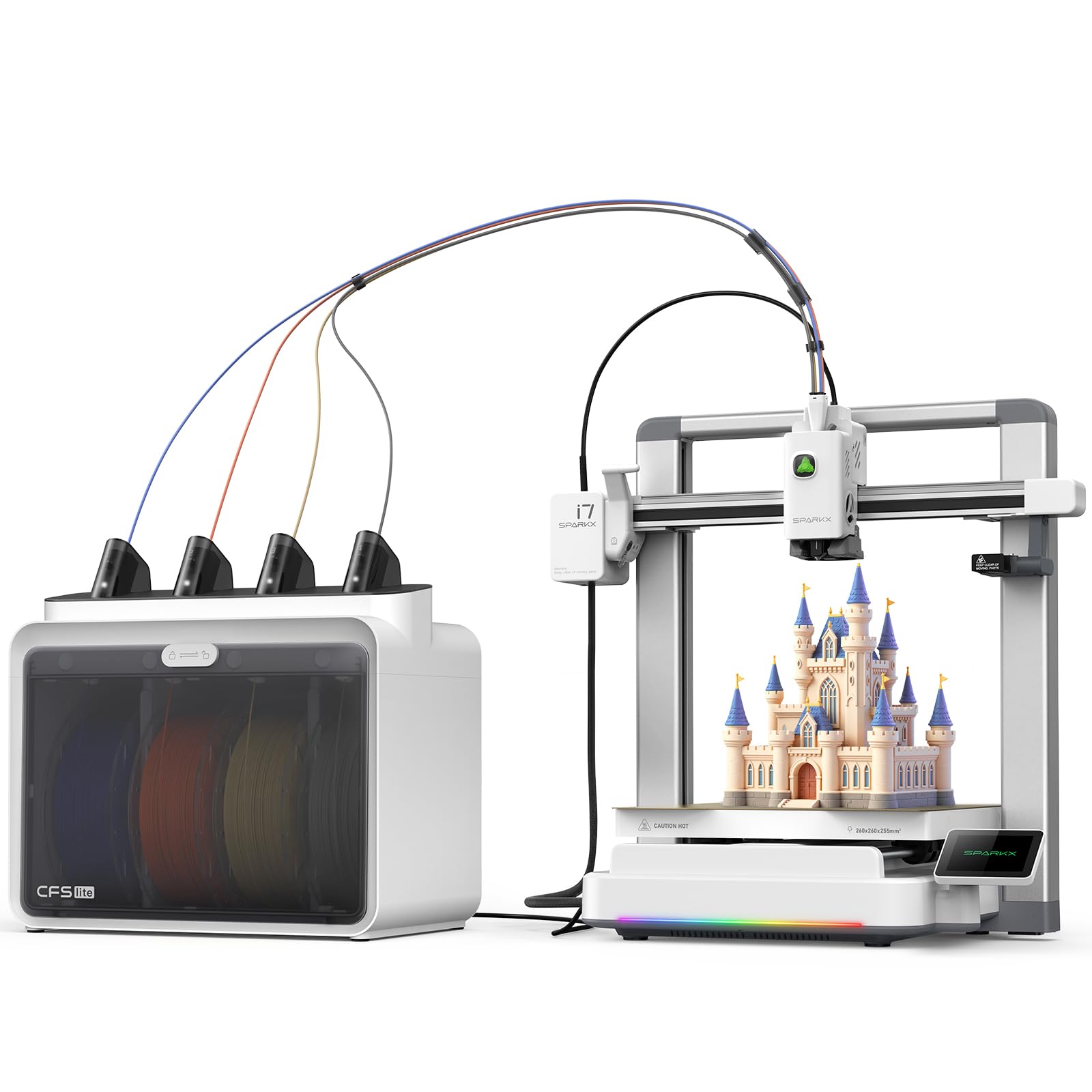
The Creality SPARKX I7 Combo brings AI-powered features to the mid-range segment. The built-in AI camera monitors prints for spaghetti, air printing, entanglement, and build plate issues, sending alerts when something goes wrong. The CFS Lite system reads and syncs filament information to the slicer automatically, eliminating manual profile selection. The cube-shaped build volume of 260x260x255mm is generous for a printer in this category.
The “5 Minutes to First Print” claim is accurate for most users — the printer arrives 95% pre-assembled with only the screen needing installation. The RGB lighting is more than aesthetics; it changes color to indicate print status, making it easy to check from across the room. Users upgrading from older Creality machines report that the I7 is dramatically faster and quieter, with nearly invisible layer lines.
Software integration is the biggest pain point: some users cannot get the printer to appear in the Creality app despite following all setup steps. The CFS Lite spool holder may also cause feeding issues with certain spool types. If the app issues are resolved via firmware updates, the I7 Combo will be a strong competitor in this space.
Why it’s great
- AI camera detection for multiple failure modes
- CFS Lite automatically sets filament profiles
- Fast 500mm/s with near-invisible layer lines
Good to know
- App integration issues reported; printer may not appear in app
- CFS Lite spool holder may cause feeding problems
11. ANYCUBIC Kobra X Fast 3D Printer (B0GQGN9J44)
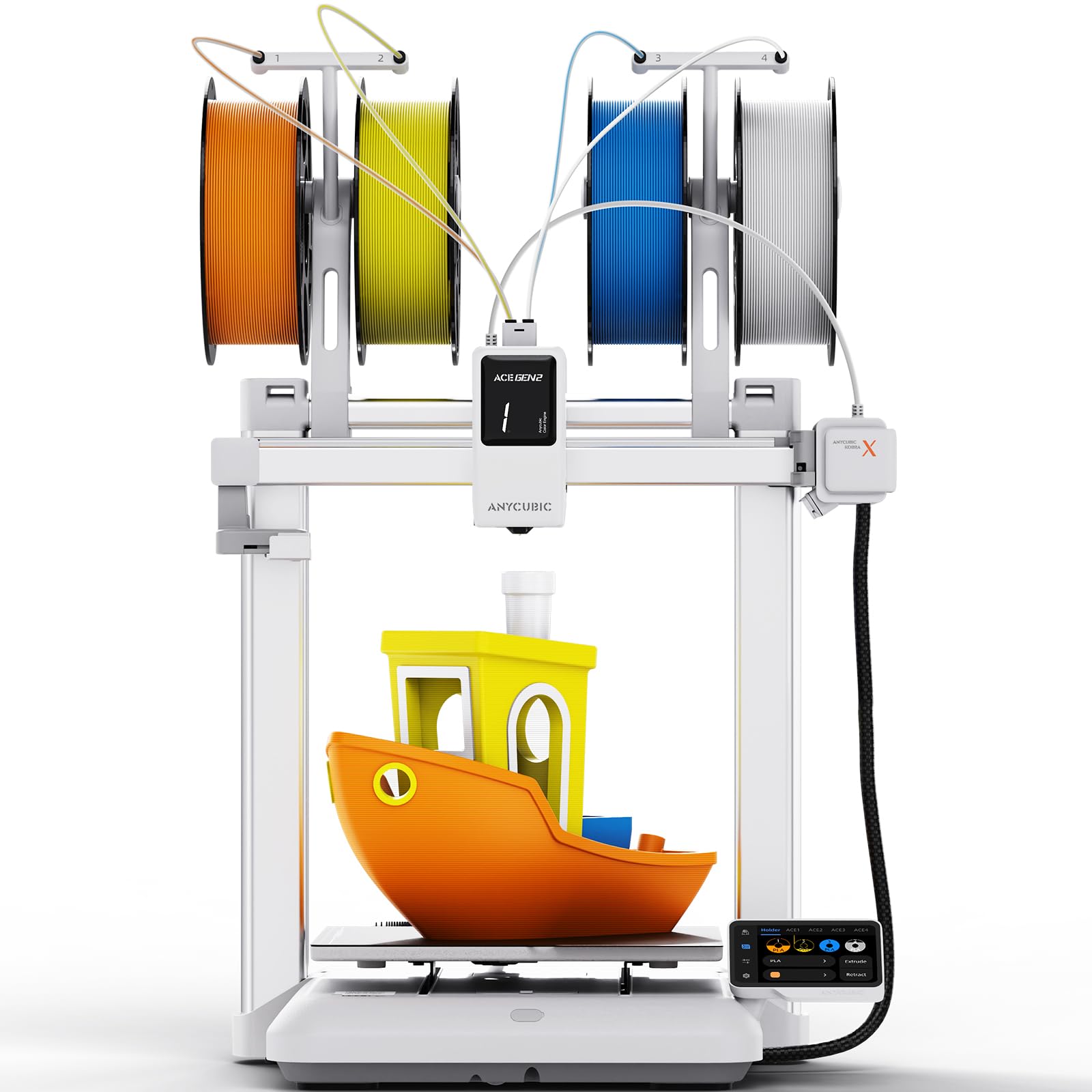
The second listing of the ANYCUBIC Kobra X shares the same hardware platform but is marketed as a quieter, family-friendly version with a 45dB noise rating — quieter than a normal conversation. The native 4-color printing and ACE Gen 2 filament system are identical to the first Kobra X variant, with the same 600mm/s top speed and 260mm³ build volume. The 49-point LeviQ 3.0 auto-leveling ensures consistent first layers.
Users switching from Bambu Lab printers report that the Kobra X is a refreshing alternative with fewer proprietary restrictions. The integration with Anycubic’s app, cloud, and desktop slicer is seamless, and the AI monitoring with spaghetti and foreign object detection provides peace of mind. The 720P camera is adequate for checking print progress but not sharp enough for time-lapse photography.
The main criticism is the cheap plastic filament holders and the poor instruction manual that comes with the printer. The purge waste from the single-nozzle multi-color system is significant — you’ll need a collection bin. For the price, this variant is the best choice if noise level is your top concern and you want multi-color printing without the expense of a Bambu Lab or Prusa system.
Why it’s great
- Very quiet 45dB operation ideal for shared living spaces
- Native 4-color printing with ACE Gen 2 fast filament switching
- 49-point auto-leveling for reliable first layers every time
Good to know
- Cheap plastic spool holders and poorly written manual
- Single-nozzle multi-color system produces significant purge waste
FAQ
What is the difference between CoreXY and bedslinger 3D printers?
Do I really need an enclosed 3D printer for ABS filament?
How does multi-color printing affect total print time and waste?
What does IP rating mean for a 3D printer?
Should I choose a resin or FDM printer for detailed miniatures?
Final Thoughts: The Verdict
For most users, the american 3d printers winner is the Original Prusa MK4S because it combines out-of-box reliability with open-source upgradability and a massive community of support. If you want enclosed fast multi-color printing, grab the Bambu Lab P1S. And for large-format dual-material production, nothing beats the Original Prusa XL.