
Standard mechanical keyboards treat every press as binary—on or off. An analog gaming keyboard remaps keystrokes as variable inputs, measuring exactly how far you push each switch, and translating that pressure into in-game actions like variable-speed walking, smoother throttle control, or hair-trigger strafing. This isn’t a gimmick; it’s a fundamental shift in how your fingers talk to your PC, and for competitive shooters and sim racers alike, it rewrites the rules of latency and precision.
I’m Min — the co-founder and writer behind Gadgets Feed. I’ve spent hundreds of hours parsing datasheets, polling-rate benchmarks, and magnetic-switch actuation curves to separate the true next-gen analog contenders from the marketing noise.
Whether you’re upgrading from a decades-old membrane board or chasing every millisecond advantage in esports, the right best analog gaming keyboard hinges on understanding magnetic vs. optical switch mechanics and how adjustable actuation translates to real in-game performance.
How To Choose The Best Analog Gaming Keyboard
An analog gaming keyboard relies on either magnetic (Hall Effect) or optical switches to detect the depth of a keypress, not just a binary on/off signal. This lets you bind actions like slow walk, faster run, or even joystick-like analog steering to a single key. To find the right board, you need to understand the switch technology, the polling rate, the form factor, and the software ecosystem that unlocks the analog features.
Switch Tech: Hall Effect vs. Optical Analog
Hall Effect switches use a magnet and sensor to measure key travel from 0.1 mm up to 3.5–4.0 mm. They have zero physical contact, meaning no debounce delay and exceptional durability. Optical analog switches use a light beam interrupted by the stem—Razer’s Gen‑2 Analog Optical switches are a prime example. Both deliver variable input, but Hall Effect switches are generally more resistant to dust and have a smoother linear feel, while optical can offer slightly faster theoretical response. Most premium boards today favor Hall Effect for its precision.
Polling Rate: Why 8000 Hz Matters
Polling rate determines how often the keyboard reports its state to your PC. Standard gaming keyboards offer 1000 Hz (1 ms report). Models like the Razer Huntsman V3 TKL and Keychron Q6 HE push that to 8000 Hz, cutting latency to 0.125 ms. For Rapid Trigger and Snap Tap functions—where the keyboard resets a key the instant you lift your finger—a higher polling rate reduces the delay between release and re-press, making counter-strafes and jitter movements tighter. Only consider 8000 Hz if you own a reasonably modern CPU (Intel 9th Gen or Ryzen 2000 series or newer) to handle the data throughput.
Form Factor: TKL vs. 75% vs. Full Size
Tenkeyless (TKL) and 75% layouts dominate the analog segment because they free up desk space for lower mouse sensitivity in FPS games. The Razer Huntsman V3 TKL and ASUS ROG Falchion Ace are pure TKL. The Keychron Q1 HE is a 75% layout (82 keys) with a function row but no numpad—perfect for gamers who still want easy access to media keys. Full-size options like the Keychron Q6 HE exist for those who need a numpad for work or productivity and refuse to sacrifice analog performance. Your choice should hinge on whether you prioritize mouse room or dedicated number entry.
Additional Analog Features: Rapid Trigger and Snap Tap
Rapid Trigger allows a key to reset and re-actuate without requiring a full release, enabling faster repeated presses. Snap Tap (Razer’s term) or SOCD (simultaneous opposite cardinal direction) handling prioritizes a new movement input over an old one when two opposite keys are held. These features are essential for counter-strafing in shooters like Valorant or CS2. Not all analog boards support them equally—Razer’s Huntsman V3 and ASUS’s ROG Falchion Ace have dedicated modes, while Keychron’s Q-series offers adjustable actuation curves but may rely on manual macro configuration for identical behavior.
Quick Comparison
On smaller screens, swipe sideways to see the full table.
| Model | Category | Best For | Key Spec | Amazon |
|---|---|---|---|---|
| Razer Huntsman V3 TKL | Esports TKL | Competitive FPS & Snap Tap | Gen‑2 Analog Optical, 8000 Hz | Amazon |
| ASUS ROG Falchion Ace 75 HE | Magnetic 75% | Portable pro play & onboard tuning | HFX V2X Magnetic, 8000 Hz | Amazon |
| Keychron Q6 HE | Full-Size Hall Effect | Work/gaming hybrid, 8000 Hz wired | Ultra-Fast Lime Magnetic, 8000 Hz | Amazon |
| Keychron Q1 HE | Wireless Magnetic 75% | Multi-device wireless + analog | Gateron Double-Rail Magnetic, 1000 Hz wireless | Amazon |
| Logitech G515 TKL | Wireless TKL | Low-profile wireless gaming | GL Linear Switches, 1000 Hz LIGHTSPEED | Amazon |
| Nuphy Node75 | Wireless 75% | Quiet office/gaming hybrid | Gesture touchpad, 1000 Hz wired/2.4 GHz | Amazon |
| Logitech Alto Keys K98M | Clicky Office | Productivity typing with numpad | Marble Switches, white backlight | Amazon |
In‑Depth Reviews
1. Razer Huntsman V3 TKL 8KHz
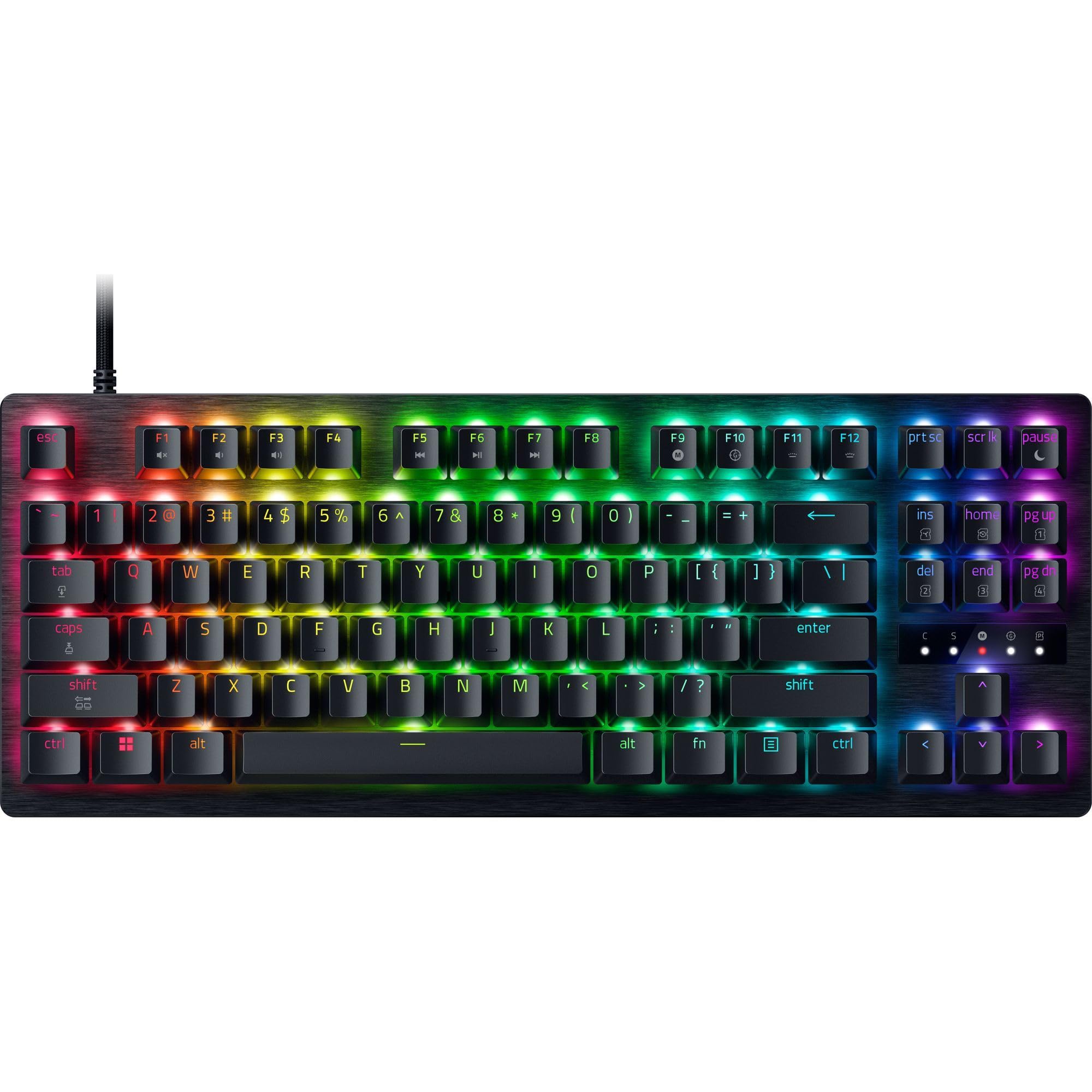
The Huntsman V3 TKL is the definitive esports analog keyboard, built around Razer’s Gen‑2 Analog Optical switches. The actuation range spans 0.1 mm to 4.0 mm and can be adjusted on the fly via the number row, saving profiles directly to onboard memory with no software required. Paired with a true 8000 Hz polling rate, the input latency shrinks to roughly 0.125 ms—making it one of the fastest production keyboards on the market.
Razer Snap Tap prioritizes directional input when two opposite keys are pressed simultaneously, enabling near-instant counter-strafing without the complex macro setup required on other boards. The tenkeyless layout leaves maximum room for mouse sweeps, and the aluminum top plate combined with doubleshot PBT keycaps ensures the chassis stays rigid through marathon sessions. Individual lubricated switches and internal foam dampening keep the acoustics controlled and quiet.
The catch: the software ecosystem (Synapse) can feel bloated, and the optical switches are not hot-swappable with standard mechanical switches—you’re locked into Razer’s ecosystem. Mac users will find limited software support. Still, for sheer competitive speed and out-of-the-box Snap Tap, this board is the benchmark.
Why it’s great
- True 8000 Hz polling for near-zero latency
- Snap Tap works without software configuration
- Onboard actuation tuning with dedicated profiles
Good to know
- Not hot-swappable; locked to Razer optical switches
- Synapse software required for advanced RGB and macro editing
2. ASUS ROG Falchion Ace 75 HE
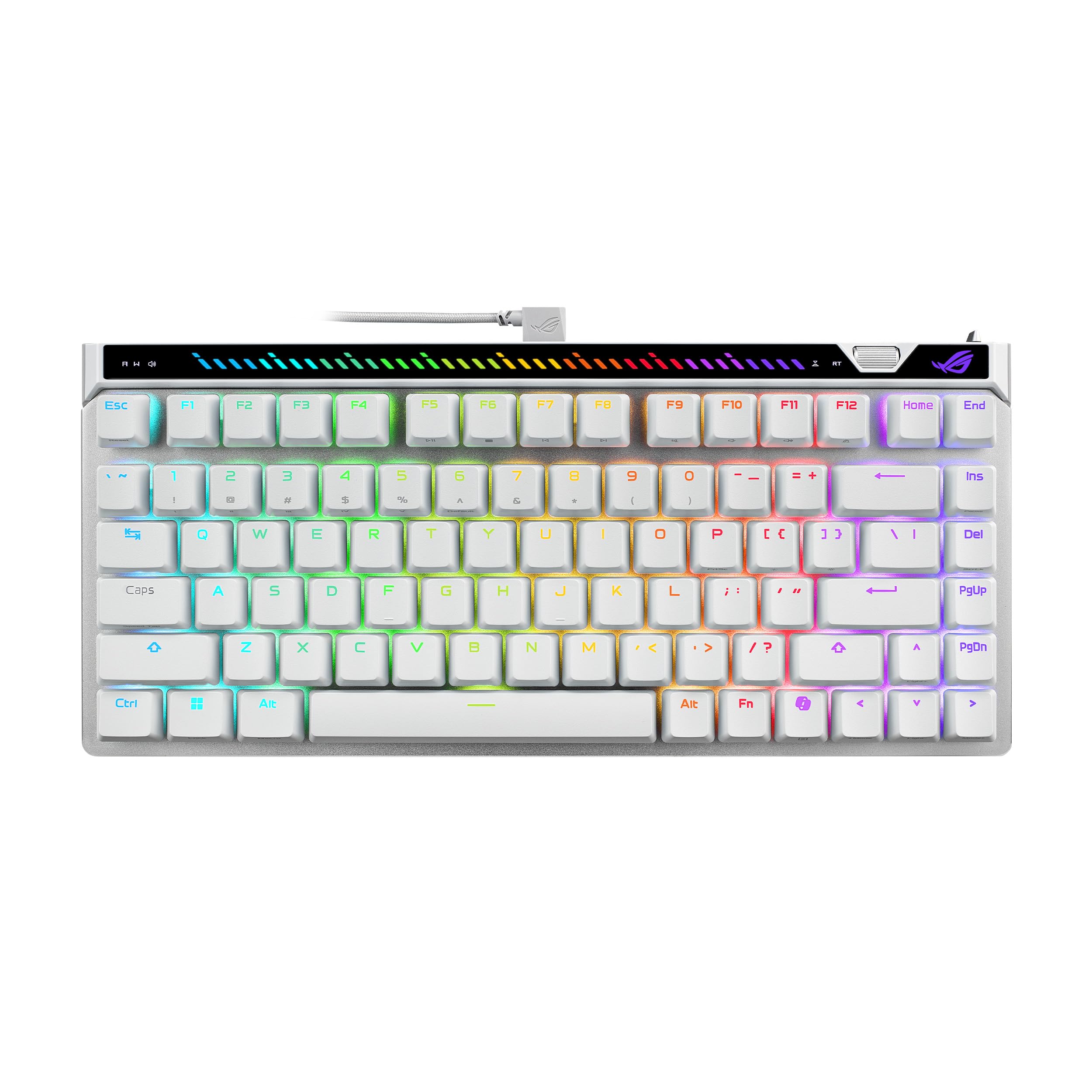
The Falchion Ace 75 HE uses ASUS’s new ROG HFX V2X Hall Effect magnetic switches, enabling 0.1 mm to 3.5 mm actuation in 0.01 mm increments—the most granular adjustment in its class. The 75% layout (84 keys) keeps a function row while trimming width compared to a full TKL, and the included protective carry case makes it a genuine travel companion for LAN events. The onboard adjustment wheel lets you tweak actuation and Rapid Trigger sensitivity without opening any software.
The interactive touch panel at the top-left replaces traditional media keys, allowing volume, playback, and even RGB brightness control through swipe gestures. Five-layer internal dampening eliminates hollow pinging, and the doubleshot PBT keycaps resist shine far longer than ABS. The wired-only USB‑C connection delivers the full 8000 Hz polling rate with a 0.125 ms response time, and the web-based configurator (replacing Armoury Crate) is refreshingly lightweight.
The learning curve is real—the touch panel and wheel take time to memorize, and the web configurator can be finicky on first connect. The white colorway shows smudges easily, and the board lacks wireless connectivity entirely. For players who prioritize absolute analog precision in a portable, feature-dense package, this is a top-tier choice.
Why it’s great
- 0.01 mm actuation step resolution for fine tuning
- Onboard wheel and touch panel for instant adjustments
- Included carry case and five-layer dampening
Good to know
- Wired only; no Bluetooth or 2.4 GHz
- Touch panel can be finicky at first
3. Keychron Q6 HE
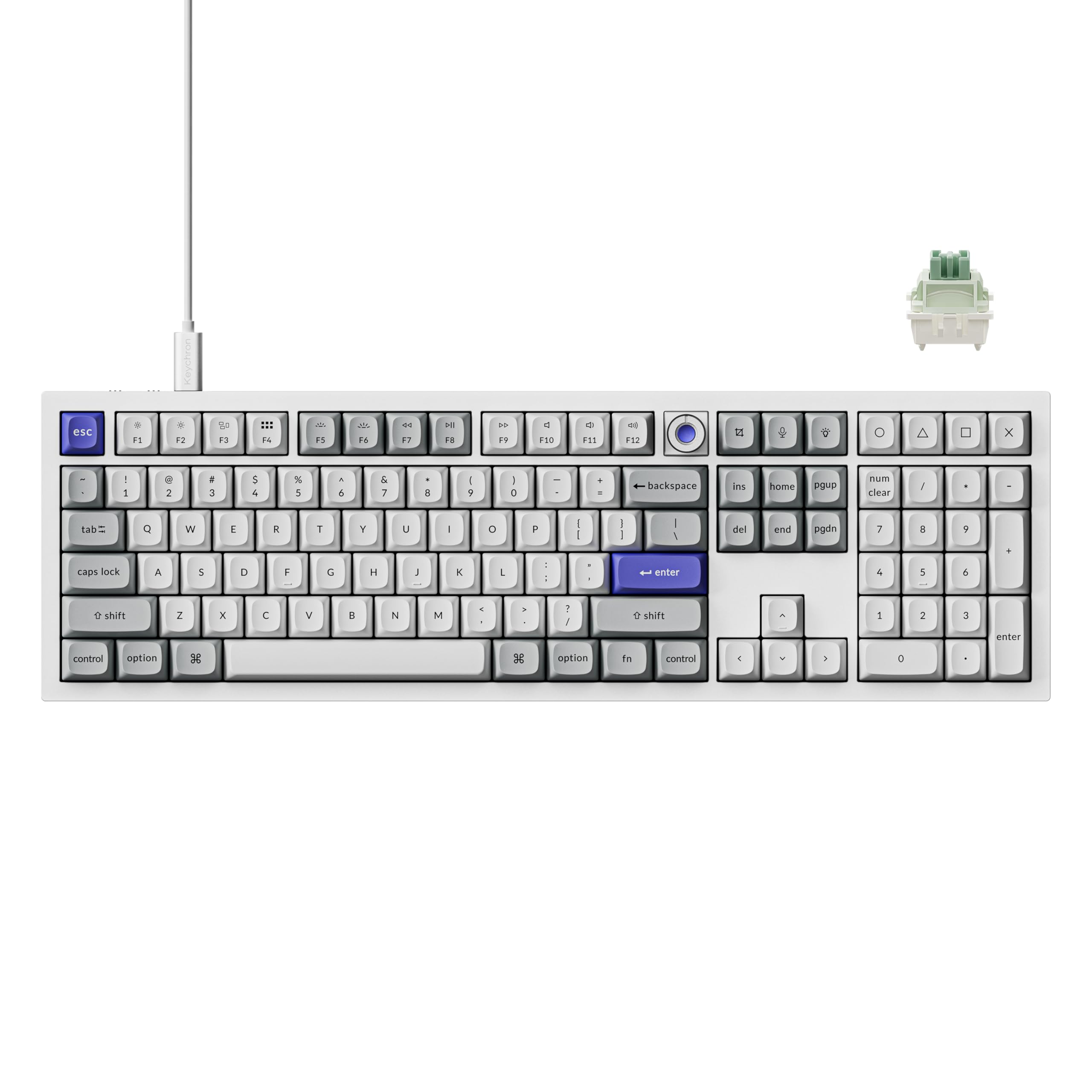
The Q6 HE is a full-size (108-key) wired keyboard that doesn’t compromise on analog speed. Keychron’s Ultra-Fast Lime magnetic switches offer an industry-leading response time with 8000 Hz polling and a 256 kHz single-key scanning rate, translating to the lowest possible input lag on paper. The full aluminum CNC chassis weighs nearly five pounds, anchoring the board firmly to the desk and eliminating any flex during aggressive keystrokes.
The web-based Keychron Launcher allows remapping, actuation point adjustment (0.1 mm to 3.8 mm), and custom macros for each key. The Q6 HE supports Rapid Trigger behavior, letting you define separate release and re-actuation points for faster key repeats. The sound profile is rich and muted thanks to multiple layers of silicone and foam dampening, and the pre-lubed POM switch stems deliver a buttery smooth linear feel out of the box.
The sheer weight makes it impractical for travel, and the non-shine-through PBT keycaps can make RGB look dimmer than backlit-capable boards. The Launcher is web-only and requires a Chromium browser for full functionality. For anyone who needs a numpad for productivity or sim racing bindings but refuses to sacrifice analog precision, this is the most complete wired package.
Why it’s great
- Full 108-key layout with 8000 Hz polling and Hall Effect switches
- Monolithic aluminum chassis provides superior stability
- Rich, muted acoustic profile with pre-lubed switches
Good to know
- Very heavy (~5 lbs); not travel-friendly
- Web-based Launcher requires Chromium browser
4. Keychron Q1 HE

The Q1 HE is the world’s first 75% wireless analog keyboard with Hall Effect switches, combining Gateron’s double-rail magnetic switches with tri-mode connectivity (2.4 GHz, Bluetooth 5.2, USB-C). The 2.4 GHz mode offers a 1000 Hz polling rate—sufficient for competitive play, though not matching the 8000 Hz of wired-only counterparts. The all-aluminum chassis and double-gasket design provide a premium typing feel with minimal flex.
Each key supports actuation from 0.5 mm to 3.8 mm, and the double-rail design reduces stem wobble significantly. You can assign up to four actions to a single key based on travel depth—light press walks, deep press runs—which is ideal for games without native analog movement support. The OSA-profile PBT keycaps feel comfortable under the fingers, and the south-facing RGB shines brightly through the caps.
Battery life is not specified but will be shorter with RGB on, and the 1000 Hz polling in wireless mode is a step behind the 8000 Hz wired boards for the most latency-sensitive players. The absence of adjustable feet is a minor ergonomic oversight for a board at this price. If wireless flexibility and full analog control in a compact layout outweigh the need for absolute peak polling rate, this is the strongest option.
Why it’s great
- Tri-mode wireless with 1000 Hz polling on 2.4 GHz
- Double-rail magnetic switches minimize wobble
- Up to four actions per key via travel depth
Good to know
- Only 1000 Hz polling in wireless mode
- No adjustable feet for tilt preference
5. Logitech G515 Lightspeed TKL

The G515 Lightspeed TKL is Logitech’s low-profile wireless analog-adjacent offering, using GL mechanical switches (linear in this review) rather than true analog Hall Effect or optical sensors. While it does not offer variable actuation, its slim 87-key tenkeyless design and LIGHTSPEED wireless with a 1 ms report rate make it a strong choice for gamers who want a low-latency, compact, and extremely portable keyboard without paying for full analog capabilities.
The doubleshot PBT keycaps resist oil buildup, and the factory-lubed GL switches provide a smooth, quiet keystroke suitable for shared spaces. Battery life is rated at up to 36 hours with RGB on, which is decent for a wireless gaming board. The KEYCONTROL technology in G HUB allows per-key macro and function remapping, and the tri-mode LIGHTSPEED, Bluetooth, and wired connectivity adds versatility for switching between desktop and laptop.
The lack of true analog input (no adjustable actuation, no Rapid Trigger) means it cannot match the performance of magnetic or optical analog boards for competitive counter-strafing. The low-profile keycaps are not cross-compatible with standard mechanical switch keycap sets, limiting customization. This is a premium wireless keyboard for gamers who prioritize a slim build and Logitech’s ecosystem over the deepest analog features.
Why it’s great
- Slim and truly portable TKL form factor
- LIGHTSPEED wireless with 1 ms report rate
- Doubleshot PBT keycaps resist shine
Good to know
- No analog variable actuation
- Low-profile keycaps limit switch keycap compatibility
6. Nuphy Node75
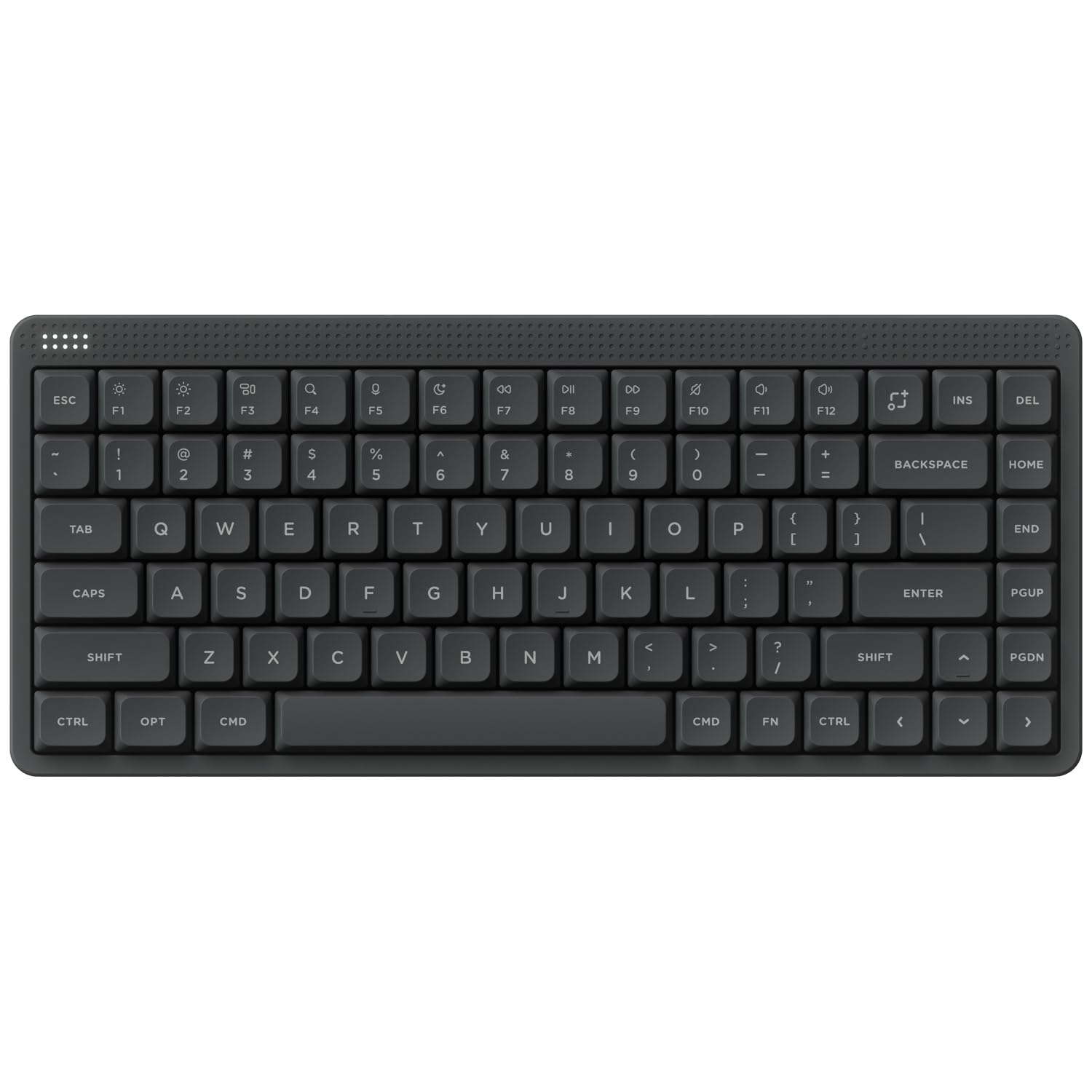
The Node75 is a 75% low-profile mechanical keyboard that, while not a true analog board, offers hot-swappable switches and a unique gesture touch area that replaces the traditional volume knob. It supports tri-mode connectivity (Bluetooth, 2.4 GHz, USB-C) with a 1000 Hz polling rate in 2.4 GHz and wired modes, and the 3000 mAh battery delivers up to 1000 hours of runtime. The gasket-mounted design yields a soft, muted typing feel.
The hot-swappable switch compatibility means you could install linear switches for gaming, but the board lacks any magnetic or optical analog sensing—meaning no adjustable actuation or Rapid Trigger. The PBT keycaps are durable and oil-resistant, and the NuPhyIO software allows RGB customization and macro assignment. The low-profile switches make this keyboard comfortable for long typing sessions as well as light gaming.
The gesture pad can be finicky, and the plastic case doesn’t offer the same rigidity as aluminum boards. It’s best suited for someone who wants a quiet, portable, and customizable mechanical keyboard for mixed use, and is willing to forgo true analog gaming features in favor of battery life and low-profile comfort.
Why it’s great
- Exceptional 1000-hour battery life
- Hot-swappable with gesture touchpad
- Light and travel-friendly plastic build
Good to know
- No analog/HE switch support
- Plastic feel lacks premium rigidity
7. Logitech Alto Keys K98M
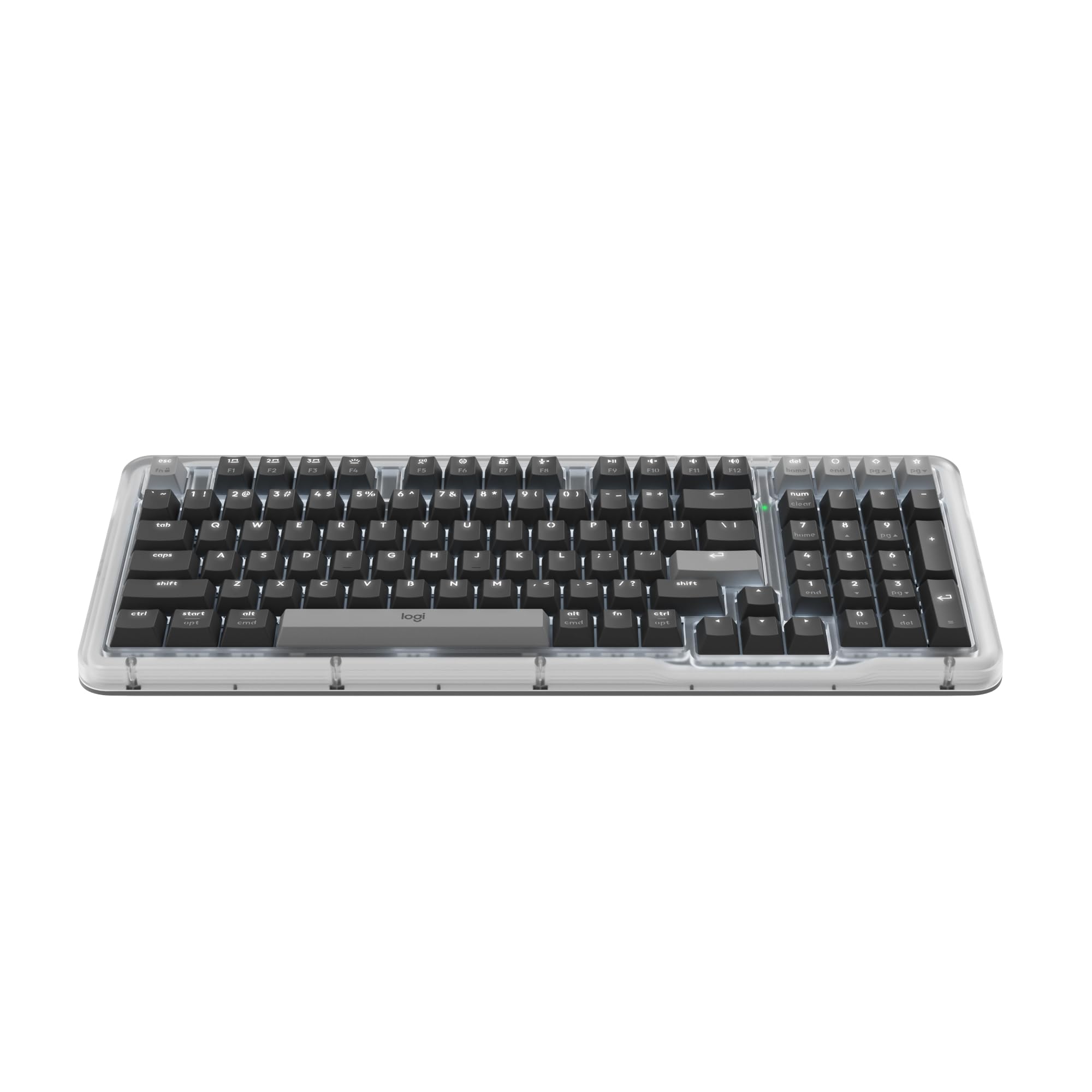
The Alto Keys K98M is a compact 98-key mechanical keyboard (1800-style layout with numpad) from Logitech that prioritizes a quiet, clicky typing experience over gaming-specific analog features. It uses hot-swappable Marble switches with concave keycaps and a gasket-mounted UniCushion to absorb vibration, making it comfortable for all-day typing. The connectivity options include Bluetooth, Logi Bolt, and USB-C, with a battery life of up to 12 months.
The white backlighting is non-RGB, which may disappoint gamers looking for per-key lighting effects. The Logi Options+ app enables program Action Keys for productivity shortcuts and AI-enhanced features, but there is no analog input, no adjustable actuation, and no hot-swappable magnetic switch option. The build is solid with recycled plastic and a transparent top case, but the keyboard is not designed for competitive gaming latency.
This is a productivity-first keyboard that will serve well for office workers who need a numpad and occasional light gaming. It lacks the core analog features (variable actuation, Rapid Trigger) required for the Best Analog Gaming Keyboard title, but earns its place as a well-built quiet option for the desktop.
Why it’s great
- Long 12-month battery life with BLE
- Compact 98-key layout with numpad
- Quiet, gasket-mounted typing experience
Good to know
- Non-RGB white backlight only
- No analog/HE switches; not gaming-optimized
FAQ
What is the difference between Hall Effect and optical analog switches?
Can I use an analog keyboard for non-gaming tasks?
What is Rapid Trigger and do I need it?
Does an analog keyboard reduce input lag compared to a standard mechanical keyboard?
Final Thoughts: The Verdict
For most users, the best analog gaming keyboard winner is the Razer Huntsman V3 TKL because it combines true 8000 Hz polling with Snap Tap and onboard actuation tuning in a tenkeyless frame designed specifically for competitive esports. If you want wireless analog flexibility and a 75% layout, grab the Keychron Q1 HE. And for full-size productivity that never compromises on analog latency, nothing beats the Keychron Q6 HE.