
Our readers keep the lights on and my morning glass full of iced black tea. As an Amazon Associate, I earn from qualifying purchases.
Specs are compiled from manufacturer listings and verified buyer reviews and can change over time — please confirm the key details on the product page before buying.
An Android Box turns your regular television into a smart streaming hub, but not all of them deliver the same smooth experience. You have probably heard stories about boxes that freeze up, struggle with 4K video, or feel slow after a few weeks. This guide cuts through the tech clutter to help you pick the right one for your home setup.
I’m Min — the founder and writer behind Gadgets Feed. This guide is built by comparing the manufacturers’ published specifications and the patterns across verified customer reviews, so you get each pick’s real strengths and trade-offs instead of marketing spin.
Whether you are after a powerhouse for a home theater or a simple plug-and-play device, these are the top contenders for the best android box you can buy today.
Our Picks at a Glance

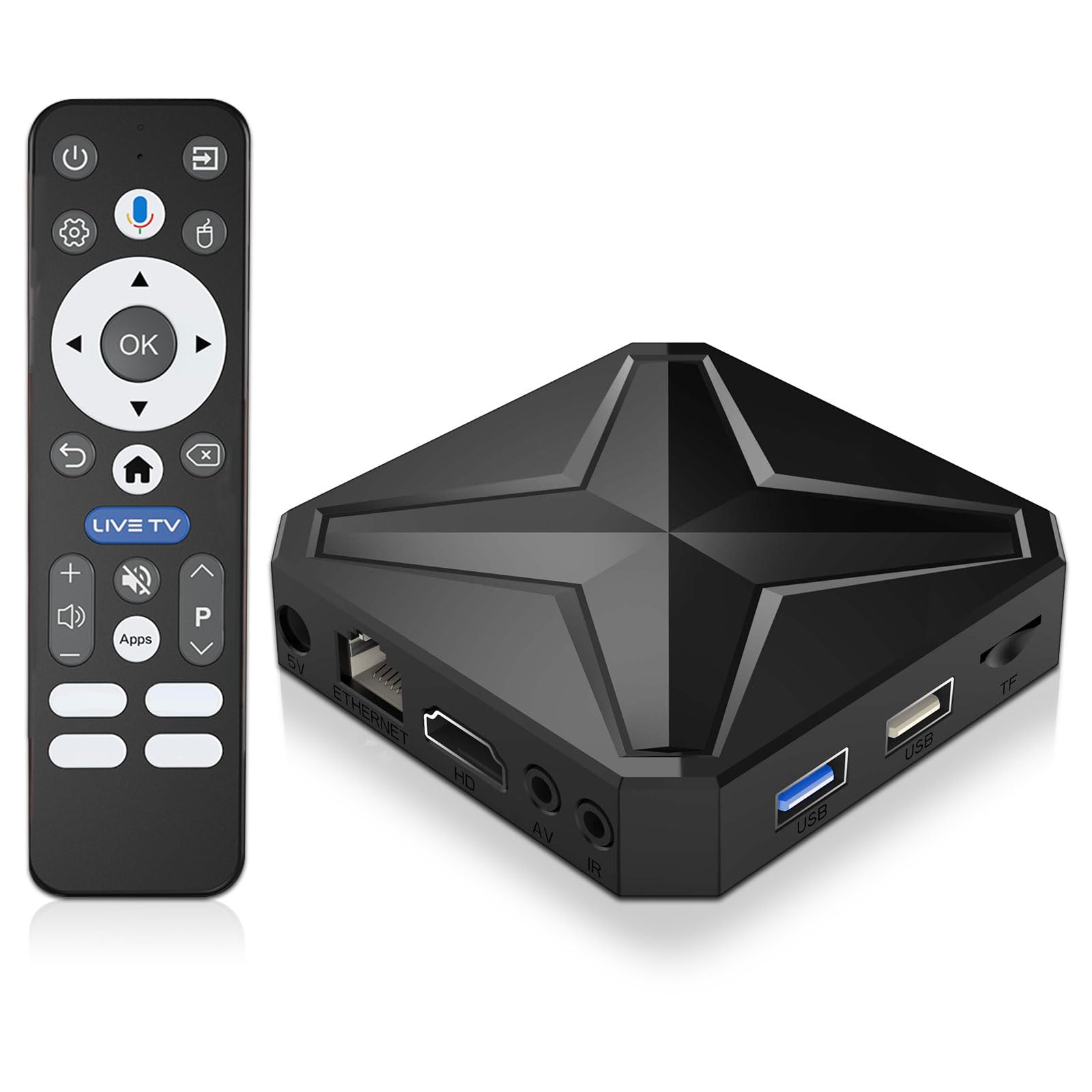

How To Choose The Best Android Box
Picking the right Android Box depends on matching its hardware to what you actually want to do with it. The biggest mistake is focusing only on price and not checking if the box supports the apps and video quality you need.
Performance: The Engine Matters Most
The processor (CPU) and the amount of RAM decide how smoothly your box runs. A modern chipset like the Amlogic S928X-K handles 4K and even 8K video without breaking a sweat. You want at least 2GB of RAM for basic streaming, but 4GB or more is what you need for heavy apps, gaming, or running a media server like Plex.
Video and Audio: Check the Codecs
Support for Dolby Vision, HDR10+, and Dolby Atmos is what separates a good viewing experience from a great one. If you watch a lot of local media files (Blu-ray rips, for example), you need a box that can decode formats like AV1, H.265, and VP9. The box must also support the right High-bandwidth Digital Content Protection (HDCP) standard to play 4K content from services like Netflix.
Certification: The Netflix & Prime Video Test
A Google-certified box is the only way to guarantee that streaming apps like Netflix, Disney+, and Amazon Prime Video will play in full 4K HDR. Non-certified boxes often only output in lower resolutions (SD or 1080p) from these apps, which defeats the purpose of a 4K TV.
Quick Comparison
| Model | Best For | RAM / Storage | Video Output | Wi-Fi | Amazon |
|---|---|---|---|---|---|
| NVIDIA Shield TV Pro★ Best Overall | Best Overall & Upscaling | 3GB / 16GB | 4K HDR Dolby Vision | Wi-Fi 5 (AC) | Amazon |
| EASYTONE Android 14 BoxBudget Champion | Budget Pick with WiFi 6 | 2GB / 16GB | 4K & 8K Decoding | Wi-Fi 6 | Amazon |
| Sidiwen KP1 (Android 11)Certified Pick | Google Certified Value | 2GB / 32GB | 4K HDR | Wi-Fi 4 (N) | Amazon |
| KICKPI KP1 (Android 14) | Google Certified Latest OS | 2GB / 16GB | 4K HDR | Wi-Fi 5 (AC) | Amazon |
| Xiaomi TV Box S 3rd Gen | Compact & Clean Google TV | 2GB / 32GB | 4K UHD HDR10+ Dolby Vision | Wi-Fi 6 | Amazon |
| Dune HD Pro Vision 4K | Pro Media Playback & Hi-Fi Audio | 4GB / 64GB | 4K HDR Dolby Vision | Wi-Fi 5 (AC) | Amazon |
| MINIX U8K-Ultra | 8K Playback & Massive Storage | 8GB / 128GB | 8K HDR | Wi-Fi 6 | Amazon |
| Ugoos AM6B Plus | Home Theater Fanatics (FEL DV) | 4GB / 32GB | 4K HDR | Wi-Fi 6 | Amazon |
| Zidoo Z30 PRO | Ultimate Media Library Management | 6GB / 64GB | 8K HDR Dolby Vision | Wi-Fi 6 | Amazon |
In‑Depth Reviews
1. NVIDIA Shield TV Pro
Our pick — over 4★ from 13,500+ verified ratings; the strongest balance of quality and price.
The gold standard that turns every movie into a crisp, colorful experience.
The NVIDIA Shield TV Pro is the reigning champ for a reason — it pairs a powerful Tegra X1+ chip with AI upscaling that makes HD content look genuinely close to 4K. You get 3GB of RAM and 16GB of storage, so navigation is snappy and apps load instantly. The crowd favorite — with tens of thousands of ratings — it delivers Dolby Vision HDR and Dolby Atmos sound, creating a home theater that feels premium.
What wins people over is the sheer speed and streaming quality, which is the most-discussed strength by a wide margin. The reliability and value get more mixed feedback, which is fair given the premium price. As buyers report, the Shield supports Dolby Atmos music via Tidal, and the experience in a multi-speaker setup is “rich.” The 2x USB 3.0 ports let you plug in hard drives, keyboards, or a DAC for high-res audio — a feature many boxes lack. It weighs 2.1 pounds, so it has a reassuring heft, but it is still compact enough to hide away.
Why it leads the pack
- AI upscaling noticeably sharpens 480p and 720p video in real-time
- Plex Media Server built-in for managing your own movie library
- Bluetooth 5.0 and a backlit, motion-activated remote with locator
The trade-off to know
- The higher price reflects the premium hardware, not a budget buy
- Some units have reported reliability hiccups after extended use
Your best bet if: you want the most polished, fastest Android TV experience and plan to build a serious home theater setup.
Think twice if: you just need a cheap streaming stick — this is overkill for a basic bedroom TV.
2. EASYTONE Android 14 TV Box
Surprisingly future-proof for a box that costs less than a pizza night.
This small box — just 3.15 inches square and 0.7 inches tall — packs Android 14, WiFi 6, and the ability to decode 8K video, all at a price that undercuts almost everything else here. It runs an RK3518 chipset with 2GB of RAM and 16GB of storage, which is enough for the essential streaming apps. The included Bluetooth Voice Remote and screen casting make it easy to control without hunting for your phone.
The performance is the top-mentioned aspect, but it gets a mixed reception from owners. While several say all their apps work well, a few report the box freezing up after some months — as buyers put it, “it froze up and can’t get passed the boot up.” You also get a 100M Ethernet port and a TF card slot for expansion up to 128GB, which adds flexibility for local media. It is a great price for the spec list, but reliability is a lottery, so keep your receipt handy.
Honest value read: You get modern connectivity (WiFi 6, Bluetooth 5.4) for a rock-bottom cost, but durability reports are inconsistent — treat this as a low-risk experiment rather than a long-term investment.
Reach for this if: you need a cheap, secondary box for a guest room or want to test Android 14 without spending much.
Look elsewhere if: you need reliable daily performance for a main living room TV.
3. Sidiwen KP1 (Android 11)
Google-certified and ready for Netflix, Disney+, and Prime Video in 4K.
If you want a box that just works with the major streaming services, this is your pick. Google certification means you get full 4K HDR playback from Netflix, Apple TV+, and others without the guessing game. The KP1 runs Android 11 (with an OTA update to Android 12 available) and has 2GB of RAM and 32GB of storage — double the storage of the EASYTONE box. It ships with a voice remote, and its build quality gets consistent positive feedback from owners.
The functionality is the most-debated topic among buyers, and it is a mixed bag. Some say it is the best box they have owned for apps like VPN and IPTV, while others find it “a veces algo lento” (a bit slow) in certain applications. Setting it up is a breeze — just plug the built-in HDMI cable into your TV, connect to Wi-Fi, and start streaming. It is a solid middle-ground option that balances price with certified access to content.
What owners love: The simplicity of getting major apps running in full quality without fiddling with settings.
The honest catch: App performance can lag occasionally, making it feel less snappy than mid-range and premium boxes.
Perfect for: someone upgrading from a non-smart TV who wants guaranteed Netflix 4K on a budget.
skip it if: fast multitasking and gaming are priorities — the 2GB RAM limits heavy use.
4. KICKPI KP1 (Android 14)
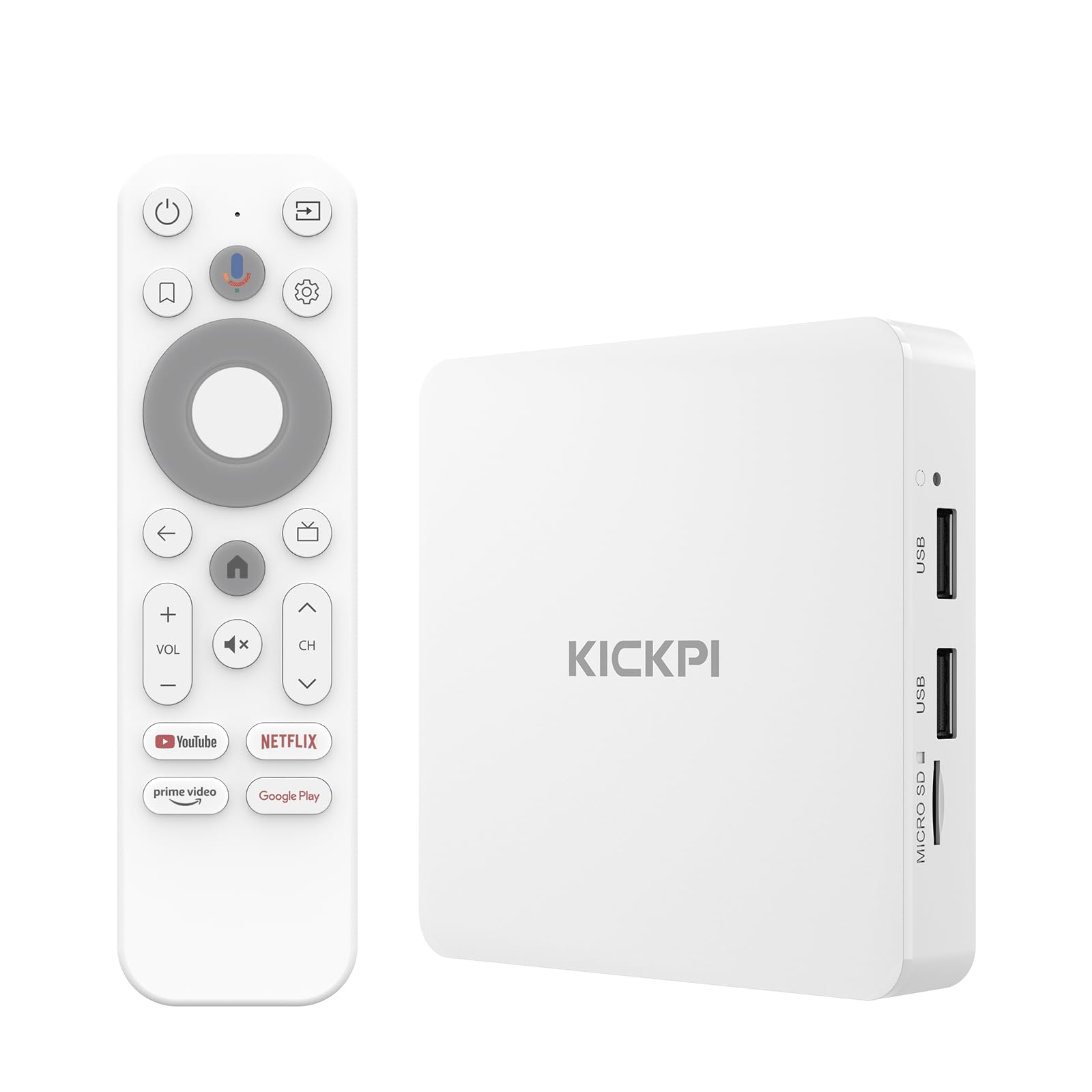
Latest Android TV OS with a remote that understands you instantly.
This is the KICKPI version of the KP1, but it ships with Android 12 and updates to Android 14 over Wi-Fi, giving you the newest privacy features and app compatibility. It is Google certified, so you get access to over 700,000 movies and shows across all major platforms in 4K HDR with Dolby Digital Plus audio. The 2GB RAM and 16GB storage are expandable via USB, and the built-in HDMI cable makes setup as simple as plugging it in.
The functionality gets high marks from owners, many of whom compare it favorably to more expensive devices. As a repeat buyer of the brand noted, “I have purchased about 10 from them and all works well.” The main sticking point is performance (the most-discussed aspect), which has mixed reviews — some apps occasionally drop audio from Dolby Atmos to 5.1, and a single owner bluntly called it “junk.” Owners praise the Google Assistant voice remote for search and smart home control, which makes finding content hands-free.
Strong points
- smooth integration with the Google ecosystem (Chromecast, Assistant)
- Runs the latest Android TV 14 for better stability and privacy
Weak points
- Performance consistency varies from unit to unit according to reports
- Occasional Dolby Atmos audio hiccups on certain streams
Ideal for: Google-home users who want the latest OS and voice-first navigation.
Not for: audiophiles relying on perfect Atmos pass-through on every single stream.
5. Xiaomi TV Box S 3rd Gen

A tiny box (just 91 grams) that brings the clean Google TV interface.
The Xiaomi Box S 3rd Gen is powered by a modern 6nm quad-core A55 CPU that clocks up to 2.5GHz, making it one of the more responsive options for its size. It supports 4K UHD with HDR10+ and Dolby Vision, and also handles Dolby Atmos and DTS:X for rich audio. The 2GB of RAM and 32GB of storage are paired with Wi-Fi 6, which gives you fast, stable streaming even in crowded network environments. Its small footprint — 3.82 inches square — is barely noticeable next to your TV.
The quality and functionality are the top praises from owners, who describe the interface as clean and free of clutter. The most common performance complaint is that the standby time is too short and the device feels slow waking up. One owner did not mince words, calling it “the worst purchase in years” due to software quirks. Still, most buyers find it excellent value for a mid-range price. The 360° Bluetooth remote with Google Assistant adds convenience, though the remote feels a bit plasticky.
Key strength: The ad-free Google TV experience is a major draw for those tired of bloatware on other streaming sticks.
Best for: cord-cutters who want a tidy, minimalist interface and solid 4K performance without spending Shield money.
Avoid if: you hate devices that take a moment to wake from sleep — that lag might annoy you daily.
6. Dune HD Pro Vision 4K

Purpose-built for the person who has a library of local 4K files and a high-end audio system.
The Dune HD Pro Vision 4K is not your average streaming box — it is a media player designed for enthusiasts who play their own Blu-ray rips and demand perfect audio and video. It runs on an S905X4-J processor with 4GB of RAM and 64GB of storage. The standout feature is the VS10 video processor, which improves the quality of conversions between Standard Dynamic Range (SDR), HDR, and Dolby Vision, even on TVs that do not support Dolby Vision natively. The entire metal housing acts as a heat sink, meaning it runs silently without a fan.
It supports all HD audio formats in bitstream pass-through and can decode them to multi-channel PCM up to 7.1 channels. This is the box you get if you have a receiver and want every audio channel to reach your speakers. Owners love the picture quality and the fact it plays every file format you throw at it, though the remote (model R3) lacks a backlight. As buyers put it, “works as advertised, only wish the controller controlled scrolling.” It is a niche tool, not a mainstream gadget.
Who this is for
- Handles Dolby Vision Profile 7 (FEL) and true HD audio pass-through
- Supports hard drives over 20TB via USB 3.0 for massive local libraries
Who this is not for
- No 8K support if you are future-proofing for that
- The interface is more utilitarian than the polished Google TV experience
You want this if: you have a collection of Blu-ray ISOs, a multi-speaker Atmos setup, and a TV that needs help with Dolby Vision mapping.
Leave it if: you only stream from Netflix and want a simple app-driven remote.
7. MINIX U8K-Ultra

A spec monster with 8GB of RAM and 128GB of storage for the ultimate tinkerer.
The MINIX U8K-Ultra runs on the Amlogic S928X-K big.LITTLE processor with 8GB of RAM and 128GB of storage — the most of any box on this list. It runs Android AOSP 11 (a full, non-TV version of Android), meaning you can install any app from the Google Play Store, not just TV-tune ones. It supports 8K video playback at 60Hz, but you need an 8K display and an HDMI 2.1a cable to see it. The AI-powered upscaling boosts 480p content to 4X the detail, making old videos look surprisingly clear.
The hardware build quality is the most-praised aspect — it feels premium and sturdy. The performance, however, is the most-discussed topic, and it gets mixed marks. While many owners call it a “beast of a machine” for Video on Demand (VOD) and IPTV, others find the interface convoluted and note that the bootloader is locked, limiting custom firmware. It is a powerful box for those who want a full Android desktop experience on their TV, but the user interface (the lowest-rated aspect) can be a hurdle for less tech-savvy buyers.
The biggest appeal: The 128GB of onboard storage means you can install a huge library of apps and games without worrying about space.
A fit for: power users who want to run the full Android ecosystem on their TV, including non-TV apps and intensive games.
A mismatch for: anyone expecting a simple, polished TV interface — this is a tinkerer’s device.
8. Ugoos AM6B Plus
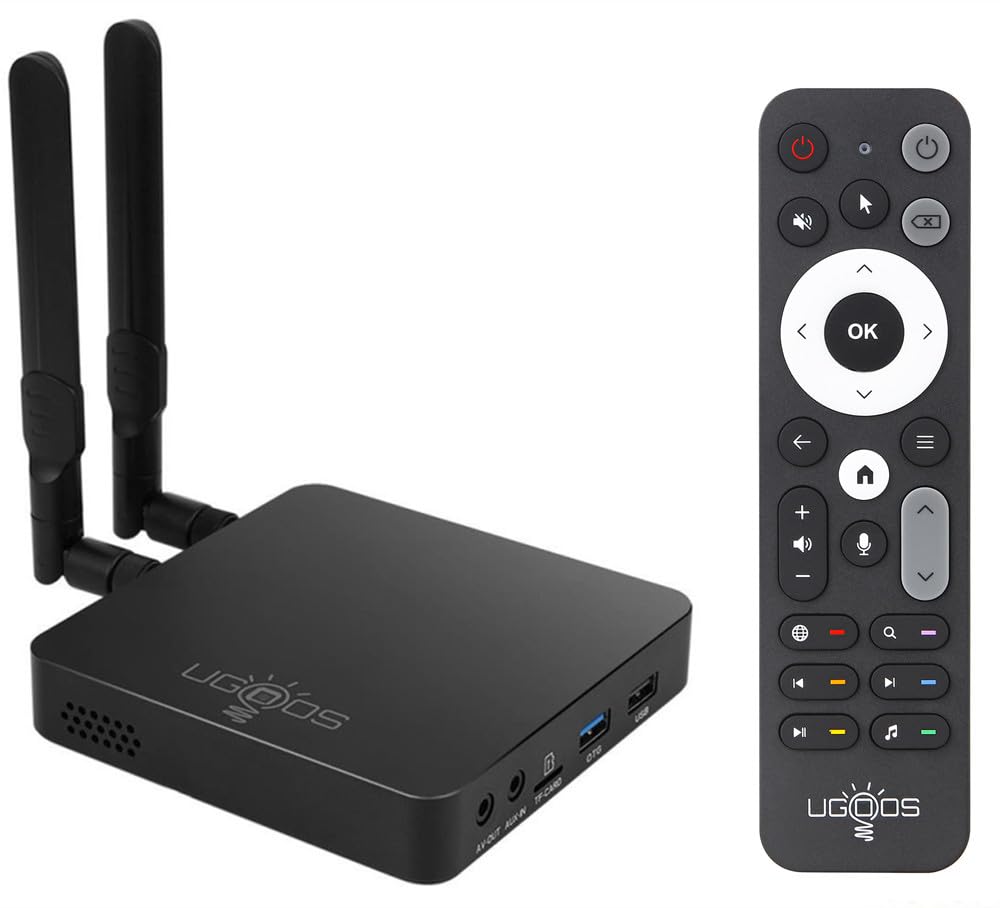
The secret weapon for running CoreELEC and playing full Dolby Vision FEL rips.
The Ugoos AM6B Plus is built around the Amlogic S922X-J hexa-core processor, a powerful chip that has made this box a legend in home theater circles. It comes with 4GB of LPDDR4 RAM and 32GB of storage, and it is the go-to device for anyone who wants to run CoreELEC (a lightweight Linux media center OS). Its defining superpower is full support for Dolby Vision Profile 7 Full Enhancement Layer (FEL), which is a requirement for playing 4K Blu-ray remuxes with perfect video quality.
The performance is the most-praised aspect of this box — owners describe it as an “endgame device” for Plex and Kodi. High-bitrate 4K UHD rips play instantly with no buffering, and it supports all HDR formats and audio codecs. Setup takes about 30 minutes according to regulars, and the community support for CoreELEC is excellent. The IR remote is famously awful, but you can fix that with a Bluetooth keyboard or a third-party remote. While overpriced in some opinions due to its niche status, it remains the only box that does FEL without the Shield’s limitations.
Why home theater fans love it
- Full Dolby Vision FEL support for true reference-quality playback
- Wi-Fi 6 and 1000Mbps Ethernet for smooth streaming from a NAS
Where it falls short
- The included remote is basic and IR-only from the start
- Not the best choice for mainstream streaming services (get an Apple TV for that)
Ideal for: enthusiasts with a NAS full of Blu-ray remuxes who demand the absolute best video and audio quality.
Pass if: you just want to plug in and watch Netflix — the setup and remote issues will frustrate you.
9. Zidoo Z30 PRO
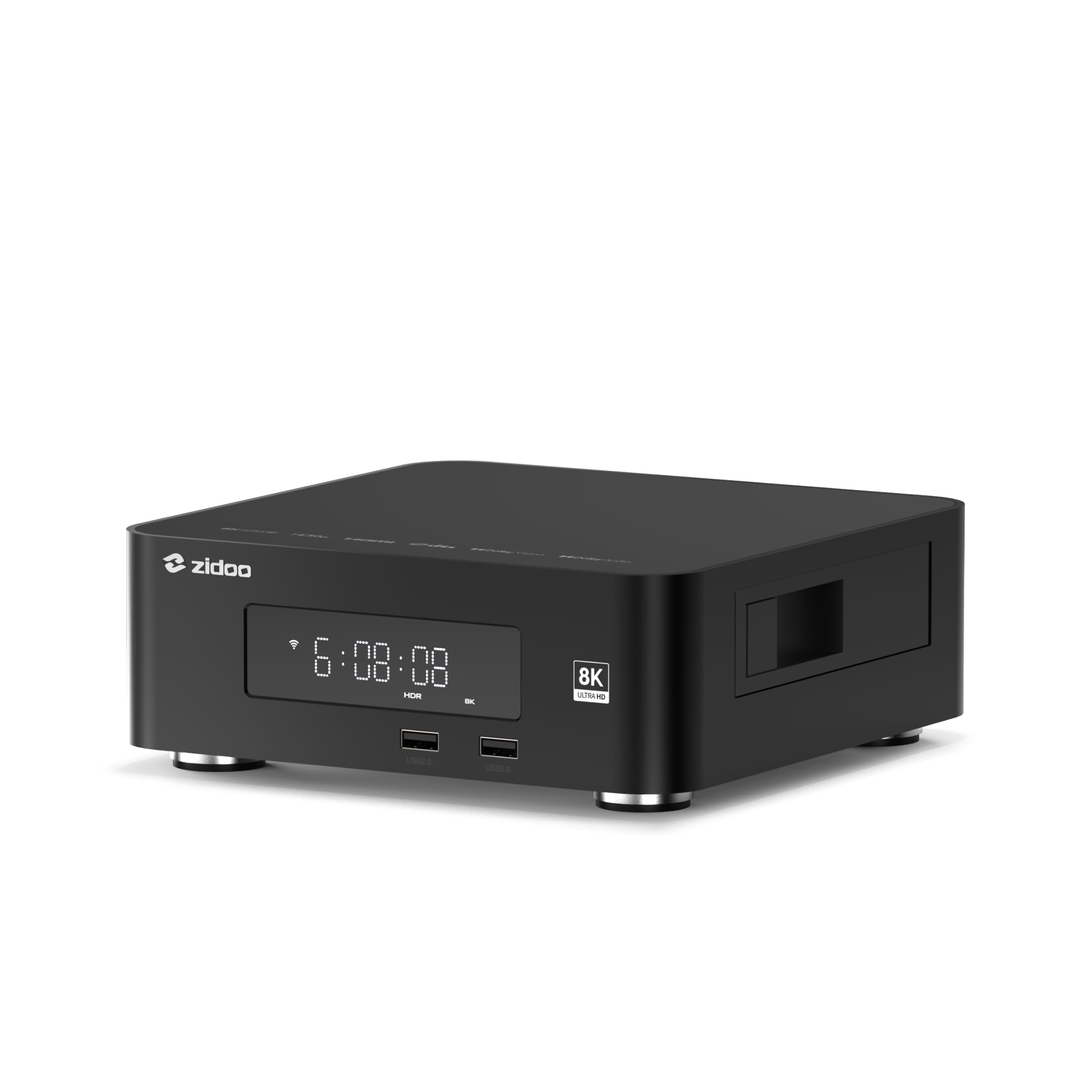
The heavy-lifting media server with a hidden hard drive bay and reference build quality.
The Zidoo Z30 PRO is a serious investment for anyone building a digital movie library. It runs on the Amlogic S928X-K processor with 6GB of RAM and 64GB of storage, and it has a hidden SATA 3.0 hard drive bay inside that supports drives up to 24TB. This means you can store your entire movie collection directly on the box. It supports 8K video at 60Hz, all major HDR formats (including Dolby Vision and HDR10+), and lossless audio playback up to DSD512 for hi-fi enthusiasts.
The build quality is “beautifully made” according to owners, who praise the black aluminum chassis and bright display. The Zidoo Controller app for iOS and Android is a polished remote alternative that includes full browsing. However, the video processing struggles with bitrates above roughly 100 Mb/s, and the metadata scraping (for movie posters and info) can fail on obscure films. An occasional issue reported is that settings might reset after a power cycle, requiring a full re-setup — a frustrating glitch on a premium device.
Standout feature: The built-in HDD bay transforms this from a streaming box into a standalone media server, no external NAS needed.
Perfect for: dedicated collectors with large hard drives full of movies who want a premium, all-in-one playback and management solution.
Overkill for: anyone who streams everything — the price and features are wasted on Netflix-only use.
Understanding the Specs
RAM and Storage (Memory + Space)
RAM (Random Access Memory) is your box’s short-term memory — more RAM means you can switch between apps without waiting for them to reload. 2GB is the minimum for a smooth baseline; 4GB or more is needed for heavy apps like Kodi or games. Storage (ROM) is where your apps and data live permanently. 16GB fills up fast with a few big games or a Plex cache, so 32GB or 64GB gives you breathing room. Some boxes, like the Zidoo Z30 PRO, let you add a massive hard drive via a built-in SATA bay.
Codec and HDR Support (The Video Language)
A codec is essentially the language your video file is written in. The box needs to speak the same codec to play it. AV1 is the newest and most efficient codec, used by YouTube and becoming standard on streaming services. For high dynamic range (HDR), look for Dolby Vision and HDR10+ — these make bright scenes brighter and dark scenes more detailed. Dolby Vision Profile 7 FEL is the most advanced version and is critical for playing 4K Blu-ray rips perfectly, which only select boxes like the Ugoos AM6B Plus handle.
FAQ
What is the difference between an Android TV Box and a streaming stick?
Why do some boxes not play Netflix in 4K?
What does “Google Certified” mean for an Android Box?
Is Android TV different from the regular Android on these boxes?
How much RAM and storage do I really need for streaming?
Can I use a USB hard drive or SSD with an Android Box?
What is CoreELEC and why would I use it?
How important is Wi-Fi 6 for an Android Box?
Can an Android Box replace my gaming console?
Final Thoughts: The Verdict
For most people, the clear winner for the best android box is the NVIDIA Shield TV Pro because it delivers the smoothest interface, the best AI upscaling, and the widest app support in a premium package. If you want a certified box with the