
Our readers keep the lights on and my morning glass full of iced black tea. As an Amazon Associate, I earn from qualifying purchases.
Specs are compiled from manufacturer listings and verified buyer reviews and can change over time — please confirm the key details on the product page before buying.
Finding an Android stylus that actually feels like a pen — not a plastic stick — is the real battle. Most buyers discover too late that cheap passive caps can’t do pressure sensitivity, which kills the entire drawing experience. This guide cuts through the spec-sheet noise to show which active stylus options deliver real creative control on your tablet.
I’m Min — the founder and writer behind Gadgets Feed. This guide is built by comparing the manufacturers’ published specifications and the patterns across verified customer reviews, so you get each pick’s real strengths and trade-offs instead of marketing spin.
Whether you sketch on a Samsung Tab or a Boox tablet, the best android drawing stylus matches your device’s EMR tech and your hand’s comfort for hours of natural, responsive creative work.
Our Picks at a Glance


How To Choose The Best Android Drawing Stylus
Before you buy, you need to know what powers the pen. Most serious Android stylus options use Wacom’s electromagnetic resonance (EMR) technology, which means the pen is powered by the tablet’s screen, not a battery. That gives you unlimited run time and a lighter, more balanced pen in your hand.
Check Your Tablet’s Digitizer First
Compatibility is the biggest trap. A stylus designed for EMR — like the LAMY AL-star — only works with tablets that have a Wacom EMR digitizer built in, which includes many Boox, Remarkable, and Samsung models. Samsung’s own S Pen Creator Edition is locked to the Samsung ecosystem. Buy the wrong tech and the pen simply won’t draw a line, no matter how many pressure levels it claims.
Focus on Pressure Levels and Grip
Pressure sensitivity controls how thick or thin your stroke gets as you press harder. A pen with 4,000+ levels feels natural for shading, while 4,096 levels is the standard for modern drawing tablets. Ergonomics matter just as much for long sessions, and a comfortable grip surface prevents hand fatigue during a two-hour sketch session.
Quick Comparison
| Model | Best For | Pressure Levels | Weight | Tech Type | Amazon |
|---|---|---|---|---|---|
| LAMY AL-Star EMR★ Best Overall | Wacom EMR Devices | 4,000+ | 24 g | EMR | Amazon |
| Samsung S Pen Creator EditionSamsung’s Own | Samsung Galaxy & Windows | — | 41 g | EMR | Amazon |
| Callsky-Tab 12 | All-in-One Tablet | 4,096 | — | Active Pen | Amazon |
| LAMY Safari Twin Pen | Note-Taking Hybrid | — | — | EMR | Amazon |
| PicassoTab A10 | Beginner All-in-One | 4,096 | — | Active Pen | Amazon |
In‑Depth Reviews
1. LAMY AL-Star EMR (PC/EL Tip)
Our pick — 4.5★ from 1,500+ verified ratings; the strongest balance of quality and price.
The heavy-feeling, battery-free pen that turns any EMR tablet into a paper pad.
Quality is the single biggest reason owners pick this one, and it shows the moment you hold it. The metal enclosure gives it a balanced, premium weight at just 24 g, feeling like a real writing instrument.. That balance is exactly what keeps your hand comfortable through a long note-taking session or a detailed sketch.
It runs on Wacom’s electromagnetic resonance (EMR) tech, which means no battery, no charging, and no power to lose — the screen powers the pen. With over 4,000 pressure levels, it handles both long-form writing and complex drawings, and the PC/EL pointing tip is replaceable using the included 0.35 mm tips and tweezers. Buyers report it works perfectly on the Wacom Movink as a replacement for a lost pen, and it pairs well with Boox, Remarkable, and Samsung S7+ tablets.
One honest trade-off: the included nibs feel a bit slippery to some, and swapping in a Remarkable or Onyx nib often improves the feel. Also plan around cases, since it doesn’t fit every tablet case pen holder. The side function button is a welcome upgrade for erasing, but it won’t work on every device like the Remarkable.
What owners rave about
- Excellent build quality with a metal finish and premium feel
- Battery-free EMR design means unlimited run time
- Replaceable PC/EL tip extends the pen’s lifespan
- Works across multiple EMR tablets, from Boox to Wacom Movink
Real-world quirks
- Included nibs can feel slippery; many swap in third-party tips
- Not compatible with every tablet case pen holder
- Function button works on most, but not all, devices
Your best bet if: you own a Boox, Wacom, or Samsung EMR tablet and want a comfortable, battery-free pen that feels like a real LAMY fountain pen.
The catch: it’s not universal — your tablet needs the Wacom EMR digitizer for this to draw a single line.
2. Samsung S Pen Creator Edition
A thicker, heftier S Pen for artists who found the stock stylus too thin.
This is Samsung’s most advanced S Pen yet, and it’s built for creatives who want more to hold onto. At 41 g, it’s noticeably heavier than the LAMY’s 24 g, and that extra heft plus the wider body gives it a real pencil feel. Owners mention it fits better in the hand than the stock S Pen and feels great on a paper-texture screen protector.
You get broad but Samsung-locked compatibility: it works with Galaxy S21 Ultra and higher, Galaxy Note10 and higher, Galaxy Tab S Series, and PCs that support S Pen, but not the Galaxy Z Series. Enhanced tilt sensitivity lets you shade and angle strokes naturally, a favorite among graphic designers.. Owners say it works smoothly across a Surface Pro and S24 Ultra, with magnetic attachment preventing loss.
The recurring concern is durability of the tip. A few buyers found the plastic nib snapped off after 7-10 hours of use, calling the material brittle. Still, most call it the best-feeling option they’ve tried, and the premium grip makes it ideal for extended creative sessions without hand fatigue.
Who it’s for: Samsung Tab and Galaxy phone owners who want a thicker, more ergonomic pen with tilt support and a premium aluminum-alloy build. The magnetic attachment keeps it snapping to your Tab when idle, and the 41 g weight gives it a confident, substantial feel.
Reach for this if: you draw daily on a Galaxy Tab S8 Plus or S24 Ultra and the stock S Pen feels too thin in your hand.
Look elsewhere if: you need a pen for a non-Samsung tablet — this one is locked to the Galaxy and compatible PC ecosystem.
3. Callsky-Tab 12 Inch Drawing Tablet
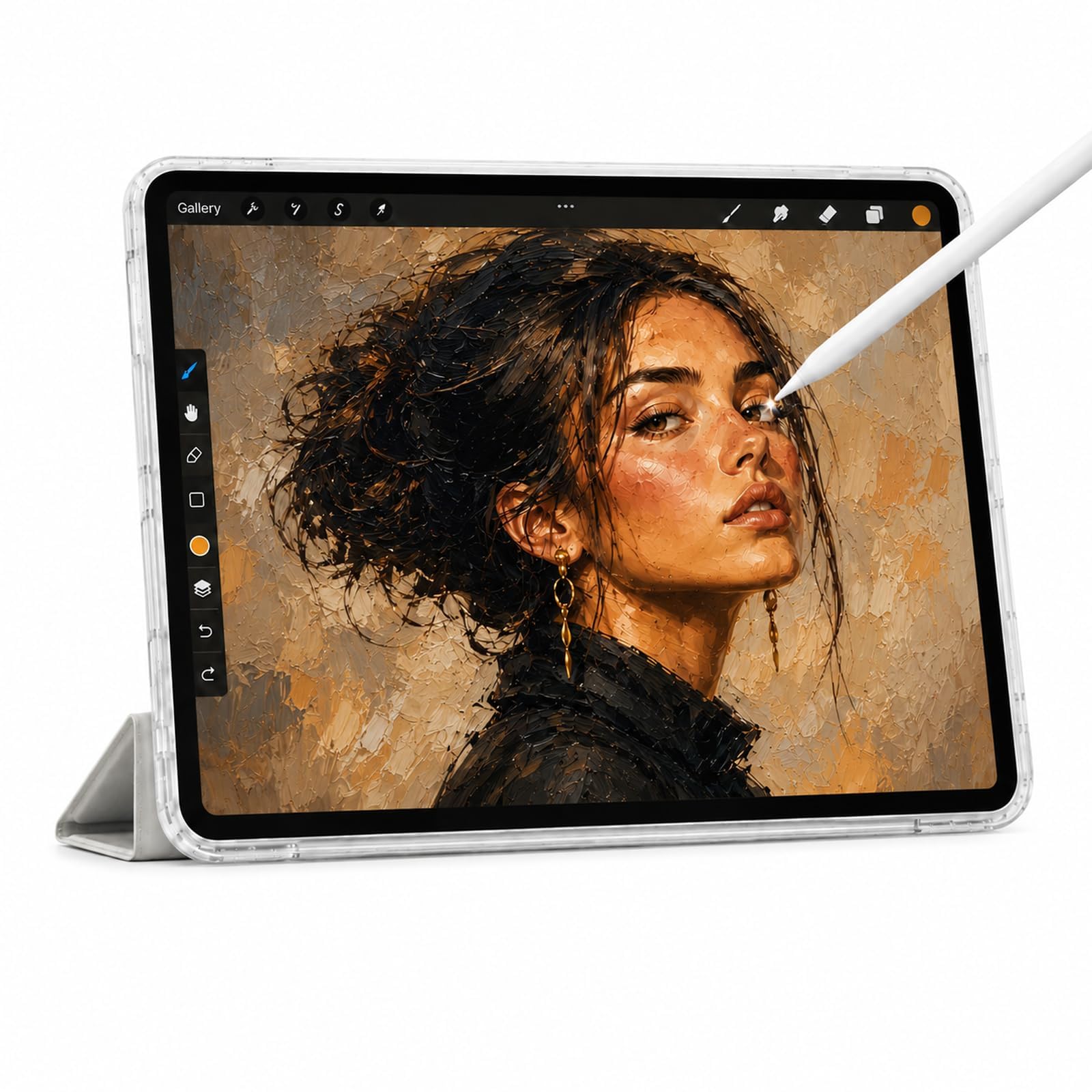
A 12-inch Android tablet and active pen combo that outperforms expectations for the price.
Performance is what owners praise most here, and the specs back it up. The Callsky-Tab packs a T616 octa-core processor with 16GB RAM and 256GB ROM (expandable up to 2TB), plus an The 8,000mAh battery lasts up to 6 hours of video playback or creative work.. The 12-inch IPS display delivers crisp 2K visuals with anti-glare tech for accurate colors from any angle..
The rechargeable stylus offers 4,096 pressure levels and tilt support for natural, precise strokes in sketching, design, or 3D work.. The pen attaches magnetically to prevent loss, and a drawing glove is included to keep your palm from smudging the screen. The protective case has three folding modes for different viewing angles.
Owners say the tablet feels responsive and accurate, with one buyer calling it “worth the spend” — though the included charging cord died quickly for a few. Another noted there’s no bundled drawing software, but free alternatives work well. The stylus is described as adequate rather than spectacular, which is fair at this all-in-one price.
Why it wins buyers
- Massive 16GB RAM with 256GB storage for smooth multitasking
- Rechargeable pen with 4,096 levels, tilt support, and magnetic attachment
- 8,000mAh battery for long drawing sessions on the go
- Includes protective case and drawing glove
What to know
- Stylus quality is decent but not premium-grade
- Included charging cord can be fragile for some buyers
- No bundled drawing software from the start
Best for: beginners and hobbyists who want a complete Android drawing setup — tablet, pen, case, and glove — without buying components separately.
Think twice if: you’re a professional who needs a top-tier stylus feel, since the pen is good but not the main event here.
4. LAMY Safari Twin Pen EMR (POM Tip)

A digital stylus and ballpoint pen fused in one twist, built for on-the-go note takers.
This is the pen for people who still love paper but live on a tablet. A twist mechanism switches between the EMR stylus tip and a real LAMY M 21 ballpoint refill, so you can jot a note on paper and instantly flip to digital on your Remarkable or Boox tablet. Both the POM tip and the ballpoint refill are replaceable, and the ergonomic grip surfaces are shaped for fatigue-free daily writing.
Like the AL-Star, it runs on Wacom’s EMR tech, meaning zero batteries and zero charging. Customers note it works well with the Remarkable 2, with a responsive EMR tip and a good ballpoint. The lightweight, balanced design with a solid matte finish feels comfortable in hand, and the twist action is fast enough to keep up with a busy workflow.
Honest feedback: the build quality is the dividing line. The plastic body feels cheaper than the price suggests, with one owner noting “for this should feel premium.” It also rattles slightly when idle, ships with only 2 extra tips instead of 10, and the ink cartridge is small. If you want a true two-in-one daily carry, this is the only option on the list — but it’s a quality compromise.
Standout feature: the twist-to-switch dual-tip design is genuinely unique, letting you carry one pen for paper and screen. The ergonomic grip makes it comfortable for long note-taking sessions.
Grab this if: you split your day between paper notebooks and a Remarkable or Boox tablet and hate carrying two pens.
Pass on it if: you prioritize premium build feel over the convenience of the two-in-one design — the plastic body divides owners.
5. PicassoTab 10″ Standalone Drawing Tablet (A10)
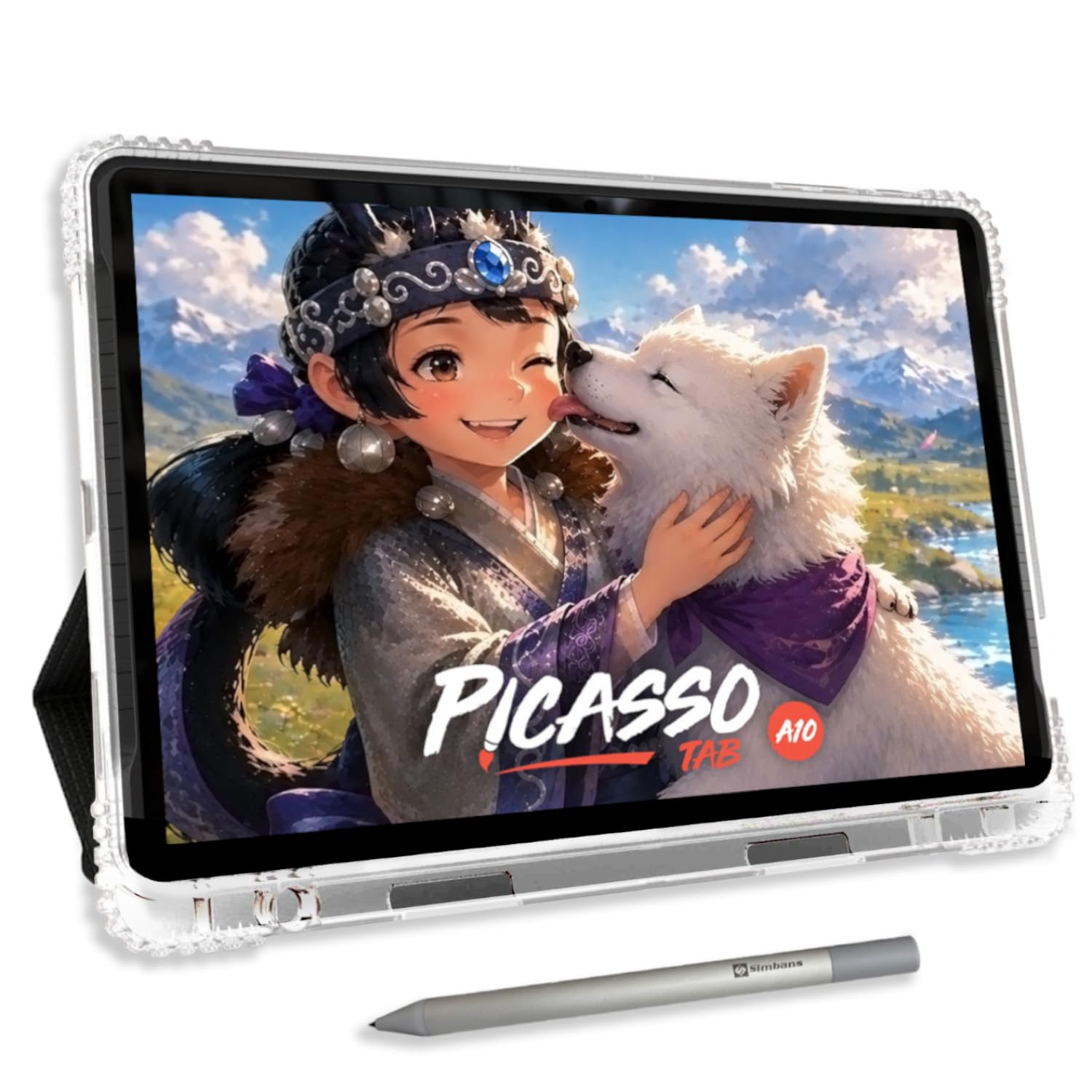
A standalone 10-inch drawing tablet that skips the computer and goes straight to creating.
Beginner-friendliness is what buyers praise most, making this a strong pick for young artists and first-time digital creators. It runs Android 14 directly, so no computer is needed — everything runs on the tablet itself. It comes preloaded with 5 creative apps covering drawing, painting, animation, and tutorials, plus a lifetime PRO upgrade for the Concepts drawing app and a lifetime VIP upgrade for the Artixo tutorial app.
The 10-inch laminated display cuts glare and parallax for a natural drawing feel., and the 4096-level pressure-sensitive active pen delivers accurate, expressive strokes. Under the hood, an octa-core processor with 6GB RAM and 64GB storage (expandable to 1TB) handles drawing apps plus schoolwork and streaming. The 2000×1200 native resolution keeps your canvas sharp..
Owners say it’s easy to set up, durable, and comes with everything — including a case, glove, and screen protector. The pen uses AAAA batteries with two included that last a long time. The main reliability note is the charging port, which loosened for a couple of buyers, though the seller’s support was responsive and replaced units promptly. A few found the pre-installed tutorials are essentially free YouTube videos, so go in knowing the real value is the hardware bundle.
The bundle appeal
- No computer required — it’s a fully standalone Android 14 tablet
- Comes with lifetime app upgrades and 4 bonus accessories
- 4096-level pressure pen for expressive strokes
- Expandable storage up to 1TB
Buyer caveats
- Charging port can loosen over time for some units
- Pre-installed tutorials are basic, not premium content
- Some buyers had apps crash immediately and returned it
Ideal for: a young artist or total beginner who wants a complete, travel-friendly drawing bundle that works from the start with no setup fuss.
Not for: someone who needs rock-solid long-term reliability, since the loose charging port appears intermittently.
Understanding the Specs
Wacom EMR Technology
This is the tech that makes a stylus feel wireless and battery-free. The tablet’s screen generates an electromagnetic field that powers the pen, so there’s no charging, no batteries, and no pairing to worry about. It’s the reason a LAMY AL-Star can work “anytime, anywhere” without ever running flat — but it also means the pen only works on tablets with the matching EMR digitizer built in.
Pressure Levels
Pressure levels measure how finely the pen detects how hard you press. More levels mean smoother gradations between thin and thick strokes, which is what makes shading and line-weight control feel natural. A pen with 4,096 levels is the modern standard for drawing tablets, while some premium EMR pens like the LAMY AL-Star go beyond with over 4,000 levels for even finer response.
FAQ
Will a LAMY AL-Star EMR stylus work on any Android tablet?
What is the difference between EMR and a regular capacitive stylus?
Is the Samsung S Pen Creator Edition compatible with non-Samsung Android tablets?
How long will the tip on an EMR stylus last before I need to replace it?
Does the LAMY Safari Twin Pen really work as both a stylus and a ballpoint pen?
Can the Callsky-Tab 12 stylus be used on other tablets?
What is palm rejection and why does it matter for drawing?
Is the PicassoTab A10 a tablet or just an external drawing pad?
Final Thoughts: The Verdict
The best android drawing stylus for most EMR tablet owners is the LAMY AL-Star EMR because its battery-free design, metal build, and 4,000+ pressure levels deliver a premium pen feel without ever needing a charge. If you’re deep in the Samsung Galaxy ecosystem, the S Pen Creator Edition offers a thicker grip and tilt sensitivity with easy magnetic attachment. And if you want a complete all-in-one setup rather than just a pen, the Callsky-Tab 12 gives you the tablet, stylus, case, and glove together with strong performance ratings from buyers.
How We Picked
We do not accept paid placement. Every pick is matched to a real buyer and a real use-case; we do not hands-on test units.
Sources & Methodology
Specifications: manufacturer listings and product documentation. Review insights: verified customer reviews, as of August 2026. Pricing: not shown on this page (it changes often); check the current price via the retailer link.
As an Amazon Associate, Gadgets Feed earns from qualifying purchases. This does not affect which products we feature.