
You plug the dongle in, nothing happens. You try another USB-C port — black screen. The projector hums, your phone is hot, and the meeting is starting without you. This is the reality of buying the wrong Android HDMI adapter: a gamble where you lose time, battery, and sometimes the entire presentation. The market is flooded with cheap chipsets that promise 4K but deliver 30Hz stutter, charging ports that don’t actually charge, and compatibility lists that read like fiction.
I’m Min — the co-founder and writer behind Gadgets Feed. I’ve spent dozens of hours combing through chipset specs, DisplayPort Alternate Mode requirements, and user-reported compatibility data to separate the adapters that actually work from the ones that just look good on Amazon.
You need a device that bridges your phone’s USB-C port to an HDMI display without lag, power drain, or driver nightmares. This guide cuts through the noise to find the best android hdmi adapter for your specific phone and usage scenario.
How To Choose The Best Android HDMI Adapter
Not every USB-C port is the same — and that’s the single biggest trap in this category. Your Android phone must support DisplayPort Alternate Mode (DP Alt Mode) to output video over USB-C. Without it, no adapter in the world will work. Phones like the Samsung Galaxy S series, Google Pixel (6 and newer), and most modern flagships have it. Budget or older models often don’t. Check your phone’s spec sheet for “USB-C with DisplayPort Alt Mode” before you buy anything.
Video Output Resolution and Refresh Rate
The adapter’s chipset determines whether you get 4K@30Hz or 4K@60Hz. For watching movies and standard presentations, 4K@30Hz is fine. For gaming, screen mirroring with mouse input, or extended desktop use, you need 4K@60Hz — it’s twice the frame rate, which means noticeably smoother motion and less input lag. Some adapters also support 2K@60Hz which is a practical middle ground for many projectors and monitors.
Power Delivery: Keeping Your Phone Alive
HDMI mirroring draws significant power, and your battery will drain in under an hour without external power. Look for adapters with USB-C Power Delivery (PD) pass-through — this lets you charge your phone while it’s connected to the display. A good adapter supports at least 60W PD, though 100W is becoming standard for future-proofing. Without PD pass-through, your phone becomes a ticking timer.
HDCP and DRM Compatibility
Here’s the reality check: many cheap adapters black-screen Netflix, Disney+, Hulu, and Amazon Prime Video because they lack HDCP 2.2 support or proper certification. If streaming apps are a primary use case, you need an adapter that explicitly states HDCP 2.2 compatibility. If you only need to mirror YouTube, local video files, or presentation software, this matters less.
Build Quality: Cable vs. Dongle Form Factor
Short dongles with a captive USB-C plug put less strain on your phone’s port and are more pocketable. Cable-style adapters with a braided cord offer more flexibility for positioning but can bend the USB-C connector over time. Aluminum enclosures dissipate heat better than plastic — important because 4K output and PD charging both generate noticeable heat during extended sessions.
Quick Comparison
On smaller screens, swipe sideways to see the full table.
| Model | Category | Best For | Key Spec | Amazon |
|---|---|---|---|---|
| Acer 5-in-1 USB-C Hub | USB-C Hub | Laptop + phone multitasking | 4K@60Hz, 100W PD | Amazon |
| Anker 310 USB-C Adapter | Single-Port Adapter | Plug-and-play reliability | 4K@60Hz, braided cable | Amazon |
| Hiearcool 7-in-1 USB-C Hub | Multi-Port Hub | SD card + HDMI workflow | 4K@30Hz, 100W PD | Amazon |
| Opluz 2-in-1 Lightning + USB-C | Dual-Connector Adapter | iPhone + Android family use | 4K@60Hz, 100W PD | Amazon |
| FIGYK 3-in-1 HDMI Cable | Cable Adapter | Universal 3-in-1 coverage | 1080P, braided 6.6ft | Amazon |
| Microwoo USB-C to HDTV | Compact Adapter | Quick TV mirroring | 4K@30Hz, 100W PD | Amazon |
| HHFLY 3-in-1 AV Converter | App-Based Adapter | Entry-level mirroring | 1080P, app required | Amazon |
In‑Depth Reviews
1. Acer USB C Hub, 5-in-1 USBC to HDMI Adapter
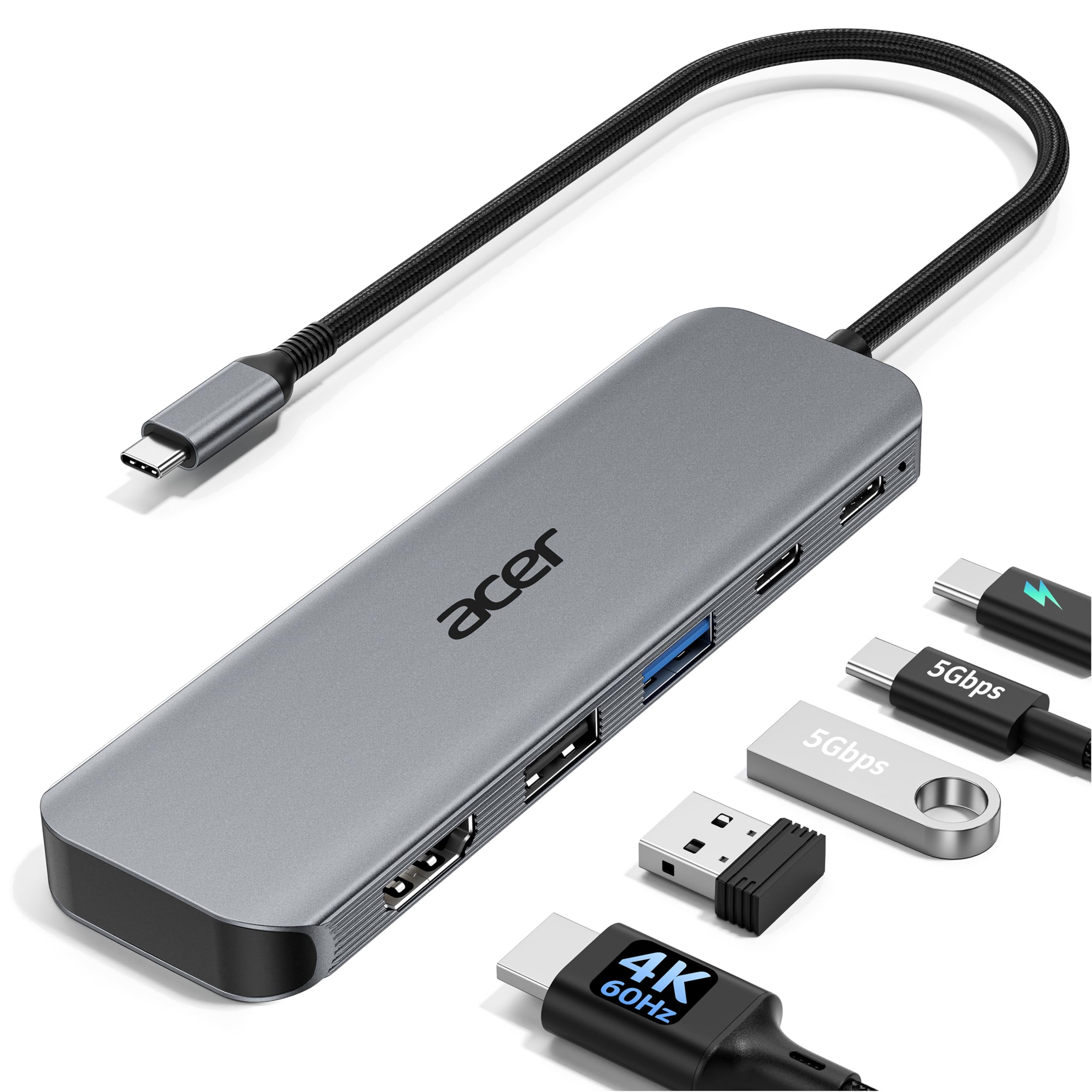
The Acer 5-in-1 hub strikes the hardest balance between resolution, charging speed, and port count. Its 4K@60Hz HDMI output delivers exactly double the frame rate of the 30Hz adapters that dominate the budget tier — critical if you’re using extended desktop mode on a Samsung DeX setup or playing Android games mirrored to a monitor. The 100W PD passthrough keeps a Galaxy S24 Ultra or a connected laptop topped off even under heavy load.
The aluminum shell does double duty: it pulls heat away from the chipset during long sessions and gives the hub a premium feel that outclasses the glossy plastic alternatives. The 5Gbps USB-A and USB-C data ports make this more than just a video adapter — it’s a genuine mini dock for file transfers and peripheral connections. The plug-and-play nature means no drivers, no QR codes, no app installs.
One caveat: the PD port is input-only, so you cannot use it for data. And like all USB-C hubs, you need a full-featured USB-C port with DP Alt Mode on your Android phone — it won’t work with phones that lack video output support. But if your phone has it, this is the most complete single-cable solution for home or office.
Why it’s great
- True 4K@60Hz output — noticeably smoother than 30Hz alternatives
- 100W PD passthrough keeps your phone or laptop charged
- Aluminum body improves heat dissipation during extended use
Good to know
- PD port is power-input only, no data pass-through
- Requires USB-C port with DisplayPort Alt Mode on your Android
2. Anker USB C to HDMI Adapter (4K@60Hz), 310
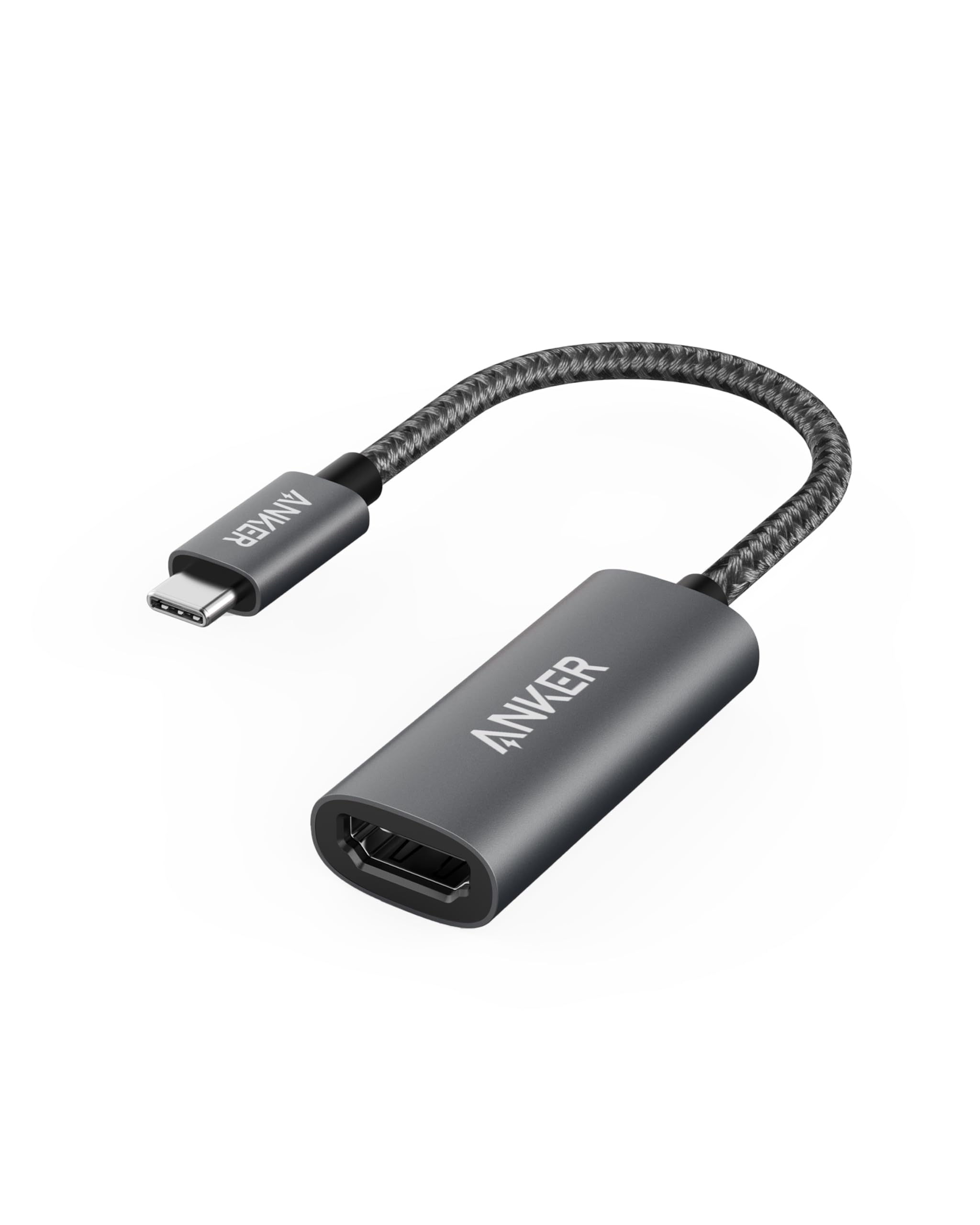
The Anker 310 is the gold standard for a focused, no-compromise single-port adapter. It does one thing — convert USB-C to HDMI at 4K@60Hz — and does it with the build quality that’s made Anker a household name. The braided nylon cable is noticeably tougher than the rubber-jacket cords found on budget dongles, and the aluminum connector housing pulls heat away effectively during long movie streams or DeX sessions.
Compatibility is broad: it supports USB4, Thunderbolt 3/4, and standard USB-C DP Alt Mode, which means it works with the Galaxy S24 Ultra, Pixel 8 Pro, and even laptops like the Dell XPS and MacBook Air. Plug-and-play is genuinely instant — no app installation, no QR code scanning, no “trust this computer” prompts on most Android phones. The 18-month warranty adds a layer of confidence that budget brands rarely offer.
The trade-off is port count: this is a single HDMI output with no PD passthrough and no USB data ports. If you’re strictly mirroring a phone to a TV or monitor for presentations or movie watching, it’s perfect. But if you need to charge your phone while mirroring or connect a mouse and keyboard for DeX, you’ll want a hub-style adapter instead.
Why it’s great
- Rock-solid 4K@60Hz output with no driver fuss
- Braided nylon cable resists fraying and tangles
- Anker’s 18-month warranty and reliable build
Good to know
- No PD passthrough — your phone will drain while mirroring
- Single HDMI output only, no additional ports
3. Hiearcool USB C Hub for MacBook – 7-in-1

The Hiearcool 7-in-1 hub is the right answer when you need HDMI output alongside SD card reading and USB-A ports. The 4K@30Hz HDMI is sufficient for presentations, movie playback, and general screen mirroring — just don’t expect it to handle 60fps gaming or smooth cursor movement in extended desktop mode. The 100W PD passthrough is generous for this price tier and keeps a Galaxy S24 or laptop running indefinitely.
The SD and microSD card slots are a genuine differentiator for photographers and content creators who need to offload photos from a camera to a tablet or phone while on the go. Transfer speeds hit the 5Gbps USB 3.0 ceiling, which is fast enough for raw image files and 4K video clips. The space gray aluminum shell matches most laptops aesthetically and dissipates heat better than the plastic budget hubs.
User reports note the USB-C plug feels slightly loose in some ports after months of use, and the 4K@30Hz cap means gamers and DeX power users will feel the lag. But for the price, this is the most versatile hub if you need multiple ports and don’t require the absolute highest refresh rate.
Why it’s great
- SD and microSD card readers included — rare at this price
- 100W PD passthrough for uninterrupted charging
- Aluminum build with good heat dissipation
Good to know
- HDMI capped at 4K@30Hz — not ideal for gaming or fast UI
- USB-C plug fit can feel slightly loose over time
4. Opluz USB-C and Lightning to HDMI Adapter
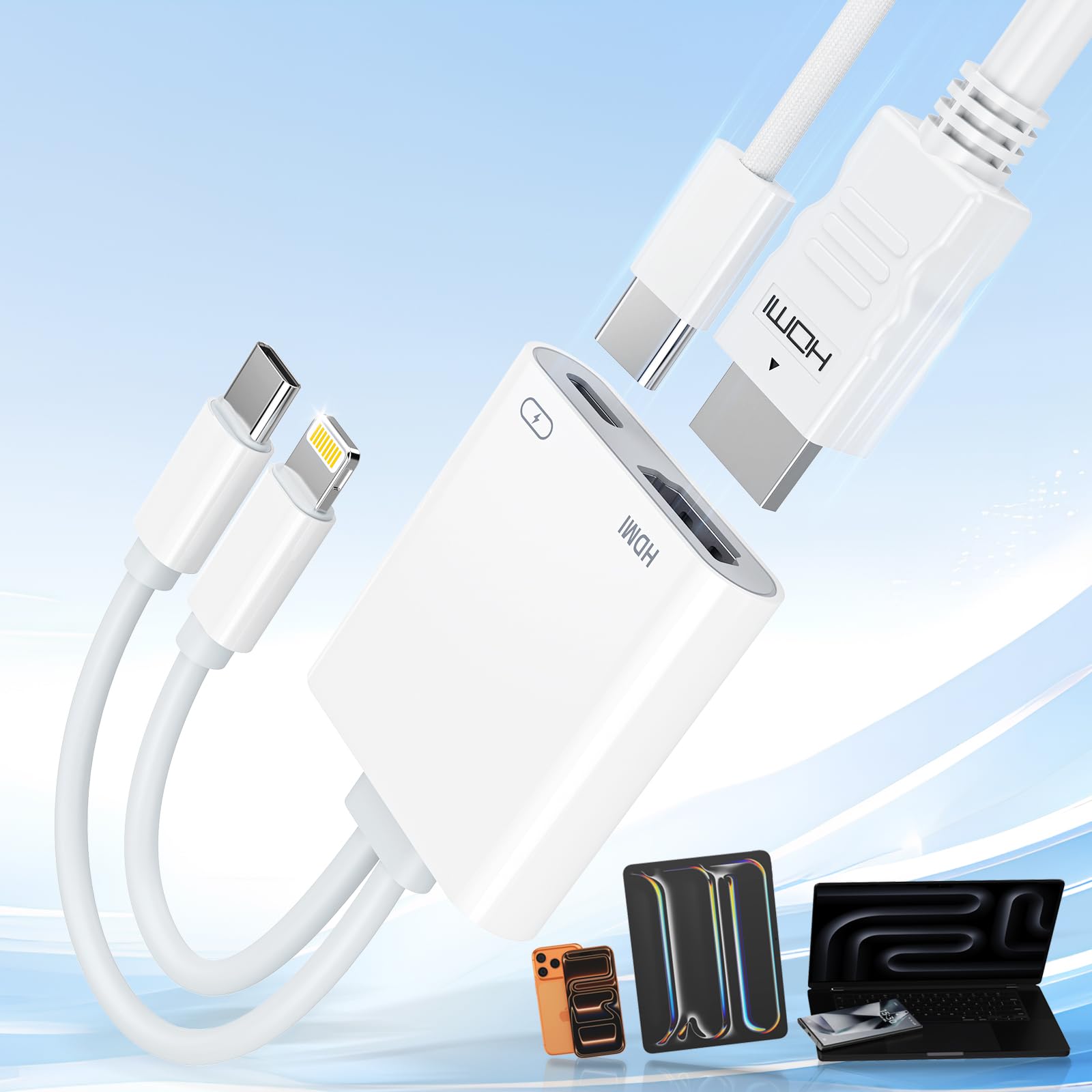
The Opluz 2-in-1 adapter solves the household headache of having both Lightning iPhones and USB-C Android phones. One adapter serves both ecosystems, with the USB-C side pushing 4K@60Hz and the Lightning side outputting 1080P@60Hz. It’s MFi certified for the Apple side, which ensures compatibility with iOS device authentication and reduces the risk of the dreaded “this accessory may not be supported” pop-up.
The 100W PD passthrough works on the USB-C side, meaning your Android phone can charge while mirroring 4K content to a TV. HDCP 2.2 support is listed, which should theoretically enable Netflix and other DRM-protected streaming apps — though user reports suggest results vary by device and app version. The compact form factor is genuinely pocket-friendly, about the size of a large thumb drive.
Netflix and Prime Video users should proceed with caution: the listing explicitly states these apps may not work, and real-world reports confirm black-screening on some configurations. For YouTube, local files, and presentations, it’s excellent. For a household with mixed iPhone and Android devices that needs one adapter for travel, this is the most practical choice.
Why it’s great
- Works with both Lightning iPhones and USB-C Android phones
- 4K@60Hz on USB-C; 1080P@60Hz on Lightning
- MFi certified for reliable Apple device compatibility
Good to know
- Netflix and Prime Video may black-screen due to DRM
- PD passthrough only available on USB-C side
5. FIGYK Universal 3-in-1 HDMI Mirroring Cable

The FIGYK 3-in-1 cable is the Swiss Army knife of budget mirroring adapters. It includes Lightning, USB-C, and Micro USB connectors on one cable, covering every phone you’re likely to encounter — from a 2025 Galaxy S25 down to a 2018 Huawei with Micro USB. The 6.6-foot braided cable gives you real reach from a wall outlet to a ceiling-mounted projector, unlike short dongles that force awkward positioning.
Resolution is capped at 1080P, which is fine for most conference room projectors and older HDTVs, but will look soft on a 4K monitor. Android phones require enabling USB debugging and installing an app to establish the connection — this is a dealbreaker for anyone expecting pure plug-and-play. iPhone users get native screen mirroring without an app, which is a nice split in functionality.
Heads-up: this cable does not support HDCP-protected content at all — Netflix, Disney+, Hulu, and Amazon Video will either refuse to play or show a black screen. The MHL-style connection also requires an external 5V/1A power source plugged into the included USB-A power input. If your use case is simple YouTube mirroring or presentation slides from an Android phone, the FIGYK delivers incredible value for the price.
Why it’s great
- Three connectors in one cable — Lightning, USB-C, Micro USB
- 6.6-foot braided cable offers excellent reach for projectors
- Extremely affordable for multi-device households
Good to know
- Android phones require app installation and USB debugging
- No HDCP support — Netflix and other streaming apps won’t work
6. Microwoo USB C to HDTV Adapter
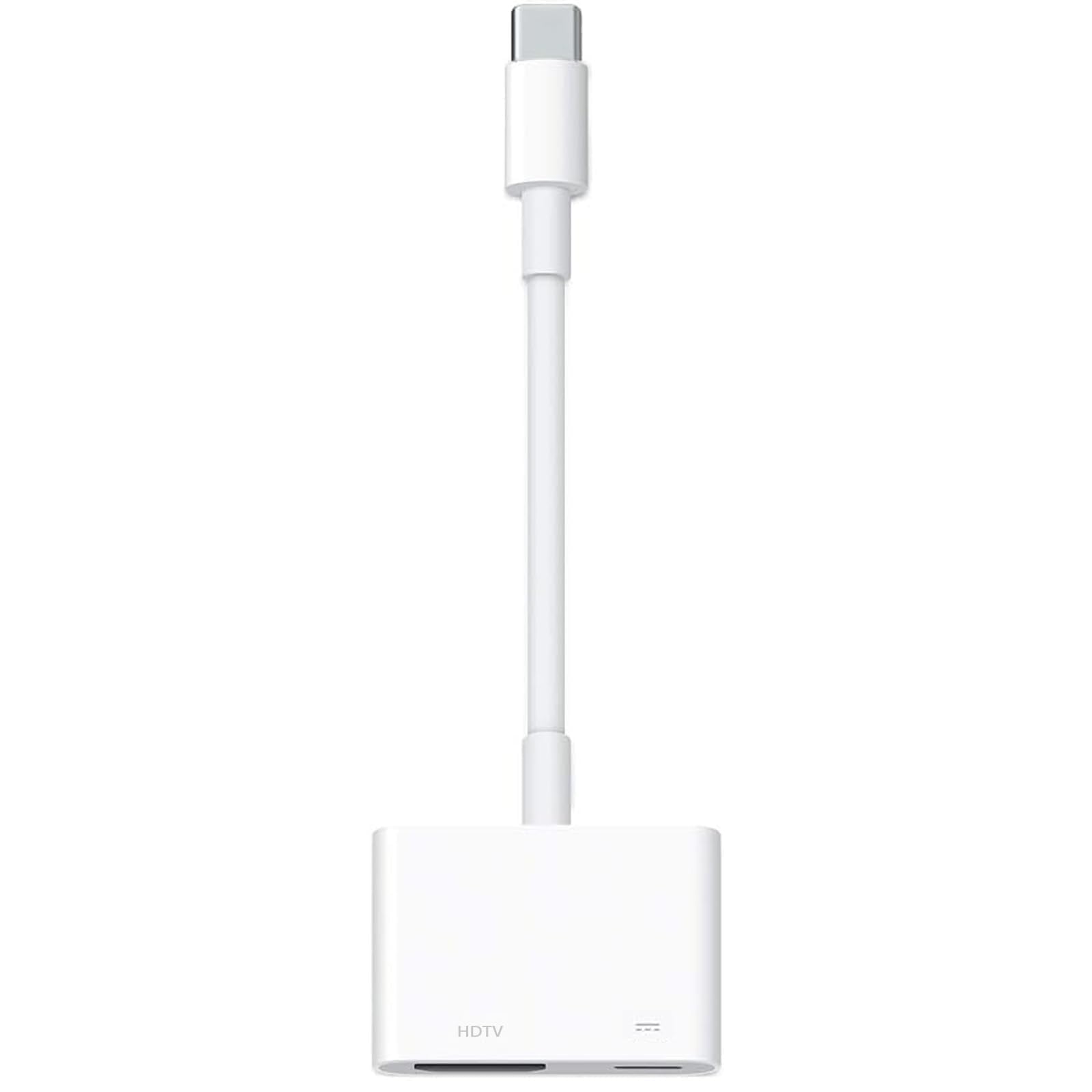
The Microwoo adapter strips things down to the essentials: one USB-C input, one HDMI output, and one 100W PD passthrough port. It’s the smallest form factor in this lineup — barely larger than a USB-C thumb drive — making it the go-to choice for travel or carrying in a pocket as a backup. The white plastic housing is lightweight but less durable than aluminum options, and it shows wear faster when tossed in a bag with keys.
Resolution tops out at 4K@30Hz, which is standard for this compact class of adapter. The PD passthrough is genuinely useful: you can charge your phone at full speed while outputting to a TV, which is rare in adapters this small. Compatibility is broad, covering the Galaxy S24, Pixel 7, and most USB-C devices with DP Alt Mode. The TPE cable is soft and flexible, reducing stress on the phone’s port.
The major functional limitation is the explicit warning that Netflix projection is not supported — the adapter lacks the HDCP handshake needed for streaming apps. The 4K@30Hz cap also means it’s not suitable for gaming or desktop-style multitasking. For a simple, compact way to mirror YouTube or a presentation from your phone to a hotel TV, it works fine.
Why it’s great
- Ultra-compact size — easy to carry in a small pocket
- 100W PD passthrough keeps your phone charged while mirroring
- Broad compatibility with modern USB-C Android phones
Good to know
- 4K@30Hz only — not smooth enough for gaming
- No Netflix or streaming app support due to DRM limitations
7. HHFLY USB-C to HDMI-Compatible 3-in-1 Adapter

The HHFLY 3-in-1 adapter is the most affordable way to get a phone screen onto a TV, but it comes with the most caveats. It works exclusively with smartphones and tablets — no laptops or gaming consoles. Android users must scan a QR code to install a third-party app and enable screen mirroring through software rather than native video output. This introduces latency and reliability issues that native DP Alt Mode adapters avoid.
Resolution is 1080P, which looks fine on older TVs and projectors but won’t impress on a modern 4K display. The included accessories — an HDMI cable and three connector tips (USB-C, Lightning, Micro USB) — make it feel comprehensive out of the box. The adapter does not support HDCP at all, so Netflix, Disney+, Prime Video, and any other DRM-protected app will black-screen immediately.
Customer experiences are polarized: some report it works exactly as described for YouTube and local videos, while others couldn’t get it to connect at all. The app requirement is the weakest link — it adds a point of failure and raises privacy questions about data handling. If your budget is extremely tight and you only need basic YouTube mirroring from an older phone, it works. For reliable, daily use, spend a few dollars more on a native DP Alt Mode adapter.
Why it’s great
- Lowest price point for getting a phone screen to a TV
- Includes HDMI cable and three connector tips out of the box
- Works with older phones that lack DP Alt Mode
Good to know
- Android phones require a third-party app — adds latency and risk
- No HDCP support — most streaming apps will not work
- Inconsistent reliability reported by multiple users
FAQ
Why does my Netflix app show a black screen when I use an Android HDMI adapter?
Can I use any USB-C to HDMI adapter with my Samsung DeX desktop mode?
Will a USB-C to HDMI adapter work with my Android tablet like the Samsung Galaxy Tab?
Final Thoughts: The Verdict
For most users, the best android hdmi adapter winner is the Acer 5-in-1 USB-C Hub because it delivers true 4K@60Hz video, passes through 100W of charging power, and includes additional data ports — all in a heat-dissipating aluminum shell. If you want pure plug-and-play simplicity with a braided cable and reliable brand support, grab the Anker 310 USB-C Adapter. And for a budget pick that covers Lightning, USB-C, and Micro USB devices in one cable, nothing beats the FIGYK 3-in-1 HDMI Cable.