
Our readers keep the lights on and my morning glass full of iced black tea. As an Amazon Associate, I earn from qualifying purchases.
Specs are compiled from manufacturer listings and verified buyer reviews and can change over time — please confirm the key details on the product page before buying.
You want a tablet that can run Android apps, but you also want the power of a real Linux terminal for coding, IoT projects, or tinkering. Several Android tablets now support Linux environments via full Raspberry Pi setups or Android 16’s enhanced Linux terminal. The key is picking hardware that runs Linux smoothly without lag.
I’m Min — the founder and writer behind Gadgets Feed. This guide is built by comparing the manufacturers’ published specifications and the patterns across verified customer reviews, so you get each pick’s real strengths and trade-offs instead of marketing spin.
You need a tablet that handles Android apps and Linux tools for coding or streaming while staying affordable. These picks balance storage, battery, and processor to handle real workloads, not just marketing specs.
Our Picks at a Glance

How To Choose The Best Android Linux Tablet
An Android Linux tablet must balance consumer ease with developer flexibility. Focus on specs that determine if your Linux projects run smoothly or stall under load.
RAM and virtual memory
Linux environments demand ample RAM, especially when running a desktop alongside coding tools. Look for tablets that advertise both physical RAM and virtual memory expansion — a 26GB configuration (6GB physical + 20GB virtual) means you can keep multiple terminal windows and apps open without killing your workflow.
Storage that actually expands
Your Linux distro, dev tools, and media files consume storage quickly. Built-in storage of 128GB or 256GB is a solid start, but a microSD slot that accepts up to 1TB or 2TB cards is what turns a tablet into a long-term workstation. Check the card slot specs before you commit.
Battery life claims vs reality
Manufacturers quote numbers like “12.5 hours of YouTube streaming” or “up to 8 hours of video playback” — but those are best-case scenarios. Running Linux tasks, compiling code, or using GPS and Wi-Fi simultaneously drains faster. Prioritize a large milliamp-hour battery (7800mAh and above) over marketing numbers.
Quick Comparison
| Model | Best For | RAM / Storage | Battery | Display | Amazon |
|---|---|---|---|---|---|
| Lenovo Tab One★ Best Overall | Budget-friendly travel companion | 4GB / 64GB | 12.5 hours | 8.7″ HD | Amazon |
| Android 16 Tablet with KeyboardAlso Great | Best Overall — Linux terminal work | 26GB / 256GB | 16 hours | 10″ HD | Amazon |
| Lenovo Idea Tab | Sharp 2.5K display for study | 4GB / 128GB | 12 hours | 11″ 2.5K IPS | Amazon |
| TABWEE T90 | Premium bundle with Linux terminal support | 24GB / 128GB | 11H video | 11″ FHD IPS | Amazon |
| Tablet 11 Inch Android 16 | Smooth 90Hz scrolling value | 20GB / 128GB | 8 hours | 11″ HD 90Hz | Amazon |
| URAO Android 16 Tablet | Wi-Fi 6 speed and fast charge | 36GB / 128GB | 8 hours | 11″ HD | Amazon |
| SunFounder RasPad 3.0 | Raspberry Pi hardware hacking | Depends on Pi 4B | Varies | 10.1″ IPS | Amazon |
In-Depth Reviews
1. Lenovo Tab One
Our pick — over 4★ from 700+ verified ratings; the strongest balance of quality and price.
A featherweight 8.7-inch travel buddy that sips power while you stream and browse.
The Lenovo Tab One is proof that you don’t need a big budget for a capable everyday tablet. Its defining trait is portability — the compact 8.7-inch display packs 1340 x 800 resolution at 480 nits of brightness, and the whole device weighs under a pound, making it easy to tuck into a purse or backpack. Buyers specifically call out that it fits “in carry-on luggage” and is “good for travel.”
Battery life is the second standout. Lenovo rates it at up to 12.5 hours of unplugged YouTube streaming, and it charges 15W faster than previous models. That all-day runtime is a 28% advantage over heavier-hitting options, though the 4GB of memory and 64GB of storage are the clear budget trade-offs — a 6.5x and 4.0x gap behind the Android 16 Tablet with Keyboard respectively. The MediaTek Helio G85 processor and 60Hz refresh rate handle fluid browsing and responsive streaming, but this isn’t a gaming machine.
The included folio case provides all-around protection and a built-in stand for hands-free viewing, and the Android 14 operating system comes with 2 years of security patches. Reviewers point out the screen is “clear, no lag” with “sound adequate,” and the dual Dolby Atmos speakers add decent depth. Performance gets mixed feedback — some report slow boot-up times until you remove bloatware — so patience during setup pays off.
Compact value: the 8.7-inch size and 12.5-hour battery make this the ultimate travel companion, with the 4GB RAM and 64GB storage as the honest limits for heavier Linux work.
Best for: travelers and casual users who want a lightweight tablet with marathon battery life at a budget price.
pass on it if: you plan to run resource-heavy Linux environments — you’ll want more RAM and storage.
2. Android 16 Tablet with Keyboard
The storage monster that keeps every Linux tool and video file without a second thought
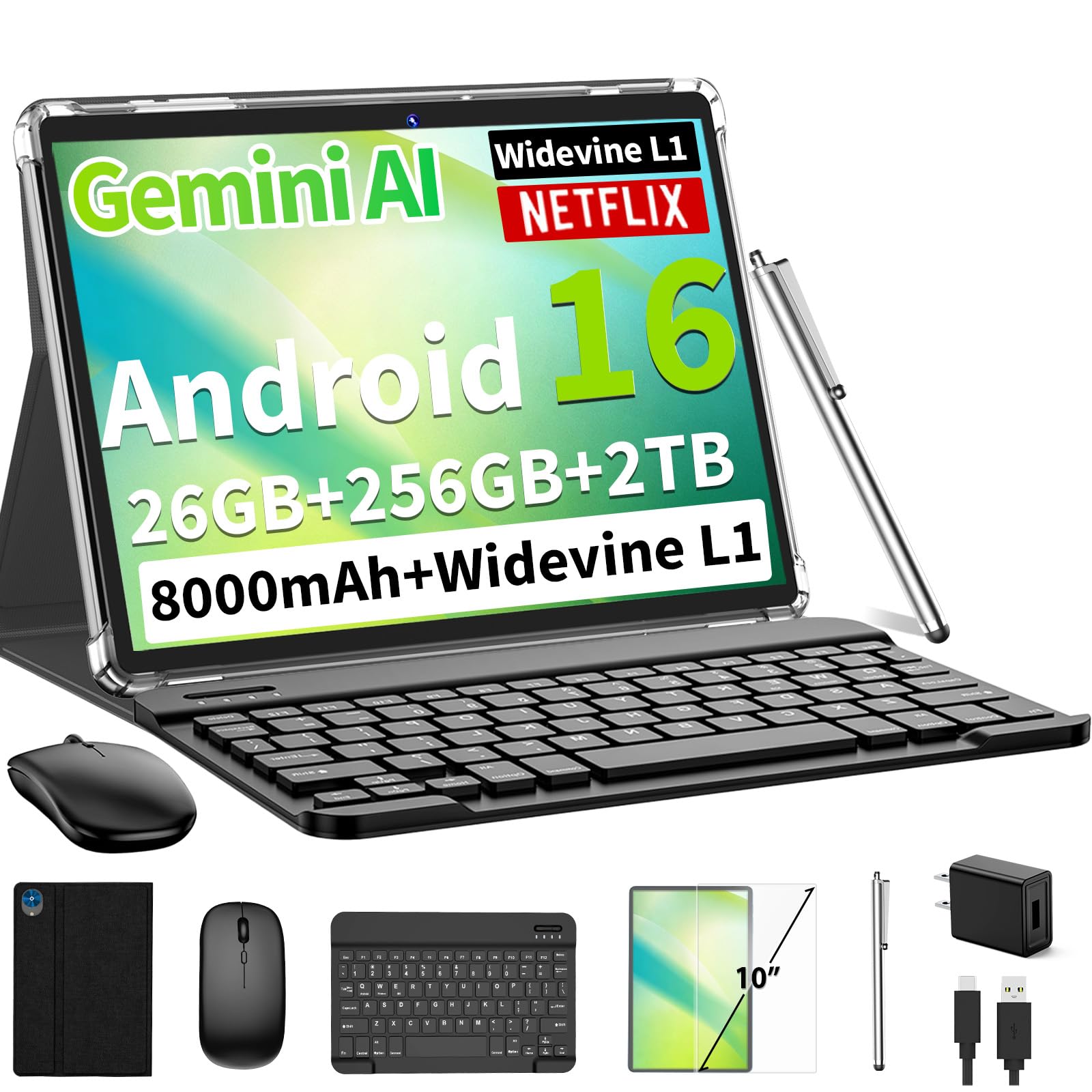
This VisuPad is the pick for anyone who wants a real Linux-capable workstation in tablet form. Android 16’s enhanced Linux terminal support pairs perfectly with the T606 octa-core processor, giving you snappy app launches and fluid multitasking when you’re juggling terminal windows, a browser, and a code editor. The 26GB of total RAM — 6GB physical plus 20GB virtual — means you won’t hit a wall when your Linux environment asks for more memory.
Storage is where this tablet blows past almost everything else here. With 256GB built-in, it holds a 4.0x more space than the Lenovo Tab One’s 64GB, and you can add up to 2TB more via microSD. That translates to thousands of HD videos, study documents, and development files without constant cleanup. The 8000mAh battery delivers a stated 16 hours of use — a 28% longer runtime than the Lenovo Tab One’s 12.5 hours — so you can code, stream, and work all day without hunting for an outlet.
The bundle makes it a genuine laptop replacement: keyboard, mouse, stylus, foldable case, screen protector, and charger all ship in the box. Buyers report “easy setup, smooth performance, clear bright screen,” and the Widevine L1 support means Netflix and Prime Video stream in stable 1080P Full-HD. The 13MP rear camera handles document scanning for office tasks, while facial open up gets you in instantly.
What makes it a workstation
- 26GB total RAM handles heavy multitasking and Linux environments
- 256GB storage plus 2TB microSD expansion for projects
- Complete keyboard, mouse, stylus bundle from the start
- 16-hour battery covers full workdays
Where it’s lighter
- Virtual RAM relies on storage, so performance dips under extreme load
- No cellular support — Wi-Fi only for connectivity
Reach for this if: you want the most complete Android Linux tablet that doubles as a laptop replacement for coding, study, and streaming.
Look elsewhere if: you need a truly pocketable size — this is a full 10-inch slab built for desk work.
3. Lenovo Idea Tab

The sharp-eyed study partner with a 2.5K screen that makes reading and note-taking a joy.
If your Linux work is more about reading documentation, sketching diagrams, and watching tutorials, the Lenovo Idea Tab’s display is the reason to choose it. The 11-inch 2.5K IPS touchscreen packs 2560 x 1600 pixels with a 90Hz refresh rate, so scrolling through code and flipping between PDFs feels silkier than the 26%-larger-but-lower-res screens on cheaper options. It’s a difference you notice the moment you start reading fine print in a manual.
Under the hood, the MediaTek Dimensity 6300 processor pairs with 4GB of memory and 128GB of storage. That 4GB is a 6.5x gap behind the 26GB on the Android 16 Tablet with Keyboard, which matters if you plan to run a heavy Linux desktop. For lighter tasks — taking notes with the included Tab Pen, circling items with Circle to Search, or streaming — it handles everything smoothly. The quad Dolby Atmos-tuned speakers and 72% NTSC color coverage make study breaks genuinely enjoyable.
Battery life is rated at 12 hours of YouTube streaming, and the 20W charger gets you back in action quickly between study sessions. The folio case and Tab Pen included in the box make it campus-ready from day one. Buyers call the resolution “unbeatable for its price point” and praise its ease of use, though a few note it runs a touch slow under heavy multitasking — fair warning if you plan to push it.
Screen-first pick: the 2.5K IPS panel with 90Hz refresh is the standout reason to choose this over higher-RAM rivals; the 4GB memory is the honest limit for heavy Linux use.
Best for: students and note-takers who want a gorgeous display and stylus support for reading-heavy Linux work.
Who should pass: developers running multiple Linux containers — the 4GB RAM will bottleneck you.
4. TABWEE T90

A polished 11-inch workhorse with explicit Linux terminal support and a complete accessory kit.
The TABWEE T90 is the one tablet here that calls out Linux support directly in its spec sheet. Android 16 on this device adds “enhanced Linux terminal support,” which means you get a cleaner path to running Linux commands and tools without fighting the OS. The Unisoc T615 octa-core processor handles everyday speed for streaming, video calls, and document editing, while 24GB of RAM — 8GB built-in plus 16GB virtual — keeps apps and terminal sessions running side by side.
The 11-inch FHD display delivers 1920 x 1200 resolution with an 84.9% screen-to-body ratio, and the fully laminated TDDI screen gives natural colors and smooth touch response. At 380 nits of brightness, it’s comfortable for indoor reading and streaming, and Widevine L1 support means your Netflix and Prime Video shows stream in high definition. Dual smart speakers round out the media experience.
You can watch videos for up to 11 hours, enjoy 8 hours of daily entertainment, or play music for 40 hours on a single charge from the 8000mAh battery (a unit of charge, so you get a full day of use without hunting for an outlet). The 13MP rear camera (13 megapixels, meaning sharper photos) works with Google Lens to scan documents and translate text, while the 5MP front camera (5 megapixels) handles video calls clearly. Owners mention the included keyboard, mouse, and stylus feel complete, with one noting it “replaces a laptop,” and the 2-year warranty plus 24/7 US/CA support means you have backup if something goes wrong.
Complete package: the explicit Linux terminal support plus full accessory kit makes this the most capable out-of-the-box pick, though the 128GB storage is tight if you hoard media.
Choose this for: a premium, all-in-one Android Linux tablet with warranty backing and laptop-level productivity.
skip it if: you need massive built-in storage — you’ll rely on the 2TB microSD slot to expand.
5. Tablet 11 Inch Android 16
A smooth 90Hz screen that brings fluid scrolling to every app without the flagship price tag.
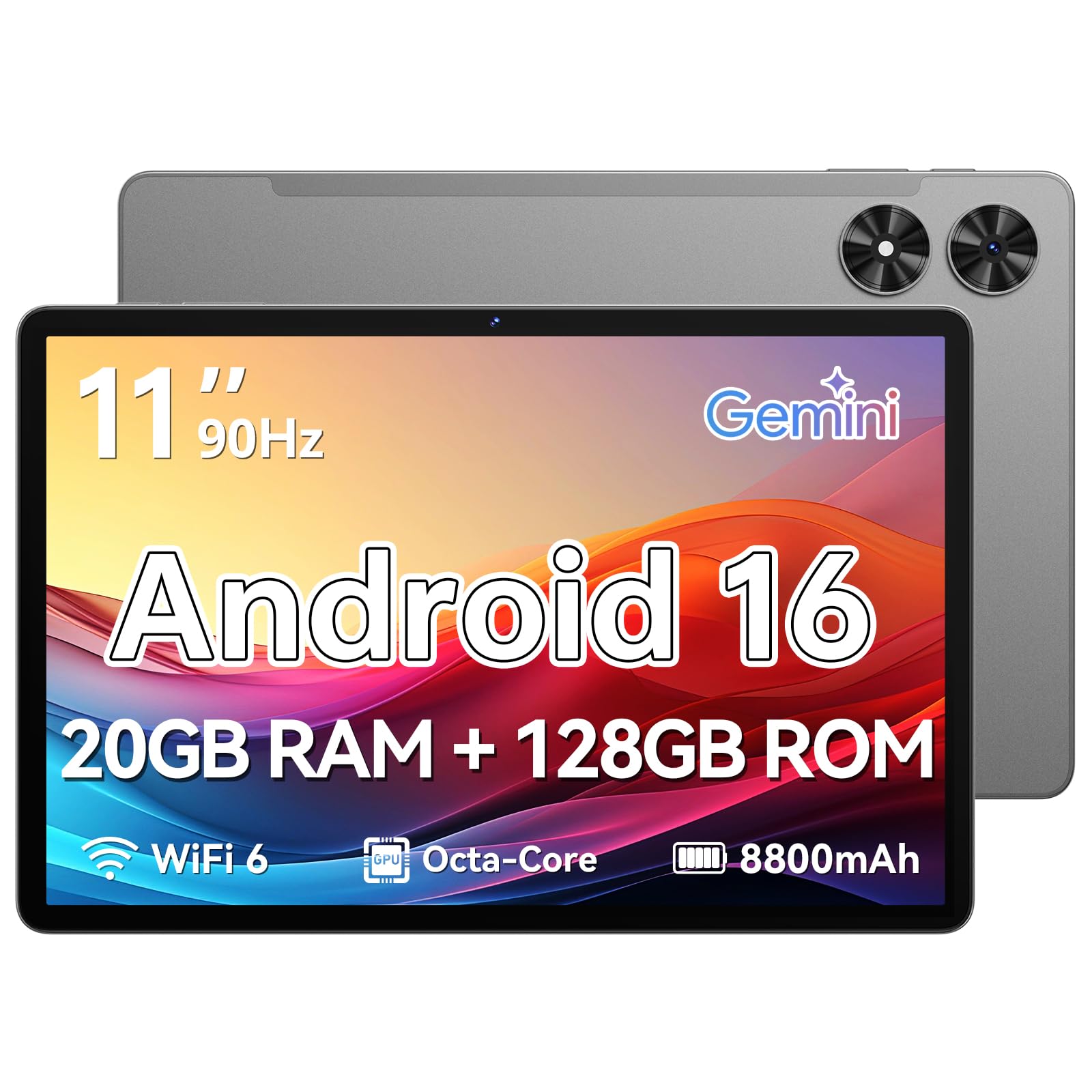
The Frameflow 11-inch tablet takes the Android 16 experience and makes it feel faster than its price suggests. The 90Hz high refresh rate is the headline feature — it makes web browsing, reading, and app navigation noticeably smoother than the standard 60Hz panels on most budget tablets. The Eye Comfort Mode adjusts color temperature for comfortable reading sessions, which matters when you’re staring at documentation for hours.
Under the hood, the T7250 octa-core processor runs at 1.8 GHz and pairs with 20GB of total memory — 4GB physical plus 16GB virtual — plus 128GB of storage expandable to 1TB via microSD. That’s enough room for a Linux environment, your apps, and a healthy media library. The 8800mAh battery delivers up to 8 hours of video playback, and dual-band 2.4/5GHz Wi-Fi plus Bluetooth 5.2 keep connections solid.
A 2-year warranty covering quality and workmanship defects adds confidence, and the 13MP rear camera with LED flash handles document scanning. Buyers call it “super easy to use” and praise the bright, clear screen, though the built-in speakers lack bass — owners recommend Bluetooth audio if sound quality matters to you. GPS works only with Wi-Fi, so it’s a home-and-office companion rather than a field device.
The smooth operator
- 90Hz refresh makes everyday scrolling feel premium
- 8800mAh battery with 2-year warranty
- 1TB microSD expansion for Linux projects
Honest trade-offs
- Speakers are flat and tinny without Bluetooth audio
- GPS needs Wi-Fi — no offline location tracking
Best for: value-focused buyers who want a fluid 90Hz screen and solid specs for Linux tinkering and everyday use.
Think twice if: you need offline GPS or rich built-in speakers.
6. URAO Android 16 Tablet
Wi-Fi 6 speeds and a massive 36GB of RAM make this the fastest-feeling budget workstation.
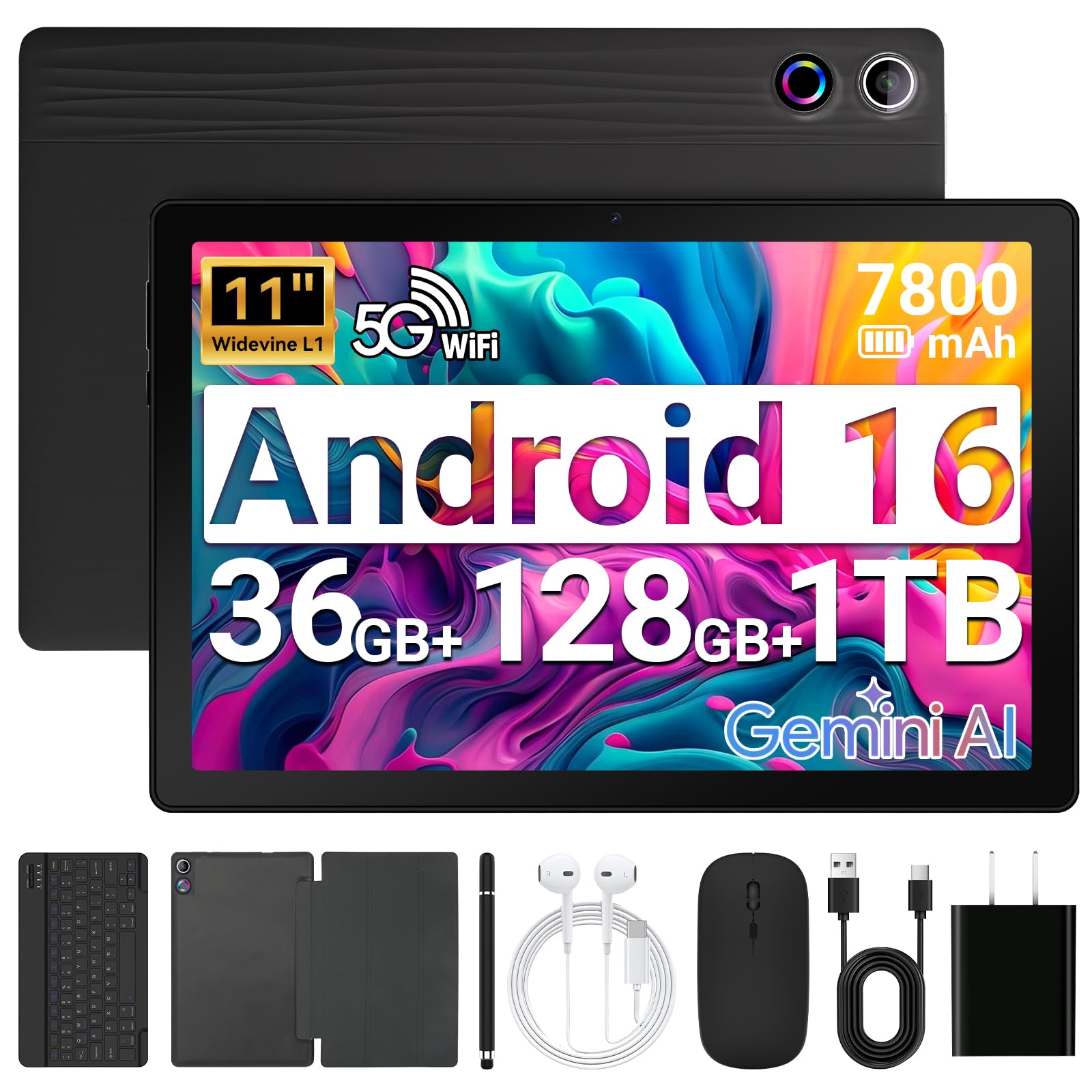
The URAO tablet targets the speed-obsessed buyer with two standout specs: Wi-Fi 6 and 36GB of total RAM. The 36GB configuration — 6GB physical plus 30GB virtual — is the largest memory pool in this lineup, giving you plenty of headroom for running Linux tools, multiple browser tabs, and productivity apps simultaneously. The 1.8 GHz octa-core processor keeps things snappy.
Wi-Fi 6 is the other headline feature. It delivers faster data transfer, improved network capacity, and reduced delays on compatible routers — a real advantage when you’re pulling down large Linux packages or streaming high-bitrate video. Bluetooth 5.4 keeps your keyboard, mouse, and headphones connected with minimal latency. The 11-inch display runs at 800 x 1280 pixels, which is modest, but the 7800mAh battery supports up to 8 hours of mixed use with fast charging via USB Type-C.
The 2-in-1 mode with a Bluetooth keyboard, mouse, and stylus lets you switch between entertainment and laptop-style work. Customers note it’s “up and running in less than 5 minutes” and handles YouTube, work apps, and light gaming without issues. The catch: there’s no GPS, so location-based apps won’t work, and the display resolution is lower than rivals — fine for casual use, less ideal for detailed design work.
Speed-focused pick: Wi-Fi 6 and the largest RAM pool here make this the smoothest multitasker, but the modest 800 x 1280 screen and missing GPS are the trade-offs.
Best for: users who prioritize fast downloads, smooth multitasking, and fast charging over screen sharpness.
Not for: anyone needing offline location services or a high-resolution display.
7. SunFounder RasPad 3.0

The all-in-one shell that turns a Raspberry Pi 4B into a portable Linux tablet for real hardware hacking.
The RasPad 3.0 is a different breed — it’s not a standalone Android tablet but a tablet shell designed specifically for the Raspberry Pi 4B. You supply the Pi (it’s NOT included), and this device gives it a 10.1-inch IPS touchscreen LCD with 1280 x 800 resolution and 10-finger touch. Assemble it in 2 steps and you have a portable Linux machine running Raspbian, Ubuntu Desktop, Chromium OS, or Android.
What makes this special is the hardware access. All Raspberry Pi ports are available — Ethernet, HDMI, Audio, USB, and Power — plus GPIO extensions and camera mounting holes. That means you can run OctoPrint for 3D printers, build IoT projects, hack hardware, or use it as a dedicated field display. The triangular structure and six-axis acceleration sensor let you rotate the screen 90°, 180°, and 270° for presentations or awkward workspaces.
Owners praise the build quality and the responsive touch display, and it shines as a 3D printer controller and for home automation. But this is a tinkerer’s device, not a polished consumer tablet. The touchpad software is no longer in development, some shoppers say battery life around 1-3 hours depending on workload, and the cooling fan can be noisy. If you’re comfortable with Raspberry Pi setup quirks, it’s the most flexible Linux tablet here; if you want plug-and-play, look elsewhere.
The hacker’s toolkit
- Full Raspberry Pi port access with GPIO extensions
- Runs multiple OSes including Ubuntu and Android
- Rotatable screen for flexible projects
Know before you buy
- Raspberry Pi 4B not included — separate purchase
- Touchpad software no longer developed
- Battery life varies widely (1-3 hours typical)
Best for: makers and developers who want a portable shell for Raspberry Pi projects like 3D printing and IoT.
Not for: casual users — this requires Raspberry Pi setup knowledge and patience with quirks.
Understanding the Specs
Virtual RAM explained
When a tablet advertises “26GB RAM” with a breakdown like 6GB physical + 20GB virtual, the virtual portion borrows storage space to act as extra memory. It lets you keep more apps and Linux processes open without reloading, but it’s slower than physical RAM. For heavy Linux work, more physical RAM (the first number) is what really matters.
Battery capacity vs real life
A tablet rated for “12.5 hours of YouTube streaming” or “8 hours of video playback” is measured under ideal conditions. Running Linux tools, compiling code, using GPS, or keeping the screen at full brightness drains faster. The milliamp-hour (mAh) figure is a better comparison tool — 7800mAh and above gives you realistic all-day use.
FAQ
Can these Android tablets actually run Linux applications?
How much RAM do I need for Linux on an Android tablet?
What is virtual RAM and does it actually help?
Can I expand storage on these tablets?
How long does the battery last when running Linux tasks?
What is Widevine L1 and why does it matter?
Is a 60Hz or 90Hz display worth caring about?
Which tablet is best for Raspberry Pi projects and hardware hacking?
Final Thoughts: The Verdict
For the majority of shoppers, the android linux tablet winner is the Android 16 Tablet with Keyboard because its 26GB RAM, 256GB storage, and 16-hour battery make it the most complete Linux-capable workstation. If you want a razor-sharp display for study, grab the Lenovo Idea Tab with its 2.5K screen. And for Raspberry Pi hardware hacking, the SunFounder RasPad 3.0 is the one to reach for — the crowd favorite with strong build quality praise, just know you’ll supply the Pi yourself.
How We Picked
We do not accept paid placement. Every pick is matched to a real buyer and a real use-case; we do not hands-on test units.
Sources & Methodology
Specifications: manufacturer listings and product documentation. Review insights: verified customer reviews, as of August 2026. Pricing: not shown on this page (it changes often); check the current price via the retailer link.
As an Amazon Associate, Gadgets Feed earns from qualifying purchases. This does not affect which products we feature.