
Our readers keep the lights on and my morning glass full of iced black tea. As an Amazon Associate, I earn from qualifying purchases.
Specs are compiled from manufacturer listings and verified buyer reviews and can change over time — please confirm the key details on the product page before buying.
Forgetting your phone and walking past a memory is the whole point of an Android photo frame. The best ones run the Frameo app, so family can send pictures straight to the screen from anywhere, and you never touch a USB cable again. This guide sorts the 15-inch showstoppers from the 10-inch nightstand fits, using real owner feedback to separate the reliable from the frustrating.
I’m Min — the founder and writer behind Gadgets Feed. This guide is built by comparing the manufacturers’ published specifications and the patterns across verified customer reviews, so you get each pick’s real strengths and trade-offs instead of marketing spin.
You want a frame that your parents can actually use, with clear photos and easy sharing. Find the best android photo frame for your family’s needs, balancing screen size, storage, and simplicity.
Our Picks at a Glance

How To Choose The Best Android Photo Frame
Before you buy an Android photo frame, think about who will use it, where it will sit, and how many photos you need to store. A frame that suits a grandparent’s kitchen counter may be too small for a living room wall, and a 32-inch display is overkill for a bedside table.
Screen Size and Resolution
Bigger is not always better. A 10.1-inch screen fits neatly on a desk, while a 15.6-inch model becomes a statement piece above the fireplace. Resolution also matters — a 1920×1080 (Full HD) screen will look noticeably sharper than a 1280×800 panel, especially when you are viewing photos from a few feet away.
The Frameo App and Sharing
Most of these frames use the Frameo app, which lets you send photos and short videos from your phone. You generate a unique code on the frame, share it with family, and they can add memories from anywhere. This is the feature that makes the frame feel alive, so check that the app supports multiple users and easy setup.
Storage Capacity and Expansion
Internal storage determines how many photos live on the device. A 32GB frame holds tens of thousands of images., which is plenty for most families. If you shoot lots of video, consider a 64GB model or one with an SD card slot for extra space. Always format your SD card to FAT32 for best compatibility.
Quick Comparison
| Model | Best For | Display Size | Storage | Resolution | Amazon |
|---|---|---|---|---|---|
| BIGASUO 15.6″★ Best Overall | Full-screen living room display | 15.6 inches | 64 GB | 1920×1080 | Amazon |
| Frameo 10.1″ (MQQC)Best Value | Simple app sharing on a budget | 10.1 inches | 32 GB | 1280×800 | Amazon |
| Frameo 10.1″ (sbaceflay) | Gifting with elegant packaging | 10.1 inches | 32 GB | 1280×800 | Amazon |
| REUMAR 11″ | High-resolution 2K color accuracy | 11 inches | 64 GB | 1920×1280 | Amazon |
| Nixplay W10P | Premium cloud features and AI framing | 10.1 inches | Cloud Based | HD Touch | Amazon |
| AgfaPhoto 17″ | A grand, classic frame look | 17 inches | 32 GB | HD Touch | Amazon |
| FULLJA 32″ | Commercial or statement wall display | 32 inches | 64 GB | 1920×1080 | Amazon |
In‑Depth Reviews
1. BIGASUO 15.6″ WiFi Photo Frame
Our pick — over 4.5★ from 700+ verified ratings; the strongest balance of quality and price.
The full-screen 15.6-inch display that makes photos the star of the living room.
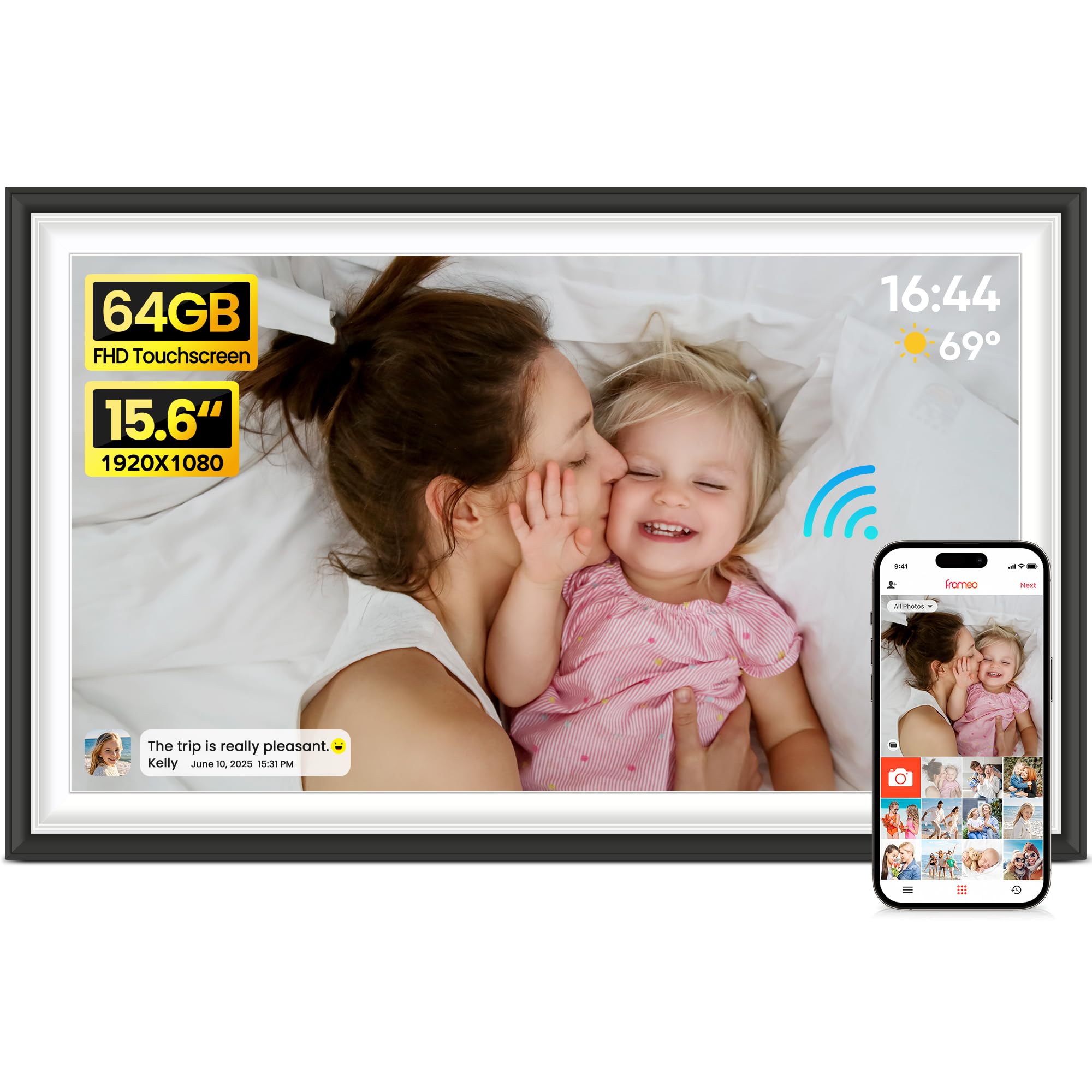
This is the frame people gather around. The 15.6-inch 1920×1080 IPS touchscreen fills the whole front with no extra border, so your pictures look like a giant digital print rather than a gadget. Owners say the edge-to-edge look is the first thing they notice, and it makes a 64GB photo library feel like a personal gallery wall.
Setup takes minutes with the Frameo app, and The 64GB storage holds up to 100,000 photos., so you can load an entire family history without worrying about space. The touchscreen is responsive, and you can adjust how long each photo stays on screen. It supports audio and video too, which is a nice surprise for watching short clips of the grandkids.
It is a bit larger than the 10.1-inch Frameo models, but that extra size is exactly why it wins. The 15.6-inch screen offers 54% more display area than the 10.1-inch version., and the 64GB storage is double the 32GB you get on smaller frames. Buyers report it is a fantastic gift for grandparents who want to stay close to distant family, and the classic black-and-white frame fits most decor.
What wins people over: The build quality is the most praised aspect by far, with owners calling it solid and well-made. The easy setup is the second most common compliment, so even non-techy relatives can get it running.
The one catch: For best compatibility, use a 32GB SD card or USB drive. Larger cards like 64GB or 128GB may not work reliably, so stick to the recommended size if you expand storage.
Reach for this if: You want a large, high-quality frame that becomes a centerpiece and has room for a huge photo collection.
Look elsewhere if: You need something compact for a small shelf or plan to use oversized memory cards, which this frame doesn’t handle well.
2. Frameo 10.1″ (MQQC)
A tiny, tech-friendly frame that even the most analog family members can master.
The 10.1-inch 1280×800 touchscreen is the definition of simple. It has a magnetic stand that lets you flip between landscape and portrait, plus a wall-mount option, so it adapts to whatever surface you choose. The 32GB internal memory holds around 80,000 photos., which is more than enough for a year of family moments.
What makes this frame special is how approachable it feels. The Frameo app is praised for its ease of use, and the build quality is the top-mentioned positive aspect. It supports 1920×1080 photos and 15-second video clips, plus captions, weather, and a clock, all controlled through touch. You can invite the whole family to send pictures from their own phones, which is the real magic here.
Compared to the 15.6-inch BIGASUO, this frame is much more compact and wallet-friendly, but you sacrifice screen real estate and storage. It still holds a massive library, but the smaller panel means photos won’t have the same wall-presence. The recurring feedback is that it is a fantastic gift for moms and grandparents who want to see updates without fiddling with settings.
Quality that shows: Build quality is the most common praise, followed closely by ease of use. The app’s simplicity is a standout, with buyers noting how quickly they were sending photos.
A mixed note: Value for money gets mixed reviews, and there are some reports of reliability issues over time. It is a solid pick if you want a simple, small frame, but treat it as a budget-friendly option rather than a premium heirloom.
Best for: A first-time buyer or a grandparent who needs a no-fuss frame with automatic rotation and a gentle learning curve.
Consider another if: You want a large screen for a main living area, or you are worried about long-term durability.
3. Frameo 10.1″ Mocha Brown (sbaceflay)
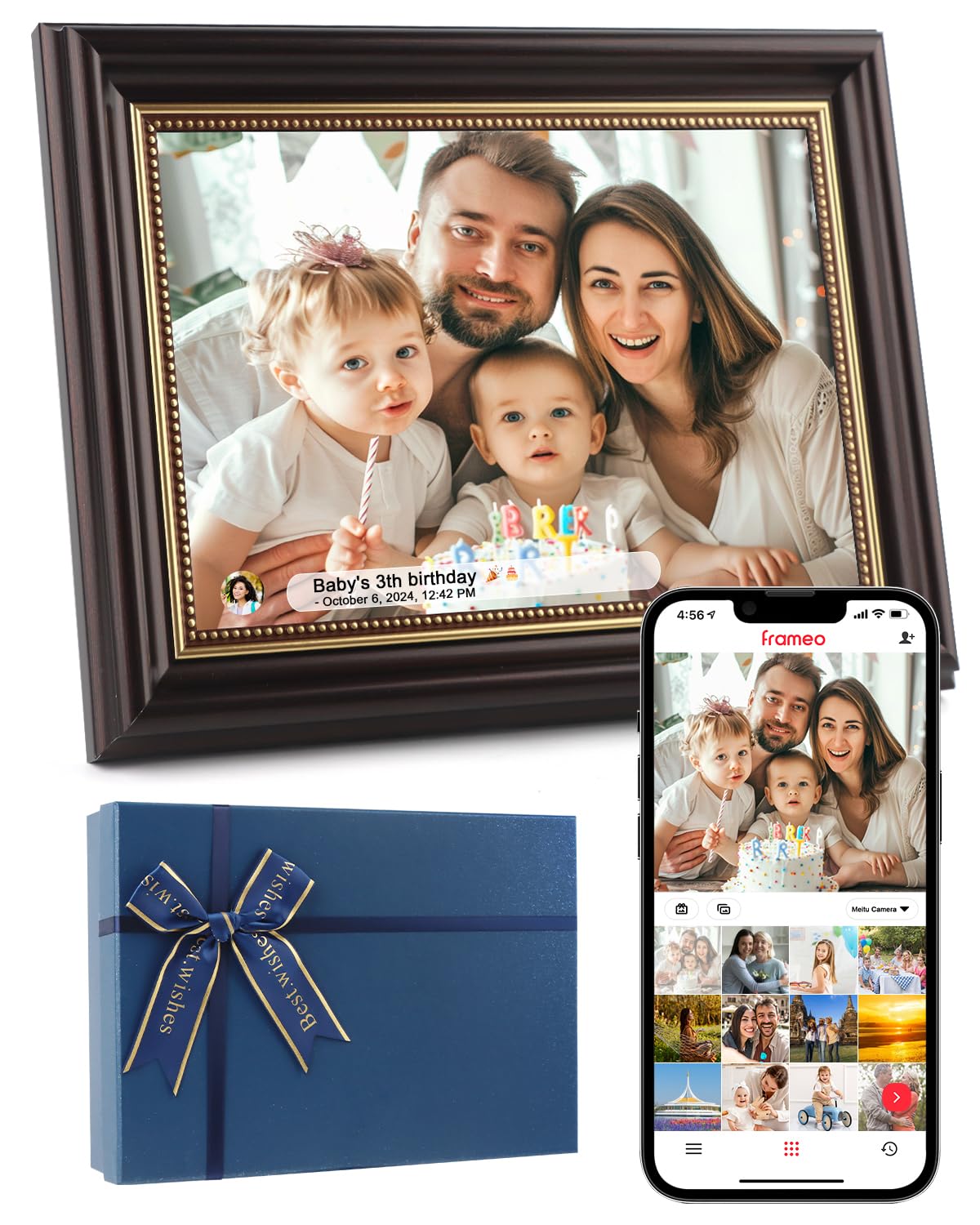
The vintage-toned frame that looks like decor first and a gadget second.
This 10.1-inch 1280×800 HD IPS touchscreen comes in a warm Mocha Brown finish that owners say fits vintage-style homes perfectly. It is not just another black rectangle, and the elegant packaging makes it a delightful present. It runs the Frameo app, so sending photos and videos up to 30 seconds long from your phone is straightforward.
The gravity sensor automatically rotates photos to match the frame’s orientation, so you can hang it or stand it without worrying about alignment. It supports JPG, PNG, BMP, and MP4 formats, and The 32GB storage holds up to 40,000 photos.. The interface is clean, with customizable playback order, image zoom, and brightness controls that are genuinely useful.
It shares the same 10.1-inch size as the MQQC model, but this one leans into aesthetics and gifting. The app is secure, using a unique code to let only approved family members share, which is a comfort for privacy-focused households. The main trade-off is the same as other compact frames: the screen is not as sharp as the 2K REUMAR, but for everyday snapshots, it looks great.
The standout: Appearance is what owners praise most, with several calling it cute and noting it blends with their decor instead of clashing.
A fair warning: Functionality and value get mixed feedback. Some find it a bit pricey for what it is, but most agree it is a favorite living-room item that beats other brands.
Pick this if: You care about how the frame looks on your shelf as much as how it works, and you want a gift-ready box.
skip it if: You need the highest resolution or are shopping on the tightest budget, as the value perception is split.
4. REUMAR 11″ 2K WiFi Frame

The 11-inch 2K screen that makes colors pop like a modern photo print.
If you are picky about image quality, this is the frame to beat. The 11-inch 1920×1280 IPS touchscreen with 100% sRGB coverage delivers vivid, accurate colors that do not look washed out. One buyer compared it to other frames they had tried and said their photos looked “terribly washed out” elsewhere but “amazing” on this one — proof of the panel’s quality.
It runs the Frameo app with dual-band WiFi (2.4/5GHz), so sending photos and 15-second videos is fast and reliable. The built-in 64GB memory is generous, and you can expand with a micro SD card up to 128GB, supporting both FAT32 and NTFS formats. The auto-rotate feature and detachable stand let you switch between portrait and landscape easily.
However, this frame has a split reputation. While the display is excellent, the build quality and reliability have drawn criticism. Several owners mention units failing within months or after a power outage, with one calling it “cheaply made.” It is a better color performer than the 10.1-inch Frameo models, but you are taking a bigger risk on longevity.
The highlight: The screen is the reason to choose this — the 2K resolution and color gamut are genuinely superior for displaying photos.
The hard truth: Reliability is the most common negative theme, with durability and value both flagged. If you buy this, know that color quality is the trade-off for potential longevity issues.
Choose this for: A photographer or detail-oriented viewer who prioritizes color fidelity above all else and accepts some risk.
Avoid it if: You want a set-and-forget appliance that will last for years without hiccups.
5. Nixplay W10P 10.1″

The cloud-connected frame with AI that centers faces and senses when you walk by.
Nixplay is a different beast from the Frameo clones. Instead of relying purely on the app, it uses secure U.S.-based cloud storage with end-to-end encryption, and you can upload photos via the app, web, or even by emailing them directly to the frame. That flexibility is a huge win for less tech-savvy relatives — they can just email a picture.
The 10.1-inch HD touch screen is smooth, and the built-in AI automatically centers faces for perfect framing, so group shots always look composed. A motion sensor turns the frame on when you enter the room and off when you leave, saving energy and making it feel smart. The quality is the most praised aspect, with owners calling it the best they have used.
It is lighter than the BIGASUO at just 1.1 pounds, making it easy to move around. However, the cloud approach requires a Nixplay account, and some advanced features like longer video storage may need a subscription. Connectivity is the most common mixed point, with some users reporting WiFi hiccups, but the overall picture quality and ease of use keep it a top contender.
What stands out: The image quality and the gift appeal are the top praises, with owners noting grandparents love seeing updates. The AI auto-centering is a clever touch.
The trade-off: Connectivity and value for money are mixed. The subscription model for full features is a consideration, but the basic free plan works for most.
Best for: A family that wants multiple frames across relatives’ homes, with email upload for the least techy members and a premium feel.
Think twice if: You dislike subscription services or want a purely offline, local-storage device without cloud dependency.
6. AGFAPhoto 17″ Touchscreen

A 17-inch screen that mimics the look of a real framed print on your wall.
From the iconic AGFA photo brand, this 17-inch touchscreen frame is built to look like a real picture frame, not a tablet. Owners say it renders photos beautifully, with a classic look that blends into home decor. The 32GB internal memory holds tens of thousands of photos., and you can expand via the memory card slot and USB port.
It runs the Frameo app, so sending photos and short videos from anywhere is simple. The touchscreen is intuitive and grandparent-friendly, with weather and clock functions included. The ultra-slim design automatically rotates between portrait and landscape, so every photo displays correctly no matter how you mount it.
The big draw here is the size — it is larger than the 10.1-inch and 11-inch models, giving you a real statement piece. The main gripe is that the glossy screen reflects light, and the app initially only allows uploading photos in batches of ten. But for a living room or office, the classic aesthetic and large display are hard to match.
The appeal: The design is the biggest compliment, with buyers noting it looks like an actual photo frame rather than a digital gadget. The large size is a crowd-pleaser.
The caveat: The app’s batch upload limit is a minor annoyance, and the glossy screen requires careful placement to avoid glare. The build is solid, but the viewing angle is slightly dependent.
Buy it if: You want a large, attractive frame that serves as decor and can display a huge collection of memories in a communal space.
Pass on it if: You plan to upload thousands of photos at once and want a matte, glare-free screen in a bright room.
7. FULLJA 32″ Digital Picture Frame
A 32-inch display that turns your wall into a rotating gallery and more.
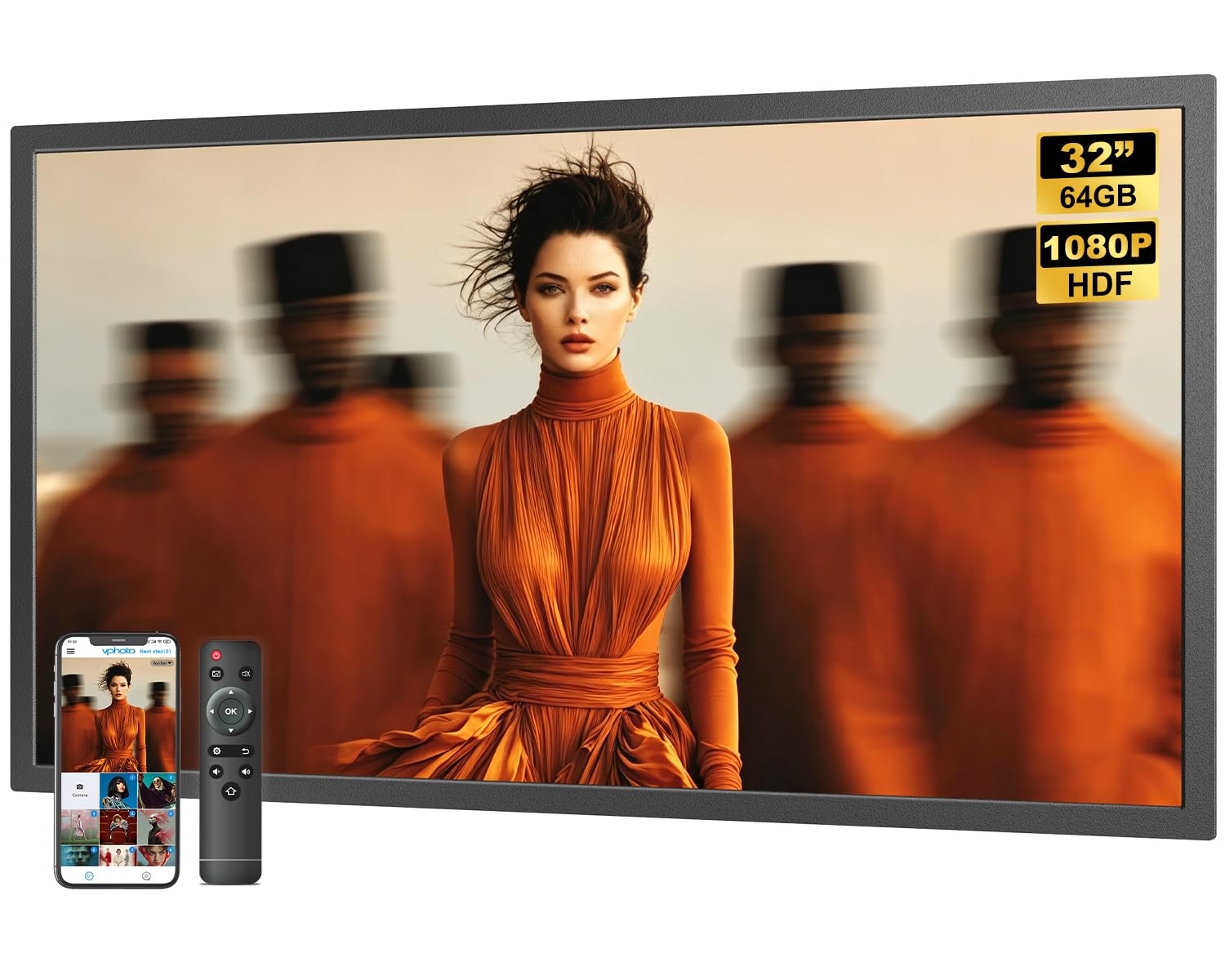
This is not a bedside frame — it is a commercial-grade display for offices, restaurants, or a home with a serious statement wall. The 32-inch 1920×1080 IPS screen has a 180-degree viewing angle and a 16:9 ratio, staying vivid from any direction. The included remote control makes it easy to navigate slideshows, adjust brightness, and schedule sleep modes without touching the screen.
The built-in 64GB storage holds up to 160,000 photos., and the dual-band WiFi (2.4/5GHz) works with the VPhoto app for direct phone sharing. It also supports mirroring from social media platforms, so you can display Instagram or TikTok content. Beyond photos, it can show an alarm clock, weather station, split-screen mode, and even play music.
This is the most versatile and largest frame here, and it doubles as a digital signage tool (a screen for displaying ads or announcements). Owners praise the picture quality and how easy it is to load photos, with one noting it “does exactly what is needed, without extra fluff.” Reliability is mixed, though—some units reportedly last only two months—so it is a higher-risk purchase despite the impressive specs.
The strength: The sheer size and functionality are class-leading, and the remote control is a hit with non-tech-savvy users. Picture quality is the top praise from buyers.
The concern: Reliability is the most mixed aspect, with a few owners reporting early failures. It is a feature-rich option, but durability is not guaranteed.
Ideal for: A business owner or homeowner wanting a massive, multi-function display for a lobby, shop window, or grand living space.
Not for: Someone who wants a reliable, compact household frame — the size and price point are for a specific, larger-than-life use case.
Understanding the Specs
IPS Touchscreen and Resolution
IPS (In-Plane Switching) is a screen technology that keeps colors accurate and viewing angles wide, so photos look good even when you are off to the side. Resolution, like 1920×1080 (Full HD), determines sharpness — more pixels mean clearer details.
Internal Storage (GB) and SD Cards
Storage capacity tells you how many photos the frame can hold internally. 32GB is plenty for most families, while 64GB doubles that. For SD cards, always format to FAT32 for the best compatibility with these frames.
FAQ
Will the Frameo app work on both Android and iPhone?
Can I add photos without Wi-Fi or an internet connection?
How many photos will a 32GB frame actually hold?
Is a bigger screen always better for a photo frame?
Can family members send photos from their own phones?
Why do some frames fail after a few months?
What is the difference between a 1280×800 and a 1920×1080 screen?
Can I wall mount these digital photo frames?
Final Thoughts: The Verdict
If you want one dependable pick, the Android Photo Frame winner is the BIGASUO 15.6″ because it combines a large, edge-to-edge Full HD screen with generous 64GB storage and the reliable Frameo app. If you want a more compact and budget-friendly option that is still easy to use, the Frameo 10.1″ (MQQC) is a solid choice. And for those who want the smartest features, the Nixplay W10P brings AI framing and cloud convenience to the table.
How We Picked
We do not accept paid placement. Every pick is matched to a real buyer and a real use-case; we do not hands-on test units.
Sources & Methodology
Specifications: manufacturer listings and product documentation. Review insights: verified customer reviews, as of August 2026. Pricing: not shown on this page (it changes often); check the current price via the retailer link.
As an Amazon Associate, Gadgets Feed earns from qualifying purchases. This does not affect which products we feature.