
An ill-fitting Android tablet for a senior isn’t just a bad purchase — it’s a daily source of frustration. Tiny text, sluggish responses, and confusing menus turn what should be a window to the world into an obstacle course. The right device, however, puts video calls with grandchildren, streaming classic movies, and managing health apps within easy, comfortable reach.
I’m Min — the co-founder and writer behind Gadgets Feed. I’ve spent countless hours parsing the spec sheets of budget to premium Android tablets, specifically filtering for the features that matter most when eyesight isn’t what it used to be and patience for lag is thin.
This guide cuts through the marketing noise to identify the devices that genuinely deliver on ease of use and accessibility. Whether the need is a massive screen for crisp text or a lightweight build for holding during a long chat, this analysis of the best android tablet for seniors provides a clear path to the right decision.
How To Choose The Best Android Tablet For Seniors
Picking the right Android tablet for a senior isn’t about raw specifications; it’s about real-world usability. A device that is hard to see, hard to hold, or hard to navigate will end up in a drawer. Focus on these three pillars to ensure the tablet becomes a daily companion, not a frustrating puzzle.
Display Size and Resolution: The Window to Content
The most important factor is a screen that is both large and sharp. A 10-inch or larger diagonal display is the baseline for comfortable reading and viewing without squinting. A resolution of at least 1920 x 1200 pixels (Full HD) ensures text is crisp and images are clear. Anything less, like a 1280 x 800 panel, will show pixelated text that causes eye strain. Many modern tablets also feature “Eye Comfort” or “Reading Mode” which reduces blue light, making long sessions easier on the eyes.
Performance and Storage: Avoiding the Frustration of Lag
A senior-friendly tablet must feel responsive. An octa-core processor running at 2.0 GHz or higher, paired with at least 4GB of physical RAM, will open apps quickly and keep the interface smooth. Avoid tablets with less than 64GB of internal storage, as operating systems and apps fill up space fast. Expandable storage via a microSD card slot is a huge bonus, allowing for thousands of photos or movies without slowing the system down.
Battery Life and Connectivity: Staying Connected Without Tethering
A tablet that needs to be charged every few hours defeats its purpose. Look for a battery capacity of at least 6000mAh; an 8000mAh battery provides a full day of heavy use or multiple days of light browsing. Cellular connectivity (4G LTE) is a killer feature for seniors who don’t want to rely on home Wi-Fi or a phone hotspot. It allows them to make video calls, check email, or look up information from anywhere, providing a true sense of independence.
Quick Comparison
On smaller screens, swipe sideways to see the full table.
| Model | Category | Best For | Key Spec | Amazon |
|---|---|---|---|---|
| TCL NXTPAPER 11 Gen 2 | Premium | Eye-Friendly Reading & Drawing | 11″ 2K NXTPAPER Display | Amazon |
| Samsung Galaxy Tab A9+ | Premium | Trusted Brand & Multitasking | 11″ 90Hz Display | Amazon |
| TECLAST T65 | Premium | Massive Screen & High Refresh | 13.4″ 120Hz Display | Amazon |
| Callsky-Pro 14″ | Mid-Range | Giant Screen & Massive Battery | 14.1″ FHD Display, 10000mAh | Amazon |
| TCL TAB 10 Gen 4 | Mid-Range | Full HD & Metal Build | 10.1″ 1920×1200 Display | Amazon |
| FEONAL 11″ | Mid-Range | Cellular Connectivity & Value | 11″ Incell FHD, 4G LTE | Amazon |
| ANTEMPER 11″ | Mid-Range | Full Accessory Bundle | 11″ 1280×800, 4G LTE | Amazon |
| Lenovo Tab One | Budget | Ultra-Portable & Durable Brand | 8.7″ HD Display | Amazon |
| TUOHAITIME 11″ | Budget | Maximum Accessories for Minimum Spend | 11″ 1280×800, 8000mAh | Amazon |
In‑Depth Reviews
1. TCL NXTPAPER 11 Gen 2

The TCL NXTPAPER 11 Gen 2 is the definitive recommendation for seniors because it directly solves the two biggest pain points: eye strain and usability. Its proprietary 11-inch 2K NXTPAPER 4.0 display is radically different from a standard glossy screen. It reduces harmful blue light and is anti-reflective and flicker-free, making it feel like reading from printed paper. This is a game-changer for anyone who spends more than 15 minutes reading email, browsing news, or viewing photos.
Performance is handled by the Helio G80 processor with 8GB of physical RAM plus an additional 8GB of virtual RAM. This ensures apps open without hesitation and split-screen multitasking is fluid. The included T-PEN stylus with 4096 levels of pressure sensitivity transforms the tablet into a digital notebook, perfect for jotting down reminders or playing puzzle games. The 8000mAh battery provides a full day of mixed use and even supports reverse charging for a smartphone.
This premium package also includes a durable flip case and runs Android 15 with AI tools for smart voice memos and translation. While the quad speakers work well for video calls, they lack deep bass. The absence of a headphone jack may be a concern for those who prefer wired earbuds. For a senior who values eye health and ease of use above all, this tablet sets a new standard.
Why it’s great
- Revolutionary paper-like display reduces eye fatigue significantly
- Excellent battery life with reverse charging for other devices
- Includes a high-quality stylus and protective flip case
Good to know
- Weak speakers lack bass for music
- No 3.5mm headphone jack
- Relatively heavy design
2. Samsung Galaxy Tab A9+

The Samsung Galaxy Tab A9+ is a premium choice for anyone who wants a polished, reliable experience from the world’s most trusted Android tablet manufacturer. The 11-inch display with a 90Hz refresh rate makes every swipe and scroll feel incredibly smooth and fluid, which directly translates to a more pleasant and less juddery experience. This is a distinct advantage over the standard 60Hz panels found on cheaper models.
Its quad speakers, powered by Dolby Atmos, deliver a rich and loud audio experience perfect for watching TV shows or having loud video calls without the need for external speakers. The upgraded chipset provides snappy performance for all standard apps, and the support for multi-window viewing allows a senior to watch a tutorial while browsing a recipe on the same screen. The Samsung Kids app also offers a safe environment for visiting grandchildren.
As a refurbished (renewed) unit, it offers premium Samsung build quality and software support at a fraction of the retail price. The microSD slot supports up to 1TB of expansion. However, users should be aware that this is a Wi-Fi model, and the performance, while smooth for basic tasks, is not designed for heavy gaming or intensive video editing. For a simple, elegant, and smooth daily driver with a brand trusted worldwide, this is a strong pick.
Why it’s great
- Smooth 90Hz display for fluid navigation
- Excellent sound quality from quad Dolby Atmos speakers
- Trusted brand with reliable software support
Good to know
- Renewed product, not brand new
- Wi-Fi only, no built-in cellular
- Performance can lag with multiple heavy apps
3. TECLAST T65 13.4 inch

The TECLAST T65 is a premium option for seniors who need the absolute largest, most vibrant screen possible. At 13.4 inches with a 1920×1200 IPS display and a 120Hz refresh rate, this is the most visually impressive tablet in this lineup. The high refresh rate makes scrolling through news feeds and menus feel instantaneous, while the massive canvas is perfect for viewing photo albums side-by-side or reading large-print books.
Under the hood, the T7280 octa-core processor clocked at 2.2 GHz and 20GB of RAM (8GB physical + 12GB virtual) ensures the UI remains responsive. The huge 8000mAh battery provides up to 11 hours of video playback, meaning a senior can take it on a trip or to a doctor’s appointment without hunting for an outlet. The inclusion of 4G LTE and GPS means it can function as a standalone navigation and communication device without Wi-Fi.
Despite its large screen, the T65 is surprisingly light at just 720 grams, making it easier to hold than many smaller, cheaper tablets. It runs Android 16 with a simple, intuitive interface that includes large icons. The main drawbacks are the lack of a case or keyboard in the box and the fact that the camera quality is basic. For a senior whose primary need is a massive, clear, and fluid screen for media and reading, this is the top choice.
Why it’s great
- Massive 13.4-inch screen with a fluid 120Hz refresh rate
- Excellent 8000mAh battery life
- Supports 4G LTE cellular for on-the-go connectivity
Good to know
- Does not include a case or keyboard
- Camera quality is basic
- Not available with a stylus
4. Callsky-Pro 14 inch
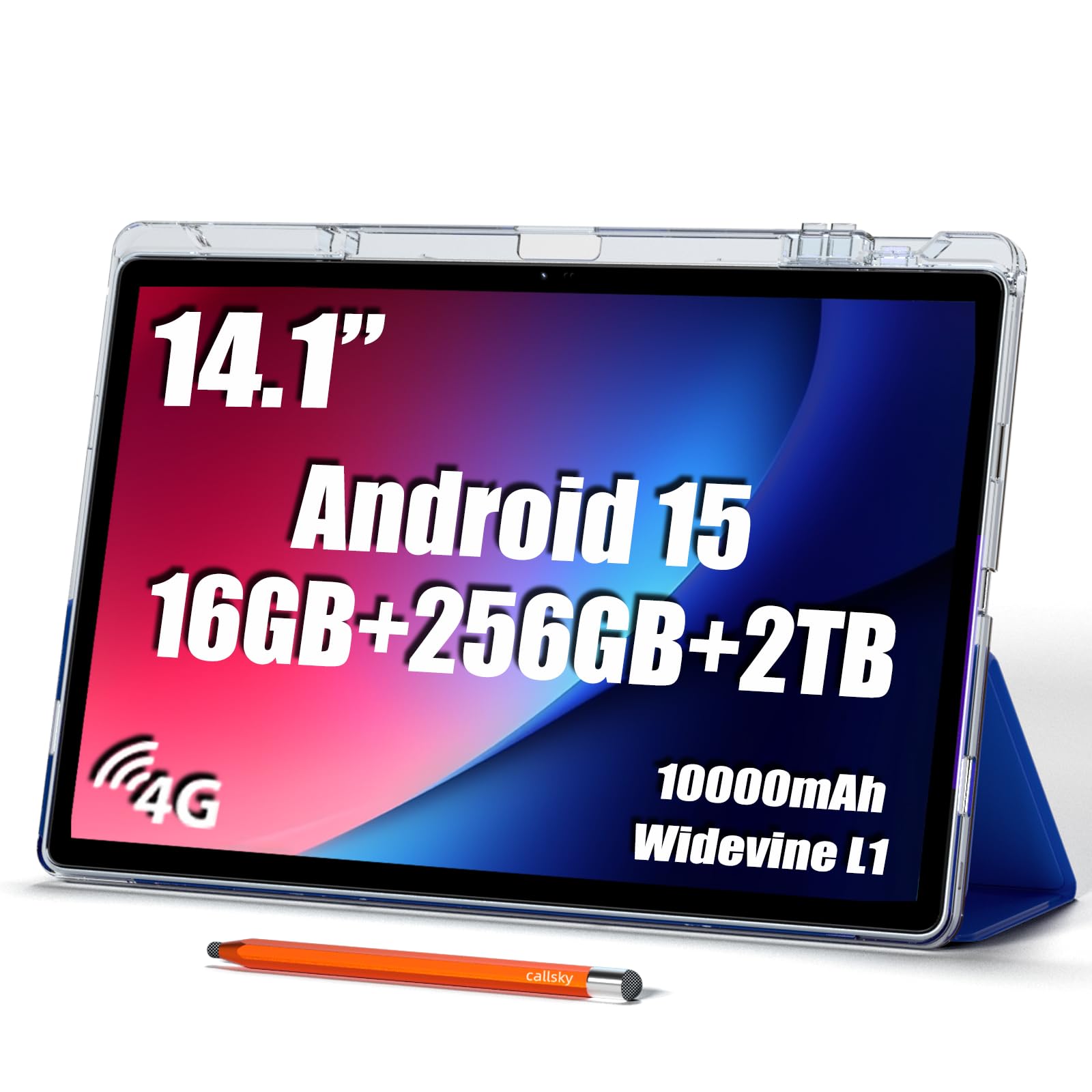
The Callsky-Pro 14-inch tablet is a mid-range powerhouse that prioritizes sheer screen real estate above all else. Its 14.1-inch 1920×1200 IPS FHD display is essentially the size of a small laptop, providing an unparalleled viewing experience for those with severe vision difficulties. Text can be scaled to massive sizes, and the screen can show a full page of a newspaper without needing to zoom.
The battery is its second standout feature: a massive 10,000mAh capacity that can easily last two full days of moderate use or a solid 12 hours of continuous video streaming. This is the ultimate peace-of-mind feature for a senior who may forget to charge regularly. It is powered by the T616 octa-core processor with 16GB of RAM, which handles Youtube and web browsing effortlessly, though it is not designed for high-end gaming.
This tablet comes with a premium leather case, a stylus, and supports Widevine L1, ensuring HD streaming from Netflix. The 4G LTE connectivity makes it a true independent device. The potential issues are its weight, which at 2.2 lbs can feel heavy in one hand for long periods, and some users report that the stylus can be finicky. For stationary use at a desk or on a table, however, its large screen and huge battery make it an outstanding value.
Why it’s great
- Massive 14.1-inch screen for maximal text and image size
- Huge 10000mAh battery lasting multiple days
- Includes a premium case and stylus
Good to know
- Heavy design at over 2 lbs
- Stylus can be imprecise
- Performance is not for heavy multitasking
5. TCL TAB 10 Gen 4
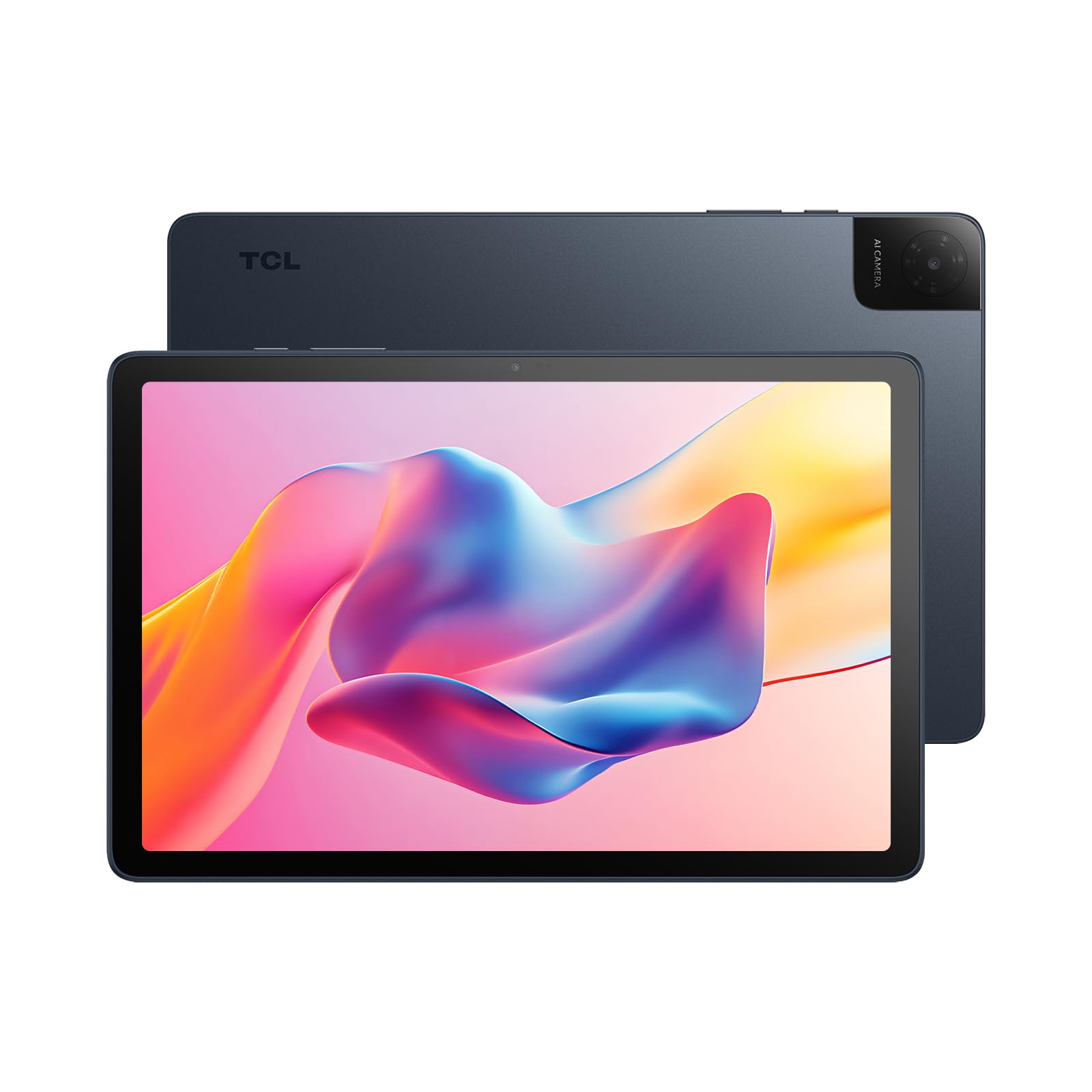
The TCL TAB 10 Gen 4 is a mid-range tablet that delivers a premium feel thanks to its unibody metal construction. At just 0.87 lbs, it is extremely light and comfortable to hold for long reading sessions. The 10.1-inch IPS display is the star, offering a sharp 1920×1200 Full HD resolution that makes text and images exceptionally crisp, a huge step up from the 1280×800 panels found on budget models.
The octa-core processor handles daily tasks like email, social media, and recipe browsing with ease. The 6000mAh battery provides around 8 hours of mixed use, which is sufficient for a day of moderate activity. TCL has included its NXTVISION software to enhance display contrast and color, making photos and videos look vibrant. The Face Unlock feature is a convenient way to skip typing passwords and get straight to content.
This tablet runs Android 15 and has features like Kids Space and Eye Comfort mode. The 8MP rear camera is decent for casual document scanning or taking photos of grandchildren. A key compromise is the use of Wi-Fi 5 instead of the newer Wi-Fi 6 standard, though this is rarely noticeable for general browsing. For a senior who prioritizes a premium, light, and sharp portable tablet, the TCL TAB 10 Gen 4 is an excellent choice.
Why it’s great
- Lightweight and premium metal construction
- Sharp Full HD display for clear text and images
- Fast charging and good battery life
Good to know
- Uses Wi-Fi 5, not the latest Wi-Fi 6
- Speaker volume can be low in noisy environments
- No built-in cellular option
6. FEONAL 11″ Android 16 Tablet

The FEONAL 11-inch tablet is a mid-range option that delivers an outstanding combination of features for the price, with a focus on cellular connectivity. For a senior who wants the freedom of a data plan without relying on Wi-Fi or a phone hotspot, the 4G LTE support is a major asset. It works with T-Mobile SIM cards, allowing for video calls and internet access anywhere with cell service.
The “Incell” display technology provides better color and contrast than standard LCDs, and the 1280×800 resolution is perfectly adequate for reading and streaming on an 11-inch screen. The 20GB of total RAM (8GB physical + 12GB virtual) combined with the MTK8786 octa-core processor ensures that navigating the Android 16 interface is a snappy experience. App switching and web browsing are fluid without noticeable lag.
The 7000mAh battery offers a standby time of up to 480 hours, meaning it can sit idle for weeks and still have charge when needed. The 13MP rear and 8MP front cameras are capable for video calls and basic photography. The primary trade-off is the lack of included accessories like a case or keyboard. The build quality is also more plastic than the TCL models. For a senior who needs a reliable, cellular-connected device for calls and data on the go, this is an exceptional value.
Why it’s great
- Built-in 4G LTE for true mobile freedom
- Long-lasting 7000mAh battery with excellent standby
- Smooth performance with 20GB of RAM
Good to know
- No case or stylus included in the box
- Camera quality is basic compared to higher-end models
- Data-only, cannot make standard voice calls
7. ANTEMPER 11″ Android 15 Tablet
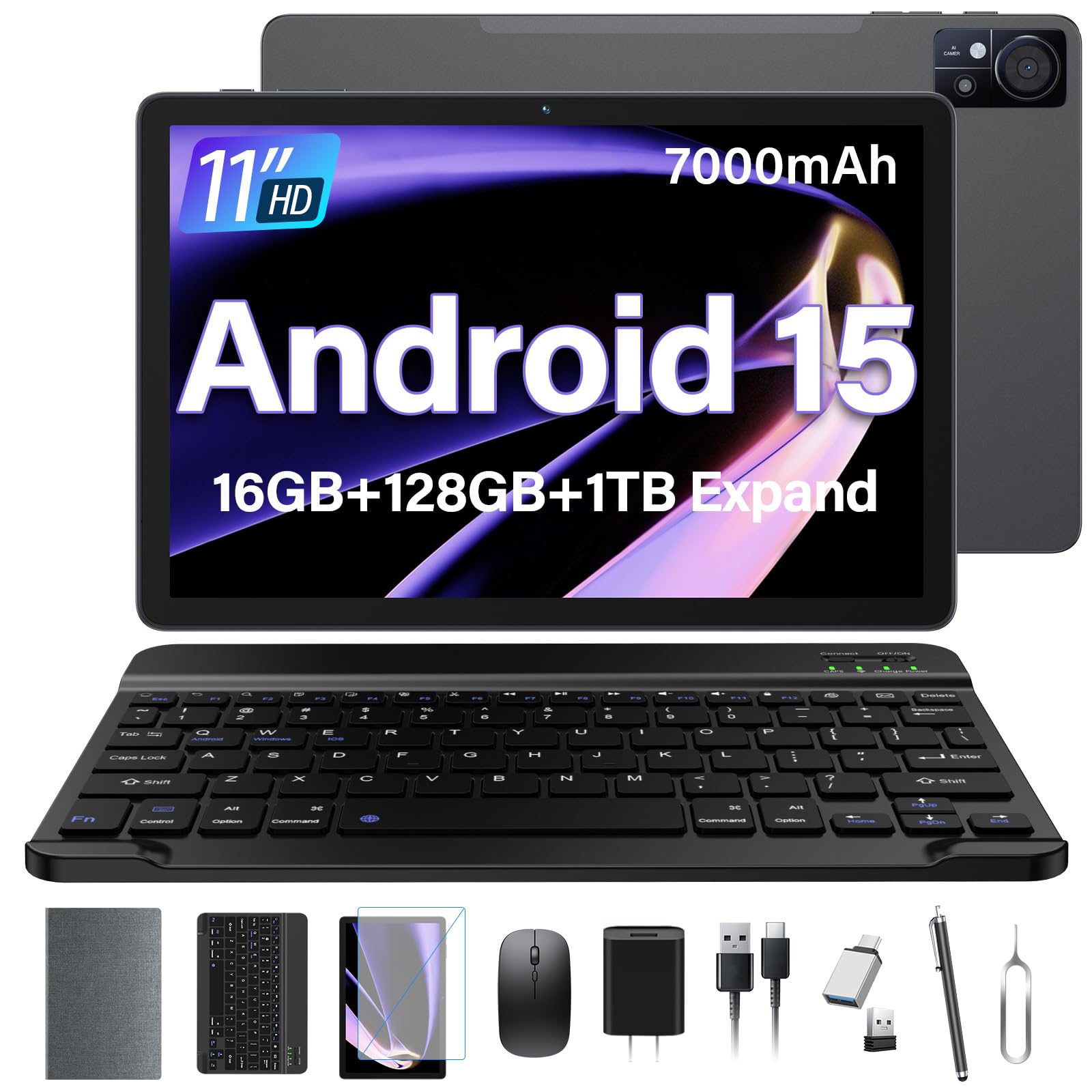
The ANTEMPER 11-inch tablet is a mid-range option that stands out for its incredible all-in-one value. It comes from the box with a Bluetooth keyboard, wireless mouse, stylus, screen protector, and a foldable protective case. This is a huge convenience for a senior who needs a complete setup for writing emails, browsing, and streaming without having to shop for additional accessories.
The 11-inch 1280×800 HD display is bright and colorful, while the dual stereo speakers provide adequate sound for media. It runs Android 15 with Gemini AI support, which can help with voice typing, transcription, and smart searches. The 7000mAh battery provides enough power for a full day of use, and the support for 4G LTE and dual SIM slots means it can be used with a cellular data plan.
The T616 octa-core processor handles everyday tasks smoothly. The included keyboard transforms the tablet into a mini-laptop, which is perfect for seniors who are more comfortable with a physical keyboard for typing. The main drawback is that the pre-installed accessories are budget-tier in quality, and the tablet’s build is mostly plastic. For a senior who wants the most complete package with all the essentials, this is the best value bundle.
Why it’s great
- Comprehensive bundle includes keyboard, mouse, stylus, and case
- Features 4G LTE cellular connectivity
- Large 7000mAh battery for all-day use
Good to know
- Included accessories are basic in quality
- Plastic build does not feel premium
- Display resolution is not Full HD
8. Lenovo Tab One

The Lenovo Tab One is an entry-level tablet that punches well above its weight class, primarily due to its trusted Lenovo brand and exceptional battery life. It is rated for up to 12.5 hours of YouTube streaming, meaning a senior can watch videos all day without worrying about charging. Its compact 8.7-inch HD display and lightweight design (under 1 lb) make it incredibly easy to hold in one hand or slip into a small bag.
The MediaTek Helio G85 processor, while not the fastest in this list, is more than adequate for browsing the web, checking email, and running light apps. The 4GB of RAM helps keep things moving without major slowdowns. The included folio case protects the tablet and doubles as a stand for hands-free viewing, which is a thoughtful addition for the price. The 3.5mm headphone jack is a welcome inclusion for seniors who prefer wired headphones.
The 1340×800 resolution, while lower than Full HD, is perfectly sharp on an 8.7-inch screen. The dual Dolby Atmos speakers provide surprisingly good sound for its size. As a budget option, you compromise on screen size and a bit of processing power. It is not designed for heavy multitasking or high-end games. For a senior looking for a simple, reliable, and highly portable device from a major brand, the Lenovo Tab One is the budget champion.
Why it’s great
- Exceptional battery life of over 12 hours
- Ultra-lightweight and very portable
- Trusted Lenovo brand with good build quality
Good to know
- Smaller 8.7-inch screen may be too small for some
- Screen resolution is not Full HD
- Not suitable for heavy gaming or multitasking
9. TUOHAITIME 11″ Android 16 Tablet
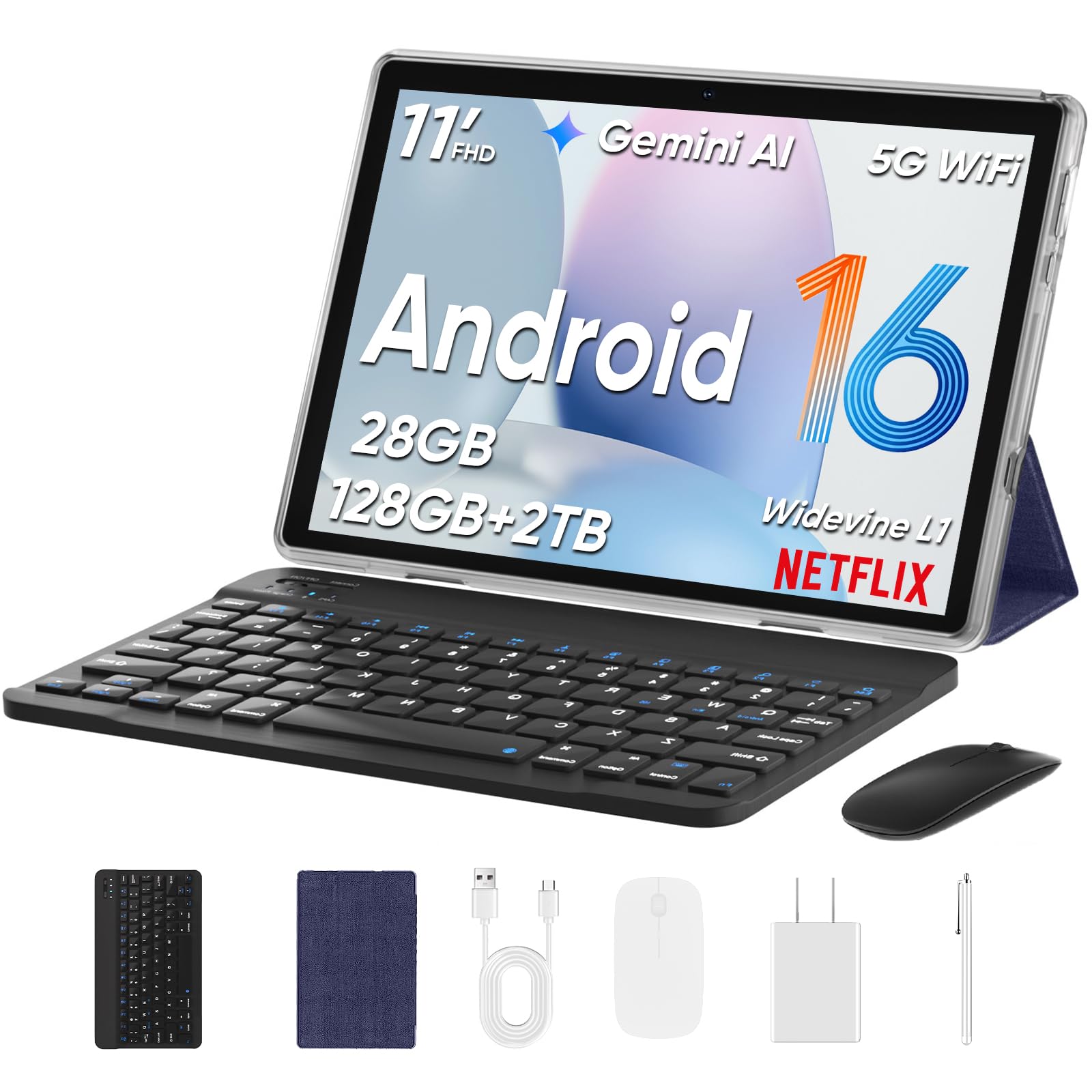
The TUOHAITIME 11-inch tablet is an entry-level device that offers an astonishing number of features for the lowest possible investment. It is the budget king of bundled accessories, arriving with a Bluetooth keyboard, wireless mouse, stylus, protective case, and screen protector. For a senior on a very tight budget who wants the full tablet experience, this is a hard offer to beat.
The 11-inch 1280×800 display is large and bright, making it easy to see text and images, even if it lacks the razor-sharpness of a Full HD panel. The powerful 8000mAh battery is a massive highlight, easily providing over 8 hours of continuous video playback. It runs the latest Android 16, ensuring a modern interface and security features like Face Unlock. The octa-core T606 processor and 28GB of RAM (4GB physical + 24GB virtual) keep the basic interface running smoothly.
The primary concern with this ultra-budget option is the quality control and software reliability. Some user reviews report pre-installed apps that behave like spyware or cause system bugs like random audio playback. The build quality is also entirely plastic. For a senior who is tech-savvy enough to remove junk apps and is willing to take a bit of a risk for an incredible value, this tablet can be a great tool. For others, the peace of mind of a more established brand may be worth the extra cost.
Why it’s great
- Unbeatable value with a full accessory bundle
- Large 8000mAh battery with good endurance
- Runs the latest Android 16 with Face Unlock
Good to know
- Pre-installed software can be unreliable or intrusive
- Plastic build quality feels cheap
- Display is lower resolution than competitors
FAQ
Does a senior need a tablet with a 90Hz or 120Hz screen?
Is a Wi-Fi only tablet or a cellular tablet better for a senior?
What is the most important spec for comfortable reading?
Final Thoughts: The Verdict
For most users, the android tablet for seniors winner is the TCL NXTPAPER 11 Gen 2 because its paper-like display is the single best solution for reducing eye strain during long reading sessions. If you want the largest possible screen for maximal text size and a massive battery, grab the Callsky-Pro 14 inch. And for a simple, reliable, and portable choice from a trusted brand, nothing beats the Lenovo Tab One.