
A tablet that stutters during a video call, dies before lunch, or refuses to handle a split-screen spreadsheet is not a work tool—it’s a productivity anchor. The right Android work slate needs a processor that doesn’t choke under multiple apps, a display sharp enough for hours of document review, and battery capacity measured in a full shift, not a movie. Choosing wrong means wasted hours and missed deadlines.
I’m Min — the co-founder and writer behind Gadgets Feed. I’ve spent countless hours dissecting processor benchmarks, RAM configurations, stylus latency tests, and battery drain cycles to separate the genuine workhorses from the media-consumption impostors in the Android tablet space. This guide focuses entirely on what moves the needle for professional use.
Whether you need a rugged field companion for data collection or a premium slate for virtual presentations, this analysis will help you find the best android tablet for work that matches your actual daily workflow without the marketing noise.
How To Choose The Best Android Tablet For Work
A work tablet isn’t a toy. The wrong purchase means fighting lag during presentations or squinting at a dim screen while editing PDFs. Focus on these critical factors to match the tablet to your actual professional demands.
Processor and RAM: The Multitasking Foundation
For work, you need at least 8 GB of physical RAM and a processor from the MediaTek Dimensity 8000 series or Snapdragon 8 Gen series. These chips handle multiple Chrome tabs, video conferencing, and document editing simultaneously without stuttering. Lower-end chips like the Helio G99 are fine for basic email but will choke under heavier workloads.
Display Resolution and Size: The Clarity Threshold
A 2K or higher resolution (at least 2000 x 1200 pixels) on a 11-inch or larger screen is essential for reading fine print in contracts, spreadsheets, and PDFs without constant zooming. Look for 400+ nits of brightness for comfortable use in various lighting conditions, including coffee shops with bright windows.
Stylus and Keyboard Support: Turning a Slate into a Workstation
Active stylus support with at least 4096 levels of pressure sensitivity transforms the tablet into a digital notebook for signing documents and sketching ideas. A detachable keyboard with a reliable trackpad is a must for extended typing sessions. Check that the keyboard connects via a strong pogo-pin or Bluetooth connection for lag-free typing.
Battery Capacity and Fast Charging: The Full-Day Test
A work tablet must last a full 8-10 hour workday on a single charge. Look for a battery capacity of at least 8,000 mAh, with 10,000 mAh being the sweet spot. Fast charging at 30W or higher is a critical feature—it transforms a short coffee break into a meaningful battery top-up when you’re on the go.
Quick Comparison
On smaller screens, swipe sideways to see the full table.
| Model | Category | Best For | Key Spec | Amazon |
|---|---|---|---|---|
| Samsung Galaxy Tab S10+ | Premium | Professional Note-Taking | AMOLED 2X, 10090 mAh | Amazon |
| Microsoft Surface Pro 12″ | Windows 2-in-1 | Full Desktop Workflows | 16GB RAM, 512GB SSD | Amazon |
| Samsung Galaxy Tab S9 | Premium | Portable Powerhouse | Snapdragon 8 Gen 2 | Amazon |
| TABWEE T60 12.2″ | Budget Bundle | All-in-One Accessories | 48GB (12+36) Virtual RAM | Amazon |
| TCL NXTPAPER 14 | Specialty | Eye-Friendly Reading | 14.3″ Paper-Like Display | Amazon |
| Lenovo Idea Tab Pro | Mid-Range | Student & AI Workflows | Dimensity 8300, 3K LCD | Amazon |
| OnePlus Pad Go 2 | Mid-Range | Long Battery for Travel | 120Hz Dolby Vision Display | Amazon |
| MESWAO 15.6″ Pro | Value | XXL Screen for Music & Docs | 12000 mAh Battery | Amazon |
| AGM PAD P2 Active | Rugged | Field & Outdoor Work | IP68/IP69K, Drop-Proof | Amazon |
| Lenovo Idea Tab Plus | Value | Budget Yet Capable | 2.5K IPS, 90Hz, Pen Included | Amazon |
| TECLAST Artpadpro | Budget | Best Value Specs | 20GB (8+12) Virtual RAM | Amazon |
In‑Depth Reviews
1. Samsung Galaxy Tab S10+ Plus 12.4”

The Galaxy Tab S10+ sets the benchmark for professional Android tablets. Its 12.4-inch Dynamic AMOLED 2X display delivers deep blacks and vivid colors for reviewing presentation slides, design proofs, and video content with exceptional clarity. The MediaTek Dimensity 9300+ processor paired with Galaxy AI tools like Note Assist and Circle to Search transforms raw hardware into an intelligent productivity machine.
The 10090 mAh battery keeps you running through a full workday of meetings, document editing, and research. At under 1.5 pounds, this 12.4-inch slate remains portable enough for the commute yet large enough for serious multitasking. The included S Pen with its low-latency response feels natural for signing contracts, sketching diagrams, or annotating PDFs during calls.
For professionals who demand top-tier display quality, seamless Samsung ecosystem integration, and AI-enhanced note-taking, the Tab S10+ justifies its position with superior build quality and long-term software support. It’s the gold standard for turning a tablet into a true work companion.
Why it’s great
- Stunning AMOLED 2X display with 120Hz refresh rate ensures fluid scrolling and rich visuals for presentations.
- Galaxy AI tools like Note Assist and Circle to Search streamline note-taking and research tasks.
- Massive 10090 mAh battery easily lasts a full workday of mixed usage.
Good to know
- Premium pricing positions it at the top of the budget range for serious professionals.
- Keyboard cover sold separately, increasing total investment for a laptop-like setup.
2. Microsoft Surface Pro 2-in-1 Laptop/Tablet (2025)

The Surface Pro is not an Android device, but its inclusion in this guide is deliberate—for professionals who need full desktop-grade software compatibility without compromise. This runs Windows 11 with a Snapdragon X Plus processor and 16GB of RAM, making it capable of handling Excel macros, Adobe Lightroom, and legacy business applications that remain essential for many workflows.
Its 12-inch PixelSense touchscreen is sharp and responsive, while the built-in kickstand provides flexibility for presentations or hands-free viewing. The battery life pushes up to 16 hours, which outpaces many Android tablets in continuous office app usage. The 512GB SSD offers generous local storage for large project files and offline access.
This is the choice for the professional whose daily toolkit requires software outside the Android ecosystem. The Surface Pro is a full computer in a tablet form factor, ideal for corporate environments, creative fields, and anyone who needs a single device for both a tablet and a laptop.
Why it’s great
- Full Windows 11 compatibility runs desktop-class software like Excel, Lightroom, and legacy corporate apps.
- 16GB RAM and 512GB SSD provide substantial storage and memory for demanding multitasking.
- Up to 16 hours of battery life ensures it lasts through extended workdays and travel.
Good to know
- Keyboard and stylus are sold separately, adding to the initial investment.
- No microSD expansion slot limits storage upgrades for massive media libraries.
3. Samsung Galaxy Tab S9 11”

The Galaxy Tab S9 is a masterpiece of engineering that packs flagship-level power into an 11-inch frame. Its Snapdragon 8 Gen 2 processor is a desktop-replacement-grade chip that handles heavy multitasking with ease—juggling video calls, large spreadsheets, and research PDFs without a hiccup. The Dynamic AMOLED 2X screen with 120Hz refresh rate offers exceptional clarity for detailed work.
The IP68 water and dust resistance is a unique selling point for professionals working in field environments, labs, or outdoor settings. The included S Pen attaches magnetically and provides a natural writing experience for note-taking and annotation. At 256GB of storage, you have enough room for extensive offline document libraries.
This tablet proves that premium performance doesn’t require a massive screen. Its compact size makes it ideal for frequent travelers and those who need power in a more manageable package. The Galaxy AI features enhance productivity without requiring a new hardware purchase.
Why it’s great
- Snapdragon 8 Gen 2 processor delivers flagship-level performance for demanding workflows.
- IP68 water and dust resistance ensures durability for field and lab work environments.
- Dynamic AMOLED 2X display with 120Hz offers exceptional clarity and smooth scrolling for documents.
Good to know
- Premium pricing reflects its flagship status and cutting-edge components.
- No included charger in the box; a 45W PD charger is recommended separately.
4. TABWEE T60 12.2″ (2026 Upgraded)
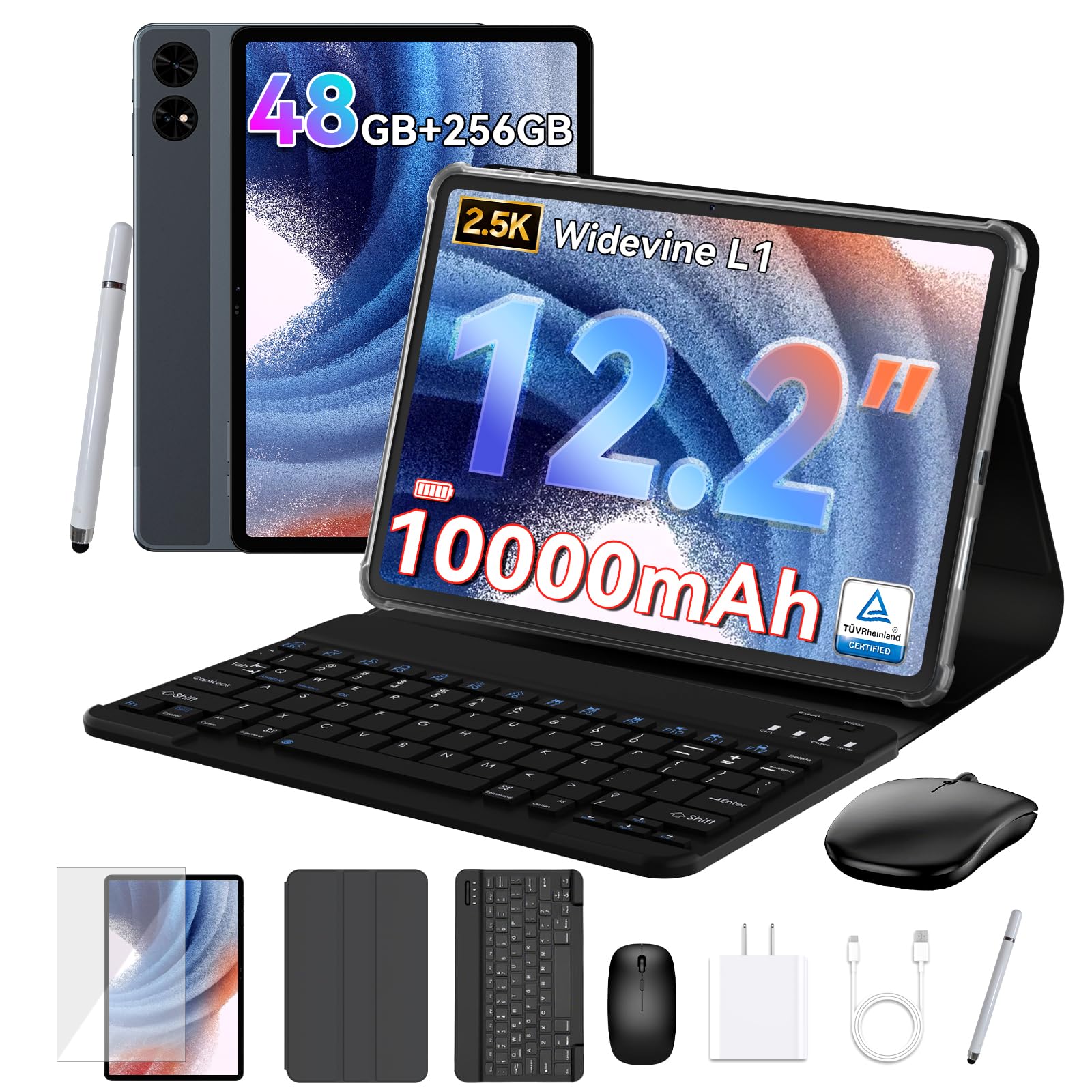
The TABWEE T60 takes a bold approach to value by bundling a keyboard, mouse, stylus, protective case, and even a screen protector—everything you need to convert the tablet into a mobile office right out of the box. Its 12.2-inch CSOT 2.5K display with anti-glare coating is genuinely capable for reading documents and watching presentations even in bright conditions.
The 48GB total RAM (12GB physical + 36GB virtual expansion) is aggressive, and while virtual memory doesn’t match physical RAM speed, this setup allows for keeping many apps open simultaneously without reloading. The 10,000 mAh battery provides all-day stamina for email, browsing, and light document work. Android 16 with Gemini AI means you get the latest OS features and intelligent assistant support.
For the professional on a tight budget who needs a turnkey work setup, the T60 delivers an impressive package. The keyboard is functional for typing reports, and the included stylus is adequate for signing documents and basic annotation. The 4-year warranty is a standout for peace of mind.
Why it’s great
- Includes keyboard, mouse, stylus, case, and screen protector in the box for immediate productivity.
- Android 16 with Gemini AI provides the latest OS features and smart assistant integration.
- 10,000 mAh battery and 4-year warranty ensure long-term reliability for daily work.
Good to know
- Virtual RAM expansion does not match the speed of physical RAM for heavy multitasking.
- Processor is a lesser-known T7280, which may lag in performance compared to Snapdragon or MediaTek Dimensity chips.
5. TCL NXTPAPER 14

The TCL NXTPAPER 14 is a revelation for professionals who spend hours reading documents, sheet music, or research papers. Its 14.3-inch 2.4K display uses NXTPAPER 3.0 technology with an anti-glare coating and blue light reduction that mimics the feel of actual paper, significantly reducing eye fatigue during long reading sessions. The dedicated NXTPAPER Key lets you switch between vibrant, ink-paper, and color-paper modes instantly.
The included T-PEN stylus with 4096 levels of pressure sensitivity is excellent for note-taking, document annotation, and digital art. The 10,000 mAh battery lasts through extended work sessions, and reverse charging can top up your phone or earbuds. The quad stereo speaker system is surprisingly powerful, making it a solid choice for presentations and video conferencing.
This tablet excels for users whose primary work involves reading, writing, and drawing. The paper-like screen is a game-changer for eye strain, and the large display provides ample space for multitasking. It also serves as an exceptional digital music stand for musicians.
Why it’s great
- NXTPAPER 3.0 display with anti-glare coating and blue light reduction dramatically reduces eye strain.
- 14.3-inch 2.4K screen provides a massive canvas for reading sheet music, documents, and multitasking.
- 4096-level stylus with dedicated display modes for ink-paper and color-paper work.
Good to know
- No microSD card slot limits storage expansion to the built-in 256GB.
- Charger is not included in the box; only a USB-C cable is provided.
6. Lenovo Idea Tab Pro

The Lenovo Idea Tab Pro is purpose-built for students and professionals who need AI-powered workflow enhancements. Its MediaTek Dimensity 8300 processor supports Wi-Fi 6E for fast file transfers and cloud access, while the 12.7-inch 3K LCD display with a 360Hz touch sampling rate provides exceptional responsiveness for note-taking and creative work.
Google Gemini AI is deeply integrated, offering features like Circle to Search for instantly looking up terms, and AI-powered note summarization through the included Tab Pen Plus. The 10,200 mAh battery supports 45W fast charging, and the quad JBL Dolby Atmos speakers deliver clear audio for conference calls and presentations. The included folio case adds immediate protection and stand functionality.
This tablet strikes a strong balance between performance and price for those who value AI tools in their daily workflow. The high-resolution display is excellent for reading textbooks and reviewing detailed graphics, while the 90Hz refresh rate ensures smooth scrolling through long documents.
Why it’s great
- 3K LCD display with 360Hz touch sampling rate provides exceptional clarity and responsiveness for note-taking.
- Integrated Google Gemini AI with Circle to Search streamlines research and note summarization.
- 45W fast charging with a 10,200 mAh battery ensures minimal downtime during the workday.
Good to know
- Requires a specific Lenovo 45W PD smart charger for optimal fast charging speeds.
- Relatively heavy build may be less portable for some users compared to lighter slates.
7. OnePlus Pad Go 2
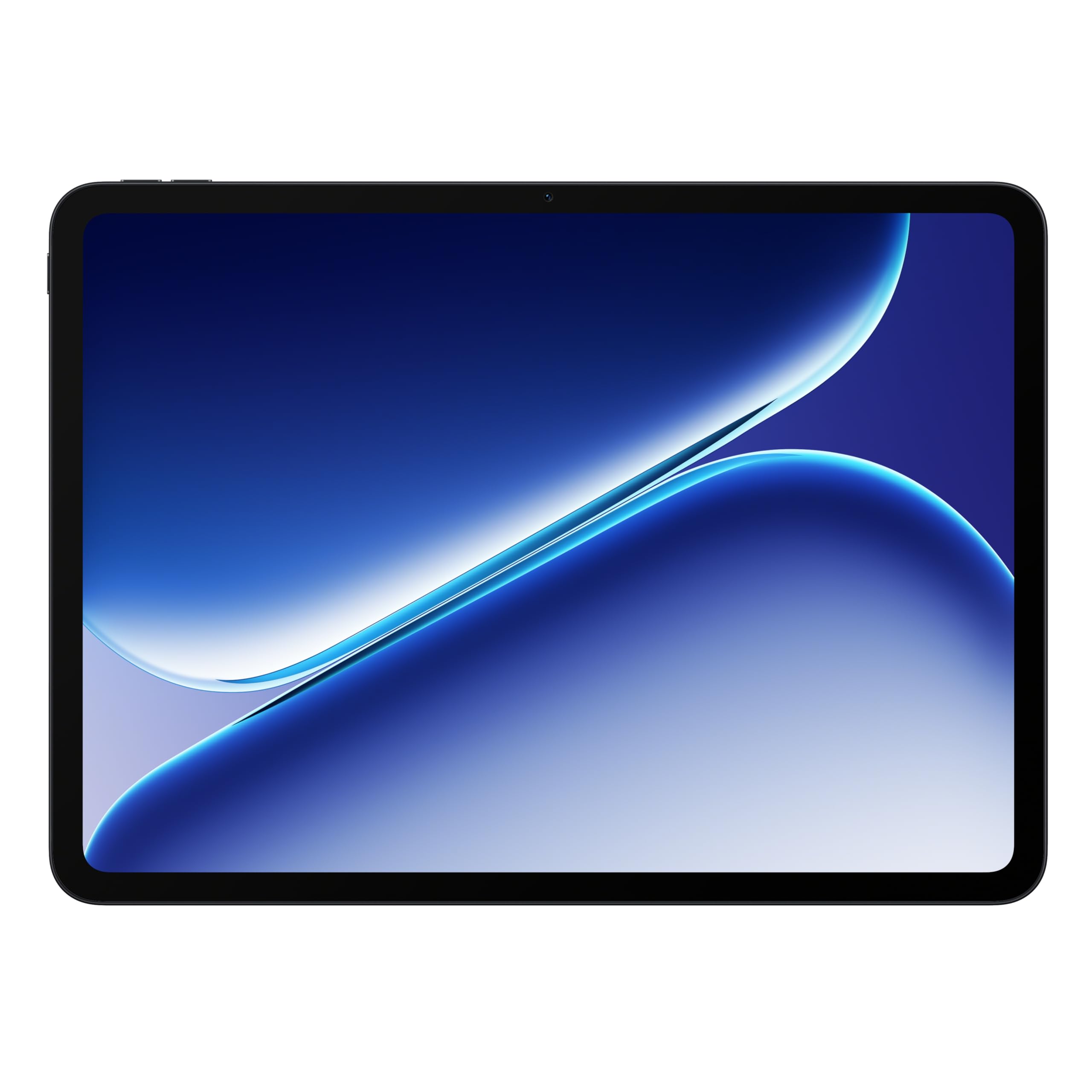
The OnePlus Pad Go 2 focuses on two things that matter most for mobile professionals: battery life and display quality. Its 10,050 mAh battery is rated for up to 17 hours of video playback, which translates to a full day of mixed work without hunting for an outlet. The 12.1-inch Dolby Vision display with a buttery-smooth 120Hz refresh rate makes reading documents, spreadsheets, and presentations feel fluid and premium.
The MediaTek Dimensity 7300-Ultra processor handles multitasking with ease, whether you’re running Google Workspace apps, attending Zoom meetings, or editing cloud documents. At just over a pound, the slim and lightweight design is genuinely portable, making it an excellent companion for the daily commute or working from a coffee shop. The SUPERVOOC fast charging ensures quick top-ups.
For professionals who prioritize all-day endurance and a stunning display above raw processor power, the Pad Go 2 is a compelling mid-range choice. The clean OxygenOS software experience is intuitive and free of heavy bloatware, keeping your work focus sharp.
Why it’s great
- 10,050 mAh battery provides up to 17 hours of video playback, easily lasting a full workday.
- 12.1-inch Dolby Vision display with 120Hz refresh rate delivers smooth, vibrant visuals for document review.
- Lightweight and slim design at just over a pound makes it highly portable for daily carry.
Good to know
- Wi-Fi only connectivity; no cellular option for constant on-the-go internet access.
- Stylus and keyboard accessories are sold separately, increasing total setup cost for a full workstation.
8. MESWAO 15.6 Inch Pro Android 14
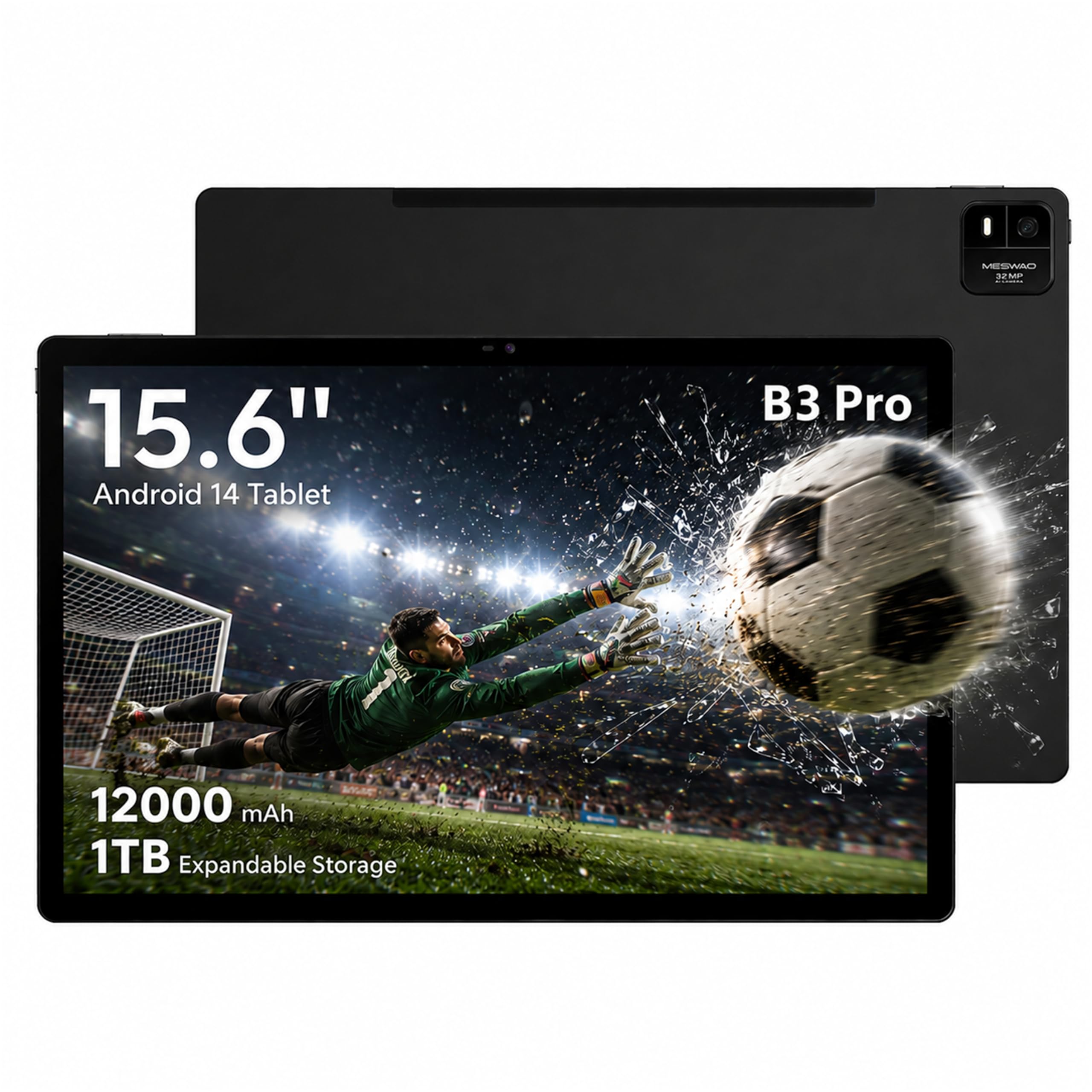
The MESWAO 15.6-inch Pro is designed for professionals who need a massive display for detailed work. Its FHD IPS screen provides 96% more viewing area than a standard 10-inch tablet, making it ideal for reading architectural blueprints, editing large spreadsheets, viewing sheet music, or conducting video calls with multiple participants visible. The quad speakers deliver room-filling audio.
The 12,000 mAh battery is the largest in this guide, capable of powering through 12 hours of continuous work or media consumption. The Helio G99 processor and 8GB of RAM handle moderate multitasking and app switching smoothly, though it’s not designed for heavy gaming or video editing. The 32MP rear camera is surprisingly useful for scanning documents and whiteboards with clarity.
This tablet is a specialist tool. For musicians who need an A4 or larger screen for sheet music, or for professionals who need a portable second monitor for a laptop, the MESWAO provides a unique solution. The 30W fast charging ensures the massive battery refills quickly during breaks.
Why it’s great
- 15.6-inch FHD display offers a genuinely large canvas for detailed work, spreadsheets, and sheet music.
- 12,000 mAh battery provides exceptional battery life for all-day use on a single charge.
- 32MP rear camera is effective for high-resolution document and whiteboard scanning.
Good to know
- Helio G99 processor may struggle with heavy multitasking or demanding applications.
- Large size and weight reduce portability compared to standard 11-inch tablets.
9. AGM PAD P2 Active Rugged Android 14

The AGM PAD P2 Active is engineered for professionals who work in construction, field surveying, logistics, or outdoor environments. Its IP68 and IP69K water-resistance rating means it survives submersion and high-pressure water jets, while 1.8-meter drop resistance ensures it survives accidents that would shatter a standard tablet. The included protective case adds another layer of security.
The MediaTek Helio G99 processor and 16GB of RAM (8GB physical + 8GB virtual) provide reliable performance for running GPS navigation apps, collecting data in the field, and video conferencing back to the office. The 50MP rear camera captures detailed photos of job sites and equipment, and the 8000 mAh battery lasts through a full shift. The 11-inch FHD display with 480 nits brightness remains readable even in direct sunlight.
For the field professional who needs a tablet that can handle rain, dust, drops, and extreme conditions, the PAD P2 Active is a specialized tool that outperforms every other option in durability. It also supports 4G LTE and GPS for navigating remote job sites without relying on Wi-Fi.
Why it’s great
- IP68 and IP69K ratings make it submersible and resistant to high-pressure water jets for field work.
- 1.8-meter drop resistance ensures durability against accidental falls on job sites.
- 50MP rear camera captures high-res photos of job sites, equipment, and documents.
Good to know
- Heavy and bulky design compared to standard tablets, limiting everyday portability.
- No guaranteed software updates beyond the initial Android 14 release.
10. Lenovo Idea Tab Plus

The Lenovo Idea Tab Plus proves that professional-level features no longer require a massive budget. Its 12.1-inch 2.5K IPS display with 90Hz refresh rate outperforms many pricier screens in clarity and smoothness, making it excellent for reading documents, reviewing photographs, and editing presentations. The MediaTek Dimensity 6400 processor paired with 8GB of RAM handles basic multitasking and office apps without complaint.
The inclusion of the Lenovo Tab Pen and folio case at this price point is exceptional value. The pen supports Circle to Search via Google, allowing you to instantly look up terms without switching apps. The quad Dolby Atmos-tuned speakers deliver clear audio for conference calls, and the 13-hour battery life easily covers a standard workday. At just over a pound, it’s genuinely lightweight and portable.
This tablet is the benchmark for budget work slates. It doesn’t compromise on the display or build quality, and the included pen and case mean you can start working immediately. It’s perfect for note-taking, document review, and light content creation for the cost-conscious professional.
Why it’s great
- 12.1-inch 2.5K IPS display with 90Hz offers exceptional clarity and smooth scrolling at this price point.
- Includes Lenovo Tab Pen and folio case in the box for immediate productivity.
- 13-hour battery life and lightweight design make it ideal for mobile professionals.
Good to know
- MediaTek Dimensity 6400 processor may show limitations with heavy multitasking or demanding apps.
- Display refresh rate is 90Hz, which is smooth but not as fluid as 120Hz alternatives.
11. TECLAST Artpadpro Android 15

The TECLAST Artpadpro offers a compelling package for the budget-conscious professional who values screen real estate and performance. Its 12.7-inch 2176×1600 display provides a generous workspace for multitasking, and the 16:10 aspect ratio is well-suited for reading documents and viewing presentations. The Android 15 operating system ensures access to the latest features and security patches.
The 20GB of RAM (8GB physical + 12GB virtual expansion) allows for keeping numerous apps open, though heavy multitasking will reveal the performance ceiling of the Helio G99 processor. The 10,000 mAh battery supports 30W fast charging for all-day usage, and the included T-Pen stylus with 4096 levels of pressure sensitivity is a bonus for note-taking and drawing. The 4G LTE capability provides internet access on the go.
This tablet is an excellent entry point for professionals who need a large screen and capable performance without a premium price tag. It’s particularly suitable for reading PDFs, taking notes, and streaming educational content. The build quality is impressive for its price segment.
Why it’s great
- 12.7-inch 2176×1600 display offers a large, high-resolution workspace for documents and multitasking.
- 20GB of total RAM (8+12 virtual) helps keep multiple apps running smoothly in the background.
- Includes T-Pen stylus with 4096 levels of pressure sensitivity for note-taking and drawing.
Good to know
- Helio G99 processor may limit performance for demanding professional applications.
- Included stylus has mixed reviews regarding line precision and accidental touch registration.
FAQ
Can an Android tablet replace a laptop for professional work?
What is the minimum stylus pressure level needed for professional note-taking?
Why is Widevine L1 certification important for a work tablet?
Final Thoughts: The Verdict
For most users, the best android tablet for work winner is the Samsung Galaxy Tab S10+ because it combines a stunning AMOLED display, powerful AI productivity tools, and the most versatile stylus experience in the Android ecosystem. If you need a full desktop operating system for legacy software compatibility, grab the Microsoft Surface Pro. And for the best value without compromise on display or included accessories, nothing beats the Lenovo Idea Tab Plus.