
An Android Tablet Keyboard Case is the single most impactful accessory you can buy for your tablet. It directly determines whether your device feels like a media-consumption toy or a legitimate laptop replacement for emails, document editing, and note-taking. The wrong case leaves you with a wobbly typing angle and a mushy keyboard; the right one turns your tablet into a mobile workstation.
I’m Min — the co-founder and writer behind Gadgets Feed. I’ve spent hundreds of hours analyzing Bluetooth keyboard case specs, reading through customer feedback on trackpad latency, backlight uniformity, and hinge durability specifically for the Android tablet ecosystem, so you get a curated set of recommendations that actually hold up.
This guide breaks down the best options for every budget and tablet size, comparing key feel, trackpad precision, and protection to help you find the perfect best android tablet keyboard case for your productivity needs.
How To Choose The Best Android Tablet Keyboard Case
Not all keyboard cases are designed equally. A case that works perfectly for casual browsing might be terrible for a full day of typing. Focus on these three factors to narrow your search down to the right model.
Model Compatibility vs. Universal Fit
Model-specific cases, like those made for a specific Galaxy Tab S9 FE, provide precise cutouts for cameras, speakers, and buttons. They also guarantee that an auto-sleep/wake function works via a magnetic Hall sensor. Universal cases offer more flexibility if you upgrade tablets frequently, but they often block ports, cover microphones, or have misaligned camera holes. Measure your tablet’s width against the case’s stated limits before buying a universal option.
Key Mechanism and Trackpad Quality
The typing experience is defined by the switch mechanism. Scissor-switch keys provide a balanced, tactile feel with decent travel, whereas membrane keys tend to feel spongy. For the trackpad, look for a model that explicitly supports multi-finger gestures like two-finger scroll and three-finger swipe — many budget cases use a resistive touchpad that only mimics a mouse cursor without native gesture support.
Stability and Viewing Angles
A floating cantilever hinge design (like Dexnor or official Samsung Book Cover) offers the most stable typing platform on a desk. Simpler folio-style kickstands can work on a flat surface but become unstable on a lap. If you plan to work from a couch, train, or cafe chair, a case with a rigid magnetic stand or a rear hinge is significantly more usable.
Quick Comparison
On smaller screens, swipe sideways to see the full table.
| Model | Category | Best For | Key Spec | Amazon |
|---|---|---|---|---|
| Dexnor for Tab S10 Lite/S9 | Premium Model | Floating cantilever stability | 650mAh battery, 200hr life | Amazon |
| SNOODU for S9 FE/S10 FE | Mid-Range | 3-zone RGB backlit keys | Multi-touch trackpad | Amazon |
| Dexnor for Tab A11+ Plus | Mid-Range | Ultra-light 1.36lbs magnetic folio | Scissor-switch keys | Amazon |
| DoohowCase for Idea Tab Pro | Mid-Range | 12.7-inch large tablet | 7-color backlight, 84 keys | Amazon |
| SAMTUNK for Tab S8/S9 | Budget | Rainbow backlit + mouse included | Auto sleep/wake | Amazon |
| MoKo Universal Case | Budget | Multi-brand tablet compatibility | Removable BT keyboard | Amazon |
| ZZB 2in1 Tablet Bundle | Entry-Level | Complete kit: case, mouse, stylus | 6000mAh tablet battery | Amazon |
In‑Depth Reviews
1. Dexnor Keyboard Case for Samsung Galaxy Tab S10 Lite/S10 FE/S9 FE/S9

Dexnor’s floating cantilever design sets this case apart from the folio crowd. The aluminum alloy hinge lets you tilt the screen to a comfortable viewing angle while keeping the keyboard deck stable — ideal for desk-based productivity. The magnetic attachment is strong enough that you can pick up the whole assembly by the keyboard, and the scissor-switch keys deliver a crisp, laptop-like response.
The built-in trackpad supports multi-finger gestures natively, so two-finger scrolling and three-finger app switching work without any extra software. Battery life is outstanding: a 650mAh cell provides up to 200 hours of continuous typing with backlight off. You also get dual S Pen holders — one magnetized on the keyboard deck and a cutout on the back cover for charging.
At roughly 0.75 inches thick when closed, it adds minimal bulk. The backlight offers 7 colors with 3 brightness levels, which is useful for late-night work sessions. This case is specifically built for the Tab S10 Lite, S10 FE, S9 FE, and S9 11-inch models — double-check your tablet’s model number before buying.
Why it’s great
- Cantilever hinge provides superior lap and desk stability
- Multi-touch trackpad with full gesture support
- 650mAh battery delivers up to 200 hours of use
Good to know
- Edges are magnetically held, not fully encased — possible risk on hard drops
- Requires separate charging from the tablet
2. SNOODU Keyboard Case for Samsung Galaxy Tab S10 Lite/S10 FE/S9 FE/S9
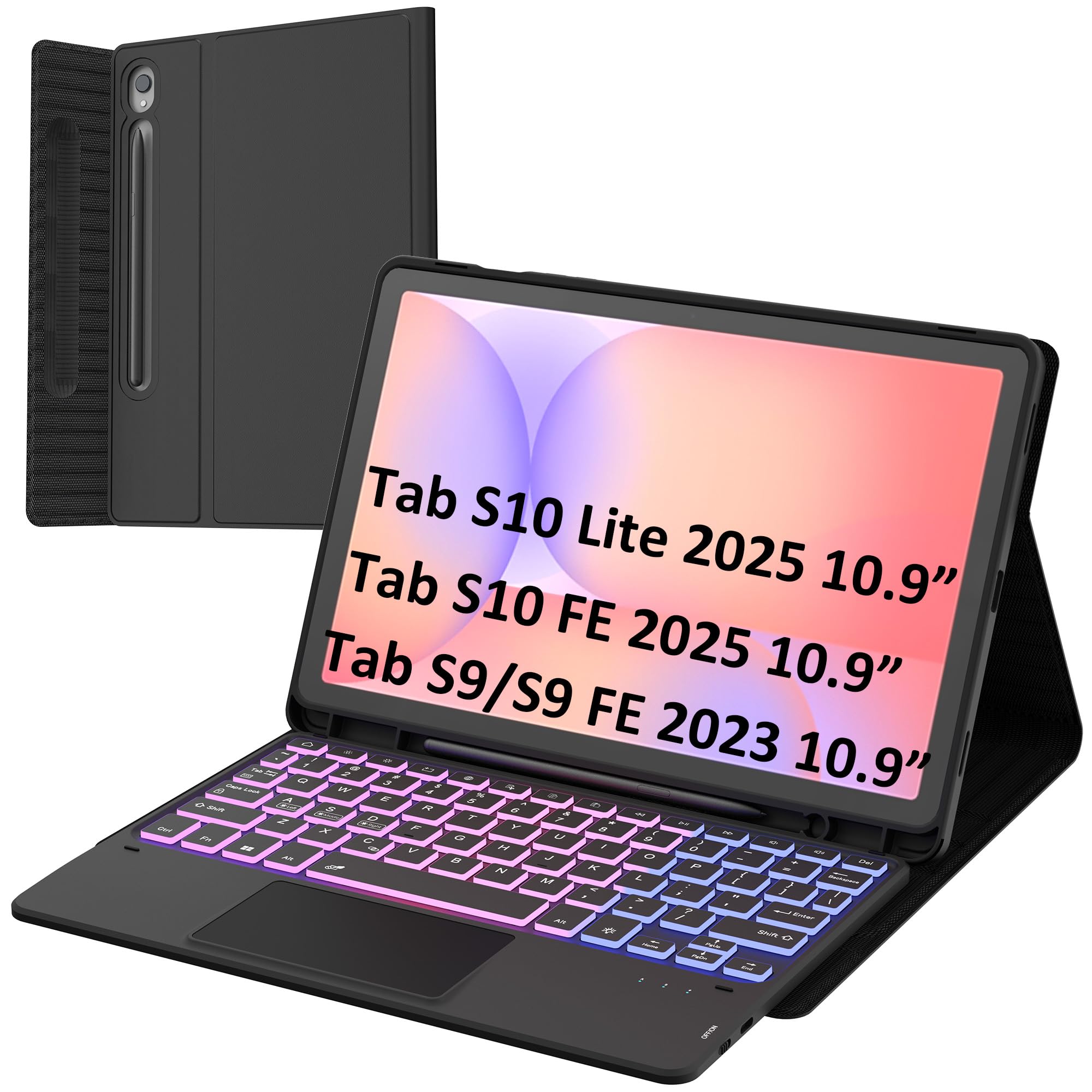
SNOODU’s case stands out for its 3-zone, 7-color backlit keyboard with 3 brightness levels — a rare feature in the mid-range price bracket. The 78-key layout includes dedicated Android shortcut keys for brightness, volume, and media controls. The magnetic docking mechanism lets you detach the keyboard quickly when you want to watch movies or handwrite notes.
The multi-touch trackpad supports two-finger scrolling and pinch-to-zoom, which works seamlessly with Samsung DeX. Build quality is solid, with a leather-like exterior and a rigid polycarbonate backplate. However, some users report that the trackpad click does not register in every app — notably, it may fail in the Google Play Store and Outlook’s message list.
This case is tailored specifically for the S10 FE (2025), S9 FE, S9, and S10 Lite models. It comes with a USB-C charging cable and a user manual. If you frequently type in dim environments and want a colorful backlight without paying premium prices, this is your best bet.
Why it’s great
- 3-zone 7-color backlight with adjustable brightness
- Responsive scissor-switch keys with Android shortcuts
- Magnetic detachment for quick tablet use
Good to know
- Trackpad click may not register in all Android apps
- Case and keyboard together weigh more than the tablet alone
3. Dexnor Keyboard Case for Samsung Galaxy Tab A11+ Plus
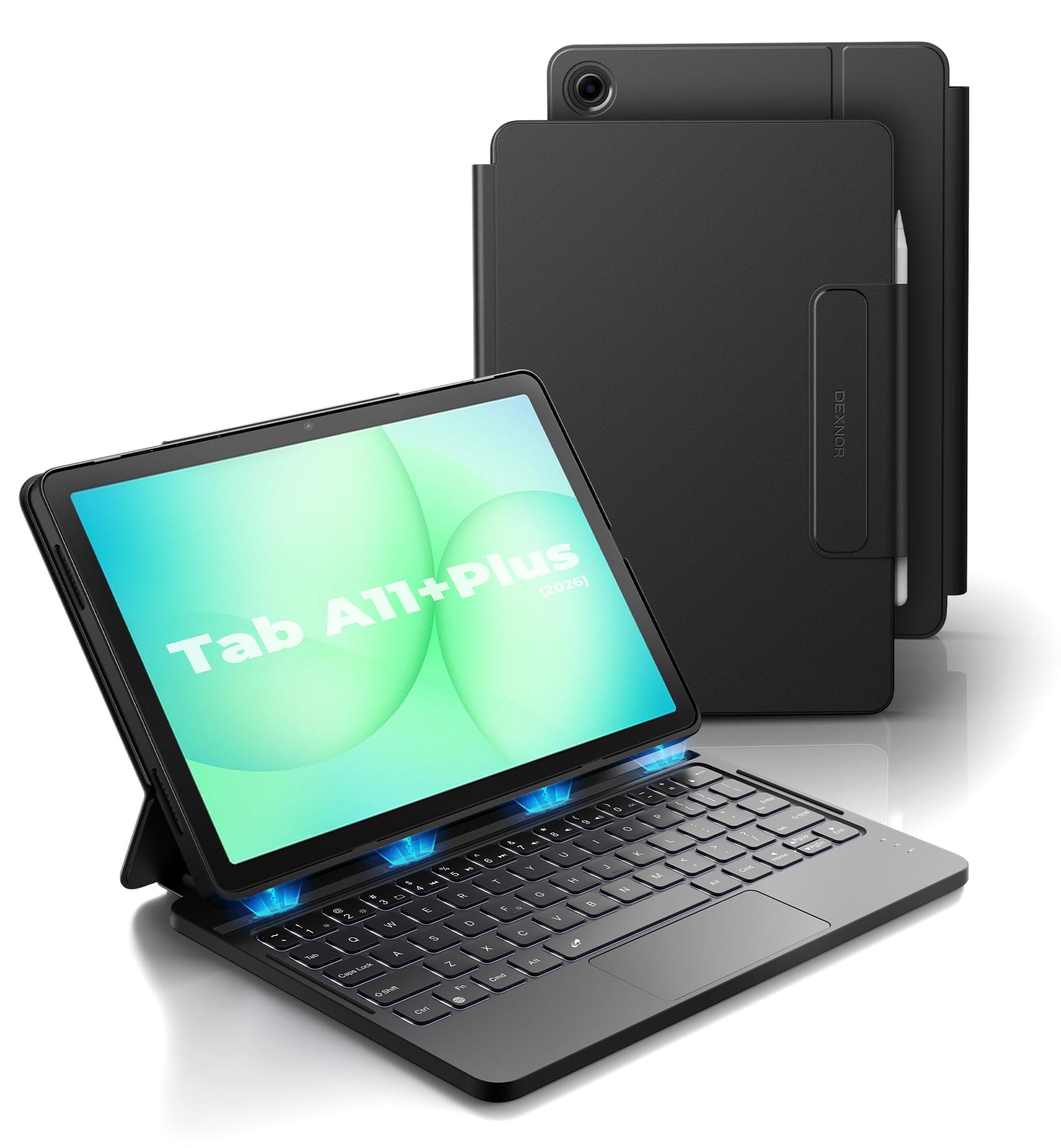
Dexnor brings their quality engineering to the budget-friendly Galaxy Tab A11+ Plus with this ultra-light folio. At only 1.36 pounds, it adds practically no weight to the tablet. The keyboard uses scissor-switch keys with a full row of Android shortcut functions, and the trackpad supports multi-finger gestures. Strong magnets embedded in the slot keep the tablet securely attached.
The 650mAh battery provides up to 720 hours of standby time and roughly 200 hours of typing without backlight — exceptional endurance for a sub- case. The white backlight is adjustable in brightness, though it offers a single white tone rather than RGB colors. Auto-sleep/wake works reliably thanks to the magnetic Hall sensor.
A few design choices limit versatility: the keyboard cannot fold around to the back, and the screen sits flat on the base rather than floating, so the tablet is not elevated. This makes typing on a lap slightly more ergonomic than a standard folio but not as comfortable as a cantilever design. Ideal for users who need a slim, protective case with a solid keyboard for occasional typing.
Why it’s great
- Ultra-light at 1.36lbs — easy to carry daily
- Strong magnetic hold with secure S Pen slot
- Excellent battery life with standby up to 720 hours
Good to know
- Keyboard cannot fold around to the back
- Non-floating design — screen is not elevated
4. DoohowCase Keyboard Case for Lenovo Idea Tab Pro 12.7″
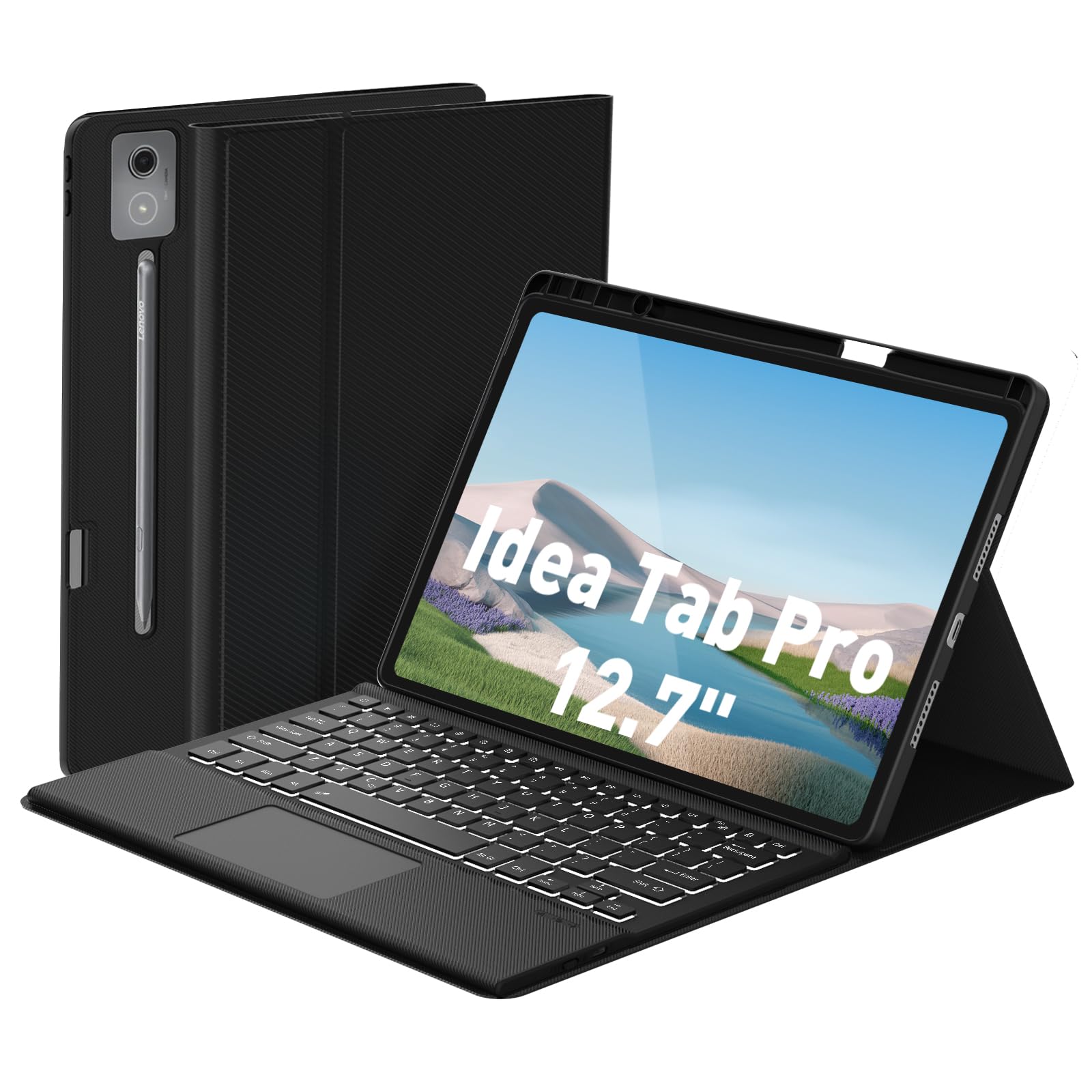
The DoohowCase is one of the few dedicated keyboard cases for the Lenovo Idea Tab Pro 12.7-inch (2025). It features a full 84-key layout, including a number row and dedicated function keys, giving it a desktop-like footprint. The trackpad is precise and supports standard gestures, and the keyboard connects via Bluetooth 5.0 with a strong, stable link.
Backlight customization is generous — 7 colors with 3 brightness levels, controlled by dedicated shortcut keys. The magnetic attachment system lets you detach the keyboard for media consumption, while the twill-finish PU leather case offers good scratch protection. The adjustable kickstand built into the case provides multiple viewing angles.
A couple of caveats: the case is specific to the Idea Tab Pro 12.7-inch (model TB373FU/TB375FC/ZAE40175US) and will not fit any other device. The keyboard charges via USB-C, and a full charge takes about 2 hours. For Lenovo users seeking a laptop-like experience, this is the only specialized game in town.
Why it’s great
- Full 84-key layout with dedicated shortcuts
- 7-color, 3-level backlight for dim environments
- Precise trackpad with gesture support
Good to know
- Exclusive to Lenovo Idea Tab Pro 12.7″ 2025 — no other fit
- Keyboard is not backlit in white-only mode
5. SAMTUNK Keyboard Case for Samsung Galaxy Tab S8/S9/S10 FE/S10 Lite
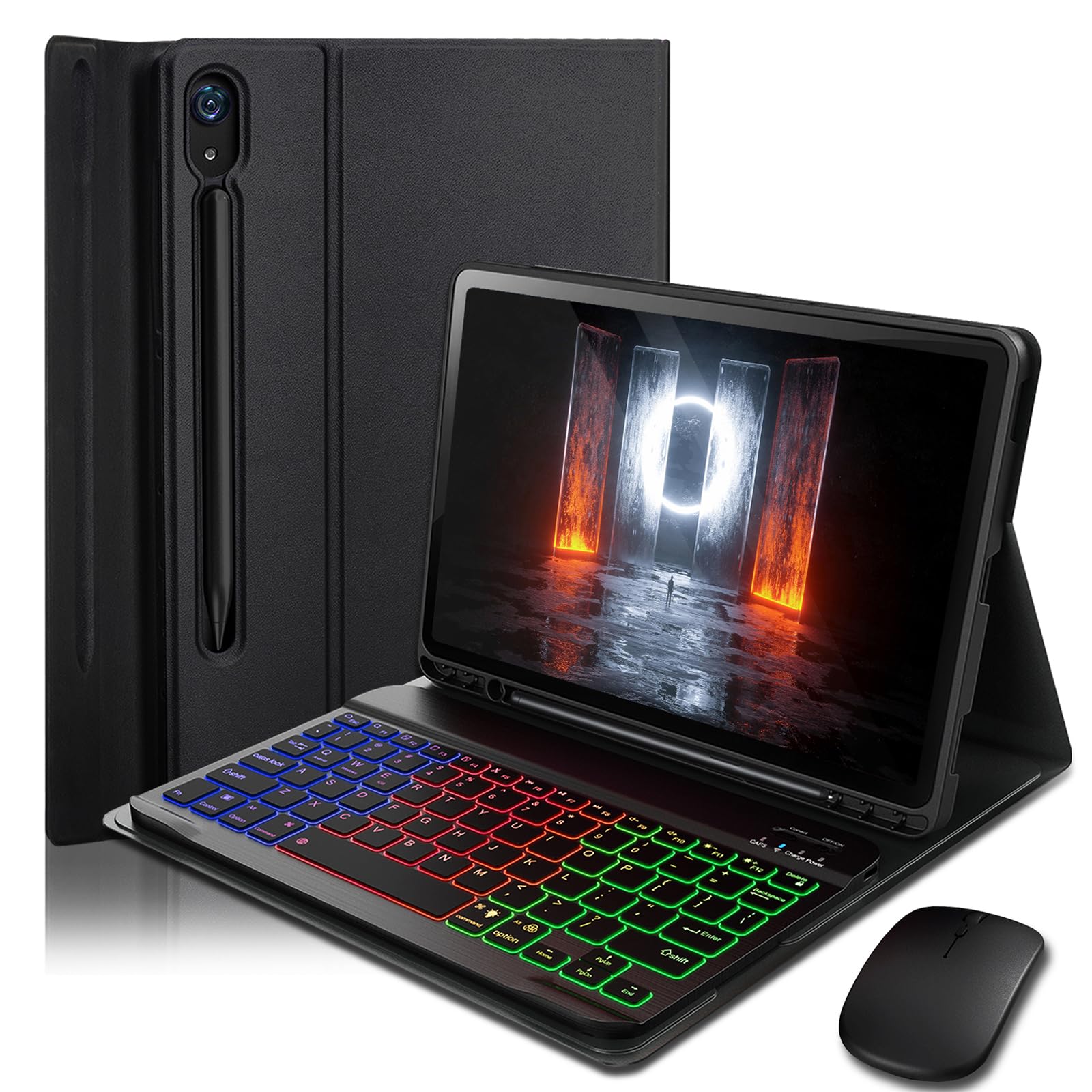
SAMTUNK delivers solid value with a keyboard case that includes a free Bluetooth mouse. The keyboard features 7-color rainbow backlighting that cycles automatically, and the keys are well-spaced for comfortable typing. The case provides full 360-degree protection with a honeycomb grid interior for heat dissipation.
Auto sleep/wake is supported, saving your tablet’s battery when the lid is closed. The magnetic detachment system is simple and effective, and the case offers three viewing angles via an adjustable kickstand. A built-in S Pen holder keeps your stylus accessible.
The included mouse is functional but feels cheap with a plasticky build. The keyboard itself is decent but not premium — key wobble is noticeable at the edges. For the price, it’s a fantastic entry point, especially if you want both a keyboard and mouse for under . Just temper expectations for the mouse quality.
Why it’s great
- Includes a Bluetooth mouse at no extra cost
- Rainbow 7-color backlight for visual appeal
- Full 360-degree protection with honeycomb cushioning
Good to know
- Included mouse is low quality
- Keys have noticeable wobble at edges
6. MoKo Universal Tablet Case with Removable Bluetooth Keyboard
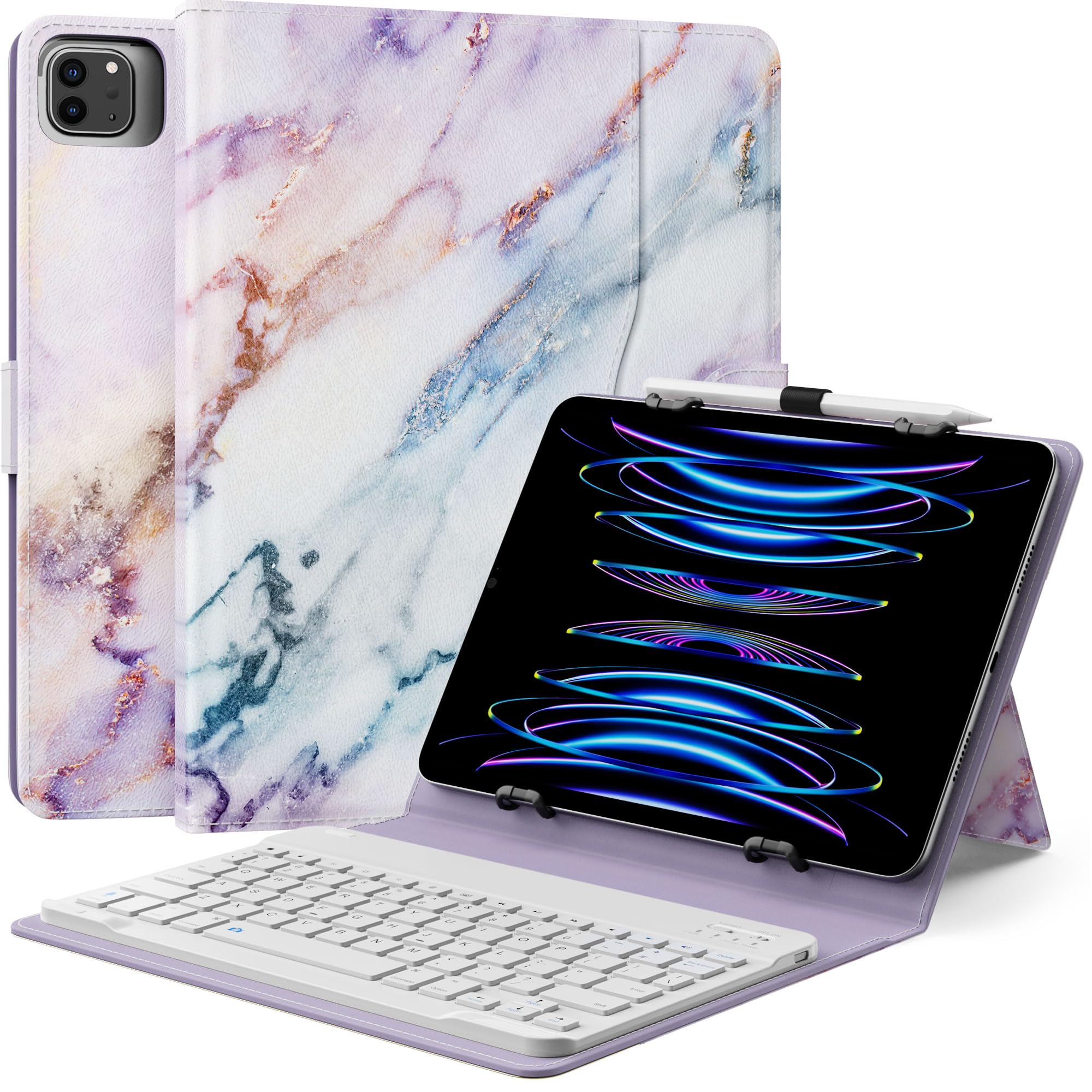
MoKo’s universal case is designed to fit tablets from 9 to 11 inches, as long as they fall within 160-180mm wide and 230-260mm long. This includes iPads, Samsung Galaxy Tabs, Amazon Fire tablets, and many other Android models. The keyboard attaches via Bluetooth and pairs instantly — users report reliable connections with no dropouts.
The case features a magnetic attachment for the keyboard, a built-in kickstand, a side pocket for cables, and a pen loop for a stylus. The PU leather exterior and microfiber lining provide decent drop protection for everyday carry. The battery in the keyboard lasts for weeks of moderate use.
Important limitations: there is no auto sleep/wake function, so you must manually lock your tablet. The universal elastic holders can interfere with side buttons or block cooling vents on some tablets. The camera cutout is a single large opening, which may not align perfectly with every tablet’s camera position.
Why it’s great
- Fits a wide range of 9-11 inch tablets
- Includes pen loop and side storage pocket
- Keyboard connects reliably via Bluetooth
Good to know
- No auto sleep/wake function
- Universal elastic holders may block buttons or cameras
7. ZZB Android Tablet 2 in 1 with Keyboard, Mouse, Stylus
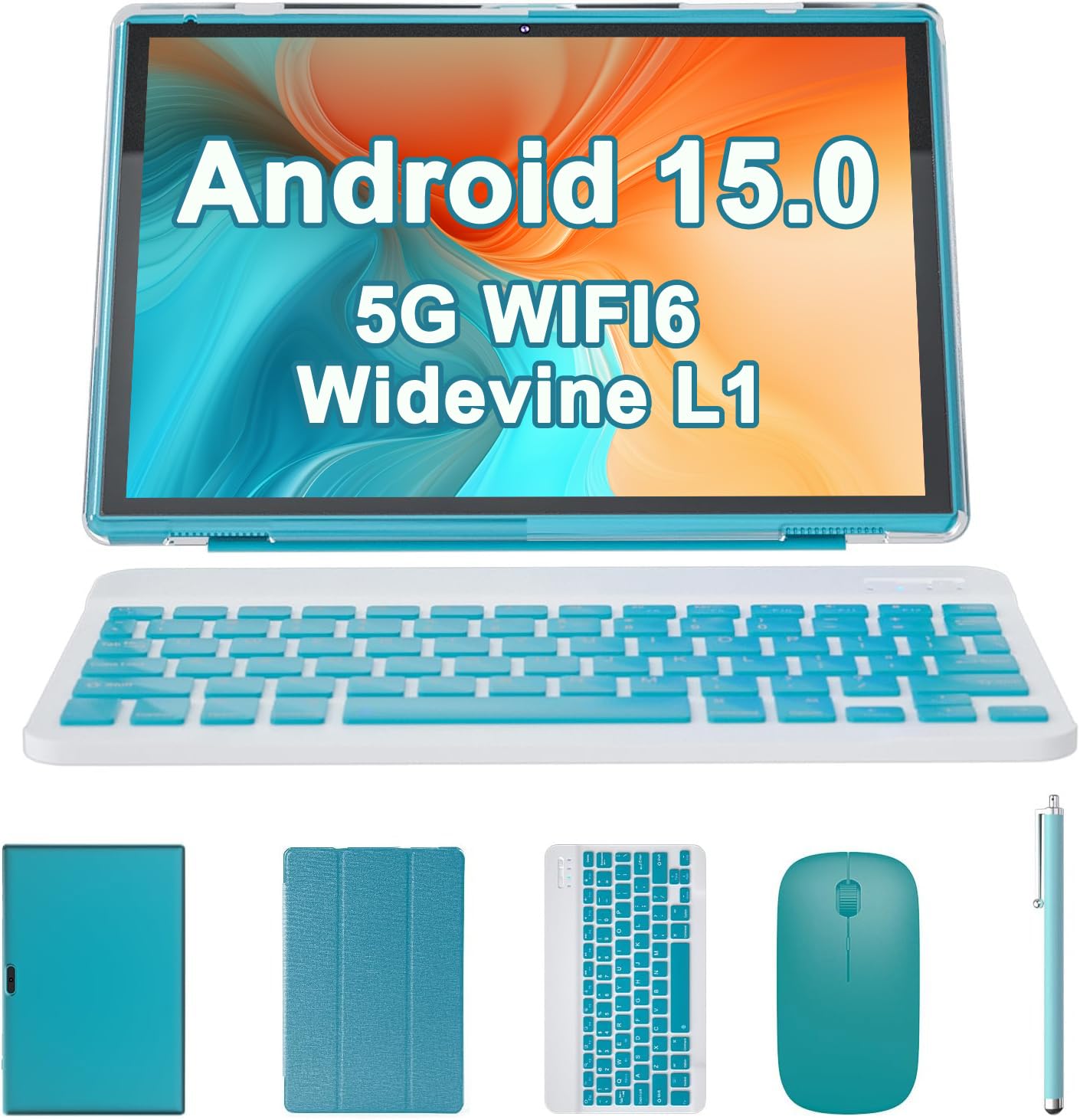
This is an all-in-one bundle that includes a 10.1-inch Android tablet, a wireless keyboard, a mouse, a stylus, and a protective case. The tablet itself features a 1280×800 IPS display, 8GB of RAM (including 5GB of expandable virtual RAM), 32GB of storage, and a 6000mAh battery. It runs Android 15 and supports Wi-Fi 6.
The keyboard and mouse connect via a 2.4GHz USB dongle (not Bluetooth), so they require the tablet to support OTG or have a USB-A port. The accessories are lightweight and functional but feel fragile — the keyboard flexes noticeably under pressure. The stylus is a basic capacitive pen, fine for signing documents but not for precise drawing.
Performance is entry-level: the quad-core processor struggles with multitasking, and Wi-Fi connectivity can be inconsistent. This bundle is best suited for very light productivity — checking email, reading ebooks, or web browsing — where the convenience of a single package outweighs raw performance. It is not a replacement for a laptop for demanding tasks.
Why it’s great
- Complete productivity kit: tablet, keyboard, mouse, stylus
- 6000mAh battery provides 8+ hours of use
- Runs modern Android 15 OS
Good to know
- Keyboard and mouse are fragile and low-quality
- Quad-core processor is slow for multitasking
- Wi-Fi connectivity issues reported by multiple users
FAQ
Will any Bluetooth keyboard case fit my Samsung Galaxy Tab?
Can I use the keyboard case without the tablet attached?
Why does my trackpad not scroll in some apps?
Final Thoughts: The Verdict
For most users, the best android tablet keyboard case winner is the Dexnor for Tab S10 Lite/S9 because its floating cantilever hinge and precise multi-touch trackpad deliver the most laptop-like experience on a Samsung tablet. If you want an RGB backlit keyboard with a trackpad at a lower price, grab the SNOODU case. And for a budget-friendly option with a dedicated mouse, nothing beats the SAMTUNK case with its rainbow backlight and included peripherals.