
An Android tablet with a keyboard promises laptop-level productivity without abandoning the touch-first app ecosystem you rely on for streaming, note-taking, and creative work. The problem is that most cheap keyboard bundles pair a sluggish digitizer with a cramped, mushy keybed that makes typing a chore rather than a relief. Finding the right match means balancing screen real estate, battery endurance, and key travel so the setup actually replaces a laptop for your daily workflow.
I’m Min — the co-founder and writer behind Gadgets Feed. I’ve spent hundreds of hours researching and comparing Android tablets with bundled keyboards, analyzing spec sheets and real-world battery drain data to separate the few productivity-ready kits from the many that cut corners on display clarity and accessory build.
This guide walks you through the best dedicated keyboard bundles, from budget kits that punch above their weight to premium slates with pen support and desktop-grade display tech, helping you choose the right android tablet with keyboard for your actual workload.
How To Choose The Best Android Tablet With Keyboard
Choosing the right Android tablet with a keyboard is about matching performance headroom and screen quality to your specific workload. Here are the three specs that matter most.
Display Size and Resolution
A 10-inch screen is fine for casual browsing, but productive split-screen multitasking and comfortable typing really open up at 12 inches or larger. Look for a resolution of at least 1920×1200 — anything lower makes text look soft and strains your eyes during long document sessions. Premium models with a 2.4K or 2.5K panel (2400×1600 or higher) deliver sharp text and vivid video playback. Refresh rate also matters: 90Hz provides visibly smoother scrolling through long web pages and documents compared to the standard 60Hz.
Performance and Memory Configuration
Entry-level tablets often pair 4GB of physical RAM with marketing claims of “24GB” via virtual expansion. While virtual RAM helps keep background apps alive, the physical RAM count (8GB or more) is what determines real-world multitasking capacity. An octa-core processor clocked at 1.8GHz or higher is the minimum for smooth split-screen usage with a keyboard. Storage of 128GB is a practical floor; 256GB leaves room for offline files without constant SD card management.
Battery Capacity and Charging Speed
An all-day productivity tablet needs at least 8,000mAh to get through eight hours of mixed typing, browsing, and video calls. Models with 10,000mAh offer a comfortable safety margin, often lasting into a second light day. Charging speed is equally important — 18W is the slow lane for a large battery; 30W cuts recharge time from roughly five hours to under three, which matters when you’re working on the go.
Quick Comparison
On smaller screens, swipe sideways to see the full table.
| Model | Category | Best For | Key Spec | Amazon |
|---|---|---|---|---|
| Lenovo Idea Tab | Premium | Students & digital note-takers | 2.5K IPS (2560×1600) 90Hz display | Amazon |
| TCL NXTPAPER 14 | Premium | Eye comfort & sheet music reading | 14.3″ 2.4K paper-like display with 4096-level stylus | Amazon |
| BESTTAB T60 | Premium | Heavy multitasking & light gaming | 12.2″ 2.4K (2400×1600) 90Hz + 48GB virtual RAM | Amazon |
| TECLAST Artpadpro | Mid-Range | Digital artists & creators | 12.7″ 2176×1600 TDDI display + 4096-level T-Pen | Amazon |
| VekfulPC 13.4″ | Mid-Range | Large-screen media & productivity | 13.4″ 1200×1920 120Hz display, 10000mAh battery | Amazon |
| URAO G140L | Mid-Range | Casual multitasking & media | 14″ 1920×1200 IPS, 10000mAh + 30W fast charge | Amazon |
| Maxsignage EP1495T | Mid-Range | Everyday work & video calls | 14″ 1920×1200 FHD, magnetic keyboard case | Amazon |
| EDUAITABLET 11″ | Budget | Light streaming & email | 11″ 1280×800 90Hz, 8800mAh battery | Amazon |
| TABWEE T20 | Budget | Students on a tight budget | 10″ 1280×800 Incell, 24GB virtual RAM | Amazon |
In‑Depth Reviews
1. Lenovo Idea Tab (11″ 2.5K)

The Lenovo Idea Tab delivers the sharpest display in this roundup — an 11-inch 2.5K IPS panel (2560×1600) with a 90Hz refresh rate that makes reading PDFs and scrolling through documents feel crisp and fluid. Paired with a MediaTek Dimensity 6300 processor and 8GB of physical RAM, it handles split-screen note-taking and streaming without stutter. The included Tab Pen with 4096 levels of pressure sensitivity turns the folio case into a legitimate sketchbook for students and hobby artists.
Battery life lands around 12 hours of mixed use, backed by a 7,216mAh cell and 20W charging — not the fastest refuel, but enough to get through a full campus day. The quad Dolby Atmos-tuned speakers produce clear, room-filling audio that makes video calls and lecture recordings easy to follow. The bundled folio case is thin and protective, though the keyboard cover is sold separately, so factor that into your budget if you need a full laptop-style experience out of the box.
Lenovo’s software bundle includes AI Note and Squid for handwriting-to-text conversion, plus MyScript Calculator for math workflows. The tablet also supports Smart Connect for seamless file transfer between Lenovo devices. If you want premium display quality and a well-integrated stylus experience without paying flagship prices, this is the most refined Android tablet with keyboard potential in the mid-premium tier.
Why it’s great
- Best-in-class 2.5K 90Hz IPS display for sharp, fluid reading
- Included Tab Pen with 4096 pressure levels for note-taking and art
- Strong 8GB physical RAM and MediaTek Dimensity 6300 processor
Good to know
- Keyboard not included — must be purchased separately
- Charging limited to 20W
- Folio case offers basic protection only
2. TCL NXTPAPER 14
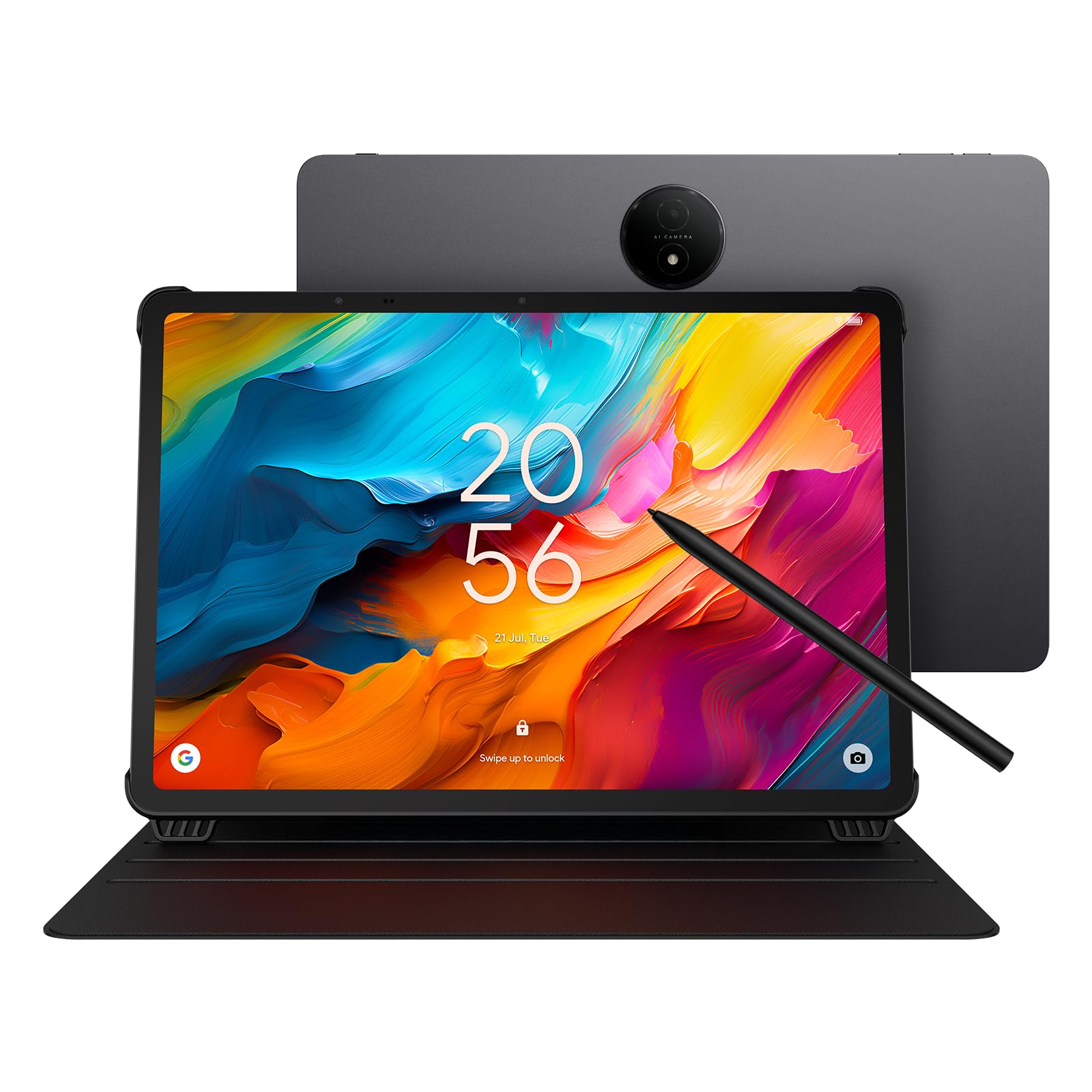
The TCL NXTPAPER 14 is built around its namesake display technology — a 14.3-inch 2.4K LCD that uses DC dimming, blue-light filtering, and an anti-glare finish to produce a reading experience that feels closer to paper than glass. The three-mode selector (Standard, Color Paper, Ink Paper) lets you shift between a vibrant tablet, a comic reader, and an e-ink-like display for long reading sessions. Musicians and sheet-music readers will especially appreciate the A4-sized canvas and anti-glare surface.
Under the hood, the MediaTek Helio G99 handles everyday apps and split-screen workflows without drama, though heavy 3D gaming will reveal its mid-range limits. The 8GB of RAM plus 8GB of virtual expansion keeps multiple browser tabs and note-taking apps alive during long work sessions. Storage is locked at 256GB with no microSD slot — plan accordingly. Battery life hits 10 hours of mixed use, and the 33W fast charging brings the 10,000mAh cell from empty to full in roughly 2–3 hours.
The included 4096-level T-Pen requires USB-C charging (it doesn’t dock magnetically), which is a minor hassle. The flip case doubles as a stand, and the tablet is only 0.27 inches thin at 1.67 pounds — genuinely portable for its size. The speaker array produces decent volume for a device this slim, though bass is thin. If your priority is eye-friendly reading and a massive, glare-free display for note-taking or music, this is the most specialized Android tablet with keyboard potential on the list.
Why it’s great
- Unique paper-like display reduces eye strain significantly
- Three display modes adapt to reading, media, and notes
- 33W fast charging fully refuels large battery quickly
Good to know
- No microSD expansion — 256GB is fixed
- No charger brick included in the box
- Pen requires separate USB-C charging
3. BESTTAB T60 (12.2″ 2.4K)
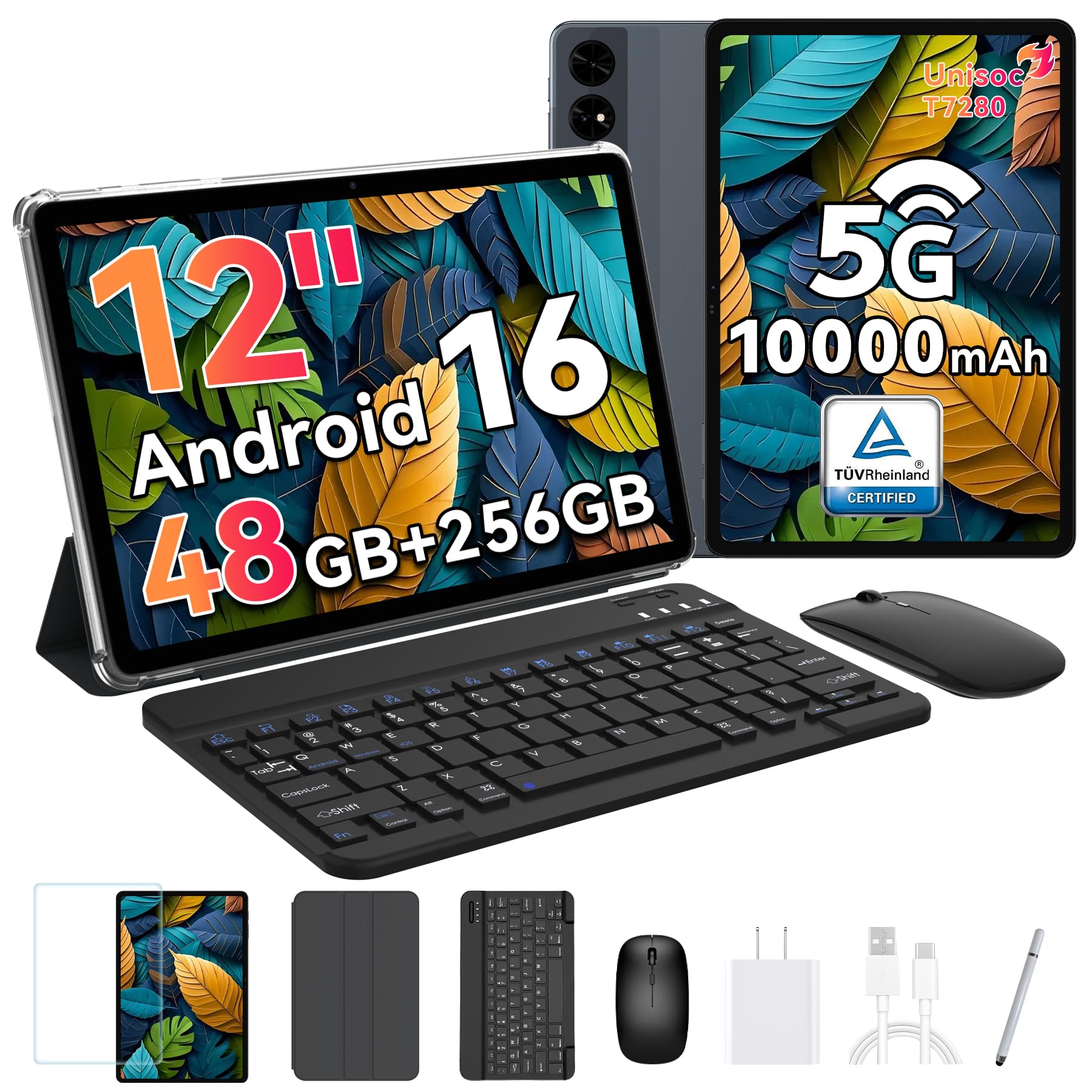
The BESTTAB T60 packs a 12.2-inch nano-matte 2.4K display (2400×1600) with a 90Hz refresh rate and TÜV Rheinland low blue light certification, making it one of the sharpest and most comfortable screens for extended typing and reading sessions. The Unisoc T7280 octa-core processor clocks up to 2.2GHz and, paired with 12GB of physical RAM plus 36GB of virtual expansion, handles 15+ active apps without breaking a sweat. The 256GB internal storage is expandable to 2TB via microSD.
The bundled keyboard and mouse are USB-C rechargeable and AAA-powered respectively, both pairing reliably via Bluetooth. The stylus is included and works well for quick annotations, though it lacks the pressure sensitivity levels of a dedicated drawing pen. The 10,000mAh battery delivers roughly 12 hours of mixed use, and the 18W charging is the slowest in this premium tier — expect a full recharge to take around 4–5 hours. The 16MP rear camera is capable in good light, but video calls still look better on the front-facing shooter.
The standout feature here is the 4-year warranty, which significantly reduces the risk of buying from a less-established brand. Build quality feels solid, with a metal chassis and a well-fitting case that supports landscape-only orientation. If you need a large, high-resolution screen with generous memory expansion and the longest warranty coverage, the T60 is a compelling all-rounder.
Why it’s great
- Sharp 2.4K 90Hz display with anti-glare nano-matte finish
- 48GB total RAM (12GB physical + 36GB virtual) for heavy multitasking
- 4-year warranty provides peace of mind
Good to know
- 18W charging is slow for the large 10000mAh battery
- Face unlock is sensitive to lighting conditions
- Keyboard case only supports landscape orientation
4. TECLAST Artpadpro (12.7″)

The TECLAST Artpadpro uses a 12.7-inch 2176×1600 IPS display with TDDI technology that improves touch response and light transmission, resulting in a brighter, more responsive canvas for drawing and note-taking. The 4:3 aspect ratio is a deliberate choice for creative work — it gives you more vertical space for menus and tools compared to the typical 16:10 widescreen. The included T-Pen delivers 4096 levels of pressure sensitivity and supports USI 2.0 compatibility, which is rare at this price point.
Performance comes from a MediaTek G99 octa-core processor with 8GB of physical RAM and 12GB of virtual expansion, totaling 20GB for multitasking claims. The 256GB UFS storage loads apps quickly and leaves room for large drawing files; microSD expansion up to 1TB is supported. The 10,000mAh battery paired with 30W fast charging is a strong combination — you get around 7–8 hours of creative use and a full recharge in under 2.5 hours. The quad-speaker Symphony Sound Chamber system produces surprisingly rich audio for media consumption.
The Artpadpro runs on a customized ArtOS skin over Android 15, which adds a floating ball for quick access to multi-window modes and a Smart Button for switching between display profiles. The metal chassis feels premium, and the pre-installed tempered glass screen protector is a nice touch. Palm rejection on the stylus works well for most users, though very light pressure strokes can sometimes produce skipped lines. If digital art and note-taking are your primary use case, this is the best-value drawing tablet in the mid-range segment.
Why it’s great
- 4:3 aspect ratio provides more vertical canvas for creative apps
- 4096-level T-Pen with USI 2.0 support included
- 30W fast charging fully recharges in under 2.5 hours
Good to know
- Android 15 instead of Android 16
- Pen can skip with very light pressure strokes
- No official keyboard bundle — must purchase separately
5. VekfulPC 13.4″ (120Hz)
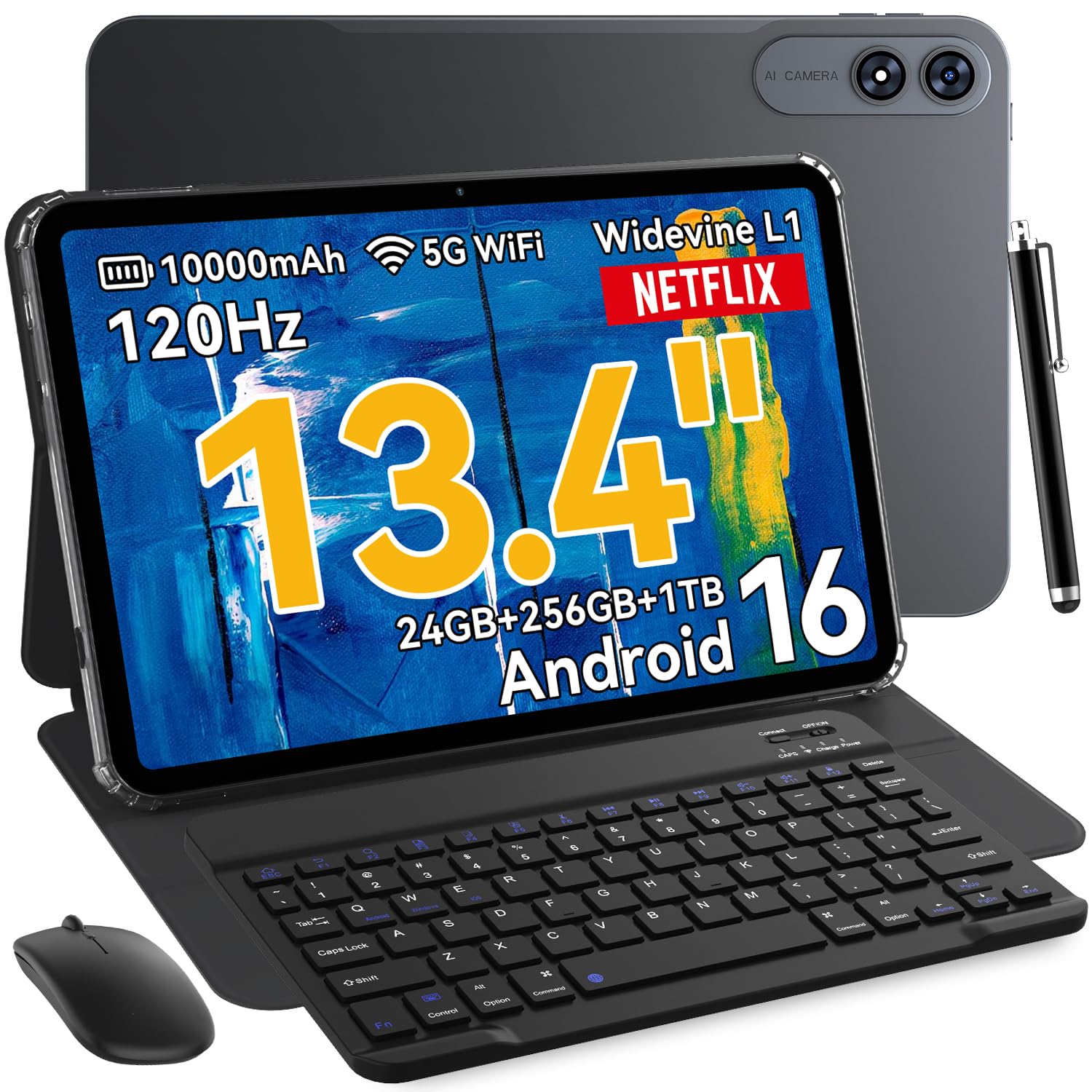
The VekfulPC 13.4-inch tablet offers the highest refresh rate in its price bracket — a 120Hz 1200×1920 IPS display with 180Hz touch response. That makes split-screen scrolling and gesture navigation feel exceptionally smooth. The 16:9 aspect ratio is ideal for widescreen video, though the resolution sits below the 2K threshold, so text quality is merely good rather than great. The octa-core processor (Mali-G57) with 8GB of physical RAM and 24GB total virtual expansion handles email, note-taking, and media without lag.
The 10,000mAh battery claims up to 24 hours of standby, but real-world use lands closer to 10 hours of mixed streaming and typing. The 18W charging is adequate but slow — expect around 4–5 hours for a full charge. The bundle includes a Bluetooth keyboard, stylus, mouse, earphones, and a case with a built-in screen protector, making it a true out-of-the-box laptop replacement. PC Mode transforms the home screen into a desktop-like interface for productivity apps.
Camera quality is basic — the 16MP rear shooter handles document scanning fine, but the 8MP front camera is average for video calls. The tablet supports GPS, GLONASS, Galileo, and Beidou navigation, which is unusual at this price. The 2-year warranty and lifetime technical support add meaningful value. If you want the largest screen and smoothest scrolling in the mid-range, the VekfulPC 13.4 is a strong contender.
Why it’s great
- Smooth 120Hz refresh rate with 180Hz touch response
- Includes keyboard, mouse, stylus, earphones, and case
- Built-in GPS and multi-system navigation support
Good to know
- 1200×1920 resolution is below 2K — text not as sharp
- 18W charging is slow for the large battery
- Some users report minor WiFi connection issues
6. URAO G140L (14″, 30GB RAM)
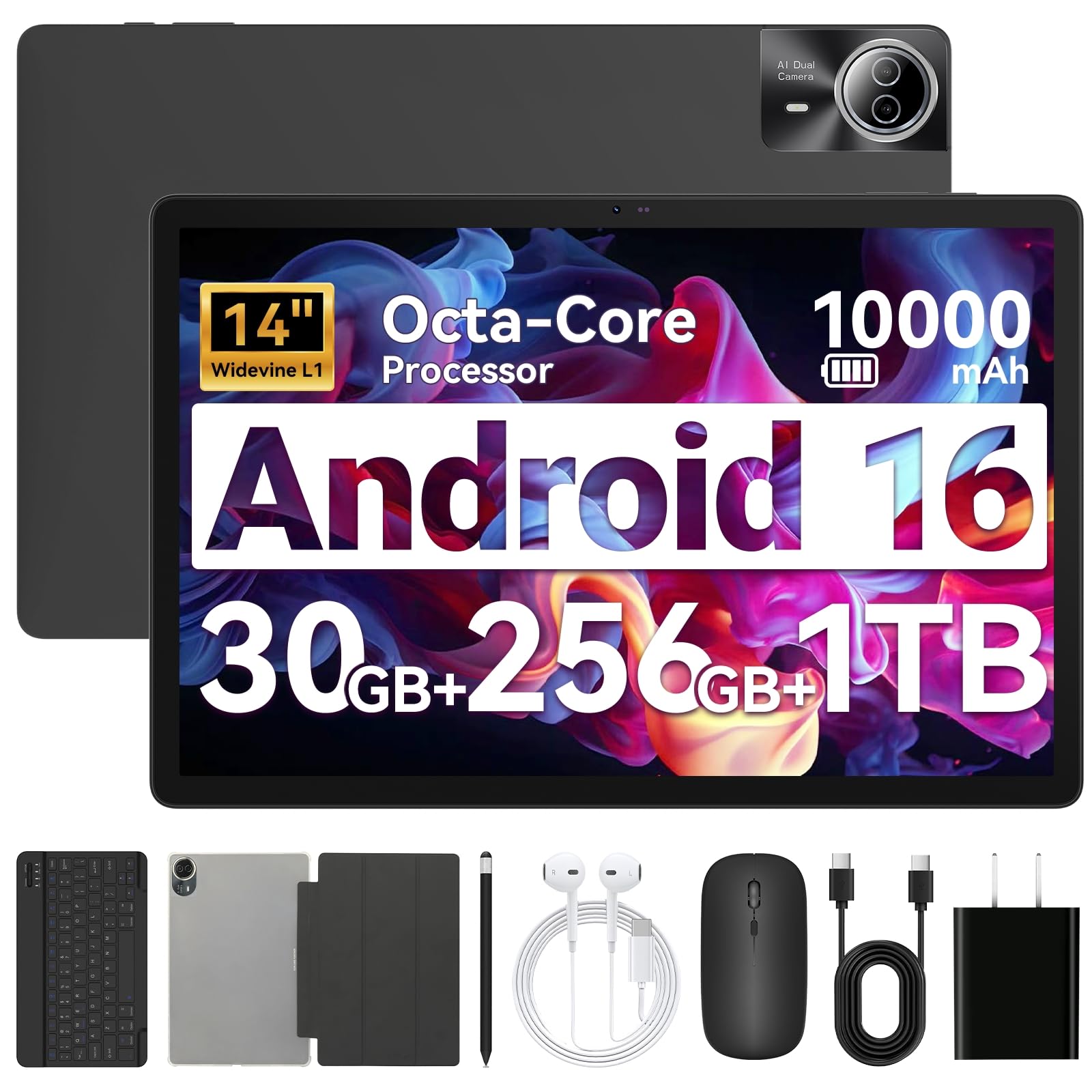
The URAO G140L brings a 14-inch 1920×1200 IPS display with low blue light technology to a compact form factor that’s surprisingly portable given its screen size. The 1920×1200 resolution at 14 inches produces decent pixel density for reading and video, though text lacks the razor sharpness of a 2K panel. The octa-core processor at 2.0GHz with 6GB of physical RAM and 24GB of virtual expansion (marketed as 30GB total) handles everyday tasks without issue.
The 10,000mAh battery with 30W fast charging is one of the best combinations in the mid-range — expect around 12 hours of mixed use and a full recharge in roughly 2.5 hours. The bundle includes a Bluetooth keyboard, mouse, stylus, and a foldable case that works as a stand. Setup is straightforward: pair the keyboard, enable PC Mode, and the interface shifts to a desktop layout. Wi-Fi 6 and Bluetooth 5.4 provide modern, fast wireless connectivity.
Camera quality is average — the 5MP front and 8MP rear sensors are suitable for video calls and document scanning, not photography. The tablet lacks GPS, which may matter for map-dependent users. The quad speakers produce clear, loud audio, though bass is minimal. For users who want a large, crisp display and fast charging without spending premium money, the URAO G140L offers top-tier value in the 14-inch category.
Why it’s great
- Large 14-inch 1920×1200 IPS display with low blue light
- 30W fast charging fully recharges in ~2.5 hours
- Wi-Fi 6 and Bluetooth 5.4 for modern connectivity
Good to know
- No GPS built-in
- Marketing RAM figure includes 24GB virtual expansion
- Mouse requires separate AAA batteries
7. Maxsignage EP1495T (14″ FHD)
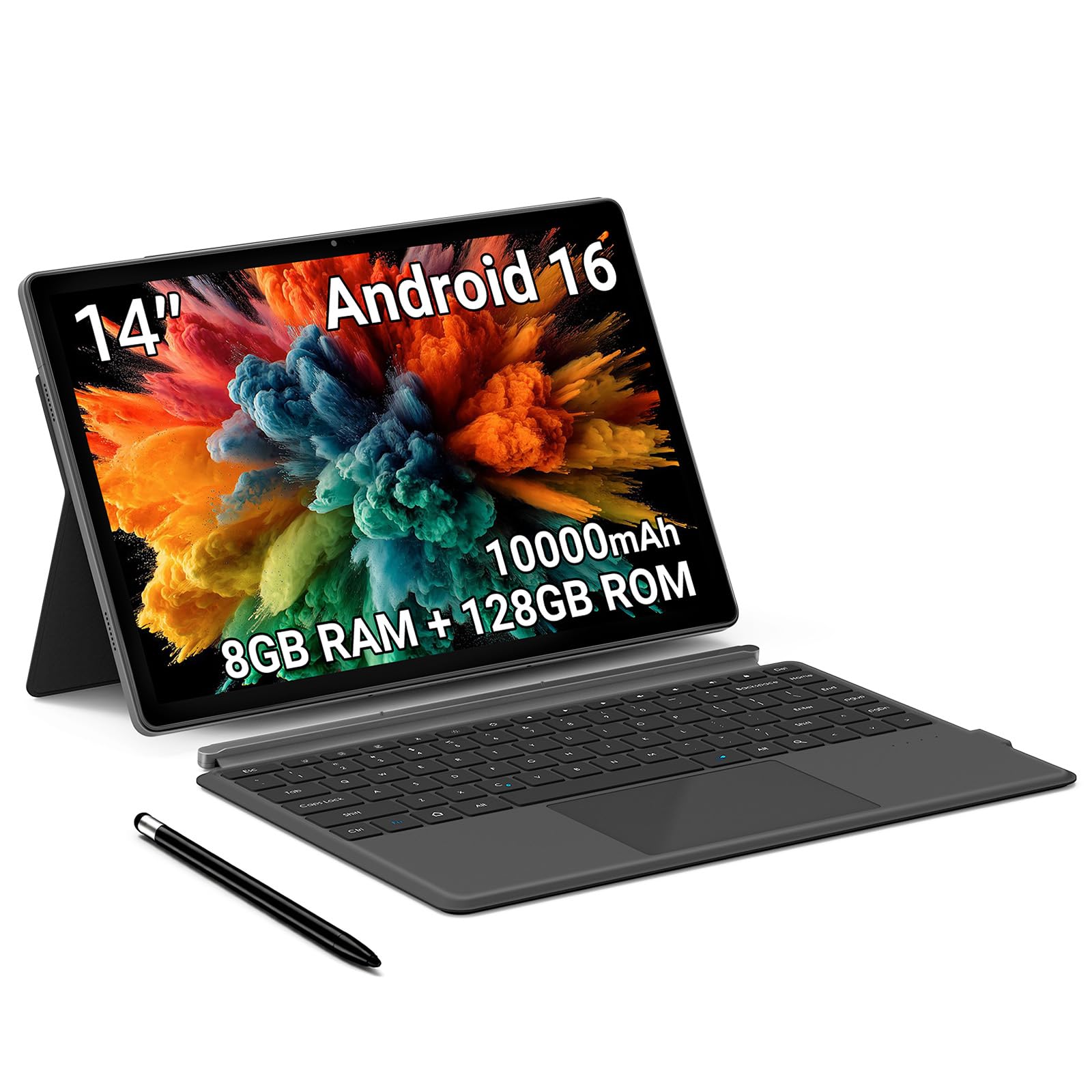
The Maxsignage EP1495T delivers a solid 14-inch 1920×1200 FHD IPS display with a 16:10 aspect ratio in a budget-friendly package that includes a detachable magnetic keyboard, stylus, and leather case. The screen quality punches above its price point with accurate colors and wide viewing angles, making it suitable for document review, video streaming, and split-screen work. The 8GB of RAM and 128GB of internal storage (expandable to 1TB via microSD) provide enough room for day-to-day apps and files.
The 10,000mAh battery with 18W charging offers decent endurance — around 6 hours of mixed use according to the specs, which is lower than many competitors with similar battery capacity. The octa-core processor (Unisoc T616) handles browsing and office apps smoothly, but may struggle with heavy multitasking. The 13MP rear camera performs well in good light, and the 5MP front camera is adequate for video calls. The quad-speaker system provides clear audio, though volume levels are moderate.
Some users reported charging inconsistencies, so it’s worth verifying battery performance early in the return window. The magnetic keyboard attaches easily and the leather case folds into a stable stand. The core value here is the included accessory bundle and large display at a very competitive price. If you need a big screen for reading and light typing and can accept occasional quirks, the Maxsignage EP1495T is a solid pick.
Why it’s great
- Large 14-inch FHD IPS display with magnetic keyboard included
- Expandable storage up to 1TB via microSD
- Wi-Fi 6 and Bluetooth 5.4 for fast wireless
Good to know
- Battery life averages 6 hours — less than competitors
- Some users report charging issues
- 128GB internal storage is limited without SD card
8. EDUAITABLET 11″ (Android 16 Bundle)
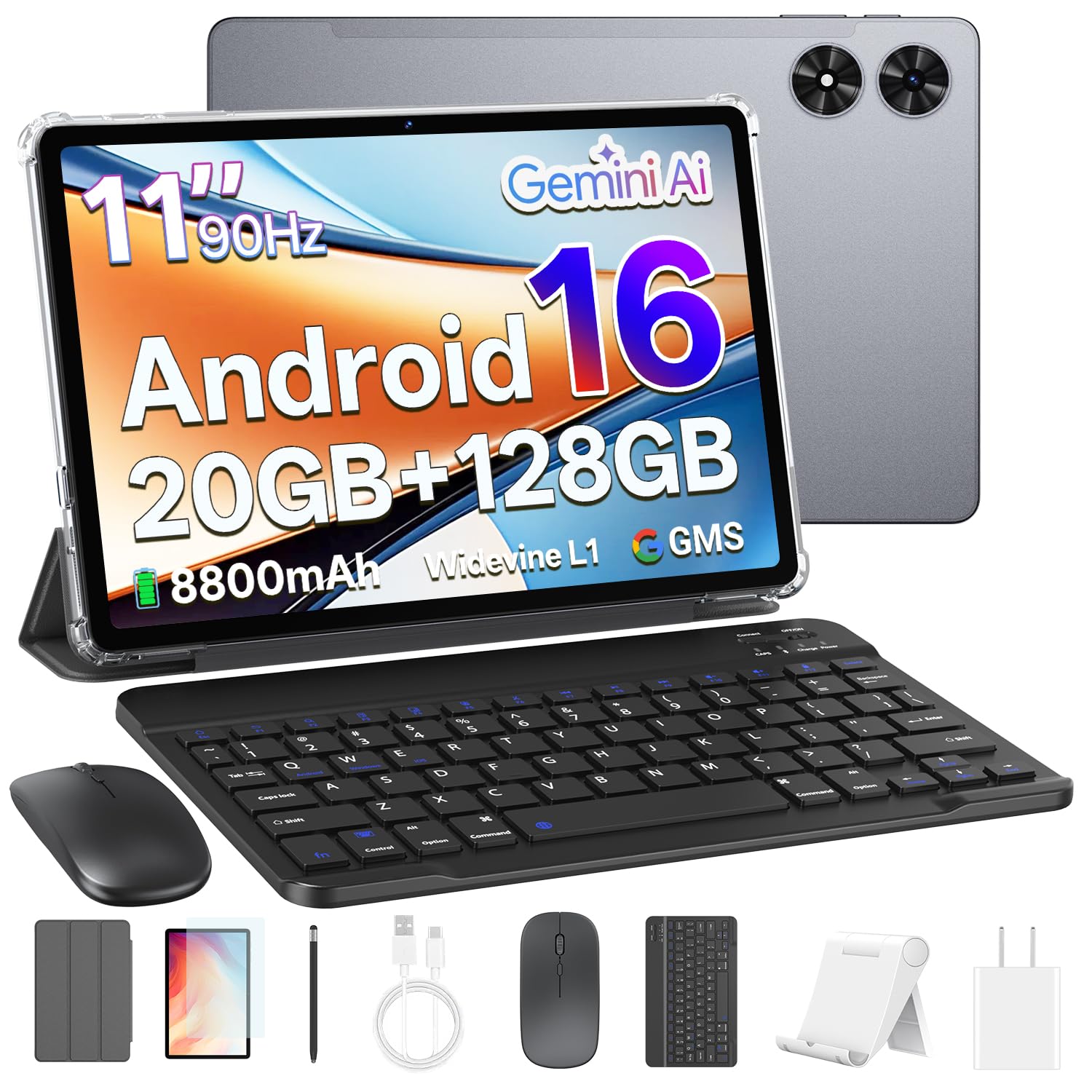
The EDUAITABLET 11-inch bundle runs the latest Android 16 operating system with Gemini AI 2.0 integration, providing voice-assisted Q&A, instant translations, and AI note summaries at a budget price. The 1280×800 HD IPS display with a 90Hz refresh rate delivers smoother scrolling than you’d expect at this price, though the resolution keeps it firmly in the media-and-email category rather than document-critical work. The Unisoc T7250 octa-core processor with 4GB of physical RAM and 16GB of virtual expansion (marketed as 20GB total) handles basic multitasking without major lag.
The 8,800mAh battery is one of the largest in the sub- category, providing roughly 12 hours of mixed use. The bundle is comprehensive: keyboard, mouse, stylus, protective case, tablet stand, USB-C cable, and a pre-installed screen protector are all included. The 13MP rear and 8MP front cameras are decent for video calls and document scanning. Wi-Fi 6 support ensures fast, stable connectivity even in crowded networks.
Build quality is plastic but feels solid, and the tablet is lightweight enough for extended handheld use. The keyboard pairs easily via Bluetooth and offers decent key travel for a budget unit. The main compromise is the display resolution — below 1080p, text appears slightly soft when reading PDFs or web pages. For students or casual users who need a complete productivity kit at the lowest possible entry price, this bundle delivers unbeatable value.
Why it’s great
- Runs Android 16 with Gemini AI 2.0 for voice and note features
- Comprehensive bundle includes keyboard, mouse, stylus, case, and stand
- Large 8800mAh battery delivers 12-hour endurance
Good to know
- 1280×800 resolution is below 1080p — text is soft
- 4GB physical RAM is the weakest in the roundup
- Plastic build lacks premium feel
9. TABWEE T20 (10″, 24GB RAM)
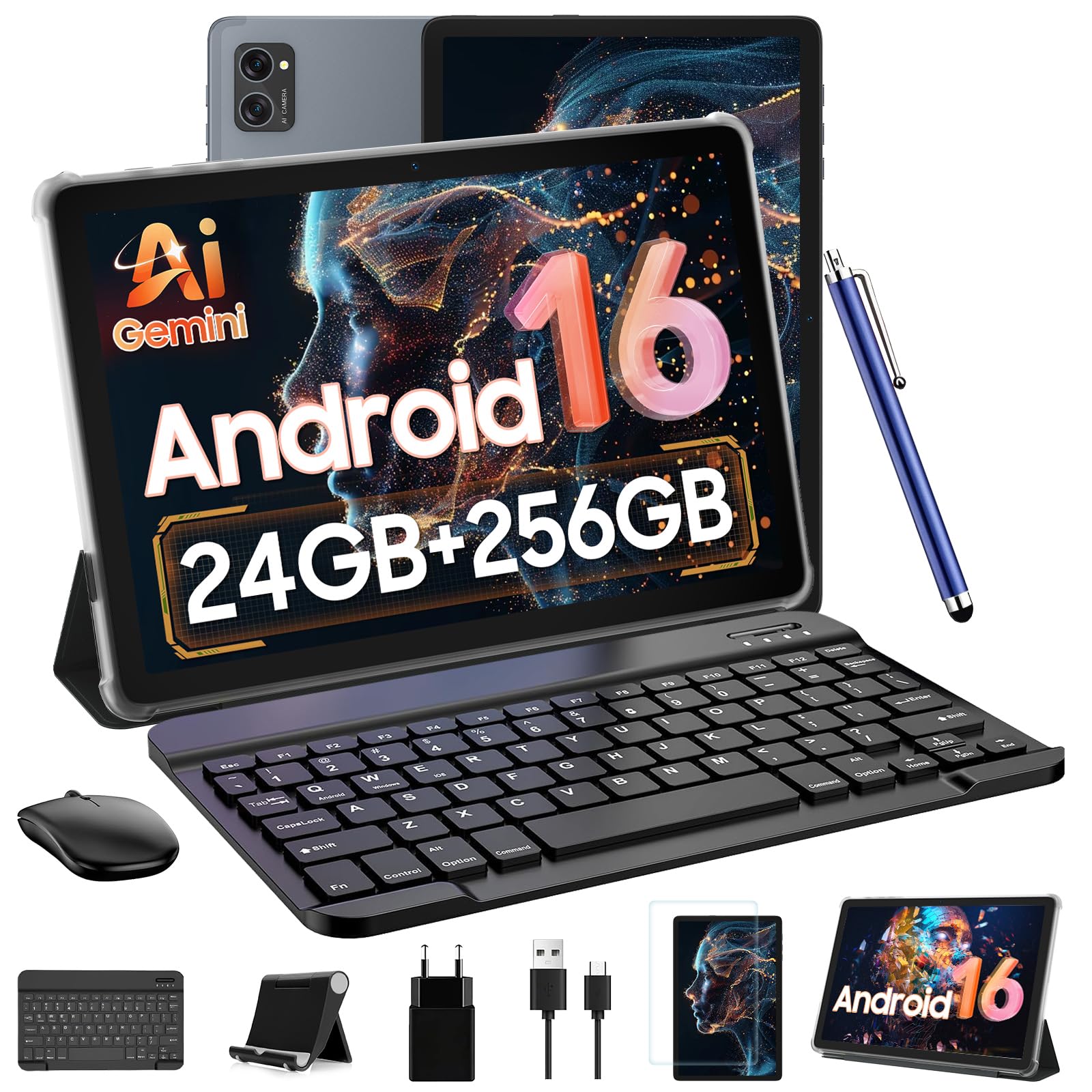
The TABWEE T20 is a 10-inch entry-level tablet that packs an unusually high RAM figure — 8GB of physical RAM plus 16GB of virtual expansion for a total of 24GB — making it one of the most memory-capable budget tablets available. The 1280×800 Incell display with an 84.9% screen-to-body ratio offers wide viewing angles and adequate brightness for indoor use, though the resolution makes text less crisp than larger, higher-resolution panels. Widevine L1 certification means you can stream Netflix, Prime Video, and Disney+ in full 1080p HD, which is rare at this price.
The octa-core T606 processor runs Android 16 with Gemini AI support for voice commands and draft emails. The 256GB internal storage is generous for the price, and expandable up to 2TB via microSD. The bundle includes a detachable Bluetooth keyboard, wireless mouse, responsive stylus, protective case, and anti-glare screen protector.
Camera performance is basic — the 8MP rear and 5MP front are fine for video calls but produce grainy photos in low light. The speakers are tinny and lack bass, so headphones are recommended for media. Build quality uses metal for the back panel, which feels more premium than the price suggests. The 2-year US warranty and responsive customer support ease concerns about long-term reliability. If you need a compact, lightweight tablet with strong memory and streaming features at the lowest budget, the T20 is a strong entry-level choice.
Why it’s great
- Widevine L1 certification for 1080p HD streaming on major platforms
- 8GB physical RAM at this price point is excellent
- 256GB internal storage with 2TB microSD expansion
Good to know
- 5000mAh battery delivers only ~6 hours of use
- 1280×800 display is the lowest resolution in the roundup
- Speakers are tinny — headphones recommended
FAQ
Can I use any Bluetooth keyboard with an Android tablet?
Does Widevine L1 matter for streaming video?
What does virtual RAM expansion actually do for performance?
Is a 2-in-1 Android tablet a good replacement for a laptop?
Final Thoughts: The Verdict
For most users, the android tablet with keyboard winner is the Lenovo Idea Tab because its 2.5K 90Hz display, included Tab Pen, and robust 8GB RAM deliver a premium note-taking and media experience without requiring a flagship budget. If you want eye-friendly paper-like display tech for long reading sessions or sheet music, grab the TCL NXTPAPER 14. And for budget buyers who need a complete productivity toolkit out of the box, nothing beats the value of the EDUAITABLET 11-inch bundle.