
Finding an Android tablet that pairs a responsive, low-latency stylus with a display that actually feels like paper is harder than it sounds. Most generic slates treat the pen as an afterthought, leaving you with wobbly lines, noticeable parallax, and a glassy surface that sabotages strokes. The right device eliminates that disconnect between hand and canvas, making digital sketching, note-taking, and detailed illustration feel natural.
I’m Min — the co-founder and writer behind Gadgets Feed. I’ve spent countless hours analyzing processor benchmarks, pressure-level sensitivity sheets, display PPI specs, and real-world battery drain rates to separate the serious drawing slates from the gimmicks in this guide.
After sifting through hundreds of verified reviews and cross-referencing technical data, I’ve curated this definitive list of the best android tablet with pen options to match beginners, students, and professional digital artists with the right tool for their creative workflow.
How To Choose The Best Android Tablet With Pen
Not every Android tablet that ships with a stylus is built for serious digital creation. The defining factors are hidden in the display technology, the pen’s internal protocol, and the processor’s ability to handle thick brush strokes without stutter. Ignore the headline “pen included” claim and dig into the specs that actually determine whether your lines will be smooth and accurate.
Pressure Sensitivity Levels & Pen Protocol
The pen’s pressure sensitivity dictates how expressively you can vary line weight. Entry-level tablets often cap at 2048 levels, while serious drawing slates offer 4096 or even 8192 levels. More levels mean finer gradation between a whisper-light pencil stroke and a heavy marker press. Equally important is the pen protocol: battery-free electromagnetic resonance (EMR) pens never need charging and offer virtually zero lag, whereas active capacitive pens require charging and can introduce latency.
Display Lamination & Parallax
Parallax is the visible gap between the pen tip and the digital ink on screen. Non-laminated displays have an air gap between the glass and the LCD panel, creating a noticeable offset that throws off fine detail work. A fully laminated display bonds the layers together, eliminating that gap and making it feel like you’re drawing directly on the surface. For precise line art and calligraphy, a laminated screen is non-negotiable.
Processor Power & Canvas Size Limits
Heavy apps like Clip Studio Paint and Krita demand processing overhead, especially when working on canvases above 3000×3000 pixels. A mid-range MediaTek Helio G99 can handle basic sketching and notes, but a Snapdragon 8 Gen 2 or Dimensity 8300 will keep multiple layers, large brushes, and effects like liquefy running smoothly. If you plan to illustrate professionally, invest in a higher-tier processor from the start.
Quick Comparison
On smaller screens, swipe sideways to see the full table.
| Model | Category | Best For | Key Spec | Amazon |
|---|---|---|---|---|
| Samsung Galaxy Tab S9 | Premium | Professional Art | AMOLED 2X 120Hz Display | Amazon |
| Wacom MovinkPad 11 | Premium | Dedicated Drawing | 8192 Pressure Levels Pen | Amazon |
| Samsung Galaxy Tab S10 FE | Mid-Range | Note-taking & Sketch | Exynos 1580 / 20h Battery | Amazon |
| Lenovo Idea Tab Pro | Mid-Range | Student Workflow | 12.7″ 3K / MediaTek Dimensity 8300 | Amazon |
| TCL NXTPAPER 14 | Mid-Range | Reading & Sheet Music | 14.3″ Paper-Like 2.4K Display | Amazon |
| Lenovo Idea Tab | Mid-Range | College & Media | 11″ 2.5K / 90Hz Display | Amazon |
| UGEE Pad UT2 | Value | Beginner Drawing | Matte 2K Laminated Screen | Amazon |
| PicassoTab A10 | Value | Kids & Beginners | 10″ Laminated 2K / 4096 Pen | Amazon |
| TABWEE T20 Tablet | Budget | Casual Use | 24GB Virtual RAM / 2TB Expandable | Amazon |
In‑Depth Reviews
1. Samsung Galaxy Tab S9 11” 256GB

The Tab S9 remains the ultimate Android drawing slate thanks to its Snapdragon 8 Gen 2 processor, which drives the 11-inch Dynamic AMOLED 2X panel at a buttery-smooth 120Hz. At that refresh rate, the S Pen glides with zero perceptible lag, and the deep blacks of the OLED display make colors pop for illustration work. The IP68 water and dust resistance is a rare bonus, letting you sketch outdoors without worry.
The S Pen itself is battery-free and charges wirelessly, attaching magnetically to the tablet’s back panel. The 8192 pressure levels provide exquisite control over brush opacity and line width, though the glass screen does have a slicker feel compared to a dedicated matte drawing tablet. The 8400mAh battery delivers around 15 hours of mixed use, and the 256GB base storage gives you room for massive canvases and reference libraries.
Where the Tab S9 truly excels is its ecosystem integration: Samsung Notes, Clip Studio Paint, and the Galaxy AI features (transcript assist, photo editing) turn this into a mobile creative command center. The main drawback is the price, which places it firmly in premium territory, but for artists who demand the best display and raw performance, this is the benchmark.
Why it’s great
- Vibrant 11-inch AMOLED 2X screen with 120Hz fluidity
- Quick-charging 8400mAh battery for long sessions
- IP68 water/dust protection adds durability
Good to know
- High price compared to similar-spec alternatives
- Glass screen is slicker than matte-finished tablets
- No headphone jack; relies on USB-C or Bluetooth
2. Wacom MovinkPad 11

Wacom is synonymous with professional drawing tablets, and the MovinkPad 11 brings that expertise into an Android-native form factor. The 11.45-inch anti-glare etched glass screen mimics the tactile resistance of traditional paper, reducing finger drag and giving the Pro Pen 3 a natural friction that feels worlds apart from drawing on bare glass. The battery-free pen with 8192 pressure levels and three programmable buttons is a class leader.
The Quick Draw feature is genuinely useful: tap and hold the pen on the lock screen to instantly launch Wacom Canvas, turning the tablet into a digital sketchbook in under two seconds. The MediaTek Helio G99 processor handles basic to moderate illustration work well, but can stutter with heavy liquefy filters or textured brushes on large canvases. The 8GB RAM and 128GB storage are adequate, but not expandable via microSD.
Weighing just 1.3 pounds, the MovinkPad is lighter than most laptops and fits into a standard backpack sleeve. It comes with a two-year license for Clip Studio Paint Debut, which is a solid value for beginners. This is a focused creative tool that strips away the distractions of a general-purpose tablet, making it ideal for artists who want a dedicated, distraction-free drawing experience.
Why it’s great
- Premium etched matte glass reduces glare and feels like paper
- Battery-free Pro Pen 3 with best-in-class 8192 pressure levels
- Ultra-portable at 1.3 pounds for mobile artists
Good to know
- Processor struggles with heavy effects on large canvases
- Storage limited to 128GB with no microSD slot
- Charging is slower than modern USB-PD competitors
3. UGEE Pad UT2
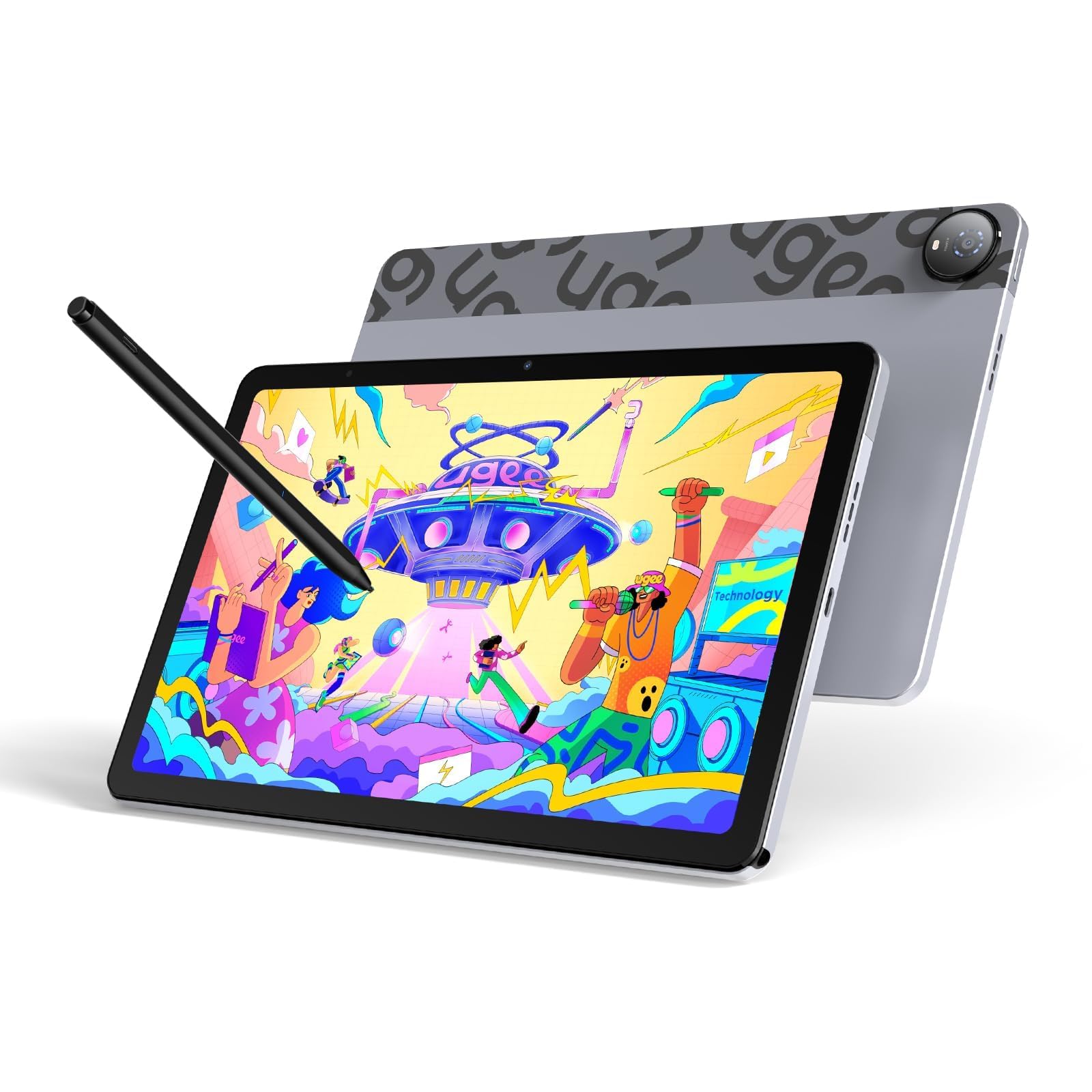
The UGEE Pad UT2 packs serious drawing hardware into a budget-friendly chassis. The fully laminated 10.36-inch 2K display (2000×1200, 277PPI) eliminates parallax, so your pen tip aligns perfectly with the ink on screen. The nano-etched matte glass finish diffuses reflections and provides a satisfying scratch-like resistance, making it comfortable for long creative sessions. The MediaTek Helio G99 with 6GB RAM keeps Krita and Clip Studio Paint running smoothly for standard canvases.
The 7000mAh battery delivers over 9 hours of continuous drawing with an efficient 8% hourly drain rate when actively sketching. The 18W fast charging refuels to 50% in about 60 minutes, minimizing downtime. The included Picasso-style stylus offers 4096 pressure levels and runs for 130 hours on a single charge, which covers multiple weeks of project work. The multi-angle leather case (15 to 75 degrees) doubles as a stand.
UGEE has preloaded PaintPal, Medibang Paint, and ibis Paint out of the box, so you can start drawing immediately without hunting for apps. The tablet’s international certifications (GMS, CE, FCC) ensure broad compatibility. For artists on a tight budget who refuse to compromise on parallax-free lamination and a high-resolution matte screen, the UT2 is the smartest choice in the mid-range tier.
Why it’s great
- Excellent laminated 2K matte screen for parallax-free drawing
- Massive 7000mAh battery with 9+ hours of real drawing time
- Includes premium drawing apps and leather case out of the box
Good to know
- Pen eraser function has inconsistent reliability
- No gyroscope for auto-rotation
- Charging speed limited to 18W, not ultra-fast
4. Samsung Galaxy Tab S10 FE

The Galaxy Tab S10 FE is Samsung’s mid-range flagship designed to balance affordability with the full S Pen experience. The 10.9-inch WUXGA+ display (2304×1440) with a 90Hz refresh rate offers smooth scrolling and responsive inking, though it uses LCD rather than AMOLED, so blacks aren’t as deep. The bundled S Pen attaches magnetically and supports Circle to Search, Solve Math, and Handwriting Help, making it a strong productivity tool for students.
Under the hood, the Exynos 1580 processor provides snappy performance for note-taking, web browsing, and light photo editing. The 8GB RAM handles multitasking well, and the base 128GB storage can be expanded via the included microSD card. The 20-hour battery life is class-leading, easily lasting through a full day of lectures and sketching. The IP68 water resistance adds peace of mind for campus use.
This tablet occupies a sweet spot where you get Samsung’s mature software ecosystem (Samsung Notes, GoodNotes integration, DeX mode) without paying flagship prices. The main compromise is the LCD panel, which lacks the contrast and color vibrancy of OLED screens. For students and casual artists who need reliable pen input, long battery life, and rugged build, the Tab S10 FE is a compelling choice.
Why it’s great
- Excellent 20-hour battery life for all-day campus use
- Magnetic S Pen with smart features like Circle to Search
- IP68 water/dust resistance adds real durability
Good to know
- LCD display lacks the contrast of AMOLED panels
- Charger not included in the box
- Processor is not suited for professional-grade illustration
5. Lenovo Idea Tab Pro

The Lenovo Idea Tab Pro brings a gorgeous 12.7-inch 3K LCD panel (2944×1840) that delivers sharp details and vibrant colors, making it excellent for both illustration and video streaming. The MediaTek Dimensity 8300 processor is a step above the G99, handling heavier Clip Studio Paint canvases and multitasking with ease. The 90Hz display and 360Hz touch sampling rate make pen strokes and scrolling feel immediate and fluid.
The included Tab Pen Plus supports Circle to Search with Google, allowing you to circle items on screen for instant search results. Lenovo has preloaded four study-focused apps: Lenovo AI Note, Squid, Nebo, and MyScript Calculator, which leverage the pen for handwriting-to-text conversion and math solving. The 10200mAh battery provides up to 11 hours of video streaming, and the 45W fast charging gets you back to work quickly.
This tablet is heavier than smaller slates, but that’s the trade-off for the expansive 12.7-inch canvas. The quad JBL Dolby Atmos speakers deliver rich sound, and the included folio case offers basic protection. For students and artists who want a large-area drawing surface with strong multitasking performance, the Idea Tab Pro hits a great balance between price and capability.
Why it’s great
- Large 12.7-inch 3K display provides ample canvas for drawing
- Snappy MediaTek Dimensity 8300 with 45W fast charging
- Pre-installed study apps and Google Circle to Search
Good to know
- Heavier than smaller tablets; less portable for daily carry
- LCD panel, not OLED, so blacks are not as deep
- Some bloatware forced during initial setup
6. TCL NXTPAPER 14
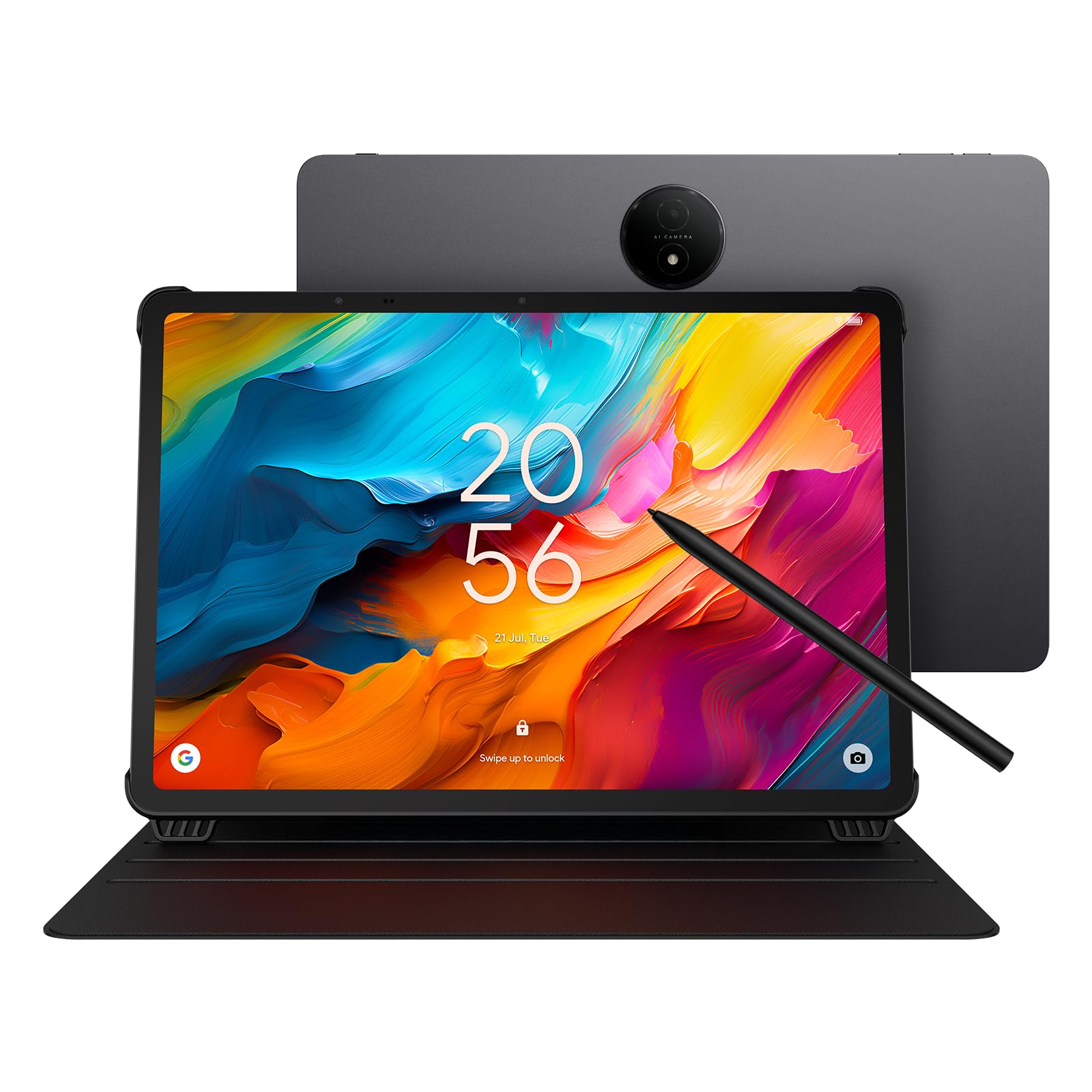
The TCL NXTPAPER 14 stands alone in this list thanks to its 14.3-inch NXTPAPER 3.0 display, which uses DC dimming and blue-light filtering to create a paper-like reading experience. The matte finish diffuses harsh overhead lighting, making it an exceptional device for reading sheet music, e-books, and technical documents. The display can switch between Standard, Color Paper, and Ink Paper modes, giving you versatility for different tasks.
The included T-PEN stylus supports 4096 pressure levels and works well for note-taking and light sketching. The MediaTek Helio G99 with 8GB RAM (plus 8GB virtual expansion) provides smooth operation for the native apps. The 10000mAh battery lasts up to 10 hours, and the 33W fast charging refuels it in about 2 to 3 hours. Note that there is no microSD slot, so the 256GB storage is fixed.
This tablet is particularly beloved by musicians, as the large screen can display two full pages of sheet music side-by-side without scrolling. The dual front cameras (13MP + 5MP) and 8MP rear camera handle document scanning and video calls well. The primary trade-off is the 60Hz refresh rate, which feels less fluid than 90Hz or 120Hz competitors. For readers and musicians who prioritize eye comfort and a massive screen, the NXTPAPER 14 is a unique and compelling option.
Why it’s great
- Unique NXTPAPER 3.0 display reduces eye strain significantly
- Massive 14.3-inch screen ideal for sheet music and reading
- Large 10000mAh battery with 33W fast and reverse charging
Good to know
- 60Hz refresh rate feels less smooth for pen input
- No microSD slot; storage is non-expandable
- Heavy for handheld use; best used with stand
7. Lenovo Idea Tab

The Lenovo Idea Tab is a well-rounded mid-range slate aimed at college students who need a reliable note-taking and media consumption device. The 11-inch IPS display with 2.5K resolution (2560×1600) and 90Hz refresh rate provides a crisp, fluid experience at a competitive price point. The included Tab Pen works well with Lenovo’s AI Note and Squid apps, offering decent handwriting recognition and organizational tools.
The MediaTek Dimensity 6300 processor is fine for note-taking, PDF annotation, and light sketching, but don’t expect to run heavy illustration apps without lag. The 8GB RAM and 256GB storage provide plenty of room for textbooks, lecture recordings, and apps. The 7216mAh battery delivers up to 12 hours of video playback, easily covering a full school day. The included folio case offers basic protection.
Lenovo’s Smart Connect feature lets you transition tasks seamlessly between the tablet and a laptop, sharing files without cables. The quad Dolby Atmos-tuned speakers provide clear audio for lecture videos and streaming. The main trade-off is the LCD display, which lacks the vibrancy and contrast of AMOLED panels. For students who need an affordable, pen-enabled tablet for daily coursework and light creative work, the Idea Tab is a smart pick.
Why it’s great
- Sharp 2.5K IPS display with smooth 90Hz refresh rate
- Bundled Tab Pen and folio case for student workflow
- Excellent 12-hour battery life for all-day campus use
Good to know
- Processor lacks power for professional illustration apps
- Folio case included feels a bit flimsy
- LCD panel not as vibrant as OLED alternatives
8. PicassoTab A10 Drawing Tablet
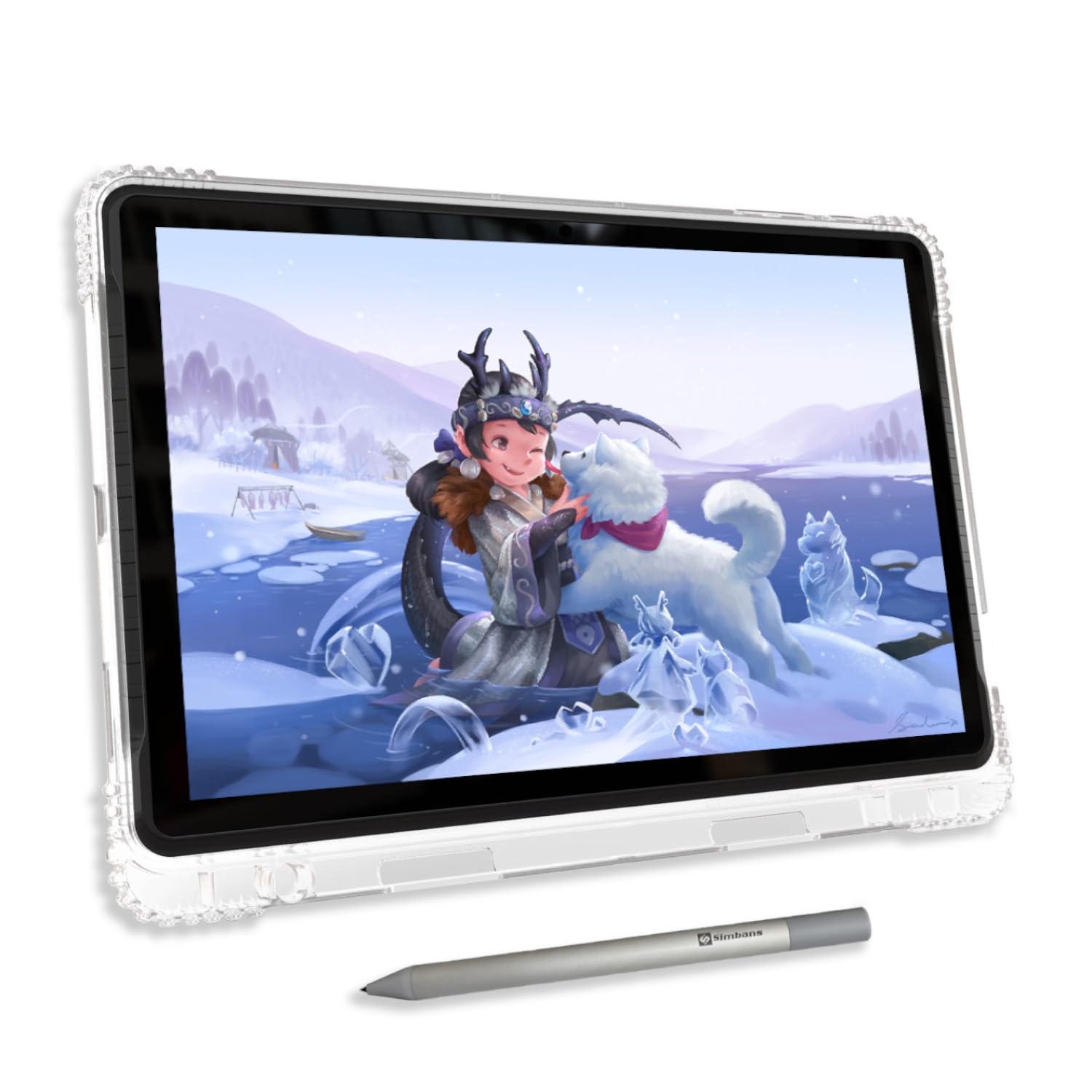
The PicassoTab A10 is designed specifically for beginners and younger artists who want a standalone drawing tablet without needing a computer. The 10-inch fully laminated IPS HD display reduces parallax and features an anti-glare finish that cuts down reflections during use. The Picasso Pen 3 offers 4096 pressure levels with palm rejection, giving young artists a responsive tool that feels natural in hand.
This tablet comes loaded with a Lifetime PRO Upgrade for Concepts, plus Infinite Painter and FlipaClip pre-installed, so kids can start sketching, painting, and animating immediately. The Artixo Lifetime VIP Upgrade provides step-by-step video tutorials that guide absolute beginners through drawing fundamentals. The octa-core processor with 6GB RAM and 128GB storage (expandable to 1TB) handles these apps smoothly at moderate canvas sizes.
The bundle includes a case, drawing glove, screen protector, extra stylus nibs, and a charger — everything needed to begin creating. The included HDMI port allows you to mirror the screen to a monitor for classroom or home instruction. For parents looking to introduce digital art to children or teens without investing in a premium iPad, the PicassoTab A10 provides a complete, frustration-free starting package.
Why it’s great
- Pre-loaded with professional drawing apps and tutorials
- Full laminated 2K display keeps parallax minimal
- Includes case, glove, screen protector, and extra nibs
Good to know
- Default pen nib is too hard and may scratch the screen
- Limited case options available separately
- Battery life could be better for long sessions
9. TABWEE T20 Android Tablet
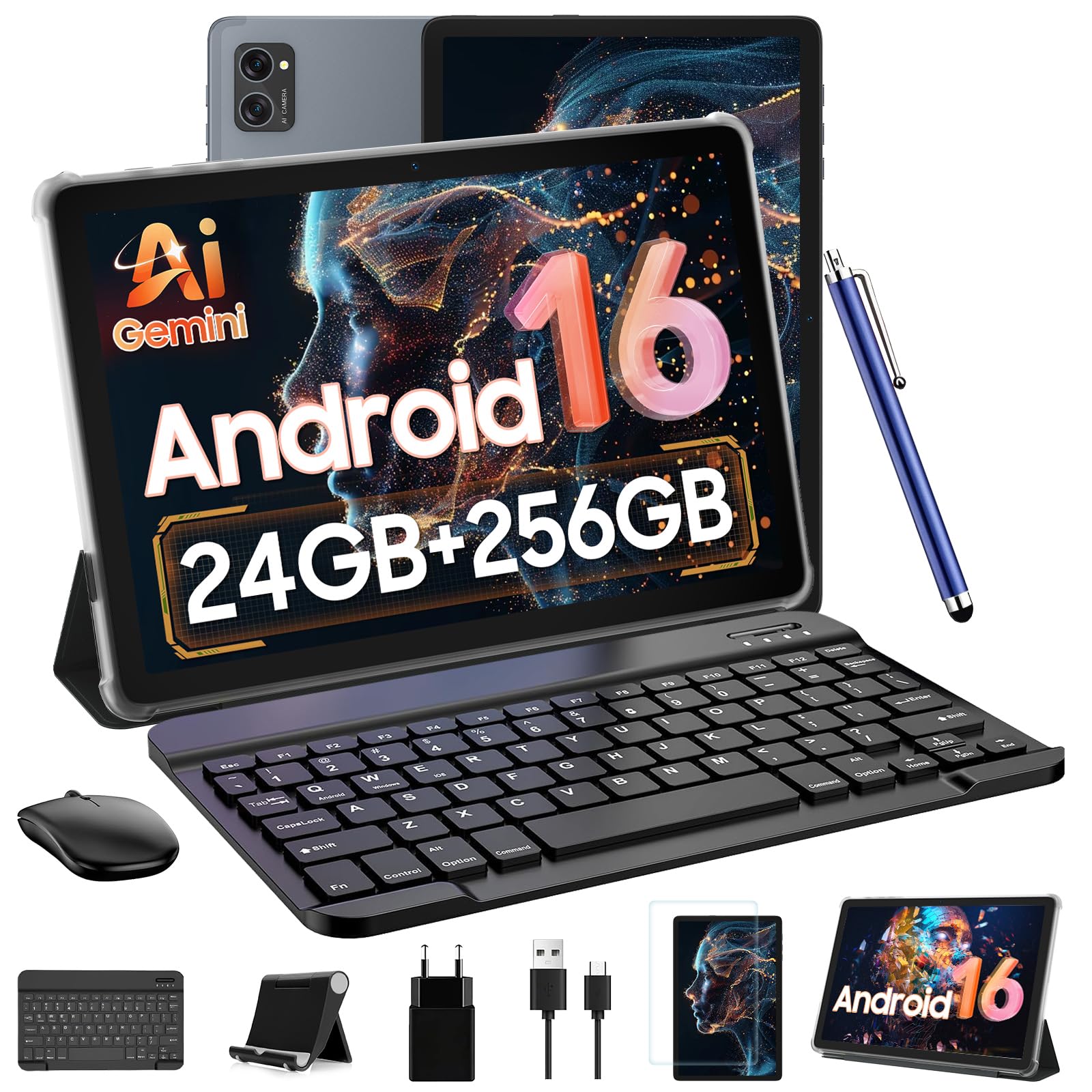
The TABWEE T20 aims to deliver maximum specs for the minimum budget, bundling a detachable keyboard, wireless mouse, stylus, case, and screen protector into a single package. The 10-inch HD display (1280×800) supports Widevine L1 for Netflix HD streaming, but the resolution is noticeably lower than the 2K panels found on more expensive drawing tablets. The T606 Octa-core processor with 8GB physical and 16GB virtual RAM provides decent performance for basic note-taking and web tasks.
The included stylus works well for casual note-taking and simple sketches, but it lacks the higher pressure sensitivity (likely 2048 levels or less) and palm rejection found on dedicated drawing tablets. The 5000mAh battery lasts up to 6 hours of continuous use, which is below average for this category. The Android 16 operating system and Gemini AI assistant provide a modern software experience, but the tablet’s lightweight build can feel less premium.
This bundle is best suited for users who need a versatile 2-in-1 device for basic productivity, note-taking, and media consumption on a very tight budget. The keyboard and mouse make it functional for typing emails and light document work. For dedicated digital art or professional illustration, the low-resolution display and limited stylus capability make it a poor fit. For entry-level users who want an all-in-one tool, the T20 delivers surprising versatility.
Why it’s great
- Complete 2-in-1 bundle with keyboard, mouse, and stylus
- Massive virtual RAM and expandable storage up to 2TB
- Runs the latest Android 16 with Gemini AI assistant
Good to know
- Low 1280×800 resolution is poor for detailed art
- Limited 6-hour battery life compared to competitors
- Stylus lacks pressure sensitivity and palm rejection features
FAQ
Does the pen type matter more than pressure levels?
Can I use Clip Studio Paint on any Android tablet with a pen?
How does a matte screen protector affect pen feel?
Final Thoughts: The Verdict
For most users, the best android tablet with pen winner is the Samsung Galaxy Tab S9 because it combines a vibrant 120Hz AMOLED display with the responsive battery-free S Pen and powerful Snapdragon 8 Gen 2 processor. If you want a dedicated matte screen for paper-like drawing, grab the Wacom MovinkPad 11. And for budget-friendly laminated display drawing, nothing beats the UGEE Pad UT2.