
Our readers keep the lights on and my morning glass full of iced black tea. As an Amazon Associate, I earn from qualifying purchases.
Specs are compiled from manufacturer listings and verified buyer reviews and can change over time — please confirm the key details on the product page before buying.
An Android touch screen display isn’t one thing — it’s a portable monitor, a tablet, a car stereo, and a rolling TV. The real question is where you’ll use it: on a desk, in a car, on a music stand, or rolling between rooms. That answer decides everything from resolution to battery size, and this guide breaks down the eight strongest picks by what they actually do well.
I’m Min — the founder and writer behind Gadgets Feed. This guide is built by comparing the manufacturers’ published specifications and the patterns across verified customer reviews, so you get each pick’s real strengths and trade-offs instead of marketing spin.
You want an android touch screen display that fits your daily routine—whether that means a second screen for work, a dashboard upgrade, or a giant family display. The right pick balances resolution, battery, and size to match your primary use case.
Our Picks at a Glance

How To Choose The Best Android Touch Screen Display
Before you compare specs, decide the job. A 15.6-inch portable monitor that pairs with your laptop serves a totally different purpose than a 32-inch rolling TV for the living room. Nail down the use case first, then let resolution, battery, and connectivity narrow the field.
Resolution and Panel Quality
Resolution controls how sharp text and images look, and it matters most on larger screens. A 1920 x 1080 (1080p) panel is crisp on a 15.6-inch display, while a 2560 x 1600 (2.5K) screen on an 11-inch tablet looks noticeably finer. For 4K on a 32-inch display, you get 3840 x 2160 pixels. Panel type also counts — IPS panels (a type of LCD that keeps colors accurate from wide viewing angles) are the standard for these displays because they look good even when you’re not staring straight at them.
Battery Capacity
Battery size, measured in mAh (milliamp-hours), tells you how long you can run without a wall outlet. A 5000mAh battery might back a few hours of streaming, while 12000mAh can push a large display through a full workday. If you’re always near power — a car, a desk — a smaller battery is fine. If you’re traveling or performing, capacity becomes the spec that matters most.
Connectivity and Touch Support
Touch doesn’t work over every cable. Many portable monitors need a full-function USB-C connection for both signal and touch, while HDMI carries video only. Similarly, some displays pair with specific phones, and car stereos need Bluetooth or Wi-Fi to run Android Auto. Check what your phone or laptop outputs before you buy, or you’ll get a screen that shows a picture but ignores your taps.
Quick Comparison
| Model | Best For | Resolution | Battery | Screen Size | Amazon |
|---|---|---|---|---|---|
| UPERFECT 15.6” Portable Monitor★ Best Overall | On-the-go productivity | 1920 x 1080 | 8000mAh | 15.6″ | Amazon |
| Evermyth Android 16 TabletBest Value | Budget everyday tablet | 1280 x 800 | 6000mAh | 10″ | Amazon |
| Lenovo Idea TabTop Performer | College study and notes | 2560 x 1600 | 7216mAh | 11″ | Amazon |
| HAUXIY 9″ CarPlay Screen | Car dashboard upgrade | LCD | — | 9″ | Amazon |
| Haudio 10.1″ Car Stereo | Single-DIN radio replacement | 1280 x 720 | — | 10.1″ | Amazon |
| MESWAO 15.6″ Sheet Music Tablet | Musicians and performers | 1920 x 1080 | 12000mAh | 15.6″ | Amazon |
| KTC 25″ MEGAPAD | Portable all-in-one TV | 1920 x 1080 | 5000mAh | 24.5″ | Amazon |
| ApoloSign 32″ 4K Portable TV | Whole-home family display | 3840 x 2160 | 15000mAh | 32″ | Amazon |
In-Depth Reviews
1. UPERFECT 15.6” 1080P Touchscreen Portable Monitor with Battery 8000mAh
Our pick — over 4.5★ from 200+ verified ratings; the strongest balance of quality and price.
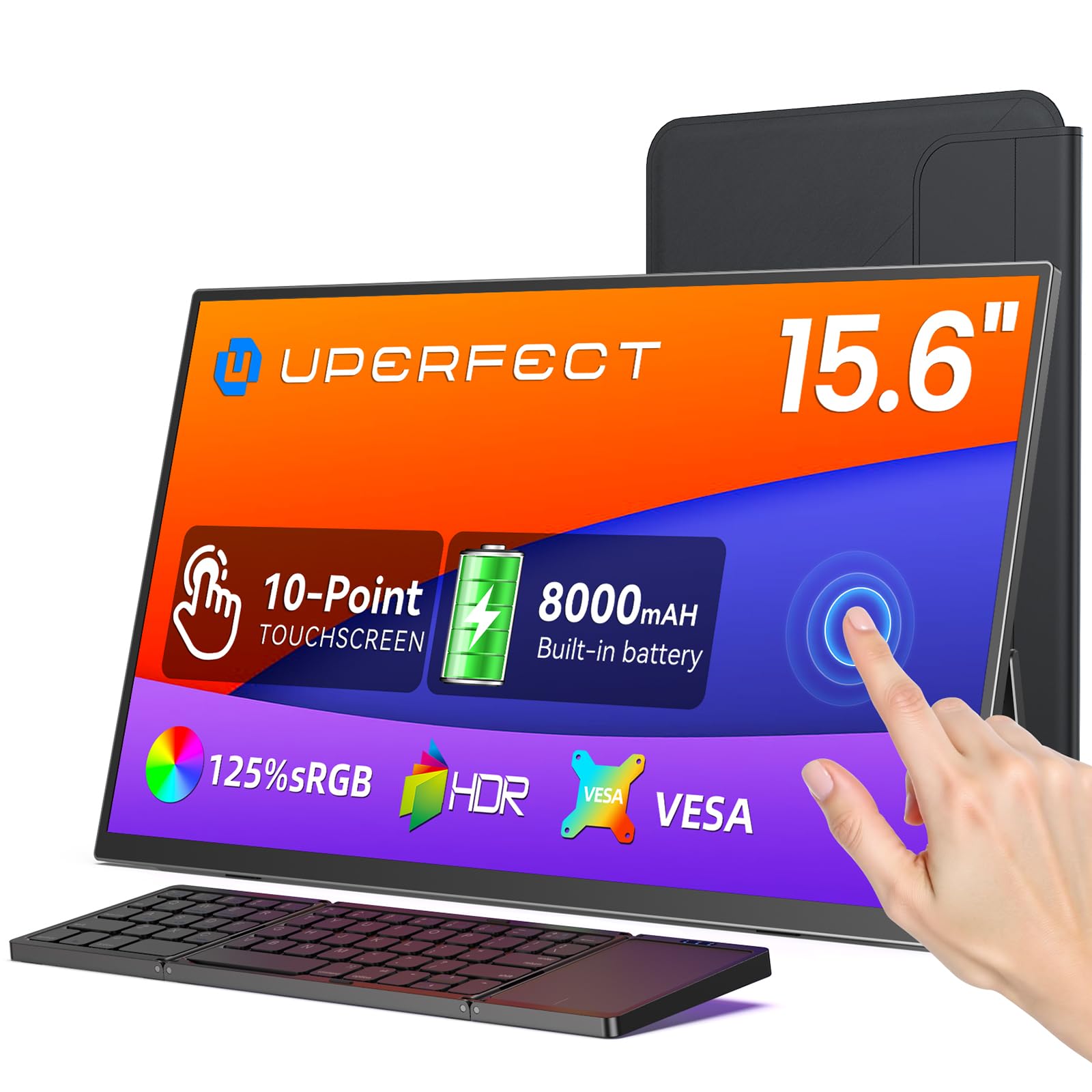
A battery-powered 15.6-inch touchscreen that turns any laptop into a dual-monitor workstation.
This 15.6-inch monitor is the rare portable display that keeps working when the outlet disappears. The built-in 8000mAh battery powers the screen on its own, and it can even charge your phone in a pinch. Owners consistently praise its display quality and portability, making remote work and study feel easy.
The 1920 x 1080 resolution on an IPS panel delivers a bright, crisp picture with a 1500:1 contrast ratio, and the 10-point touch layer responds quickly — plug-and-play with a Galaxy S25 Ultra, per the review pages. It comes with a Bluetooth foldable keyboard and a protective case, so it’s a complete mobile office kit rather than a bare screen.
There are two honest caveats. Touch doesn’t work when you connect an iPad or iPhone, only through USB-C or Mini HDMI with Windows, Android, and MacBook. And buyers report the VESA mount has only 2 holes (75mm), which feels unsafe for wall mounting — so treat the included stand as your primary setup.
What Owners Rave About
- The internal 8000mAh battery means no power supply needed on the go
- Fast, responsive 10-point touch that works straight from the start
- Includes keyboard, case, and all necessary cables
Where to Be Cautious
- Touch is inactive over Mini HDMI — you need USB-C for full function
- VESA mount has only 2 holes (75mm) and feels unsafe to wall-mount
- No screen protection included for transport
Reach for this if: you want a genuine mobile dual-screen setup with battery life to match.
Look elsewhere if: you plan to wall-mount it — the 2-hole VESA mount isn’t up to that job.
2. Android 16 Tablet 10 Inch, 24GB RAM 64GB ROM 1TB, HD IPS, Fast WiFi 6, BT 5.4
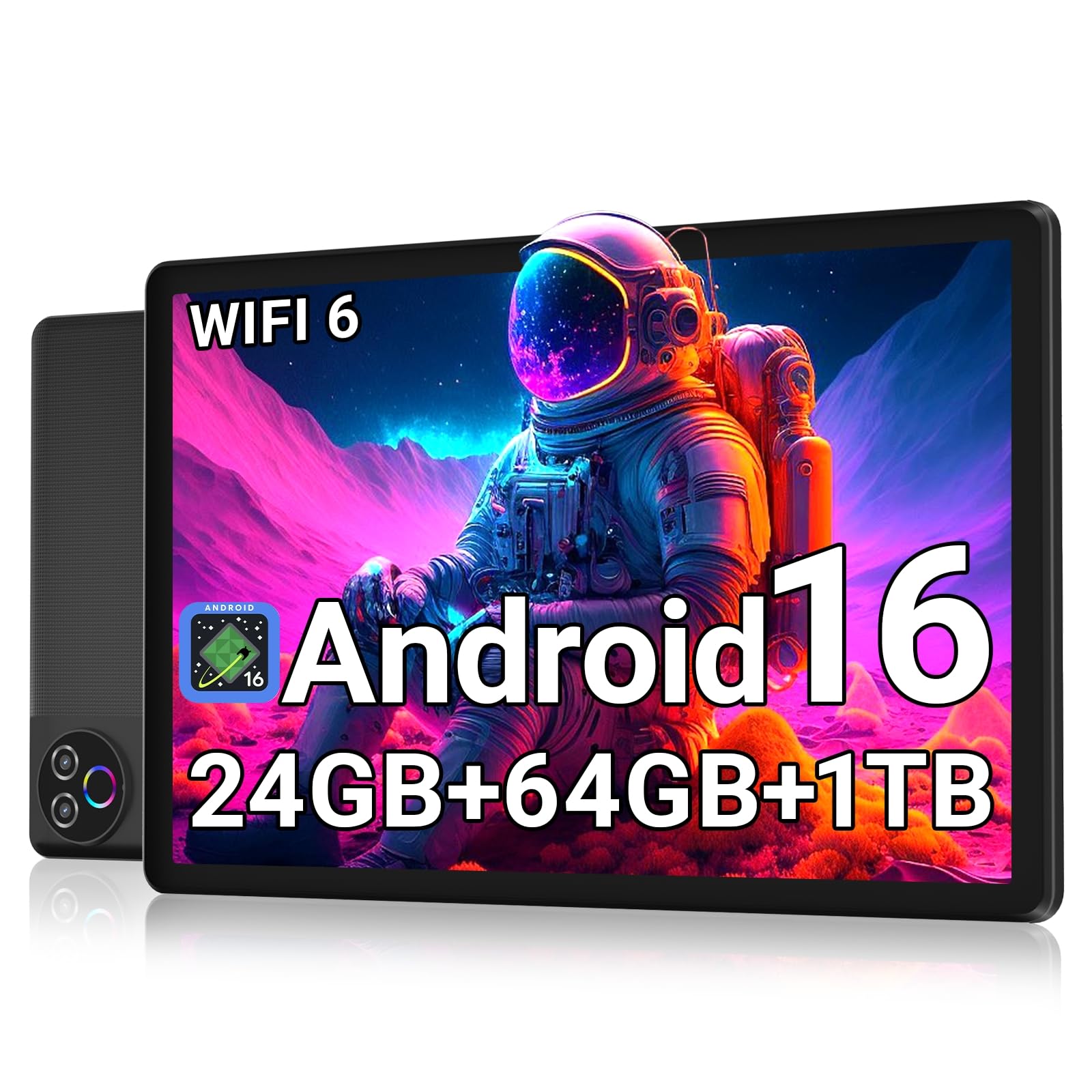
A budget 10-inch tablet with a 6000mAh battery that lasts up to 8 hours of mixed use.
The 10-inch Evermyth tablet earns its budget spot because owners mention it “runs smoothly for everyday use” with a screen that’s “nice and clear.” Its 1280 x 800 resolution on an IPS panel (a screen type that keeps colors vivid from wide angles) stays sharp for a 10-inch display, so text and icons look crisp during work or play. The low-blue-light tech (a filter that reduces eye-straining blue wavelengths) helps during long sessions, and owners praise the device’s look most, followed closely by the value for money. If you want a cheap, reliable screen for basic tasks, this fits; skip it if you need a higher-resolution display for detailed design work.
Under the hood, a 5-core processor hits speeds up to 1.8GHz, paired with 24GB RAM (3GB physical plus 21GB virtual) and 64GB of storage that expands up to 1TB via TF card. The 6000mAh battery delivers up to 8 hours of mixed usage and up to 3 days of standby. Wi-Fi 6 and Bluetooth 5.4 keep connections fast and stable, and the USB-C port makes charging painless.
The screen is notably lower resolution than the UPERFECT’s 1920 x 1080 — a real gap if you plan to read fine text — but for video, browsing, and video calls, it holds up beautifully. It’s also a genuinely thoughtful gift for kids and adults alike, with the 5MP front and 8MP rear cameras handling calls and photos.
Smart buy: If you want a dependable everyday tablet without paying premium prices, the 6000mAh battery and expandable storage make this the value king.
One trade-off: The 1280 x 800 resolution won’t match sharper 2.5K screens when you’re scrutinizing text.
3. Lenovo Idea Tab – College Tablet – 11″ 2.5K IPS Touchscreen Display – 90Hz
An 11-inch 2.5K touchscreen with a 90Hz refresh rate and included stylus for smooth note-taking.
This Lenovo is the study-focused pick, and its 11-inch 2.5K IPS touchscreen with a 90Hz refresh rate is the standout — scrolling and pen input feel noticeably smoother than a standard 60Hz panel. The 2560 x 1600 resolution beats both the UPERFECT’s 1080p and the Evermyth’s 1280 x 800 for fine detail, which matters when you’re marking up PDFs or reading dense textbooks. Owners call the display “crisp” and the stylus precise for notes.
The MediaTek Dimensity 6300 processor pairs with 8GB of memory (expandable by 6GB virtual) and 256GB of storage, plus a microSD slot for more. Battery life is a genuine all-day affair — up to 12 hours of YouTube on the 7216mAh cell, with a 20W charger for quick top-ups. Four Dolby Atmos-tuned speakers handle the audio side, and it ships with a Tab Pen and Folio Case.
The catch is some Android app incompatibility — a few owners found certain apps (Amazon, for one) wouldn’t install. The included folio case also has unsecured edges, and the stylus nibs are hard to find when you need replacements. For campus work and streaming, though, this is the most complete package in the mid-range.
College gold: The 2.5K screen, 90Hz refresh, and included pen make this the best note-taking tablet in the lineup.
Fair warning: Some Android apps aren’t compatible, and the stylus replacement nibs are hard to source.
4. 9″ Wireless Apple Carplay Screen for Car with OTA Update, Backup Camera
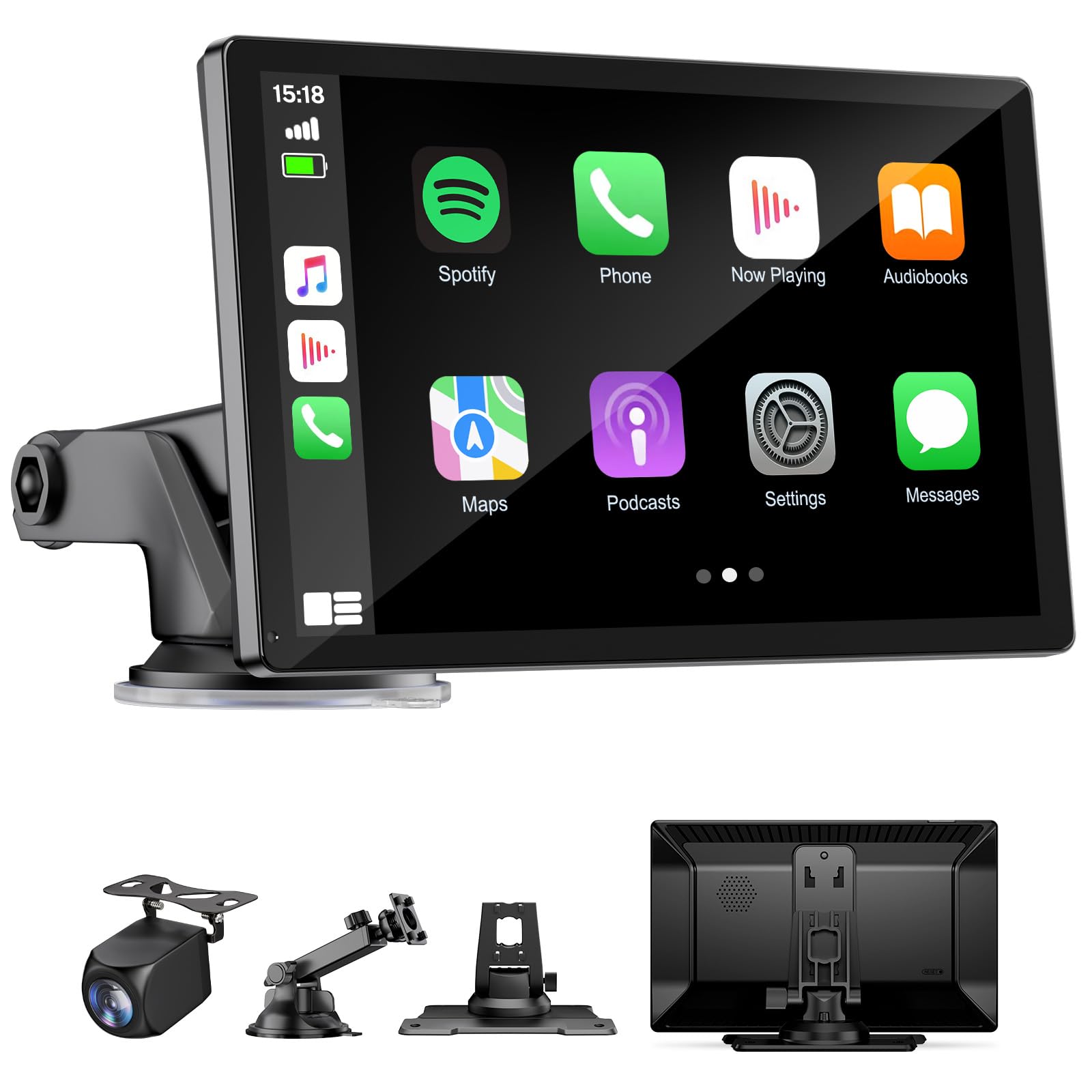
A 9-inch wireless CarPlay and Android Auto screen that adds smartphone integration to older cars.
If your car predates smartphone integration, this HAUXIY screen is the affordable fix. It connects to your phone via Bluetooth and Wi-Fi, then mirrors CarPlay (iPhone) or Android Auto (Android) right onto a 9-inch touchscreen. Owners call it a “must have” for older cars, praising the reliable, quick connection and the bright, responsive display that stays readable in daylight. The 170-degree field of view on the included night-vision backup camera covers your whole driving journey.
Installation is genuinely plug-and-play — it powers from the cigarette lighter socket and comes with two mounts, so you keep your original radio. The 7-meter rear camera cable fits sedans, trucks, vans, and pickup trucks. Built-in speakers, FM radio, Bluetooth audio, and an AUX port give you four ways to get sound, and OTA updates keep it compatible with future phone software.
The one recurring note: a monthly cache clear keeps things running smoothly, which is a minor chore for a device at this price. It also doesn’t replace your car’s head unit — it’s an overlay, not a radio swap. For drivers who just want navigation and calls on a bigger screen, it’s a brilliant value.
The Big Wins
- Wireless CarPlay and Android Auto with reliable, fast connect
- Comes with a night-vision backup camera and 7m cable
- OTA updates keep it compatible with newer phones
Small Annoyances
- Needs a monthly cache clear to stay smooth
- It’s a portable overlay, not a full radio replacement
Grab it for: bringing modern navigation and calls to a car that never had them.
Think twice if: you want to replace your entire stereo unit.
5. Haudio 10.1 inch Single Din Car Stereo, Rotatable Touch Screen Radio
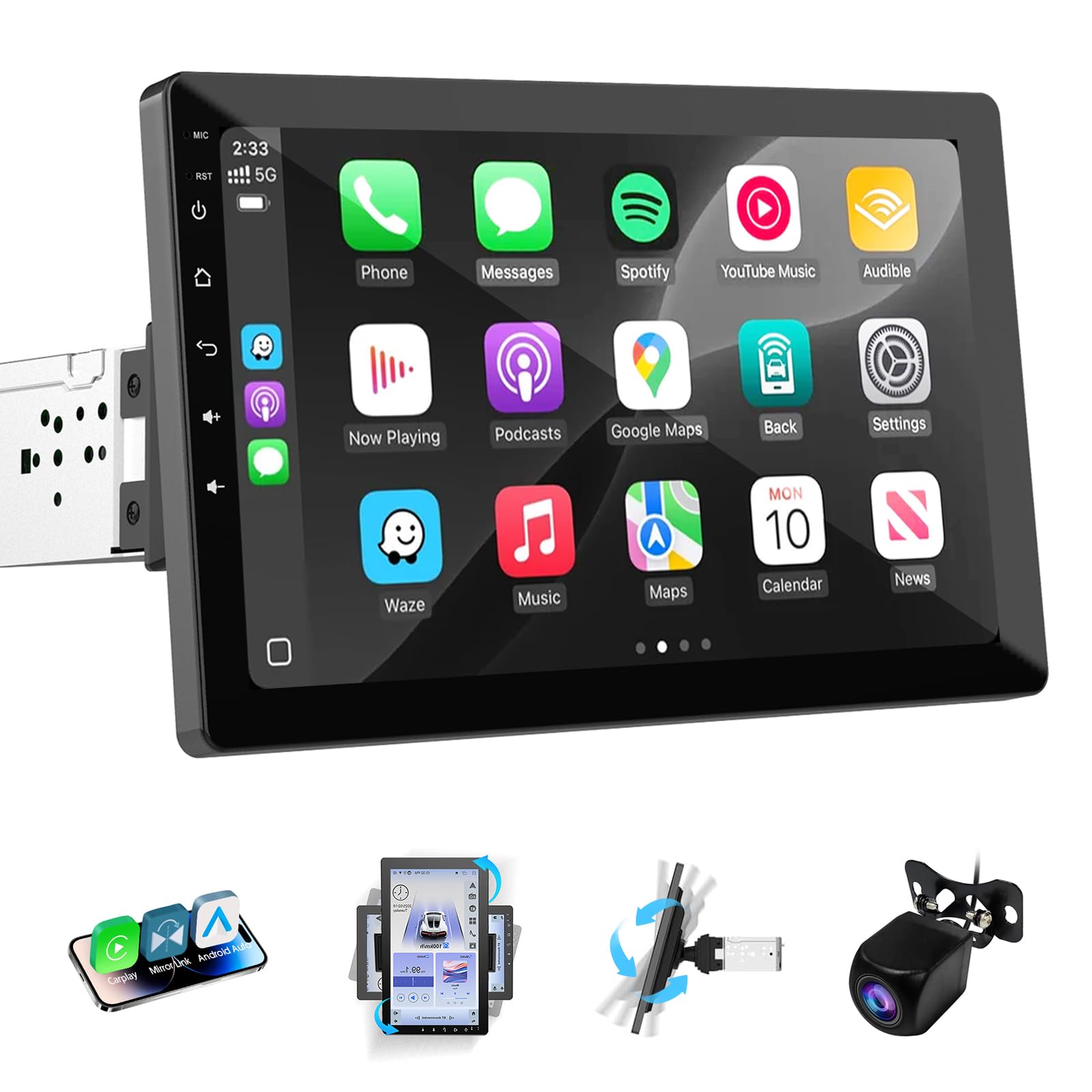
A 10.1-inch rotatable touchscreen that replaces a single-DIN radio with a modern Android head unit.
This Haudio replaces your single-DIN radio entirely, bringing a 10.1-inch IPS display with 1280 x 720 resolution that rotates 360 degrees between portrait and landscape. Owners upgrading older trucks — a 2004 Jeep Wrangler, a 1998 Lincoln Town Car, an F150 — found the install doable with color-matched wiring, and the big bright screen transforms the cabin. It runs built-in CarPlay and Android Auto, so calls, music, and navigation work hands-free with Siri or Google Voice.
The entertainment suite is loaded: 1080p HD video playback, Bluetooth hands-free calling with phonebook support, steering wheel control, built-in FM radio, GPS navigation, audio equalizer settings, and compatibility with backup cameras. Apps come pre-installed including Netflix, Spotify, YouTube, and Chrome, with split-screen support. The touchscreen is the star — owners praise its size and responsiveness.
The honest downside is sound quality, which owners rate as mixed — some find it good, others call it poor, and one found audio outputting only on the right rear channel. The screen rotation can also feel too tight to turn, and installation is easier for experienced users. For a budget dash replacement, the display and app support are the reasons to choose it.
Modern dash makeover: The rotatable 10.1-inch screen and pre-installed apps make this the best value head-unit swap.
Know the risk: Audio quality is inconsistent, and the rotation mechanism can feel stiff.
6. 15.6 Inch Tablet, Android 16, Widevine L1, FHD IPS Display for Sheet Music
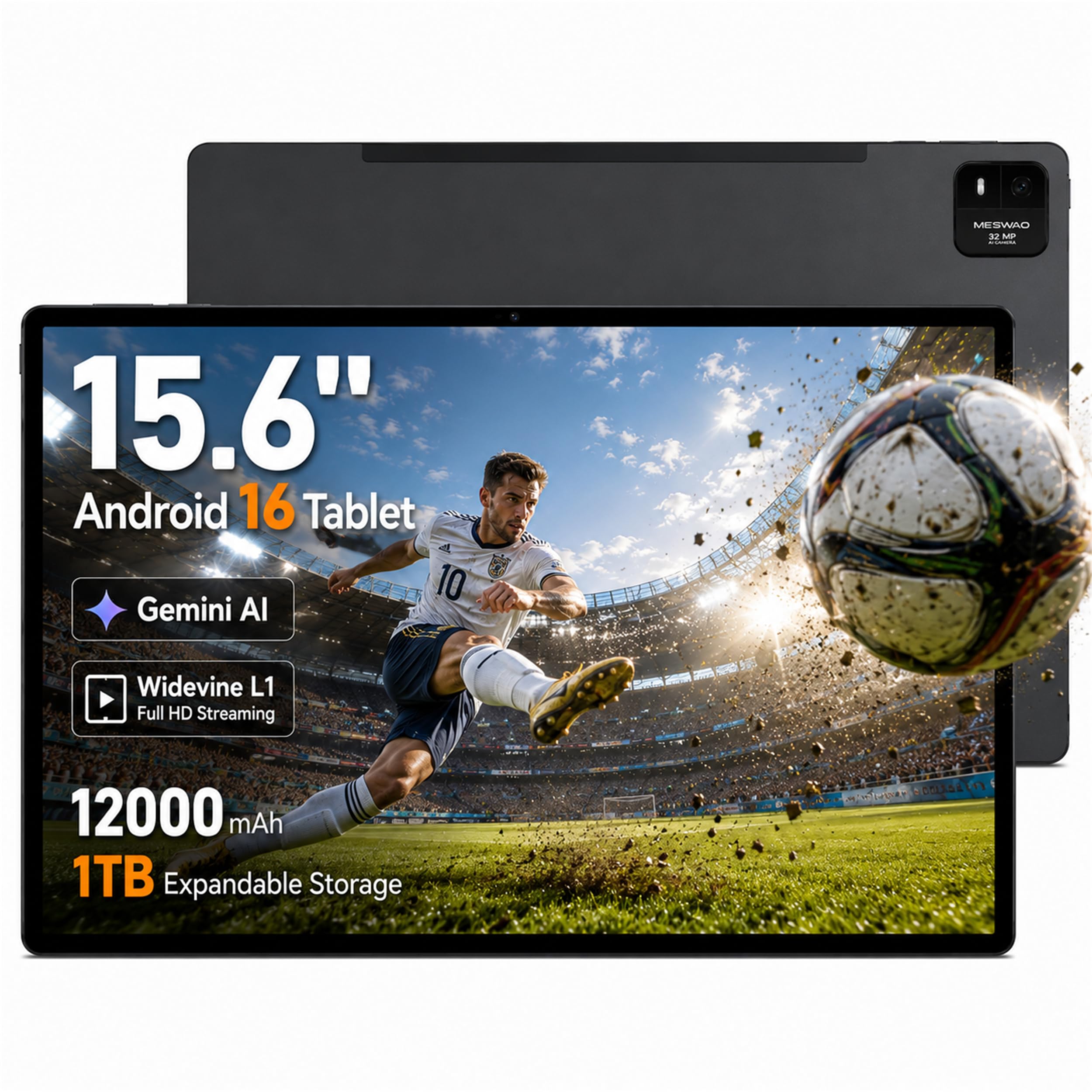
A 15.6-inch FHD touchscreen with a 16:10 aspect ratio and 12000mAh battery for stage-ready sheet music.
Musicians, this is your display. The 15.6-inch IPS touchscreen at 1920 x 1080 uses a 16:10 aspect ratio that adds height rather than width — owners note it fits letter and A4 sheet music better than an iPad, showing two pages at once. The screen stays bright and clear even under stage lighting, and it works with a Bluetooth foot pedal for hands-free page turns. One owner called it “the best Android music reader” with MobileSheets.
Inside, the Helio G99 octa-core processor (up to 2.2 GHz) pairs with 16GB of memory (8GB physical plus 8GB virtual) and 256GB of storage, expandable to 1TB via microSD. The 12000mAh battery is the biggest in the tablet lineup, supporting extended reading and rehearsal sessions with up to 30W PD fast charging. Widevine L1 DRM support means HD playback on compatible streaming apps.
The trade-offs are real: there’s no SIM or cellular support, it’s a bit heavy, and some customers note occasional abrupt shutdowns — reliability gets mixed feedback. The 3-button layout takes a moment to learn. For performers who need a big, bright, long-lasting screen, though, nothing else in this list comes close to its purpose-built design.
Stage-ready: The 12000mAh battery and 16:10 FHD screen make this the definitive digital music stand.
Honest limit: No cellular option, and a few owners hit occasional reliability hiccups.
7. KTC 25 Inch MEGAPAD Portable TV Tablet, Smart Touchscreen Monitor FHD A25Q5
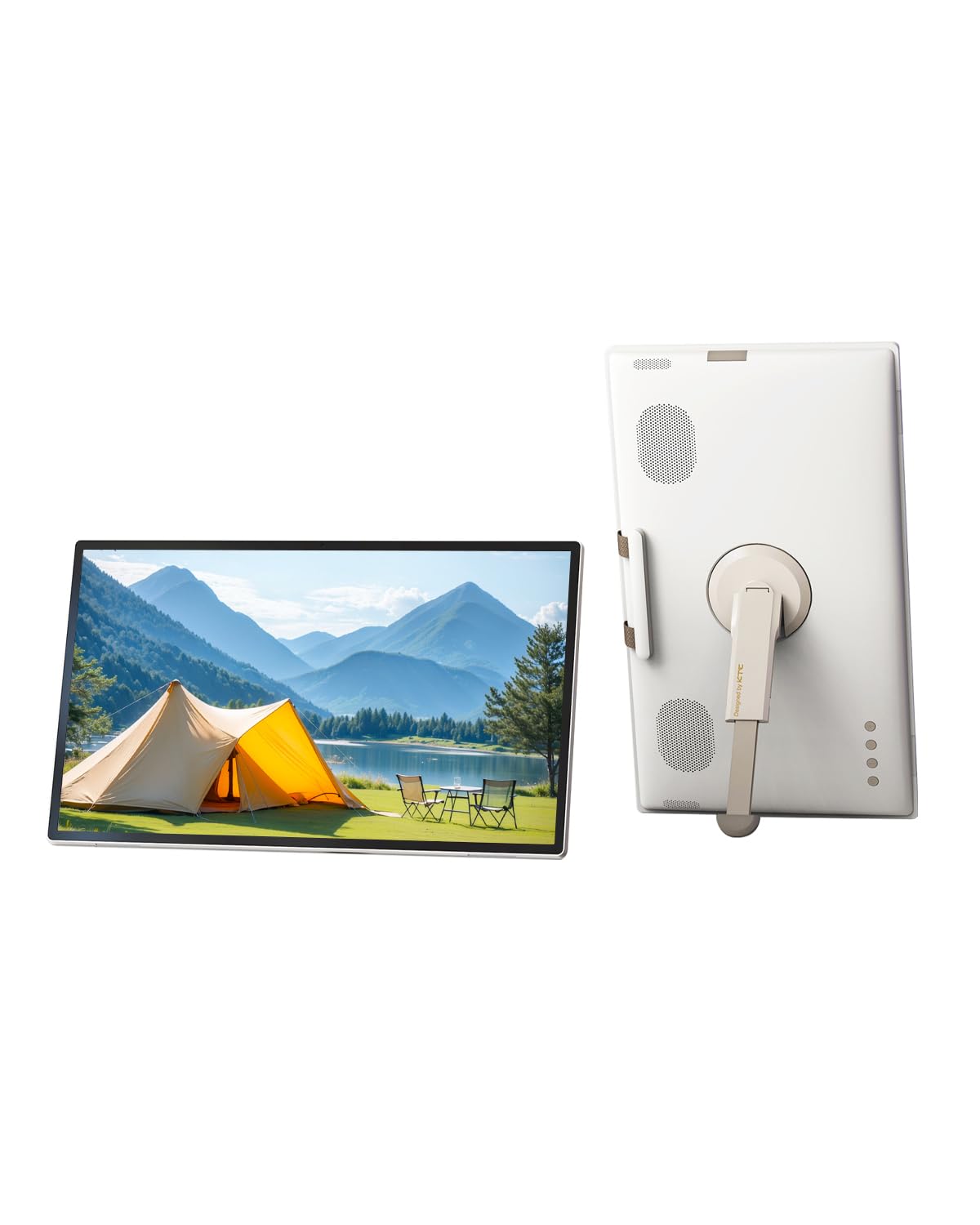
The 24.5-inch Android tablet that moonlights as a portable TV for anywhere
This KTC MEGAPAD bridges the gap between tablet and TV, offering a 24.5-inch 1080p touchscreen that you can flip between landscape and portrait. The fully adjustable screen and 5000mAh battery let you watch movies or run workouts without hunting for an outlet. Owners use it for HIIT routines with adjustable height and tilt, sheet music with two pages side-by-side, and gaming — calling it a daily driver that replaces the need for a separate TV.
It runs Android 14 with Google EDLA certification, so Google Play access is full and unrestricted. The Qualcomm SM6115 chip with 8GB RAM and 128GB storage handles Netflix and YouTube smoothly. The 400 cd/m² brightness and 16.7 million display colors make it vivid indoors and out, and the hidden 8MP camera plus stereo speakers handle video calls and meetings. Wireless projection works via Wi-Fi 5 and Bluetooth 5.1.
The honest catches: no headphone jack means AirPods can fail on Zoom, audio is inconsistent across apps, and the battery arrives at 0% for some — taking three tries to charge. The touch is also overly sensitive for some. It’s pricey compared to a standard monitor, but cheaper than big-brand alternatives with this much screen.
Why It Wins Fans
- Giant 24.5-inch touchscreen with adjustable orientation and mount
- Google EDLA certified with full Play Store access
- 5000mAh battery frees you from the outlet
The Fine Print
- No headphone jack; some Bluetooth earbuds fail on video calls
- Audio levels vary noticeably across different apps
Choose it for: a do-everything screen that moves from workout room to living room.
Pass if: you need consistent audio across all apps.
8. ApoloSign 32 Inch 4K UHD Smart Portable TV on Wheels, Android 16 EDLA Certified

The 32-inch 4K rolling display that turns any room into a giant interactive tablet
This is the biggest, boldest pick — a 32-inch 3840 x 2160 UHD touchscreen on wheels with responsive 10-point touch. It feels like a giant Android tablet for the whole family, and owners call the picture quality excellent and the portability a revelation. The smooth rolling stand glides from bedroom to living room to kitchen, and the built-in 15000mAh battery delivers up to 6 hours of cordless entertainment. One household turned it into a calendar and chore chart that transformed their family routine.
Android 16 with Google EDLA certification gives you full access to Google Play, Google Assistant, YouTube, Netflix, Prime Video, Disney+, Hulu, and Zoom. The 8GB RAM (expandable by 8GB) and 256GB storage keep apps and multitasking running smoothly. It sets up in about 30 minutes per the review pages, and the detachable camera handles video calls.
The major controversy: some reviewers point out the unit actually runs Android 14 TV (EDLA) rather than a full desktop Android, with restricted display settings, no portrait mode, and 4K only in select streaming apps. Bluetooth 5.3 and Wi-Fi 6 keep connections modern. For families wanting one flexible screen, it’s exceptional value despite the OS debate — but verify your must-have features before committing.
Family centerpiece: The 4K touchscreen, 15000mAh battery, and rolling stand make this the most versatile display here.
Verify first: Some units ship with Android 14 TV instead of full Android 16, so confirm your key apps and features work.
Understanding the Specs
Resolution and Pixel Density
Resolution tells you how many pixels make up the image, written as width x height (like 1920 x 1080 for Full HD). More pixels mean sharper text and more detailed video, but the screen size matters too — the same 1080p resolution looks crisper on a 15.6-inch display than on a 32-inch one. For up-close work like reading or drawing, you want 2560 x 1600 (2.5K) or higher; for watching video from a distance, 1080p usually looks great.
Battery Capacity in mAh
Battery capacity is measured in mAh (milliamp-hours), and it’s the single best predictor of how long a portable display runs unplugged. A 5000mAh cell might give you a few hours of streaming, while 12000mAh to 15000mAh can power a large screen through a full workday or an evening of entertainment. If you’re always near power — a car, a desk, a kitchen outlet — capacity matters less than if you’re traveling or performing.
Touch Technology and Refresh Rate
Touch screens register your taps through a digitizer layer, and multi-point touch (like 10-point) lets multiple fingers work at once for pinch-to-zoom. Refresh rate, measured in Hz, is how many times per second the screen redraws — a 90Hz panel feels noticeably smoother for scrolling and pen input than a standard 60Hz one. This matters most for note-taking and fast-paced content, less for static reading.
Google Certification and Compatibility
Google EDLA certification (Enterprise Device Licensing Agreement) means a device has full access to Google Play and Google services. Without it, you’re limited to whatever app store the manufacturer bundles. Also check connection types: full-function USB-C carries both video and touch on many portable monitors, while HDMI carries video only — so your phone or laptop needs the right port to get touch working.
FAQ
Will touch work on a portable monitor with any phone?
What is the difference between 1080p and 2.5K on a tablet screen?
How long does a 12000mAh battery actually last?
Can a portable CarPlay screen replace my car’s existing radio?
Why does Google EDLA certification matter for a smart display?
What does a 90Hz refresh rate do for a tablet?
Can I use a large Android touch display as a second monitor for my laptop?
How much storage do I really need on an Android tablet?
Final Thoughts: The Verdict
For most buyers, the android touch screen display winner is the UPERFECT 15.6” Portable Monitor because its 8000mAh battery and 1080p touchscreen deliver genuine portability for work and play. If you want the sharpest display for note-taking and campus life, grab the Lenovo Idea Tab with its 2.5K 90Hz screen. And for a whole-family, room-to-room display, the ApoloSign 32” 4K Portable TV is the one to reach for.
How We Picked
We do not accept paid placement. Every pick is matched to a real buyer and a real use-case; we do not hands-on test units.
Sources & Methodology
Specifications: manufacturer listings and product documentation. Review insights: verified customer reviews, as of August 2026. Pricing: not shown on this page (it changes often); check the current price via the retailer link.
As an Amazon Associate, Gadgets Feed earns from qualifying purchases. This does not affect which products we feature.