
Finding a pair of Android XR glasses that delivers a genuinely usable virtual screen—without blurry edges, distracting glare, or a battery-draining tether—remains the single biggest frustration for early adopters. The market is flooded with specs sheets boasting “200-inch displays” and “120Hz refresh rates,” but real-world comfort, optical clarity, and plug-and-play compatibility with your actual Android phone (or Steam Deck, or MacBook) vary wildly between models.
I’m Min — the co-founder and writer behind Gadgets Feed. I’ve spent hundreds of hours analyzing the optical engines, micro-OLED panel specs, spatial tracking chips, and myopia adjustment systems across the latest AR/XR glasses to separate marketing claims from usable hardware.
Whether you’re looking for a private cinema on a plane, a multi-monitor productivity setup in a coffee shop, or a lag-free gaming display for your handheld console, this guide breaks down every meaningful spec to help you find the best android xr glasses for your actual use case.
How To Choose The Best Android XR Glasses
Choosing the right pair of XR glasses for your Android phone, Steam Deck, or laptop comes down to understanding the interplay between display optics, spatial tracking capability, comfort engineering, and device compatibility. Not all “USB-C” glasses work seamlessly with every device, and not all “200-inch screens” look equally sharp.
Display Optics: Resolution, FOV, and Brightness
The foundation of any good XR glass is the micro-OLED panel. A 1920×1080 per-eye resolution (FHD) is the baseline, but the real detail comes from pixel density and optical clarity. Look for 1200p panels (offered by VITURE) for noticeably sharper text, and pay attention to the field of view (FOV)—50° to 57° is the current sweet spot for an immersive but not overwhelming experience. Brightness matters more than you think: 600 nits is fine for dim rooms, but outdoor or bright-light use demands 1000 nits or more, ideally paired with electrochromic dimming rather than a snap-on shade.
Spatial Tracking: 3DoF vs 6DoF and the Chip Inside
Entry-level glasses offer 0DoF (screen follows your head) or app-based 3DoF that introduces latency and drift. Premium models like the XREAL One Pro and VITURE Luma Ultra use a dedicated spatial computing chip (X1 or equivalent) to deliver native, low-latency 3DoF with a motion-to-photon latency of 3ms. If you plan to use anchored screens for productivity or gaming, native 3DoF is non-negotiable. 6DoF (full spatial anchoring) requires an additional camera accessory like XREAL Eye or VITURE Pro Neckband.
Comfort, Myopia Adjustment, and Audio
Weight distribution, nose pad design, and IPD (interpupillary distance) range determine whether you can wear these glasses for a full movie or a work session without discomfort. Built-in myopia adjustment (up to -6.0D on some models) is a huge convenience, avoiding the hassle of prescription lens inserts. For audio, branded tuning from Bose, Bang & Olufsen, or Harman typically delivers better spatial staging and less audio bleed than generic drivers, but open-ear designs always leak some sound at higher volumes.
Quick Comparison
On smaller screens, swipe sideways to see the full table.
| Model | Category | Best For | Key Spec | Amazon |
|---|---|---|---|---|
| XREAL One Pro | Premium | Best-in-class spatial tracking | 57° FOV, X1 chip, 3ms M2P latency | Amazon |
| VITURE Luma Ultra | Premium | Brightest display + 6DoF capability | 1500 nits, 52° FOV, triple-camera 6DoF | Amazon |
| Rokid AR Spatial (Max2 + Station2) | Premium | 3-screen multitasking on Android | 3-screen display, 5000mAh Station2 | Amazon |
| XREAL 1S | Mid-Range | Native 3DoF with Bose audio | 52° FOV, X1 chip, 52g weight | Amazon |
| VITURE Luma Pro | Mid-Range | Sharpest text clarity | 1200p, 52° FOV, Harman audio | Amazon |
| TOZO VIZO Z1 Pro | Mid-Range | Portable, folding design | 47.5° FOV, 63g, 3840×1080 panel | Amazon |
| VITURE Luma | Mid-Range | Best value with myopia adjustment | 1200p, 50° FOV, -6.0D adjustment | Amazon |
| Meta Ray-Ban (Gen 2) | Mid-Range | AI assistant + camera, not display | 12MP camera, 8h battery, Meta AI | Amazon |
| RayNeo Air 4 Pro Batman | Mid-Range | HDR cinema with collector design | HDR10, B&O audio, 120Hz, 201″ | Amazon |
| Rokid Max 2 | Mid-Range | 215″ virtual screen, 75g | 50° FOV, 600 nits, 120Hz | Amazon |
| GOOVIS Art | Mid-Range | Open-view design for multitasking | 110″ FHD, 55PPD, 110g, 60Hz | Amazon |
In‑Depth Reviews
1. XREAL One Pro

The XREAL One Pro stands out as the most complete spatial computing package available today, thanks to its self-developed X1 chip that delivers rock-solid native 3DoF tracking with an ultra-low 3ms motion-to-photon latency. The 57° FOV is the widest in this comparison, projecting a crisp 171-inch virtual screen from a 1920×1080 micro-OLED panel running at a smooth 120Hz. The new X-Prism optics significantly reduce the ghosting and edge blur that plagued earlier generations, and the dual IPD sizing (M for 57-66mm, L for 66-75mm) ensures a proper fit for a wide range of users.
Audio is co-tuned by Bose, delivering a spacious open-ear soundstage with clear mids and deeper lows than most competitors. The electrochromic dimming adjusts lens tint instantly, and the 700-nit peak brightness is sufficient for most indoor and shaded outdoor scenarios. Pairing with the optional XREAL Eye unlocks full 6DoF spatial anchoring, making the One Pro a future-proof platform rather than a static display.
Some users report occasional display disconnects with certain Android phones, and the lack of built-in myopia adjustment (prescription inserts required) is a notable omission at this price tier. The spring hinge design and three-stage adjustable arms, however, deliver exceptional comfort for extended sessions.
Why it’s great
- Industry-leading 57° FOV with 120Hz micro-OLED
- Native 3DoF via X1 chip, upgradable to 6DoF
- Bose-tuned audio and electrochromic dimming
Good to know
- No built-in myopia adjustment
- Occasional compatibility quirks with some Android phones
2. VITURE Luma Ultra
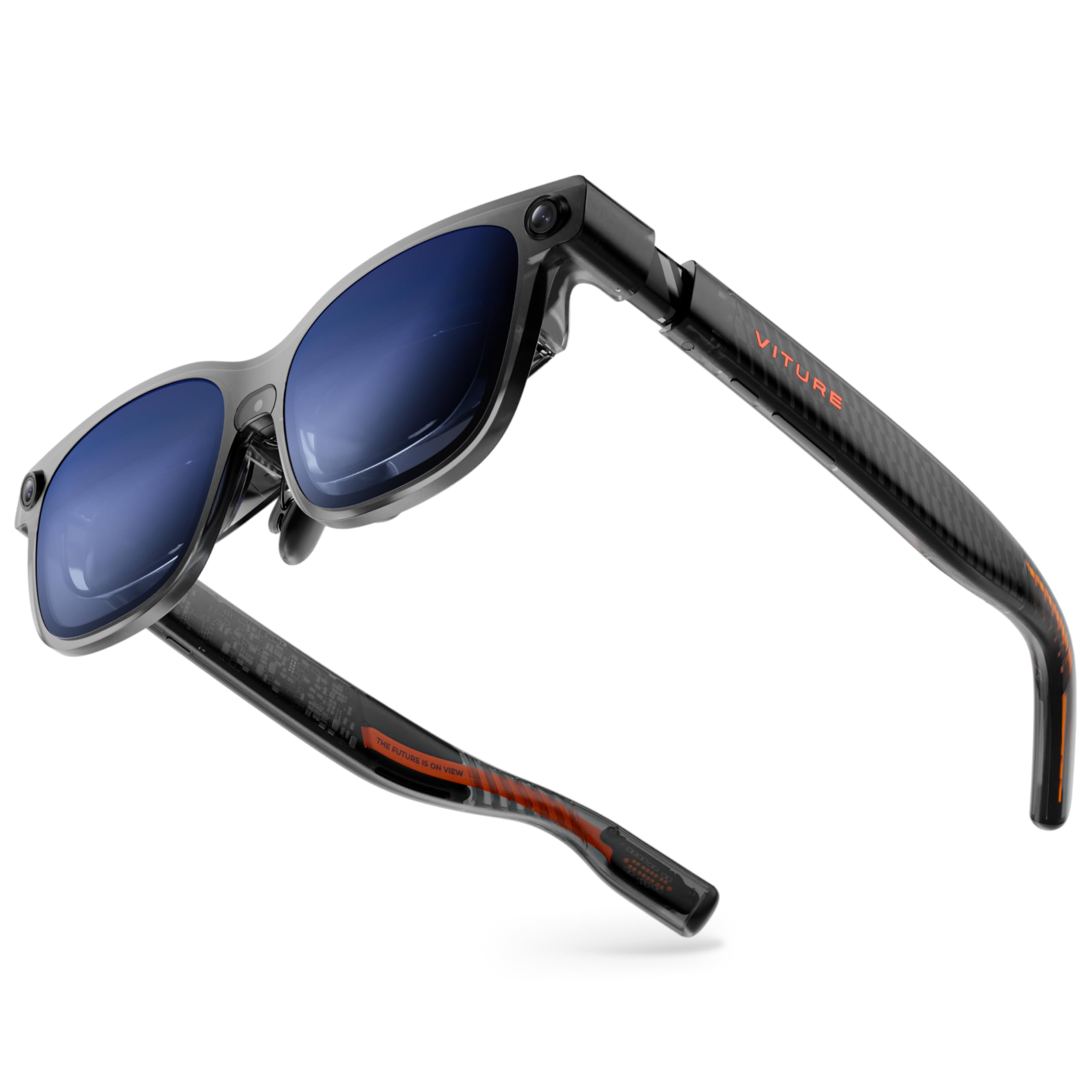
The VITURE Luma Ultra is the brightest XR glass on this list, pushing 1500 nits peak brightness via a new-generation micro-OLED panel that also reduces power consumption by 35% compared to earlier VITURE panels. This brightness headroom makes the 152-inch virtual screen genuinely usable outdoors and in brightly lit rooms, and the 52° FOV feels expansive for both movies and gaming at 120Hz. The triple-camera setup (front RGB plus dual depth cameras) enables zero-drift 6DoF spatial computing when paired with the VITURE Pro Neckband, including hand gesture recognition.
The Harman-tuned audio delivers deeper bass and clearer highs than most open-ear designs, and the electrochromic film darkens on a single tap. Built-in myopia adjustment up to -4.0D covers a solid range, and the flexible arms with three swappable nose pads provide a comfortable fit for most face shapes. The RGB lighting on the frame is a stylish touch for gamers, with customizable color sync.
The main caveat is that the full 6DoF and hand-tracking capabilities require the separate Pro Neckband—without it, the Luma Ultra behaves like a standard 0DoF/3DoF display. Some early reviews note that the glasses are slightly heavier than competitors, and the SpaceWalker software for multi-screen productivity still needs refinement.
Why it’s great
- 1500 nits peak brightness for outdoor use
- Triple-camera 6DoF with hand gesture support
- Harman audio and programmable RGB lighting
Good to know
- 6DoF features require optional Neckband
- Heavier than some competitors at 84g
3. Rokid AR Spatial (Max2 + Station2)

The Rokid AR Spatial bundle combines the Max2 glasses with the Station2 spatial computer, creating a self-contained ecosystem that doesn’t rely on your phone’s battery or processing power. The Max2 glasses feature a 50° FOV with a 1920×1200 micro-OLED panel at 120Hz and 600 nits brightness, but the real differentiator is the Station2’s 3-screen multitasking capability. You can run up to three apps simultaneously on virtual screens, with native 3DoF support in Giant Screen and Multi-Screen modes.
The Station2 packs 8GB RAM, 128GB storage, Wi-Fi 6, and a 5000mAh battery rated for about 3.5 hours of runtime. Dual USB-C ports allow charging while using, and the YodaOS-Master system provides access to streaming apps. The Max2 glasses themselves weigh only 75g with a redesigned nose pad that reduces slippage, and the built-in myopia adjustment goes up to -6.0D.
The 3-screen display via DLNA (not direct USB-C mirroring) on Android phones is a notable limitation, and the Station2’s software can feel unpolished—some users report registration failures and app crashes. The virtual screen FOV is also narrower than competitors, and the “360-inch” claim is only achievable in specific modes at specific distances.
Why it’s great
- Standalone spatial computer with 3-screen multitasking
- Lightweight 75g glasses with -6.0D myopia adjustment
- 5000mAh Station2 with Wi-Fi 6
Good to know
- 3-screen mode limited to DLNA on Android
- Software stability and app availability need improvement
4. XREAL 1S

The XREAL 1S delivers native 3DoF spatial viewing powered by the same X1 chip found in the One Pro, but at a more accessible price point. The 52° FOV projects a 500-inch virtual screen (at distance) with a 1920×1080 OLED panel running at 120Hz in 3DoF mode and 90Hz globally. The optical engine has been redesigned for 9% better clarity from center to edge, and the TÜV Rheinland eye comfort certification covers low blue light, flicker-free operation, and UV protection.
Audio by Bose is a standout feature—the custom AR-grade drivers and dedicated acoustic chamber deliver a spacious soundstage with deeper lows and clearer vocal clarity than most mid-range XR glasses. The 0DoF follow mode, 3DoF anchor mode, Ultrawide Mode (32:9 or 21:9), and Real 3D Mode offer genuine versatility for different content types.
Some users report that the anchor mode can drift over time, and the settings reset on boot (partially mitigated by a quick button press). The REAL 3D mode is impressive but reduces perceived clarity, and the lack of built-in myopia adjustment means prescription inserts are necessary for users who need vision correction.
Why it’s great
- Native 3DoF with X1 chip, no app setup
- Bose-tuned audio with excellent soundstage
- TÜV Rheinland certified eye comfort
Good to know
- Anchor mode may drift during long sessions
- No built-in myopia adjustment
5. VITURE Luma Pro
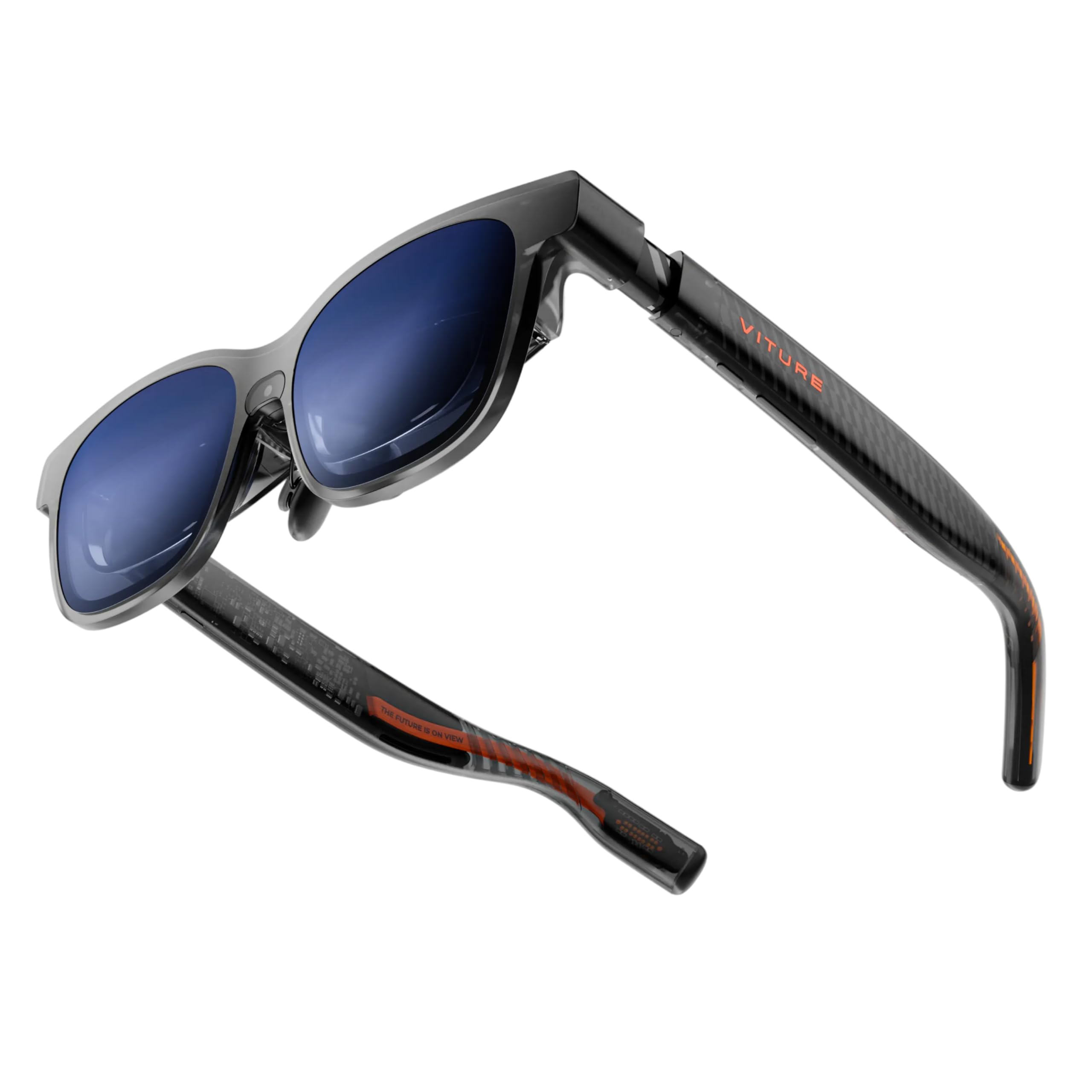
The VITURE Luma Pro offers the sharpest text rendering in this comparison thanks to its 1200p resolution per eye—noticeably crisper than standard 1080p for reading code, spreadsheets, or subtitles. The 152-inch virtual screen at 52° FOV runs at 120Hz with 1000 nits brightness and Hollywood-grade color accuracy (DeltaE < 2), making it a serious tool for both productivity and entertainment.
The Harman-tuned audio delivers fuller bass and crisper highs compared to open-ear alternatives, and the electrochromic film enables instant lens darkening. The Luma Pro also introduces programmable RGB lighting on the frame, a first for XR glasses. Built-in myopia adjustment goes up to -4.0D, and the glasses come in two IPD sizes (Regular for 58-70mm, Large for 62-74mm) to accommodate different face shapes.
Some users find that the top of the screen can be cut off depending on face shape, and the SpaceWalker app for multi-screen productivity is still maturing. The Luma Pro lacks the native 3DoF chip of the XREAL series, relying instead on the connected device or the optional Pro Neckband for spatial tracking.
Why it’s great
- 1200p resolution for razor-sharp text
- Harman audio with deep bass and clear highs
- Two IPD sizes and programmable RGB
Good to know
- No native 3DoF chip; requires Neckband for spatial tracking
- Screen cut-off possible depending on face shape
6. TOZO VIZO Z1 Pro
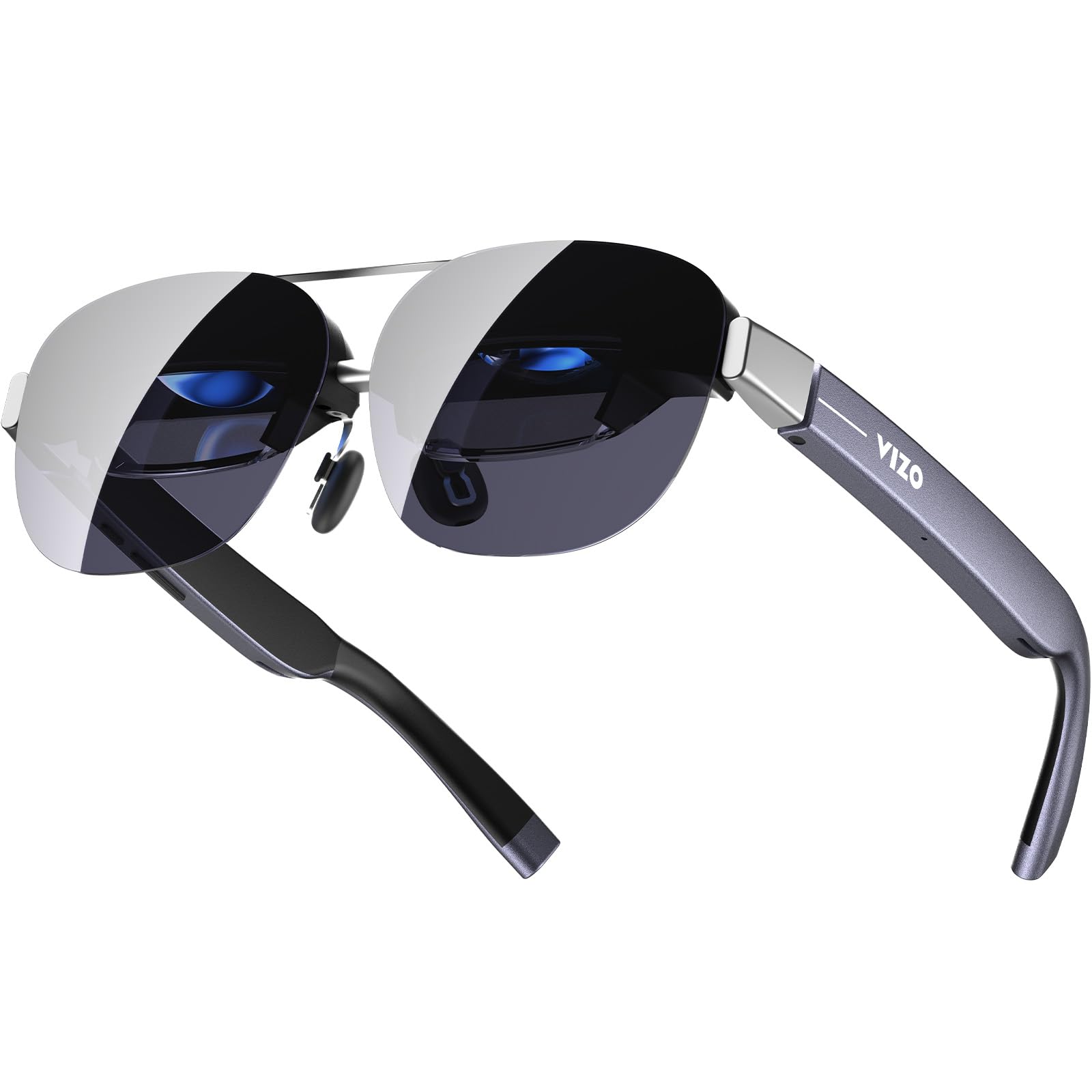
The TOZO VIZO Z1 Pro prioritizes portability without sacrificing visual quality, weighing just 63g and folding into a compact form factor similar to a pair of sunglasses. The 3840×1080 micro-OLED panel (effectively 1920×1080 per eye) delivers a 160-inch virtual screen with 98% DCI-P3 color coverage and a 200,000:1 contrast ratio, making it a strong choice for media consumption on the go. The 120Hz refresh rate ensures smooth motion in games and fast-paced content.
The detachable frame allows for easy prescription lens mounting, and the multi-level brightness control keeps the display usable in various lighting conditions. Integrated stereo speakers and tactile buttons provide a complete all-in-one experience without requiring separate earbuds. The plug-and-play USB-C connectivity works with most DisplayPort-enabled smartphones, tablets, and laptops.
Some users note slight corner blurring—a common issue with birdbath optics at this price tier—and the speakers exhibit noticeable audio bleed at higher volumes. The 47.5° FOV is narrower than top-tier competitors, and the lack of any spatial tracking (0DoF only) means this is strictly a personal display rather than an AR device.
Why it’s great
- Ultra-light 63g with foldable design
- 3840×1080 micro-OLED with 98% DCI-P3
- Detachable frame for prescription lenses
Good to know
- No spatial tracking (0DoF only)
- Slight corner blur and audio bleed
7. VITURE Luma
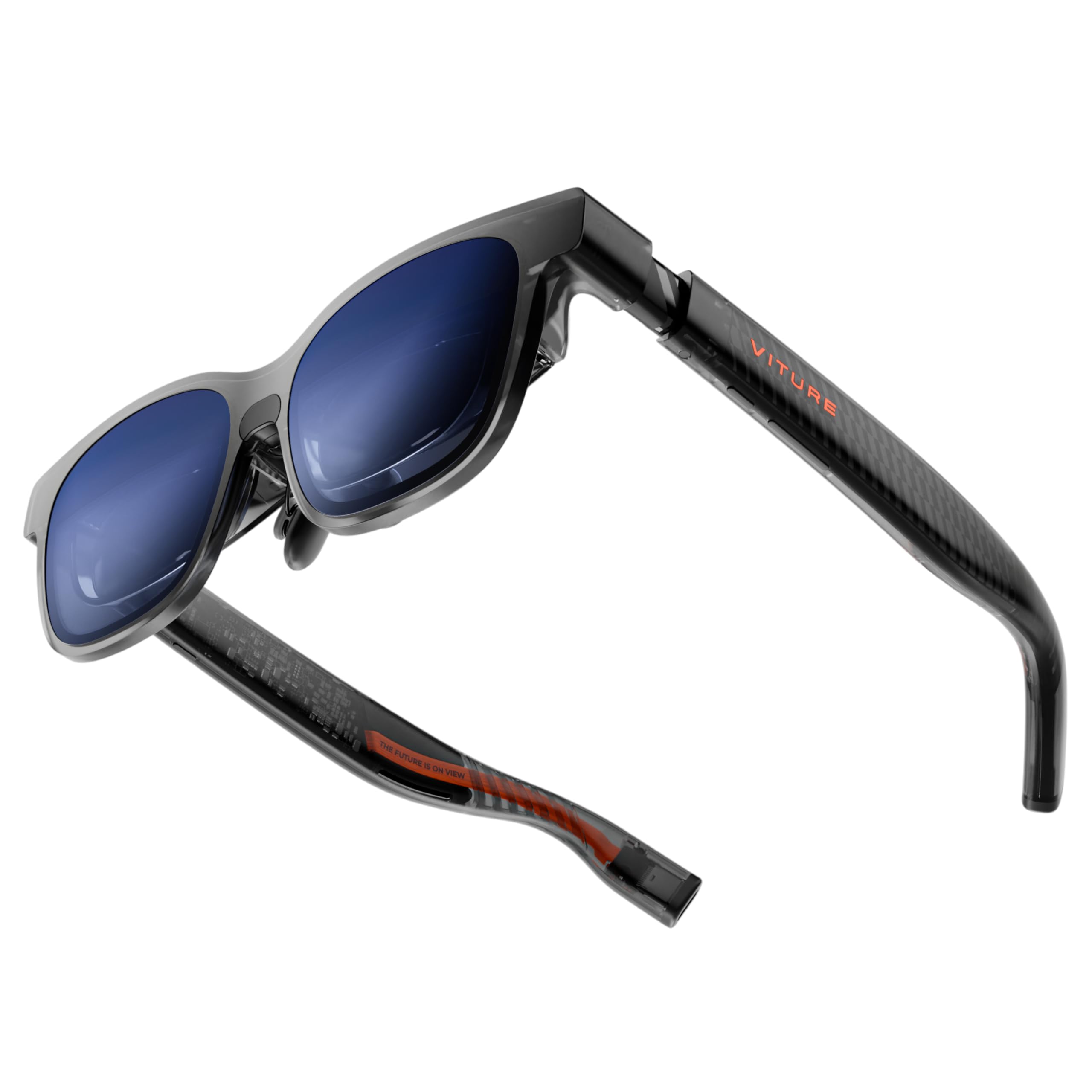
The VITURE Luma is the entry point into VITURE’s ecosystem but punches well above its price tier, offering the same 1200p resolution as the Luma Pro in a 146-inch virtual screen with a 50° FOV. The 1000 nits peak brightness and 120Hz refresh rate match the mid-range standard, and the 2D-to-3D conversion software is a genuinely useful party trick for transforming streaming content into immersive depth.
The most practical feature for prescription users is the built-in myopia adjustment up to -6.0D—the widest range in this comparison—which eliminates the need for prescription inserts for most nearsighted users. The electrochromic film darkens lenses instantly, and the flexible arms with magnetic nose pads provide all-day comfort. The SpaceWalker app enables multi-screen productivity, though it requires a download.
The Luma lacks the Harman audio tuning of the Pro model, and the built-in speakers are adequate but not exceptional. The 50° FOV feels slightly less immersive than the 52° panels on the Pro and Ultra, and the 0DoF-only operation means the screen follows your head without spatial anchoring.
Why it’s great
- 1200p resolution with -6.0D myopia adjustment
- 1000 nits brightness and electrochromic film
- Excellent value with 2D-to-3D conversion
Good to know
- No spatial tracking or HARMAN audio
- SpaceWalker app required for multi-screen use
8. Meta Ray-Ban (Gen 2)
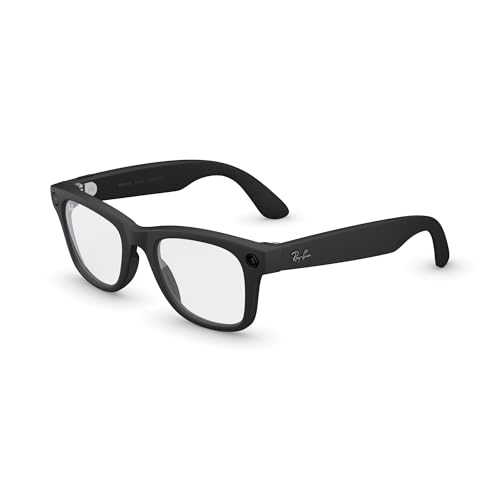
The Meta Ray-Ban (Gen 2) is fundamentally different from every other product in this comparison—it is not a virtual display but a smart AI assistant and camera built into a stylish Wayfarer frame. The 12MP ultra-wide camera records sharp 3K video and captures high-quality photos hands-free, and the open-ear speakers allow music and calls while maintaining situational awareness. Meta AI provides real-time translation, voice queries, and reminders directly from the glasses.
Battery life has been doubled to up to 8 hours with moderate use, and the charging case extends that to 48 hours of standby. The noise-cancelling microphone system blocks 90% of wind and street noise for clear calls. The 51.3g frame feels just like regular glasses, and the clear lenses can be swapped for prescription or transitions.
This is not a replacement for a monitor or gaming display—it has no virtual screen at all. Voice commands can be frustrating when they misinterpret requests, and the continuous recording time is limited to about 30 minutes per clip. For users who want a hands-free AI companion and camera, it’s excellent; for those seeking a large virtual screen, look elsewhere.
Why it’s great
- 12MP camera with 3K video recording
- 8-hour battery life with 48-hour charging case
- Real-time translation and Meta AI integration
Good to know
- No virtual display—camera and AI only
- Voice commands can be inconsistent
9. RayNeo Air 4 Pro Batman Limited Edition
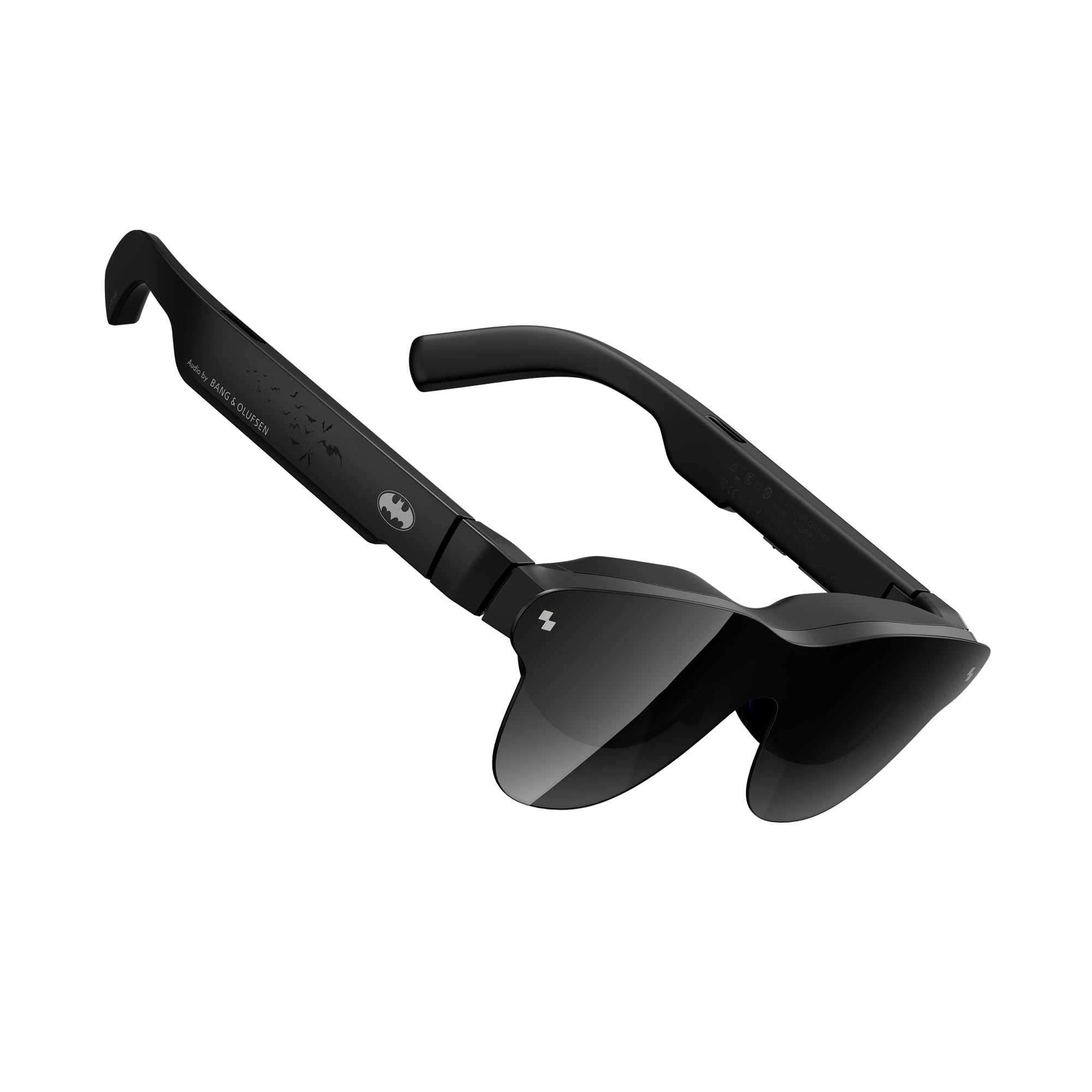
The RayNeo Air 4 Pro Batman Limited Edition is a collector-grade XR glass that doubles as a genuine HDR cinema display. The HDR10 support with AI-enhanced 1200 nits brightness ensures deep blacks and piercing highlights, and the Vision 4000 chip provides AI SDR-to-HDR conversion for non-HDR content. The 201-inch virtual screen runs at 120Hz, and the quad-speaker system co-tuned by Bang & Olufsen delivers a 360-degree soundstage that’s genuinely immersive for movies and games.
The AI-powered 2D-to-3D conversion adds narrative depth to standard content, and the matte black Bat Shade design is a subtle but distinctive aesthetic for collectors. At 120Hz, motion handling is smooth across fast-paced action scenes and games. The USB-C connectivity works with most modern smartphones, gaming consoles, and laptops.
Some users report that the glasses work best for those with good eyesight—users with significant vision problems may experience blurry edges and text. The plastic build feels less premium than the price suggests, and the tinted lens can cause reflections in bright environments. The adjustment mechanism is also reported as somewhat fragile.
Why it’s great
- True HDR10 with 1200 nits AI-enhanced brightness
- B&O quad-speaker audio with 360° soundstage
- Unique collector-grade Batman design
Good to know
- Edge blur and reflections for users with poor eyesight
- Plastic build feels less premium than price suggests
10. Rokid Max 2
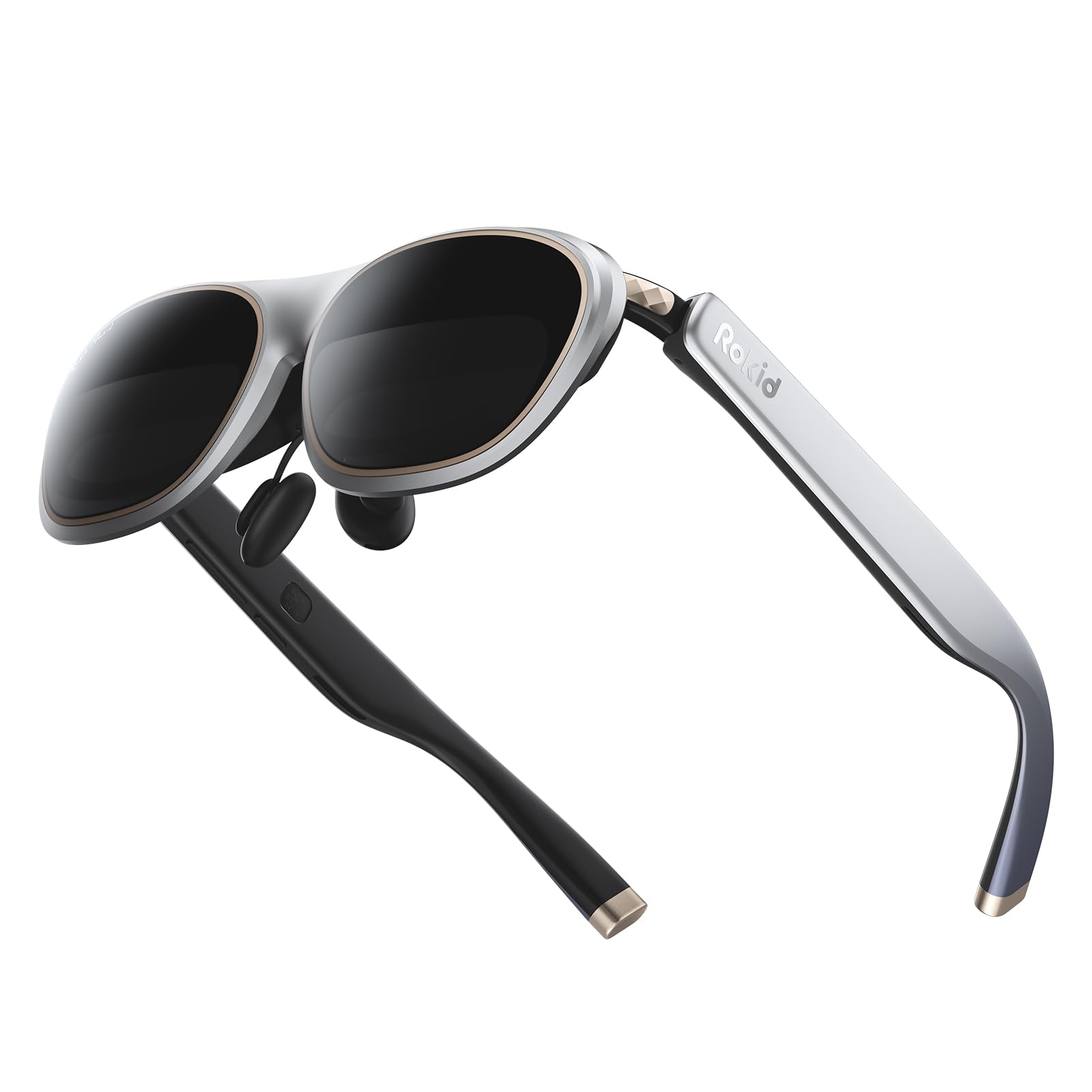
The Rokid Max 2 offers the largest claimed virtual screen in this comparison at 215 inches, powered by a micro-OLED display with a 50° FOV and 600 nits brightness at 120Hz. The 75g frame is one of the lightest in its class, and the redesigned nose pad with airy cushioning prevents slippage and reduces fatigue during extended wear. The myopia adjustment dial on top goes up to -6.0D, making it accessible for most nearsighted users without extra inserts.
The glasses are powered directly via USB-C from the connected device, meaning no internal battery to charge or degrade. The included HDCP support ensures seamless streaming of protected content from Netflix, Disney+, and other services. The 600 nits brightness is adequate for indoor use but struggles in brightly lit environments.
Some users report that the glasses lack practical 3DoF functionality—the head tracking can feel limited, and the 3D mode is not supported with all content. The build quality is acceptable but not exceptional, and the lack of electrochromic dimming means you’ll need the included lens shade for privacy or light blocking.
Why it’s great
- 215-inch virtual screen at 120Hz
- Lightweight 75g with comfortable nose pad
- Built-in myopia adjustment up to -6.0D
Good to know
- 600 nits may be too dim for bright environments
- Limited 3DoF tracking and 3D content support
11. GOOVIS Art

The GOOVIS Art takes a fundamentally different approach to XR displays with its open-view design. Rather than blocking out the real world, the Art preserves maximum peripheral vision, allowing you to seamlessly switch between the 110-inch virtual screen and your actual surroundings. This makes it ideal for multitasking scenarios like working on a laptop while monitoring a baby monitor or watching a movie while staying aware of your environment.
The optical system uses DSLR-grade aspherical (ASPH) lenses to deliver a stunning 55PPD (pixels per degree) with less than 1% distortion—no edge blur, no glare, no stray light interference. The dual 1080p micro-OLED panels at 4496 PPI produce a crisp, clear image that works well even outdoors. The 110g main body is comfortable for long sessions, and the IPD adjustment ranges from 58-74mm to accommodate 95% of adult users.
The 60Hz refresh rate is a significant limitation for gamers, and the proprietary USB-C cable means you can’t use standard cables. There’s no built-in audio, so you must supply your own headphones or earbuds. The open design also means light leakage can wash out the image in very bright environments, and the virtual screen size (110 inches) is smaller than most competitors.
Why it’s great
- Open-view design preserves peripheral vision
- 55PPD with less than 1% distortion
- Comfortable for glasses wearers with wide IPD range
Good to know
- 60Hz refresh rate limits gaming use
- No built-in audio; proprietary cable required
FAQ
Can I use Android XR glasses with any USB-C phone?
How does 3DoF differ from 0DoF in daily use?
What is the real-world battery life impact of XR glasses on my phone?
Can I wear prescription glasses under XR glasses?
Do XR glasses work with gaming consoles like PS5 or Xbox?
Final Thoughts: The Verdict
For most users, the android xr glasses winner is the XREAL One Pro because it combines the widest 57° FOV with native 3DoF tracking via the X1 chip and Bose audio, creating the most complete spatial display experience. If you prioritize outdoor usability and 6DoF future-proofing, grab the VITURE Luma Ultra with its unmatched 1500 nits brightness. And for a self-contained multitasking ecosystem without draining your phone battery, nothing beats the Rokid AR Spatial bundle with the Station2 computer.