
A single degree of error on your table saw blade can transform a flawless cabinet joint into a gappy, sanding-intensive mess. The difference between a precise bevel and a frustrating recut often comes down to the tool you use to set that angle — not the saw itself. Dedicated digital angle gauges eliminate the parallax guesswork of traditional bevel squares and the bubble-watching tedium of torpedo levels, giving you a repeatable, absolute reference that your saw simply cannot argue with.
I’m Min — the co-founder and writer behind Gadgets Feed. My deep-dive research for this guide involved cross-referencing technical datasheets, analyzing hundreds of long-term user reports, and comparing accuracy tolerances across every major angle gauge platform to isolate the models that actually hold calibration under shop-floor vibration and dust.
Whether you are dialing in a jointer fence, squaring a miter slot, or setting a precise bevel angle for a complex compound cut, the right digital gauge saves time and material. That is why I assembled this guide to finding the very best angle gauge for table saw work, ranked by real-world measurement reliability and build quality.
How To Choose The Best Angle Gauge For Table Saw
Not all digital angle gauges treat a table saw setting the same way. Some are optimized for quick bevel checks on a blade, while others are built for the precision alignment of a miter slot-to-blade relationship. Understanding three core factors will help you match the tool to your specific shop task.
Measurement Resolution and Accuracy Rating
The first spec serious buyers check is resolution — the smallest increment the display can show. Most quality gauges offer 0.1° resolution, while higher-end units step down to 0.05°. Accuracy is the tolerance band, typically stated as ±0.2° at all angles or ±0.1° at 0° and 90° with a wider band elsewhere. For table saw work, a 0.1° capable gauge is sufficient for most bevel and miter settings, but if you align a jointer fence to thousandths of an inch, the tighter tolerance of a 0.05° unit reduces the iterative adjustment dance.
Magnetic Attachment and Mounting Versatility
Strong magnets baked into the gauge body — ideally on two to four faces — allow you to stick the unit directly onto a cast-iron saw top, a steel blade plate, or a fence extrusion. Hands-free attachment is critical because it frees both hands to lock down the bevel or fence while watching the readout. Look for magnets rated high enough to resist vibration; a gauge that rattles loose mid-adjustment introduces error. Some dedicated table saw alignment kits bypass magnets entirely and use a miter-slot bar for precision travel measurement.
Absolute vs. Relative Measurement Modes
Absolute mode references the earth’s gravity — 0° is true level, 90° is vertical. Relative mode lets you zero the gauge on any arbitrary surface, then measure the angle from that custom baseline. This is the function you use when setting a table saw blade to a specific bevel angle: zero on the table surface, tilt the blade to 45°, and the gauge reads the exact deviation from the table plane. A gauge without a reliable zero button may force you to use shims or reference squares, slowing your setup.
Quick Comparison
On smaller screens, swipe sideways to see the full table.
| Model | Category | Best For | Key Spec | Amazon |
|---|---|---|---|---|
| Wixey WR365 | Premium Mid-Range | Flip-out display for tight bezel readings | 0.1° resolution / ±0.2° accuracy | Amazon |
| iGaging Gen 3 | Premium | USB rechargeable, three-sided magnets | 0.05° resolution / IP54 rated | Amazon |
| PREXISO 3-in-1 | Premium Mid-Range | Integrated laser lines and wall mount base | 0.05° resolution / ±0.1° at 0°/90° | Amazon |
| Klein 935DAGL | Premium | Programmable pitch and audible angle alarm | 0.1° resolution / dual-axis bullseye | Amazon |
| Neoteck Dial Indicator Set | Specialty | Miter-slot blade/fence alignment kit | 0.0005 inch resolution / 1 inch range | Amazon |
| Klein 935DGGP | Mid-Range | Unit conversion for slope and grade work | 0.1° resolution / IP42 rated | Amazon |
| Coobeast Cube + Laser | Budget-Friendly | Rechargeable laser cube with four-sided magnets | 0.05° resolution / 400mAh battery | Amazon |
In‑Depth Reviews
1. Wixey Digital Angle Gauge WR365
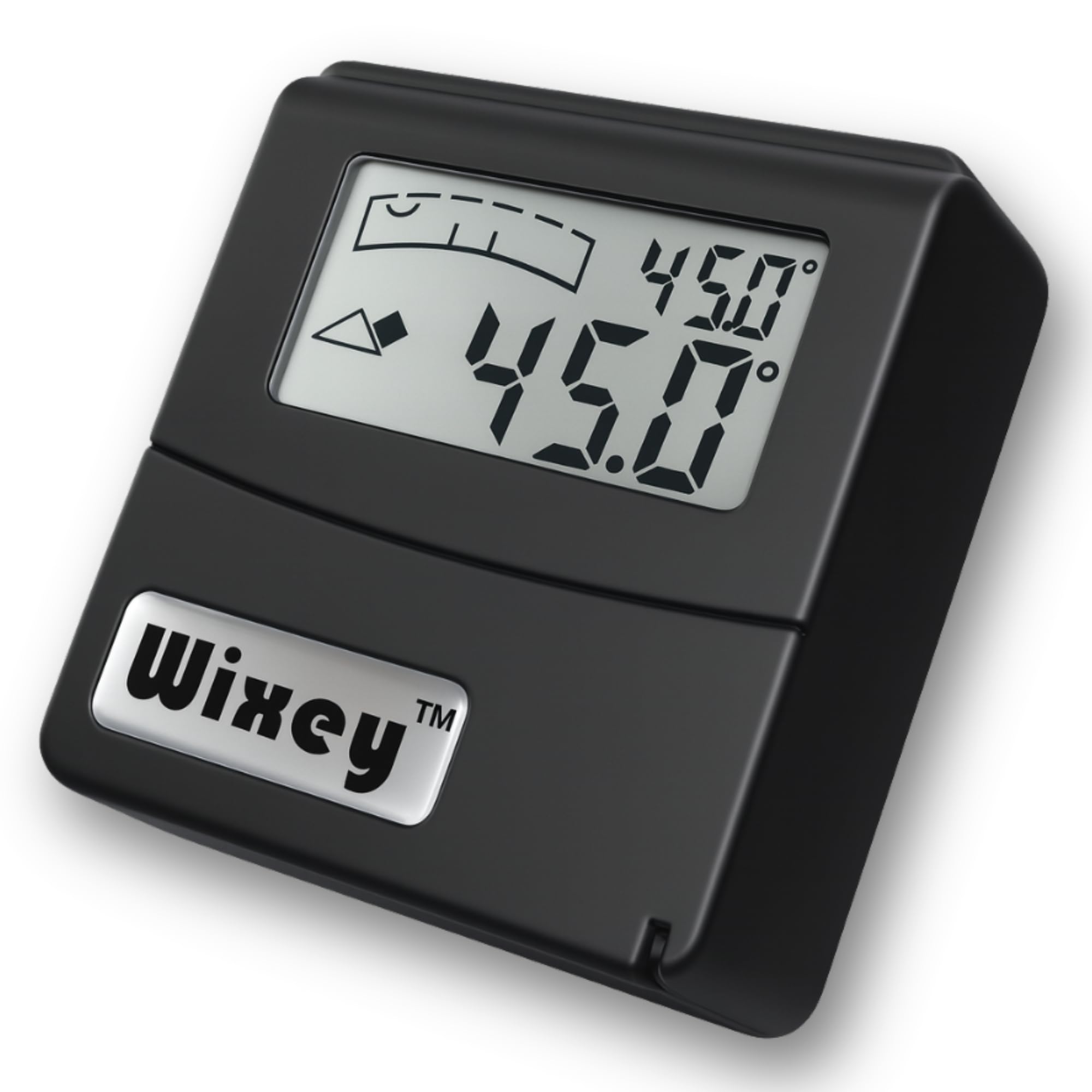
The Wixey WR365 has been a workshop standard since its release because of one design detail that competitors rarely replicate: the flip-out digital display. The readout module hinges upward so you can view the angle directly when the gauge is mounted flush against a saw blade or a jointer fence, eliminating the neck-craning that flat-cube displays demand. The resolution holds steady at 0.1° with a stated accuracy of ±0.2°, which covers the vast majority of table saw and miter saw setups without overspending on tolerance you do not need.
Its compact aluminum body carries a strong magnet on the base that grabs cast-iron tables securely, and a small V-groove along one edge centers it on pipe or drill bit stock. Buttons sit on the top face, so pressing zero or hold applies force straight down — not sideways — preventing the unit from shifting during critical setup. The one AAA battery lasts through many shop sessions thanks to the auto-shutoff timer, and the large backlit LCD remains legible even under halogen task lights.
Some users note that the flip display hinge, while useful, adds a slight thickness that can interfere with placement on very narrow fence faces. The magnet is strong, but it is only on the rear face, not all four sides — this is not an issue for table saw work, but it limits versatility for pipe-leveling tasks common in plumbing. The included AAA battery is not pre-installed, so you will need to open the compartment before your first use.
Why it’s great
- Hinged display solves visibility when mounted flush against a blade
- Fast 0.1° response with stable zero calibration
- Buttons press straight down without shifting the gauge body
Good to know
- Magnet only on the rear face — not four-sided
- Display hinge adds slight depth for tight fence placements
- AAA battery not included
2. iGaging Angle Gage Gen 3
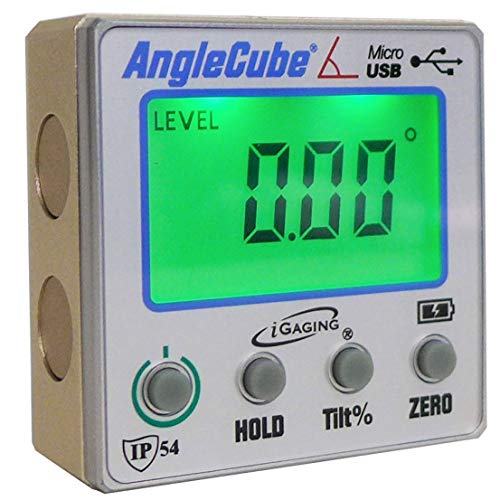
The iGaging Gen 3 is the gauge you reach for when 0.1° increments feel coarse. Its resolution ticks down to 0.05°, making it one of the most sensitive compact digital protractors available without stepping into industrial pricing. The cast-aluminum chassis is dense and feels substantial in hand, and three of its faces carry embedded magnets — so you can stick it to a band saw frame, a drill press column, or a table saw trunnion from nearly any approach angle. The IP54 rating adds dust and splash protection, a meaningful advantage in a fine-sawdust environment.
Recharging is handled via a standard micro-USB port, which means no hunting for button cells or AAA batteries mid-project. The LCD display is backlit and auto-reverses when the gauge is flipped upside down. Relative measurement mode is accessed through a dedicated zero button, and the unit stores calibration in memory even after power cycles. The compact footprint (roughly 2.1 inches square) fits comfortably into a pocket or apron pouch, so it can follow you from the assembly table to the outfeed area.
The display viewing angle has a known limitation: the LCD contrast drops off if you view it from more than about 40 degrees off-axis, though the auto-reverse flip mitigates this when the gauge is mounted upside down. Some early units shipped with calibration drift after shipping, but the built-in recalibration routine corrects this in under two minutes. The included micro-USB cable is short; you may want to keep a longer cable handy for charging on the bench.
Why it’s great
- 0.05° resolution captures fine bevel adjustments reliably
- Three-sided magnets offer flexible mounting on various shop tools
- USB rechargeable with auto-reversing display
Good to know
- LCD contrast narrows at extreme off-axis viewing angles
- Factory calibration may require one-touch reset on arrival
- No low-battery indicator during operation
3. PREXISO 3-in-1 Digital Angle Gauge with Laser

The PREXISO 3-in-1 combines a digital angle gauge, a magnetic level, and a cross-line laser in a single pocket-sized housing. That laser capability is unusual in this category — Class II red diodes project horizontal and vertical reference lines onto your workpiece, letting you visually confirm layout without lifting the gauge. The digital side delivers a resolution of 0.05° with an accuracy spec of ±0.1° at the critical 0° and 90° positions, tightening to cover the most common table saw alignment points.
Four measurement units (degrees, percent grade, mm/m, and in/ft) cover both woodworking and construction tasks. The strong magnetic base holds the gauge against a saw blade or fence, and the display auto-rotates when inverted. A bonus wall mount base with adhesive strips and pins lets you attach the gauge to a wall for hands-free marking — handy for layout work that extends beyond the saw. The 400mAh rechargeable battery provides several days of hobbyist use between charges, and the included storage bag protects the laser window from dust.
The laser is functional for alignment, but at under 1mW output it is best used in dimmer shop conditions — bright sunlight will wash out the projected lines. The gauge body is slightly larger than a standard angle cube, which can feel bulky when slipped into a pants pocket. A few users have reported that the calibration reset procedure is not clearly explained in the manual; the unit ships calibrated, but if you need to adjust, the hidden menu requires holding the power button for eight seconds.
Why it’s great
- Integrated cross-line laser for visual layout reference
- 0.05° resolution with tight ±0.1° tolerance at 0/90 degrees
- Includes wall mount base for hands-free marking
Good to know
- Laser visibility drops significantly in bright ambient light
- Slightly larger than a standard angle cube body
- Calibration reset menu is not obvious in the included manual
4. Klein Tools 935DAGL Digital Level Angle Finder

Klein’s 935DAGL stands apart from the angle-cube crowd because it stores programmable target pitches — 1/8, 1/4, 3/8, and 1/2 inch per foot — and emits an audible alarm combined with a color-changing LCD when the set angle is reached. For a table saw user dialing in a precise roof rafter or stair stringer bevel, this feedback lets you focus on locking the bevel handle without staring at the screen. The dual-axis bullseye mode simultaneously measures X and Y tilt, which is useful for leveling the saw cabinet itself before making blade adjustments.
The auto-rotating display adjusts between horizontal and vertical orientations automatically, and the high-contrast LCD works well in dimly lit garages and basements. The magnetic base attaches firmly to any ferromagnetic surface, and the ABS plastic housing with orange rubber bumper absorbs drops from bench height without damage. It runs on standard AAA batteries and includes a soft carrying case that adds a layer of dust protection when stored in a toolbox.
The programmable angle memory is more construction-oriented than cabinet-shop focused — woodworkers who only set 45° and 90° may not use the pitch presets. The battery compartment uses a screw-retained door, which keeps the cover secure but requires a small Phillips driver to replace cells in the field. The included soft case lacks a belt clip, so carrying it on a tool belt is less convenient than pocket-friendly angle cubes.
Why it’s great
- Audible and visual alarm when target angle is reached
- Dual-axis bullseye mode for saw cabinet leveling
- Rugged drop-protected ABS housing with rubber bumper
Good to know
- Programmable pitch presets favor construction over fine woodworking
- Battery door requires a screwdriver to open
- Soft case is snug and lacks a belt loop or clip
5. Neoteck Digital Dial Indicator Table Saw Gauge

While most angle gauges measure gravitational tilt, the Neoteck kit addresses a different alignment problem: the relationship between the blade, the fence, and the miter slot. It replaces the angle cube with a digital dial indicator mounted on CNC-anodized aluminum bars that ride inside a standard 3/4-inch miter slot. The indicator measures lateral displacement from 0 to 1 inch with a resolution of 0.0005 inch — a full order of magnitude finer than any angle cube can detect — allowing you to square the blade to the slot and align the fence to the blade within a thousandth of an inch.
The kit includes two adjustable bars with spring plungers that expand to fit snugly in slots that are not perfectly parallel along their length. Assembly takes about five minutes with the included hex wrenches, and the digital indicator reads in both inches and millimeters with a zero-setting function. The package also includes a hard-sided storage case that keeps the indicator and bars organized — a welcome detail for a specialized kit you may not use every day.
This is not a general-purpose bevel gauge; it is a dedicated alignment fixture for table saws that have a 3/4-inch miter slot. It will not help you set a 45-degree blade tilt, nor will it measure the angle of a jointer fence. The bar slots are short segments rather than a single continuous slot, which means the indicator must be removed and repositioned for measurements near the blade throat. For the dedicated woodworker chasing sub-thousandth accuracy, however, this kit fills a gap no angle cube can touch.
Why it’s great
- 0.0005 inch resolution for blade-to-slot squareness
- Spring-loaded bars adapt to non-parallel miter slots
- Includes hard storage case and all hex wrenches
Good to know
- Only works with table saws using a 3/4-inch miter slot
- Does not measure gravitational angles or bevel tilt
- Indicator must be repositioned for throat-close measurements
6. Klein Tools 935DGGP Angle Finder

Klein’s 935DGGP strips the interface down to two buttons — power/unit and zero/hold — making it one of the simplest digital angle gauges to operate on the fly. The unit converts between degrees, percent grade, inches per foot, and millimeters per meter, which is helpful when your project prints mix imperial slopes and metric specifications. The high-contrast display auto-rotates when inverted, and the IP42 rating provides basic dust and moisture resistance suitable for a workshop environment.
The magnetic base is strong enough to hold the gauge securely on a saw blade, a cast-iron wing, or a steel fence face. V-groove edges along the sides allow it to sit squarely on conduit or pipe for included plumbing tasks. The compact dimensions slip easily into a shirt pocket, and the single AAA battery is common and easy to replace. Accuracy holds at 0.1° resolution with the consistent Klein sensor calibration that reviewers have praised for exceeding the ±0.2° spec in practice.
The magnet is limited to one face only, which means you cannot mount the gauge on its side or top without additional fixturing. The unit lacks a backlight, so reading the display in very low light requires a headlamp or nearby task light. A few users noted that the auto-shutoff timer is short (approximately three minutes), which can interrupt a slow setup process if you pause to check a reference.
Why it’s great
- Two-button interface with quick unit conversion between four systems
- Strong single-face magnet with V-groove for pipe work
- Pocket-friendly size with reliable 0.1° accuracy
Good to know
- Magnet only on one face — limited mounting positions
- No backlight for low-light workshop conditions
- Short auto-shutoff timer may interrupt extended setup
7. Coobeast Digital Angle Finder with Laser

Coobeast packs an angle gauge, digital level, and dual laser lines into a cube with magnets on all four sides — a feature set that punches above its entry-level positioning. The 400mAh rechargeable battery powers the backlit LCD and two Class II laser diodes simultaneously, and the display auto-flips when the cube is mounted upside down. Accuracy is rated at ±0.2° with a resolution of 0.05°, placing it on par with several mid-range gauges in terms of measurement granularity.
The four-sided magnetic array is rare at this price point — it means the cube can stick to a table saw trunnion, a fence extrusion, or a metal cabinet door without hunting for the correct orientation. The hold button freezes the reading in tight spaces where you cannot see the screen directly, and the zero button switches easily between absolute and relative measurement. An IP54 rating gives basic dust protection, and the included black loop storage bag keeps the cube scratch-free in a drawer.
The laser output is useful for quick visual reference, but as with other low-power diodes, it is best suited for indoor or shaded use. The orange plastic body lacks the impact resistance of the aluminum Klein and iGaging units, so dropping it on a concrete floor carries more risk of damage to the internal sensor mount. A few users reported that the unit arrived with a low charge and required a full cycle before holding a stable reading, though this did not affect long-term accuracy after the break-in charge.
Why it’s great
- Four-sided magnets for flexible mounting from any angle
- 0.05° resolution matched with ±0.2% accuracy
- Rechargeable 400mAh battery with backlit display
Good to know
- Plastic body is less impact-resistant than aluminum alternatives
- Laser visibility limited in bright ambient light
- May arrive with low charge requiring a full cycle before reliable use
FAQ
Can I use a standard angle gauge to check blade-to-miter-slot squareness?
Why does my angle gauge show different readings when I flip it upside down?
Final Thoughts: The Verdict
For most users, the best angle gauge for table saw winner is the Wixey WR365 because its flip-out display solves the fundamental visibility problem when the gauge is pressed flat against a saw blade, and its proven sensor platform has been trusted by woodworkers for over a decade. If you want higher sensitivity and USB rechargeability for fine jointer and drill press calibration, grab the iGaging Gen 3. And for precision blade-to-slot alignment that no tilt-based gauge can measure, nothing beats the Neoteck dial indicator kit.