
That half-second audio delay between a character’s lips moving and the sound hitting your ears is maddening. Standard Bluetooth codecs introduce a 200–300ms lag that wrecks movies, gaming, and live TV. The solution isn’t a new TV—it’s a dedicated transmitter that uses the aptX Low Latency codec to drop that delay to around 40ms, making audio and video lock in step again.
I’m Min — the co-founder and writer behind Gadgets Feed. After hundreds of hours digging into Bluetooth codec datasheets, testing transmitter pairing behaviors across different TV brands and game consoles, and analyzing user feedback on every major model, this guide cuts through the noise to find the adapters that actually deliver on their low-latency promise.
Whether you’re battling lip-sync issues on your Samsung TV or want wireless gaming audio without the lag, these are the best aptx low latency bluetooth transmitter options available right now.
How To Choose The Best AptX Low Latency Bluetooth Transmitter
Not every Bluetooth transmitter labeled “low latency” actually delivers the goods. The aptX Low Latency codec is a specific Qualcomm-licensed technology that requires both the transmitter and your headphones to support it. Before you buy, focus on three critical factors that determine whether you’ll finally get sync or just another frustrating box.
Match the Input Port to Your TV or Console
Most transmitters connect via optical TOSLINK, 3.5mm AUX, or USB-C. Optical is the best option for TVs because it carries a pure digital signal and bypasses the TV’s internal audio processing delay. AUX works but may introduce slight latency from the TV’s own DAC. USB-C transmitters like the Sennheiser BTD 700 are perfect for PC and PS5, offering plug-and-play setup without extra cables. Check your TV for an optical output—if it only has HDMI ARC, you’ll need a different approach entirely.
Understand the Codec Chain
aptX Low Latency only works if both ends of the wireless link support it. If your transmitter uses aptX LL but your headphones only support SBC, you’ll get standard Bluetooth lag (150–300ms). Look for headphones that explicitly list aptX Low Latency or aptX Adaptive in their specs. The transmitter will typically fall back to the best common codec, so check the pairing behavior carefully.
Single vs. Dual Device Streaming
If you watch TV with a partner, a dual-link transmitter lets both of you connect wireless headphones simultaneously. Models like the Avantree Audikast 3 and 1Mii B03+ support two simultaneous audio streams. This feature is a game-changer for shared viewing without disturbing others. Single-stream transmitters are cheaper and work fine for solo listening, but lack the flexibility for couples or households.
Quick Comparison
On smaller screens, swipe sideways to see the full table.
| Model | Category | Best For | Key Spec | Amazon |
|---|---|---|---|---|
| 1Mii B03+ | Premium Transmitter | TV + Soundbar Passthrough | aptX HD/Adaptive/LL + 230ft Range | Amazon |
| Avantree Audikast 4 | Premium Transmitter | Auracast Hearing Aids | aptX Adaptive + Auracast | Amazon |
| Sennheiser BTD 700 | Premium USB Dongle | PC / PS5 Gaming | aptX Lossless + 30ms Gaming Mode | Amazon |
| Avantree Audikast 3 | Mid-Range Transmitter | Dual-Headphone TV Viewing | aptX Adaptive + 100ft Range | Amazon |
| Monoprice Bluetooth 5 | Mid-Range Transceiver | Transmitter & Receiver Combo | aptX HD + aptX LL + 32ft Range | Amazon |
| UGREEN USB-C Adapter | Budget USB Dongle | PS5 Console Audio | aptX Adaptive + Bluetoth 6.0 | Amazon |
| HomeSpot Bluetooth 5.3 | Budget Transmitter | Simple Optical to BT | aptX LL + Optical/AUX/RCA | Amazon |
In‑Depth Reviews
1. 1Mii B03+
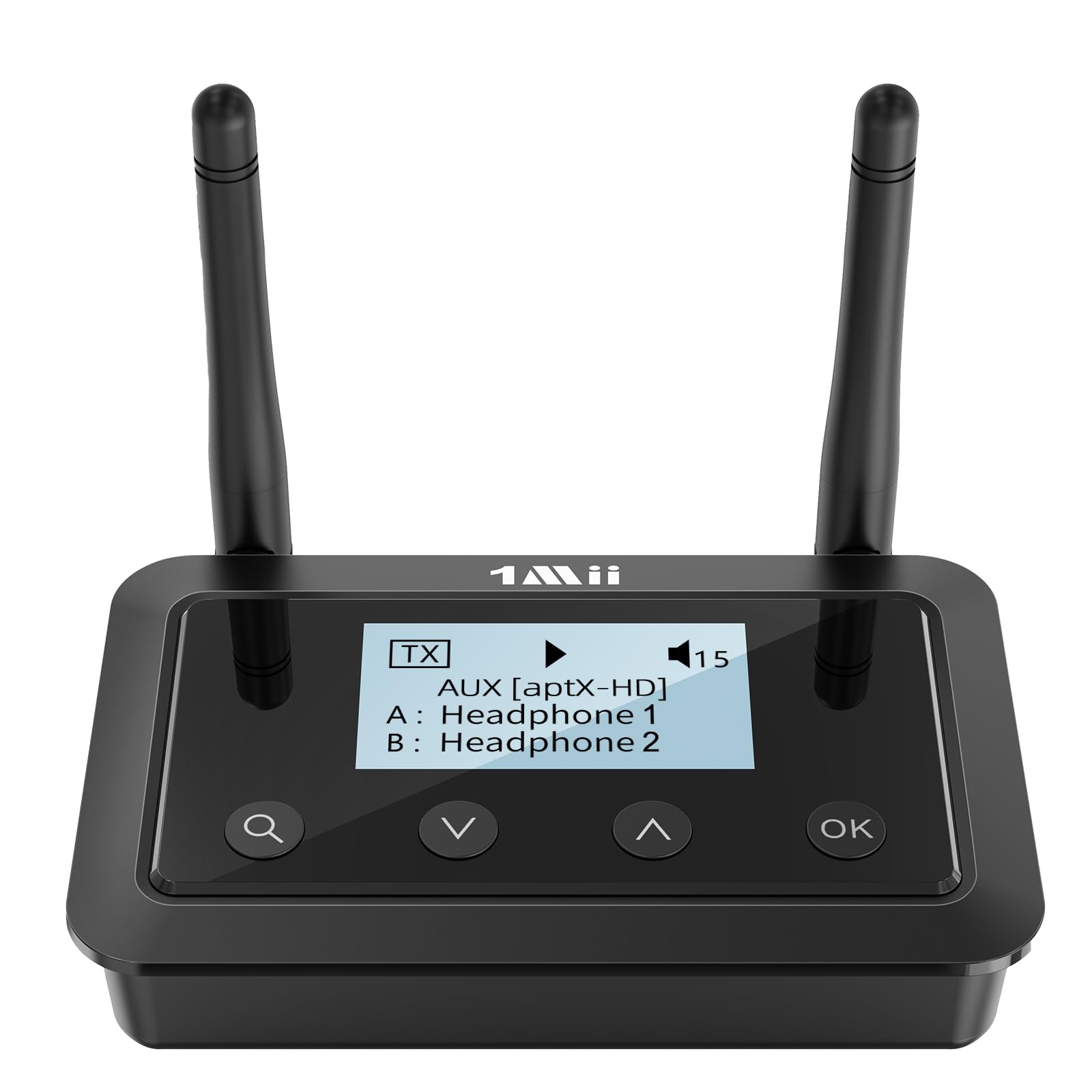
The 1Mii B03+ is the most versatile transmitter for serious TV users. It supports all three aptX variants—Low Latency, HD, and Adaptive—so you get perfect sync with any compatible headphone. The LCD screen makes codec selection and device pairing dead simple, eliminating the blind button-mashing common on cheaper adapters.
Its soundbar passthrough mode is a standout: you can send audio simultaneously to Bluetooth headphones and a wired soundbar via optical. That means late-night viewers can listen privately while the soundbar stays on for others in the room—no swapping cables. The indoor range hits 70–100 feet through walls, far exceeding typical TV room distances.
Dual-link support lets two pairs of headphones connect at once, though pairing two aptX LL headphones drops the codec to standard aptX for stability. The firmware is also upgradeable, future-proofing your purchase. Users report excellent sound quality with no static and instant reconnection after TV power cycles.
Why it’s great
- Soundbar passthrough for shared TV audio
- LCD screen for easy setup and codec switching
- Firmware upgradeable via USB
Good to know
- Dual aptX LL pairing drops codec to standard aptX
- Some units report interference with close-proximity Bluetooth devices
2. Avantree Audikast 4
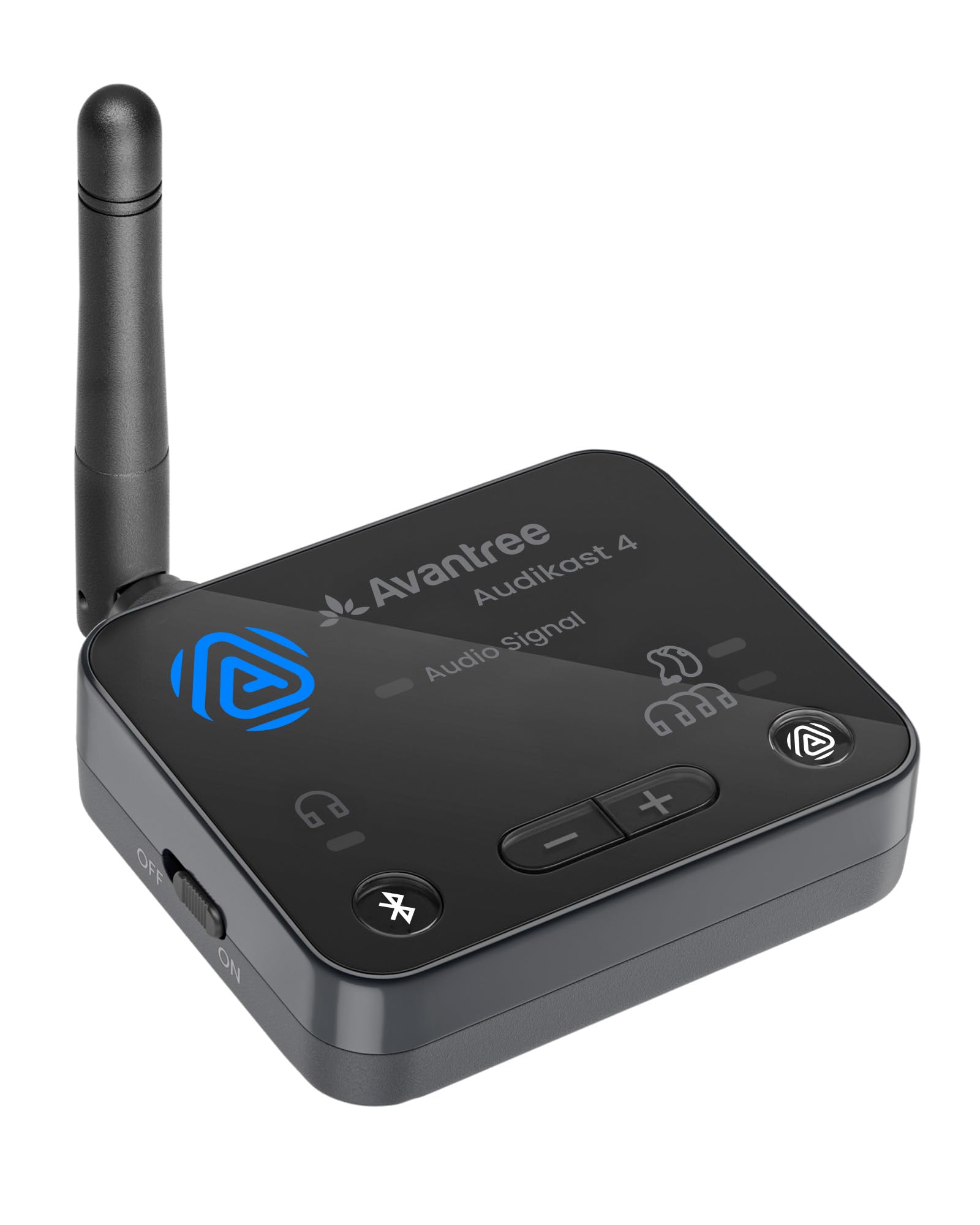
The Audikast 4 is the first transmitter designed around Auracast, the next-gen Bluetooth broadcast standard. This isn’t just for headphones—it’s specifically built to stream TV audio directly to Auracast-enabled hearing aids. Users with Oticon Intent, Jabra Pro 20, and Starkey Edge AI hearing aids report zero delay and crystal-clear dialogue at a fraction of the cost of proprietary streamers.
In Classic Bluetooth mode, it connects to one pair of headphones at a time using aptX Adaptive for near-zero latency. The optical input ensures the purest audio path from your TV, and the device supports ongoing firmware updates to stay compatible with new Auracast devices. Avantree’s 20+ years of Bluetooth engineering shows in the stable connection and easy touch controls.
The trade-off is that Classic Bluetooth mode is single-stream—you can’t share audio with two regular headphones simultaneously. For multi-listener sharing, you’ll need Auracast-compatible receivers. Also, it only works with TVs that have optical or AUX output, so check your ports before buying.
Why it’s great
- Streams directly to Auracast hearing aids
- Much cheaper than proprietary hearing aid streamers
- Firmware upgradeable for future compatibility
Good to know
- Classic mode only supports one headphone at a time
- Not compatible with HDMI-only TVs
3. Sennheiser BTD 700
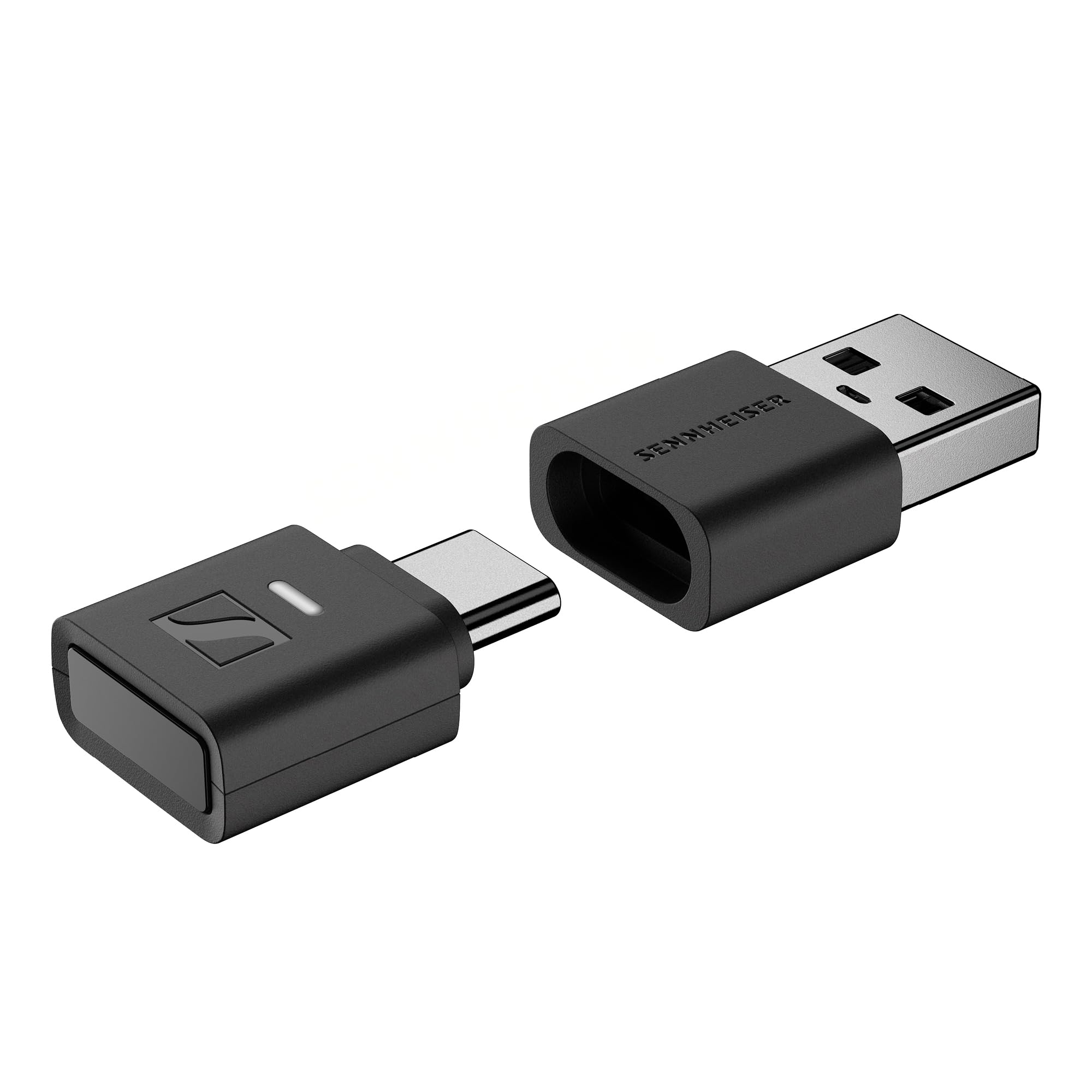
The BTD 700 is Sennheiser’s answer to PC and console gamers who demand the absolute lowest latency. Its dedicated gaming mode cuts lag to just 30ms—fast enough that the delay is imperceptible even in competitive shooters. The dongle supports aptX Lossless, which means CD-quality audio over Bluetooth without compression artifacts, a first for USB adapters.
Plug-and-play on Windows, Mac, and Android devices, the BTD 700 works with both USB-C and USB-A via the included adapter. The Auracast multistreaming feature lets multiple listeners tune in simultaneously, making it great for co-op gaming or shared movie watching on a laptop. Users report a stable connection even one floor away from the source.
Be aware that it currently only supports one connected device at a time in standard mode, and some users found the initial pairing procedure finicky with non-Sennheiser headphones. An early firmware update fixed an auto-shutoff bug, and ongoing updates are expected to improve multi-device switching.
Why it’s great
- 30ms gaming mode for imperceptible lag
- aptX Lossless for CD-quality wireless audio
- Works with USB-C and USB-A devices
Good to know
- Setup can be tricky with non-Sennheiser headphones
- Only supports one device connection at a time
4. Avantree Audikast 3

The Audikast 3 hits the sweet spot between price and performance for typical TV users. It supports aptX Adaptive, which dynamically adjusts between low-latency and high-quality modes depending on your content. When paired with compatible headphones like Avantree’s own Aria Me or Sony XM3, audio stays perfectly in sync with the video.
Dual-link pairing is a killer feature at this price point—you can connect two Bluetooth headphones simultaneously so you and a partner can watch together without disturbing anyone else. The range is excellent at 50–60 feet through walls, and the touch controls make volume adjustment easy. Users praise the boosted optical volume output, which solves a common issue with quiet TV audio through Bluetooth.
The only real limitation is that it only accepts optical or AUX inputs—no USB or RCA. Some users also report interference with 2.4GHz WiFi networks, which can cause occasional stuttering. Moving the transmitter a few feet from the router usually solves this.
Why it’s great
- Dual-link for two headphone listeners
- Long 50–60ft range through walls
- Boosted optical volume output
Good to know
- No USB or RCA input options
- Can interfere with 2.4GHz WiFi networks
5. Monoprice Bluetooth 5 Long Range

The Monoprice adapter pulls double duty as both a transmitter and a receiver. In transmitter mode, it sends audio from your TV to Bluetooth headphones or speakers. Flip the switch, and it becomes a receiver that lets you stream music from your phone to a wired home stereo system. This flexibility makes it a smart pick if you want one device for two different setups.
It supports both aptX HD for high-resolution audio and aptX Low Latency for sync, giving you the best of both worlds. The 32-foot range is shorter than some competitors but sufficient for most living rooms. Users report easy setup, solid sound quality, and the ability to switch seamlessly between transmit and receive modes without re-pairing.
Note that it only includes a USB power cable, not a wall adapter. Also, the included optical cable is short, so you may need a longer one if your TV ports are far apart. Some users also found the button interface a bit unintuitive at first—spend a few minutes with the manual to get the hang of it.
Why it’s great
- Dual transmitter and receiver modes
- aptX HD and aptX Low Latency support
- Reliable 32-foot indoor range
Good to know
- No USB power adapter included
- Short optical cable in the box
6. UGREEN USB-C Bluetooth Adapter
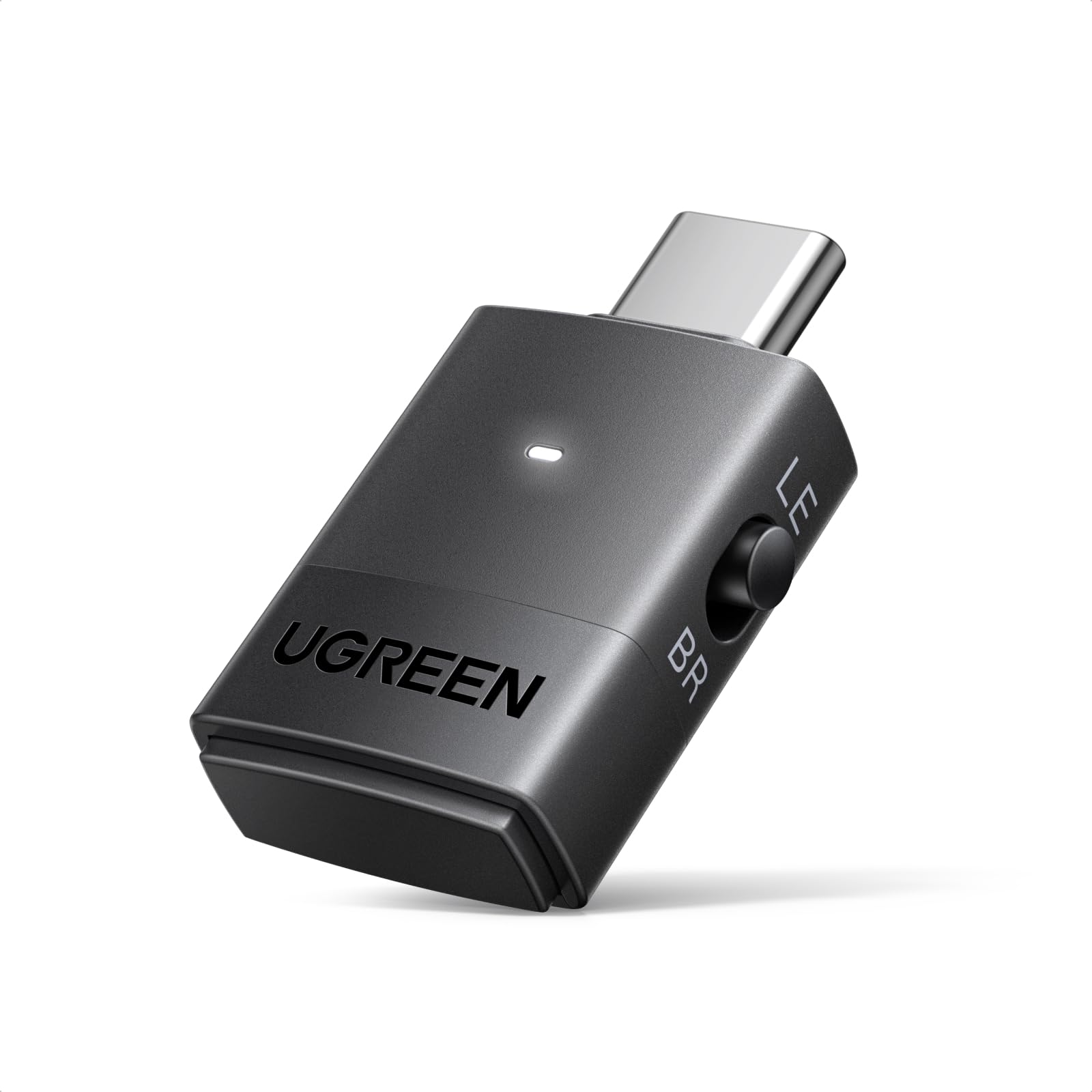
The UGREEN adapter is purpose-built for PS5 and PC gamers who need a compact USB-C solution. Plug it into your console or laptop, and it instantly adds Bluetooth audio with aptX Adaptive support—no drivers required. The Qualcomm QCC3086 chip delivers a stable connection with minimal dropouts, even in interference-heavy environments.
Its dual-mode LE Audio system is a standout: Low Latency mode for gaming (15–30ms) and High-Quality mode for music. In Classic Bluetooth mode, it can pair with two devices simultaneously, letting you and a friend game together wirelessly. Users report excellent results with Sony WH-1000XM6 headphones, achieving sub-30ms latency in LE Audio mode.
It’s important to note that this adapter only works with Bluetooth audio devices—no mice, keyboards, or game controllers. Also, aptX HD doesn’t support dual-device connection, so you’ll lose some fidelity when sharing audio. The lack of a physical control button can make mode switching a bit fiddly.
Why it’s great
- 15–30ms latency in LE Audio gaming mode
- Supports dual-device pairing in Classic mode
- Plug-and-play on PS5 and PC
Good to know
- Not compatible with Bluetooth mice or keyboards
- aptX HD drops to single-device connection
7. HomeSpot Bluetooth 5.3 Transmitter

The HomeSpot transmitter is the most affordable way to add aptX Low Latency to your TV. It supports three input types—optical, AUX, and RCA—making it compatible with virtually any older audio source. When used via optical with a TV set to PCM output, the latency is barely noticeable, especially with aptX LL headphones.
Setup is straightforward: plug in via optical, power it from a USB port on your TV, and pair your headphones. Users with Samsung TVs report that once they switch the audio output from Dolby to PCM, the transmitter auto-connects every time the TV powers on. The compact, lightweight design is easy to hide behind a media console.
The trade-offs for the price are clear: it’s single-stream only, so you can only connect one headphone at a time. The build quality feels lightweight, and some users report a 500ms audio lag when not using aptX LL equipment. Volume control is non-functional on the device itself, so you’ll need to adjust from your headphone or TV.
Why it’s great
- Lowest entry price for aptX Low Latency
- Three input types for maximum compatibility
- Auto-reconnects on TV power-on
Good to know
- Single-stream only—no dual-headphone support
- Lag noticeable with non-aptX headphones
FAQ
Will aptX Low Latency work with my existing Bluetooth headphones?
Why is my TV not outputting sound through the optical transmitter?
Can I use a USB-C aptX transmitter with my PS5 or Nintendo Switch?
Final Thoughts: The Verdict
For most users, the aptx low latency bluetooth transmitter winner is the 1Mii B03+ because its LCD screen, soundbar passthrough, and triple-codec support make it the most complete solution for TV users. If you want the absolute lowest latency for PC gaming, grab the Sennheiser BTD 700 with its 30ms gaming mode. And for a budget-friendly way to fix lip-sync on older TVs, nothing beats the HomeSpot Bluetooth 5.3.