
Our readers keep the lights on and my morning glass full of iced black tea. As an Amazon Associate, I earn from qualifying purchases.
Specs are compiled from manufacturer listings and verified buyer reviews and can change over time — please confirm the key details on the product page before buying.
You want to build a gaming PC without dropping several hundred dollars on a separate graphics card. That is exactly what an APU does—it packs a processor and a graphics chip into one affordable piece of silicon so you can play popular games on a single component. The trick is picking the right one because the graphics performance varies wildly between models.
I’m Min — the founder and writer behind Gadgets Feed. This guide is built by comparing the manufacturers’ published specifications and the patterns across verified customer reviews, so you get each pick’s real strengths and trade-offs instead of marketing spin.
Whether you are building a first gaming rig, a compact media center, or a budget-friendly desktop for the kids, the right apu for gaming needs the balance of core speed and integrated graphics power that actually fits the games you play.
Our Picks at a Glance

How To Choose The Best APU For Gaming
An APU (Accelerated Processing Unit) is essentially a CPU and GPU fused onto one chip. For gaming, the integrated graphics matter most because that is what renders the game visuals. You want the most powerful built-in graphics engine your budget allows.
Integrated Graphics Tier
The most important spec is the integrated graphics model. AMD’s Radeon Vega 11 graphics (found on the Ryzen 5 3400G) is significantly stronger than the Vega 8 graphics on the Ryzen 3 3200G. A bigger number means more graphics cores and thus higher frame rates at 1080p resolution. The older A10-7850K uses Radeon R7 graphics, an earlier generation that works for light gaming but lags behind modern Vega chips.
Socket and Platform
The CPU socket determines which motherboards you can use. The Ryzen 3 3200G and Ryzen 5 3400G both use the Socket AM4 platform, giving you access to a wide range of B450, B550, and A320 boards. The AMD A10-7850K uses the older Socket FM2+, which limits your motherboard options and offers almost no upgrade path to modern CPUs.
Memory Speed Matters
An APU uses your system RAM for both the processor and the graphics. Faster memory directly improves gaming performance because the GPU gets data quicker. The Ryzen 3000-series chips support DDR4-2933, while the older A10-7850K uses DDR3-2133. If you are gaming, aim for the highest RAM speed your APU officially supports.
Quick Comparison
In‑Depth Reviews
1. AMD Ryzen 3 3200G
Our pick — over 4.5★ from 10,000+ verified ratings; the strongest balance of quality and price.
A capable budget APU that handles popular games and doubles as a silent office chip.
The Ryzen 3 3200G brings the solid Radeon Vega 8 graphics and a 4.0 GHz max boost clock to the entry-level gaming market. That means you can run games like Fortnite, Destiny 2, and COD Modern Warfare without a separate graphics card. Owners mention that one builder paired this APU with a Vega 56 and saw 50-60% CPU usage in those same games, using the integrated graphics as a backup. With 4 cores and 6MB of total cache, it also handles office work, Plex media streaming, and school projects with ease. The AM4 socket gives you a wide motherboard selection and a potential future CPU upgrade.
One standout detail buyers mention: a 10-12 second boot time when paired with a Sabrent NVMe drive. That is a genuinely fast start for a budget build. The bundled Wraith Stealth cooler is quiet, with one reviewer in a dental practice reporting 28°C idle and 40-50°C load temperatures in a compact build. The chip draws modest power and runs cool enough for small cases. Overclocking to 4.1 GHz at 1.4V on the stock cooler is a bonus for tinkerers.
Compared to the premium Ryzen 5 3400G above, the 3200G boosts to 4.0 GHz versus the 3400G’s 4.2 GHz and steps down from Vega 11 to Vega 8 graphics, which means lower frame rates at 1080p in demanding titles. It is a genuinely capable budget pick, not a compromise—the trade-off is strictly in graphics power. One buyer mentioned that it is “not for heavy multi-threaded tasks,” which is the honest boundary here.
Strongest Points
- Radeon Vega 8 graphics handle popular games like Destiny 2 and Fortnite without a dedicated GPU.
- Customers note a very fast < 12-second boot with an NVMe SSD.
- Runs cool and quiet, with reports of 28°C idle and 40-50°C load under normal use.
Watch Out For
- Graphics performance is a step behind the 3400G’s Vega 11 chip.
- Limited with the latest GPUs; one reviewer pegs its ceiling at an RTX 3060 Ti.
This pick if: You are on a strict budget and need an APU for popular games, fast boot times, and a quiet, cool-running system for school or work.
skip it if: You plan to pair it with a high-end discrete GPU (the Ryzen 3 3200G bottlenecks powerful cards) or you need the extra graphics cores of the Vega 11 for more demanding games.
2. AMD Ryzen 5 3400G
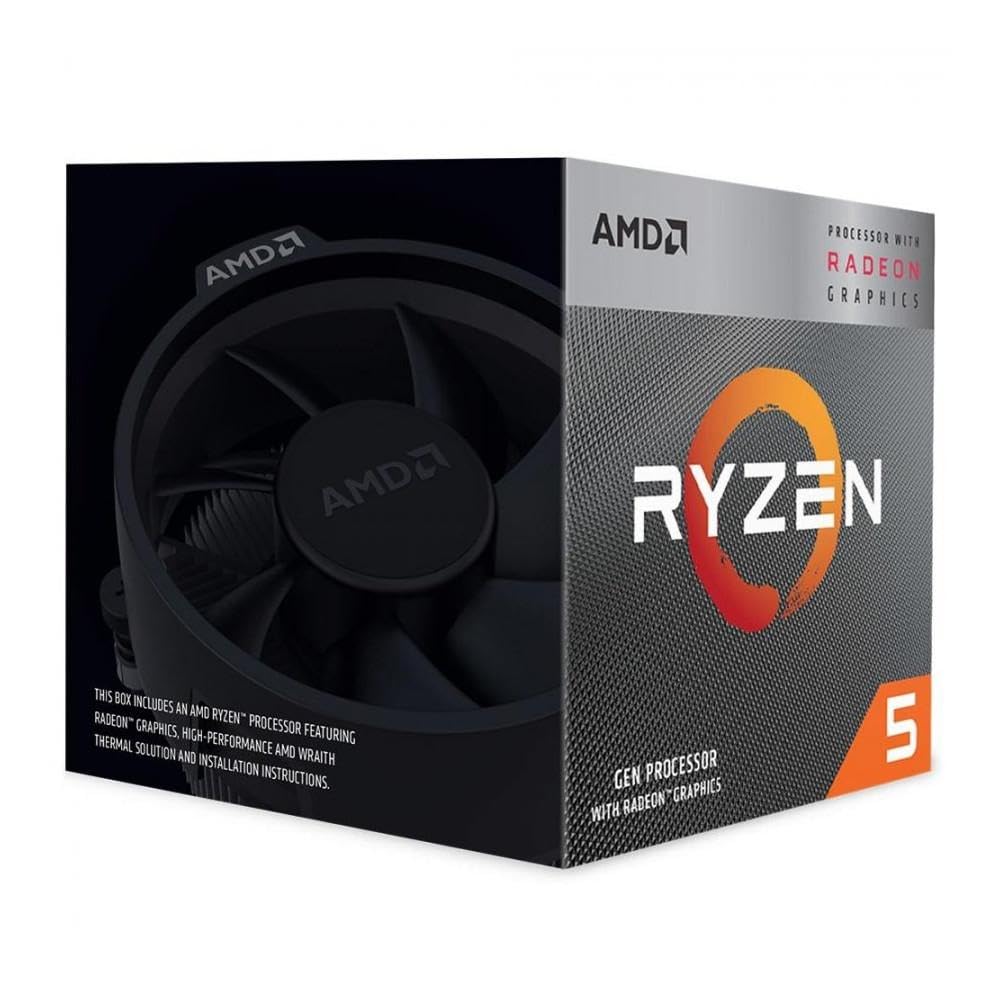
The strongest integrated graphics in this lineup, built for smooth 1080p gaming without a dedicated GPU.
This APU puts its Radeon RX Vega 11 graphics front and center. That extra graphics muscle over the Vega 8 chip in the Ryzen 3 3200G is the main reason to step up. The 4.2 GHz boost clock (with a base of 3.7 GHz) and 6MB of L3 cache keep things snappy for everyday tasks. All four cores are open up for overclocking, and the bundled Wraith Stealth cooler keeps noise down. The AM4 socket means you have a clear upgrade path to later Ryzen CPUs if you decide to add a discrete graphics card down the road. At 65W TDP (the amount of heat and power it’s designed to use), it stays cool enough for compact cases.
Buyers report that for a basic, cost-effective setup, this G-series chip does the job well while staying affordable. One reviewer noted that a per-core performance feels subjectively similar to faster Ryzen chips for normal desktop tasks, which is a fair assessment—the magic here is the built-in graphics, not raw multi-core speed. The catch? Some buyers found the multitasking performance lacking for heavier professional workloads, and a handful described significant performance drops when pushing multiple apps. For pure gaming and general use, though, it is a balanced pick.
Compared directly to the Ryzen 3 3200G, the 3400G clocks 4.2 GHz versus the 3200G’s 4.0 GHz, which paired with the superior Vega 11 graphics delivers noticeably higher frame rates at 1080p in popular titles. If your budget allows, this is the APU to build around.
Why It Shines
- Radeon RX Vega 11 is the strongest integrated graphics here, capable of playable frame rates in many modern games.
- 4.2 GHz boost clock and 6MB L3 cache for fast responsive performance.
- AM4 socket offers a clear upgrade path to faster Ryzen CPUs later.
Consider These Limits
- Not ideal for heavy multitasking or demanding professional software.
- A few buyers noted performance drops during high-load scenarios due to limited core count.
Reach for this if: You want the best gaming performance from an APU alone—no discrete graphics card needed—for 1080p gaming and everyday productivity.
Look elsewhere if: You need raw multi-core processing for video editing, 3D rendering, or heavy multitasking; the 3400G is tuned for graphics, not heavy CPU work.
3. AMD A10-7850K

An older APU with Radeon R7 graphics that still handles light gaming and HTPC duties.
The A10-7850K is the budget-friendly veteran here, with Radeon R7 graphics and a 4.0 GHz processor speed on the older Socket FM2+ platform. It is not going to compete with modern Vega chips for frame rates, but it handles classic games, web browsing, and video streaming without complaint. Reviewers point out that it can play most games on medium settings—one reviewer notes Fallout 4 as playable—and it handles many browser tabs and programs at once. The 4 CPU cores and 8 GPU cores work together under AMD’s H.S.A. Architecture.
One detail that stands out in reviews: the A10-7850K sips power at idle (32W/32C) and ramps to a manageable 125W under load, with temperatures reaching 49°C on the CPU and 74°C on the GPU. Another buyer built a sub-100W Windows XP system with it, running at 30W idle and under 80W load. The catch is that it craves fast RAM (2133 MHz or higher) to feed the integrated graphics—without it, performance drops. The stock cooler is described as poor, so plan on an aftermarket replacement and fresh thermal paste. The Socket FM2+ platform also means you have no upgrade path to a modern Ryzen chip.
Compared to the Ryzen 3 3200G, the A10-7850K matches the 4.0 GHz clock speed but uses a less efficient architecture and socket. However, for light gaming or building a compact home theater PC (HTPC), this chip still finds a home. One reviewer sums it up: “balanced CPU/GPU for non-hardcore gamers.”
What Still Works
- Radeon R7 graphics play most games at medium settings, per buyers.
- Very energy efficient; shoppers say idle power draw around 30-32W.
- Good for modern HTPC builds and light productivity like Photoshop.
Key Trade-offs
- Socket FM2+ has no upgrade path to modern CPUs.
- Demands fast DDR3 RAM (2133+ MHz) for adequate GPU performance.
- Stock cooler is weak; an aftermarket cooler is considered essential.
Best for: A budget-friendly build for light gaming (Fallout 4 medium, older titles), a quiet home theater PC, or a secondary office machine where cost matters more than cutting-edge speed.
Not for: Anyone who wants to play new AAA titles at high settings, upgrade the CPU later, or avoid buying an aftermarket cooler. The AM4 platform of the Ryzen options is a much smarter long-term investment.
Understanding the Specs
Integrated Graphics (Vega vs R7)
This is the heart of any APU for gaming. Radeon Vega 11 (on the 3400G) has 11 graphics cores, making it the most powerful here for 1080p gaming. Vega 8 (on the 3200G) has 8 graphics cores—still capable but lower frame rates in demanding titles. The older R7 graphics on the A10-7850K is a generation behind and best for lightweight or classic games. More graphics cores directly translates to higher frame rates.
Socket Type (AM4 vs FM2+)
The socket determines which motherboards you can use and your future upgrade options. Socket AM4 (used by the Ryzen 3 3200G and Ryzen 5 3400G) supports a wide range of motherboards and lets you upgrade to newer Ryzen processors later. Socket FM2+ (used by the A10-7850K) is an older platform with limited motherboard availability and no route to modern CPUs, making it a dead-end for future upgrades.
FAQ
Can an APU really replace a graphics card for gaming?
Does RAM speed really affect APU gaming performance?
Which is better for gaming: Ryzen 3 3200G or Ryzen 5 3400G?
What is the difference between an APU and a regular CPU?
Is the AMD A10-7850K good for gaming in 2024?
Will an APU work with a discrete graphics card later?
What cooler do I need for an APU?
Can I overclock a Ryzen APU?
Final Thoughts: The Verdict
For most people, the apu for gaming winner is the AMD Ryzen 5 3400G because its Radeon RX Vega 11 graphics deliver the highest frame rates for 1080p gaming without a dedicated GPU. If you want the best balance of price and performance, grab the AMD Ryzen 3 3200G. And for a legacy home theater build or the tightest possible budget, the AMD A10-7850K still handles light gaming and media streaming.
How We Picked
We do not accept paid placement. Every pick is matched to a real buyer and a real use-case; we do not hands-on test units.
Sources & Methodology
Specifications: manufacturer listings and product documentation. Review insights: verified customer reviews, as of July 2026. Pricing: not shown on this page (it changes often); check the current price via the retailer link.
As an Amazon Associate, Gadgets Feed earns from qualifying purchases. This does not affect which products we feature.