
A processor with integrated graphics used to be a compromise—a way to get a display signal without spending extra on a dedicated video card. But modern chips have closed that gap so dramatically that many users can build a fully capable gaming or productivity rig without ever installing a discrete GPU. The decision now hinges on selecting the right balance of CPU cores, GPU compute units, and memory bandwidth for your specific workload.
I’m Min — the co-founder and writer behind Gadgets Feed. I’ve spent countless hours dissecting benchmark data, reading through thousands of verified buyer experiences, and comparing technical specifications across multiple generations to identify which integrated solutions truly hold up under real-world use.
Whether you are building a silent home theater PC or a compact system for light gaming, understanding the trade-offs between CPU compute and built-in graphics performance is key to choosing the best apu for your build.
How To Choose The Best APU
Selecting the right processor with integrated graphics means understanding where the bottleneck will live in your specific use case. For pure gaming without a dedicated GPU, the graphics compute units and memory bandwidth are your primary constraints. For productivity and multitasking, CPU core count and thread count matter more. The trick is finding a chip that doesn’t skimp too heavily on either side.
GPU Compute Units vs CPU Core Count
Every integrated graphics solution has a fixed number of GPU cores (compute units or execution units) that handle rendering. On the AMD side, you will see Vega or RDNA-based graphics with anywhere from 6 to 12 compute units. More units mean higher frame rates at 1080p, but those units also share the system’s thermal budget and power delivery with the CPU cores. A chip with eight fast Zen 4 cores and eight GPU compute units can game respectably while still handling video encoding or compilation tasks—a balance that pure quad-core chips with twelve GPU units cannot match for mixed workloads.
Memory Speed and Dual-Channel Configuration
Integrated graphics have no dedicated video memory; they borrow from your system RAM. This makes memory bandwidth the single biggest performance lever you can pull. Running two sticks of RAM in dual-channel mode doubles the available bandwidth compared to a single stick, which can boost gaming frame rates by 30-50% on the same APU. Pairing a fast chip with slow single-channel RAM leaves most of its graphics performance on the table. For modern integrated graphics, DDR4-3200 is the baseline, and DDR5-6000 offers a meaningful uplift for the latest platforms.
Socket Compatibility and Upgrade Path
An APU locks you into a specific motherboard socket and memory generation. FM2+ is effectively obsolete, with no modern upgrade path. AM4 (Ryzen 3000G, 4000G series) offers broad motherboard availability and affordable DDR4 RAM, but the fastest integrated graphics on that socket are capped at Vega 8. AM5 (Ryzen 7000G and 8000G series) supports DDR5 and PCIe 5.0, and retains motherboard compatibility for future CPU upgrades, but carries a higher platform cost. Choose the socket that matches your budget and your tolerance for swapping the motherboard on your next upgrade.
Quick Comparison
On smaller screens, swipe sideways to see the full table.
| Model | Category | Best For | Key Spec | Amazon |
|---|---|---|---|---|
| AMD Ryzen 7 8700G | Premium Desktop | High-end iGPU gaming | RDNA 3 graphics, 12 compute units | Amazon |
| AMD Ryzen 9 5900XT | High-Core Desktop | Multi-threaded workstation | 16 cores / 32 threads | Amazon |
| FIREBAT A6 7735HS | Mini PC | Compact gaming & office | Radeon 680M, 12 GPU cores | Amazon |
| KAMRUI E3B R5 7430U | Mini PC | Triple 4K productivity | Vega 7 GPU, 15W TDP | Amazon |
| wo-we P6 Lite R5 3500U | Mini PC | Portable media server | Vega 8 graphics, 4.0 GHz max | Amazon |
| AMD Ryzen 3 3200G | Entry Desktop | Budget light gaming | Vega 8, 4 cores / 4 threads | Amazon |
| AMD A10-7850K | Legacy Desktop | HTPC / retro build | Radeon R7, 8 GPU cores | Amazon |
| AMD Ryzen 3 4100 | Budget Desktop | Low-cost AM4 upgrade | 4 cores / 8 threads, no iGPU | Amazon |
| AMD A8-7650K | Legacy Desktop | Ultra-budget office | Radeon R7, 6 GPU cores | Amazon |
In‑Depth Reviews
1. AMD Ryzen 7 8700G 8-Core, 16-Thread Desktop Processor

The Ryzen 7 8700G sits at the top of the integrated graphics food chain thanks to its RDNA 3-based GPU with 12 compute units. This is the first desktop processor where the iGPU can genuinely play modern AAA titles at 1080p low-to-medium settings without a dedicated card—a feat that previous APUs could only approach in multi-year-old esports titles. The eight Zen 4 cores running up to 5.1 GHz ensure that CPU-heavy tasks like video encoding or compilation do not lag behind.
DDR5 memory support is critical here; pairing this chip with DDR5-6000 dual-channel RAM unlocks its full graphics potential. The bundled Wraith Spire cooler is adequate for the 65W TDP, but users pushing the CPU or iGPU aggressively will want a stronger air or liquid cooler. On the AM5 platform, you get PCIe 5.0 support and a clear upgrade path to future Ryzen 9000-series chips, making this a long-term investment rather than a dead-end upgrade.
Real-world gaming benchmarks show the 8700G delivering 32-65 FPS in titles like Cyberpunk 2077 and Shadow of the Tomb Raider at 1080p low, which is roughly 20% of an RTX 4060 Ti’s performance but with zero extra cost and a fraction of the power draw. For sub-3-liter mini ITX builds or anyone who wants a single-chip gaming solution, this is the pinnacle.
Why it’s great
- Fastest integrated graphics of any desktop chip—RDNA 3 architecture
- Eight Zen 4 cores handle heavy multitasking and productivity workloads
- AM5 platform offers PCIe 5.0 and a long upgrade path
Good to know
- Requires expensive DDR5 RAM to reach full iGPU potential
- Bundled cooler is the 65W Wraith Stealth, not the advertised Spire in some units
- Graphics performance still far below a dedicated GPU for high-settings gaming
2. AMD Ryzen 9 5900XT 16-Core, 32-Thread Unlocked Desktop Processor

The Ryzen 9 5900XT is not technically an APU in the traditional sense—it lacks integrated graphics—but it earns a spot here because it represents the ceiling of the AM4 platform for users who prioritize CPU compute over iGPU capability. With 16 Zen 3 cores and 32 threads, this chip is a monster for multi-threaded workloads like 3D rendering, video transcoding, and running multiple virtual machines. The 72 MB of total cache helps keep core utilization high in latency-sensitive applications.
Real-world performance shows it running cooler than the 5950X while matching or exceeding its multi-threaded performance. Single-threaded speeds are roughly 100 MHz slower than the 5950X, but the price-to-performance ratio is better. For gamers who also stream or record, disabling the second CCD can reduce inter-core latency, though this is a niche tweak. The chip requires an aftermarket cooler—none is included—and a strong 360mm AIO is recommended given that all-core loads can push temperatures to 80°C.
On the AM4 platform, DDR4-3200 memory and affordable B550 or X570 motherboards make this an accessible upgrade for anyone still running a Ryzen 3000 or 5000 series chip. It extends the life of a DDR4 system by several years without the cost of moving to AM5 and DDR5. If your workload demands raw CPU throughput and you already have a dedicated GPU, the 5900XT delivers flagship performance at a mid-range price.
Why it’s great
- 16 cores / 32 threads at a price that undercuts the 5950X
- Compatible with affordable AM4 motherboards and DDR4 RAM
- Excellent for CPU-heavy tasks rendering, encoding, and virtualization
Good to know
- No integrated graphics—requires a dedicated GPU for video output
- Runs very hot under all-core load; a high-end AIO cooler is essential
- All-core boost speeds are lower than rated on standard A/B-series boards
3. FIREBAT A6 Mini Gaming PC Ryzen 7 7735HS
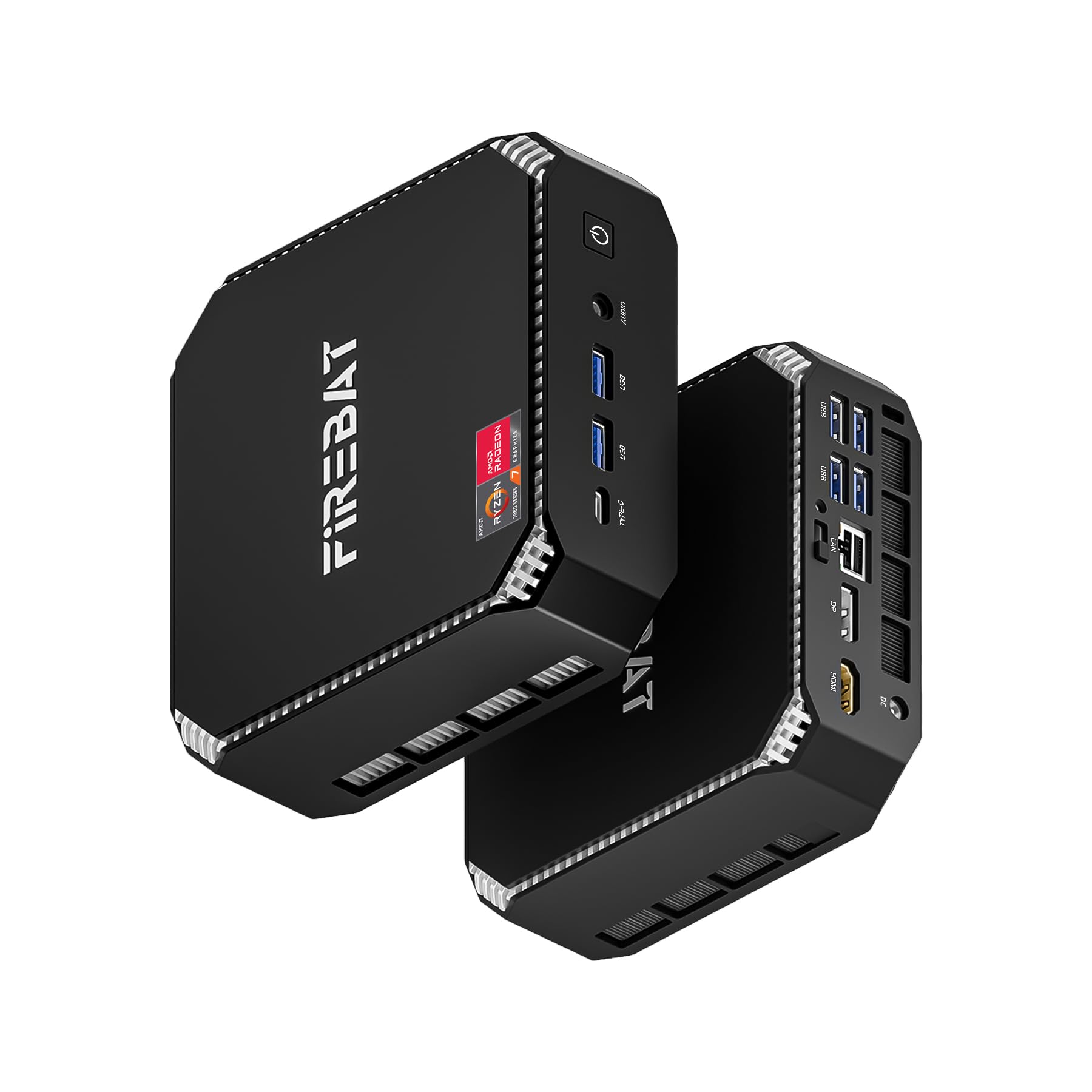
This mini PC packs a Ryzen 7 7735HS processor with Radeon 680M graphics—a combination that delivers roughly the same GPU performance as a desktop GTX 1050 Ti in a chassis smaller than a paperback. The 680M features 12 RDNA 2 compute units clocked at 2200 MHz, enabling smooth 1080p gaming in titles like Overwatch 2, Fortnite, and older Call of Duty titles at medium settings. The 8-core, 16-thread CPU can boost up to 4.75 GHz at a 54 W TDP, making it genuinely quick for productivity tasks as well.
The unit comes with 16 GB of single-channel LPDDR5 RAM, which is a notable performance handicap—upgrading to a dual-channel configuration (if the board supports it) can lift gaming frame rates by 20-30%. Storage is handled by a 512 GB PCIe 3.0 SSD with dual M.2 slots supporting PCIe 4.0, so you can add a faster drive later. Connectivity includes WiFi 6, Bluetooth 5.2, a 2.5 GbE LAN port, and triple display output via USB-C, DP 1.4, and HDMI 2.0.
User feedback highlights the quiet operation and compact footprint, with the unit running 7×24 as a home server or light gaming rig without issue. The single-channel RAM and potentially slow included SSD are the main drawbacks worth addressing with an aftermarket upgrade. For a mini PC that can play modern games at 1080p while doubling as a productivity workstation, this is one of the most versatile APU-based systems available.
Why it’s great
- Radeon 680M graphics deliver genuine 1080p gaming capability
- Compact size with dual M.2 slots, WiFi 6, and 2.5 GbE LAN
- Whisper-quiet operation suitable for 24/7 use
Good to know
- Single-channel RAM out of the box limits GPU performance
- RAM is non-upgradeable on some revisions
- Audio quality from the 3.5mm jack is mediocre
4. KAMRUI E3B Mini PC with AMD Ryzen 5 7430U

The KAMRUI E3B uses the Ryzen 5 7430U, a 6-core, 12-thread Zen 3 processor with Radeon Vega 7 graphics, to deliver a balanced experience for productivity-focused users rather than hardcore gamers. The Vega 7 GPU with 7 compute units at 1800 MHz is strong enough for light photo editing, 4K video playback, and older or less demanding games, but it will struggle with modern AAA titles. Where this mini PC shines is multi-monitor productivity—its DP 1.4b, HDMI 2.0, and full-function USB-C port support three independent 4K displays at 60 Hz.
The unit comes with 16 GB of LPDDR4X memory that is soldered and non-upgradeable, so choose your capacity carefully at purchase. Storage is handled by two M.2 slots—one NVMe/SATA and one SATA-only—both supporting up to 2 TB drives. The included SSD is often a budget unit, so upgrading to a faster drive like a Crucial P3 Plus noticeably improves system responsiveness. WiFi 6 and Bluetooth 5.2 ensure modern wireless connectivity, and the 15W TDP keeps the system cool and silent even under sustained load.
Reliability reports are mixed—while many users praise the quiet operation and triple 4K capability, a minority report failures after several months, though the seller’s customer service is consistently rated as responsive with refunds issued quickly. For home office setups, digital signage, or stock trading stations requiring three monitors, the E3B offers strong value if you are comfortable with the potential reliability variance.
Why it’s great
- Triple 4K display output via DP, HDMI, and USB-C
- Ultra low power consumption with silent operation
- Excellent connectivity with WiFi 6 and multiple USB 3.2 Gen2 ports
Good to know
- RAM is soldered and cannot be upgraded after purchase
- Some units have reported stability issues after extended use
- Included SSD is slow; a faster replacement is recommended
5. wo-we P6 Lite Mini PC AMD Ryzen 5 3500U
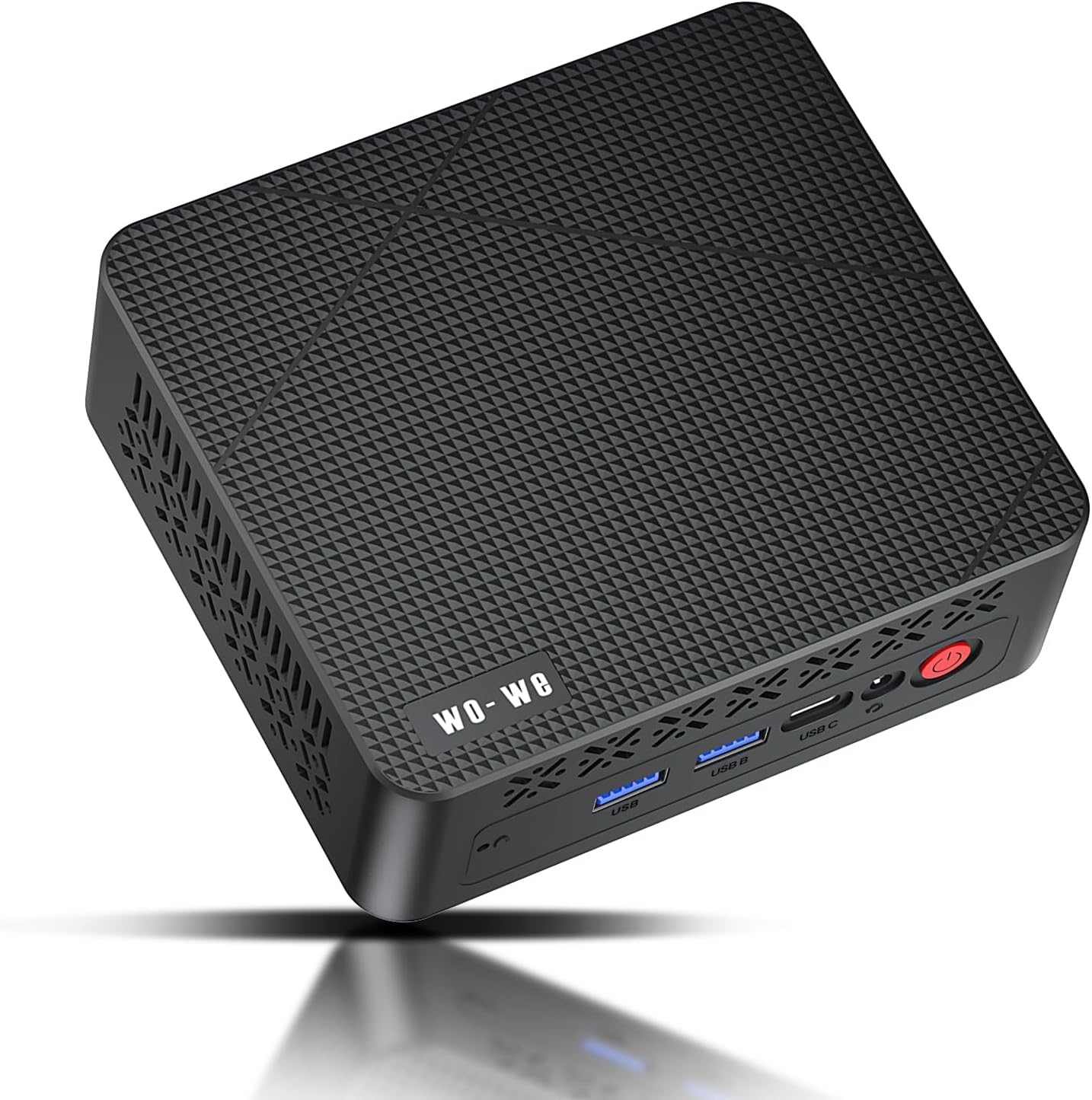
The wo-we P6 Lite leverages the Ryzen 5 3500U, a 4-core, 8-thread Picasso APU with Vega 8 graphics, to deliver a capable all-rounder for users who need a portable system that can handle office work, media streaming, and light gaming.
One of the standout features of this mini PC is its upgradeable RAM—the 8 GB DDR4 module can be swapped or supplemented to reach 16 GB or 32 GB in dual-channel mode, which directly improves GPU performance. The 256 GB PCIe SSD provides fast boot times, and an internal SATA cable is included for adding a 2.5-inch drive if you need more bulk storage. The compact chassis includes VESA mount support, allowing it to be hidden behind a monitor for a clean desk setup.
The P6 Lite runs exceptionally quiet thanks to its dual-copper heat pipe cooling system, and the integrated power brick simplifies cable management. On the software side, it ships with Windows 11 Pro. The 8 GB RAM configuration leaves only about 4.75 GB available for the OS after GPU allocation, so upgrading to 16 GB is almost mandatory for anything beyond basic web browsing. For the price point, this is one of the most flexible APU-based mini PCs on the market.
Why it’s great
- User-upgradeable SO-DIMM RAM slots for dual-channel performance
- Vega 8 graphics outperform many newer low-power APUs
- Quiet cooling and VESA mountable design
Good to know
- 8 GB RAM leaves limited room after GPU allocation—16 GB recommended
- Single-channel RAM out of the box handicaps gaming performance
- CPU architecture is Zen+, not Zen 2 or newer
6. AMD Ryzen 3 3200G 4-Core Unlocked Desktop Processor with Radeon Graphics

The Ryzen 3 3200G remains one of the most popular entry-level APUs ever made, and for good reason. Its Vega 8 graphics with 8 compute units deliver playable frame rates in games like Fortnite, CS:GO, and Rocket League at 1080p medium settings, completely eliminating the need for a dedicated GPU in a budget build. The four Zen+ CPU cores run at a base clock of 3.6 GHz and can boost up to 4.0 GHz, providing enough compute power for everyday multitasking, office applications, and light content creation.
The chip supports dual-channel DDR4-2933 memory, and using two sticks of fast RAM is essential to unlock the Vega 8’s full potential—single-channel memory can halve your gaming performance. The bundled Wraith Stealth cooler is quiet and sufficient for the 65W TDP, keeping idle temperatures around 28°C and load temperatures in the 40-50°C range with good case airflow. Overclocking is possible on B450 and B550 boards, with many users achieving stable 4.1 GHz on the CPU and 1500 MHz on the GPU without exceeding safe voltage limits.
User builds range from compact dental office PCs to children’s gaming rigs, with consistent praise for the chip’s silence and 4K video playback capability. The 3200G will bottleneck modern dedicated GPUs beyond an RTX 3060 Ti, but as a standalone integrated solution for under , it remains the benchmark by which budget APUs are measured. For anyone building a sub- PC that can actually game, this is still the clear starting point.
Why it’s great
- Vega 8 graphics can play esports titles at 1080p without a discrete GPU
- Great overclocking headroom on both CPU and GPU clocks
- Very affordable entry point into the AM4 platform
Good to know
- Only 4 CPU cores with no SMT—multitasking is limited
- Requires dual-channel DDR4-2933+ RAM for acceptable gaming performance
- Will bottleneck any GPU beyond the RTX 3060 Ti class
7. AMD A10-7850K APU AD785KXBJABOX

The A10-7850K is a piece of computing history that still finds use in HTPC builds and retro gaming systems. Its Radeon R7 graphics with 8 GPU cores (512 shader units) was groundbreaking at launch in 2014, and it remains capable for light 1080p gaming in older titles like Fallout 4 at medium settings. The four Steamroller CPU cores run at 3.7 GHz base with a 4.0 GHz turbo, though single-threaded performance is significantly below even a modern entry-level Ryzen chip.
The A10-7850K absolutely demands fast dual-channel RAM—DDR3-2133 or higher is required to feed the GPU cores enough bandwidth. With slower RAM, the integrated graphics performance collapses, and frame rates become erratic. The 95W TDP generates a fair amount of heat, and the stock cooler is mediocre; most users replace the thermal paste immediately and consider an aftermarket cooler for stress tests. Idle power draw is an impressively low 32W, but full load can reach 125W including the GPU.
For modern workloads, the A10-7850K is outclassed by even the cheapest Ryzen 3 APU, but it offers a path to building a very low-cost Windows 7-compatible system for legacy software or a dedicated emulation machine. The FM2+ platform is a dead end with zero upgrade path, so this purchase is suitable only for buyers who know exactly what they want and are comfortable with decade-old performance levels.
Why it’s great
- Very low idle power consumption (32W) for an efficient HTPC
- Can play older games at 1080p medium without a dedicated GPU
- Supports Windows 7 drivers for legacy software compatibility
Good to know
- CPU single-threaded performance is far behind modern Ryzen chips
- FM2+ platform has no upgrade path to newer processors
- Requires expensive DDR3-2133+ RAM to avoid GPU bottleneck
8. AMD Ryzen 3 4100 4-Core, 8-Thread Unlocked Desktop Processor

The Ryzen 3 4100 is technically a CPU without integrated graphics, but it earns consideration in an APU buying guide as a budget bridge chip for users who already have a dedicated GPU. With 4 Zen 3 cores and 8 threads running at up to 4.0 GHz, it offers solid single-threaded performance for everyday tasks and light gaming when paired with a discrete card. The 6 MB of L3 cache is modest, but for the price point, this is the cheapest way to get onto the AM4 platform with a modern architecture.
Performance in CPU-bound tasks like web browsing, office applications, and running Discord bots or VMs is noticeably better than older Ryzen 2000 series chips. The chip runs warmer than higher-end 65W SKUs under load, so a decent aftermarket cooler is recommended if you plan to push it with sustained workloads. The bundled Wraith Stealth cooler is adequate for stock operation but can become audible under extended load.
User reports indicate that some units may arrive with an outdated BIOS that causes boot failures on newer B550/X570 boards, so ensure your motherboard supports the 4100 out of the box or have a BIOS update method ready. At its discounted price point, the 4100 is a fantastic value—at regular price, the Ryzen 5 3600 or 5500 offer better multi-threaded performance for not much more. This chip makes sense for budget builds where every dollar counts and a discrete GPU is already part of the plan.
Why it’s great
- Cheapest modern Zen 3 chip for the AM4 platform
- 8 threads handle multitasking better than the 3200G
- Unlocked multiplier for overclocking on B550/X570 boards
Good to know
- No integrated graphics—requires a dedicated GPU for video output
- Runs warmer than other 65W Ryzen CPUs under load
- May require a BIOS update on some motherboards before boot
9. AMD A8-7650K Black Edition A-Series APU with Radeon R7 Graphics

The A8-7650K is the budget-friendly entry point into the FM2+ APU family, featuring 4 CPU cores based on the Steamroller architecture paired with 6 Radeon R7 GPU cores (384 shader units). The 10 compute core marketing terminology refers to the combined CPU + GPU count, and while it sounds impressive, real-world performance is firmly in the entry-level category. The CPU runs at a base of 3.3 GHz with a 3.8 GHz boost, and the GPU is clocked at 720 MHz.
This APU shines in non-gaming scenarios—office applications, web browsing, and media playback are handled smoothly, and the low 95W TDP keeps power consumption manageable. The bundled near-silent cooler is appreciated for quiet environments, though thermal performance under sustained load reaches 90-94°C during transcoding, which is within spec but uncomfortably close to the limit. Overclocking is possible but limited by the stock cooler; most users find a stable 3.5-3.7 GHz on the CPU and modest GPU overclocks.
User reports consistently note that the A8-7650K is a solid value for a basic office PC that needs no discrete GPU. Linux compatibility with motherboards like the ASRock A88M-G/3.1 is excellent, and the included fan comes with pre-applied thermal paste for easy installation. However, gaming performance is limited to very old titles at low resolutions—don’t expect playable frame rates in anything released after 2016. For an ultra-budget build that just needs to display a desktop and play video, this gets the job done for less than .
Why it’s great
- Extremely affordable entry point for a basic PC build
- Radeon R7 graphics eliminates the need for any discrete GPU
- Includes a near-silent cooler for quiet operation
Good to know
- Very limited gaming performance—only runs titles from 2016 or earlier
- CPU architecture is two generations behind modern Ryzen
- FM2+ platform has no upgrade path; this is a dead socket
FAQ
Can I game on an APU without a dedicated graphics card?
What is the difference between an APU and a regular CPU?
How important is RAM speed for APU gaming performance?
Will an APU bottleneck a dedicated graphics card?
Final Thoughts: The Verdict
For most users, the best apu winner is the AMD Ryzen 7 8700G because its RDNA 3 integrated graphics set a new standard for playable 1080p gaming without a dedicated card, while its eight Zen 4 cores ensure strong productivity performance and a long AM5 upgrade path. If you want the most powerful integrated graphics in a compact form factor, grab the FIREBAT A6 with the Ryzen 7 7735HS. And for a budget-friendly build that can handle esports gaming and everyday tasks, nothing beats the value of the AMD Ryzen 3 3200G.