
Cramming your workflow onto a single laptop display is a productivity bottleneck that costs you focus, time, and neck strain from constantly alt-tabbing. AR glasses promising multiple virtual monitors offer a way out, but the gap between marketing claims and real-world multi-monitor support is vast—some models deliver a single mirrored view, while others let you arrange three resizable windows in space. Finding the pair that actually functions as a true desktop extension, not just a wearable TV, requires parsing the specific software ecosystem and hardware compatibility that makes spatial computing work.
I’m Min — the co-founder and writer behind Gadgets Feed. I’ve spent countless hours analyzing the optical engines, field-of-view measurements, refresh rates, and spatial tracking chipsets that separate usable productivity glasses from gimmicky head-mounted displays in this narrow category.
Whether you need a portable triple-monitor setup for laptop-free coding or an ultrawide canvas for design work, this guide cuts through the noise to deliver the definitive verdict on the best ar glasses for multiple monitors.
How To Choose The Best AR Glasses For Multiple Monitors
Not every AR glasses pair was designed for productivity. Many are optimized for passive media consumption—a single large screen for movies or gaming. To get a true multi-monitor experience, you need spatial tracking that locks virtual displays in place around you, a wide enough field of view to see them without excessive head turning, and companion software that supports resizable, positionable windows. Ignoring these three pillars will leave you staring at a single mirrored view rather than a real desktop replacement.
Spatial Anchoring and Degrees of Freedom (DoF)
Multiple monitors require the glasses to remember where each virtual screen sits in space relative to your body and the room. 3DoF tracking keeps screens stable as you rotate your head, but they still follow your position slightly. 6DoF anchoring (available on models like the XREAL One Pro paired with XREAL Eye or the VITURE Luma Ultra) pins screens to real-world coordinates so you can walk around and the windows stay put. If productivity is your goal, prioritize native 3DoF as the baseline and 6DoF as the premium upgrade—0DoF screen-mirroring glasses will never give you a multi-monitor layout.
Field of View and Resolution Per Eye
A wider FOV lets you see more of your virtual desktop without moving your head. Budget and mid-range glasses hover around 47–50°, while top-tier options like the XREAL One Pro push 57°. For three side-by-side windows, you want at least 50° FOV. Resolution matters too: dual-eye 3840×1080 panels (like the INAIR 2 Pro) or 1920×1080 per eye ensure text remains readable. Models with a 120Hz refresh rate reduce eye strain during long coding sessions. Lower PPD (pixels per degree) can make text blurry toward the edges, so check for “edge-to-edge clarity” claims verified by reviews.
Software Ecosystem and Host Device Compatibility
The best hardware is useless if the companion app doesn’t support your operating system. Windows and macOS are the primary multi-monitor hosts—check that the glasses’ software (SpaceWalker for VITURE, INAIR Space for INAIR, Nebula for XREAL) offers resizable, draggable windows and ultrawide modes. Android phones with DeX or desktop mode can also serve as hosts, but iOS mirroring is often limited to a single screen. Confirm that your laptop has a USB-C port with DisplayPort Alt Mode; otherwise, you will need an adapter that adds latency.
Quick Comparison
On smaller screens, swipe sideways to see the full table.
| Model | Category | Best For | Key Spec | Amazon |
|---|---|---|---|---|
| XREAL One Pro | Premium | True spatial multi-monitor | 57° FOV, 171″ virtual screen, X1 chip | Amazon |
| VITURE Luma Ultra | Premium | Bright outdoor use & cameras | 1500 nits, 6DoF, triple camera | Amazon |
| VITURE Luma Pro | Premium | Sharpest display & multi-screen | 1200p, 52° FOV, electrochromic | Amazon |
| Rokid Max2 + Station2 | Premium | 3-screen bundled spatial computer | 3-screen multitasking, 5000mAh battery | Amazon |
| INAIRE 2 Pro | Mid-Range | Up to 4 virtual screens with PC | 3840×1080, 49 PPD, electrochromic | Amazon |
| XREAL 1S | Mid-Range | Plug-and-play 3DoF for Mac/PC | 52° FOV, X1 chip, 120Hz 3DoF | Amazon |
| TOZO VIZO Z1 Pro | Mid-Range | Budget-friendly personal screen | 47.5° FOV, 3840×1080, 120Hz | Amazon |
| Rokid Max 2 | Mid-Range | High refresh rate gaming | 50° FOV, 120Hz, 600 nits | Amazon |
| TCL NXTWEAR S | Mid-Range | Media consumption via Chromecast | 201″ virtual screen, 2.89 oz | Amazon |
| RayNeo Air 4 Pro | Budget-Friendly | HDR movie watching on the go | HDR10, 1200 nits, B&O audio | Amazon |
| HUD Sports Glasses | Budget-Friendly | Cycling & hiking data overlay | Battery-powered, GPS, AI alerts | Amazon |
In‑Depth Reviews
1. XREAL One Pro AR Glasses

The XREAL One Pro sets the current benchmark for multi-monitor AR. Its custom X1 spatial computing chip delivers native 3DoF with an ultra-low 3ms motion-to-photon latency, meaning your virtual monitors stay rock-steady as you turn your head. The 57° field of view is the widest in this roundup, projecting a 171-inch virtual screen at 4 meters—enough real estate to comfortably place three windows side by side without feeling cramped. Sony’s 0.55-inch Micro-OLED panel and 120Hz refresh rate keep text crisp and motion fluid during long work sessions.
Pairing with the optional XREAL Eye unlocks full 6DoF spatial anchoring: you can pin a browser window to your actual wall and it stays there even if you walk across the room. The dual IPD sizing (M: 57–66mm, L: 66–75mm) covers over 95% of users, and the three-stage adjustable arms plus spring hinge design eliminate pressure points. At 87 grams, the chassis is light enough for hours of wear, though some users report slight light leakage at the nose bridge. Sound by Bose delivers spacious open-ear audio that keeps you aware of your environment.
The One Pro’s biggest strength is its universal compatibility—any USB-C DP device works, including iPhone 15/16, Android phones, Steam Deck, and Windows/Mac laptops. The electrochromic dimming lets you adjust tint instantly for bright outdoor use. While the price point is premium, the combination of industry-leading FOV, sub-3ms spatial tracking, and robust build quality makes this the definitive choice for professionals who treat AR as a primary desktop extension.
Why it’s great
- Widest FOV in category at 57° for true multi-window layouts
- X1 chip enables native 3DoF with no app setup required
- Optional 6DoF via XREAL Eye for world-anchored screens
- Bose-tuned audio and 700 nits for outdoor usability
Good to know
- No built-in myopia adjustment; prescription lens frame sold separately
- Some edge distortion reported by users with extreme IPD
- Requires XREAL Eye for full 6DoF, an additional purchase
2. VITURE Luma Ultra XR Glasses
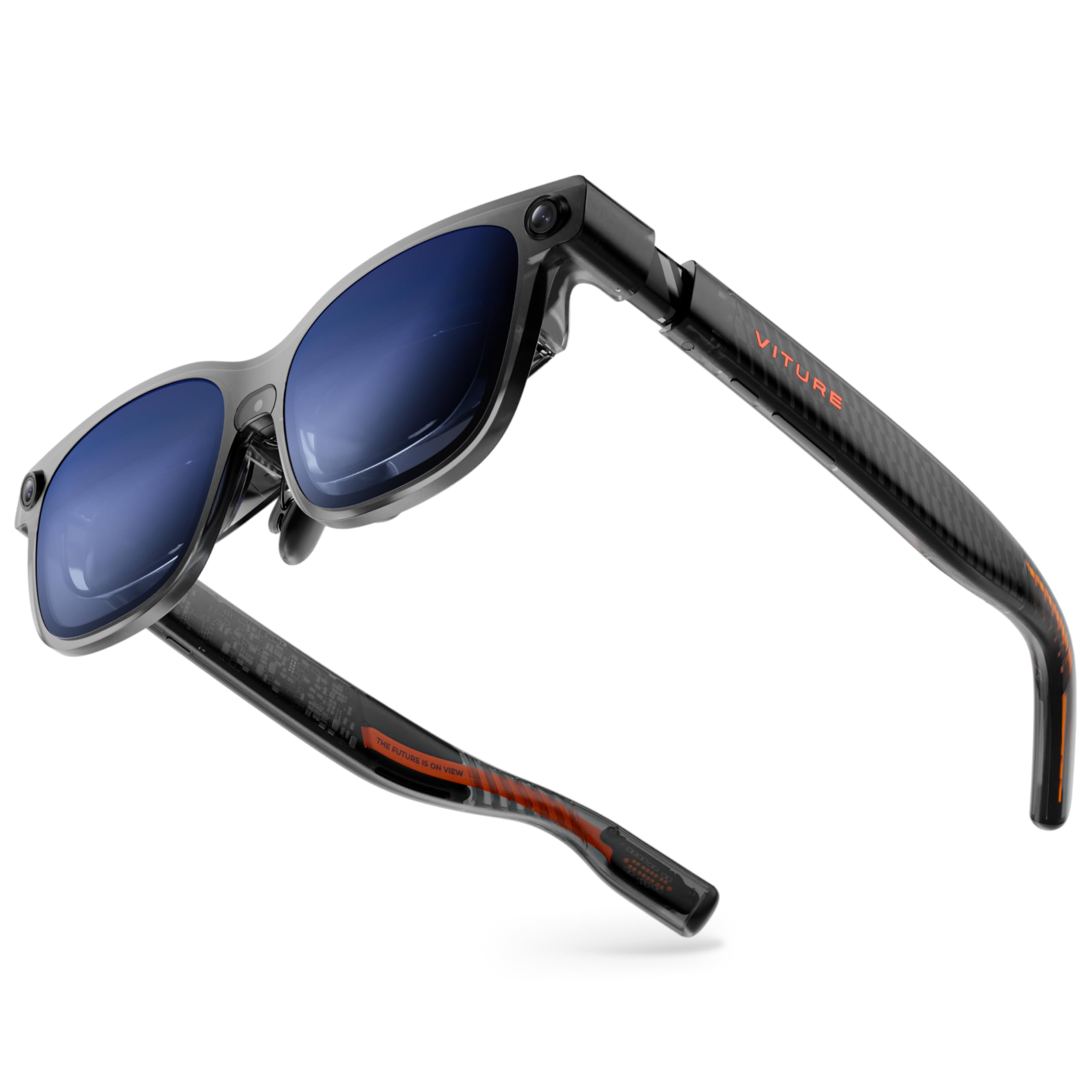
The VITURE Luma Ultra pushes brightness to an industry-leading 1500 nits, making it the only pair in this list that remains comfortably visible under direct sunlight. Its proprietary 1200p Micro-OLED panel delivers razor-sharp text that rivals 4K perceived resolution, and the 52° FOV is paired with a 120Hz refresh rate that eliminates judder during rapid head movements. The real differentiator is the triple-camera system—a front RGB camera and dual depth cameras—that enables zero-drift 6DoF spatial anchoring and hand gesture recognition when paired with the VITURE Pro Neckband.
For multi-monitor productivity, the SpaceWalker software on macOS and Windows lets you arrange up to three virtual screens in a 152-inch panoramic workspace. The electrochromic film darkens instantly with a single tap, and the built-in myopia adjustment up to -4.0D means most users can ditch prescription inserts entirely. The frame weighs 1.61 pounds in the box, but the glasses themselves are lightweight with flexible arms that reduce nose pressure. Harman-tuned audio provides deep bass and clear mids for calls or background music.
The Luma Ultra’s Achilles’ heel is its dependency on the VITURE Pro Neckband to unlock the full spatial computing experience—without it, the cameras and 6DoF features are dormant. Some users report the 2D-to-3D conversion feature crashes intermittently, and the multi-screen mode through SpaceWalker can induce motion sickness in sensitive individuals. However, for anyone who needs an outdoor-capable, ultra-bright AR display with genuine spatial tracking, this is a compelling option.
Why it’s great
- 1500 nits brightness visible in full sunlight
- Triple-camera 6DoF with hand gesture support via Neckband
- Built-in myopia adjustment up to -4.0D
- SpaceWalker supports three virtual screens on PC/Mac
Good to know
- 6DoF and cameras require sold-separately Neckband
- 2D-to-3D conversion software has stability issues
- Multi-screen mode can cause dizziness for some users
3. VITURE Luma Pro XR Glasses
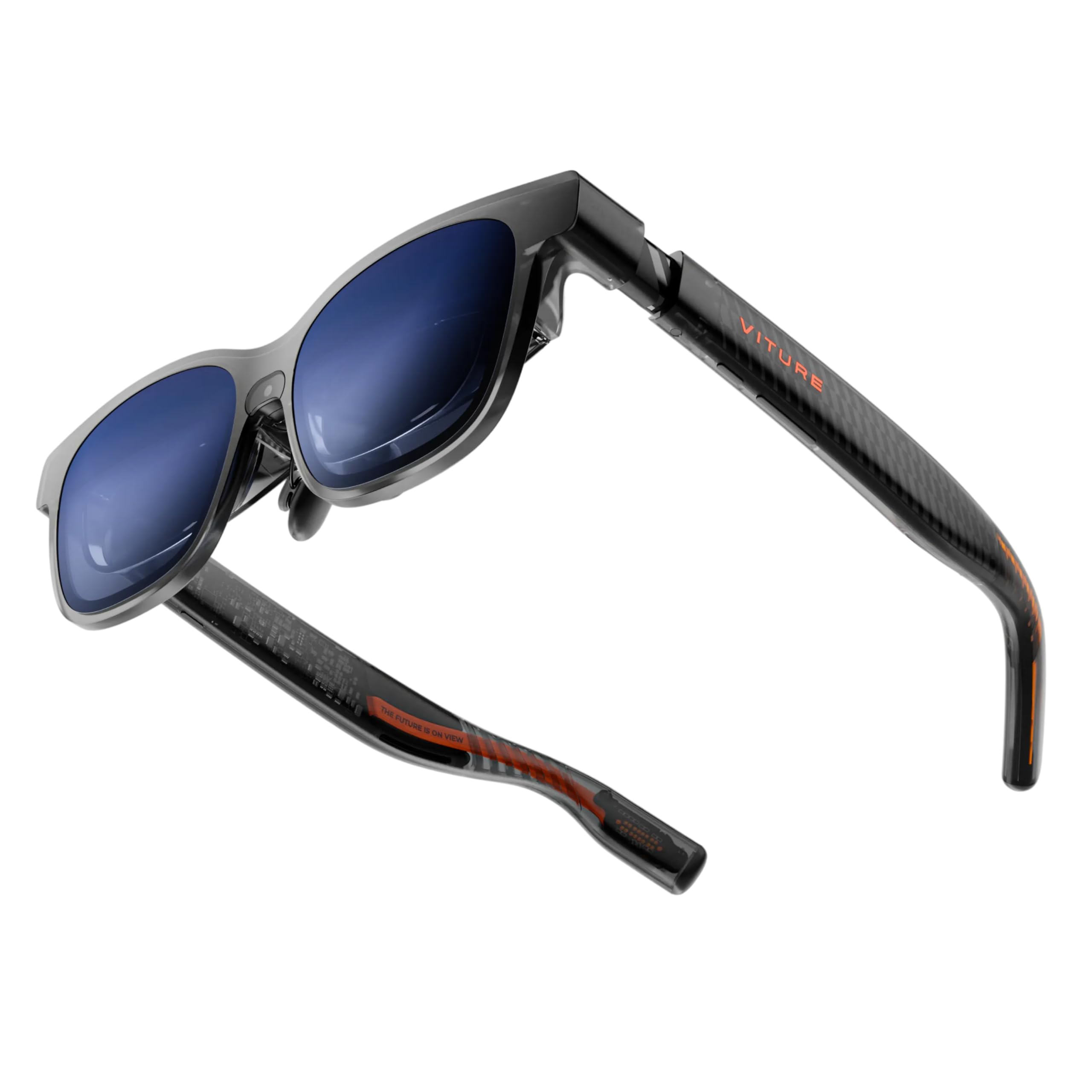
The VITURE Luma Pro is the sharpest XR display VITURE has ever produced, using a proprietary optical stack that makes text look noticeably crisper than the previous VITURE Pro. At 1200p per eye with a 152-inch virtual screen and 52° FOV, it provides excellent real estate for side-by-side documents. The 120Hz refresh rate and 1000 nits brightness ensure smooth scrolling and outdoor readability. The electrochromic film transitions instantly to block ambient light, and the built-in myopia adjustment up to -4.0D accommodates most users without inserts.
Multi-screen productivity is handled through the SpaceWalker app, which supports up to three virtual screens from Mac or PC. The Luma Pro also features the world’s first programmable RGB lighting on XR glasses—a visual touch that lets you sync colors with gaming or productivity modes. Harman-tuned audio delivers fuller bass and clearer highs than previous generations. The frame comes in two IPD sizes (Regular and Large) and includes a magnetic ergonomic nose pad that stays put during active use.
While the display quality is top-tier, the Luma Pro lacks the 6DoF cameras found on the Ultra model, meaning it is limited to 3DoF spatial anchoring. Some users report that the myopia adjustment doesn’t work well with astigmatism, and the 2D-to-3D conversion feature works only within SpaceWalker—not with streaming apps like Netflix. For pure visual fidelity in a multi-monitor setup, however, the Luma Pro is the sharpest option available.
Why it’s great
- Sharpest 1200p display in its class
- Up to three virtual screens via SpaceWalker
- Electrochromic dimming and built-in myopia adjustment
- Harman audio and programmable RGB lighting
Good to know
- Limited to 3DoF; no 6DoF camera system
- 2D-to-3D conversion not supported on streaming apps
- Astigmatism still requires separate prescription lens frame
4. Rokid AR Spatial (Max2 & Station2)

The Rokid AR Spatial bundle includes the Max2 glasses and Station2 spatial computer, offering a dedicated all-in-one solution for multi-monitor work without draining your phone’s battery. The Max2 features a 50% larger Micro OLED display than the previous Max, with 1920×1200 resolution, 120Hz refresh rate, and 600 nits brightness. The Station2 packs 8GB RAM, 128GB storage, a 5000mAh battery (3.5-hour runtime), Wi-Fi 6, and Bluetooth 5.2—acting as a standalone Android-based host for 3-screen multitasking.
The 3-screen mode is unique: you can run three apps simultaneously in resizable windows, with Giant Screen mode expanding to a 32:9 ultrawide aspect ratio. 3DoF support keeps screens fixed in space, and the auto IPD adjustment (55–72mm) ensures a clear image for most users. The Max2 glasses themselves weigh just 75 grams with an airy cushioning nose pad that prevents slipping. The Station2 also supports external gamepads, keyboards, and mice via Bluetooth or USB, turning the setup into a portable productivity workstation.
However, the 3-screen multitasking has limitations: it works via DLNA protocol on Android phones (Miracast and Chromecast are limited to single screen), and iPhones cannot use 3-screen mode at all. The Station2’s YodaOS software feels clunky—some users report navigation difficulties and apps crashing. The glasses themselves are not immersive for everyone; you clearly see tiny screens floating in your periphery. For those who want a complete, self-contained system without relying on a phone, this bundle offers unmatched portability.
Why it’s great
- Dedicated Station2 computer with 5000mAh battery
- True 3-screen multitasking with 32:9 ultrawide mode
- Auto IPD adjustment for wide user range
- Lightweight 75g glasses with comfortable nose pad
Good to know
- 3-screen mode not supported on iPhones
- Station2 software is unintuitive and buggy
- Small perceived screen size; not fully immersive
5. INAIR 2 PRO AR Glasses

The INAIR 2 Pro is built specifically for office productivity, offering support for up to four virtual screens when connected to Mac or Windows PC via the INAIR Space software. Its dual-eye 3840×1080 resolution (49 PPD) ensures text remains crisp from center to edge—a critical advantage for reading code or spreadsheets. The 135-inch virtual screen at 120Hz refreshes smoothly, and the 500-nit brightness works well indoors. The electrochromic technology allows transparency adjustment from 0.1% to 16%, so you can see your keyboard and surroundings without removing the glasses.
The frame features three adjustable temple angles and two nose pad sizes for a personalized fit, with the heating element located away from skin for comfort. The INAIR 2 Pro has passed Swiss SGS A+ 2.0 certification for visual fatigue, with a fatigue index of ≤2.5. Privacy Mode in the INAIR Space software blacks out your computer screen when the glasses are connected in public, while the reverse sound field technology minimizes audio bleed.
Despite its strong productivity focus, the INAIR 2 Pro has notable drawbacks. The field of view is narrower than competitors, requiring head tilting to see the full multi-screen layout—a physical compromise that reduces the multi-screen benefit. The build quality feels cheap with tight hinges, and the sweet spot for sharp focus is small. Multi-screen functionality on Windows 11 has been reported as non-functional by some users. The INAIR Space software is only compatible with Mac and Windows PCs, not smartphones, limiting flexibility.
Why it’s great
- Up to four virtual screens with PC software
- High 49 PPD edge clarity for sharp text
- Electrochromic dimming for real-world awareness
- Swiss SGS A+ certified for low eye fatigue
Good to know
- Narrow FOV requires head tilting for multi-screen views
- Multi-screen mode not working properly on some Windows 11 laptops
- Build quality feels plasticky and hinges are tight
6. XREAL 1S AR/XR Glasses

The XREAL 1S brings the X1 chip’s spatial tracking benefits to a mid-range price point. Native 3DoF means no app setup is required—just plug into any USB-C DP device and your virtual screen stays anchored as you move your head. The 52° FOV provides a 500-inch virtual screen at distance, with 120Hz refresh rate in 3DoF mode for butter-smooth motion. Each unit is individually color-tuned, and the optical engine has been redesigned to improve edge clarity by 9% over previous XREAL models.
Spatial viewing modes include 0DoF follow mode, 3DoF anchor mode, Ultrawide Mode (32:9 or 21:9), and Real 3D Mode. The Real 3D feature instantly converts any content into stereoscopic 3D at up to 30fps with 90–100ms latency. The audio system, co-developed with Bose, delivers a spacious soundstage with custom AR-grade drivers. TÜV Rheinland certification ensures low blue light, flicker-free viewing, and 100% UV protection. The IPD range of 59.5–70.5 mm covers about 95% of users.
While the XREAL 1S excels at spatial viewing, its multi-monitor capabilities are more limited than the One Pro. The Ultrawide Mode is a single flattened widescreen rather than separate resizable windows. Some users report anchor mode drift and settings that reset on boot. The built-in buttons on the right arm are smooth and indistinguishable, leading to accidental presses that trigger tutorial mode. For those who want rock-solid 3DoF tracking without breaking the bank, the 1S is a strong entry point.
Why it’s great
- Native 3DoF with X1 chip, no app required
- 52° FOV with 120Hz refresh rate for smooth tracking
- Bose-tuned audio with spacious soundstage
- TÜV Rheinland eye comfort certification
Good to know
- Ultrawide mode is a single screen, not separate windows
- Anchor mode can drift and settings reset on boot
- Smooth buttons cause accidental mode changes
7. TOZO VIZO Z1 Pro AR Glasses
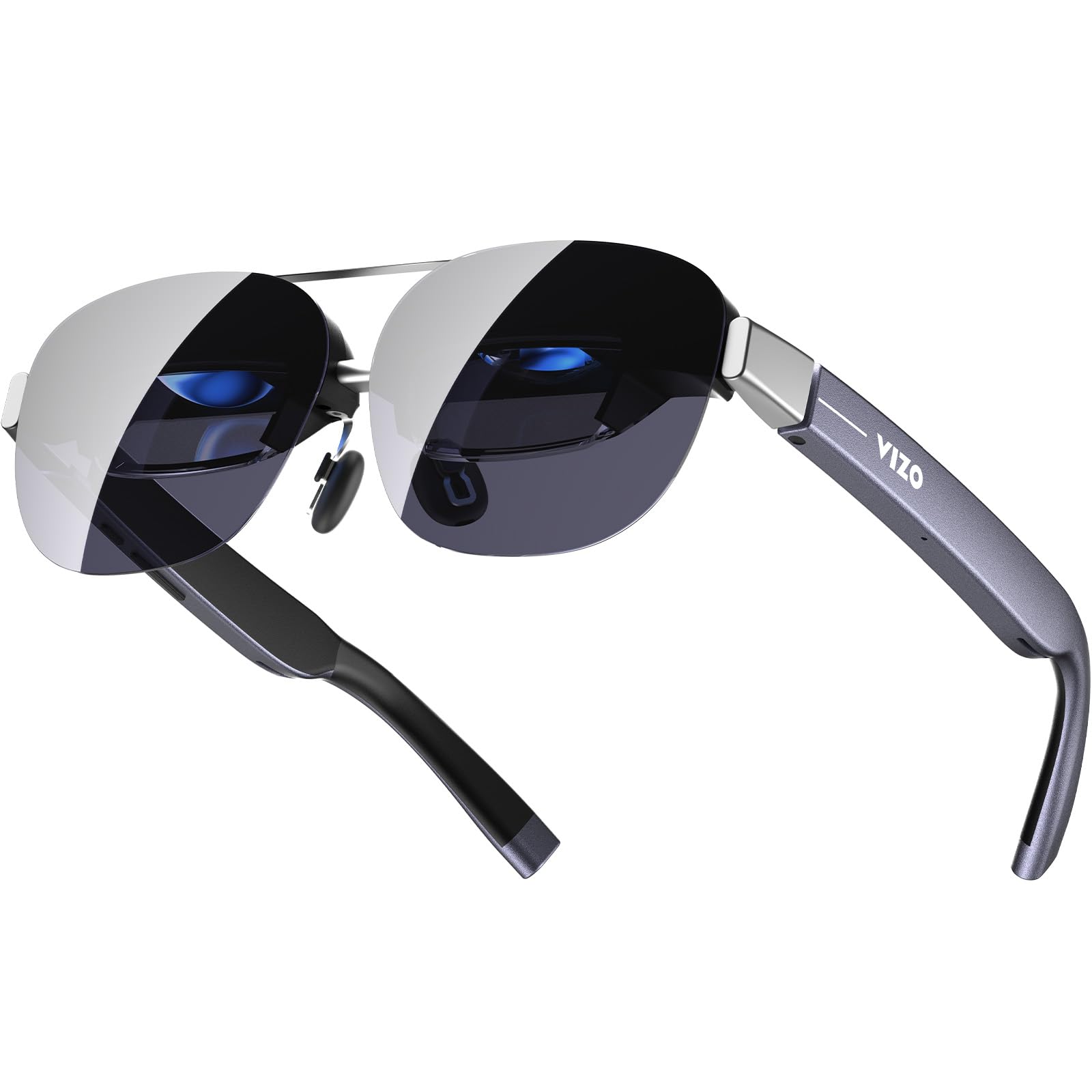
The TOZO VIZO Z1 Pro is a mid-range contender that folds like a pair of sunglasses for ultimate portability. Its 47.5° FOV is narrower than premium options but still delivers a 160-inch virtual screen with 3840×1080 dual-eye resolution. The Micro-OLED display covers 98% DCI-P3 color gamut with a 200,000:1 contrast ratio, producing vivid colors and deep blacks. The 120Hz refresh rate ensures smooth motion for gaming and scrolling, and the 63-gram weight makes it one of the lightest AR glasses available.
Connectivity is straightforward plug-and-play via USB-C for any DP-enabled device. The detachable frame allows easy installation of prescription lenses, and the 0–600° diopter adjustment eliminates the need for inserts for most nearsighted users. Dual stereo speakers provide decent audio, and tactile buttons on the frame offer intuitive volume and brightness control. The matte blue finish is visually distinctive without being flashy.
The Z1 Pro’s limitations become apparent when compared to competitors. It lacks native 3DoF tracking, meaning the screen follows your head movement—it is essentially a head-mounted monitor rather than a spatial computing device. The 47.5° FOV feels cramped for multi-window setups, and users report slight corner blurring. The speakers have noticeable audio bleed, making them less suitable for quiet public spaces. For travelers who want a large personal screen for movies, the Z1 Pro is excellent, but it is not a true multi-monitor productivity tool.
Why it’s great
- Folds like sunglasses for easy portability
- Lightest pair at 63g with 0–600° diopter adjustment
- Vivid 98% DCI-P3 color with deep contrast
- Simple plug-and-play USB-C connectivity
Good to know
- No spatial tracking; screen follows head movement
- Narrow 47.5° FOV limits multi-screen potential
- Speaker audio bleed noticeable in quiet rooms
8. Rokid Max 2 AR Glasses
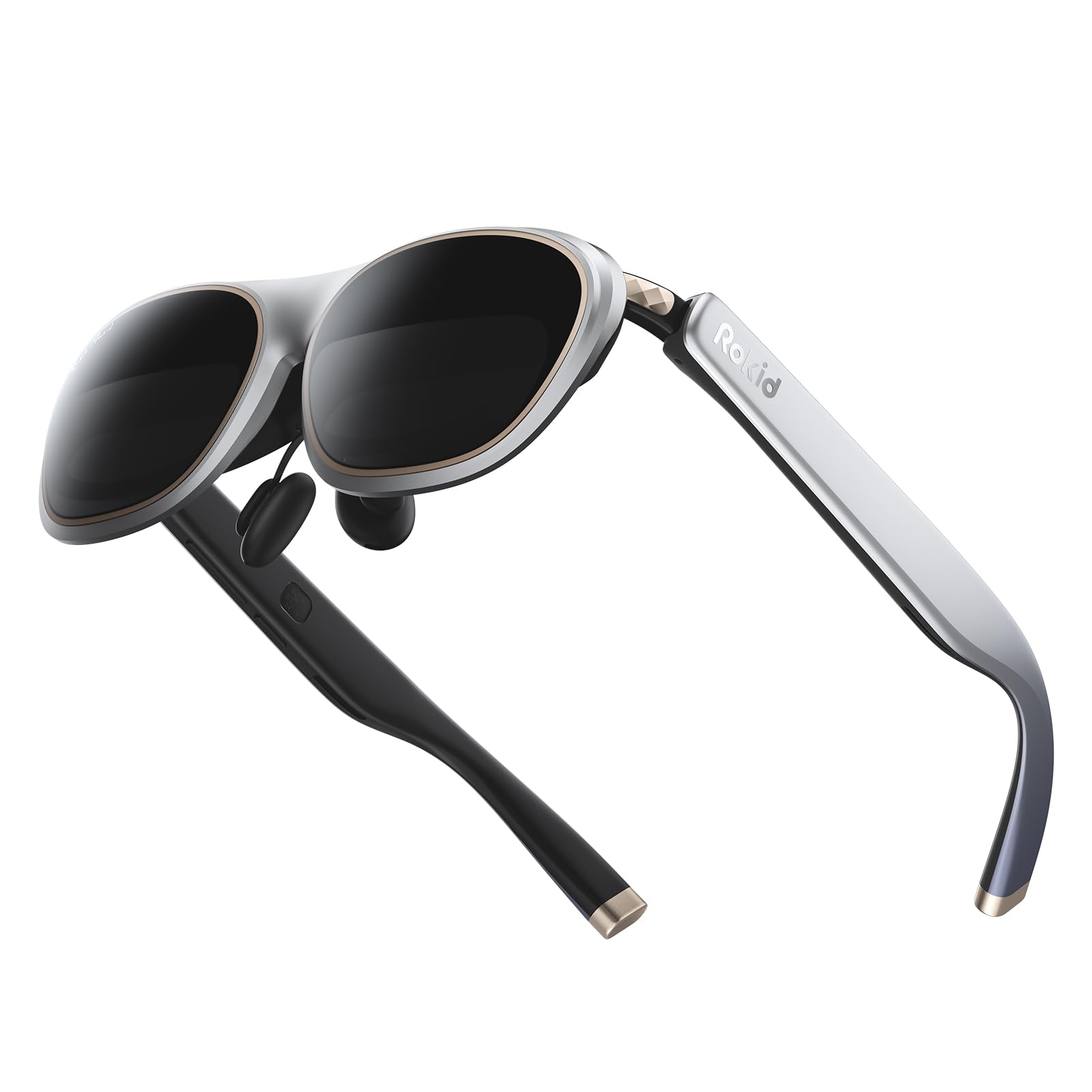
The Rokid Max 2 delivers a 215-inch virtual screen at a 6-meter distance, powered by Micro OLED displays with a 50° FOV. The 120Hz refresh rate and 600 nits brightness make it suitable for both gaming and productivity, though the lack of native 3DoF means the screen stays fixed in front of your face. The myopia adjustment dial supports up to 600 diopters, eliminating the need for prescription inserts for most users. The glasses weigh just 75 grams and feature an airy cushioning nose pad that prevents slippage.
Direct USB-C connectivity works with most Android phones, iPhones (15 series and newer), Windows laptops, iPads (since 2020), and Macs. HDCP support ensures secure streaming from services like Netflix and Prime Video. The nose pad swap system lets you adjust the screen fit, and the package includes spare pads and a cleaning cloth. The built-in speakers are adequate for casual use, though audiophiles will prefer external headphones.
The Max 2’s multi-monitor capabilities are limited—it is primarily a single-screen mirroring device. While the 50° FOV is decent, there is no spatial tracking to anchor windows in space. The glasses do not support astigmatism correction, and the adjustment dial only handles myopia up to 600 degrees. Some users find the overall brightness insufficient for outdoor use, and the lens covers are fragile. For the price, the Max 2 offers excellent visual quality as a wearable monitor, but it does not satisfy the multi-monitor requirement.
Why it’s great
- Large 215-inch virtual screen with 120Hz refresh
- Built-in myopia adjustment up to 600 diopters
- Lightweight 75g with comfortable nose pad
- Wide device compatibility via USB-C
Good to know
- No spatial tracking or multi-monitor support
- Does not support astigmatism correction
- Lens covers are fragile and poorly attached
9. TCL NXTWEAR S
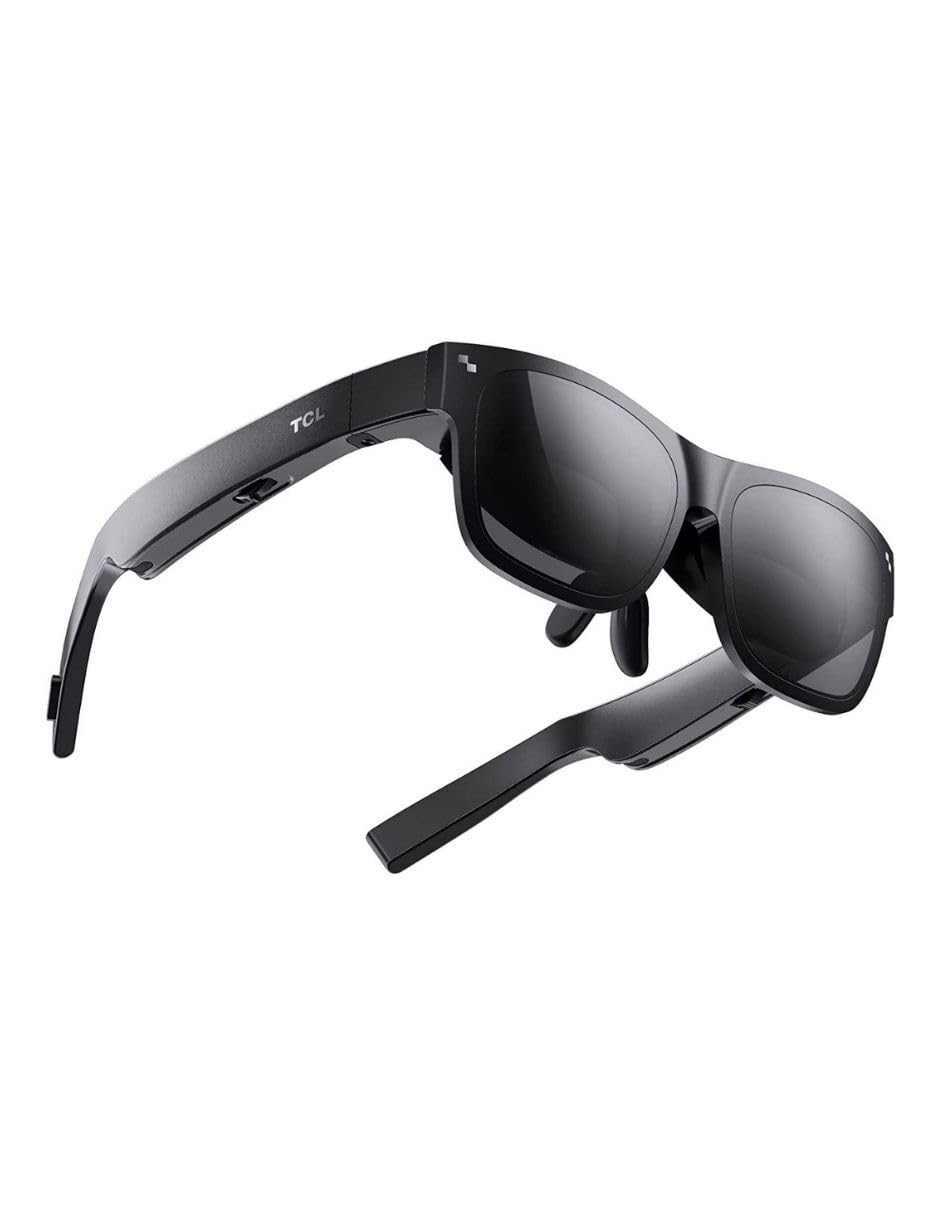
The TCL NXTWEAR S offers a 201-inch virtual screen in a lightweight 2.89-ounce frame. The Micro OLED display provides Full HD 1080p per eye with dynamic stereo sound. It works with Google Chromecast TV, making it a capable media consumption device for streaming movies and shows. Compatibility extends to Samsung Galaxy series phones, iOS devices, and consoles via adapters. The open-ear speakers allow ambient awareness, and the glasses fold for storage.
The NXTWEAR S is not a multi-monitor device. It projects a single large screen that follows your head movement without any spatial anchoring. The colors are reportedly too vivid out of the box, causing eye strain for some users, and the dimming function is insufficient—whites can be overly bright. Firmware updates are problematic, with the companion app often refusing to update the glasses on Android devices. Setup instructions are minimal, and the build quality feels adequate but not premium.
For its price, the NXTWEAR S is a reasonable entry-level wearable display for watching movies on a plane or in bed. However, for anyone seeking a multi-monitor productivity setup, this pair will disappoint. The lack of any spatial tracking, limited phone compatibility (Pixel and OnePlus users have reported failures), and eye strain issues make it a poor candidate for extended work sessions.
Why it’s great
- Lightweight at 2.89 ounces for comfortable wear
- Large 201-inch virtual screen for media
- Works with Google Chromecast for streaming
- Open-ear speakers keep you aware of surroundings
Good to know
- No spatial tracking; single fixed screen only
- Overly vivid colors cause eye strain for some
- Firmware app fails to update on many Android phones
10. RayNeo Air 4 Pro Limited Edition
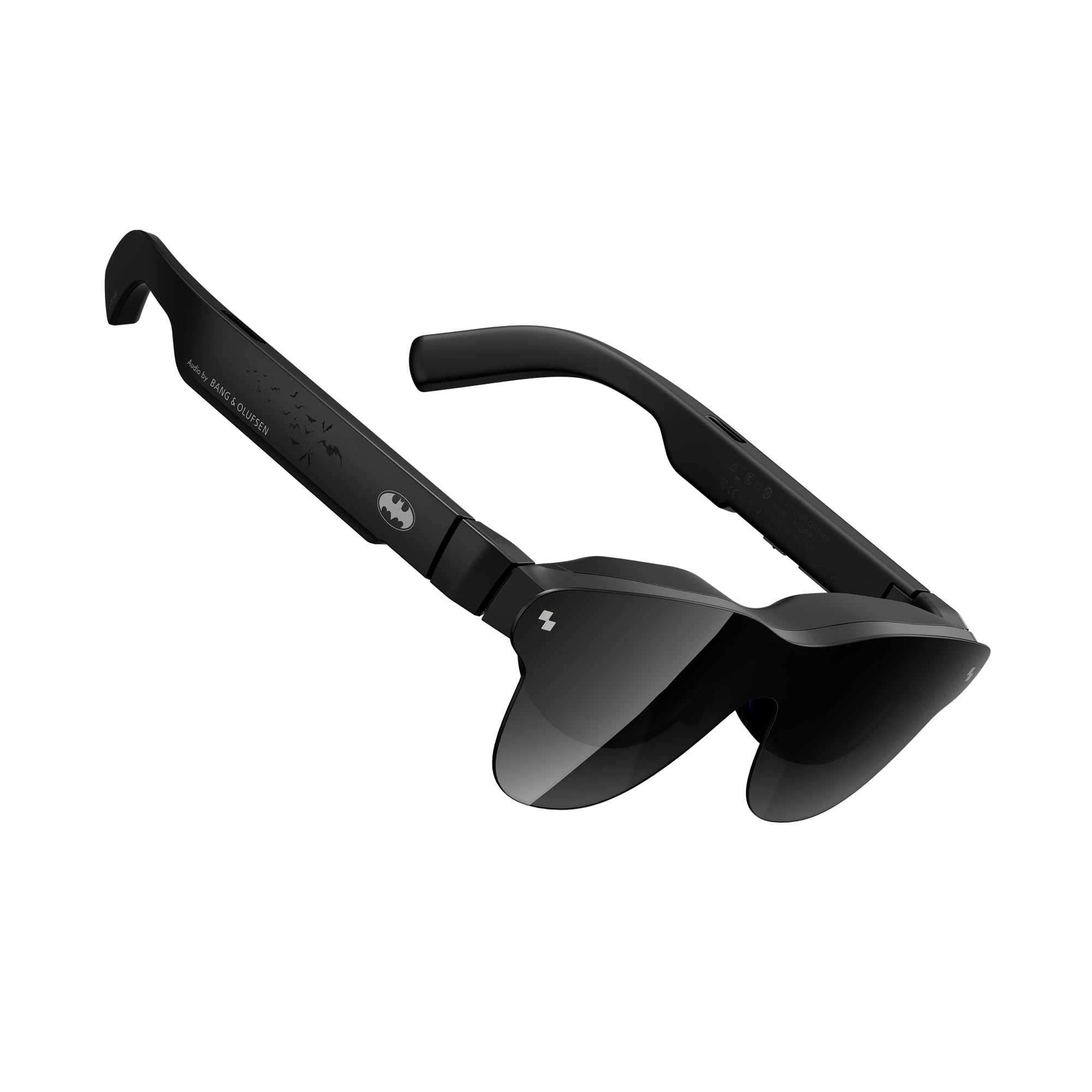
The RayNeo Air 4 Pro Limited Edition (Chaos Edition) is a collector-grade AR glasses pair featuring HDR10 support and a 201-inch video display. The Vision 4000 chip with AI-powered SDR-to-HDR conversion delivers 1200 nits of brightness for punchy highlights and deep blacks. The quad-speaker system co-tuned by Bang & Olufsen produces a 360-degree soundstage. The glasses weigh just 2.88 ounces, making them exceptionally light for extended wear. AI processing can transform 2D content into immersive 3D layers.
The HDR10 performance is genuinely impressive—users report OLED-like contrast with vibrant colors that make movies and games pop. The included sound tubes improve audio isolation, and the lightweight design allows hours of comfortable use. The blackout cover provides privacy, and the glasses work well with Samsung DeX for a portable desktop experience. Compatibility includes iPhone, Android, and PC via USB-C.
However, the Air 4 Pro is not a multi-monitor device. It mirrors a single screen without any spatial tracking. The build quality feels somewhat cheap, with a hard-to-close soft case and fragile adjustment mechanisms. Users with poor eyesight report blurry edges and text, and the tinted lens causes internal reflections in bright rooms. For HDR movie enthusiasts who want a private cinema, the Air 4 Pro is a solid choice, but it does not serve the multi-monitor purpose.
Why it’s great
- Excellent HDR10 display with 1200 nits brightness
- Bang & Olufsen quad-speaker audio
- Lightest pair at 2.88 ounces for comfortable wear
- AI 2D-to-3D conversion adds depth to content
Good to know
- No spatial tracking; single mirror screen only
- Blurry edges for users with poor eyesight
- Cheap plastic build and fragile lens covers
11. HUD Display Sports Glasses
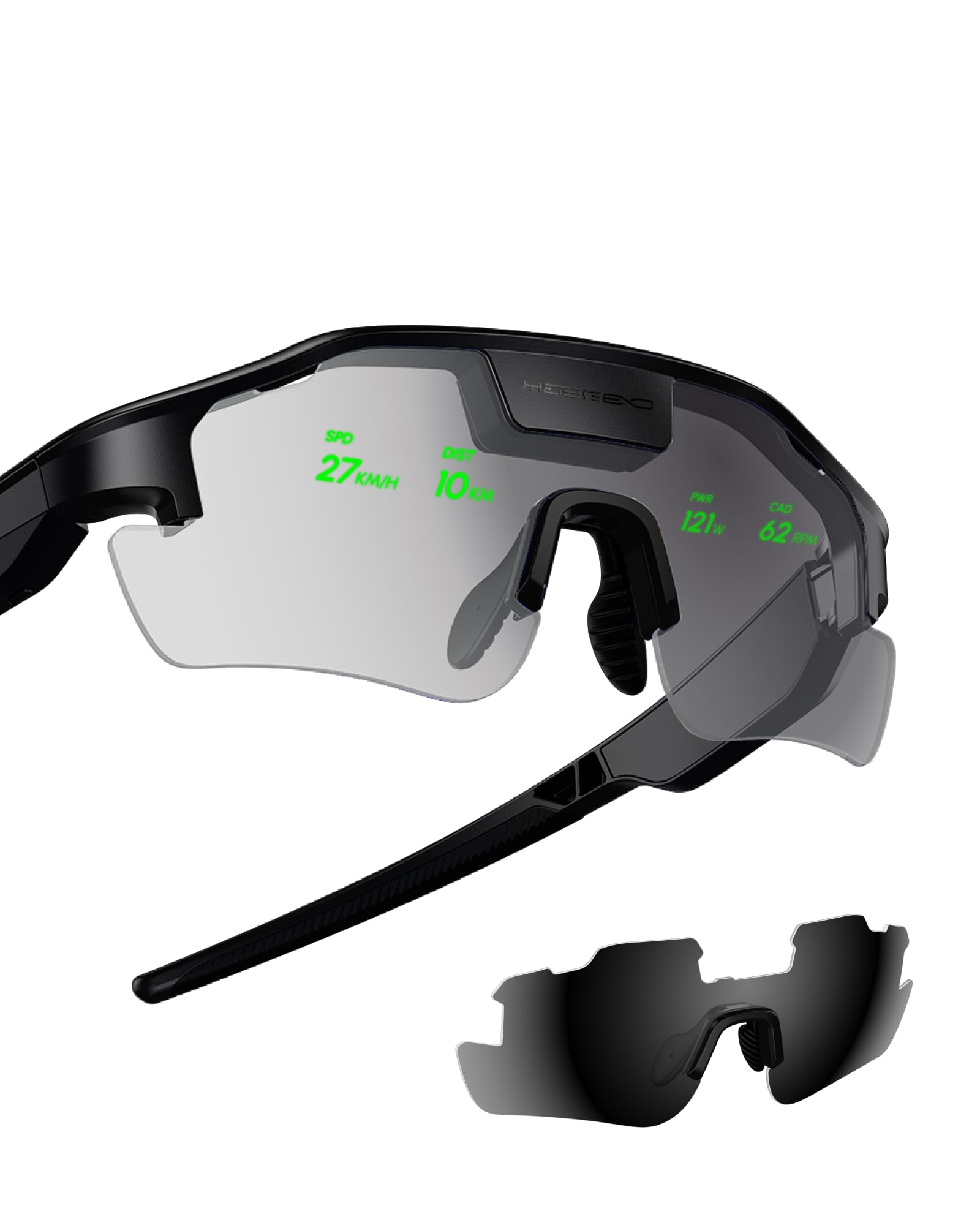
The HUD Display Sports Glasses are designed for a completely different use case: real-time data overlay for cycling and hiking. They display speed, distance, heart rate, power data, and turn-by-turn navigation directly in your field of view. The heads-up display eliminates the need to glance at a bike computer, improving safety and zone adherence during training. The glasses run on two included nonstandard batteries and connect to cycling sensors via Bluetooth.
Users praise the safety improvement: radar alerts for approaching vehicles and power data appear in the upper line of sight without obstructing vision. The display is bright enough for outdoor use, though it is monochromatic and simple—not a full-color AR overlay. Setup requires pairing with sensors and a phone app, which some users found complicated, though customer support was responsive. The glasses are lightweight and comfortable for long rides.
These glasses are categorically not suited for multi-monitor productivity. They do not connect to PCs or phones for desktop mirroring. The display is a simple text HUD, not a virtual screen. For cyclists and hikers who want performance metrics at a glance, the HUD Sports Glasses are innovative and practical. But as an AR glasses product for multiple monitors, they are unrelated and included here only for completeness of the dataset.
Why it’s great
- Radar and power data in field of view improves safety
- Clear display for speed, distance, and navigation
- Lightweight and comfortable for long rides
- Responsive customer support for setup issues
Good to know
- Not designed for PC/multi-monitor use
- Setup process is complicated initially
- Monochrome HUD, not a full AR display
FAQ
Can I really use AR glasses as a replacement for my physical dual monitors?
What does my phone or laptop need to support multi-monitor AR glasses?
Why does the text look blurry on some AR glasses when using multiple windows?
Final Thoughts: The Verdict
For most users, the best ar glasses for multiple monitors winner is the XREAL One Pro because its 57° FOV, native 3DoF X1 chip, and optional 6DoF anchoring provide the most stable and expansive multi-window experience. If you prioritize maximum brightness and want a camera-based 6DoF system, grab the VITURE Luma Ultra. And for the sharpest display with excellent multi-screen software, the VITURE Luma Pro delivers unmatched text clarity for productivity.