
The biggest bottleneck in a modern workflow isn’t your processor—it’s your screen real estate. You toggle between windows, squint at a single laptop display, or carry a second monitor that screams “coffee shop burden.” AR glasses solve that physical constraint by projecting a massive, private virtual display (or three) directly in front of your eyes, letting you work anywhere without hauling hardware. But not all AR glasses handle text clarity, software features, or all-day comfort the same way—and a wrong pick means a blurry headache instead of a productivity boost.
I’m Min — the co-founder and writer behind Gadgets Feed. I’ve spent hundreds of hours analyzing the optical engines, refresh rates, software ecosystems, and device compatibility of every major AR wearable on the market to build this no-fluff guide.
After sorting through the technical specs, real-world ergonomics, and software maturity of the current landscape, these are the only models worth considering if you’re serious about leveling up your workspace with the best ar glasses for productivity.
How To Choose The Best AR Glasses For Productivity
Not every pair of AR glasses is built for text-heavy work. Gaming-focused models prioritize low latency and contrast, while productivity glasses need edge-to-edge sharpness, comfortable ergonomics for hours of wear, and software that turns one display into three. Here’s what separates a usable work tool from a fun toy.
Pixel Per Degree (PPD) is the Text Clarity Metric
Resolution alone doesn’t tell you if code or a PDF is readable. PPD measures how many pixels your eye sees per degree of field of view. A high PPD (above 45) delivers sharp, readable text without the need to lean in. The INAIR 2 Pro claims 49 PPD, while cheaper models often dip below that threshold, causing eye strain when reading documents.
Native Tracking: 3DoF vs. 6DoF for Desk Work
3DoF (Three Degrees of Freedom) tracks head rotation only—pitch, yaw, and roll. This lets you pin a virtual screen in space so it doesn’t follow your head movements, which is essential for reading or typing while looking at a keyboard. 6DoF adds positional tracking (moving forward, backward, side to side), enabling a spatially anchored screen that stays in one corner of your room. For stationary desktop use, 3DoF is sufficient; for walking around with a floating window, 6DoF is superior but demands more processing power.
Native Multi-Screen vs. Software Simulation
Some AR glasses, like the Rokid AR Spatial and VITURE Luma Ultra, offer a native three-screen layout through dedicated software or onboard chips. Others require third-party apps or mirror your phone’s single screen. If your goal is replacing a dual-monitor setup, ensure the glasses support independent virtual displays that can hold different apps, not just a stretched or mirrored view.
Quick Comparison
On smaller screens, swipe sideways to see the full table.
| Model | Category | Best For | Key Spec | Amazon |
|---|---|---|---|---|
| XREAL One Pro | Premium | Sharpest text & native 3DoF | 57° FOV / 700 nits / 120Hz | Amazon |
| VITURE Luma Ultra | Premium | Brightest display & 6DoF | 1500 nits / 52° FOV / 120Hz | Amazon |
| Rokid AR Spatial (Max2+Station2) | Premium | 3-screen multitasking & apps | 3-screen DLNA / 120Hz / 5000mAh | Amazon |
| INAIR 2 Pro | Mid-Range | High PPD & electrochromic | 49 PPD / 3840×1080 / 120Hz | Amazon |
| ASUS AirVision M1 | Mid-Range | Multi-screen from Windows app | 1100 nits / 100″ display / 87g | Amazon |
| VITURE Luma Pro | Mid-Range | Sharp 1200p & myopia adjustment | 1200p / 1000 nits / 52° FOV | Amazon |
| Rokid AR Joy Pack 2 | Mid-Range | Google TV + cloud gaming | Google-certified / 5000mAh / 120Hz | Amazon |
| GOOVIS Art | Mid-Range | Open-view peripheral vision | 55 PPD / 110° FOV / 110g | Amazon |
| TOZO VIZO Z1 | Budget | Lightweight & 120Hz gaming | 63g / 160″/ 47.5° FOV / 120Hz | Amazon |
| Meta Oakley Vanguard | Budget | Hands-free video & audio | 12MP camera / 3K video / IP67 | Amazon |
| Domars Smart Glasses | Budget | Hidden teleprompter & translation | 43g / HUD display / 15 languages | Amazon |
In‑Depth Reviews
1. XREAL One Pro AR Glasses

The XREAL One Pro is the most complete productivity package right now, thanks to XREAL’s homegrown X1 chip that delivers native 3DoF tracking with an ultra-low 3ms M2P latency. This means virtual screens stay locked in space without any software lag or drift—a critical feature for anyone spending hours reading documents or coding. The 57° field of view produces a 171-inch virtual screen that feels genuinely expansive, and the 700 nits brightness is enough to remain clear in a bright office or coffee shop window seat.
What sets it apart for desk work is the combination of Bose-tuned audio and electrochromic dimming. The built-in sound is clear enough for conference calls without headphones, and the instant darkening feature cuts glare when you need total focus. The dual IPD design (M and L size options) covers over 95% of users, while three-stage adjustable arms and zero-pressure nose pads prevent the pressure points that cause fatigue after a few hours.
The “REAL 3D” switch is a nice bonus for occasional cinematic 3D viewing, but the killer productivity feature is the spatial screen pinning with auto-transparency when you glance away. It’s the only model in this roundup that feels genuinely plug-and-play for a multi-hour desktop session without needing to fumble with calibration apps. For a pure focus machine, this is the one.
Why it’s great
- Industry-leading 57° FOV and sharp Micro-OLED with 120Hz refresh.
- Native 3DoF tracking with virtually zero latency via the X1 chip.
- Bose-engineered audio that doubles for calls.
Good to know
- No built-in myopia adjustment; requires separate prescription inserts.
- Desktop use can be tricky; may need a hub for simultaneous charging.
2. VITURE Luma Ultra XR Glasses
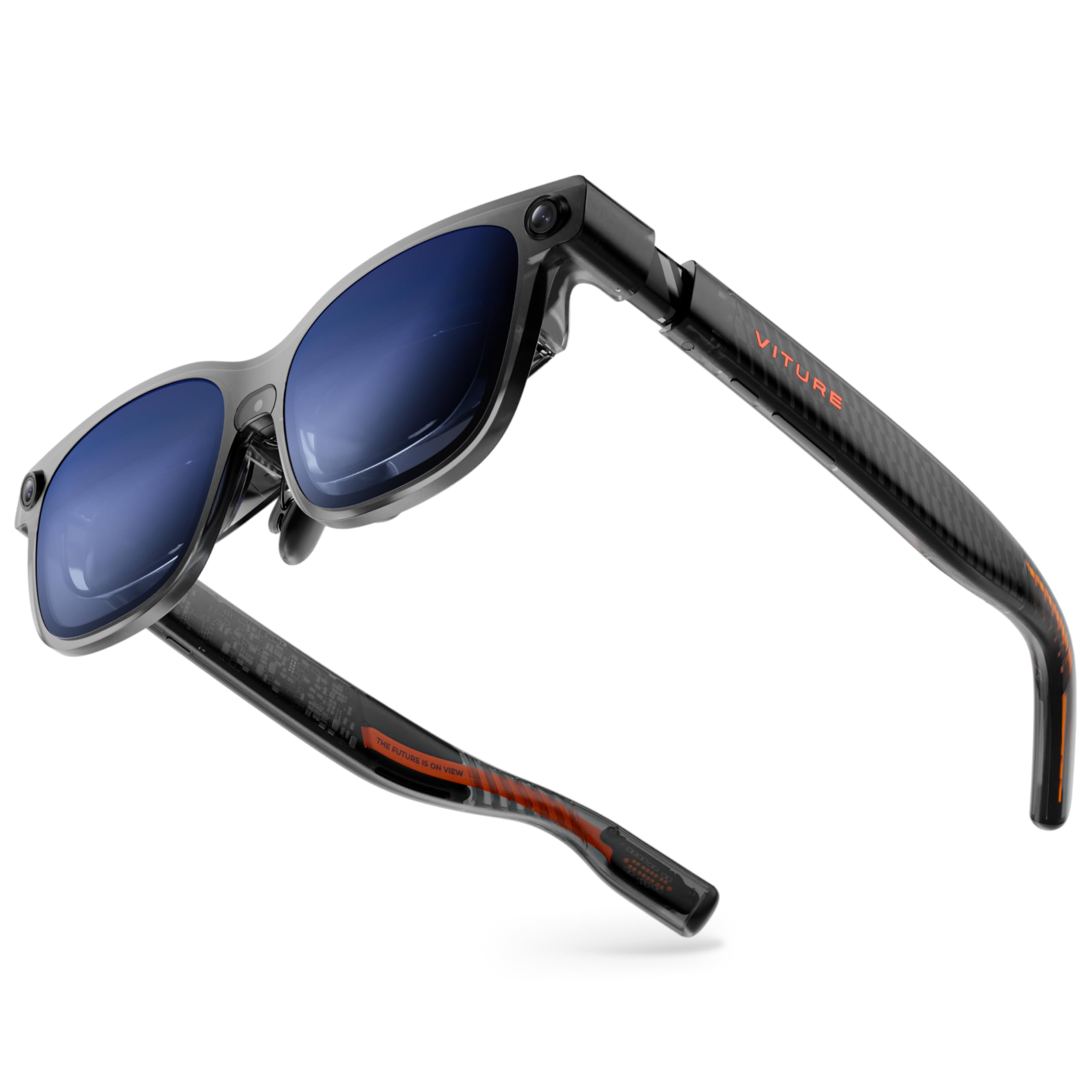
If you often work outdoors or near a bright window, the VITURE Luma Ultra’s 1500-nit peak brightness is unmatched—it’s the only pair here that stays crisp under direct sunlight. The proprietary Micro-OLED panels also consume 35% less power, which helps extend the battery life of your connected phone or laptop. At 52° FOV with a 152-inch virtual screen, the image is immersive without being overwhelming, and the 120Hz refresh rate makes scrolling through long docs or code feel fluid.
VITURE’s SpaceWalker app is a genuine differentiator for Windows and Mac users: it supports multi-screen setups (up to three virtual monitors) with zero-drift 6DoF tracking when paired with the Pro Neckband. The front RGB camera and dual depth cameras enable hand gesture control, letting you navigate without a mouse. Built-in myopia adjustment up to -4.0D is also a major convenience for users who would otherwise need prescription inserts.
The electrochromic film darkens instantly with one tap, and the Harman-tuned speakers deliver deep bass and clear highs for media consumption. Just be aware that the full 6DoF and hand-tracking features require the separate (and costly) Pro Neckband accessory, and some users report the 2D-to-3D conversion software is still buggy. For raw brightness and spatial computing potential, this is the future-facing choice.
Why it’s great
- 1500 nits—the brightest AR display on the market by a wide margin.
- Native 6DoF tracking with hand gesture support (with Neckband).
- Built-in myopia adjustment up to -4.0 diopters.
Good to know
- Requires the Pro Neckband for full spatial features and 6DoF.
- Some software features, like 2D-to-3D conversion, can be unstable.
3. Rokid AR Spatial (Max2 + Station2)

The Rokid AR Spatial is built around a simple idea: run three apps simultaneously on three virtual screens. The Max2 glasses pair with the Station2 spatial computer (8GB RAM, 128GB storage, 5000mAh battery) to deliver a 360-inch Micro-OLED display at 120Hz. The Station2 runs Android TV, giving you access to streaming apps like Netflix and YouTube, but the real productivity edge is the ability to have a browser, document editor, and messaging app all visible at once.
The 3-screen mode works via DLNA protocol on Android phones, and the Station2 supports gesture-based spatial rays, voice commands, and Bluetooth keyboard/gamepad input. The auto IPD adjustment (55-72mm) when paired with Station2 is one of the most seamless implementations in this category. You won’t need to fiddle with manual dials—just put them on and they adjust optically.
Comfort is well-handled: the Max2 glasses weigh just 75 grams with flexible temples and airy cushion nose pads. The 5000mAh Station2 provides about 3.5 hours of runtime, which is decent for a mobile setup. However, the 3-screen mode is not supported on iPhones (mirror only), and the wireless screen casting can be unreliable after firmware updates. For Android users who need a true multi-monitor replacement without a laptop tether, this is a compelling ecosystem.
Why it’s great
- True 3-screen multitasking via DLNA on Android devices.
- All-in-one spatial computer with 8GB RAM and 5000mAh battery.
- Auto IPD adjustment and 3DoF modes for flexible viewing.
Good to know
- 3-screen mode not supported on iPhone (mirror only).
- Wireless screen cast can be buggy after firmware updates.
4. INAIR 2 Pro AR Glasses

The INAIR 2 Pro targets the productivity crowd with a pixel-per-degree rating of 49, which means text remains razor-sharp from corner to corner—no edge blur, no squinting at small font sizes. The dual-eye 3840×1080 resolution with 120Hz refresh rate makes scrolling through spreadsheets or long documents feel nearly paper-like. The INAIR Space software for Windows and Mac supports multi-screen expansion (up to four virtual displays) and ultra-wide mode, turning your laptop into a full panoramic workstation.
The electrochromic technology here is well-implemented: you can swipe the left temple to adjust transparency from 0.1% to 16%, or go into full immersive mode that blocks nearly 100% of external light. The privacy mode blacks out your computer screen when you’re in public, so your work stays hidden. The Swiss SGS A+ 2.0 certification claims a visual fatigue index of ≤2.5, which aligns with user reports of comfortable long-session use.
At 80 grams, the build is lightweight, with three adjustable temple angles and two nose pad sizes. The main tradeoff is that the multi-monitor feature is finicky on some Windows 11 laptops (especially older GPUs), and the initial setup can be opaque. It’s also important to note that there’s no built-in myopia adjustment—you’ll need custom prescription lenses for vision correction. For raw text clarity and a versatile privacy suite, this is a top-tier choice.
Why it’s great
- Excellent 49 PPD for edge-to-edge text sharpness.
- Smart electrochromic with 0.1% to 16% transparency adjustment.
- Supports up to four virtual screens via INAIR Space software.
Good to know
- Multi-monitor feature can be unreliable on some Windows 11 systems.
- No built-in myopia adjustment; requires custom prescription inserts.
5. ASUS AirVision M1 Smart AR Glasses

The ASUS AirVision M1 is the only pair on this list that specifically tailors its software to ROG Ally users, but its utility extends far beyond handheld gaming. The AirVision App for Windows supports multi-screen configurations with head tracking, allowing you to float multiple virtual monitors around your workspace. At 1100 nits brightness and 95% DCI-P3 color gamut, the Micro-OLED panel is vivid enough for photo editing and bright enough for travel.
The 87-gram design is lighter than many competitors, with built-in speakers and a noise-canceling microphone for clear voice calls. The magnetic light shade is a nice touch for when you need to block ambient light. Connectivity is simple: USB-C DisplayPort Alt Mode works with iPhone 15/16, modern Android phones, MacBooks, and Windows laptops.
Where it stumbles is consistency. User reports indicate that the image can appear blurry or have cut-off edges for some face shapes, and the IPD adjustment range is narrow. The touch interface on the temple is also hit-or-miss, and the software for multi-screen setups can feel unintuitive. If you’re already in the ASUS ecosystem and prize portability, it’s a solid mid-range option, but it doesn’t match the optical precision of the XREAL or INAIR models.
Why it’s great
- Excellent 1100 nits brightness for outdoor and well-lit environments.
- Multi-screen support with head tracking via Windows app.
- Lightweight 87g frame with built-in speakers and noise-canceling mic.
Good to know
- Image blurriness and edge cut-off reported for some IPD ranges.
- Touch interface is finicky and software feels half-baked.
6. VITURE Luma Pro XR Glasses
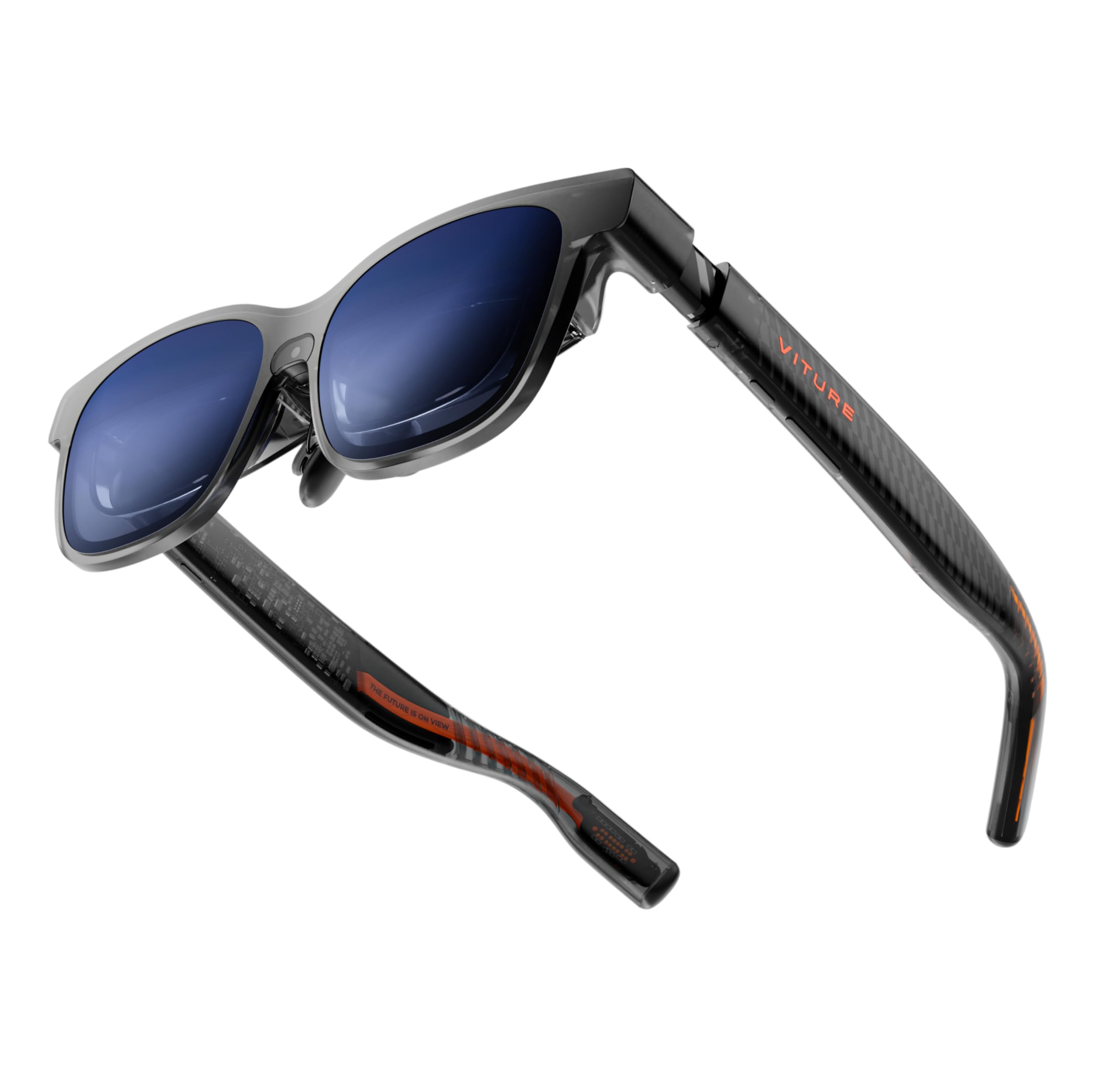
The VITURE Luma Pro offers a 152-inch virtual screen with a 1200p resolution that genuinely feels sharper than the standard 1080p found in most competitors. Text rendering is crisp, and the 1000 nits brightness is well above average, making it usable in bright environments. The electrochromic film activates with one tap to cut glare, and the built-in myopia adjustment up to -4.0D eliminates the need for prescription inserts for most users.
The SpaceWalker app unlocks triple-screen productivity on Mac and Windows, letting you spread browser tabs, code, and tools across a wide virtual canvas. The 52° FOV is comfortable without being overwhelming, and the Harman-tuned speakers (same as the Luma Ultra) deliver full-range audio. The dynamic RGB lighting on the frame is a fun gimmick, but the real story is the optical clarity.
Some users report that the myopia adjustment is less effective for astigmatism, and the 3D conversion feature is limited to the SpaceWalker app (won’t work with Netflix or Hulu directly). The need for an adapter to connect to consoles or older iPhones is a mild annoyance. For a slightly lower price than the Ultra, the Luma Pro delivers 90% of the visual quality with a simpler feature set.
Why it’s great
- 1200p resolution delivers sharper-than-1080p text and detail.
- Built-in myopia adjustment up to -4.0 diopters.
- Triple-screen productivity via SpaceWalker app.
Good to know
- Myopia adjustment not effective for astigmatism.
- Requires dongle for consoles or older iPhones.
7. Rokid AR Joy Pack 2
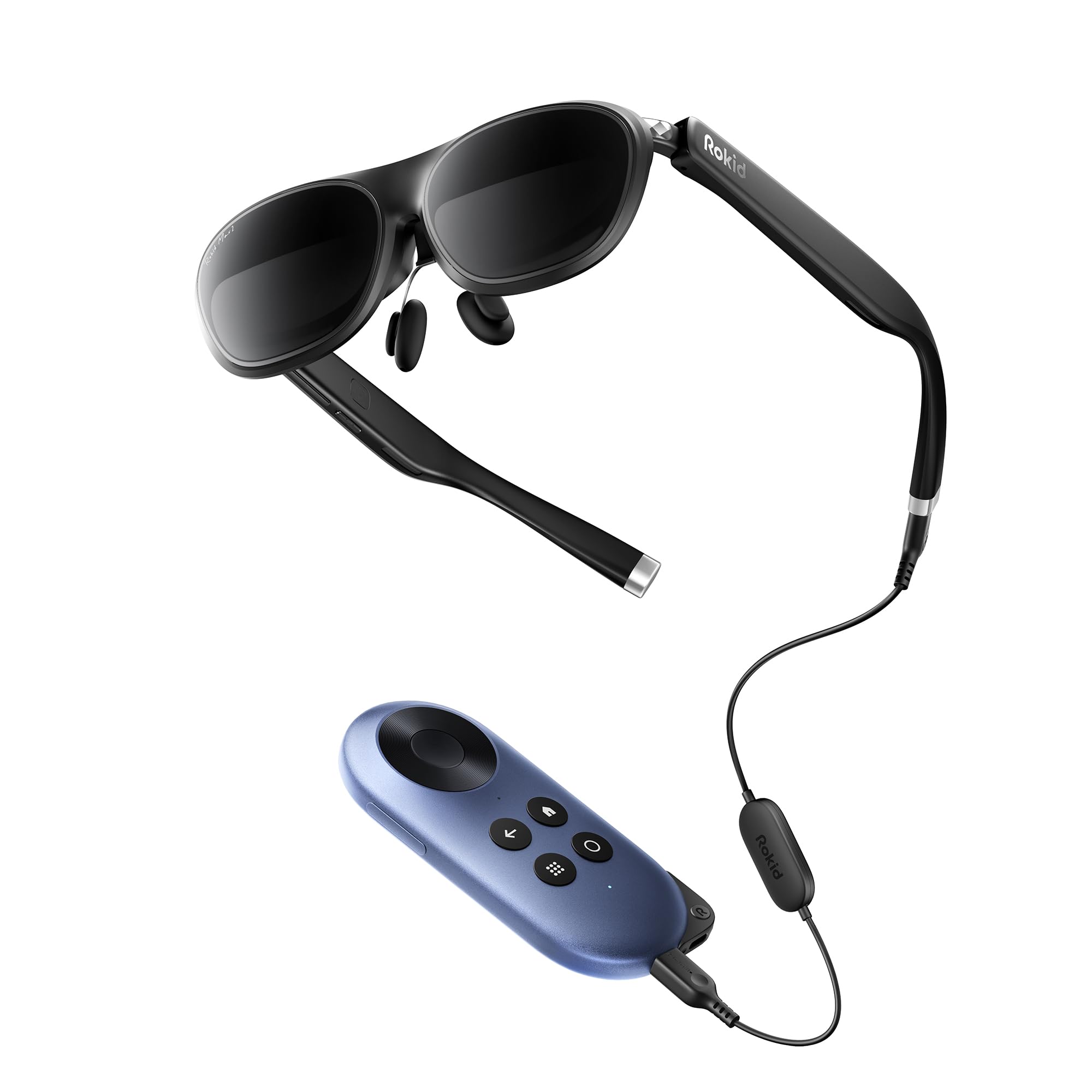
The Rokid AR Joy Pack 2 is unique in this roundup because it’s the world’s first Google-certified Android TV system built into an AR package. The Station (a small TV box) runs Google Play, giving you access to streaming apps, cloud gaming, and media without needing to pair with a phone. The 215-inch virtual OLED screen at 120Hz with 600 nits brightness is solid for media consumption and light productivity.
The 50° FOV is slightly narrower than the competition, but the 600° myopia adjustment dials mean most users can get a clear view without inserts. The 5000mAh battery in the Station delivers up to 7 days of standby, and the wireless casting via Chromecast or Steam Link can expand the screen to 360 inches. It’s a fantastic travel companion for watching shows or working on a plane.
However, this is not a pure productivity tool. There’s no multi-screen mode for work apps, and Netflix support is absent (though alternatives exist). The top-center protrusion of the glasses can obstruct the view for some users, and the screen mirroring quality is inconsistent. If you want a do-everything media device that can also handle basic laptop mirroring, it’s great. For spreadsheet warriors, look elsewhere.
Why it’s great
- First Google-certified Android TV AR system with streaming apps.
- Long battery life with 5000mAh Station.
- Diopter adjustment up to 600° for myopia.
Good to know
- No native multi-screen productivity mode.
- Netflix not supported; screen mirroring quality inconsistent.
8. GOOVIS Art XR Head Mounted Display

The GOOVIS Art takes a fundamentally different approach to AR productivity by using an open-view design that preserves your peripheral vision. You can see the virtual 110-inch screen and your physical keyboard, phone, or coffee mug simultaneously—no toggling between immersive and transparent modes. The DSLR-grade aspherical optics produce a 55 PPD, which is among the highest in this roundup, meaning text is crisp with less than 1% distortion.
The dual 1080p Micro-OLED displays deliver 4,496 PPI and a wide IPD range of 58-74mm, accommodating most users. The headset itself weighs only 110g and is designed to eliminate pressure on the nose and ears, making it comfortable for long stretches. Built-in diopter adjustment from 0 to -3.50D in 0.25D increments is precise enough for most near-sighted users without needing inserts.
The main downsides are the 60Hz refresh rate (lower than the 120Hz competitors), the lack of built-in audio (no speakers), and a proprietary USB-C port that may require an adapter. It’s also not true AR in the spatial sense—it’s a fixed display positioned in front of your eyes. For users who need to constantly look down at a keyboard or take notes on paper, this open-view design is a genuine ergonomic win that reduces head tilting.
Why it’s great
- Open-view design lets you see peripherals and environment clearly.
- Excellent 55 PPD optical clarity with less than 1% distortion.
- Precise diopter adjustment and wide IPD range.
Good to know
- 60Hz refresh rate only—no high-refresh support.
- No built-in speakers or 3DoF/6DoF spatial tracking.
9. TOZO VIZO Z1 AR Glasses
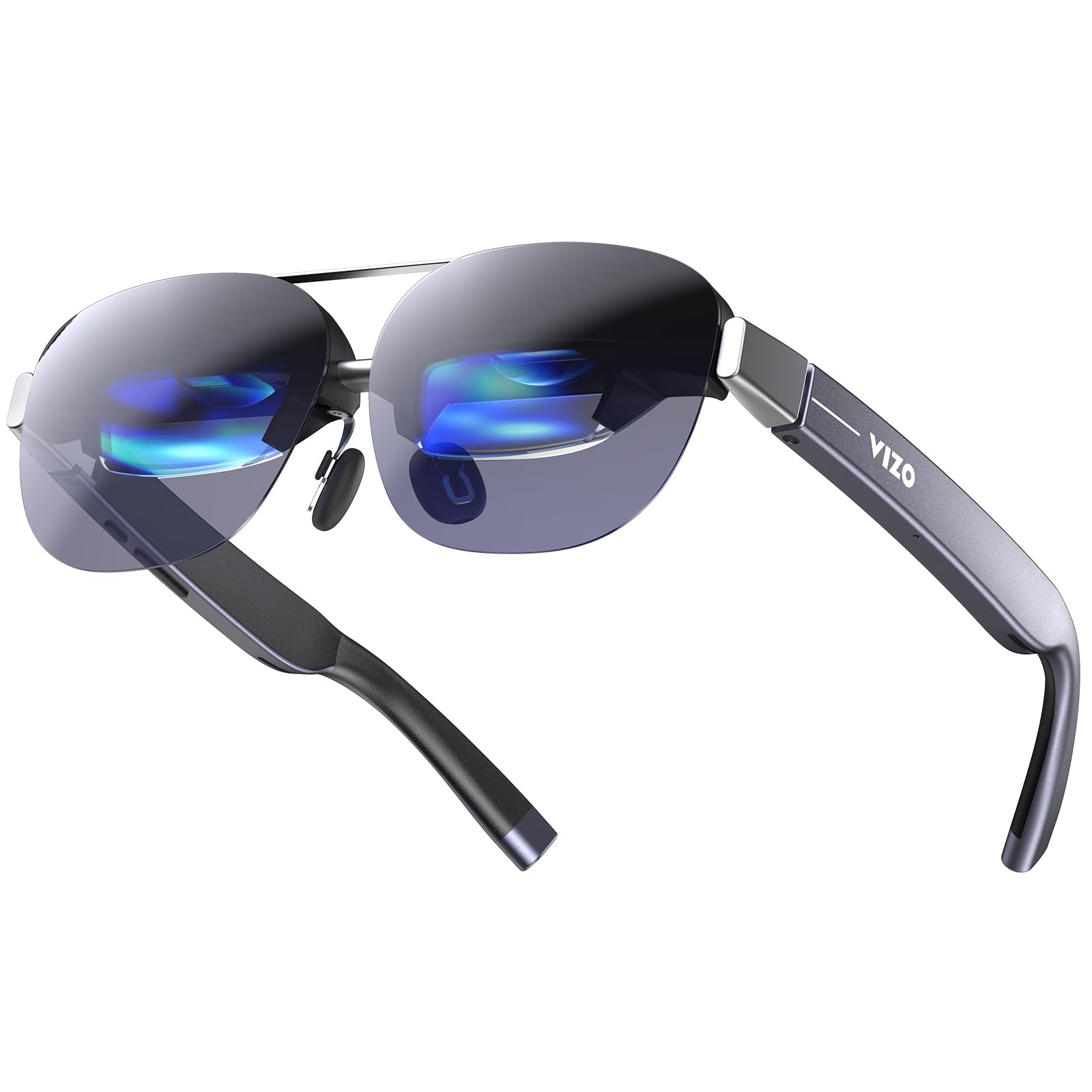
At only 63 grams, the TOZO VIZO Z1 is the lightest pair of functional AR glasses in this guide, making it nearly imperceptible for long wear sessions. Despite the low weight, it packs a 160-inch virtual screen with a 47.5° FOV and a 120Hz Micro-OLED panel. The 6000-nit peak brightness (with 200,000:1 contrast ratio) is overkill for indoor use but ensures excellent visibility outdoors or in bright rooms.
The detachable frame for prescription lenses is a smart design touch, and the four-level adjustable nose pads with air-cushion design help distribute weight evenly. Built-in stereo speakers with 11-level volume control and a physical button interface add convenience. It supports 2D-to-3D switching and works via USB-C DisplayPort plug-and-play with iPhone 15/16, Samsung Galaxy, and laptops.
The tradeoff for the ultra-light design is a less premium feel—the plastic build doesn’t inspire confidence, and some users report slight corner blurring. There’s no multi-screen software or spatial tracking, so it’s really a display mirroring device. For users who prioritize minimum weight and a smooth 120Hz display for media or light productivity tasks, it’s a great entry point into the category.
Why it’s great
- Ultra-light 63g frame for all-day wear comfort.
- 120Hz Micro-OLED with 6000-nit peak brightness for outdoor use.
- USB-C plug-and-play with most modern phones and laptops.
Good to know
- Plastic build feels less premium; slight corner blurring reported.
- No spatial tracking or multi-screen software support.
10. Meta Oakley Vanguard
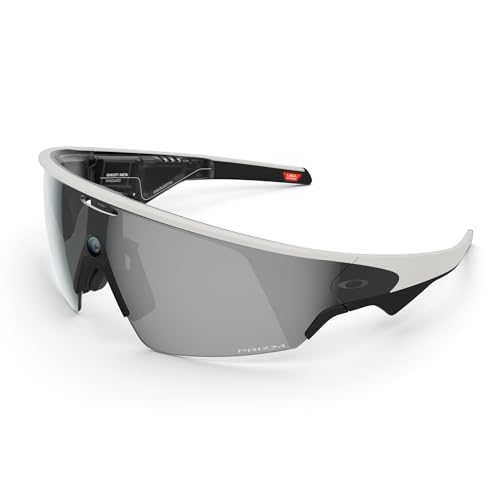
The Meta Oakley Vanguard is a different breed of smart glasses—it prioritizes hands-free camera capture, open-ear audio, and AI assistance over virtual displays. The centered 12MP camera shoots 3K video at 122° FOV, making it ideal for recording meetings, tutorials, or field work. The IP67 rating means it’s dust-proof and water-resistant, suitable for outdoor work environments.
The Meta AI integration allows voice commands for photo capture, music, and calls, and pairing with a Garmin device delivers live workout metrics. Battery life is up to 9 hours of typical use, with an additional 36 hours from the charging case. The Prizm Black polarized lenses are genuine Oakley quality, offering excellent sun protection.
However, this is not an AR display in the traditional sense—there’s no virtual screen for productivity. The camera lacks stabilization for action footage, audio can cut out during loud moments, and there’s no landscape recording mode. It’s a niche tool for professionals who need a wearable camera and speaker for documentation, not for multi-monitor workflows.
Why it’s great
- High-quality 3K video camera with 122° FOV for documentation.
- IP67 weather resistance and premium Oakley Prizm lenses.
- Meta AI integration for hands-free voice control.
Good to know
- No AR virtual display—strictly a camera/sunglass hybrid.
- Video lacks stabilization and has no landscape mode.
11. Domars Smart Glasses
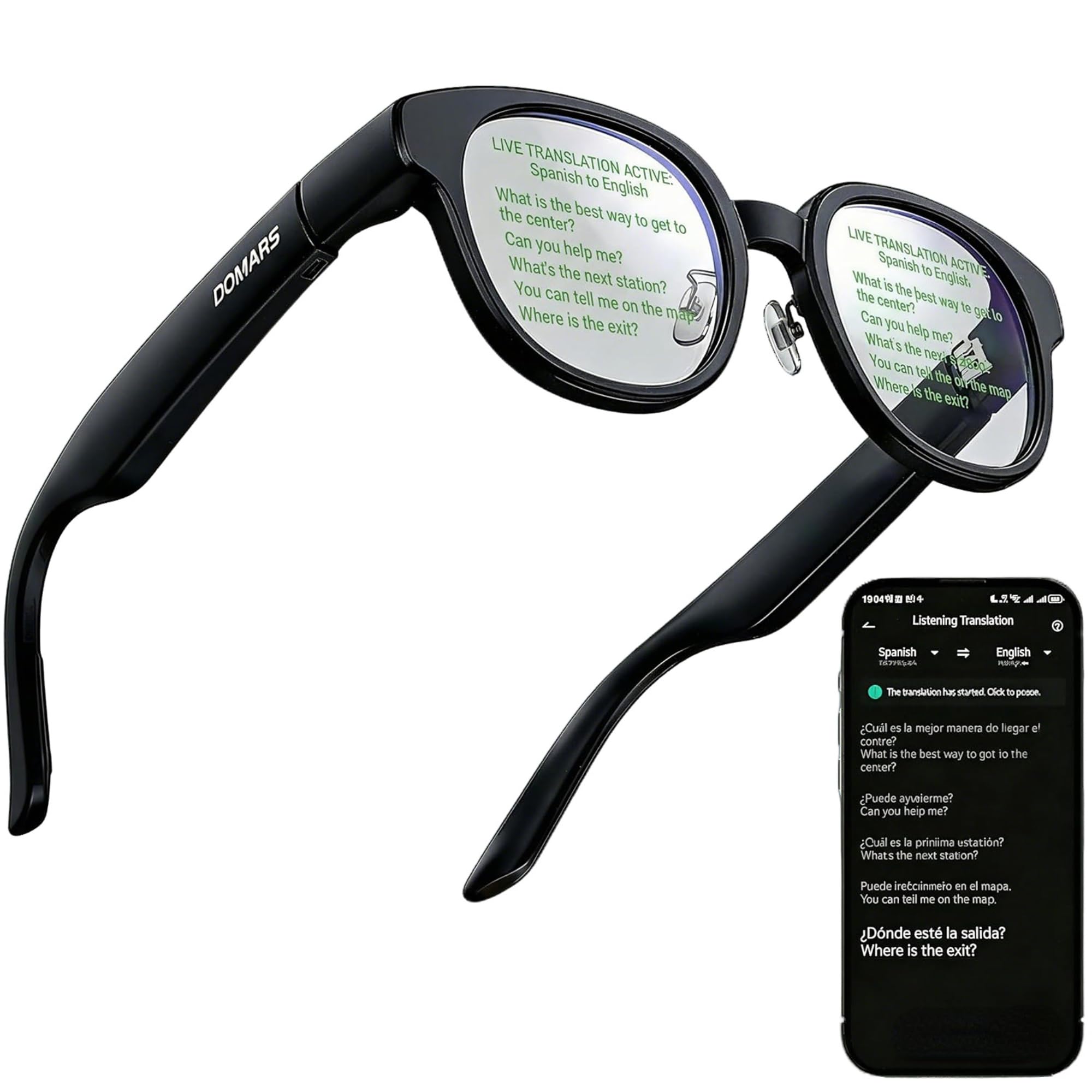
The Domars Smart Glasses serve a very specific productivity niche: discreet teleprompter and real-time translation. The HUD-style AR display projects translations, text prompts, navigation cues, and AI responses directly into your line of sight. For business professionals giving presentations or attending multilingual meetings, the invisible teleprompter and real-time translation across 15 languages is genuinely useful.
At just 43 grams, they’re the lightest pair here, with open-ear audio and touchpad gestures for control. The AI assistant supports voice interaction, Q&A, and smart notifications. Bluetooth connectivity works with both iPhone and Android, allowing for call answering, message viewing, and navigation prompts without pulling out your phone.
The downsides are significant: the 183mAh battery lasts only about 2.5 hours, the build quality feels fragile (some units break on day one), and the translation accuracy is inconsistent in noisy environments. The AR display is small and can be hard to read in bright light. This is a niche tool for executives and multilingual communicators, not a general-purpose productivity device.
Why it’s great
- Discreet HUD teleprompter for presentations and speeches.
- Real-time translation across 15 languages.
- Ultra-light 43g frame for all-day wear.
Good to know
- Short 2.5-hour battery life; fragile build quality reported.
- Translation accuracy drops in noisy environments.
FAQ
Can AR glasses replace dual monitors for desktop work?
Do I need a special computer to use AR glasses for productivity?
Will AR glasses work with my prescription glasses?
How long can I comfortably wear AR glasses for work?
Final Thoughts: The Verdict
For most users, the best ar glasses for productivity winner is the XREAL One Pro because it combines the widest FOV, native 3DoF tracking with zero latency, and a sharp 120Hz display in a comfortable, balanced package. If you need the brightest possible display for outdoor workflows and want future-ready 6DoF hand-tracking capabilities, grab the VITURE Luma Ultra. And for Android users who demand a true multi-app workspace without a laptop tether, nothing beats the Rokid AR Spatial with its three-screen Station2 ecosystem.