
Our readers keep the lights on and my morning glass full of iced black tea. As an Amazon Associate, I earn from qualifying purchases.
Specs are compiled from manufacturer listings and verified buyer reviews and can change over time — please confirm the key details on the product page before buying.
Buying AR or VR glasses today is like picking a car purely by its paint color — the spec sheet hides what actually matters. The real battle is between two very different experiences: a fully sealed VR headset that drops you into another world, and a pair of see-through AR glasses that float a giant screen in front of your eyes while you still see your coffee cup. The real question is which model matches your intended use, device compatibility, and comfort tolerance.
I’m Min — the founder and writer behind Gadgets Feed. This guide is built by comparing the manufacturers’ published specifications and the patterns across verified customer reviews, so you get each pick’s real strengths and trade-offs instead of marketing spin.
No single pair suits every buyer, so the right choice depends on your primary use case. You need to decide between rich VR gaming, a portable private monitor for movies and work, or a hybrid that tries to do both. The right ar vr glasses will match your devices and your patience for setup — this guide breaks down exactly where each pick shines.
Our Picks at a Glance


How To Choose The Best AR VR Glasses
Before you compare specs, you must choose your world. A VR headset like the Meta Quest seals you off completely — it’s for full immersion in games and virtual spaces. AR glasses like the RayNeo or XREAL keep your eyes open, projecting a large virtual monitor over your real surroundings — they’re for watching movies, working on a virtual desktop, or gaming on a handheld while you stay aware of the room. Your primary use case — rich gaming, portable viewing, or productivity — is the biggest deciding factor.
Check what your phone or laptop can output
This is the most common surprise for first-time buyers. Most AR glasses have no battery and no brain — they need a device that can send video over its USB-C port. That requires a port that supports DP-Alt mode, which lets the USB-C cable carry a display signal. An iPhone 15 or newer, many Android flagships, MacBooks, and handhelds like the Steam Deck usually have it. If your phone doesn’t, you’ll need a powered HDMI-to-USB-C adapter to make it work.
Match the experience to your comfort level
VR headsets are heavier, seal around your face, and need enough processing power to run games on board. AR glasses are lighter — many weigh around 65-81g — and simply mirror whatever your device shows. Their light weight suits travel, but they require a connected device for content. If you want to play games without a phone or PC nearby, a standalone VR headset is the only choice.
Read the fine print on 3DoF and 6DoF
These terms describe how the virtual screen responds to your head movement. 3DoF (three degrees of freedom) lets the screen stay anchored while you turn your head — good enough for movies and most work. 6DoF (six degrees of freedom) adds positional tracking, so you can lean in or walk around and the screen stays locked to a real spot in the room. 6DoF suits gaming and interactive apps but often requires extra hardware like a neckband or sensor.
Quick Comparison
| Model | Best For | Refresh Rate | Field of View | Resolution | Amazon |
|---|---|---|---|---|---|
| Meta Quest 3S 128GB★ Best Overall | Standalone VR gaming | 90 Hz | — | 2064 x 2208 | Amazon |
| Lenovo Legion Glasses Gen 2Budget Champ | Portable wired display | 120 Hz | — | FHD | Amazon |
| RayNeo Air 4 ProTop Performer | Movies and console gaming | 120 Hz | 46° | 1920×1080 | Amazon |
| RayNeo Air 3s Pro | Bright-room viewing | 120 Hz | 46° | 1920×1080 | Amazon |
| XREAL 1S | Versatile spatial viewing | 120 Hz | 52° | 1920×1080 | Amazon |
| VITURE Luma Pro | Sharpest text clarity | 120 Hz | 52° | 1200P | Amazon |
| XREAL One Pro | Productivity and anchoring | 120 Hz | 57° | FHD | Amazon |
| VITURE Luma Ultra | Brightest display and 6DoF | 120 Hz | 52° | 1200P | Amazon |
| HTC Vive Focus Vision | Premium PC VR and eye tracking | 90 Hz | 120° | 2448 x 2448 per eye | Amazon |
In‑Depth Reviews
1. Meta Quest 3S 128GB
Our pick — 4.5★ from 850+ verified ratings; the strongest balance of quality and price.
The wireless portal that drops you into a complete virtual world, no phone or PC required.
The defining move here: it’s fully standalone, so you skip the tether and the setup. A Snapdragon XR2 Gen 2 processor powers it, which buyers report delivers quick load times and smooth next-gen graphics. You get access to over 40 games instantly, plus a 3-month trial of Meta Horizon+ when you buy.
Cord-free freedom is the headline story. The headset runs on a 4324 mAh battery that gives you 2+ hours of play, and the 2064 x 2208 resolution per eye keeps the image sharp. Two RGB color cameras enable full-color passthrough, which means you see the real world in color while blending virtual objects into it.
What wins people over is the value-for-money verdict — owners consistently say it performs and looks like a brand-new unit, even as a renewed product. The crowd favorite here is a 4.5-star rating with hundreds of owners behind it, making it the most trusted pick in this lineup. One family put it simply: “My son seems to love it and we haven’t had any issues.” The honest fit note: the 90 Hz refresh rate is lower than the 120 Hz you’ll find on many AR glasses, so if razor-sharp motion clarity is your top priority, a pair of wired displays might serve you better.
What Owners Celebrate
- True standalone operation — no phone, PC, or wires needed
- Fast Snapdragon XR2 Gen 2 processor for smooth gaming
- Renewed units arrive looking and performing like new
Consider This First
- 90 Hz refresh is lower than the 120 Hz on AR glasses here
- 2+ hour battery means longer sessions need a charge
- Heavier sealed design vs featherweight AR frames
Reach for it if: you want a complete VR gaming machine that works anywhere without a phone or computer attached.
Look elsewhere if: your main goal is a featherlight portable monitor for movies and productivity — that’s the AR glasses’ job.
2. Lenovo Legion Glasses Gen 2
A featherweight 65-gram private monitor that turns any USB-C device into a big-screen display.
This is the entry point into wearable displays, and its biggest asset is simplicity. Plug the Micro-OLED glasses into any full-function USB-C port that supports DP-Alt mode and you get a 120Hz FHD display instantly — no software, no drivers, no apps. That plug-and-play nature is what buyers praise most, with the glasses working across Steam Deck, Retroid Pocket 5, Galaxy S25, and Switch.
At 65 g, it’s among the lightest in this roundup, and it ships with a carry case, cleaning cloth, light shield, and a prescription lens frame so you can add your own lenses at an optician. The included high-fidelity speakers handle audio, and the display’s crisp, vibrant output earns regular compliments.
The recurring gripe surfaces around fit: owners describe the nose bridge as painful after about 5 minutes, and the glasses can slide up, which cuts off the field of view. Comfort scores are the weakest point in the feedback, so this is a “try before you commit” pick if you’ll wear it for long sessions. The review pages sum it up: build quality is good, but the nose pads need work. For the money, though, it delivers the core promise of a private big screen without the premium price tag.
Why It’s a Smart Entry
- True plug-and-play — connect and you’re watching, no setup
- 65-gram frame is easy to wear and carry anywhere
- Prescription lens frame included for vision-corrected use
Know Before Buying
- Nose bridge comfort is a real weak point after minutes
- Limited on-glasses menus and controls
- Speakers described as poor by some owners
Best fit: casual users who want an affordable portable screen for short sessions and already own a USB-C video-output device.
Think twice if: you’ll wear it for hours at a stretch — the fit complaints point elsewhere.
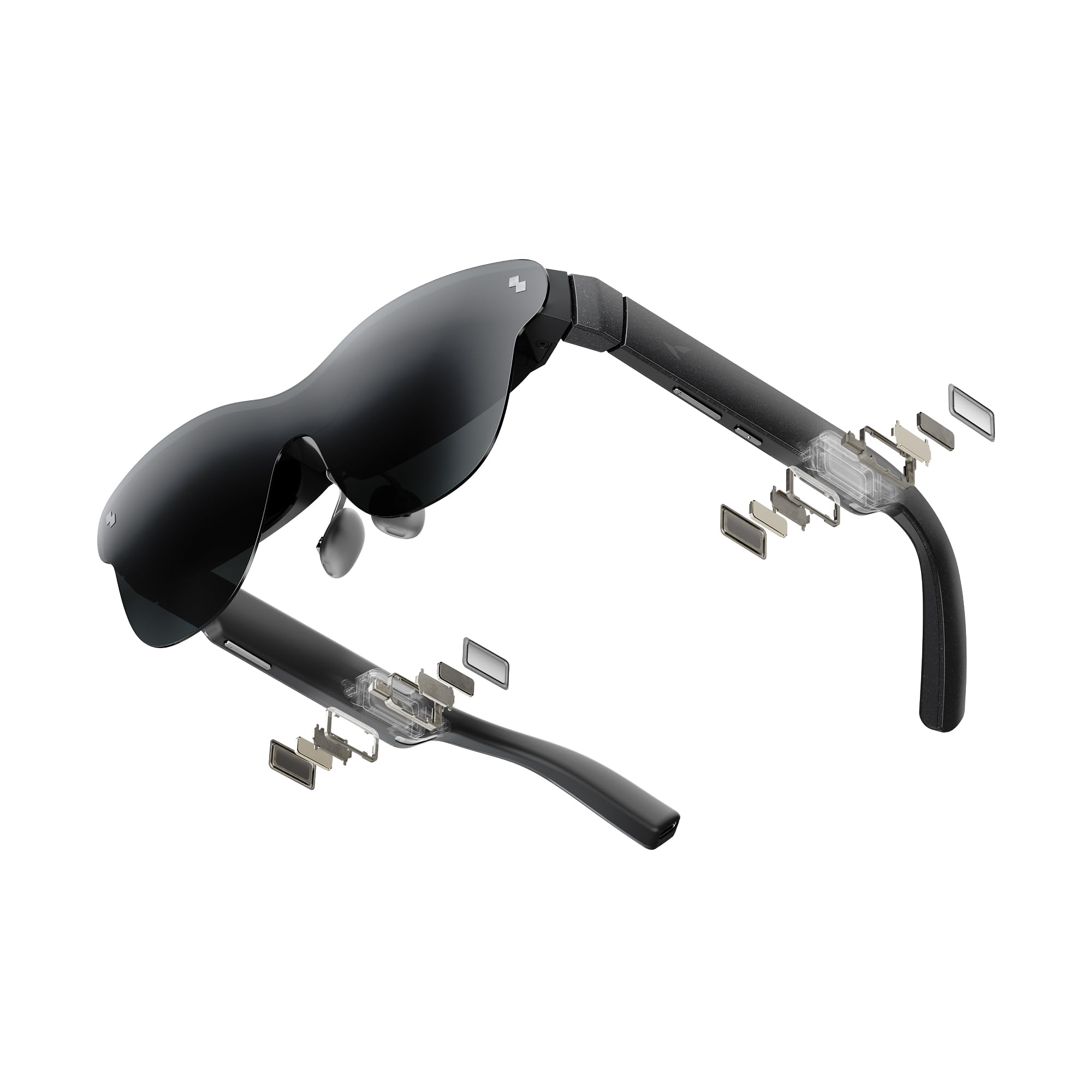
3. RayNeo Air 4 Pro
The private cinema that pairs a massive HDR display with audio tuned by Bang & Olufsen.
This is the pick that nails the two things that matter most for movie lovers: a huge screen and rich sound. The HDR10 display projects a virtual 201-inch screen with over 10 billion colors, and buyers call the audio — four precision speakers tuned by Bang & Olufsen — genuinely rich with convincing 360° spatial sound. For a 16-hour flight, this is the kind of companion that turns a cramped seat into a private theater.
The Vision 4000 chip, co-developed with Pixelworks, adds AI-powered SDR-to-HDR upscaling that boosts color and sharpness in real time, and the 120 Hz refresh makes it a solid choice for PS5, Steam Deck, and Switch 2 gaming. It runs off the Vision 4000 chip with a 46° field of view, all in a frame with no battery inside, which keeps it light and instantly ready when you plug in a USB-C device.
What wins people over is the combination of top-tier screen and top-tier audio at a price that undercuts pricier rivals — buyers repeatedly call it the best value in the space. The catch is the fixed 63mm IPD (the distance between your pupils): owners with wider-set eyes report strain and a “crosseye” effect after minutes of use, so it’s best for people with a standard IPD around 62-65mm. If you’re outside that range, this one might not be comfortable for you.
What Makes It Shine
- 201-inch HDR10 virtual display with vivid colors
- Bang & Olufsen four-speaker spatial audio system
- 120 Hz refresh for smooth console and handheld gaming
Fit Check Needed
- Fixed 63mm IPD — not ideal for wide-set eyes
- No display pinning, so the screen moves with your head
- Android app requires manual install outside Play Store
Choose it for: movies and gaming with the best integrated audio in this roundup, especially if you’re near the standard IPD range.
Think twice if: you have a wide IPD or want a screen that stays rock-solid while you move your head.
4. RayNeo Air 3s Pro
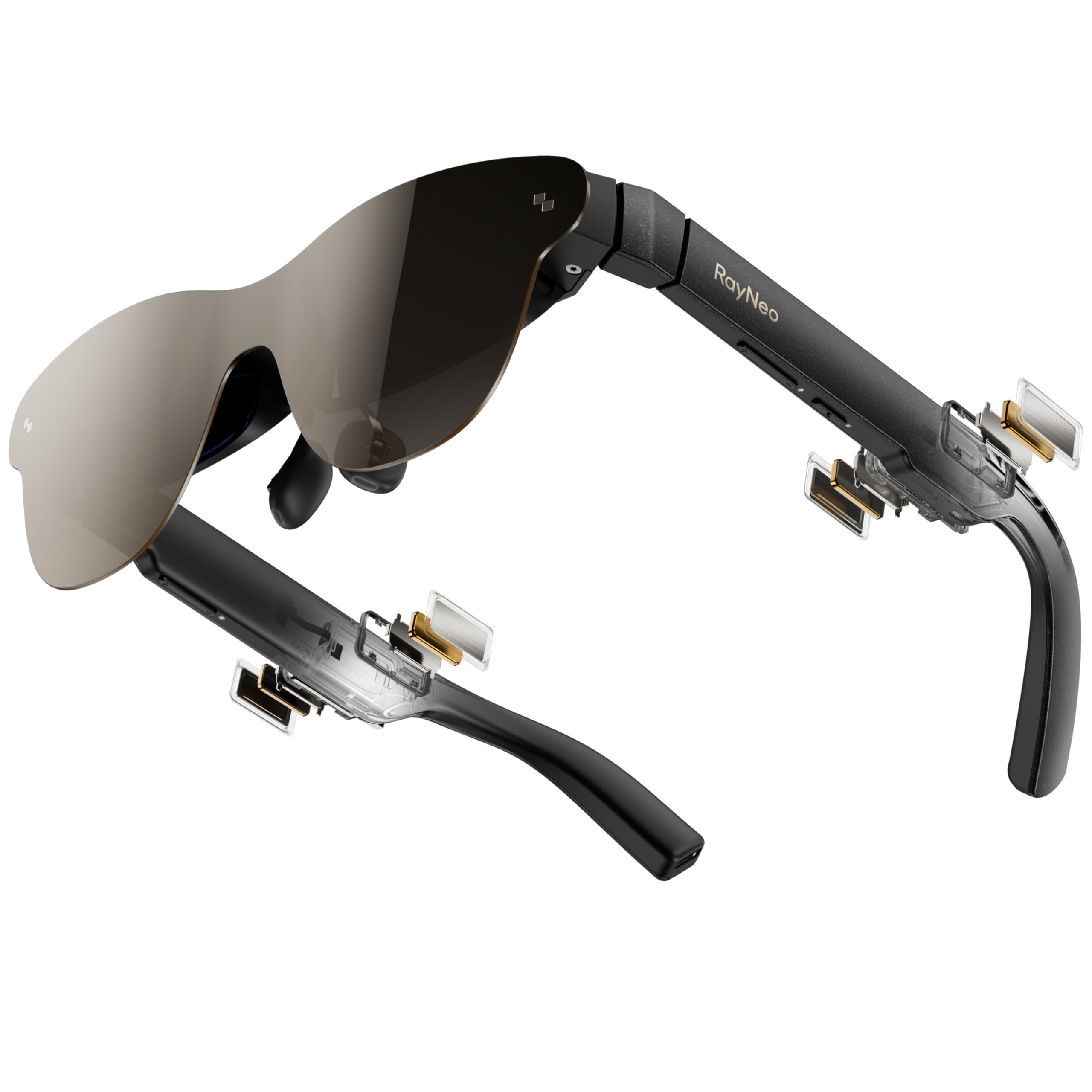
The brightest AR glasses in the lineup, built for bright rooms and direct sunlight.
This is the pick for anyone who wants to watch or game in a bright living room, on a plane, or even outdoors. The 1200 nits to-eye brightness is the standout spec, and buyers confirm it stays usable in bright rooms where cheaper displays wash out. The HueView 2.0 Micro-OLED panel — a 5.5th-gen tandem display — delivers a 200,000:1 contrast ratio and 98% DCI-P3 color coverage, which means deep blacks and lifelike colors.
The virtual 201-inch display (measured at 6 meters away) works with six tune viewing modes, and it’s certified by TÜV SÜD for both low blue light and flicker-free viewing, with 3,840Hz high-frequency PWM dimming and 20-level brightness control. That’s the kind of spec-driven eye comfort that makes hours of use easier. For nearsighted or astigmatic users, an included prescription lens sample can be taken to an optician to create fitted lenses.
Owners consistently praise the display as bright, sharp, and vibrant, especially for sports and movies. One owner found it usable in bright rooms without strain. The mixed note: the fit can be tricky for some, with complaints about not seeing the full screen and needing to adjust the nose pieces carefully for focus. Sound gets divided reviews — some find the spatial audio “mind-blowing,” while others say the built-in speakers run too low for their taste. It’s a brightness-first pick that trades a perfect fit for class-leading visibility.
Brightness that leads: at 1200 nits, this stays watchable where others grey out — the whole reason to choose it over dimmer rivals.
Fit is personal: the nose-piece adjustment is key to seeing the full screen; the audio is solid but not universally loved.
Pick it for: bright-room viewing, outdoor use, and sports where a super-bright, vivid display matters more than perfect audio.
skip it if: you have a sensitive fit tolerance or plan to rely on the built-in speakers for loud, rich sound.
5. XREAL 1S

The AR glasses that anchor a 500-inch virtual screen around your head with on-board smarts.
This is where AR glasses graduate from “portable monitor” to “spatial computer.” The X1 chip — built specifically for AR — delivers native 3DoF tracking with 3ms motion-to-photon latency at 120Hz, which means the virtual screen stays locked to your head movement without needing a phone app or extra hardware. You just connect to any USB-C DP device and it works, from the start.
The visual experience is a 500-inch virtual screen with a 52° field of view, and each unit is individually color-tuned plus distortion-tuned for clarity. The X1 chip also enables REAL 3D, converting 2D content into 3D on the fly. Sound comes from a system co-developed with Bose, and buyers specifically note the built-in audio beats the RayNeo Air 4 Pro’s output. The redesigned optical engine boosts clarity by 9% so text stays pin-sharp from center to edge.
Owners praise the real-time 2D-to-3D conversion as “legit and impressive” and value its versatility for work and media. Tiny text stays readable even for people who normally need reading glasses. The catch is setup: the out-of-box experience is barebones, with several buyers needing a powered HDMI-to-USB-C adapter and some research to get it running cleanly on a PC. The nose pad also earns a thumbs-down from some owners, who recommend a third-party replacement for long sessions. It’s a serious spatial tool with a slightly rough edge.
Native spatial freedom: the X1 chip delivers 3DoF tracking with no apps, no setup, and rock-solid screen stability.
The honest catch: wired setup can be finicky with some PCs, and the stock nose pad isn’t great for marathon wear.
Reach for it if: you want true spatial AR with real 2D-to-3D conversion and don’t mind a bit of tinkering to get connected.
Look elsewhere if: you want a zero-friction plug-and-play experience with perfect comfort straight from the start.
6. VITURE Luma Pro
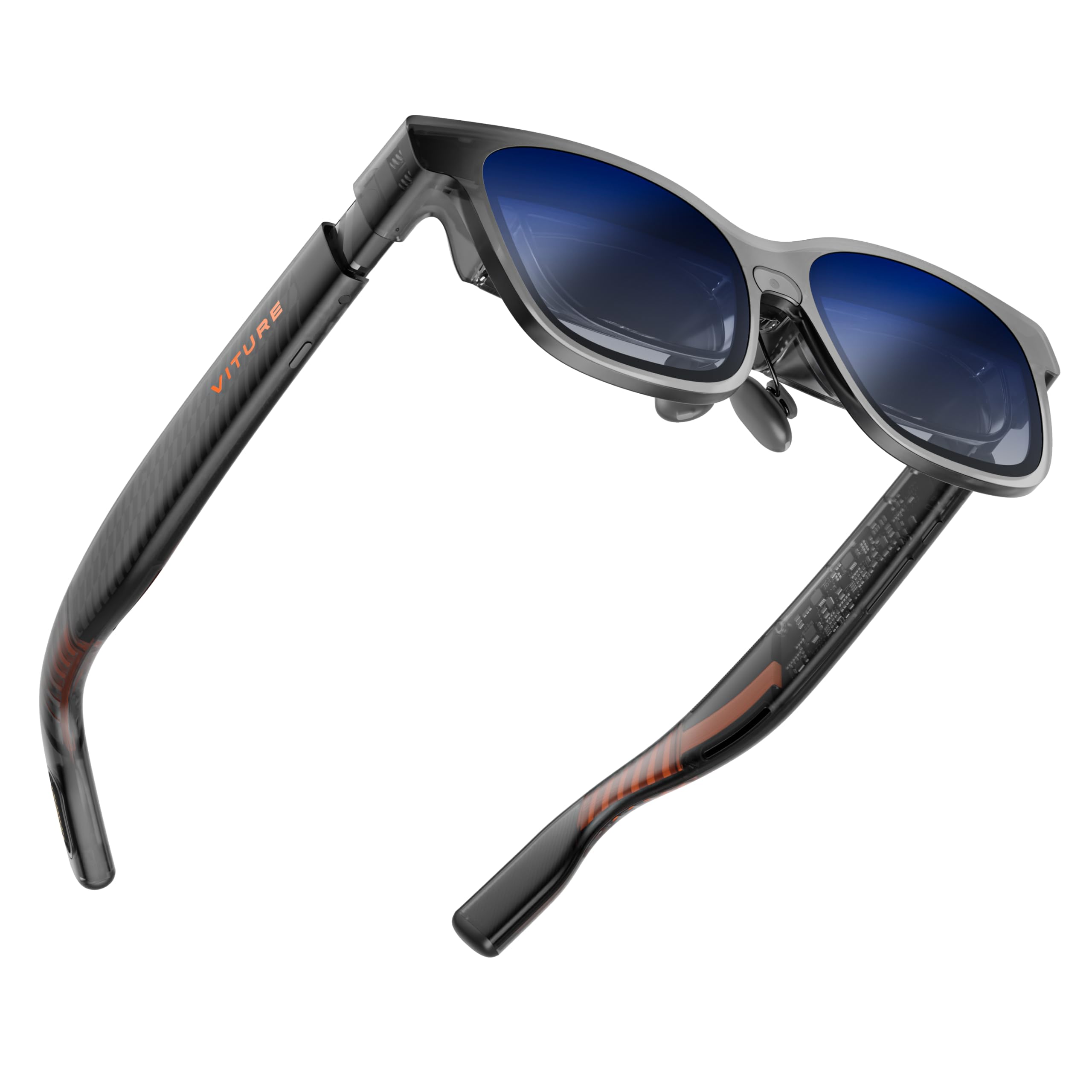
The sharpest text of the round, with a 1200P screen that one owner calls “sharper than 4K.”
This is the pick for people who care about readable text — spreadsheets, code, dense documents — because the 1200P Micro-OLED display is the clearest in this lineup. VITURE’s “secret sauce” optics deliver a 152-inch virtual screen with a 52° field of view, and the 1000 nits brightness plus 120Hz refresh keeps it smooth and bright. Buyers consistently report text that’s razor-sharp with minimal edge blur.
Comfort gets real engineering here: two size options for different IPD ranges, flexible arms, a magnetic ergonomic nose pad, and tilt-adjustable temples for all-day wear. The audio is tuned by HARMAN for fuller bass and crisper highs. Uniquely, the frame includes programmable RGB lighting — the first in XR glasses — so you can sync colors to your gaming setup or work mode. The electrochromic film darkens the lenses with one tap for total focus.
Owners note the picture is sharper and clearer than the VITURE Pro and lighter than a Quest 3, with one buyer using it more than their Quest 3. The recurring limitation is head tracking: there’s no native 3DoF, so the screen wiggles slightly with head movement and there’s no screen-size adjustment built in. That means it’s brilliant for stationary viewing but less ideal if you move around. The magnetic cord also disconnects when you lie down, a small annoyance for bed viewers.
Why It’s a Clarity King
- 1200P display with razor-sharp, readable text
- Dual-size fit with adjustable nose pad and temples
- First-ever programmable RGB lighting in XR glasses
Before You Commit
- No native 3DoF head tracking — screen moves with you
- Magnetic cord disconnects when lying flat
- No built-in screen-size adjustment
Best for: reading, working, and stationary media consumption where razor-sharp text trumps head-tracking freedom.
Consider the alternative: if you move around a lot or want the screen to pin in space, the XREAL 1S with native 3DoF is the better fit.
7. XREAL One Pro

The widest 57-degree field of view here, built for all-day productivity and anchored spatial computing.
This is the workstation-turned-wearable. With the widest field of view in this roundup at 57°, the XREAL One Pro projects a 171-inch virtual screen (measured from 4 meters away) that feels like a real desktop. The X1 chip — XREAL’s own spatial computing processor — delivers native 3DoF with a 3ms motion-to-photon latency, keeping the screen rock-solid even when you move your head quickly. Pair it with the optional XREAL Eye and you open up full 6DoF spatial anchoring, so the screen stays pinned to a real spot in your room while you walk around.
Fit is engineered for sharing: it comes in two size options covering the M (57-66mm) and L (66-75mm) IPD ranges, with three-stage adjustable arms, zero-pressure nose pads in three sizes, and a spring hinge design. Sony’s 0.55-inch Micro-OLED display drives the 120Hz FHD picture, and the audio is tuned by Bose engineers. The electrochromic dimming lets you adjust lens tint on the fly, and brightness hits up to 700 nits for sunny conditions.
Buyers praise the screen size and adjustability — owners say the screen size is impressive and can be tuned to liking, with productivity a strong theme: people use it all day for reading small text and working with spreadsheets. The honest trade-off: display quality is mixed, with some buyers finding text pixelated at 100% zoom (you’ll want 150% scaling), and the field of view feeling narrower than 57° for people with deep-set eyes. The unit can also get warm during long work sessions, causing some sweating and dry eyes. It’s the best productivity tool here, but it demands a proper fit to shine.
The productivity anchor: 57° FOV and native 3DoF make this the best all-day work companion in the roundup.
Worth a try-on: deep-set eyes may not get the full 57°, and heavy text work wants higher scaling for crispness.
Reach for it if: you want a wearable multi-monitor for daily productivity with rock-solid screen anchoring, especially across different users.
Think twice if: your priority is flawless small-text sharpness at 100% zoom or you dislike warm frames on your face.
8. VITURE Luma Ultra
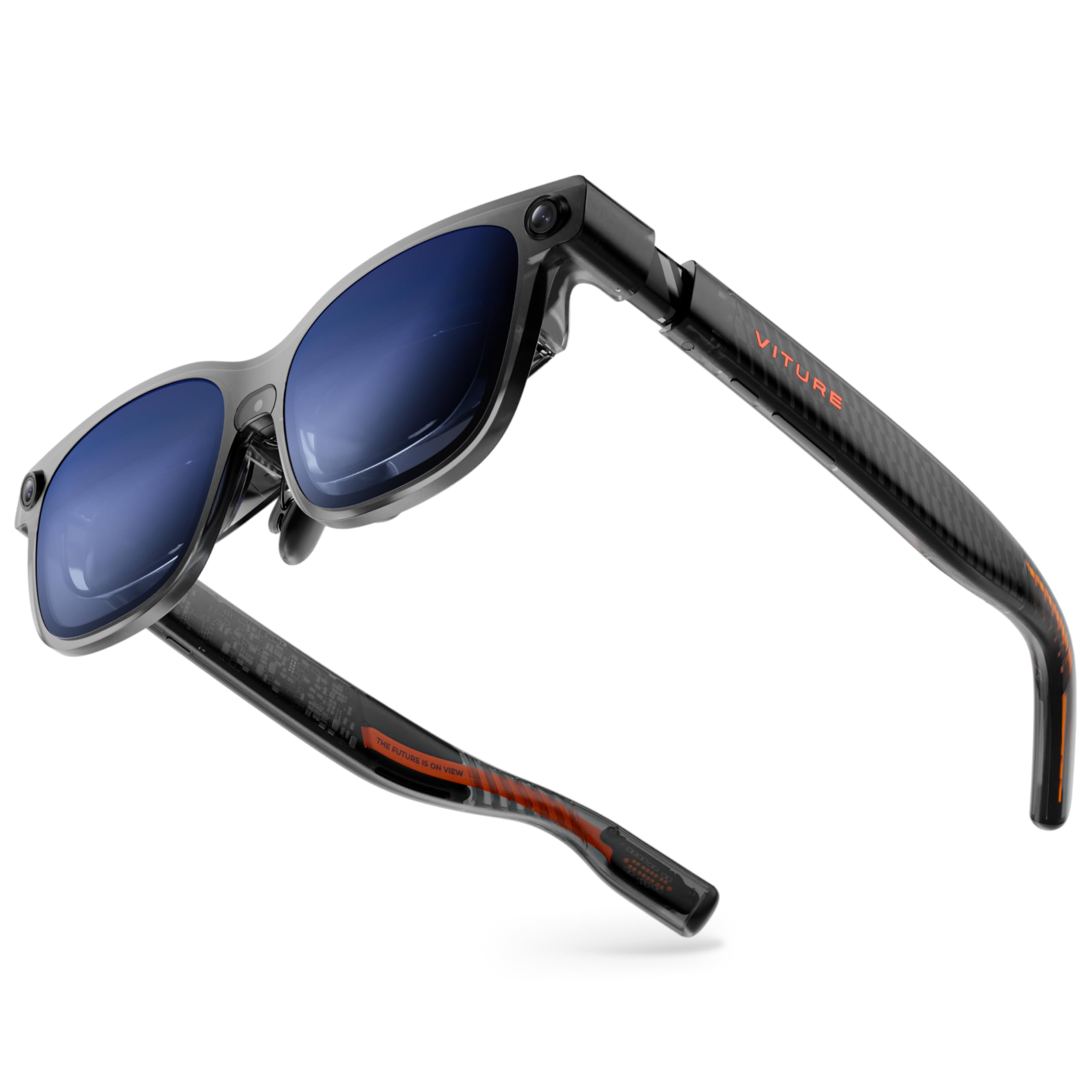
The brightest wearable display at a blinding 1500 nits, with full 6DoF when paired with the Pro Neckband.
This is the maximum-brightness statement. The Luma Ultra pushes the Sony Micro-OLED panel to 1500 nits, which is higher than anything else in this roundup and keeps the 152-inch display vibrant even in a bright living room. It runs at 120Hz with a 52° field of view, and the 1200P resolution delivers razor-sharp text with zero blurry edges. The Sony panels use 35% lower power consumption, which reduces heat and extends battery life for longer sessions.
The spatial upgrade is real: a front RGB camera and dual depth cameras enable 6DoF tracking and hand gesture control when paired with the VITURE Pro Neckband — a separate device that turns the glasses into a standalone system with 12GB+256GB storage. On Mac and Windows, SpaceWalker open up multi-screen workspaces with up to three virtual screens side by side. The telecochromic lenses darken with one tap, and built-in myopia adjustment up to -4.0D helps nearsighted users see clearly without prescription inserts.
What owners celebrate is the display quality — buyers call the 152-inch screen “massive, clear, and vibrant,” with edge-to-edge clarity and readable small text. The honest catch: the high-end features are gated behind the Pro Neckband, which is a significant extra purchase. Owners mention that 6DoF and 2D-to-3D conversion need that neckband, and without it some camera features sit idle. There are also reported software quirks — Samsung Dex can cause one-sided audio or a black screen, fixable via a PC update — and a few owners found battery drain faster than the RayNeo Air 4 Pro. It’s a flagship display that demands the full ecosystem to open up its potential.
Brightness and clarity: 1500 nits plus 1200P text makes this the premium pick for bright environments and detailed work.
Plan for add-ons: true 6DoF and hand tracking require the Pro Neckband, so budget for the ecosystem, not just the glasses.
Pick it for: the brightest, sharpest display in this lineup and a path to full 6DoF spatial computing with the Pro Neckband.
pass on it if: you want all features from the start without extra hardware purchases or you’re wary of software quirks on specific devices.
9. HTC Vive Focus Vision

The 5K-res, eye-tracking all-rounder that bridges standalone play and lossless PC VR gaming.
This is the heavy-duty option that refuses to pick a lane. It’s a standalone headset that also works as a PC VR headset via DisplayPort mode — giving you lossless, high-fidelity visuals straight from your PC. The 5K display resolves 2448 x 2448 pixels per eye with a 120° field of view and a 90 Hz refresh rate. The wide field of view is the standout here: at 120°, it’s the most rich window of any pick in this roundup, putting you right at the heart of the action.
The social-VR features are what set it apart: built-in eye tracking and low-light hand tracking, plus support for external face and body trackers, make interactions in VRChat feel intuitive and lifelike. Auto-IPD adjustment aligns the lenses to your pupils automatically, which owners say is excellent for sharing the headset between family members with different eye spacing. The battery is hot-swappable — a reserve front battery keeps it running while you swap the main battery in seconds, so long gaming sessions don’t force a break.
Where it divides opinion is the value equation. Some owners call it one of the best headsets on the market, praising the sharp displays, wide FOV, and precise tracking. Others feel the price is steep and the lenses — Fresnel, not the newer pancake type — can look blurry on static menus compared to rivals. The PC cable reliability is a recurring complaint, with some buyers reporting unreliable DisplayPort detection and laggy Wi-Fi streaming, so a wired setup is recommended for serious PC VR play. It’s a premium enthusiast tool, best for people who want standalone freedom plus top-tier PC VR in one box and already know their way around VR setup.
What It Does Best
- 5K resolution (2448 x 2448 per eye) with a huge 120° FOV
- Built-in eye and low-light hand tracking for lifelike social VR
- Hot-swappable battery keeps sessions running
Know Before You Buy
- Premium price that some owners feel is hard to justify
- Fresnel lenses can look blurry on static menus
- PC cable reliability is mixed — wired kit is recommended
Choose it for: serious VR enthusiasts who want standalone and PC VR in one headset, plus eye tracking for social VR.
Look elsewhere if: you want a simpler, lower-cost entry into VR or you’re not ready to troubleshoot PC connections.
Understanding the Specs
Refresh Rate (measured in hertz, or Hz)
This tells you how many times per second the screen redraws its image. A 90 Hz display refreshes 90 times per second, while 120 Hz does it 120 times. The practical difference: fast-moving scenes — a racing game, a panning camera, quick head turns — look noticeably smoother and less stuttery at 120 Hz. The trade-off is in the hardware: faster refresh can mean more heat and battery drain, which is why a standalone VR headset like the Meta Quest 3S runs at 90 Hz to preserve its 2+ hour battery life.
Field of View (measured in degrees)
This is how wide your visible virtual screen is. A bigger number means the image fills more of your peripheral vision, which creates a stronger sense of immersion. On AR glasses, you’ll see numbers like 46°, 52°, or 57° — the larger the number, the closer it feels to sitting in a movie theater. On a VR headset, that jumps much higher (120° on the HTC Vive Focus Vision) because the headset seals around your entire field of vision. A wider FOV is more rich, but it can also require a more precise fit so your eyes land in the optical center of the lenses.
IPD (Interpupillary Distance)
IPD is the distance in millimeters between the centers of your pupils. It matters because the lenses in AR glasses and VR headsets must align with your pupils for a clear, strain-free image. Some products have a fixed IPD — like the RayNeo Air 4 Pro’s 63mm — which works best if your IPD is close to that number. Others offer adjustable IPD, either a manual dial (the HTC Vive Focus Vision has auto-IPD) or multiple frame sizes (the XREAL One Pro offers M and L sizes). If you share a headset or have a wide-set face, adjustable IPD is a much safer bet.
DoF: 3DoF vs 6DoF
Degrees of freedom describe how the virtual image responds to your movement. 3DoF (three degrees of freedom) tracks only rotation — you can look up, down, left, and right, and the screen stays anchored to your head. It’s fine for movies, work, and casual games. 6DoF (six degrees of freedom) also tracks your physical position in space, so you can lean in, step sideways, and the virtual screen stays locked to a real spot in the room. 6DoF enables true room-scale interaction and is usually tied to extra hardware — like the XREAL Eye add-on or the VITURE Pro Neckband — rather than being built into the glasses alone.
FAQ
What’s the difference between AR glasses and a VR headset?
Will these glasses work with my phone?
How long can I wear AR glasses comfortably?
Do these glasses have batteries, or do they need to be plugged in?
What is 3DoF and why does it matter?
Could I use these glasses for work and productivity?
Is 120Hz refresh rate worth paying for?
Can I wear these glasses with my prescription lenses?
How does the Meta Quest 3S compare to the HTC Vive Focus Vision?
Final Thoughts: The Verdict
For the majority of shoppers, the ar vr glasses winner is the Meta Quest 3S because it delivers the most complete, standalone VR experience — no phone, PC, or wires needed — with the strongest owner satisfaction in this entire roundup. If you want a featherweight private display for movies and productivity, the RayNeo Air 4 Pro is the best-value AR pick with premium audio, or step up to the XREAL One Pro for the widest field of view and rock-solid productivity anchoring. And for enthusiasts who want the brightest, sharpest wearable display with a path to full 6DoF, the VITURE Luma Ultra is the one to reach for — just budget for the neckband to open up its full potential.
How We Picked
We do not accept paid placement. Every pick is matched to a real buyer and a real use-case; we do not hands-on test units.
Sources & Methodology
Specifications: manufacturer listings and product documentation. Review insights: verified customer reviews, as of August 2026. Pricing: not shown on this page (it changes often); check the current price via the retailer link.
As an Amazon Associate, Gadgets Feed earns from qualifying purchases. This does not affect which products we feature.