
The desktop PC market is undergoing a fundamental architectural shift, and ARM-based systems are leading the charge. While x86 has dominated for decades, the rise of specialized AI accelerators and the sheer efficiency of ARM cores are making these machines the new standard for developers, researchers, and power users who demand local compute for large language models and complex workflows.
I’m Min — the co-founder and writer behind Gadgets Feed. I’ve spent countless hours dissecting the technical specifications of ARM-based desktop PCs, analyzing benchmark data, and comparing the real-world performance of NPUs, memory bandwidth, and thermal solutions to identify which systems truly deliver on their promises.
This guide focuses exclusively on the machines that define the category, helping you navigate the critical specs like unified memory, TOPS (trillions of operations per second), and PCIe connectivity. After thorough research, these are the top contenders for the best arm desktop pc available right now.
How To Choose The Best ARM Desktop PC
Selecting an ARM desktop PC requires a different lens than traditional x86 purchasing. The value proposition is not raw clock speed, but architecture-specific efficiency and integrated AI capabilities. You are buying a system designed for a specific workload, not a general-purpose gaming box.
Unified Memory and VRAM Allocation
The single most important spec for an ARM desktop PC, especially for AI workloads, is the unified memory architecture. Unlike traditional PCs where the CPU and GPU have separate memory pools, ARM systems like the NVIDIA DGX Spark allow the GPU to dynamically access the full 128GB of system RAM. This directly determines the size of large language models (LLMs) you can run locally, with 128GB being the sweet spot for 200-billion-parameter models at FP4 precision.
NPU Performance (TOPS)
For tasks beyond pure LLM inference—like real-time video processing, computer vision, and agentic AI workflows—the dedicated NPU (Neural Processing Unit) is critical. Measured in TOPS (Trillions of Operations Per Second), this metric tells you how much on-device AI acceleration you have. Look for systems with at least 45 TOPS for modern AI-enhanced productivity, and aim for 50+ TOPS for future-proofed development work.
Quick Comparison
On smaller screens, swipe sideways to see the full table.
| Model | Category | Best For | Key Spec | Amazon |
|---|---|---|---|---|
| NVIDIA DGX Spark | AI Supercomputer | Local LLM Fine-Tuning | 128GB Unified Memory | Amazon |
| ASUS Ascent GX10 | Developer Workstation | Agentic AI Development | 1 PetaFLOP AI Performance | Amazon |
| GMKtec EVO-X2 | Gaming & AI | High-End Local Inference | 128GB LPDDR5X 8000MT/s | Amazon |
| MINISFORUM AI X1 Pro | Compact AI PC | Productivity & AI Assistants | AMD Radeon 890M iGPU | Amazon |
| Beelink SER9 Pro | Creator Mini PC | Video Editing & Content Creation | AMD Radeon 780M (RDNA 3) | Amazon |
| KAMRUI Hyper H1 | Gaming Mini PC | Casual Gaming & Multitasking | AMD Ryzen 7 7735HS (4.75GHz) | Amazon |
| Beelink EQR5 | Office & Home | Home Server & Daily Driver | AMD Ryzen 5 5500U (6C/12T) | Amazon |
| BOSGAME P4 Ultra | Performance Mini PC | Dual LAN & Virtualization | 2x 2.5G Ethernet Ports | Amazon |
| GEEKOM A5 | Business Mini PC | Quad Display Productivity | 440lbs Pressure Rated Frame | Amazon |
| AOOSTAR MACO | Customizable Barebone | Proxmox & Light Gaming | OCuLink Port for eGPU | Amazon |
| Dell Pro Micro Plus | Enterprise Desktop | Corporate Deployments | Intel 20-Core Ultra 7 265 | Amazon |
In‑Depth Reviews
1. NVIDIA DGX Spark

The NVIDIA DGX Spark is the definitive ARM desktop PC for anyone serious about local AI development. Powered by the GB10 Grace Blackwell Superchip, it delivers a staggering 1 petaFLOP of AI performance at FP4, enough to fine-tune models up to 200 billion parameters entirely on your desk. The 128GB of coherent unified memory is the game-changer here, allowing the GPU to allocate the full pool for in-memory model processing without the PCIe bottlenecks of traditional discrete GPU setups.
This is not a general-purpose consumer device; it runs a specialized Ubuntu-based OS and is designed for developers using frameworks like PyTorch and JAX. The initial setup requires some technical familiarity, and the proprietary software stack means you are locked into NVIDIA’s ecosystem. For running local LLMs like Qwen 3.6:27B for code review, it is exceptionally responsive and fully secure, but it cannot replace a gaming desktop or standard office PC.
The build quality is robust, with a compact, efficient form factor that sips power compared to a multi-GPU server. The trade-off is that for pure throughput on fine-tuning, a single RTX 5090 can outperform it in raw speed, but nothing matches the DGX Spark’s memory bandwidth-to-cost ratio for large model inference. If your workflow demands running 70B+ models locally, this is the only machine that truly delivers.
Why it’s great
- Unmatched 128GB unified memory for large LLMs.
- 1 PetaFLOP AI performance on a single desk.
- Ultra-compact, energy-efficient design.
Good to know
- Proprietary DGX OS, not a general-purpose PC.
- Nvidia support can be slow for complex BIOS issues.
- Cannot be used for standard x86 gaming or applications.
2. ASUS Ascent GX10
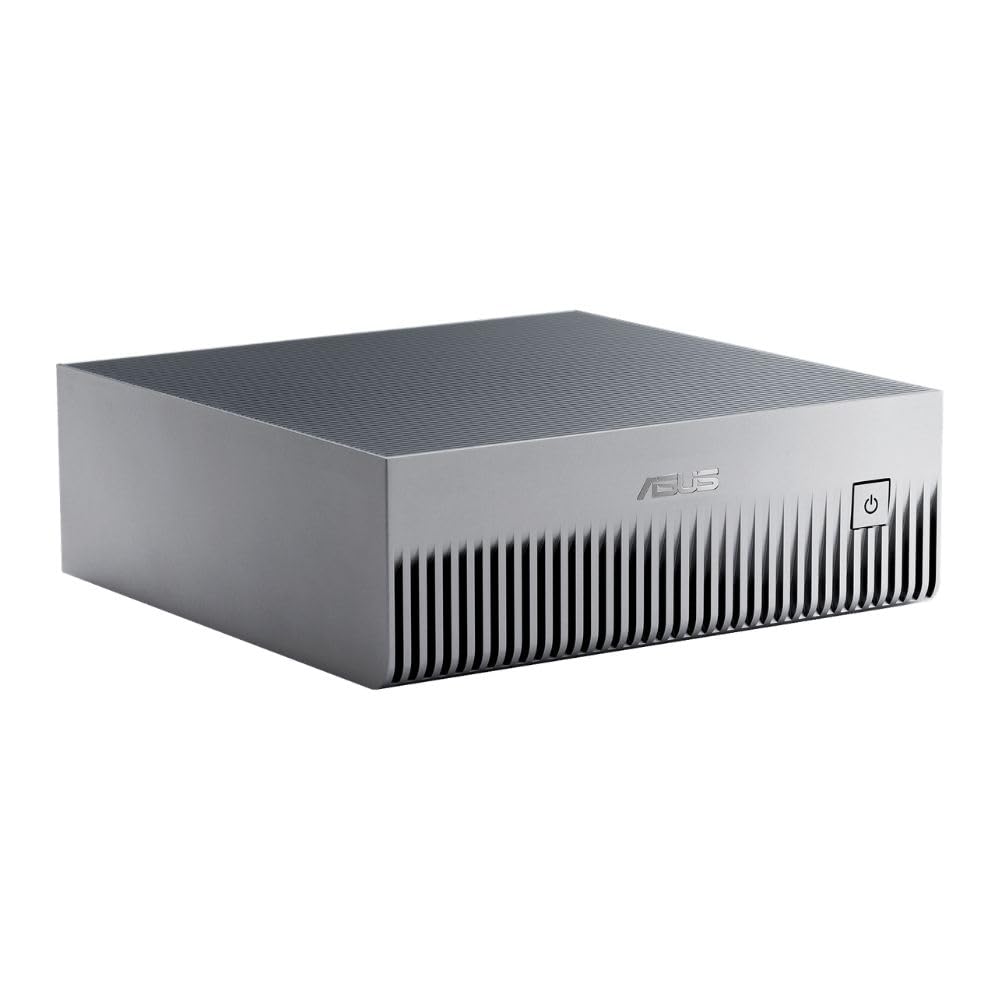
The ASUS Ascent GX10 is architecturally identical to the DGX Spark, sharing the same NVIDIA GB10 Superchip and 128GB of unified memory, but it is optimized for developer workflows that require more structured, sandboxed execution. Its primary advantage is the build quality and thermal design, with a MIL-STD 810H certified chassis and a custom cooling solution that keeps the GB10 chip stable under sustained 24/7 load for agentic AI tasks.
This machine targets professional developers building secure, long-running agentic workflows with OpenClaw and NemoClaw. The NVIDIA NVLink-C2C interconnect ensures ultra-low latency between the CPU and GPU, which is critical for real-time inference loops. Users have reported success running VLLM with Qwen 3.6 31B models at under 65% memory utilization, making it a very efficient platform for single-model serving.
However, it runs equally hot as the DGX Spark under load, requiring a cool room and good airflow. The initial setup is non-trivial and may hang during the first update, and like its sibling, it is not a consumer PC. If you are an enterprise developer needing a stackable, supportable AI workstation, the GX10’s ASUS warranty and testing provide an edge over the directly-from-NVIDIA option.
Why it’s great
- MIL-STD 810H certified for durability.
- Excellent for sandboxed AI agent development.
- NVLink-C2C provides ultra-low latency.
Good to know
- Completely non-functional as a standard desktop.
- Runs very hot, requires good ventilation.
- ASUS support is helpful, but hardware is niche.
3. GMKtec EVO-X2
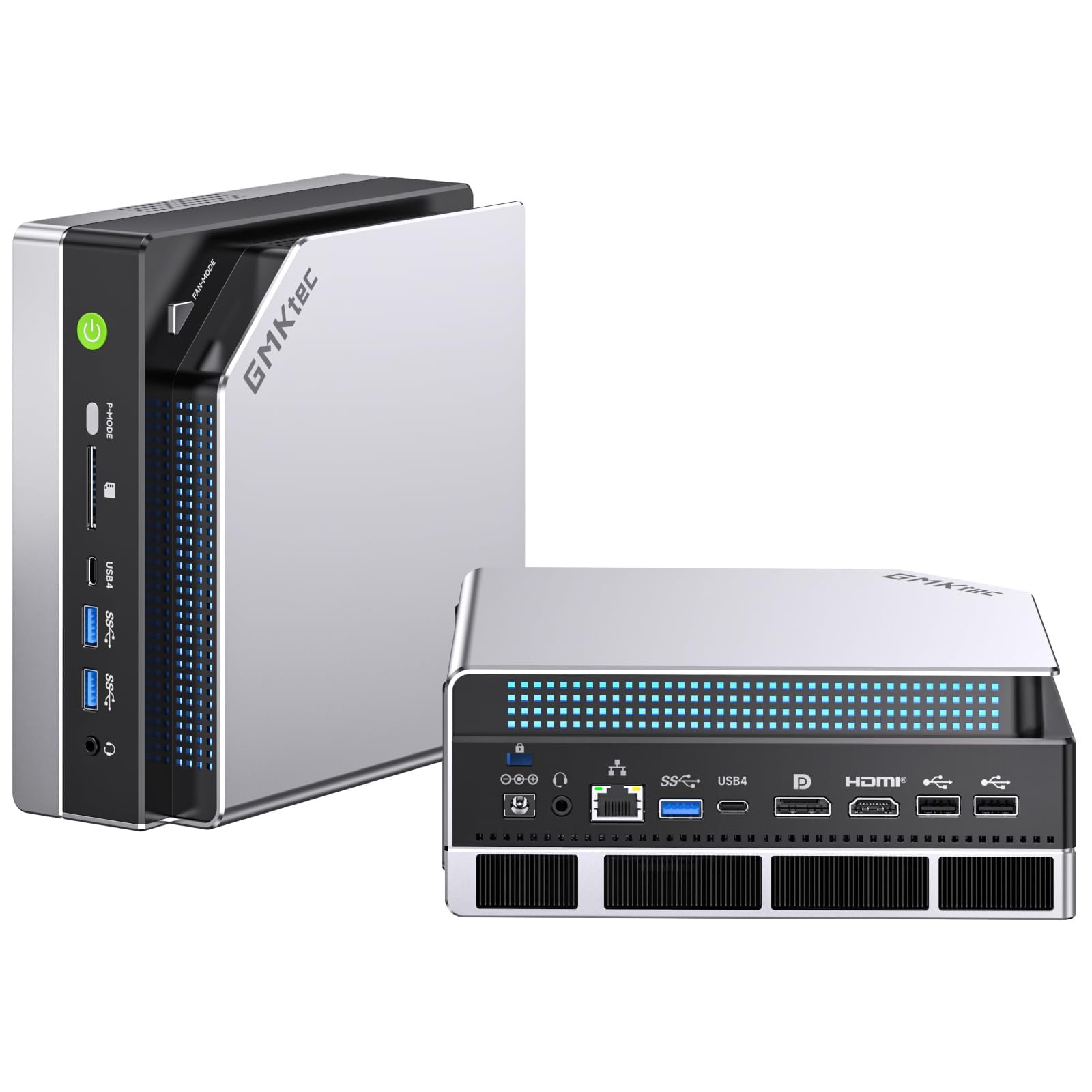
The GMKtec EVO-X2 takes a different approach, using the AMD Ryzen AI Max+ 395 APU, which features the XDNA 2 NPU architecture. While it lacks the NVIDIA GB10’s specialized tensor core density, its 128GB of eight-channel LPDDR5X RAM running at 8000MT/s provides massive bandwidth that benefits both the integrated Radeon 8090S iGPU and CPU compute. This makes it uniquely capable for running local AI models like Deepseek 70B in Q8, which requires the full 128GB pool.
One of its standout features is the triple cooling fan system, which keeps the 140W Performance Mode under control at just 35dB in quiet mode. This allows sustained high-performance AI inference without the jet-engine fan noise common to small-factor PCs. The included SD 4.0 card reader and dual USB4 ports also make it a practical choice for users who need to ingest large datasets locally.
Despite its power, it is effectively early-access hardware with known software bugs. The AMD AI drivers are in an alpha state, and Memtest will not boot on some units. The labels on the front are upside-down when the unit is placed on its side. It is an incredible piece of engineering for local LLM work, but not a stable daily driver for mission-critical tasks at this price point.
Why it’s great
- 128GB eight-channel memory at 8000MT/s.
- Capable of running Deepseek 70B Q8 locally.
- Quiet and efficient triple-fan cooling system.
Good to know
- AMD AI drivers are still in alpha state.
- BIOS is buggy and non-standard.
- Not recommended for users who want a plug-and-play experience.
4. MINISFORUM AI X1 Pro-370

The MINISFORUM AI X1 Pro is a compelling entry-level ARM-adjacent AI PC, powered by the AMD Ryzen AI 9 HX370 with a dedicated NPU. It comes with 32GB of DDR5 RAM and a 1TB PCIe 4.0 SSD, making it ready for general productivity and AI-assisted workflows out of the box. The Radeon 890M iGPU provides enough graphics power for 8K quad-display setups and light creative rendering.
Its integrated AI features are genuinely useful for business users. The built-in Copilot button, real-time subtitle translation, and fingerprint sensor make it a practical workstation for video conferencing and content management. The dual USB4 ports and OCuLink allow for future eGPU expansion, giving it a longer lifespan than a typical mini PC.
The build quality is decent, with a dedicated stand for vertical orientation. However, the AI performance of the NPU is modest compared to the NVIDIA GB10 systems. It handles productivity AI tasks well, but it is not a machine for running 70B+ LLMs. For a professional who needs an AI-enhanced daily driver without the specialization of a DGX Spark, this is the most balanced option.
Why it’s great
- Integrated Copilot AI for productivity.
- OCuLink port for future eGPU expansion.
- Supports 8K quad-display output.
Good to know
- NPU performance is modest for heavy local LLMs.
- Only 32GB of RAM in base model.
- Fan noise can be noticeable under high load.
5. Beelink SER9 Pro AI
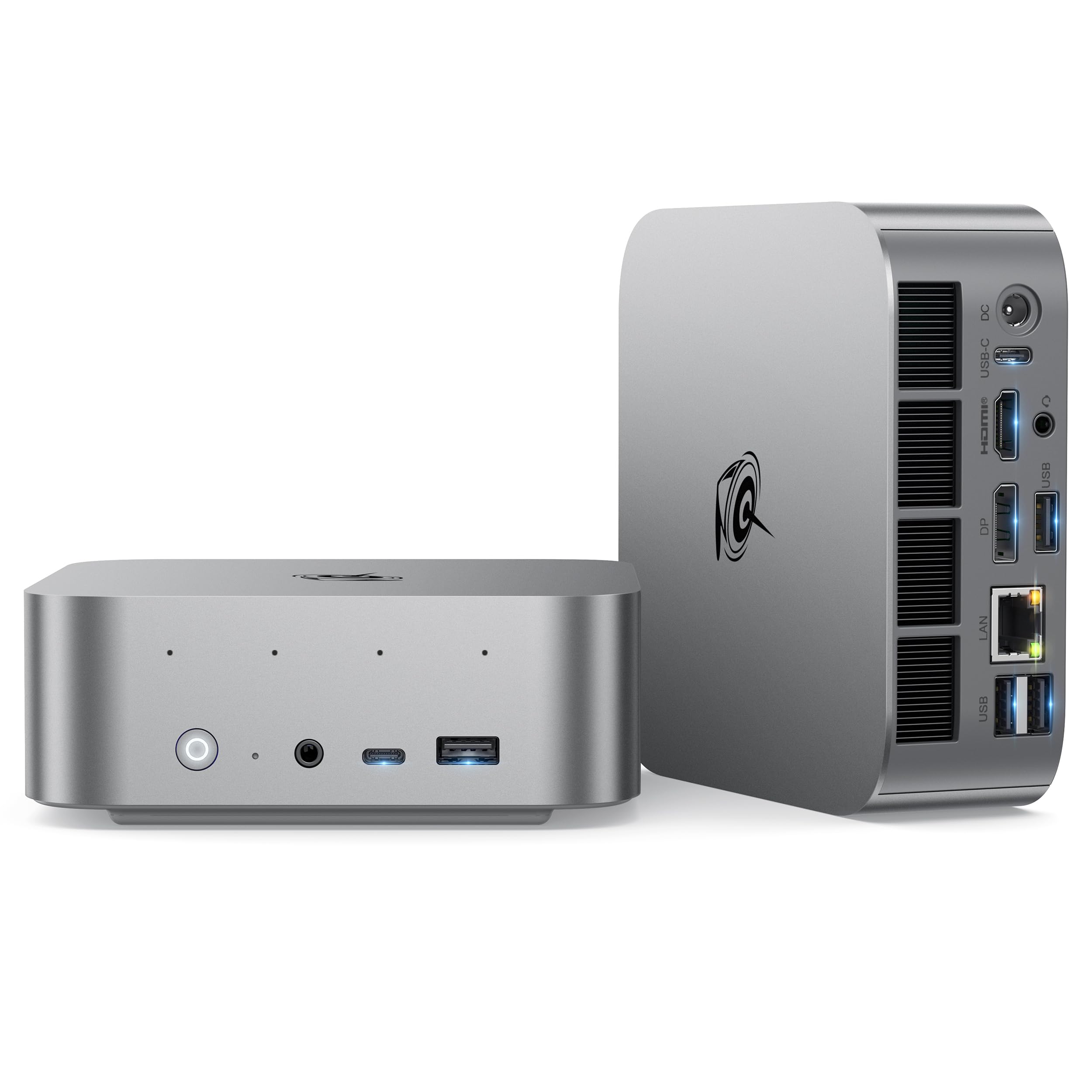
The Beelink SER9 Pro is a high-performance mini PC that targets creative professionals who need a compact powerhouse for video editing and 3D rendering. It packs the AMD Ryzen 7 H255 processor, which is an upgraded 8745HS, offering a 40% performance improvement over the previous generation 7735HS. The 24GB of LPDDR5X RAM at 6400MT/s maximizes the potential of the integrated Radeon 780M GPU, which can handle AAA titles like Forza Horizon 5 at playable framerates.
What sets the SER9 Pro apart is its near-silent operation. The MSC2.0 cooling system maintains a 65W TDP while keeping noise levels at just 32dB. This is a huge advantage for music producers or video editors who need a quiet environment. The built-in high-fidelity microphone with AI noise reduction and dual speakers also eliminate the need for desk-cluttering peripherals for Zoom calls.
It supports triple displays with a 4K@240Hz refresh rate via USB4, making it a solid choice for competitive gaming on an ultra-wide monitor. However, the RAM is soldered and not upgradeable, which limits future-proofing. For a content creator who wants a silent, powerful, and compact system for Adobe Creative Suite or music production, this is a top-tier mini PC within the segment.
Why it’s great
- Near-silent 32dB operation under load.
- Radeon 780M handles AAA games well.
- Built-in speaker and mic for clean desk.
Good to know
- RAM is soldered, not upgradeable.
- Power adapter cable is short for standing desks.
- Only one 2.5G LAN port.
6. KAMRUI Hyper H1
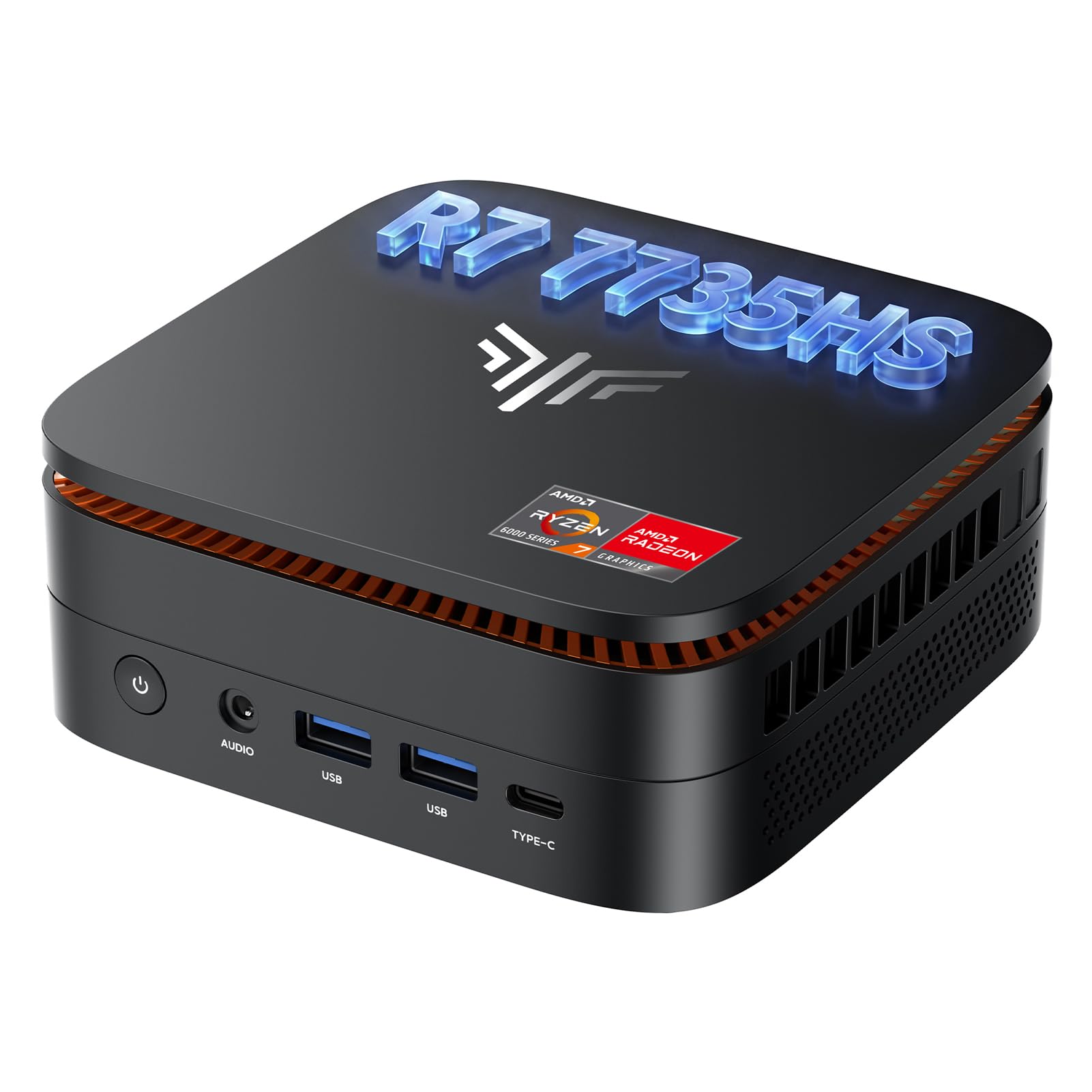
The KAMRUI Hyper H1 is a gaming-focused mini PC built around the AMD Ryzen 7 7735HS, an 8-core/16-thread processor capable of boosting to 4.75GHz. With 24GB of fast LPDDR5 RAM and a 1TB NVMe SSD, it is well-equipped for multitasking and running a variety of titles from L4D2 to Skyrim at 1080p. The integrated Radeon Graphics clocked at 2200MHz is sufficient for many eSports and older AAA games.
Its connectivity is a standout feature, with six USB 3.2 Type-A ports, a 2.5Gbps LAN port, and triple display outputs via HDMI, DP, and USB-C. The dual M.2 slots allow for significant storage expansion, and features like Auto Power On and Wake-on-LAN make it a good candidate for a home server or always-on development machine on a budget.
Performance for demanding modern games like Spider-Man is disappointing, often dropping to 20 FPS at 720p. Some users have reported random reboots, though this seems isolated to early units. It is a great value for older games and general productivity, but those expecting modern AAA performance should consider a system with the Radeon 780M or a discrete GPU.
Why it’s great
- Excellent 24GB LPDDR5 RAM for multitasking.
- Six USB 3.2 ports for peripheral-heavy setups.
- Supports Auto Power On and Wake-on-LAN.
Good to know
- Weak iGPU struggles with modern AAA games.
- Reports of random reboots in early batches.
- Better value alternatives exist in the same tier.
7. Beelink EQR5

The Beelink EQR5 is the quintessential budget-friendly mini PC for office productivity, home servers, and HTPC use cases. It is powered by the AMD Ryzen 5 5500U, a 6-core/12-thread processor that provides more than enough grunt for spreadsheets, web browsing, and 4K video playback. The 16GB of DDR4 RAM is upgradeable to 64GB, giving it solid longevity for a small business or home office.
Its dual HDMI ports support 4K@60Hz output to two monitors, and the dual 1Gbps Ethernet LAN ports make it an excellent candidate for a Plex server or a pfSense firewall. The inclusion of WiFi 6 and Bluetooth 5.2 ensures it stays modern for wireless peripherals and networks. The build is compact and cool-running, staying silent during light office tasks.
The 480GB SSD is somewhat small for modern use, but the PCIe 4.0 slot allows for easy upgrades up to 4TB. It lacks the raw compute power for gaming or AI workloads, but for a reliable, energy-sipping desktop for daily tasks, it is hard to beat at this price point. The lifetime after-sales support from Beelink adds significant value for long-term use.
Why it’s great
- Upgradeable RAM up to 64GB in SO-DIMM slots.
- Dual 1Gbps LAN for server/firewall applications.
- Very affordable for a reliable daily driver.
Good to know
- Limited to 480GB SSD in base config.
- Not suitable for gaming or heavy creative work.
- Only DDR4 memory, not DDR5.
8. BOSGAME P4 Ultra
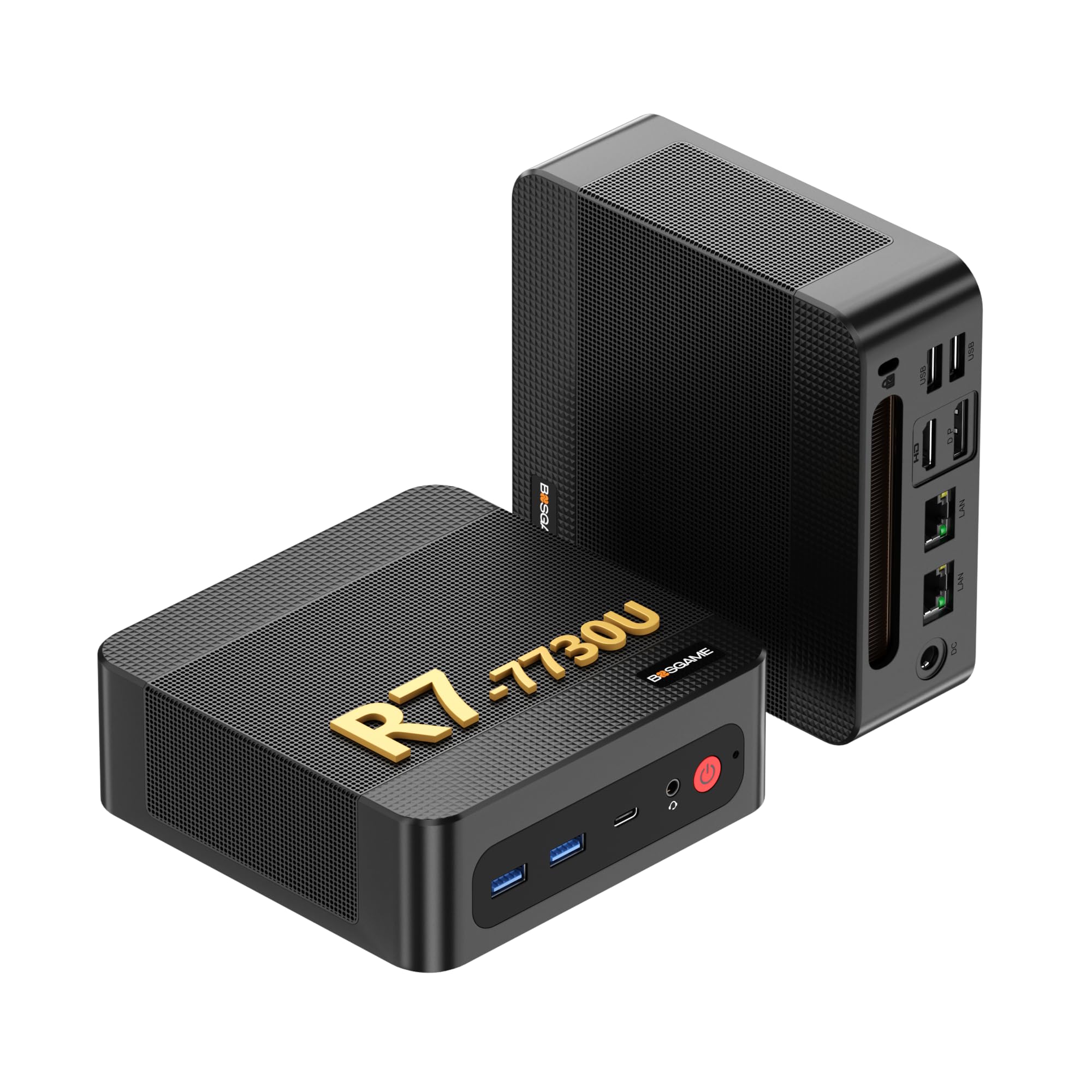
The BOSGAME P4 Ultra is a performance-focused mini PC optimized for network-heavy applications and virtualization. It is equipped with the AMD Ryzen 7 7730U, an 8-core/16-thread processor with a 4.5GHz boost clock, and comes with 16GB of DDR4 RAM and a 1TB PCIe 3.0 x4 SSD. The dual 2.5Gbps LAN ports are its headline feature, making it an ideal platform for a high-speed router, firewall, or multi-gig NAS.
It supports triple 4K displays via HDMI, DP, and Type-C, and includes Wi-Fi 6E and Bluetooth 5.2 for modern wireless connectivity. The thermal design is passive-cooled for the most part, keeping it silent during office and server workloads. The 3-year warranty on parts provides peace of mind for a device that may run 24/7.
Some users have noted the lack of a second USB-C port on the rear, which limits docking station connectivity. It also comes with Windows 11 Pro, which some users find bloated for server use, but it runs Linux distros flawlessly. For a home lab enthusiast who needs fast networking and a small footprint, the P4 Ultra is a specialized and capable machine.
Why it’s great
- Dual 2.5G LAN for high-speed networking.
- Supports triple 4K displays.
- Runs well with Linux for server roles.
Good to know
- Only one USB-C port, located on front.
- Windows 11 can be bloated for server tasks.
- DDR4 memory limits max bandwidth.
9. GEEKOM A5

The GEEKOM A5 is a rugged business mini PC designed for demanding physical environments. Its defining feature is a triple-reinforced ABS+PC shell with a metal baseplate tested to withstand up to 440lbs of pressure. This makes it uniquely suited for warehouses, healthcare, or industrial settings where standard mini PCs would be crushed.
Internally, it features the AMD Ryzen 5 7430U with Radeon Vega 7 graphics, 16GB of upgradeable DDR4 RAM (up to 96GB), and a 512GB NVMe SSD. The inclusion of a second M.2 2242 SATA slot and a 2.5″ SATA bay gives tremendous storage flexibility. It supports quad 4K displays via dual HDMI and dual USB-C, making it a powerful multi-monitor workstation for data analysis or trading.
The 3-year warranty is a strong selling point for businesses, and the system runs cool and quiet thanks to the IceBlast 2.0 cooling system. The pre-installed Windows 11 Pro has some bloat, but it is easily addressed. For an organization that needs a durable, long-lasting workhorse that can run 24/7, the GEEKOM A5 offers exceptional build quality and warranty support.
Why it’s great
- 440lbs pressure-rated chassis for tough environments.
- Upgradeable RAM up to 96GB and storage up to 8TB.
- 3-year warranty for business peace of mind.
Good to know
- Windows 11 Pro can have bloatware.
- Single 2.5G LAN port, not dual.
- iGPU is not for gaming.
10. AOOSTAR MACO

The AOOSTAR MACO is a barebone mini PC designed for enthusiasts who want to customize their storage and OS. Powered by the AMD Ryzen 7 PRO 6850H (8C/16T, Zen 4), it comes with 24GB of soldered LPDDR5 6400MHz RAM but no SSD or OS, allowing users to install their own. The three M.2 NVMe slots can be configured in RAID 0/1/5 arrays, offering enterprise-level data redundancy.
Its connectivity is exceptional for a machine in this tier. The OCuLink port allows for minimal-performance-loss external GPU connection, and the dual USB4 ports support 40Gbps data transfer and 8K display output. The dual 2.5Gbps LAN ports (Intel I226V) make it a very capable virtualized home server or router. The aluminum alloy chassis with the Glacier cooling system keeps it cool and quiet.
Users have reported it is an excellent Proxmox node, handling 6 VMs without breaking a sweat. The one-touch fingerprint unlock adds a layer of security. The main drawback is the soldered RAM, which cannot be upgraded beyond 24GB. For a power user willing to supply their own SSDs, the MACO offers a fantastic value for a powerful, customizable mini PC.
Why it’s great
- Three M.2 NVMe slots with RAID support.
- OCuLink port for high-performance eGPU.
- Dual 2.5G LAN for virtualized servers.
Good to know
- RAM is soldered, not upgradeable beyond 24GB.
- Barebone model requires user to purchase SSD/OS.
- Only 12-month warranty standard.
11. Dell Pro Micro Plus

The Dell Pro Micro Plus is a different breed of ARM desktop PC. It is an enterprise-grade micro desktop designed for corporate IT deployments. Powered by the Intel 20-Core Ultra 7 265 processor with a 13 TOPS NPU for AI acceleration, it is built for 24/7 operation in demanding office environments. The 16GB of DDR5 RAM is expandable to 64GB, and the 512GB PCIe SSD provides fast boot and app loading.
Its primary advantage is its ultra-compact size (1.41″ thick) and MIL-STD testing for durability. It supports up to four displays via DisplayPort, making it ideal for financial analysts or creative professionals who need maximum screen real estate. The Windows 11 Pro OS provides enterprise management features and security, and the 6 USB-A and 2 USB-C ports ensure compatibility with legacy peripherals.
It is not a gaming or heavy AI workstation. The integrated Intel Graphics are sufficient for office work and video conferencing but not for rendering or local LLMs. The value is strong for a corporate purchase, with excellent warranty support from Dell. For an IT manager deploying workstations en masse, the Dell Pro Micro Plus offers unparalleled reliability and a small footprint.
Why it’s great
- MIL-STD tested for reliability and durability.
- Ultra-compact 1.41″ thin design.
- Excellent enterprise warranty and manageability.
Good to know
- Integrated graphics not for gaming or rendering.
- Only 16GB RAM in base model.
- NPU is modest at 13 TOPS.
FAQ
Why is unified memory so important for running LLMs on an ARM PC?
Can an ARM Desktop PC replace my x86 gaming computer?
Final Thoughts: The Verdict
For most users, the best arm desktop pc winner is the NVIDIA DGX Spark because its 128GB unified memory and 1 PetaFLOP performance are unmatched for local AI development at this size and price. If you want a more developer-friendly platform with enterprise support, grab the ASUS Ascent GX10. And for a versatile AI-enhanced daily driver that handles productivity and light creative work without the specialized OS, nothing beats the MINISFORUM AI X1 Pro.