
An arm mounted monitor transforms a cramped, cluttered desk into a fluid, ergonomic workstation. It lifts your screen off the surface, freeing up space and allowing you to adjust the height, tilt, and depth with a simple touch. This single upgrade directly combats the neck and shoulder strain that comes from hunching over a fixed stand.
I’m Min — the co-founder and writer behind Gadgets Feed. I’ve spent weeks researching the gas spring tension systems, weight capacities, and VESA compatibility across dozens of models to find the mounts that actually hold their position without sagging or wobbling.
The market is flooded with cheap arms that droop under load. This guide cuts through the noise to recommend only the most rigid, well-engineered options for your best arm mounted monitor setup, ensuring your display stays exactly where you put it.
How To Choose The Best Arm Mounted Monitor
Selecting the right arm involves more than matching a size bracket. You must evaluate the mounting mechanism, the gas spring or mechanical lift quality, and the overall build material to ensure long-term stability. A poorly chosen arm introduces wobble and drift, defeating the entire purpose of a floating display.
Weight Capacity and VESA Compatibility
The first hard stop is whether the arm’s weight rating exceeds your monitor’s actual weight, including any attached webcam or light bar. A monitor weighing 18 lbs must pair with an arm rated for at least 20 lbs. VESA patterns are equally critical — 100x100mm is the standard for most 27–32 inch screens, while some ultrawides require an adapter for non-standard hole spacing.
Gas Spring Tension vs. Mechanical Lock
Gas spring arms use a pneumatic cylinder to counterbalance the screen, allowing smooth height adjustments with one hand. Lower-end models use friction hinges that wear out and droop over time. Premium gas spring arms have an accessible tension knob that lets you dial in the exact resistance for your screen’s weight, preventing the head from sinking or rising uncontrollably.
Mounting Method: C-Clamp vs. Grommet
A C-clamp grips the edge of the desk and is the simplest to install, but it requires a flat, overhanging lip at least 0.5 inches thick. A grommet mount passes through a pre-drilled hole in the desk, distributing weight more evenly and freeing up desk edge space for other peripherals. If your desk has a cable management grommet, the grommet mount is almost always the more stable and cleaner option.
Quick Comparison
On smaller screens, swipe sideways to see the full table.
| Model | Category | Best For | Key Spec | Amazon |
|---|---|---|---|---|
| VIVO STAND-V101BB | Premium | Ultrawide up to 40″ | 26.4 lbs capacity / +90° tilt | Amazon |
| VIVO STAND-V001Q | Mid-Range | Standard monitors up to 32″ | 20 lbs capacity / Gas spring | Amazon |
| ARES WING GDT1004BK | Premium | Heavy 49″ curved screens | 44 lbs capacity / 22.4″ reach | Amazon |
| HUANUO TitanLift HNSS48B | Premium | Gaming 49″ ultrawide | 44 lbs capacity / 19.6″ height | Amazon |
| Mount-It! MI-1771B | Mid-Range | Sit-stand desk setups | 20 lbs capacity / 13″ lift | Amazon |
| ULTRARM MA20P-S | Premium | 57″ ultrawide heavyweights | 44 lbs capacity / Modular arms | Amazon |
| MOUNT PRO B0C65LM31H | Value | Laptop + monitor hybrid | 22 lbs capacity / 2-in-1 tray | Amazon |
In‑Depth Reviews
1. VIVO Premium Aluminum Full Motion Single Ultrawide Monitor Desk Mount STAND-V101BB

The VIVO STAND-V101BB leverages a premium aluminum construction and a built-in elbow spring gauge to counterbalance ultrawide monitors up to 40 inches and 26.4 pounds. The gas spring tension system allows precise weight adjustment so the arm holds position without any drift, which is essential for heavy curved panels that throw off lesser arms.
+90° to -90° tilt and 180° swivel give you full articulation, and the 9.6 inches of smooth height adjustment works well for users who alternate between sitting and standing. The quick-release VESA plate simplifies installation, and the included integrated cable management covers keep cords routed cleanly along the arm’s path.
The clamp and grommet mounting options fit desktops from 0.39 to 2 inches thick. Owners of 34-inch ultrawides report consistent, sag-free performance after months of daily use. The one common caveat is that the VESA plate can have slight lateral play if not fully tightened, but a quick wrench adjustment resolves it.
Why it’s great
- Sturdy aluminum alloy frame supports heavy curved 34″+ monitors without sag
- Gas spring counterbalance provides smooth, one-handed height adjustment
- Excellent 90-degree tilt range for reducing overhead glare
Good to know
- VESA plate may have minor play if bolts are not fully torqued
- USB ports on base are not universally liked for aesthetics
2. ULTRARM Heavy Duty Monitor Arm MA20P-S

The ULTRARM MA20P-S is built for the absolute heaviest monitors on the market, supporting screens up to 57 inches and 44 pounds. Its pneumatic spring system provides the counterbalance needed to keep a massive Samsung Odyssey G9 or equivalent stable at any height, and the 13-inch vertical adjustment range ensures proper ergonomic alignment even for very tall users.
The modular extension arms allow the base to be upgraded later into a dual or triple monitor configuration, making it a future-proof investment. The C-clamp and grommet mounting options accommodate desk thicknesses from 0.6 to 3.3 inches, and the dual-clamp base provides an exceptionally solid anchor that prevents wobble even during intense gaming sessions.
Multiple verified owners confirm that the arm holds 49-inch and 57-inch ultrawides with zero sag. The cable management channel is wide enough to route a DisplayPort 2.1 cable plus USB. The only downside is that Samsung Odyssey G9 units may require an aftermarket VESA adapter if the factory bracket does not align with the 75×75 or 100×100 pattern.
Why it’s great
- Massive 44 lbs weight capacity handles the heaviest 57″ ultrawide monitors
- Modular base allows upgrade to dual or triple arm setup
- Dual-clamp design eliminates wobble on thick desktops
Good to know
- No VESA adapter included for Samsung Odyssey G9
- Heavy unit at 13 pounds — requires strong desk surface
3. ARES WING Ultrawide Monitor Arm GDT1004BK

The ARES WING GDT1004BK targets users with heavy 49-inch curved monitors, supporting up to 44 pounds with a full 22.4-inch maximum extension. Its high-quality steel and aluminum construction passed fatigue tests, and the internal gas spring maintains smooth lift across the +50° to -20° tilt range, which is critical for minimizing glare on aggressively curved 1000R panels.
The arm offers 360° rotation and 180° swivel, giving you total flexibility to switch between landscape and portrait orientations. The topside installation design eliminates the need to crawl under the desk, and the detachable VESA plate simplifies the process of attaching the monitor to the arm. The cable management system is built directly into the arm channels.
Buyers pairing this arm with 49-inch monitors like the Samsung Odyssey G9 report excellent stability with no sag. A small subset of units arrived with plastic sleeves in the joints that caused a wobble, but the manufacturer provides one-on-one support and replacement parts. Check the tension screw immediately after installation to verify tightness.
Why it’s great
- Supports 44 lbs capacity ideal for massive 49″ curved gaming monitors
- 22.4-inch arm reach allows deep desk placement away from the wall
- Tool-less topside installation with quick-release VESA plate
Good to know
- Some units had plastic sleeve joints that required tightening
- Not recommended for 1000R extreme curve without checking fit
4. VIVO STAND-V001Q Gas Spring Arm
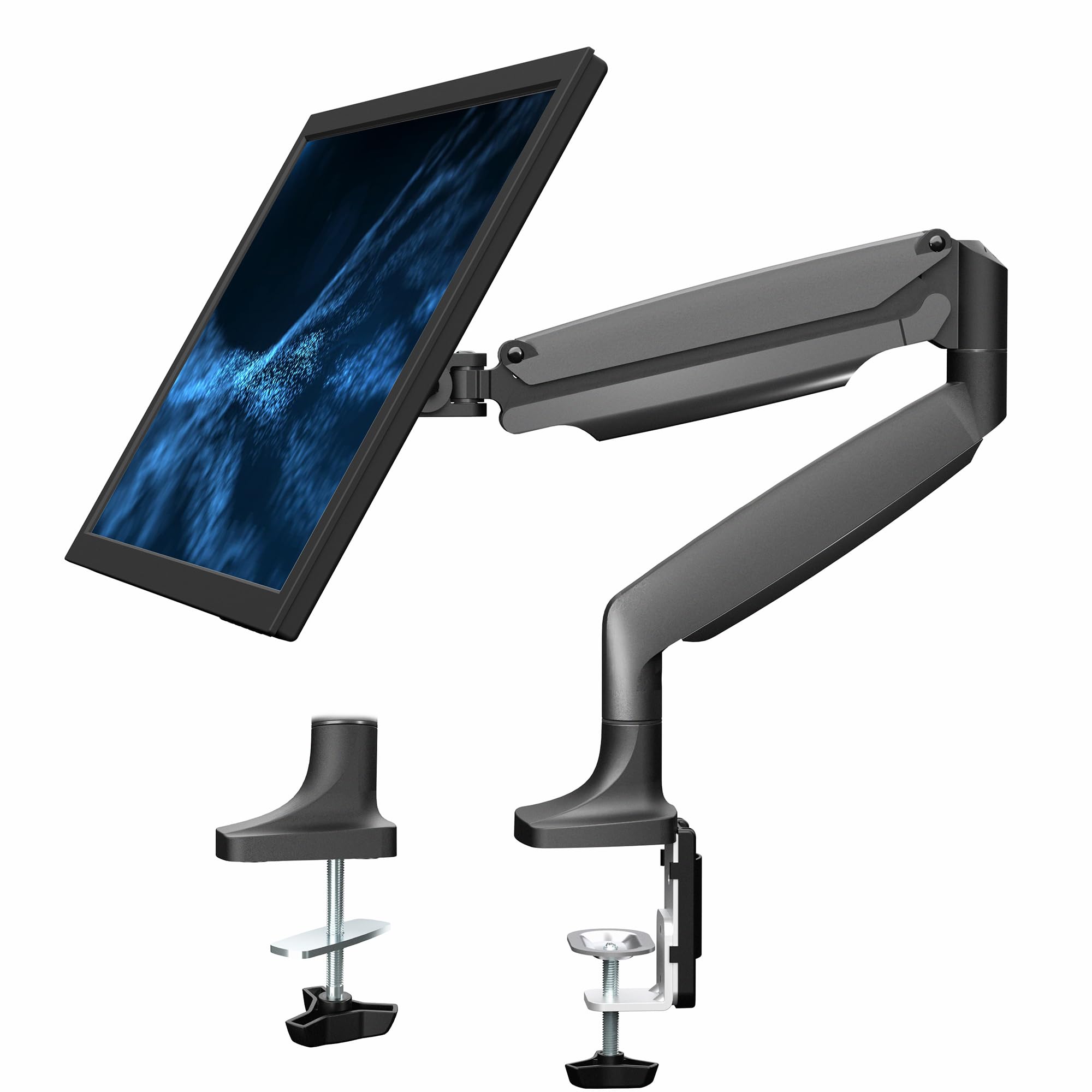
The VIVO STAND-V001Q is a benchmark gas spring arm for standard-sized monitors up to 32 inches and 20 pounds. Its tool-less counterbalance lift allows effortless height adjustment, and the detachable VESA face plate makes single-person installation straightforward. The arm mimics the design of far more expensive Ergotron models at a fraction of the cost.
You get 90° tilt, 90° swivel, and full portrait-to-landscape rotation, giving you plenty of positioning latitude for a dual-monitor workflow. The heavy-duty C-clamp fits desks between 0.5 and 3 inches thick. The included cable management clips and channels are basic but effective at keeping the primary wires bundled along the lower arm.
Users have successfully used this arm with 34-inch ultrawides despite the 32-inch rating, though the tilt joint can require extra tension to hold heavier screens. A few owners report that the swing joints need a small amount of grease to eliminate friction noise. After three years of use, the gas spring still holds position without sagging.
Why it’s great
- Gas spring system provides ultra-smooth one-handed height lift
- Near-identical performance to premium arms at a mid-range price point
- Detachable VESA plate simplifies monitor mounting
Good to know
- Tilt joint may require added tension for monitors over 17 lbs
- Base clamp feet can leave slight imprints on wooden desks
5. HUANUO TitanLift HNSS48B
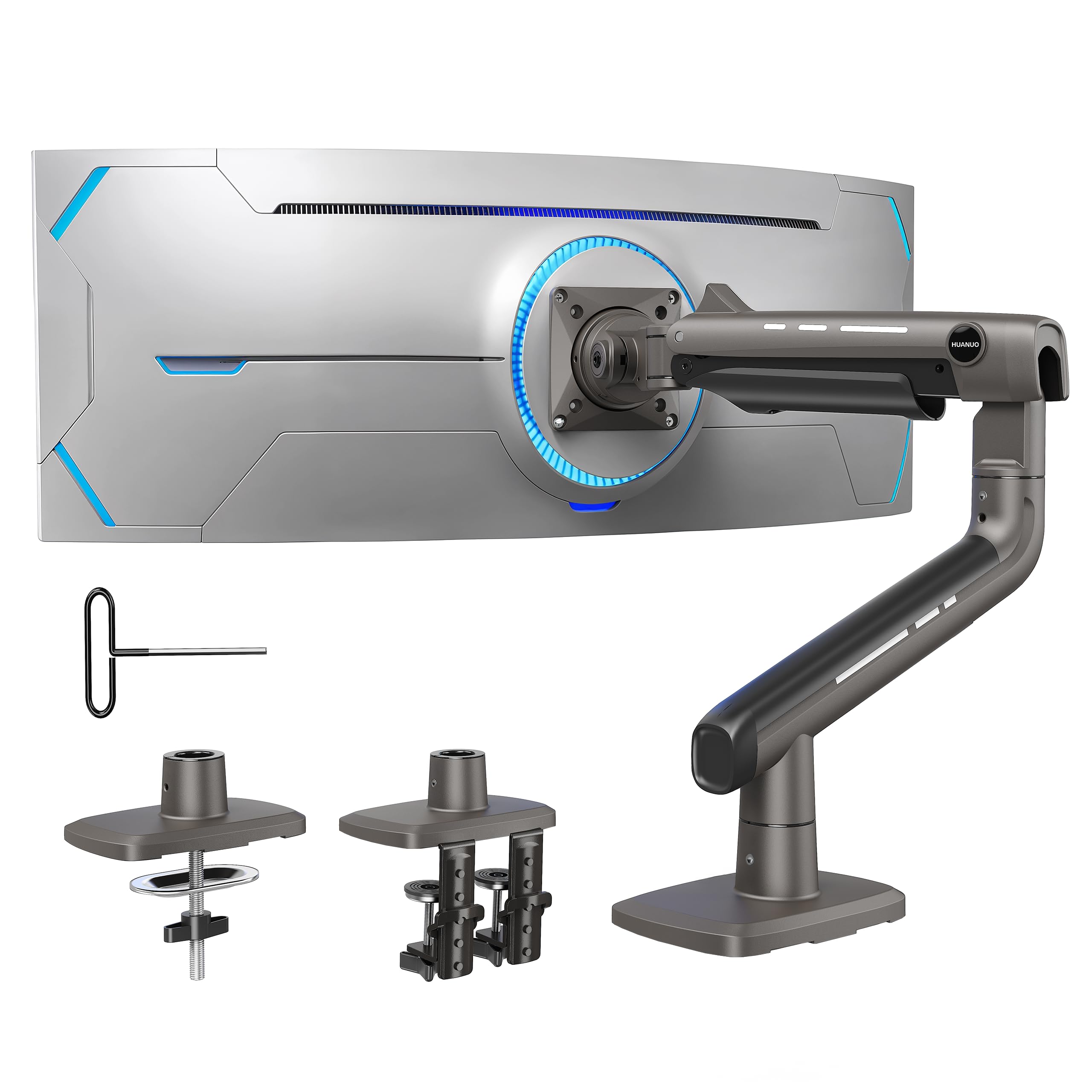
The HUANUO TitanLift is designed with a reinforced VESA head that is 20% thicker and a base that is 30% wider than standard arms, enabling it to hold up to 44 pounds and support monitors up to 49 inches. The engineering includes 50,000-cycle motion testing and 3X load validation, so it provides exceptional long-term stability for expensive ultrawide panels.
The arm extends up to 22.5 inches and offers +50° to -50° tilt, 180° swivel, and 360° rotation. The one-hand tension adjustment system uses an Allen key inserted into a side bolt, making it far easier to tune than arms that require disassembly. The built-in cable management runs along the full length of the arm.
Verified owners of 49-inch monitors confirm zero wobble even during active gaming. The dual C-clamp base distributes clamping force across a wider area, preventing desk edge damage. A few units have shown minor surface pit holes in the metal finish, but this does not affect structural integrity. The 5-year warranty provides peace of mind.
Why it’s great
- Reinforced VESA head and wider base eliminate sag on 49″ ultrawides
- One-hand tension adjustment with side bolt for easy tuning
- 5-year warranty and 50,000-cycle load testing
Good to know
- Only compatible with wood desks — not suitable for glass or plastic surfaces
- Minor finish imperfections reported on some units
6. Mount-It! MI-1771B

The Mount-It! MI-1771B delivers a gas spring arm with a generous 13-inch height adjustment range, making it a perfect companion for sit-stand desks where the monitor must rise and lower throughout the day. It supports monitors from 13 to 32 inches up to 20 lbs, covering the vast majority of standard office and home setups.
The heavy-duty steel construction provides a secure feel, and the clamp or grommet mounting works on desktops up to 3.3 inches thick. The arm extends up to 24 inches and offers 360° rotation, 180° swivel, and 90° tilt. The VESA plate clips into a retention bracket, allowing you to hang the monitor first and then tighten down without holding its weight.
Buyers report that the gas spring tension is easy to adjust with the included tool, and the arm stays put once set. The lifetime warranty from the manufacturer adds confidence. The tilt pivot bolt must be very tight to hold heavier monitors, which can make fine-tuning the tilt angle slightly cumbersome if you adjust it frequently.
Why it’s great
- 13-inch height range is perfect for standing desk converters and sit-stand setups
- Retention clip VESA plate allows one-person monitor installation
- Lifetime warranty and US-based support
Good to know
- Tilt pivot bolt must be very tight for 20 lb monitors, making angle tweaks harder
- Some shaking transmitted from desk surface during heavy typing
7. MOUNT PRO Laptop Arm Mount B0C65LM31H

The MOUNT PRO B0C65LM31H stands out with its unique 2-in-1 design that transitions between a laptop tray and a standard monitor VESA mount. It fits notebooks up to 17 inches on the ventilated tray or monitors from 13 to 32 inches once the tray is removed. This makes it an excellent choice for hybrid workers who switch between a laptop and a desktop monitor.
The aluminum arm supports up to 22 pounds and offers -45° to +90° tilt, 180° swivel, and 360° rotation. The height range reaches up to 17.3 inches from the desk. The tray includes six anti-slip pads and latches to securely lock the laptop in place, and the ventilated design helps with heat dissipation during extended use.
Buyers have found this arm particularly useful in non-standard environments like mechanics’ toolboxes and standing desk workspaces. The gas spring requires some initial force to lower, and the 360° rotation should not be used with the laptop tray attached for safety. It is not compatible with 1000R/1500R/1800R curved screens, so check your monitor’s curve before purchasing.
Why it’s great
- Unique 2-in-1 tray system works as both a laptop stand and monitor arm
- Ventilated aluminum tray keeps laptops cool during extended workloads
- Quick setup with clamp or grommet mounting for desks up to 2.76″ thick
Good to know
- Not compatible with heavily curved monitors (1000R or 1500R)
- Rotation function unsafe to use with the laptop tray attached
FAQ
Can any monitor be attached to a VESA arm?
How do I stop my monitor arm from sagging or drooping?
Final Thoughts: The Verdict
For most users, the best arm mounted monitor winner is the VIVO STAND-V101BB because it combines premium aluminum build quality, smooth gas spring counterbalance, and broad compatibility with ultrawide monitors up to 40 inches. If you need to support a massive 57-inch ultrawide, grab the ULTRARM MA20P-S. And for a budget-friendly 2-in-1 solution that works with both laptops and monitors, nothing beats the MOUNT PRO B0C65LM31H.