
The era of the ARM-powered Windows laptop has arrived, and it changes everything you thought you knew about battery life, instant-on responsiveness, and fanless operation. These machines, built on Qualcomm Snapdragon X, AMD Ryzen AI, or Intel Lunar Lake architectures, trade the legacy x86 power draw for efficiency that rivals the MacBook Air, often delivering over 15 hours of real-world usage on a single charge. They boot in seconds, stay cool to the touch, and run silently through a full workday.
I’m Min — the co-founder and writer behind Gadgets Feed. I have spent countless hours analyzing the technical specifications, real-world benchmarks, user reviews, and compatibility matrices across the entire ARM Windows landscape to separate the genuinely excellent machines from the ones still wrestling with emulation quirks. This guide is the result of that deep research.
Whether you need a silent travel companion, a powerful workstation, or a convertible for creative work, these are the best arm windows laptop models available in 2025 that deliver exceptional battery efficiency and performance without compromise.
How To Choose The Best ARM Windows Laptop
Choosing an ARM Windows laptop requires evaluating the processor generation, native app compatibility, and the specific trade-offs between raw performance and all-day endurance. The wrong choice can mean battling emulation bloat or running out of ports. Focus on these three factors to find your ideal machine.
Processor: Snapdragon X Elite vs. X Plus vs. Ryzen AI vs. Intel Lunar Lake
Each chip family offers distinct advantages. The Snapdragon X Elite (12-core, up to 3.8 GHz) delivers the highest multi-core performance and the longest battery life, often exceeding 20 hours. The Snapdragon X Plus (10-core) is a slightly more affordable option that still provides excellent efficiency and Copilot+ compatibility. AMD’s Ryzen AI 9 HX PRO 370 provides a tremendous NPU (up to 50 TOPS) for on-device AI tasks and native x86 compatibility, but typically offers slightly less battery endurance. Intel’s Core Ultra 7 258V (Lunar Lake) bridges the ARM efficiency gap with an integrated NPU and excellent single-core performance, but uses a different architecture. For pure battery and fanless operation, Snapdragon X Elite is the standout.
Display and Build: OLED vs. IPS and Portability
The display quality directly affects daily usability. An OLED panel delivers infinite contrast, vivid colors, and deep blacks, making it ideal for media consumption and creative work, though it can impact battery life at high brightness. IPS panels, especially those with 2K (1920×1200) or 2.5K (2560×1600) resolutions and 100% sRGB coverage, offer excellent color accuracy and longer endurance. Build materials matter too — anodized aluminum or magnesium alloy keeps weight under 3 lbs for ultra-portable models, while a metal chassis improves heat dissipation. For travel, prioritize a model under 3.5 lbs with a matte or anti-glare display for use in bright environments.
Memory, Storage, and Connectivity
ARM-based laptops often have soldered RAM that is not upgradeable, so choose 16 GB as a minimum and 32 GB if you multitask heavily or run virtual machines. Storage is frequently user-replaceable via NVMe M.2, but check the spec before buying. Connectivity must include at least one USB-C port with Power Delivery and DisplayPort support, ideally two. Wi-Fi 6E or Wi-Fi 7 ensures future-proofing for high-speed networks, and Bluetooth 5.3 or 5.4 provides stable peripheral pairing. Don’t forget a headphone jack — many ARM laptops omit it, which can be annoying for wired audio on flights.
Quick Comparison
On smaller screens, swipe sideways to see the full table.
| Model | Category | Best For | Key Spec | Amazon |
|---|---|---|---|---|
| Surface Laptop 7 | Premium Ultrabook | Office & travel | 20h battery, 120Hz touch | Amazon |
| HP OmniBook 5 14″ OLED | Premium Ultrabook | Media & creativity | 34h battery, OLED display | Amazon |
| ASUS ExpertBook P5 | Business Ultrabook | Professional multitasking | 32GB RAM, 144Hz WQXGA | Amazon |
| GIGABYTE AERO X16 | Creator Laptop | Gaming & creation | RTX 5070, 165Hz display | Amazon |
| Lenovo ThinkPad P14s Gen 6 | Mobile Workstation | Engineering & CAD | 64GB RAM, Ryzen AI PRO | Amazon |
| GEEKOM GeekBook X16 Pro | Value Powerhouse | Photography & light gaming | 32GB RAM, 120Hz 2.5K | Amazon |
| HP OmniBook 3 14″ | Mid-Range Ultrabook | Productivity & school | 32h battery, 2K IPS | Amazon |
| ASUS Zenbook A14 | Ultra-Light | On-the-go portability | 980g weight, 32h battery | Amazon |
| Samsung Galaxy Book5 360 | Convertible | Note-taking & reading | AMOLED touch, 31h battery | Amazon |
| HP 16″ Snapdragon X | Budget Workhorse | Big screen value | 2TB SSD, 34h battery | Amazon |
| HP Omnibook 5 16″ | Value All-Rounder | Work & gaming hybrid | AMD Ryzen AI 7, 2K touch | Amazon |
In‑Depth Reviews
1. Microsoft Surface Laptop (2024)

The Surface Laptop 7 is the benchmark for the entire ARM Windows category. It pairs the Snapdragon X Elite (12-core) with a brilliant 13.8-inch PixelSense touchscreen that runs at a silky 120Hz refresh rate, making scrolling and animation feel fluid. Its all-day battery easily reaches 15 hours in mixed use, and the 1TB SSD ensures ample space for large projects. The platinum magnesium-aluminum chassis is thin, light (2.96 lbs), and feels more refined than many premium ultrabooks.
Windows Hello facial recognition is instant and works in low light, and the haptic trackpad is one of the best on any Windows laptop — precise and clickable across the entire surface. The keyboard has deep, springy travel that rivals a ThinkPad. The speakers, tuned with Dolby Atmos, offer clear mids and vocals, though they lack the deeper bass of a MacBook Pro. Performance in native ARM apps like Office, Edge, and Adobe Lightroom is snappy, with app launches completing in under two seconds.
The main limitation is app compatibility — some legacy x86 software can stutter during emulation, and hardware-accelerated GPU tasks like heavy video editing or AAA gaming are not its strong suit. The proprietary Surface Connect charger is also a nuisance if you want to rely solely on USB-C. Despite these caveats, this is the machine that proves Windows on ARM is ready for the mainstream.
Why it’s great
- 120Hz 13.8-inch PixelSense touchscreen with HDR
- Haptic trackpad is best-in-class on Windows
- Repairable: user-replaceable NVMe SSD (no tools needed after removing feet)
Good to know
- Proprietary Surface Connect charger rather than dual USB-C only
- Some legacy x86 apps perform poorly under emulation
- Maximum SSD capacity is 1TB, no expansion slot
2. HP OmniBook 5 14″ Next Gen AI PC

The HP OmniBook 5 14-inch is a showcase for what a Snapdragon X Plus processor can do when paired with a stunning 2K OLED display. The colors are deeply saturated, blacks are truly infinite, and the 0.2ms response time makes everything feel immediate. This is the laptop to buy if you want the best media consumption experience on a Windows ARM machine — movies and HDR content look incredible.
The all-day battery life of up to 34 hours (video playback) means you can leave the 65W USB-C charger at home for multiple work trips. The chassis is made from recycled materials, including ocean-bound plastics, giving it a solid but slightly lighter feel than an all-metal laptop. The keyboard is backlit with three brightness levels, and the keys have a crisp, responsive feel. The trackpad is glass, smooth, and accurate, though the audible clicks are a bit loud.
On the downside, this model lacks a touchscreen — a surprise given the OLED panel. It also only provides two USB-C ports and one USB-A, so you will need a hub for full connectivity. The speakers are loud but lack bass and can sound tinny at maximum volume. For pure productivity and media, it is outstanding; for gaming or legacy software, look elsewhere.
Why it’s great
- Stunning 14-inch 2K OLED panel with 0.2ms response
- Up to 34 hours of battery life from a single charge
- Fast charge: 0 to 50% in ~30 minutes
Good to know
- No touchscreen despite OLED
- Only 60W charger included, slower than some competitors
- Trackpad clicks are audible in quiet rooms
3. ASUS ExpertBook P5

The ASUS ExpertBook P5 is built for professional productivity, combining an Intel Core Ultra 7 258V processor (with Intel AI Boost NPU providing up to 47 TOPS) with a crisp 14-inch WQXGA (2560×1600) 144Hz display. The high refresh rate makes scrolling through long documents and spreadsheets feel exceptionally smooth, and the 16:10 aspect ratio provides extra vertical space for toolbars. The display reaches over 400 nits of brightness, making it usable even in bright office lighting.
Performance is snappy across the board, with 32 GB of LPDDR5X RAM at 8448 MHz ensuring zero lag even with dozens of browser tabs, Teams calls, and heavy Excel files open simultaneously. The Intel Arc 140V integrated GPU handles light creative tasks like Photoshop and 4K video playback without stutter. The dual-fan cooling system runs quiet and keeps the chassis cool, though under sustained load the fans become audible. The all-metal aluminum chassis is thin (0.65 inches) and lightweight at 2.84 lbs, making it easy to carry.
The main compromises are build quality touches — the matte display coating can feel less premium than glass, the keyboard backlight is only average in brightness, and the down-firing speakers are adequate but not immersive. The lack of a second SSD slot also means no easy storage expansion. For a business ultrabook that does everything well without breaking the bank at this tier, it is a stellar choice.
Why it’s great
- 14-inch WQXGA 144Hz display with 400+ nits brightness
- 32 GB LPDDR5X RAM at 8448 MHz for extreme multitasking
- Thin (0.65″) and light (2.84 lbs) all-metal chassis
Good to know
- Matte screen coating feels less vibrant than glass
- Keyboard backlight is only medium brightness
- Speakers are down-firing and lack bass
4. GIGABYTE AERO X16

For users who need performance that rivals a desktop, the GIGABYTE AERO X16 is a powerhouse. It runs on an AMD Ryzen AI 9 HX 370 processor with a dedicated NVIDIA GeForce RTX 5070 laptop GPU, providing 165Hz 2.5K (2560×1600) display gaming and serious AI workloads. The build is premium — an aluminum chassis that is only 16.75mm thin and 4.18 lbs, which is impressive for a 16-inch machine with a dGPU.
The 32 GB of DDR5 RAM and 1TB NVMe SSD ensure fast load times, and the thermal system keeps the CPU in the mid-60s °C range under load with a cooling pad. The keyboard is responsive, and the touchpad is large and smooth. The GiMATE AI software is surprisingly useful for quick settings adjustments. Battery life hovers around 7 hours of moderate use, but gaming requires plugging in. The display, while not OLED, is bright and color-accurate, covering a wide sRGB range.
On the downside, there is only one USB-C port, which forces you to use a hub for simultaneous charging and data transfer. The fans are noticeable during gaming, though not annoyingly loud. Some users reported initial stability issues with Windows sleep and resume, which typically require a clean OS reinstall. For a creator who also games, this is an exceptional value in the ARM-adjacent category.
Why it’s great
- NVIDIA RTX 5070 GPU with 165Hz 2.5K display
- Excellent thermals for sustained creative workloads
- Minimal bloatware, clean Windows install
Good to know
- Only one USB-C port requires a hub
- Battery life drops significantly during gaming
- Some users report sleep/resume bugs needing OS reinstall
5. Lenovo ThinkPad P14s Gen 6

The Lenovo ThinkPad P14s Gen 6 is a certified mobile workstation designed for engineers, data scientists, and AI professionals. It packs an AMD Ryzen AI 9 HX PRO 370 processor with 64 GB of DDR5 RAM, handling massive datasets, CAD models, and virtual machines without breaking a sweat. The 14-inch WUXGA display is rated at 500 nits with 100% sRGB, making it color-accurate for technical graphics work. The ThinkPad keyboard remains the gold standard for long typing sessions — deep travel and a firm, tactile feel.
Build quality is MIL-STD-810H certified, meaning it can survive drops, dust, and extreme temperatures. The port selection is excellent: two Thunderbolt 4 USB-C ports with PD 3.0, HDMI 2.1, an RJ-45 Ethernet port, and two USB-A ports. Wi-Fi 7 is included for the fastest local network speeds. The 64 GB of RAM is not upgradeable, but 1TB of storage is generous for most workflows. The fingerprint reader and ThinkShield suite provide enterprise-grade security.
The downside is weight — at 3.5 lbs, it is heavier than many 14-inch ultrabooks. The plastic casing (not aluminum) feels less premium than competitors, though it keeps weight lower than a full metal workstation. The battery is good for 10–12 hours of mixed use, excellent for a workstation, but not as long as Snapdragon X Elite models. For professionals who need raw compute power with full x86 compatibility, there is no better tool.
Why it’s great
- 64 GB DDR5 RAM for extreme multitasking and VMs
- MIL-STD-810H certification for rugged durability
- Full port selection: Thunderbolt 4, HDMI 2.1, RJ-45, Wi-Fi 7
Good to know
- Plastic chassis feels less premium than metal competitors
- Heavier than typical 14-inch ultrabooks at 3.5 lbs
- RAM is not upgradeable after purchase
6. GEEKOM GeekBook X16 Pro

The GEEKOM GeekBook X16 Pro redefines value in the ARM-capable laptop space. For a price well below premium competitors, you get an Intel Core Ultra 9 185H processor, 32 GB of LPDDR5x RAM at 7500 MHz, a massive 2TB PCIe Gen4 NVMe SSD, and a stunning 16-inch IPS display with 2.5K (2560×1600) resolution and a 120Hz refresh rate. The 16:10 aspect ratio provides excellent vertical workspace, ideal for coding, photo editing, and document management.
The magnesium alloy chassis is incredibly light at 2.8 lbs and only 0.27 inches thick, making it one of the most portable 16-inch laptops available. The IceBlade 2.0 cooling system with dual fans keeps the CPU cool and quiet under typical loads, though the fans do spin up noticeably during extended gaming. The battery life is solid at up to 17 hours, and the 65W GaN charger is compact and efficient. The port selection includes a 40Gbps USB4 Type-C port with DisplayPort 2.1 support, HDMI 2.1, two USB-A ports, and a microSD slot, making it highly versatile for photographers and video editors.
On the downside, the touchpad only clicks at the corners, which some users find frustrating. The 32 GB RAM is non-upgradeable, which could become a bottleneck for future workloads. Reviewers also noted occasional system freezes that required a reboot. For the price, the combination of 32GB RAM, 2TB SSD, and a 120Hz 2.5K display is unmatched — it is the best bang-for-buck in this guide.
Why it’s great
- 2TB PCIe Gen4 NVMe SSD plus 32GB RAM at an incredible price
- 16-inch 120Hz 2.5K IPS display with 100% sRGB
- Ultra-light weight of 2.8 lbs for a 16-inch laptop
Good to know
- Touchpad only clicks at the corners, not the center
- 32GB RAM is soldered and not upgradeable
- Fans can be loud under heavy sustained load
7. HP OmniBook 3 14″ Next Gen AI PC

The HP OmniBook 3 14-inch delivers a premium experience at a mid-range price point. It is powered by the Snapdragon X X1-26-100 processor with 16 GB of LPDDR5x RAM and a 512 GB NVMe SSD. The 2K IPS display at 1920×1200 resolution provides good color reproduction and wide viewing angles, making it a strong choice for productivity and media consumption. Battery life is excellent at up to 32 hours on a single charge.
The build quality is impressive — a sturdy metal chassis with a refined finish and a comfortable, backlit keyboard. The FHD IR camera with HDR auto-switch ensures clear video calls, and the dual speakers with HP Audio Boost are decent for conference calls. The Copilot+ PC features like Otter.ai for meeting transcriptions are genuinely useful for professionals. The laptop runs cool and quiet during typical office workloads, making it ideal for quiet co-working spaces.
The main compromises are the non-upgradeable RAM and the lack of a touchscreen. The trackpad is smooth but can feel rough during extended use. Gaming performance is limited — the Adreno GPU can handle light titles like Rocket League but struggles with AAA games. For a daily driver focused on work and school, it is an excellent choice that balances specs and affordability.
Why it’s great
- Up to 32 hours of battery life for all-day use
- Solid metal chassis with premium feel at a mid-range price
- FHD IR camera with HDR auto-switch for clear calls
Good to know
- No touchscreen or OLED display
- RAM is soldered and not upgradeable
- Cannot handle AAA gaming titles
8. ASUS Zenbook A14

The ASUS Zenbook A14 is a marvel of engineering — at just 980 grams (2.16 lbs), it is the lightest 14-inch Copilot+ PC on the market. It uses ASUS’s proprietary Ceraluminum material, a ceramic-aluminum composite that is 30% lighter and 3x stronger than standard anodized aluminum. This is the laptop you grab for international travel: you will barely feel it in your bag. The 14-inch OLED display is vibrant, with deep blacks and punchy colors that make every video and photo look incredible.
The Snapdragon X X1-26-100 processor delivers snappy performance for web browsing, office apps, and video streaming. The 16 GB of LPDDR5X RAM and 512 GB NVMe SSD are adequate for most users. The battery life is excellent at up to 32 hours, and the 70Wh battery ensures you can work through multiple flights without recharging. The keyboard is backlit, and the touchpad is smooth and responsive. The Ceraluminum finish is smudge-resistant and feels unique — neither plastic nor cold metal.
The main issue reported by users is a concerning inconsistency in quality control — several buyers received units with stains on the Ceraluminum case or dented corners. The 512 GB SSD may feel restrictive for power users. There is also only one USB-C port, so a hub is necessary for external displays and peripherals. For the weight-conscious traveler who values OLED visuals, the Zenbook A14 is unmatched, but inspect your unit carefully upon arrival.
Why it’s great
- Ultra-light 980g weight — best in class for a 14-inch
- Vibrant 14-inch OLED display with long battery life
- Smudge-resistant Ceraluminum finish
Good to know
- Quality control issues reported (stains, dents)
- Only 512 GB SSD storage, no expansion slot
- Single USB-C port requires a hub for connectivity
9. Samsung Galaxy Book5 360

The Samsung Galaxy Book5 360 is a 2-in-1 convertible that thrives on versatility. It features a 15.6-inch FHD AMOLED touchscreen that is bright, vivid, and responsive to touch and pen input. The hinge rotates 360 degrees, allowing you to use it in laptop, tent, stand, or tablet mode. The Intel Core Ultra 7 processor (Series 2) provides solid performance for everyday tasks, and the 16 GB of RAM is sufficient for multitasking. The AI features, like AI Select for instant image search and Live Captions for real-time translation, are genuinely useful.
Battery life is rated at up to 31 hours, and real-world usage easily covers a full day of mixed productivity. The Galaxy ecosystem integration is a major advantage — it connects seamlessly with Samsung phones and tablets via Quick Share and Phone Link. The Dolby Atmos quad speakers are loud and clear, making it a great device for media consumption. The backlit keyboard is comfortable for extended typing sessions.
The main drawback is the 512 GB SSD, which can fill quickly. Some users reported that the laptop did not include the necessary 65W charger in the box, which is a notable oversight. The display’s edge is also prone to cracking if handled roughly. For Samsung loyalists who want a convertible that syncs with their phone, this is the best choice on the list.
Why it’s great
- 15.6-inch AMOLED touchscreen with 360-degree hinge
- Seamless Galaxy ecosystem integration (Quick Share, Phone Link)
- Up to 31 hours of battery life
Good to know
- Some units shipped without the 65W charger
- Display edge is prone to cracking if dropped
- 512 GB storage may be limiting for power users
10. HP 16″ Snapdragon X Laptop
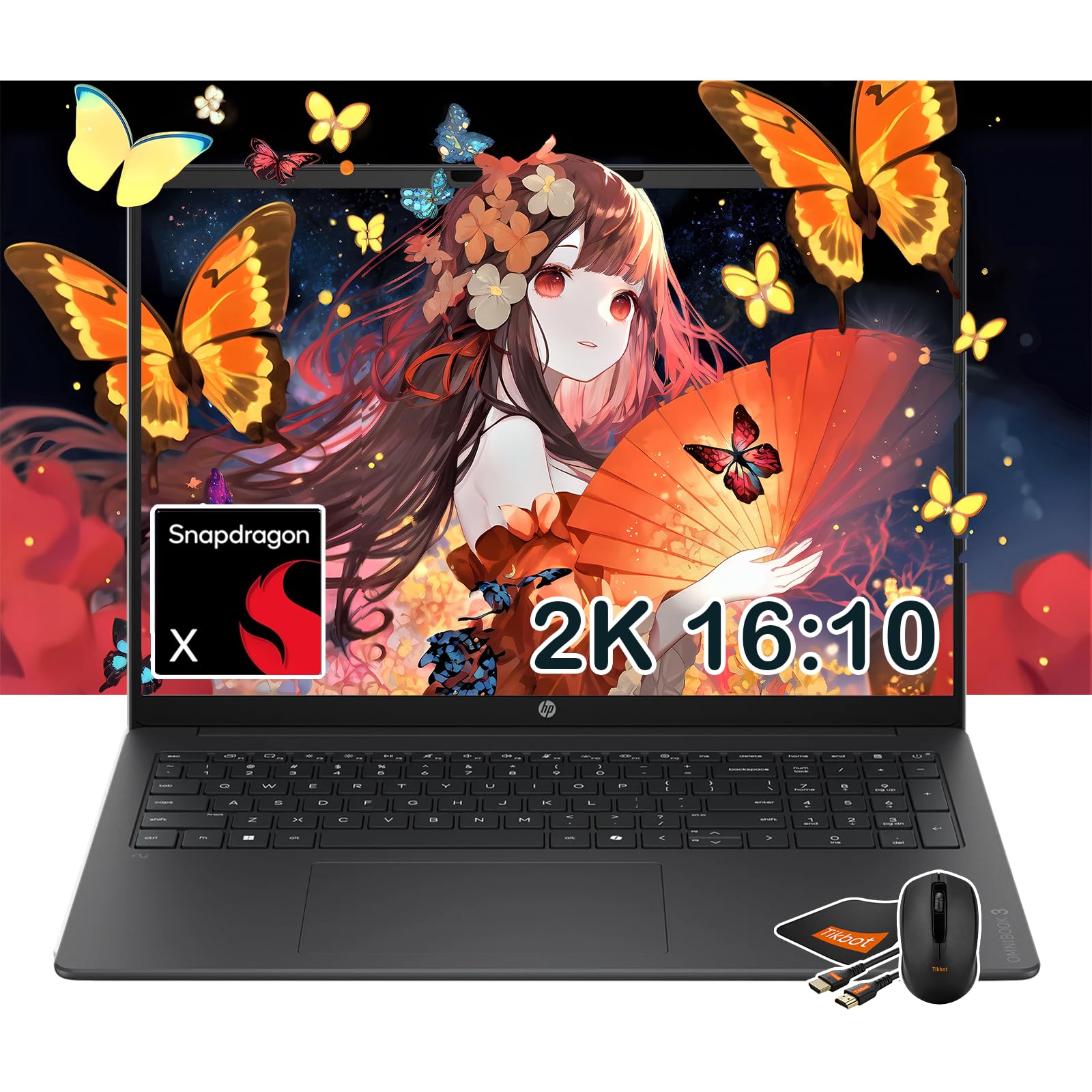
This HP 16-inch laptop delivers incredible value for those who prioritize storage and screen size. For a budget-friendly price, you get a Snapdragon X X1-26-100 processor, 16 GB of LPDDR5x RAM, and a massive 2TB PCIe Gen4 NVMe SSD — double the storage of most comparably priced laptops. The 16-inch 2K IPS display with 16:10 aspect ratio provides a large workspace for spreadsheets, documents, and web browsing without straining your eyes.
The battery life is rated at up to 34 hours, making it one of the longest-lasting laptops in this guide. The aluminum chassis is professional-looking and feels more expensive than the price suggests. The keyboard is comfortable with good key travel, and the backlight is a nice touch for working in low light. The inclusion of a mouse and mousepad in the box is a thoughtful extra for business users and students.
The main compromises are the integrated Adreno GPU — gaming is limited to very low settings. Some users reported that the camera stopped working shortly after purchase, which is a concern for video calls. The 16-inch size makes it less portable than 14-inch models. For anyone who needs massive local storage and a big screen without spending premium money, this is a fantastic deal.
Why it’s great
- 2TB PCIe Gen4 NVMe SSD for massive local storage
- Up to 34 hours of battery life at a budget-friendly price
- Large 16-inch 2K display with 16:10 aspect ratio
Good to know
- Camera reliability issues reported by users
- Integrated GPU not suitable for gaming
- 16-inch size is less portable than smaller models
11. HP Omnibook 5 16″ AI Laptop
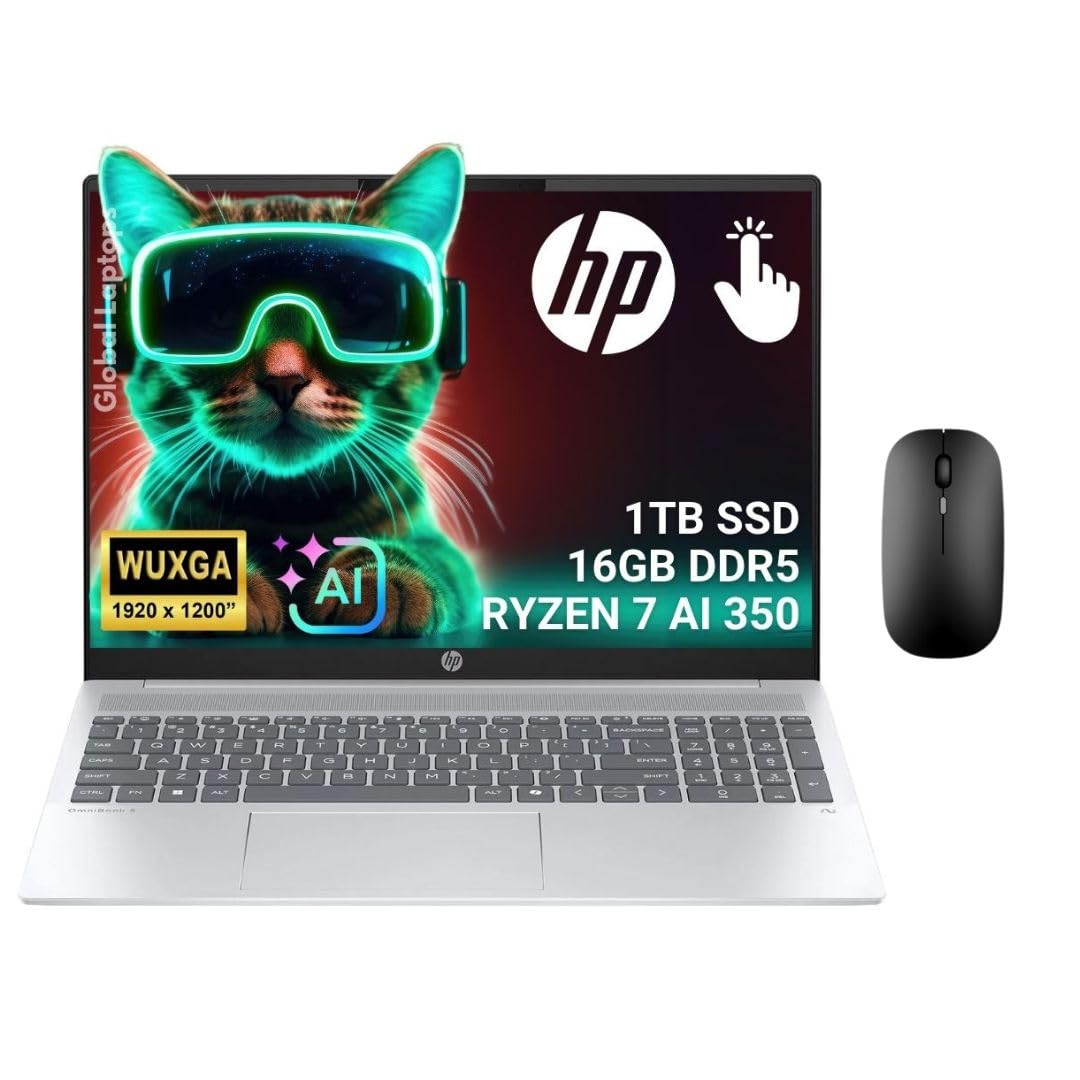
The HP Omnibook 5 16-inch is a compelling all-rounder that leverages the AMD Ryzen AI 7 350 processor with 50 TOPs NPU performance. It features a 16-inch touchscreen 2K (1920 x 1200) display with AMD FreeSync, making it smoother for media consumption and light gaming. The 1TB SSD and 16 GB LPDDR5x RAM provide a fast, responsive experience for daily work. The aluminum chassis feels sturdy, and the touchscreen is responsive and accurate.
Battery life is good at over 7 hours of mixed use, and the processor outperforms the Steam Deck and ROG Ally X in CPU benchmarks, making it surprisingly capable for emulation and indie gaming. The Ryzen AI 7 350 runs cool (idle at 32-45°C) and quiet, with the fans staying off during most office tasks. The AI-customizable key is a nice touch for power users who want quick access to AI tools. The display’s 16:10 aspect ratio with anti-glare coating is excellent for productivity.
Some users reported a default yellow tint on the display, which can be corrected via AMD color calibration settings. The fast charge is relatively slow (35% in 30 minutes) compared to competitors. The 16:10 aspect ratio can cause black bars when watching 16:9 video content. For a well-rounded laptop that handles work, light gaming, and media well at a fair price, this is a solid choice.
Why it’s great
- AMD Ryzen AI 7 350 CPU with 50 TOPs NPU for AI tasks
- 16-inch 2K touchscreen with AMD FreeSync
- Aluminum chassis with good thermal performance
Good to know
- Default display has a yellow tint (fixable via calibration)
- Fast charge is slower than competitors (35% in 30 min)
- 16:10 display causes black bars on 16:9 video
FAQ
Can ARM Windows laptops run all Windows software?
How does the Snapdragon X Elite compare to a typical Intel i7 or i9?
Do ARM Windows laptops support gaming?
What is the real-world battery life on these laptops?
Are ARM Windows laptops more expensive than x86 models?
Final Thoughts: The Verdict
For most users, the best arm windows laptop winner is the Microsoft Surface Laptop (2024) because it offers the perfect balance of performance, battery life, display quality, and ecosystem polish. If you want an ultra-long battery life with a stunning OLED display for media, grab the HP OmniBook 5 14” OLED. And for professional workloads requiring massive RAM and full x86 compatibility, nothing beats the Lenovo ThinkPad P14s Gen 6 mobile workstation.