
Our readers keep the lights on and my morning glass full of iced black tea. As an Amazon Associate, I earn from qualifying purchases.
Specs are compiled from manufacturer listings and verified buyer reviews and can change over time — please confirm the key details on the product page before buying.
The hard part of buying an armor tablet case isn’t finding something thick — it’s finding one that actually fits your exact tablet model, holds up past month three, and doesn’t turn your slim slate into a brick. Get the model number wrong and even the toughest shell is useless. Every pick below is sorted by exact model fit.
I’m Min — the founder and writer behind Gadgets Feed. This guide is built by comparing the manufacturers’ published specifications and the patterns across verified customer reviews, so you get each pick’s real strengths and trade-offs instead of marketing spin.
Three specs decide whether you keep the case: a multi-layer shell, a screen protector that preserves touch response, and corners thick enough to absorb a drop. Every pick below is a genuine rugged case, and this guide to the armor tablet case sorts them by your tablet, not by marketing claims made on the box.
Our Picks at a Glance


How To Choose The Best Armor Tablet Case
A rugged case is a shell you handle every day, so the wrong one either lets a crack through or adds bulk you resent. Here’s what actually decides whether you keep it.
Match the model number before anything else
Tablet names sound alike, but each case is cut to fit one exact model. An iPad 10th generation is a 10.9-inch tablet, while the iPad (A16) 11th generation is an 11-inch one. Those names are close enough to fool you, yet a case for one won’t seat right on the other. So write down your model code (the small ID like A2696 or A3355, or the “13th Generation” label on a Fire HD 10) and check it appears in the case’s compatibility line.
Read the layers, not the thickness claim
Protection comes from how the layers are stacked, not from the thickness number. Most genuine armor cases pair a hard polycarbonate inner frame — rigid, spreads the impact — with a soft silicone or TPU outer skin that flexes and absorbs it. Some add thickened corner blocks. A single hard slab with no soft outer layer passes shock straight to the screen.
Decide if you want glass in the box
A built-in screen protector frees you from buying one separately, and it seals the edges so grit can’t sneak underneath. The trade-off is that you’re trusting the case maker’s film with touch response. If you already love a particular tempered-glass sheet, choose a case with a raised lip instead and keep your own protector.
Weigh the add-ons against the bulk
A pop-out kickstand turns the tablet into a desk monitor for video and typing. A hand strap matters if you hold it one-handed during presentations or while reading. A shoulder strap lets a kid or a commuter carry it hands-free. Each adds grams and bulk, and a bulkier case may not slide into a slim tablet sleeve.
Quick Comparison
| Model | Best For | Fits | Shell Layers | Extra Carry | Amazon |
|---|---|---|---|---|---|
| Nitupai Shockproof Case (Tab A11+/A9+)★ Best Overall | All-round pick for Samsung 11-inch owners | Galaxy Tab A11+/A9+ 11″ | 3-layer PC + silicone | Shoulder strap | Amazon |
| OtterBox Defender (Tab A9+)Trusted Name | Brand-name rugged for the A9+ | Galaxy Tab A9+ | Multi-layer plastic + silicone | — | Amazon |
| SEYMAC stock (iPad A16 11″)Classroom Ready | iPad users who want straps included | iPad A16 11″/10.9″ | Soft TPE + hard inner | Hand + shoulder strap | Amazon |
| ROISKIN Case (iPad A16) | Kids’ iPad that needs full padding | iPad A16 11″/10.9″ | 3-layer PC + silicone | Hand + shoulder strap | Amazon |
| Fintie Shockproof (Fire HD 10) | Fire HD 10 owners only | Fire HD 10 13th Gen | Dual-layer TPU + PC | — | Amazon |
| Spigen Rugged Armor (Tab S8/S7) | Stylus users on Galaxy Tab S-series | Galaxy Tab S8/S7 | PC + TPU with air cushions | S Pen holder | Amazon |
| SUPCASE Unicorn Beetle Pro (Tab A11+) | Heavy-duty for the Tab A11+ | Galaxy Tab A11+ 11″ | Multi-layer PC + TPU | — | Amazon |
| ZenRich Rugged Case (Lenovo Idea Tab Pro) | Big-screen Lenovo protection | Lenovo Idea Tab Pro 12.7″ | 3-layer silicone + hard inner | Hand + shoulder strap | Amazon |
| UAG Plasma (Surface Pro) | Surface Pro as a laptop replacement | Surface Pro 12th Ed. 13″ | TPU armor + corner bumpers | Hand + shoulder strap | Amazon |
In‑Depth Reviews
1. Shockproof Case for Samsung Galaxy Tab A11+ Plus/A9+ 11” Red Black
Our pick — 4.5+★ from 500+ verified ratings; the strongest balance of quality and price.
A three-layer shell, a screen protector already in the box, and straps included — for Samsung’s 11-inch tablets.
If you own a Galaxy Tab A11+ or A9+, this is the case to buy first and stop searching. It stacks a polycarbonate front frame, a polycarbonate back cover, and thickened silicone corners into one 3-layer shell. That combination is what turns a corner-first fall into a bounce instead of a crack, because the hard layers spread the load and the silicone soaks it up.
A screen protector comes sealed into the front frame, so your display is covered the day it arrives with no separate sheet to line up. The edge of the case stands 4-5.5mm proud of the glass — a raised lip that keeps the screen off a desk when you set it face down. All the ports and buttons line up with precise cutouts: volume, charging port, headphone jack, and camera.
What wins people over is the design work — it’s the detail that dominates owner feedback here, with the pattern and the clean look close behind. The stand pops out to two positions for movie-watching or typing, and the shoulder strap lets you sling the tablet over your body or hang it where a kid can watch. It’s the crowd favorite, holding 4.5+ stars across 500+ ratings. The recurring gripe is the silicone edge — a few find it works loose, so seat the case firmly and it holds. Case only; your tablet is separate.
Where It Delivers
- Three layers — PC front frame, PC back cover, thickened silicone corners — for real drop protection
- Screen protector built in, so the display is shielded without buying a separate sheet
- 4-5.5mm raised lip keeps the glass clear of flat surfaces when set face down
- Two-position kickstand plus an adjustable shoulder strap for hands-free carrying
Buyers report
- The silicone edge can work loose over time if the case is fitted carelessly
- Fits Galaxy Tab A11+/A9+ 11-inch models only — no other Samsung sizes
Reach for this: a Galaxy Tab A11+ or A9+ owner who wants drop protection, a screen cover, and carry straps in one purchase.
Look elsewhere: if your tablet isn’t one of those two Samsung models — this shell won’t seat on anything else.
2. OtterBox Defender Series case for Samsung Galaxy Tab A9+ – Black
The household-name rugged shell for the Galaxy Tab A9+ — no straps, no fuss, just layers.
You get the simplest armor case on the list here, and for some people that’s the point. It wraps the Galaxy Tab A9+ in a multi-layer shell of plastic and silicone built to absorb impacts, with no kickstand, no straps, and nothing to fiddle with. At 0.43 kg it’s a touch lighter than the Nitupai, which measures 0.5 kg — a 16% lighter load in hand. It’s also more compact, at 10.95 x 7.47 x 0.96 inches against the SEYMAC’s 10.4 x 7.6 x 1 inches.
What carries the reputation is build quality — it’s the most-agreed-on strength by a wide margin, with protection itself the clear second. The tablet locks in like it was molded around the device, and the material feels dense rather than hollow. If you want a case you forget is there but trust on a drop, this is that case.
The catch is the stand. It’s the weakest point in owner feedback, and the recurring note is that it can stick when you try to fold it back. Treat it gently and it’s fine; force it and it fights you. There’s no built-in screen protector here either, so budget for a tempered-glass sheet. For an A9+ owner who wants a single rugged layer without extras, it’s easy to justify.
The honest read: top-tier build quality and a snug fit, at a weight of 0.43 kg that stays manageable — but the kickstand is the part to handle with care.
Suits you if: you own a Galaxy Tab A9+ and want maximum shell protection with zero add-ons.
Think twice if: you use stand mode daily — that mechanism is the reported weak point.
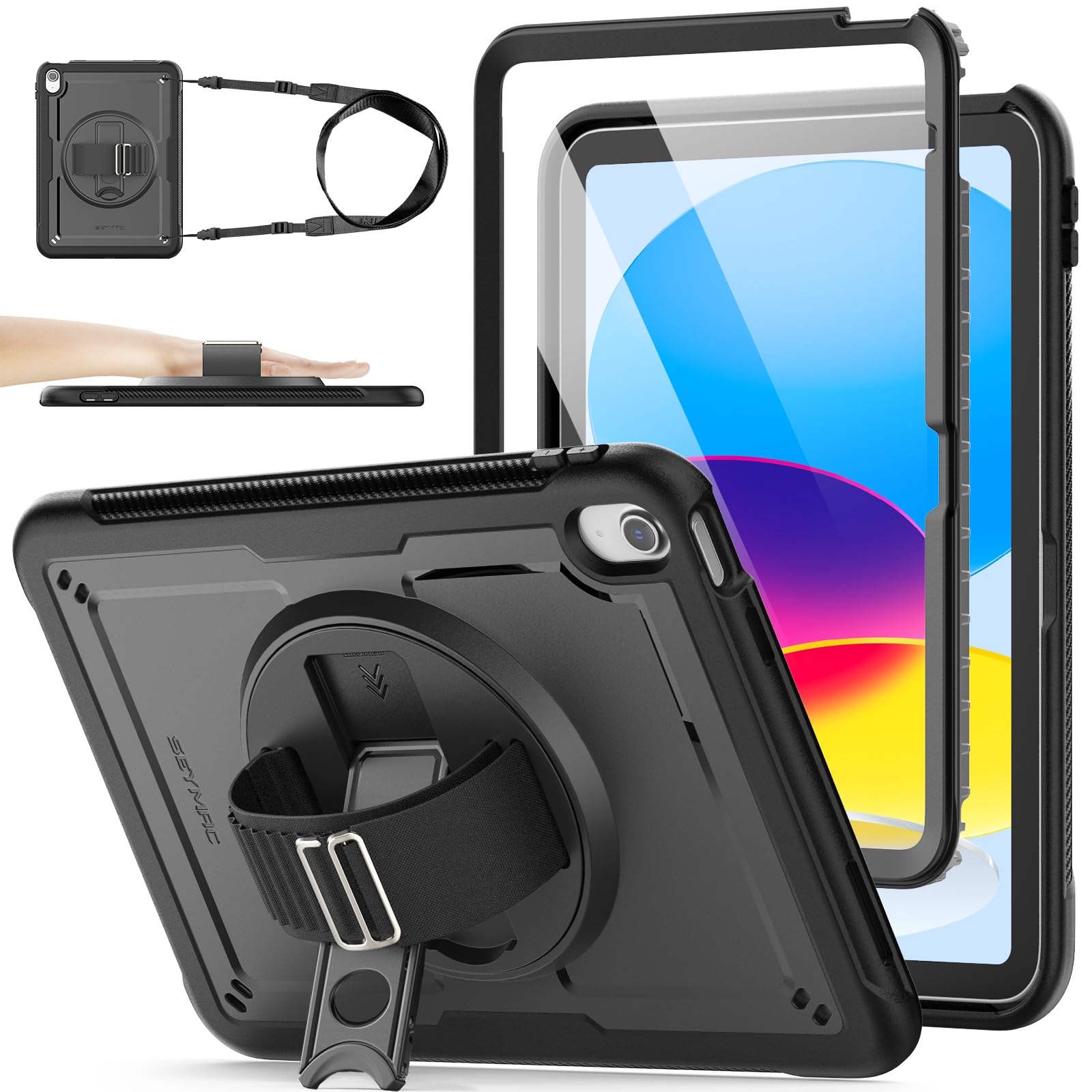
3. SEYMAC stock Case for iPad A16 11-inch, iPad 11th/10th Generation, Black
An iPad case that carries itself — rotating stand, nylon hand strap, and a detachable shoulder strap.
For anyone who moves an iPad between classes, meetings, and the back of a car, the SEYMAC solves the carrying problem rather than just the dropping one. A soft TPE outer layer wraps a hard inner shell for full-body coverage, and a built-in screen protector seals the front so scuffs stay off the glass. It’s compatible with the iPad (A16) 11-inch 11th generation and the iPad 10th generation 10.9-inch, across model codes A3354, A3355, A3356, A2696, A2757, and A2777 — check yours against that list before you buy.
The 360° rotating kickstand holds at multiple angles for viewing or typing, and a loop nylon hand strap lets you hold the tablet one-handed during document scanning or a presentation. The detachable shoulder strap is the piece that earns its place: carry the iPad by your side, hands-free, or hang it where a kid can watch. Locking the whole thing down is quality — the most-agreed-on strength here — with protection right behind it.
Here’s the part worth knowing before you order: some find it slimmer than the bulky armor cases they expected, and a few feel it’s thinner than they wanted for an iPad. That’s a heft preference, not a protection failure — if you specifically want a chunky tank, look at the ROISKIN instead. For everyone else, the bundle of stand and two straps is hard to argue with.
Why it earns the slot: three carrying options — rotating stand, hand strap, shoulder strap — plus a screen protector, all in a shell that fits six different iPad model codes.
Set expectations: it’s trimmer than a full-bulk armor case, so the “drop it off a cliff” crowd may want more padding.
Best matched to: an iPad A16 or 10th-gen owner who wants to carry, stand, and hold the tablet hands-free.
Pass on it if: you’re chasing maximum bulk and thickness above all else.
4. Case for iPad (A16) 11th/10th Generation 11/10.9 Inch 2025/2022
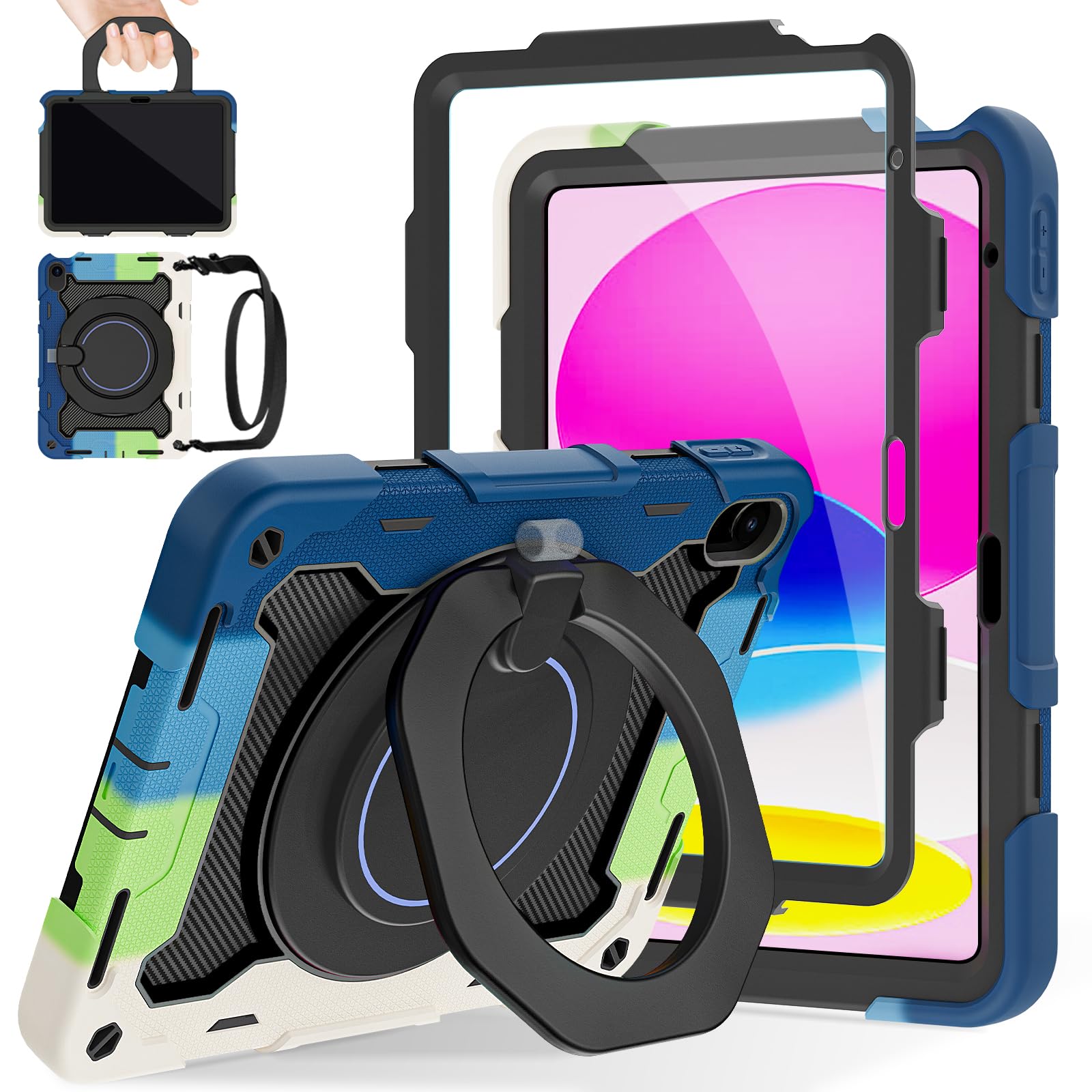
Built for the iPad that gets handed to a seven-year-old — padded corners, a handle, and a strap that reaches the car seat.
The ROISKIN is the pick when the tablet lives in small hands. Its silicone shell is built with Air-Guard corners and shock-absorbing material, and the construction exceeds 2X Military Grade Drop Test Standard [MIL-STD 810G-516.6] — the toughest published drop benchmark on this list. A built-in HD screen protector covers the front as part of that 3-layer build, and an added sponge layer behind the panel helps dissipate heat. It fits the iPad (A16) 11-inch 11th generation (A3355, A3356) and the 10th generation 10.9-inch (A2696, A2757, A2777).
The extras are aimed straight at families. A 59-inch adjustable, detachable shoulder strap lets you hang the iPad on the back seat of a car for a kid’s movie, or sling it over your shoulder on the walk to school. The 360° rotating foldable kickstand swings through 20-75 degrees, in landscape or portrait, and doubles as a hand hold or a wall hang. A pencil holder on the back keeps a stylus with the tablet — the pencil itself is not included.
Worth The Weight
- Built to exceed 2X Military Grade Drop Test Standard [MIL-STD 810G-516.6]
- 3-layer body with a built-in HD screen protector already in place
- 59-inch detachable shoulder strap hangs the tablet in a car or over a shoulder
- Kickstand sweeps 20-75 degrees in either orientation; pencil holder on the back
The Trade-Off
- 0.5 kg and a chunky profile — this is a heavy-duty case, not a slim folio
- Pencil sold separately — the holder is empty on arrival
Buy it for: a family iPad where drops are a when-not-if event and a car-friendly strap matters.
Don’t buy it for: a commuter who wants the slimmest possible profile — the padding is the whole point and it shows.
5. Fintie Shockproof Case for 10.1″ Fire HD 10 13th Gen 2023, Blue
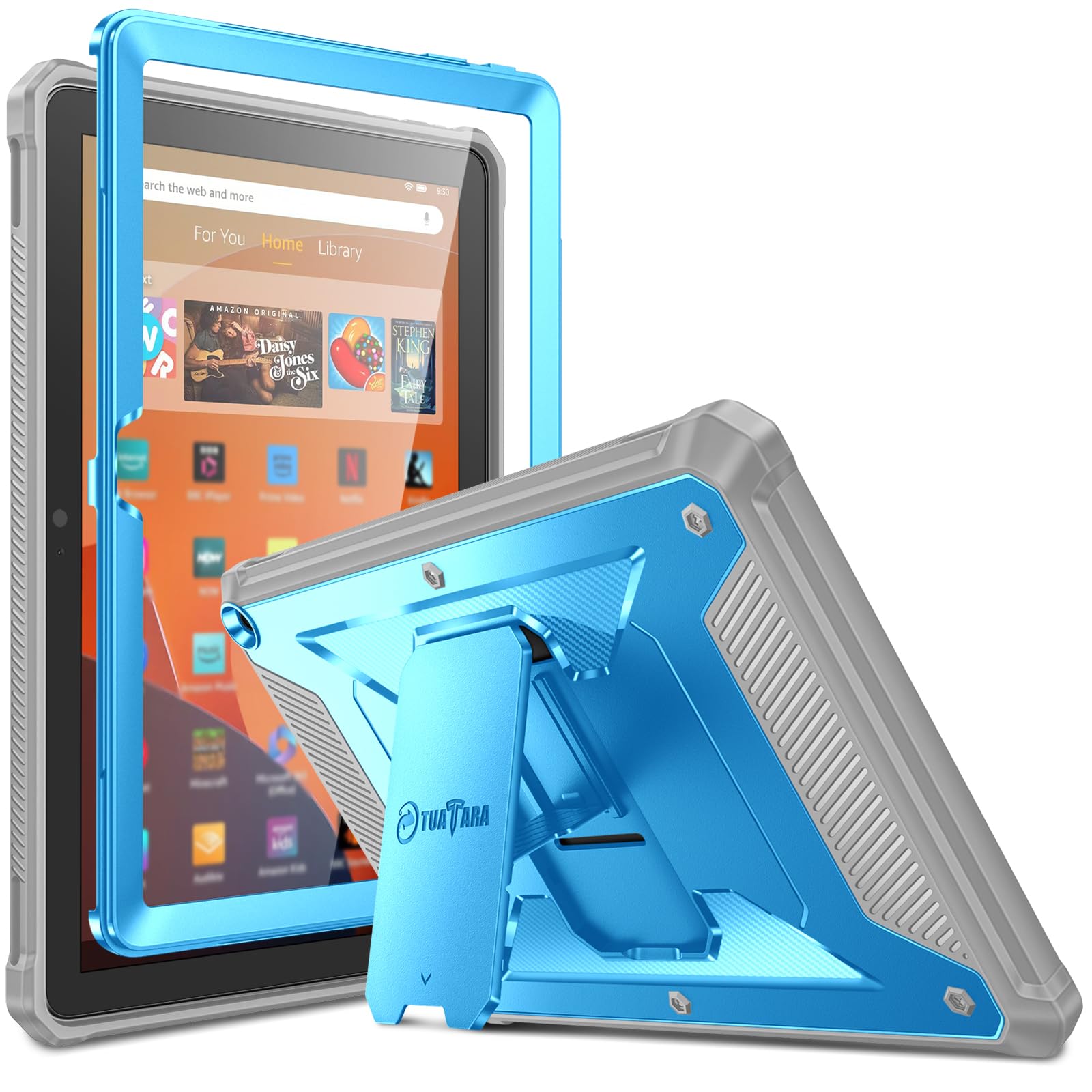
The one case on the list cut for Amazon’s Fire HD 10 — a hybrid shell with a reptile-textured back.
Fire tablets don’t get the case options iPads do, which makes this Fintie a genuinely useful pick rather than a compromise. It’s built only for the 10.1-inch Fire HD 10 (13th Generation, 2023 release) and the Fire HD 10 Kids version of that same generation, and it will not fit any other Kindle or Fire device. Guarding it is a dual-layer build: a soft shock-absorbing TPU skin for the bounce, and an impact-resistant polycarbonate hard shell back cover in a reptile-like texture for the structure.
The front cover carries an integrated screen protector that guards against scratches, and ports and buttons get cover guards that keep dust out while staying easy to reach. A pop-out kickstand props the tablet for shows, movies, and games on the go. Fit is what owners talk about most after build quality — the case seats cleanly on the 13th-gen model, and that’s the whole reason to pick it.
Two things to weigh. The kickstand gets mixed feedback — the stand function is praised, but some find the mechanism less than rock-solid in every position, so don’t expect a heavy-duty laptop hinge. And it’s Fire only; there’s no iPad or Galaxy version of this exact case. If you own the 13th-gen Fire HD 10, though, this is the armor you want on it.
What it does best: a soft-TPU-and-hard-PC sandwich plus a built-in screen protector, sized exactly to the 10.1-inch Fire HD 10 13th Generation.
The honest caveat: the pop-out kickstand isn’t the sturdiest part of the design — fine for watching, less so for pounding on the screen in stand mode.
Right for you: the owner of a 13th-generation Fire HD 10 who wants drop defense and a screen cover without hunting further.
Wrong for you: any other tablet — this mold fits the Fire HD 10 and nothing else.
6. Spigen Rugged Armor Case for Galaxy Tab S8 (2022) / Tab S7 (2020) with Built-in S Pen Holder – Black
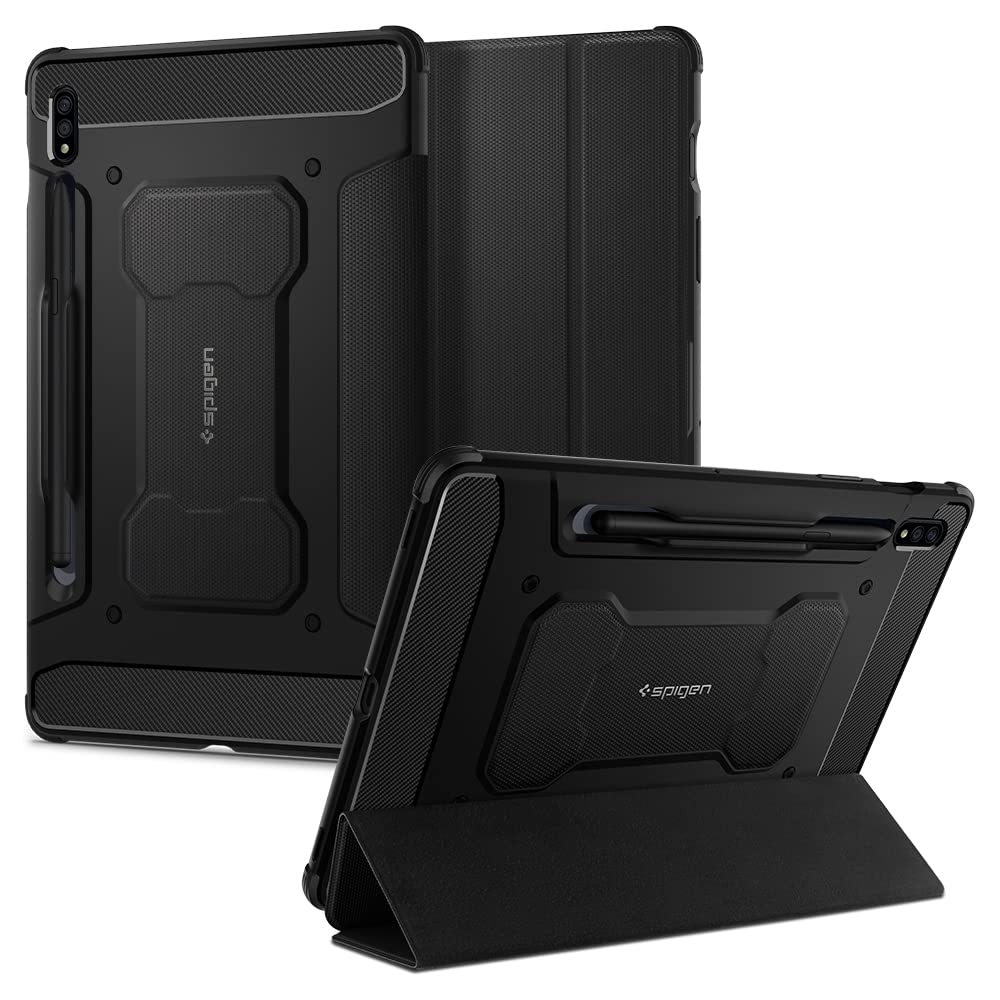
The only pick here with a dedicated S Pen slot — for Galaxy Tab S8 and S7 owners who write on the go.
Galaxy Tab S-series owners who use the S Pen daily have a specific problem: where does the stylus live when the tablet’s in the bag? This Spigen answers it with a built-in holder that keeps the pen secure and within reach during travel, work, or note-taking. It’s compatible with the Galaxy Tab S8 (2022) and Galaxy Tab S7 (2020), pairs with Spigen screen protectors without lifting at the edges, and weighs 279 g — a svelte figure for a rugged shell.
The look is the other draw. A car-inspired design with carbon fiber accents and a matte black finish gives it a textured surface that improves grip and cuts down fingerprints, so it holds steady in hand rather than sliding. Air Cushion Technology sits in every corner to soak up shock from a drop, and reinforced edges back it up around the perimeter.
Design is far and away the thing owners praise most, with protection a distant but solid second — this is a case people buy and then keep looking at. The mixed reviews cluster around grip, the closure, and how snugly it seats, so it’s worth pressing the case fully home on first install. The S Pen holder is the reason to choose it; everything else is solid rather than spectacular.
Pick this if: you carry a Galaxy Tab S8 or S7 with an S Pen and refuse to lose it in a bag.
Skip if: your tablet is any other Samsung model — the shell is cut for S8 and S7 only.
7. SUPCASE for Samsung Galaxy Tab A11+ Plus Case with Screen Protector, Black
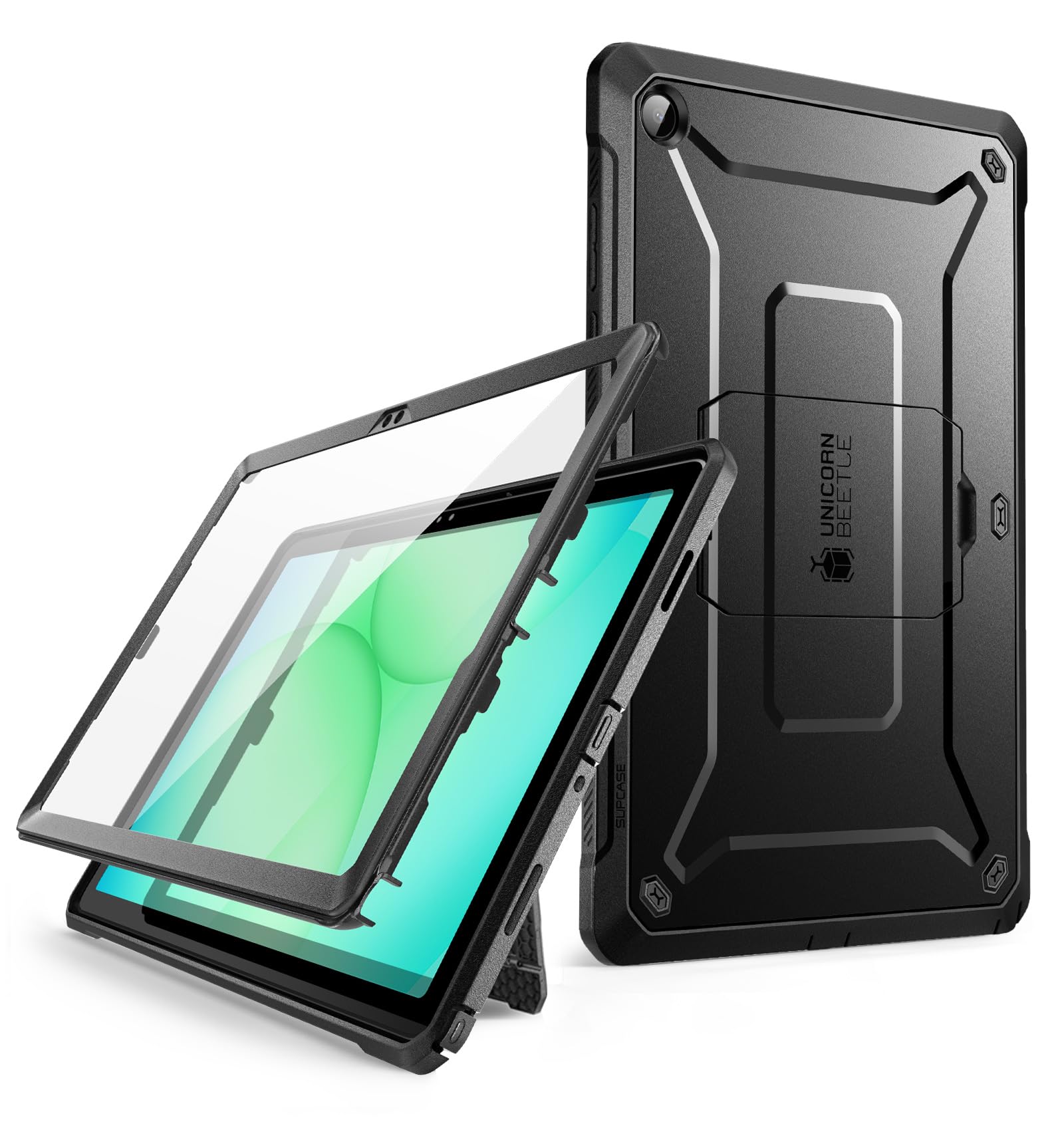
The Unicorn Beetle Pro line, aimed squarely at the newest Galaxy Tab A11+ — with raised edges front and back.
SUPCASE builds this one for the Galaxy Tab A11+ / A11 Plus 11-inch (2025) only, and it stacks a hard polycarbonate shell over a flexible TPU layer for multi-layer shock resistance against drops, bumps, and impacts. Raised edges stand proud over both the screen and the camera, so neither touches the surface when you set it down. A built-in screen protector comes pre-fitted on the front.
The build quality is the consensus high point here, with durability a close second — this case is famous for surviving rough handling, and the screen protector plus port covers that keep debris out complete the package. At 327 g it stays close to the tablet’s own weight, so it doesn’t feel like a brick on your arm. A pop-out kickstand flips out for watching and gaming, and every feature is reachable with the case on.
The kickstand is where the honest limit sits. It’s the most-criticized element in owner reviews, with multiple notes that it only props at one position — great for a straight-on view, less flexible for an angled one. The grip gets mixed feedback too; some love the hold, some want more texture. For a 2025 Tab A11+ that needs a genuinely tough shell, this is a strong answer.
Built For Rough Use
- Multi-layer PC hard shell over flexible TPU for shock, drop, and impact resistance
- Raised edges protect both screen and camera; built-in screen protector included
- Port covers keep dust and debris out of the openings
- 327 g — stays manageable in hand for a rugged case
Worth Knowing
- Kickstand props at essentially one position, so angled viewing is limited
- Grip texture divides opinion — some want a hazier surface
Best for: a Galaxy Tab A11+ owner who prioritizes drop protection and a sealed screen over stand flexibility.
Not for: someone who props the tablet at many angles — the one-position kickstand will frustrate you.
8. Rugged Case for Lenovo Idea Tab Pro 12.7 inch

A 12.7-inch Lenovo needs a big case — this one brings a rotating stand, a hand strap, and a pen holder.
This ZenRich case covers the whole surface of the Lenovo Idea Tab Pro and its 12.7-inch display. A soft silicone outer frame wraps around a 2-piece hard-reinforced inner shell, so everyday bumps, drops, and impacts get absorbed. Fit is strict, though: it does not fit the Idea Tab Pro Gen 2 (13-inch), the Idea Tab Plus (12.1-inch), or the Idea Tab (11-inch). Confirm your exact model before you order.
For a big tablet, the carrying kit is what sets this one apart. A built-in 360° rotating kickstand (it spins all the way around) holds the screen up for videos, calls, and reading. An adjustable Velcro hand strap secures your grip for both kids and adults across different hand sizes. The adjustable, detachable shoulder strap makes the whole thing easy to carry for school, work, travel, or outdoor use. An elastic pen holder keeps the stylus reachable, and precise cutouts leave the buttons, speakers, and charging port exposed, with port covers guarding against dust.
The design gets the most praise, with protection right behind, and the soft grippy outer case is the part people single out. The honest caveat lies in the durability reports — the outer shell is the mixed-feedback element, and a few owners describe breakage within the first 30 days. That’s not everyone, but it’s worth treating the case a little gently, especially around the frame edges. A 360-day warranty backs quality issues.
For you if: you own the 12.7-inch Lenovo Idea Tab Pro and want rotating stand, hand strap, and shoulder strap all in.
Look on if: your Lenovo is a Gen 2 (13-inch), Idea Tab Plus, or Idea Tab — none of those fit this shell.
9. UAG Plasma for Microsoft Surface Pro 12th Edition Case 2026, 13-inch, Ice

The one Surface Pro case here that plays nicely with the Type Cover keyboard — and wears a military drop rating.
Surface Pro owners have a complication the others don’t: the keyboard. This UAG Plasma is built to accept the Microsoft Surface Type Cover in both the Metal and Alcantara versions, so you don’t have to peel the case off to type. A durable TPU armor shell with impact-resistant corner bumpers shields the device from drops, dents, and scratches, and the spec sheet lists compliance with military drop-test standards (MIL STD 810G-516.6). A soft raised bezel around the screen and lens keeps them off flat surfaces.
The kickstand flips the tablet into laptop mode for typing or hands-free viewing, which is exactly the posture Surface Pro users actually work in. A 360-degree rotating hand strap gives a firm grip when you’re holding it up, and a Surface Pen storage slot plus optional included shoulder strap and stylus tether anchor points cover carrying. Precise cutouts leave the touchscreen and ports fully open, and it’s sized at 11.75 x 8.81 x 0.67 inches.
Quality is the aspect owners praise most, with fit a close second — the Surface Pro seats well and feels planted. Value is the split point, though: some feel it earns the money, a few think the price is steep for a case. That’s the honest frame — this is a premium shell, and you’re paying for the keyboard compatibility and the UAG finish. It’s worth it if you use the Type Cover daily.
The case for it: Type Cover compatibility in both Metal and Alcantara, a MIL STD 810G-516.6 drop rating, and a rotating hand strap — the full Surface Pro working kit.
The honest catch: the value math splits opinion — some owners feel the price is high for a case, so buy it for the keyboard fit, not the badge.
Your pick if: you run a Surface Pro as a laptop and need the Type Cover to attach without removing the case.
Reconsider if: you want a low-cost cover and never touch a detachable keyboard.
Understanding the Specs
Layered Shell Construction
A recognizable armor case pairs a hard polycarbonate inner frame with a soft silicone or TPU outer skin. The hard layer spreads the force of a drop across a wide area; the soft layer flexes and soaks it up. Some designs add thickened corner blocks or, in Spigen’s case, Air Cushion pockets in each corner. One rigid shell alone passes the shock straight to the glass, so the layer count is the spec that predicts real protection more than raw thickness ever does.
Drop-Test Ratings
A drop-test rating like MIL-STD 810G-516.6 is a published standard a manufacturer can claim a case was tested to survive. It sounds like an absolute guarantee but it’s a benchmark, not a promise about your specific fall onto your specific floor. What it tells you is that the case was designed and checked against a defined impact scenario — which is more than an unrated shell offers, and a useful line to compare cases that otherwise look identical.
Screen Protection: Built-In vs Raised Lip
A built-in screen protector is a clear film sealed into the case’s front frame, covering the display with no separate purchase and no grit underneath. A raised lip is a rim of case material that stands above the glass so it never touches a flat surface — the Nitupai’s is 4-5.5mm thick, for instance. Built-in film seals better; a raised lip lets you keep your own tempered glass. Pick based on whether you already trust a particular screen protector.
Kickstands, Straps, and Holders
These extras are what separate two cases that protect equally. A kickstand — fixed-angle, multi-angle, or 360° rotating — turns the tablet into a mini monitor for video and typing. A hand strap secures one-handed holding for presentations or reading. A shoulder strap lets you carry it hands-free, or hang it in a car for a kid. A pen or S Pen holder keeps a stylus attached. Each adds weight and bulk, so choose only the extras you’ll actually use.
FAQ
How do I know an armor tablet case will fit my exact tablet?
Does a built-in screen protector make the touch screen less responsive?
Is a rugged case too heavy to use every day?
Will an armor case still let me use my keyboard or stylus?
What is the difference between MIL-STD 810G-516.6 and a normal drop claim?
Can kids use these cases safely?
Do these cases work with a shoulder strap for hands-free carrying?
Should I pick a case with a kickstand or a plain shell?
How long should an armor tablet case last?
Is a pricier armor case actually better than a cheaper one?
Final Thoughts: The Verdict
For most people shopping for the best armor tablet case, the winner is the Nitupai Shockproof Case. It stacks three layers, a built-in screen protector, a two-position kickstand, and a shoulder strap into one shell for Samsung’s Galaxy Tab A11+ and A9+. It holds the highest score on this list at 4.5+ stars, and the design work is what owners keep coming back to. If you own an iPad instead and want to carry it hands-free, grab the SEYMAC stock Case — the rotating stand and two straps make it a different tool entirely. And for a Surface Pro that doubles as your laptop, the UAG Plasma is the one to reach for, since it’s the pick that keeps your Type Cover attached.
One thing worth doing before you click anything: open Settings on your tablet and copy down the model code. Every case here fits a specific device, and the right shell in the right cutout is worth more than any single feature. Get that match right and the rest of the decision gets much simpler.
How We Picked
We do not accept paid placement. Every pick is matched to a real buyer and a real use-case; we do not hands-on test units.
Sources & Methodology
Specifications: manufacturer listings and product documentation. Review insights: verified customer reviews, as of November 2026. Pricing: not shown on this page (it changes often); check the current price via the retailer link.
As an Amazon Associate, Gadgets Feed earns from qualifying purchases. This does not affect which products we feature.