
Our readers keep the lights on and my morning glass full of iced black tea. As an Amazon Associate, I earn from qualifying purchases.
Specs are compiled from manufacturer listings and verified buyer reviews and can change over time — please confirm the key details on the product page before buying.
Every iPad artist knows the feeling: you are deep in a Procreate sketch, and suddenly the line jumps, a menu pops up, or your palm erases the last ten minutes of work. The single fix is a glove that tells your screen “that’s a hand, not a stylus” — and you want one that actually works, breathes, and does not feel like a dishrag on your fingers.
I’m Min — the founder and writer behind Gadgets Feed. This guide is built by comparing the manufacturers’ published specifications and the patterns across verified customer reviews, so you get each pick’s real strengths and trade-offs instead of marketing spin.
Here is the shortlist of the top-rated artist gloves that let you draw for hours without fighting accidental touches, sweat, or smudges, starting with the crowd-pleasers and working up to the premium investment pieces. Use this guide to find the right artist glove for ipad for the way you actually work.
Our Picks at a Glance

How To Choose The Best Artist Glove For iPad
An artist glove does one thing: it stops your screen from seeing your palm as a touch input. But the way it does that and how it feels on your hand changes everything. Here is what actually matters.
Palm Rejection: Padding vs. Layers
Some gloves use a thick foam or neoprene pad sewn into the palm area. Others use multiple fabric layers to block the electrical signal from your skin. A padded patch tends to be more consistent, but it can feel bulky. Multiple layers are thinner and more flexible, but you need enough coverage to reach where your palm actually rests.
Two-Finger vs. Fingerless Design
Most iPad gloves cover two fingers (usually the pinky and ring finger) and leave the rest exposed for tapping. A few designs leave all fingers free. The two-finger style gives you better smudge protection if you rest those fingers on the screen. The all-finger-exposed style gives you full multi-touch access, which matters if you often pinch-zoom or use gestures mid-drawing.
Fabric and Breathability
You will have this glove on for hours. Lycra (spandex) blends offer the best stretch and a snug fit, but they can trap heat. Polyester blends are lighter and breathe better, but they can feel looser after a few washes. A good middle ground is a polyester-spandex mix that gives you stretch without the sauna effect.
Quick Comparison
| Model | Best For | Palm Rejection Type | Fabric | Sizes Available | Amazon |
|---|---|---|---|---|---|
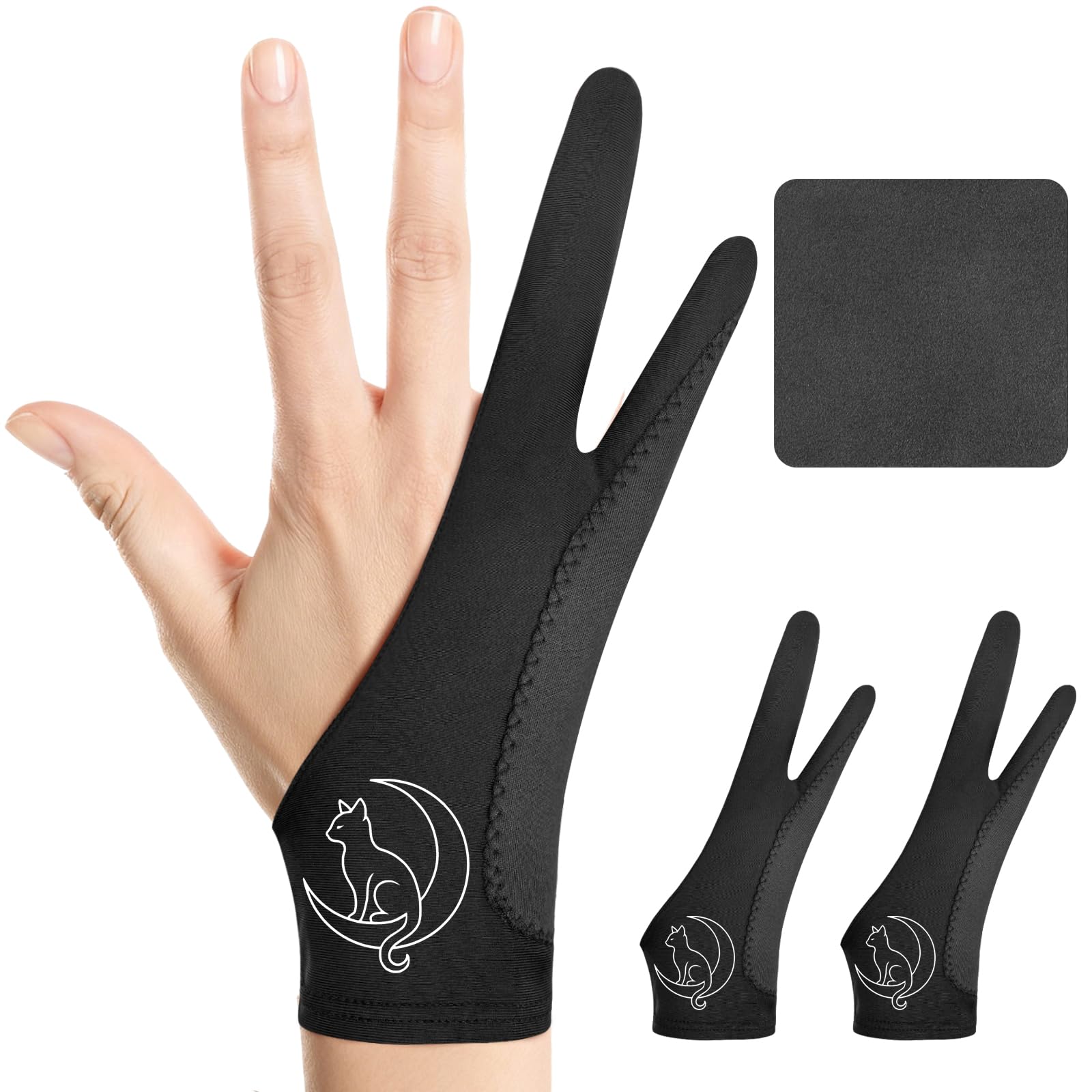
| Luna Cat Digital Drawing Glove★ Best Overall | Best Overall | 3-Layer | Breathable, Moisture-Absorbing | S, M, L | Amazon |
| HUION GL02Best for Large Hands | Large Hands | High Elastic Lycra | High Elastic Lycra | One Size (8.23″) | Amazon |
| picoggo Drawing Glove | Comfort & Durability | Extra-Thick Padding | High Quality Elastic | S, M, L, XL | Amazon |
| Gzingen 5 Pack | Budget Multi-Pack | High Elastic Material | High Elastic Material | One Size (7.9″) | Amazon |
| ANMONE Drawing Glove | 3-Layer Protection | 3-Layer (2 Inner Padding) | Cool, Breathable Fabric | One Size (8.07″) | Amazon |
| AKX Artist Glove | Small Hands | Padding Patch | High Elastic Lycra | Small (7.6″) | Amazon |
| Paperlike Drawing Glove | Premium Build | Padded Microfiber | 90% Polyester / 10% Spandex | S, M, L | Amazon |
In‑Depth Reviews
1. Luna Cat Digital Drawing Glove
Our pick — over 4.5★ from 600+ verified ratings; the strongest balance of quality and price.
Its three-layer palm guard stops your iPad from seeing your hand, so you can rest your full palm on the screen without any surprise erasures.
The Luna Cat glove earns the top spot because its triple-layer palm rejection (three fabric layers that block the electrical signal from your skin) is genuinely reliable — one buyer says it “works perfect for drawing using an iPad and Procreate.” It slides without squeaking and stays comfortable even during long sessions. The fabric is breathable and moisture-absorbing, so you are not peeling a sweaty glove off after an hour. The medium size (3.34″×8.07″) fits wide palms and shorter fingers well, which is a common problem with other gloves like the HUION GL02. Over 600 reviewers back it, and the only occasional complaint is stitching quality — a few units have shown loose threads, but the majority call it well-constructed and durable.
Why It Wins
- Three-layer palm rejection is genuinely reliable — no phantom taps or erasures
- Breathable fabric keeps your hand cool through hours of work
- Two gloves included with a cleaning cloth make it a complete value
The Fine Print
- Stitching can come loose on a small number of units
- Size chart measures to the cuff end, which is confusing — measure your hand carefully
Reach for this if: you want the best-tested, most-reliable palm rejection at a price that undercuts most single-glove competitors.
Look elsewhere if: you had bad luck with thin stitching before and want a glove built like a tank.
2. HUION GL02 Large Size Artist Drawing Glove
HUION made this glove with high-elastic Lycra (a stretchy synthetic fabric) so a 9¼-inch palm circumference fits without pinching.
HUION is a known name in drawing tablets, and this glove follows their brand philosophy: functional, no-nonsense, and built for the tablet user. It measures 8.23 inches long by 3.35 inches wide, and the high-elastic Lycra gives it impressive stretch. One owner with a 9¼-inch palm circumference confirms it fits “perfectly well” for use with a HUION tablet. The two-finger design reduces friction on the screen, and the black color is soiling-resistant so you do not have to wash it constantly. The thin fabric is a trade-off — very warm hands may still trigger the screen through the glove occasionally. The logo rubs off fast, too. Compared to the Luna Cat’s medium size (3.34″×8.07″), this glove is built for bigger hands.
Why It Stands Out
- One of the few large-size gloves that genuinely fits XL hands
- High-stretch Lycra is soft and comfortable against the skin
- Soiling-resistant black stays looking clean longer
The Catch
- Glove is thin enough that warm hands may still trigger the screen
- Logo peels off almost immediately — not a quality concern for most, but worth knowing
Best for: artists with large hands who have struggled to find a stretchy, comfortable glove that does not pinch at the wrist.
skip it if: you run hot — the thin fabric may not block your palm signal when your hands are warm.
3. picoggo Drawing Glove

The extra-thick palm padding gives you the most reliable block against your hand’s electrical signal, so your iPad stays put even on older models.
This picoggo glove takes a different approach from the Luna Cat: instead of layering the fabric, it adds extra-thick padding directly on the palm area. The result is very reliable palm rejection — owners note it “does not detect touch” even on older iPads. It comes in four sizes (S to XL), which is rare in this category. The ergonomic stitching is praised for holding up through daily use, and one owner confirms it works in Florida heat without discomfort. The finger sleeves are a bit roomy, so they look loose on the covered fingers, but the payoff is a glove that lasts longer than the thin ones. The Luna Cat is sharper on size fit for wide palms, but this one wins on durability and heat tolerance.
What It Does Best
- Thick palm padding gives you the most reliable rejection of any glove here
- Four sizes (S to XL) mean a true fit for nearly every hand
- Breathable fabric is comfortable even in hot climates — one owner confirms it works in Florida heat
The Trade-Off
- The finger sleeves are a bit roomy, so they look loose on the covered fingers
- Not ideal if you prefer a super-tight, second-skin feel
Who this fits: digital artists who prioritize comfort and durability over a trim silhouette, and anyone who draws for hours at a time.
Who should pass: people with very small hands who need an XS — the Small here fits more like a typical medium.
4. Gzingen 5-Pack Artist Glove

Five gloves (red, blue, black, pink, purple) in a pack let you keep spares everywhere without hunting for a lost black glove in a drawer.
The Gzingen pack is the category leader in pure value: you get five gloves for about the price of one premium glove like the Paperlike. Each measures 7.9 inches long and 3.4 inches wide, and the high-elastic material stretches to fit a range of hand sizes. Buyers report they wash up well and the colors stay bright. The gloves do exactly what they should: eliminate smudges and prevent palm touches. They are not fancy — no special palm padding or layered rejection — but they work. The main limitation is sizing: there is no size chart, so people with larger hands find them tight despite the stretch. If you have XL hands, pick the HUION GL02 instead.
Why Buy This Pack
- Five gloves give you spares for friends, travel, or different workstations
- Colors make them easy to spot on a messy desk — no more hunting for a black glove
- Washes well and maintains shape
The Limitation
- Tight fit for larger hands — no size chart to guide you
- Basic build, no special palm padding or layered rejection
Reach for this if: you want a glove drawer stocked for years, or you share a studio and need spares for everyone.
Look elsewhere if: you have XL hands or need serious palm rejection for a screen display tablet.
5. ANMONE Drawing Glove

Two inner padding layers plus the outer fabric make this the most thorough palm blocker here — it works on iPad, Surface, and Wacom screens.
ANMONE takes the layering approach to the extreme: two inner padding layers plus the outer fabric, totaling three layers of palm rejection. The result is a glove that, according to one artist’s spouse, is “silky” on the glass and eliminates the need to hold your sleeve with your drawing hand. It works on iPads, Surface devices, and Wacom touch screens — so it is a one-glove solution if you switch devices. The fabric is sweat-wicking (pulls moisture away from your skin) and breathable, which counters the heat you might expect from three layers. The glove measures 8.07 inches by 3.35 inches. The biggest drawback is that the thick padding can bunch up when you curl your fingers, and a few owners mention the glove runs slightly large. The picoggo glove uses a thick pad instead of layers, so it avoids the bunching issue; this one is for people who want the most total blockage.
What It Excels At
- Three-layer design offers the most thorough palm rejection available
- Works across iPad, Surface, and Wacom devices smoothly
- Silky fabric slides easily on glass screens
The Downside
- Padding bunches when fingers are curled, which can feel bulky
- Runs slightly large — not ideal for small hands
Best for: artists who work on multiple devices (iPad + Wacom) and want one glove that does not miss.
pass on it if: you have small hands or hate any bunching in the fabric when you make a fist.
6. AKX Artist Glove

At 7.6 inches long and 2.9 inches wide, this is the most compact glove — one parent says the XS fits their 11-year-old perfectly.
AKX designed this glove specifically for smaller hands — it is 7.6 inches long and 2.9 inches wide, making it the most compact option here. One parent notes the XS fits their 11-year-old perfectly, helping with sensory aversion to paper while handwriting. The glove has a padded patch on the palm for rejection (a foam-like pad that blocks the touch signal), and owners say it works great in Procreate. Fit is the most-praised aspect, especially for people who have struggled to find a glove that does not slide around. The Lycra construction is breathable and lightweight at just 17 grams. The recurring issue: some customers note minor stitch problems after a few weeks, and the wrist seam can be scratchy if you have sensitive skin. Unlike the Paperlike glove’s open-finger design, this one covers two fingers for smudge protection.
Why It Is Unique
- True XS/S sizing that actually fits children and adults with very small hands
- Lightweight (17 grams) — you barely feel it on your hand
- Padded patch delivers reliable palm rejection without bulky layers
The Caveat
- Wrist seam can be scratchy and uncomfortable
- Durability is a minor concern — some owners see stitches come loose
Reach for this if: you or your child have small hands and every other glove slides off or bunches at the fingertips.
it’s not for you if: you have large hands — the Small is genuinely small, not a “universal one-size.”
7. Paperlike Drawing Glove

All five fingers stay free for pinch-zooming and gestures, while the padded microfiber palm wipes smudges off your screen as you draw.
Paperlike is best known for their iPad screen protectors, and this glove follows the same premium philosophy. Unlike every other glove here, it exposes all fingers — no two-finger sleeve. This gives you full multi-touch access while the padded microfiber palm blocks your hand signal. The microfiber also cleans the screen as you draw, wiping away smudges with every stroke. The material is 90% polyester and 10% spandex, making it lightweight and breathable with an anti-sweat finish. It comes in three true sizes (S, M, L). The fit is a mixed bag — the size chart is not great, and if you are between sizes, sizing up leaves baggy fabric. Durability is the biggest concern: seams can come apart, and several owners feel the price does not match the longevity. The Luna Cat glove costs less and comes as a two-pack with a cleaning cloth, making it a stronger value for most.
What Makes It Special
- All-finger-exposed design gives full multi-touch access for gestures and zoom
- Microfiber palm doubles as a screen cleaner — your iPad stays smudge-free
- Anti-sweat material keeps your hand cool and dry
The Trade-Offs
- Seams can come apart with regular use — durability is the main complaint
- Expensive for a single glove, especially if the stitching fails
- Size chart is unreliable — if between sizes, size down
Best for: iPad artists who rely on multi-touch gestures constantly and want a glove that cleans as it covers.
look elsewhere if: longevity is your priority — the stitching track record here is weaker than the gloves that cost half as much.
Understanding the Specs
Palm Rejection: Padding vs. Multi-Layer
Palm rejection is the whole point of an artist glove. Some gloves use a thick foam or neoprene pad sewn into the palm area (like the AKX and picoggo gloves). Others use multiple layers of fabric (like the Luna Cat and ANMONE gloves) to block the electrical signal from your skin. Padded patches tend to be more consistent but bulkier. Multi-layer designs are thinner and more flexible, but you need enough coverage to reach where your palm actually rests. Both work — choose based on whether you prefer a solid pad feel or a slim profile.
Finger Coverage: Two-Finger vs. Fingerless
Most iPad drawing gloves cover two fingers (the pinky and ring finger) and leave the index, middle, and thumb exposed for screen taps. This gives you smudge protection on the fingers that naturally drag across the screen. The Paperlike glove is the exception here — it leaves all five fingers exposed, so you get full multi-touch access for pinch-zooming and gestures. Two-finger gloves protect better against smudges on your palm side. Fingerless gloves let you use your iPad more naturally. Your choice depends on how much gesture work you do mid-drawing.
FAQ
Do I really need a special glove for my iPad, or can I just use a regular cotton glove?
Will a two-finger drawing glove work with my iPad Pro and Apple Pencil?
How do I measure my hand to pick the right glove size?
Can I wash my drawing glove, and if so, how?
How long does a drawing glove typically last?
What is the difference between a drawing glove and a regular compression or cycling glove?
Which finger should my drawing glove cover — pinky alone or pinky and ring finger?
Will a drawing glove work with a paper-like screen protector on my iPad?
Can I use a drawing glove for paper sketching or traditional art too?
I am left-handed — do most gloves work for both hands?
Final Thoughts: The Verdict
Across the board, the best artist glove for ipad is the Luna Cat Digital Drawing Glove because it combines reliable three-layer palm rejection, comfortable breathable fabric, and a two-pack with a cleaning cloth at a price that beats most single gloves. If you have very large hands and struggle with fit, the HUION GL02 is the only glove that comfortably fits a 9¼-inch palm. And for iPad artists who rely on multi-touch gestures and want a screen-cleaning microfiber palm, the Paperlike Drawing Glove offers a premium experience — just keep an eye on the stitching.
How We Picked
We do not accept paid placement. Every pick is matched to a real buyer and a real use-case; we do not hands-on test units.
Sources & Methodology
Specifications: manufacturer listings and product documentation. Review insights: verified customer reviews, as of July 2026. Pricing: not shown on this page (it changes often); check the current price via the retailer link.
As an Amazon Associate, Gadgets Feed earns from qualifying purchases. This does not affect which products we feature.