
The dream of stepping off your 18th green straight into your living room without losing a stroke has never been more realistic. Modern launch monitors and impact screens have shrunk the gap between a weekend hack and a TrackMan-level practice session, but the sheer breadth of options spanning from a simple radar pod to a full enclosure system can leave even a dedicated gearhead paralyzed.
I’m Min — the co-founder and writer behind Gadgets Feed. I’ve spent hundreds of hours cross-referencing technical specifications like Doppler radar frequencies, camera frame rates, projection lumens, and impact screen denier counts to separate signal from noise in this rapidly expanding category.
Whether you are converting a spare garage bay or just want to dial in your carry distances from a basement net, this guide to at home golf simulators will help you match the right hardware platform to your space, budget, and improvement goals.
How To Choose The Best At Home Golf Simulators
Choosing the right system starts with understanding that a launch monitor and a physical enclosure serve two different functions. The monitor provides the data; the enclosure keeps you from putting a hole in your drywall. You need to decide which component represents your primary investment.
Launch Monitor Technology: Radar vs. Camera
Doppler radar units like those from FlightScope and Garmin can work both indoors and outdoors, but they require a certain amount of unobstructed ball flight to calculate spin and launch angle accurately. Photometric camera systems from Uneekor and SkyTrak capture data at the moment of impact, making them more reliable in a confined indoor space but often demanding a premium price and a faster PC for processing.
Enclosure Sizing and Impact Screen Quality
The wrong screen can create dangerous rebound velocity or fail after a few hundred drives. Look for dual-layer or triple-layer polyester screens with a smooth matte finish for projector clarity. Your ceiling height must be at least 9 feet for a full, unrestricted swing, and the enclosure width should accommodate your widest shot dispersion without side netting being an afterthought.
Software Ecosystem and Subscription Costs
Some monitors offer free basic driving range apps, while premium simulation software like GSPro, E6 Connect, or Home Tee Hero requires an ongoing subscription. Factor in the annual cost of the software tier that gives you course play, skills assessments, and multiplayer access, as this recurring expense can exceed the hardware price within a few years.
Quick Comparison
On smaller screens, swipe sideways to see the full table.
| Model | Category | Best For | Key Spec | Amazon |
|---|---|---|---|---|
| Uneekor EYE MINI CORE | Premium | Zero-Error Data & GSPro | Camera + IR, 15 metrics, no ball stickers | Amazon |
| Garmin Approach R50 | Premium | All-in-One Touchscreen | 3-camera system, 10″ built-in LCD, 43k courses | Amazon |
| SkyTrak ST MAX | Premium | GOLFTEC Speed Training | Dual Doppler + Photometric, modular internal architecture | Amazon |
| FlightScope Mevo Gen2 | Premium | Portable Outdoor & Indoor | 3D Doppler + camera, 18 data parameters, 6hr battery | Amazon |
| SkyTrak+ (Previous Gen) | Mid-Range | Dual Radar Accuracy | Dual Doppler radar + enhanced photometric camera | Amazon |
| Rapsodo MLM2PRO | Mid-Range | Tour-Level Shot Track | Doppler + dual camera, 15 metrics, 30k+ courses | Amazon |
| Garmin Approach R10 | Mid-Range | Portable Versatility | Doppler radar, 10hr battery, 43k courses | Amazon |
| GoSports Enclosure 10×8 ft | Enclosure | Dedicated Sim Bay | Commercial-grade impact screen, true blackout, minimized rebound | Amazon |
| Durbles Enclosure Kit | Enclosure | Triple-Layer Protection | 3-layer shock-absorbing screen, 50% rebound reduction | Amazon |
| ANYTHING SPORTS Enclosure | Enclosure | Complete Package with Mount | 4K-ready screen, projector mount included, 12-mo warranty | Amazon |
| Diandian Enclosure 10×8 ft | Enclosure | Tool-Free Quick Assembly | Dual-layer impact screen, 600D Oxford blackout, 30min setup | Amazon |
In‑Depth Reviews
1. Uneekor EYE MINI CORE Launch Monitor

The Uneekor EYE MINI CORE uses high-speed photometric cameras paired with infrared sensors to achieve near-zero latency without requiring marked or sticker-covered balls. The Dimple Optix technology reads any dimple pattern, so you can grab any sleeve from your bag and get consistent spin axis and launch angle data. The all-metal chassis is notably heavier and more robust than the plastic-bodied competition, and early user reports show zero misreads over thousands of shots.
This unit outputs 15 distinct ball data points and integrates natively with GSPro, E6 Connect, and TGC19 for full course simulation. A 3-month trial of the Uneekor Ultimate Package is included, which unlocks 4K Gameday competitive modes. The tradeoff is that the unit is strictly tethered via Ethernet and USB-C, and the PC requirements for simulation mode are demanding (RTX 4070, 32GB RAM recommended).
For a serious golfer building a dedicated indoor studio who values perfect read rates over portability, the EYE MINI CORE delivers a level of accuracy that rivals units costing twice as much. The lack of built-in battery or wireless connectivity is a deliberate tradeoff for uncompromised performance.
Why it’s great
- Zero misreads recorded over thousands of shots — unmatched data integrity
- No special balls or stickers required for full metric capture
- Solid metal construction and 2-year warranty provide long-term confidence
Good to know
- Wired-only connectivity (Ethernet) limits placement flexibility
- Requires a powerful gaming PC for simulation, not just the launch monitor
2. Garmin Approach R50 Premium Launch Monitor

The Garmin Approach R50 is the rare launch monitor that operates as a fully self-contained simulator. The 10-inch color touchscreen display lets you select a course, review high-speed impact video, and track stats without needing a phone, tablet, or laptop. The three-camera array captures ball speed, launch angle, face to path, and spin axis, and a built-in barometer adjusts carry distance calculations for your local atmospheric pressure.
Home Tee Hero integration opens more than 43,000 courses for virtual play including putting, and you can connect to a larger monitor or projector via HDMI for a more immersive experience. The 4-hour battery life is enough for a long practice session, and the included carrying case makes it genuinely portable for range work. It does require an active Garmin Golf membership for full course access at roughly per month.
The main criticism from left-handed users is that the unit sits to the side of the ball position, which can complicate alignment during setup. The distance accuracy is reported as slightly conservative by some users, but the consistency and visual feedback are a clear step up from the R10 platform.
Why it’s great
- Built-in touchscreen eliminates need for external devices during practice
- 3-camera system provides reliable club face and ball data at impact
- Portability with carrying case and 4-hour battery makes range sessions easy
Good to know
- Side-mounted ball position is less intuitive for left-handed golfers
- Garmin Golf membership required for the full 43k course library
3. SkyTrak ST MAX Launch Monitor
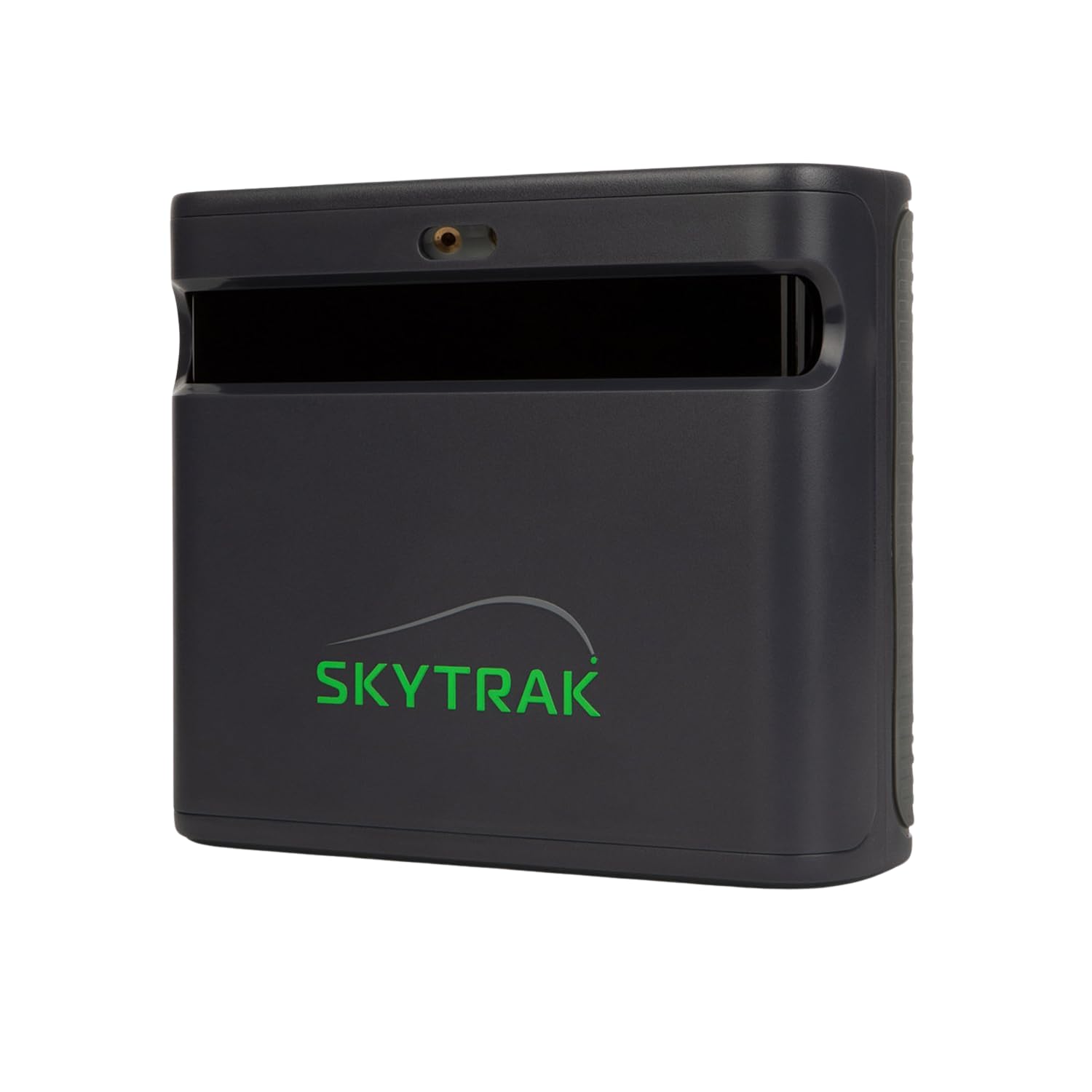
The SkyTrak ST MAX represents the latest hardware revision from SkyTrak, integrating dual Doppler radar alongside improved photometric cameras. This combination captures ball flight and club data simultaneously, and the new modular internal architecture is designed for long-term stability across thousands of sessions. The exclusive GOLFTEC Speed Training mode provides guided drills and personalized swing insights drawn from over 10 million real lessons.
The unit connects via dual USB-C ports that allow simultaneous charging and data transfer, and it operates in both Wi-Fi direct and network mode. The software suite includes Skills Assessment, Bag Mapping, Wedge Matrix, and Randomized Practice modes that provide a structured improvement path. A 14-day free trial of the complete software package is included to evaluate before committing to a subscription plan.
The hitting zone is notably smaller than some competing units, and users report a higher incidence of no-reads on partial wedge shots under 90 yards. The ongoing subscription cost for the simulation tier is a significant recurring expense that buyers should factor into the total cost of ownership. For a golfer focused on structured practice rather than casual course play, the training tools are class-leading.
Why it’s great
- GOLFTEC Speed Training integration offers a proven method for increasing club head speed
- Dual USB-C ports allow simultaneous charging and data transfer without interruption
- Modular internal design promises consistent accuracy across thousands of sessions
Good to know
- Small hitting zone causes misses on partial wedge shots and off-center tee placements
- Full simulation access requires a premium subscription that adds significant yearly cost
4. FlightScope Mevo Gen2 Launch Monitor
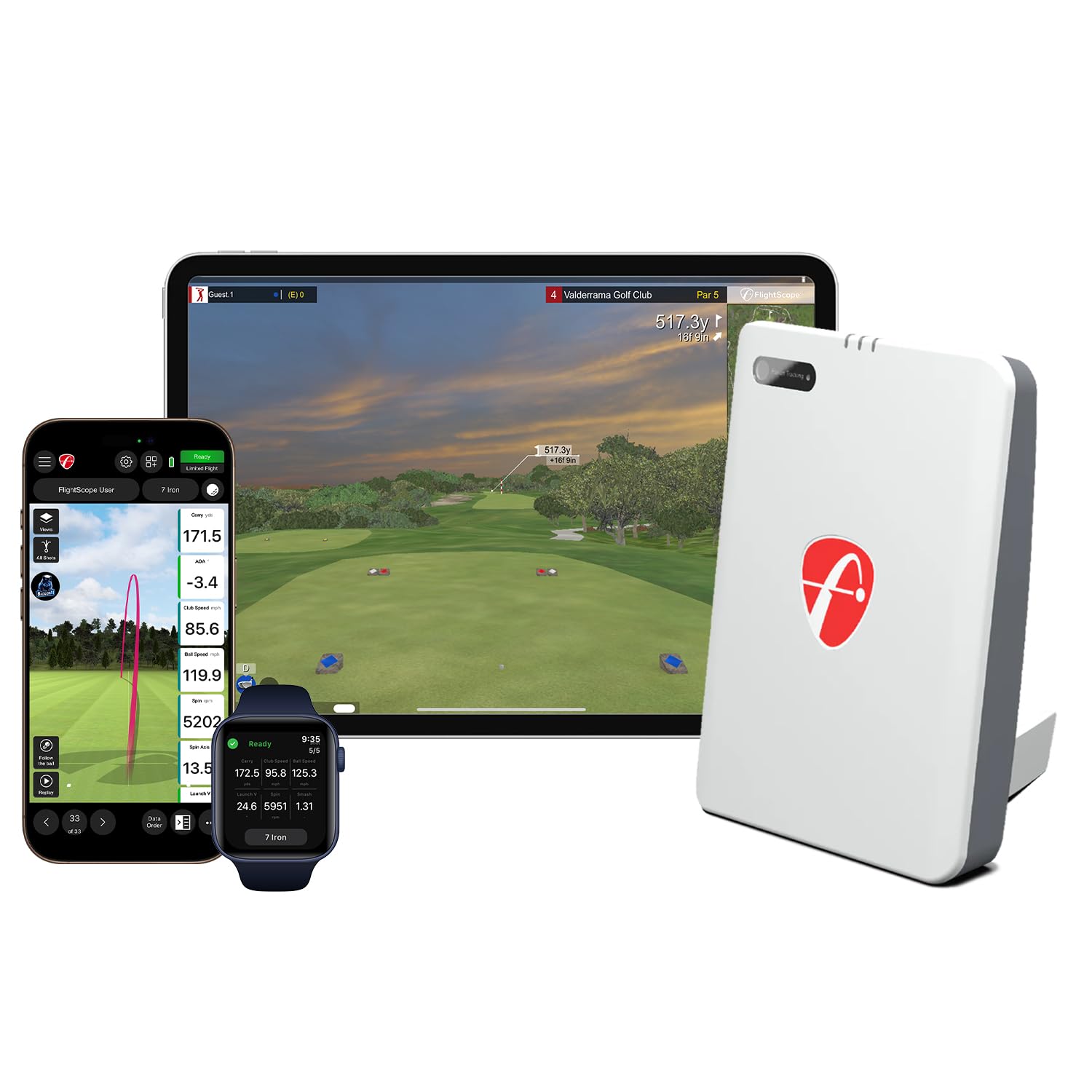
The Mevo Gen2 uses FlightScope Fusion Tracking, combining 3D Doppler radar with synchronized high-speed image processing to deliver 18 swing data parameters indoors and outdoors. It is one of the few portable units that includes a front-facing camera for recording your swing with data overlays like clubhead speed, ball speed, and carry distance rendered directly on the video. The included E6 Connect bundle features eight iconic courses, including Kiawah Ocean Course and Torrey Pines, with no subscription or annual license fees.
Battery life hits 6 hours on a single charge, and the unit weighs just 1.1 pounds, making it the most genuinely portable option in this segment. The Multi-Cam feature allows connecting up to three mobile devices plus the Mevo’s internal camera for multi-angle swing analysis. Setup can be finicky — some users report that initial calibration and elevation adjustment are necessary to match real-world yardages.
The indoor performance relies on sufficient ball flight distance for the radar to compute spin, so it works best in a space with at least 8-10 feet of ball travel before the impact screen. The no-subscription model makes it an attractive long-term value, but the doppler data quality indoors may not match a top-tier camera system in tight spaces.
Why it’s great
- 18 data parameters including club path and face angle at a portable price point
- No ongoing subscription fees for the 8-course E6 Connect simulation package
- Lightweight 1.1-pound design with 6-hour battery for true range-to-range portability
Good to know
- Initial setup and calibration can be challenging, especially for tech-averse users
- Requires 8-10 feet of ball flight for optimal radar tracking in indoor environments
5. SkyTrak+ Launch Monitor (Previous Generation)

The SkyTrak+ adds a dedicated Doppler radar to the original photometric camera, giving it the ability to capture club data — including club head speed, smash factor, club path, and face angle — that the original SkyTrak could not measure. The unit is paired with the Play & Improve software plan that includes WGT by TopGolf and TruGolf E6 Connect, granting access to over 100,000 global courses for simulation play. The compact, 1-pound design makes it easy to move between garage and range.
The user experience is heavily optimized for iOS devices, particularly the iPad, where the interface is smooth and responsive. The unit requires a bright indoor environment with a real net and real golf balls to minimize misreads, and users report a 2-3 percent miss rate per 100 balls in optimal conditions. Battery life is adequate but drains faster when connected to a PC via USB compared to network mode.
Connectivity inconsistency is the most common complaint, with the unit occasionally dropping connection in the middle of a round in WGT or E6 apps. The spin data accuracy has also been questioned, with some users reporting incorrect shot shape readings. For someone who values the massive course library over perfect photometric fidelity, this remains a compelling entry point into high-end simulation.
Why it’s great
- Dual radar and camera architecture provides club data in addition to ball metrics
- Access to over 100,000 courses through WGT and E6 Connect software plans
- Lightweight and compact enough for easy transport between practice spaces
Good to know
- Inconsistent wireless connectivity can interrupt simulation rounds
- Spin axis accuracy is sometimes unreliable, especially for shot shape analysis
6. Rapsodo MLM2PRO Launch Monitor

The Rapsodo MLM2PRO uses a combination of Doppler radar and two high-speed cameras to deliver 15 key metrics including spin rate, spin axis, club speed, club path, and launch angle. The video capture feature records both the full swing and the moment of impact in slow motion, providing visual feedback that complements the numeric data. The included 45-day premium trial unlocks simulated course play across 30,000+ courses, the target range, and the Rapsodo Combine training mode.
The direct Wi-Fi connection to the app is rock-solid, but shared network connections have been problematic. The unit requires RPT-specific golf balls that have dot patterns for the cameras to read, and those balls wear out after several months of heavy use. Short chip reads under 10 yards are notoriously unreliable. The overall data accuracy is within 2-3% of a TrackMan when properly aligned and leveled.
Customer support responsiveness and the frequency of firmware updates have improved the experience over time, but the initial setup and alignment process is picky. For a golfer who wants tour-level shot data without stepping into the four-figure price bracket, the MLM2PRO delivers strong value if you are willing to work through its quirks.
Why it’s great
- Video capture of full swing and impact with data overlay provides deep visual insight
- Data accuracy consistently within 2-3% of professional-grade TrackMan systems
- 30,000+ simulated courses available with the premium subscription tier
Good to know
- Requires expensive RPT dot balls that degrade over time and need replacement
- Short chip shots under 10 yards are frequently not detected
7. Garmin Approach R10 Launch Monitor
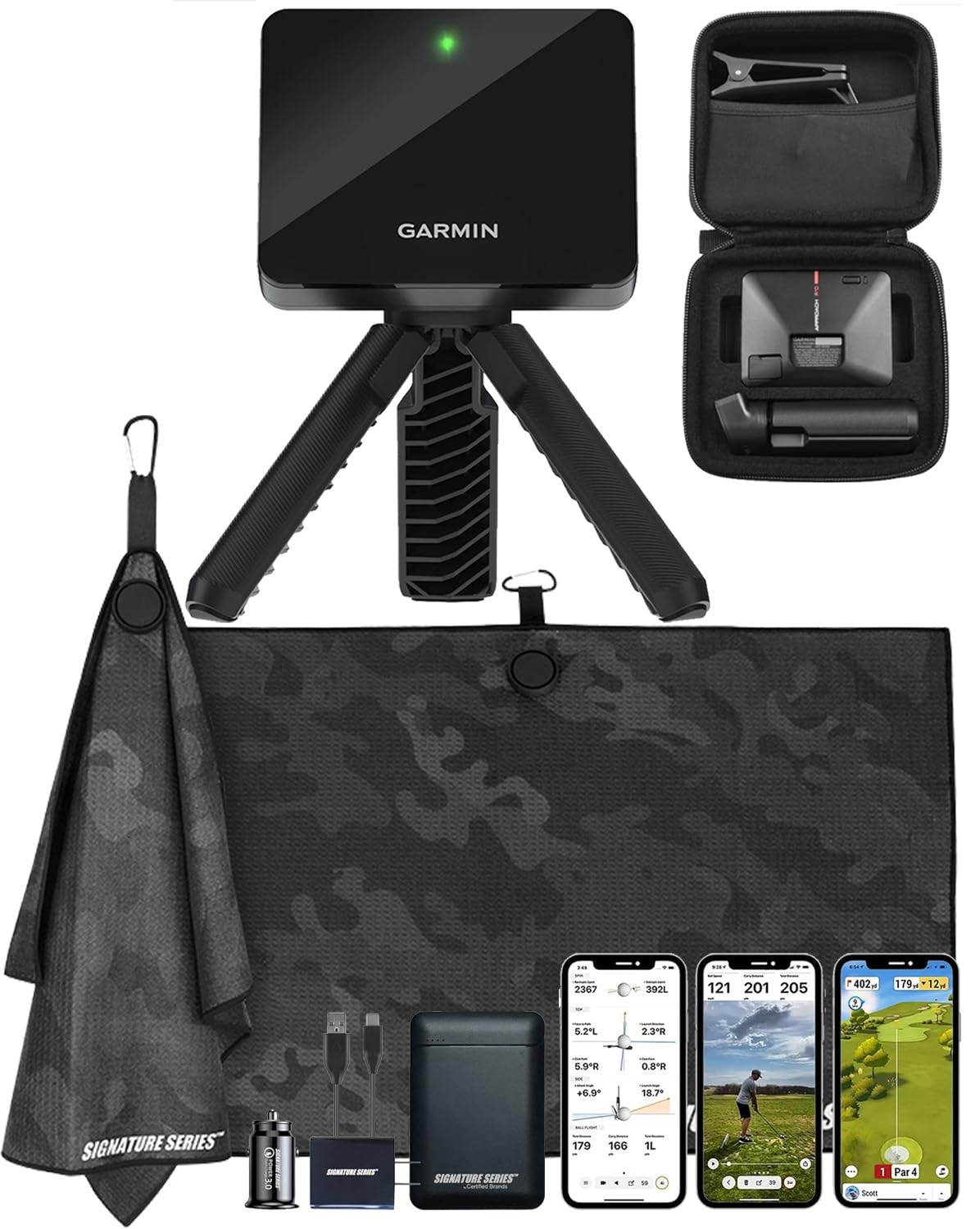
The Garmin Approach R10 is a portable Doppler radar launch monitor that communicates with the Garmin Golf app to track club head speed, ball speed, swing tempo, ball spin, and launch angle. The included Signature Series Power Bundle adds a 5000mAh portable power bank and wall charger, extending the already impressive 10-hour internal battery life for marathon practice sessions. The phone mount attaches easily to a golf bag for convenient app visibility during outdoor range sessions.
With an active Garmin Golf subscription, the R10 unlocks virtual play on over 43,000 courses via the Home Tee Hero feature, and weekly tournaments post scores to a global leaderboard. The user experience is simple and accessible — reviewers consistently mention how quickly it sets up in a barn, garage, or backyard net. The R10 excels at providing consistent feedback that helps improve swing contact and shot consistency.
The radar performance indoors requires sufficient ball flight distance for accurate spin calculation, and it does not capture club face angle or club path data without additional camera integration. The Garmin ecosystem is well-maintained with regular firmware updates. For the golfer who wants a reliable, no-fuss launch monitor that transitions seamlessly from garage to driving range, the R10 is an enduring entry-level champion.
Why it’s great
- 10-hour battery life plus included power bank means extended sessions without recharging
- Garmin Golf app integration offers 43,000+ courses and weekly global tournaments
- Simple, fast setup that works reliably with a net and mat in a garage or backyard
Good to know
- Does not measure club face angle or club path without additional hardware
- Requires adequate ball flight distance indoors for accurate Doppler spin readings
8. GoSports Golf Simulator Enclosure 10×8 ft

The GoSports enclosure uses a commercial-grade multi-layer impact screen that withstands repeated high-speed ball impacts without developing sag or visible wear. The true blackout enclosure panels undergo a specialized dyeing process to eliminate ambient light leakage, maximizing projector contrast and image clarity. The frame design felt flimsy during initial assembly but becomes rock-solid once the fabric cover is tensioned.
The minimized rebound feature is effective — balls tested at up to 150 mph driver speed drop onto the mat rather than firing back at the golfer. The padding around the metal frame is slightly thin, and some users have experienced eyelet tearing from wedge shots. GoSports customer support is responsive, often sending replacement parts the same day. Assembly takes roughly one hour for a single person.
Side shank nets are not included in the base kit and must be purchased separately, which is a notable omission for a system at this price point. For someone building a dedicated garage bay who wants a commercial-grade screen and a reliable frame, the GoSports enclosure delivers a premium feel without the premium price of custom builders.
Why it’s great
- Multi-layer impact screen holds up well against driver-speed impacts without sagging
- True blackout dye process provides excellent projector image contrast
- Responsive customer support with same-day replacement parts when needed
Good to know
- Side shank nets are not included and must be bought separately
- Frame padding is thin and can cause ball ricochet on off-center hits
9. Durbles Golf Simulator Enclosure Kit 10×8 ft
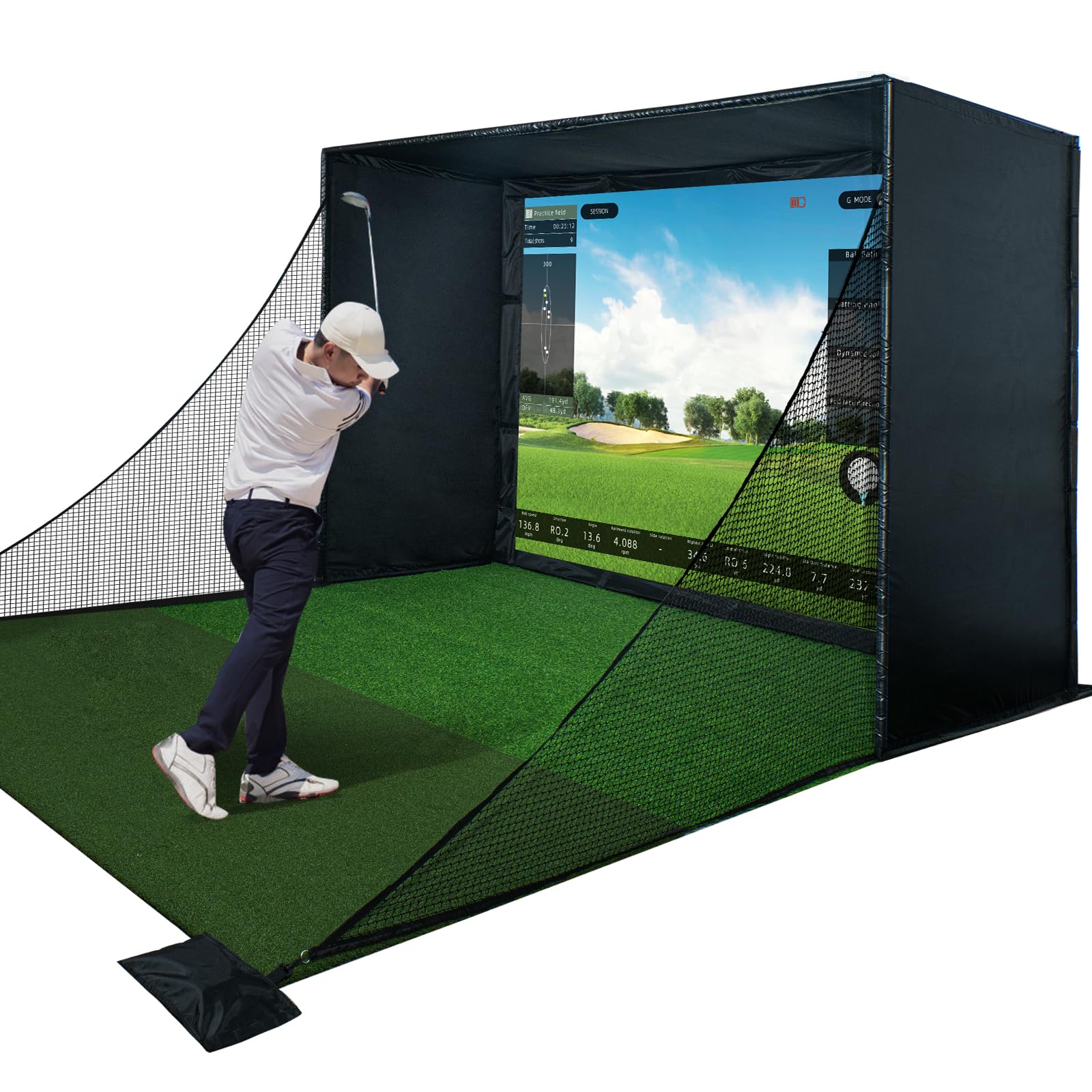
The Durbles enclosure kit is built around a triple-layer commercial-grade impact screen that absorbs shock and reduces sound, making it a quieter option for garages or basements shared with living spaces. The system includes thick sponge padding and full-coverage foam around the frame that reduces ricochets by over 50% compared to standard enclosures. The steel frame construction is robust, though some pipe ends arrived with insufficient flaring that made initial assembly more difficult than expected.
The full blackout curtain wraps the top, sides, and back, creating a dark environment that enhances projector brightness and contrast. Setup is tool-free and takes about 45 minutes to an hour with patience. The screen shows no sagging or wear after hundreds of hits, maintaining a flat projection surface. Some bounce-back from the screen itself is still present, though the foam padding controls the dangerous ricochets off the frame.
For a golfer setting up in a multi-purpose room where noise containment and safe ball return are priorities, the Durbles kit justifies its premium enclosure tier with thoughtful material choices. The lack of detailed assembly instructions is the most common criticism, but the construction quality speaks for itself.
Why it’s great
- Triple-layer screen design absorbs shock and reduces impact noise significantly
- Thick foam padding around the frame cuts dangerous ricochets by more than half
- Full blackout curtain creates ideal projection conditions with minimal light bleed
Good to know
- Some pipe ends require additional sanding or force to slide together during assembly
- Minor bounce-back from the impact screen itself is still noticeable
10. ANYTHING SPORTS Golf Simulator Enclosure
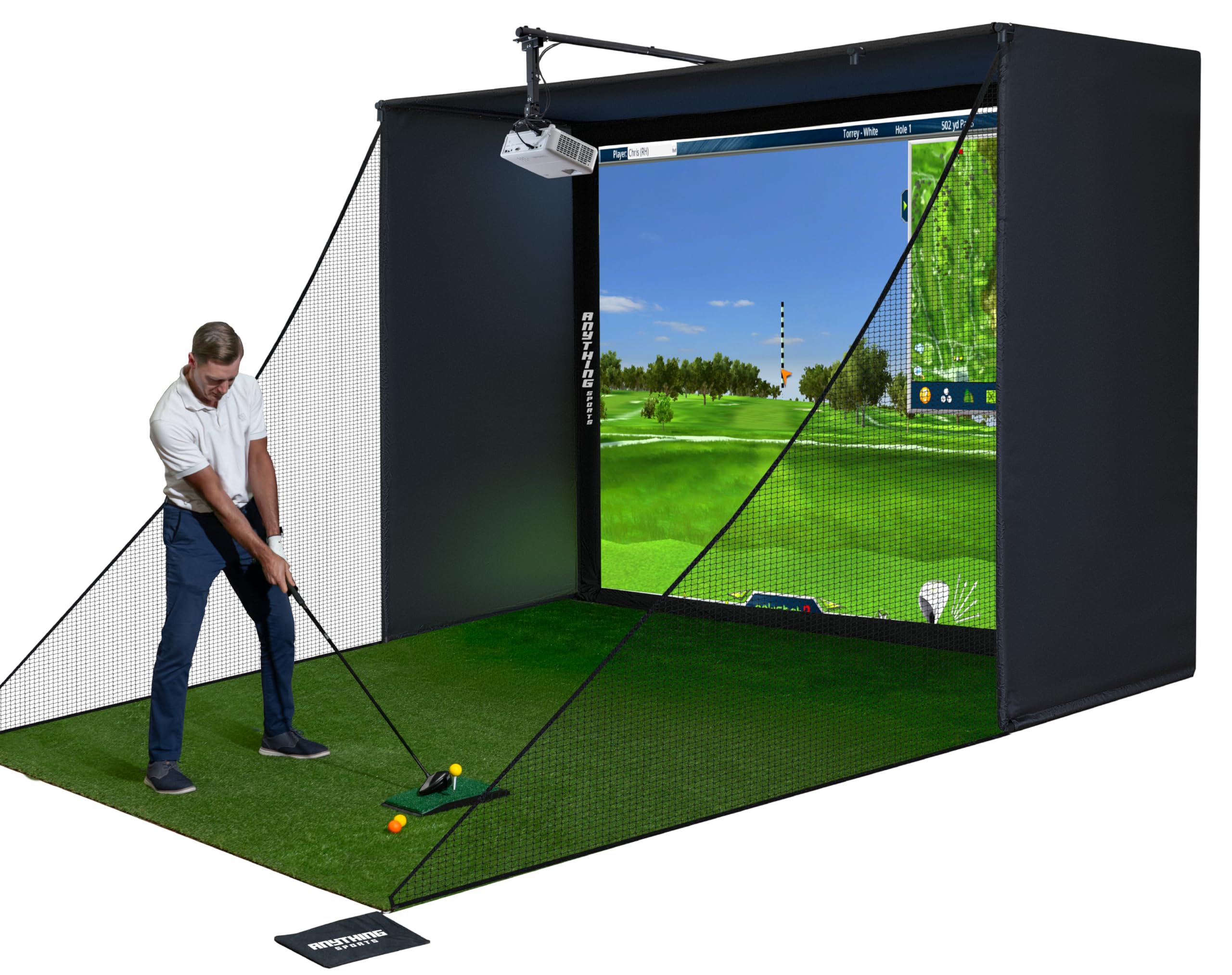
The ANYTHING SPORTS enclosure distinguishes itself by including a projector mount in the kit, eliminating a common hidden cost and installation headache. The 4K-ready impact screen is precision-sized just 1 inch smaller than the frame for a tight fit that minimizes light bleed. The metal frame is heavy and sturdy, supporting enclosures up to 11×8.4×5 feet, and the included hardware pack covers all poles, joints, and screen attachment components.
The assembly process is intuitive but the instructions are sparse — users report relying on product photos to piece together the order of operations. The bungee cord attachment system for the screen requires significant tension and patience. The impact screen itself has a rubbery, soft finish that produces a deadened sound on impact and minimal bounce-back once settled. The shank nets include weighted bags for ground stability.
The 12-month no-questions-asked warranty is backed by responsive U.S.-based support, with one user reporting a 30-minute email response time. The only real downside is the lack of a detailed instruction manual, which is a common theme among enclosure kits in this price range. For someone who wants a turnkey solution without sourcing separate projector mounts and frame components, this is the most complete package available.
Why it’s great
- Includes a projector mount, eliminating a common additional expense and installation step
- Rubbery impact screen produces very low bounce-back and quiet impact sound
- 12-month no-questions-asked warranty with fast, responsive U.S. customer support
Good to know
- Assembly instructions are minimal and rely heavily on product photo interpretation
- Bungee cord tensioning for the screen is difficult to get evenly tight
11. Diandian Golf Simulator Enclosure Kit 10×8 ft
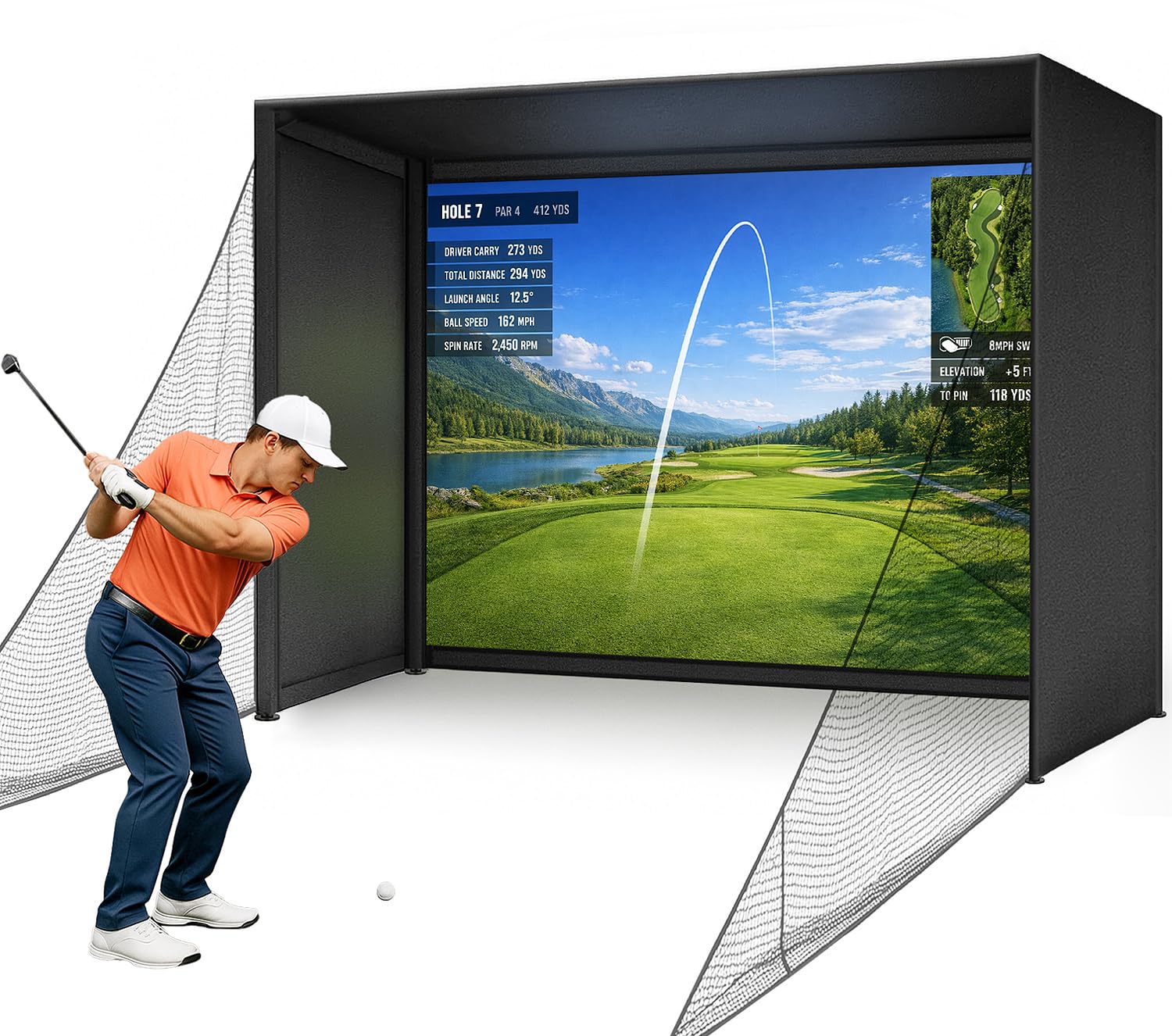
The Diandian enclosure kit uses a click-lock metal tube frame that requires zero tools and takes approximately 30 minutes to assemble from unboxing to first swing. The 600D Oxford blackout cover wraps completely around the top, back, and sides, creating a full light-blocking environment that improves projector performance. The dual-layer impact screen combines a smooth 4K-ready projection surface with a reinforced rear impact-absorbing layer for lasting durability.
Thick foam edge padding and heavy-duty safety side nets are included to minimize ball ricochet and contain off-center shots. The screen has a mark-resistant surface that is easy to clean and shows minimal visible wear after extended use. The enclosure is compatible with popular launch monitors and projector setups, though the projector, hitting mat, and launch monitor must be purchased separately. A minimum ceiling height of 9 feet is required for a full swing.
Some users reported bottom stitching tearing after several months of use, causing the screen to sag slightly. The overall build quality is impressive for the price, with the frame offering support comparable to custom builders at roughly half the cost. For a first-time simulator builder who wants a quick, frustration-free physical setup, the Diandian kit is the most accessible entry point.
Why it’s great
- Tool-free click-lock frame assembly in about 30 minutes is fastest in its class
- 600D Oxford blackout cover provides complete ambient light elimination for projection
- Dual-layer impact screen with mark-resistant surface stays clean and crisp
Good to know
- Some reports of bottom stitching tearing and causing screen sag after months of use
- Requires 9-foot minimum ceiling height for unrestricted full swing clearance
FAQ
What is the minimum ceiling height for a home golf simulator?
Do I need special golf balls for camera-based launch monitors?
Can I use a home golf simulator without a projector?
Are launch monitor subscriptions mandatory for course simulation?
Final Thoughts: The Verdict
For most users, the at home golf simulators winner is the Uneekor EYE MINI CORE because it delivers flawless camera-based data capture without requiring special golf balls or sacrificing accuracy. If you want an all-in-one system with a built-in touchscreen and exceptional portability, grab the Garmin Approach R50. And for building a complete physical enclosure from scratch, nothing beats the convenience and value of the GoSports Enclosure 10×8 ft.