
Our readers keep the lights on and my morning glass full of iced black tea. As an Amazon Associate, I earn from qualifying purchases.
Specs are compiled from manufacturer listings and verified buyer reviews and can change over time — please confirm the key details on the product page before buying.
Choosing your first laser cutter can feel like stepping into a lab you were never trained for, with watts, wavelengths, and software compatibility crowding the specs. The real question is simpler: do you want to etch tumblers, cut thick wood, or engrave metal? This guide breaks down the best at-home machines by what they actually do best, so you can pick the one that matches your projects and your skill level.
I’m Min — the founder and writer behind Gadgets Feed. This guide is built by comparing the manufacturers’ published specifications and the patterns across verified customer reviews, so you get each pick’s real strengths and trade-offs instead of marketing spin.
From enclosed safety-first models to open-frame speed demons, here are the machines that earn their spot on your workbench, starting with the at home laser cutter that balances power, ease, and safety for most buyers.
Our Picks at a Glance



How To Choose The Best At Home Laser Cutter
Before you scroll through specs, know that laser machines fall into two main camps: diode lasers (common in desktop engravers) and CO2 or fiber lasers (typically more powerful and expensive). Your choice hinges on what materials you plan to process daily.
Power: What Can It Actually Cut?
Look at the wattage, often written in milliwatts (mW). A 5.5W machine is great for engraving wood and leather, but a 40W machine can slice through 18mm wood in one pass. Match the power to your thickest material.
Working Area: Size Matters
Measure your largest project. A 400x400mm bed handles standard tumblers and signs, while larger beds (like 23.93″ x 15.16″) allow for door signs or batch engraving many items at once.
Safety Features: confidence
For home use, an enclosed design with a protective cover filters laser light and smoke. Look for features like flame sensors and emergency stop buttons to keep kids and pets safe.
Quick Comparison
| Model | Best For | Laser Power | Max Speed | Working Area | Amazon |
|---|---|---|---|---|---|
| xTool S1 40W★ Best Overall | Heavy Cutting & Large Projects | 40W (40,000mW) | 600mm/s | 23.93″ x 15.16″ | Amazon |
| LE400PRO 50WBudget Champion | Beginners on a Budget | 5.5W (5,500mW) | 6000mm/min | 400 x 400mm | Amazon |
| Longer RAY5Top Performer | Fast Engraving & Cutting | 10W | 24,000 mm/min | 15.75″ x 15.76″ | Amazon |
| Ortur Laser Master 2 Pro S2 | Efficient Hobbyist Engraving | 10000mW | 15,000mm/min | 390*410mm | Amazon |
| ATOMSTACK A20 Pro V2 | High-Precision Engraving | 20000mW | 400mm/s | Not Specified | Amazon |
| Twotrees TTS-20 Pro | Offline & Batch Work | 20W | 30000mm/min | 418 x 418mm | Amazon |
| xTool M1 10W | Laser & Blade Cutting Combo | 10W | 250mm/s | Not Specified | Amazon |
| OMTech K40+ 45W | CO2 Cutting & Engraving | 45W | 300 mm/s | 12″ x 8″ | Amazon |
| Genmitsu L8 20W | Out-of-Box Experience | 20W | 40000mm/min | Not Specified | Amazon |
| TOOCAA NOVA 10W | AI-Assisted Smart Engraving | 10W | Not Specified | Not Specified | Amazon |
| xTool F1 Ultra 20W | Metal Engraving & Business | 20W Fiber + 20W Diode | 10,000mm/s | 220mm x 220mm | Amazon |
In‑Depth Reviews
1. xTool S1 40W Laser Cutter and Laser Engraver
Our pick — over 4.5★ from 200+ verified ratings; the strongest balance of quality and price.
A 40W enclosed laser that cuts 18mm wood in one pass on a 23.93″ x 15.16″ bed.
If your projects involve serious cutting—not just engraving—this is the machine that delivers. The 40W (40,000mW) laser handles thick materials easily, and the spacious 23.93″ x 15.16″ bed means you can engrave up to 119 dog tags in one go. Buyers report the speed, accuracy, and power are amazing, making it ideal for turning a hobby into a small business.
The enclosed design is a huge plus for home use, filtering 99% of laser light so you don’t need goggles, and it uses five flame sensors that automatically halt operation if a fire is detected. A 3mm aerospace-grade aluminum frame keeps everything stable, and xTool’s software (XCS) is praised for being simple enough for a non-technical person to set up.
It’s not the cheapest option, but the value shows in the build quality and capability. The learning curve is real, though—one buyer compared it to Design Space, so expect a bit of a ramp-up if you’re new to this.
What owners praise
- Blazing 600mm/s speed with pinpoint accuracy on a huge bed.
- Class 1 safety enclosure with flame and lid-open sensors.
- Pre-tested parameters for over 400 materials via XCS software.
What to know first
- Premium price point is an investment for serious crafters.
- Heavy unit (~100 lbs) requiring dedicated workspace.
- LightBurn compatibility is quirky; XCS is the smoother path.
The power move: Choose this if you want a future-proof machine that cuts thick wood and handles bulk orders.
Reality check: You will need a vent hose setup to manage odor during long jobs.
2. LE400PRO 50W Laser Engraving Machine
A 5.5W budget laser that engraves wood and acrylic with 0.08mm precision.
For anyone testing the waters of laser crafting without a huge budget, this machine is a fantastic starting point. It uses a 5.5W (5500mW) laser to achieve high-precision engraving with a 0.08mm square ultra-fine focus, which is twice as thin as ordinary modules. Owners mention it’s accurate on wood, leather, and acrylic, with a simple setup that takes just 10-20 minutes.
The 400x400mm working area gives you plenty of room for standard projects like signs and gifts. It can cut wood up to 8mm and 5mm black acrylic, making it a solid all-rounder for light cutting tasks. The all-metal structure keeps it stable, and it supports GRBL and LightBurn software for flexible control.
While it’s not built for heavy-duty cutting, the value is undeniable. One reviewer noted it’s a “great value” and works well as a starter unit, though you may need to look up external videos since a physical instruction manual isn’t included.
Best first laser: It’s the smart entry point for hobbyists who want quality engraving on wood and acrylic without the premium price tag.
The trade-off: The 5.5W laser won’t slice thick materials; it’s for engraving and light cutting.
3. Longer RAY5 Laser Engraver Cutter
A dual-beam 10W laser that cuts 20mm wood and 30mm acrylic at 24,000 mm/min.
This machine uses advanced dual-beam technology to hit a maximum engraving speed of 24,000 mm/min—a 4.0x gap over the LE400PRO’s 6000mm/min. That speed means less time waiting and more time creating. It’s not just fast; it’s strong, cutting 0.8″ (20mm) thick wood boards and 1.2″ (30mm) thick acrylic sheets.
The standard 15.75″ x 15.76″ working area is generous, and you can expand it to 850mm x 400mm with Longer’s extension kit, boosting your workspace by 200%. A 3.5-inch touch screen makes control easy, and you can transfer files via Wi-Fi, USB, APP, or TF card for offline operation.
Customers note it’s an amazing starter unit that’s easy to assemble, and one noted it “cuts like a hot knife through butter.” The instructions get mixed feedback, but the 24-hour customer service is a safety net if you get stuck.
Speed meets power: Ideal for users who want fast engraving and serious cutting capability at a mid-range price.
The catch: Assembly can be tricky for some, and the manual may require patience or video support.
4. Ortur Laser Master 2 Pro S2

A 10W open-frame laser that cuts 20mm wood and 30mm acrylic with 0.05mm detail.
This machine is a favorite among wood-burning enthusiasts who want to upgrade from manual tools. It packs a true 10000mW laser module with dual fan cooling, allowing it to cut 30mm acrylic and 20mm wood. The compressed point is just 0.05mm x 0.1mm, ensuring fine detail, and it reaches an efficient 15,000mm/min engraving speed.
Safety is well-covered with four features: active position protection, a stop when the USB disconnects, an emergency stop switch with a flame alarm, and exposure time detection. The modular, metal design makes assembly a quick 10-15 minute job. It works with LaserGRBL and LightBurn, plus Ortur’s own Inspiraesth app.
Owners say it’s a great upgrade from hand-burning and a dependable laser for the price, though beginners might find the initial LightBurn setup a bit tricky. It does the job for light cutting and etching once you get the hang of it.
Hobbyist favorite: Perfect for crafters who want a reliable open-frame laser that’s easy to maintain.
Before you buy: It’s an open-frame design, so you’ll need safety glasses and a ventilated space.
5. ATOMSTACK A20 Pro V2

Precision engraving with a 0.01mm accuracy that makes custom gifts look factory-made.
If your focus is intricate engraving on personalized gifts or business cards, this machine delivers. The ATOMSTACK A20 Pro V2 uses dot compression technology to produce 0.08 x 0.1mm dots, and with 20000mW of power, it handles high-energy cutting on wood, acrylic, and metal. Engraving speeds reach up to 400mm/s to keep projects moving.
The integrated linear guide motion structure ensures long-term precision, and the aluminum alloy frame adds durability. Built-in limit switches and a cross-line light help you hit that 0.01mm accuracy. It’s also safety-conscious, with a removable magnetic protective cover and a tilt angle safety beep if the unit is tilted more than 15°.
Buyers appreciate how easy it is to set up, with one noting it takes about 20 minutes. It’s compatible with ATOMSTACK’s app, LightBurn, and LaserGRBL. The main caveat is a learning curve—you will need to test settings for different materials, especially if you’re new to lasers.
Why it shines
- High 20000mW power for deep engraving and cutting.
- 0.01mm engraving accuracy for fine details.
- Aluminum frame with linear guides for stability.
Consider this
- Belt-driven system means slight accuracy loss on very large items.
- Requires testing settings per material to avoid errors.
Precision focused: Reach for this if detailed etching on small items is your main goal.
Look elsewhere if: You want a fully enclosed unit for safety around kids; this is an open-frame machine.
6. Twotrees TTS-20 Pro Laser Engraver
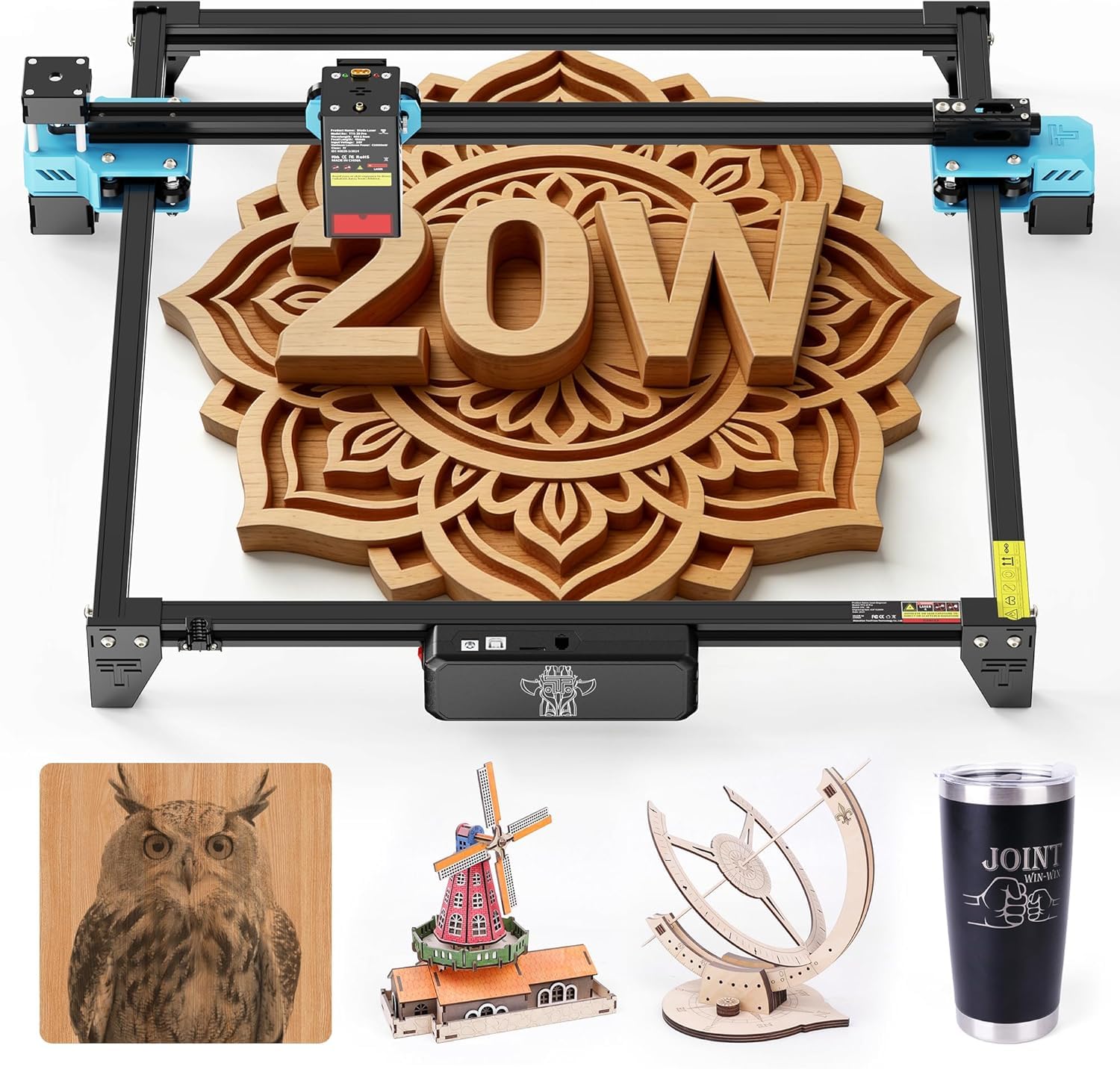
An offline-capable batch machine that auto-returns to start for repeatable runs.
This 20W diode laser delivers a stable optical power of ≥19.5W, and its 418x418mm working area is one of the largest in its class. With a max speed of 30,000mm/min and 0.1mm positioning accuracy, it’s built for efficiency. The TMC2209 silent drivers keep it quiet during long engraving sessions.
You can run jobs without a computer: save LBRN, JPG, PNG, and GCODE files to a 4GB TF card (a small memory card) and start engraving straight from the machine. The engraving head auto-returns to origin after each task, so you can batch-engrave custom gifts for friends and family without resetting anything.
It’s compatible with LightBurn and LaserGRBL, and works with Windows, MacOS, and Linux. Buyers find it a good starter laser that’s easy to use, though the initial setup can be a bit involved. It’s a lightweight 4KG machine, so it takes little desktop space.
Offline freedom: Best for makers who want to run repeat jobs without tethering to a PC.
The hurdle: Setup is not plug-and-play; a few users had to disassemble and rebuild to get it right.
7. xTool M1 10W Laser & Blade Cutter

A 10W laser and blade cutter combo that handles 300+ materials in one device.
If your projects span both laser work and vinyl cutting, this is the only machine you need. The xTool M1 integrates laser engraving, laser cutting, and blade cutting in a single device, working with over 300 materials including vinyl, coated metal, leather, and fabric. The blade feature is a standout for vinyl, giving clean edges without burning or smoke.
It has a 10W true laser power capable of cutting 10mm wood in a single pass, with an ultra-fine engraving accuracy of up to 0.01mm. The built-in high-resolution camera enables automatic focusing and visual processing—you can place your design, and the AI identifies material shapes for batch processing. The rotary attachment (RA2) lets you engrave cylindrical objects like glasses and tumblers.
Beginners find the XCS software simple to learn, and the enclosed design with a protective cover and exhaust fan makes it safer for indoor use. It’s a complete expandable system, though some report it requires regular laser cleaning to maintain performance.
All-in-one value: A space-saving choice for crafters who want laser and blade capabilities without buying two machines.
Note: It doesn’t support LightBurn—you’ll use xTool’s XCS software, which is mobile-friendly.
8. OMTech K40+ 45W Desktop CO2 Laser

A true CO2 laser that upgrades to 45W for professional-grade cutting and engraving.
For those ready to step up from diode lasers, this CO2 machine offers a different kind of power. The upgraded 45W laser slices through 0.4″ (10mm) acrylic and 0.31″ (8mm) wood easily, boosting cutting speed by 1.5–2× and depth by 15–20%. It engraves at speeds up to 300 mm/s, making it suitable for small business use.
The compact 12″ x 8″ workspace supports both flat and irregular materials, and the integrated 45° air assist auto-adjusts airflow to clear smoke and protect the lens. Safety features include door and water protection, an emergency stop, and a flame-retardant acrylic panel. It fully supports LightBurn and LaserGRBL.
Owners praise OMTech’s exceptional customer service, especially for those new to CO2 technology. It’s a heavier machine at 81.8 pounds, so it needs a stable, dedicated spot. The setup process is a learning curve for CO2 beginners, but the support helps you through it.
The upgrade path: Choose this if you’re moving from diode to CO2 for better acrylic cutting.
Be prepared: CO2 lasers require water cooling and more setup knowledge than diode models.
9. Genmitsu L8 Laser Engraver
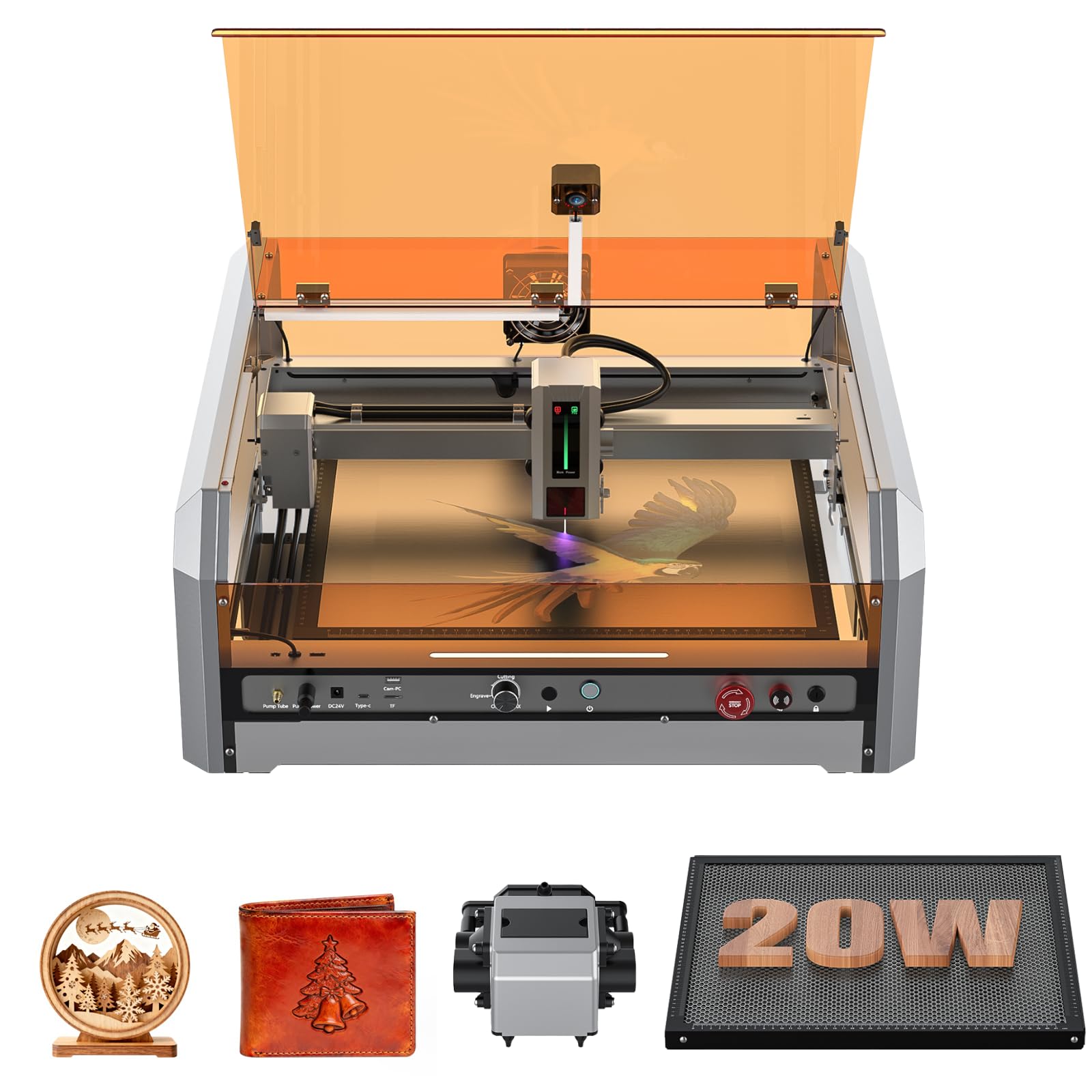
A 20W laser that arrives fully assembled and calibrated for immediate use.
If you dread assembly, this is the pick. The Genmitsu L8 comes fully assembled, so you can start creating within minutes of unboxing. It boasts a maximum engraving speed of 40,000mm/min and more than 20W optical power, cutting through 12mm Pinewood, 8mm black acrylic, and even 0.05mm stainless steel in a single pass.
The included 30L/min smart air assist pump and built-in honeycomb bed ensure clean cuts. A LightBurn-compatible camera makes project positioning a breeze, and features like a power indicator bar and fault reporting light keep you in control. It’s Class 1 certified with a door sensor that halts operation when the cover is open.
Reviewers point out it’s a very capable and easy-to-use machine that cuts 5mm plywood cleanly. The safety features are impressive, including a key switch, emergency stop, and a child safety lock. The main criticism is that the instructions can be simplistic, but the responsive support team helps fill the gaps.
Zero-fuss start: Perfect for those who want a high-power, enclosed laser without the build.
The caveat: Some units have had quality control quirks, like missing screws, but support is quick to resolve.
10. TOOCAA NOVA 10W Smart Laser Engraver
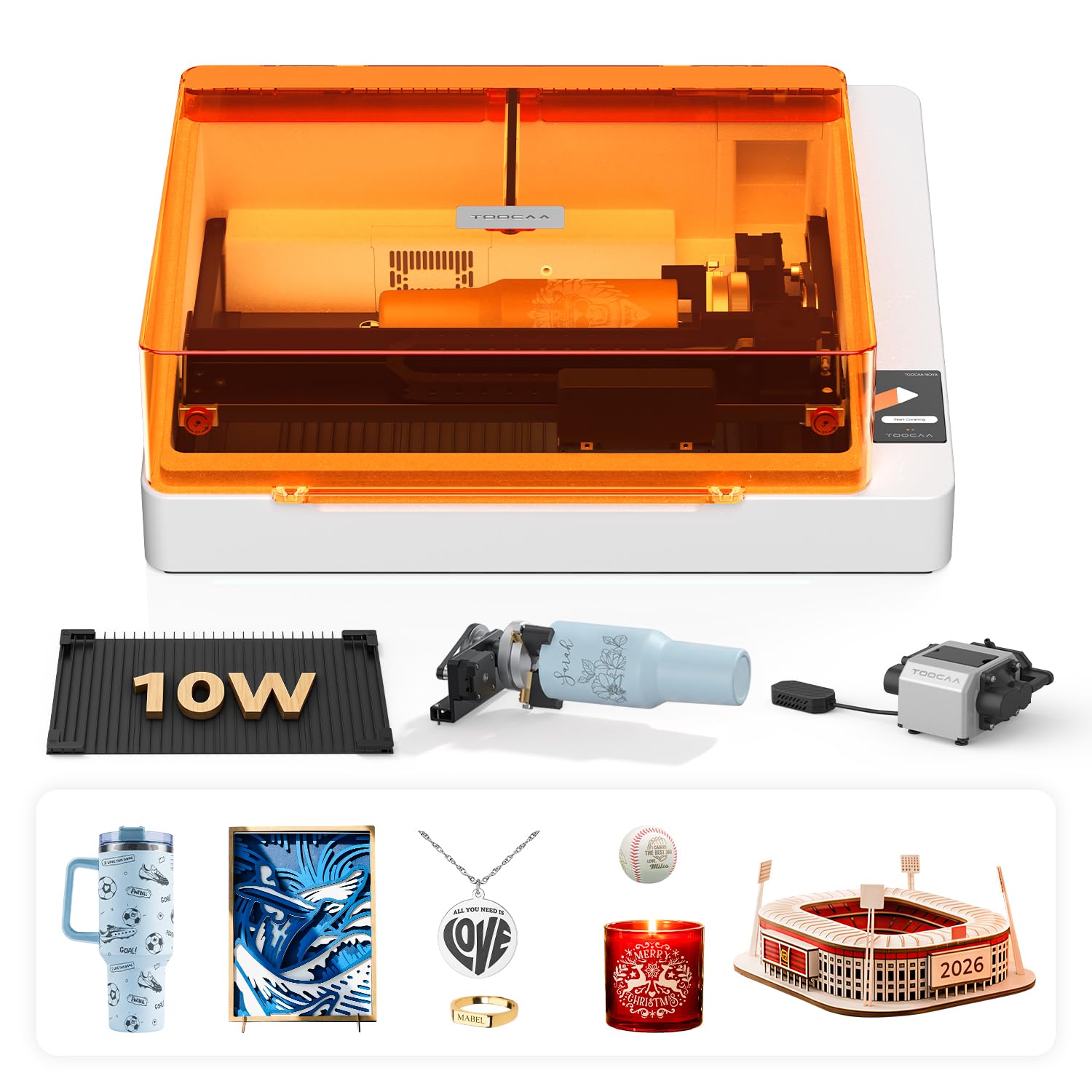
A 10W AI engraver with 5MP camera, 3-second auto-focus, and material recognition.
This is the machine for people who want results without a steep learning curve. The TOOCAA NOVA uses a built-in 5MP HD AI camera for real-time workspace preview and one-click calibration—you drag and drop your design onto the material, and it engraves exactly where you place it. The 3-second Auto Focus and AI Material Recognition automatically apply optimal settings.
It can engrave 500+ materials, from tumblers and wood to glass and coated metal. The exclusive 360° rotary kit handles cylindrical projects without extra risers, and the dual-channel exhaust keeps the back of materials cleaner, reducing burn marks. It comes fully assembled and ready to use.
Owners love that there are hardly any burn marks on the back side of the wood, and the software (TOOCAA Studio) includes 1,000+ commercial templates and AI text-to-image generation. The fully enclosed Class 1 design filters up to 99% of laser light, making it safe for homes and classrooms.
AI advantage: Ideal for beginners and pros who value speed, accuracy, and no wasted material.
Keep in mind: The 10W power is geared toward engraving and light cutting, not heavy-duty material slicing.
11. xTool F1 Ultra 20W Fiber & Diode Dual Laser

A 20W fiber plus 20W diode dual laser that engraves all metals at 10,000mm/s.
This is the ultimate machine for metal engraving enthusiasts and small business owners. The xTool F1 Ultra combines a 20W fiber laser and a 20W diode laser, hitting speeds up to 10,000mm/s. The fiber laser engraves gold, silver, copper, and stainless steel in seconds, while the diode laser handles wood, acrylic, and leather.
It handles 3D embossing and deep engraving on metal, wood, and rock, creating high-value items. With a 220mm x 220mm working area (expandable to 220mm x 500mm with the auto conveyor), it’s the largest desktop fiber laser space available. The 16MP SMART CAMERA system enables batch engraving with automatic shape recognition.
The 20W diode laser cuts up to 15mm wood and 12mm black acrylic, while the fiber laser handles thin stainless steel (0.3mm), brass (0.4mm), and aluminum (0.2mm). It’s designed for in-store customization with a fully enclosed cover and fire safety alarm.
However, reliability has some mixed feedback—a few shoppers say units failing after about 35 days, though support offers replacements. It’s a premium investment for those who need metal engraving capability.
The standout
- Dual laser covers both metal and organic materials.
- Blazing 10,000mm/s speed for batch production.
- 3D embossing capability adds value to products.
Weigh the cost
- Premium price is the highest on this list.
- Some reliability concerns noted in early units.
- Smoke extraction requires a good ventilation setup.
For the pro: Choose this if metal engraving is a core need and you want commercial-grade speed.
Think twice if: You only work with wood—a diode-only machine offers better value for that use.
Understanding the Specs
Watts and Milliwatts (mW)
This is the raw power of your laser beam. Engravers often list power in milliwatts (mW), where 1000mW equals 1W. A 5.5W machine can engrave wood and leather beautifully, but a 40W machine can cut through 18mm wood in one pass. Match the wattage to your thickest material.
Speed (mm/min or mm/s)
This tells you how fast the laser head moves. Higher speeds mean faster job completion, but you often need to slow down for intricate cuts. Compare speeds like 24,000 mm/min on the Longer RAY5 versus 6000mm/min on the LE400PRO to gauge productivity differences.
Working Area
This is the maximum size of material you can place on the bed. A 400x400mm area handles standard tumblers and 12×12 inch signs. For larger projects like door signs or batch engraving, look for bigger beds like the xTool S1’s 23.93″ x 15.16″.
Safety Class & Enclosure
Class 1 lasers are fully enclosed, meaning the laser light is contained and safe around kids and pets. Open-frame machines are Class 4 and require safety goggles. Always check for features like flame sensors, emergency stops, and lid-open shutoffs for home use.
FAQ
What is the difference between a diode and a CO2 laser cutter?
How much power do I need for an at home laser cutter?
Is it safe to use a laser cutter indoors at home?
What materials can a 20W laser engrave and cut?
Do I need special software to run these laser machines?
What does the rotary attachment do for a laser engraver?
How long does a laser cutter last?
Can a laser engraver cut metal?
Final Thoughts: The Verdict
For most people, the at home laser cutter winner is the xTool S1 because it balances raw 40W cutting power with a safe, enclosed design and beginner-friendly software, making it a worthwhile long-term investment. If you want a budget-friendly starting point, grab the LE400PRO for its simplicity and value. And for metal engraving and commercial-level speed, the xTool F1 Ultra is the one to reach for.
How We Picked
We do not accept paid placement. Every pick is matched to a real buyer and a real use-case; we do not hands-on test units.
Sources & Methodology
Specifications: manufacturer listings and product documentation. Review insights: verified customer reviews, as of August 2026. Pricing: not shown on this page (it changes often); check the current price via the retailer link.
As an Amazon Associate, Gadgets Feed earns from qualifying purchases. This does not affect which products we feature.