
Our readers keep the lights on and my morning glass full of iced black tea. As an Amazon Associate, I earn from qualifying purchases.
Specs are compiled from manufacturer listings and verified buyer reviews and can change over time — please confirm the key details on the product page before buying.
You want 4×6 prints that look like they came from a lab, not a grainy inkjet mess. The real battle isn’t print quality anymore — it’s ink cost and whether the software and app actually cooperate with your phone. This guide cuts through the specs to tell you which home photo printers genuinely deliver vibrant, lasting prints without a monthly subscription headache.
I’m Min — the founder and writer behind Gadgets Feed. This guide is built by comparing the manufacturers’ published specifications and the patterns across verified customer reviews, so you get each pick’s real strengths and trade-offs instead of marketing spin.
From compact dye-sublimation models to high-volume tank systems, here are the at home photo printers that turn your phone’s camera roll into keepsakes you’ll actually frame.
Our Picks at a Glance

How To Choose The Best At Home Photo Printers
The first decision is choosing between two different printing technologies. Dye-sublimation printers apply a protective layer that makes prints water and scratch resistant. Inkjet printers, like standard office models, are cheaper to refill but prints are more prone to smudging and fading.
Match the Printer to Your Volume
Are you printing a few dozen photos a month for a scrapbook, or hundreds of flyers and documents? A compact dye-sub model is perfect for low volume, while a tank-based all-in-one makes sense if you need documents and photos from one machine.
Check the Real Cost Per Print
That initial price tag is only half the story. Dye-sub printers use a ribbon and paper combo that typically costs more per sheet, but they include starter supplies. A tank printer comes with bottles of ink that last for thousands of pages, but the upfront cost is higher.
Quick Comparison
| Model | Best For | Print Size | Print Speed | Tech Type | Amazon |
|---|---|---|---|---|---|
| Liene M100★ Best Overall | Best Overall Bundle | 4×6″ | ~1 min/photo | Dye-Sub | Amazon |
| YOTONAR Video Pick | AR Video Prints | 4×6″ | 5 ppm color | Dye-Sub | Amazon |
| KODAK Dock PlusDock Charger | Phone Dock Charging | 4×6″ | 55 sec/photo | 4PASS Dye-Sub | Amazon |
| HPRT CP4100 | High-Volume Bundle | 4×6″ | <60 sec/photo | Dye-Sub | Amazon |
| Liene Amber M110 | Dual-Size Stickers | 4×6″ & 3×3″ | 59 sec/first | Dye-Sub | Amazon |
| Canon Megatank G3290 | Doc & Photo Combo | Up to 8.5×11″ | 6 ppm color | Inkjet Tank | Amazon |
| HP Envy Photo 7975 | Family All-in-One | Up to 8.5×11″ | 10 ppm color | Inkjet | Amazon |
| Canon SELPHY CP1500 | Compact Perfection | 4×6″ & More | 10 ppm | Dye-Sub | Amazon |
| Epson EcoTank ET-4950 | Office & Photo Combo | Up to 8.5×11″ | 9 ppm color | Inkjet Tank | Amazon |
In‑Depth Reviews
1. Liene M100 4×6″ Photo Printer Bundle
Our pick — over 4.5★ from 250+ verified ratings; the strongest balance of quality and price.
The crowd-favorite starter kit with 180 sheets and 5 cartridges to print from day one.
The Liene M100 bundles 180 sheets of 4×6 paper and 5 ink cartridges, enough for a serious backlog of printing without extra orders. Owners are impressed with the dye-sublimation quality, repeatedly calling it better than traditional inkjet printers, with the protective coating that resists water and fading.
It creates its own Wi-Fi hotspot, so you connect your phone directly with no home network needed, and it supports up to 5 devices connected at once. The reviewer consensus highlights how easy it is to use, and a professional photographer noted it produces archival prints with no clogs — a common headache with inkjets.
The one honest trade-off is ink yield: buyers report the cartridge only lasts about 80 pictures. It’s also roughly a 1-minute-per-photo pace, so you’ll want to keep print jobs under 20 photos at a time to avoid overheating.
What Wins People Over
- Print quality — 27 owners single this out as the standout
- Ease of use earns 11 more mentions for its step-by-step app guidance
- Full bundle includes the paper and ink, plus a scratch-resistant finish
What To Expect
- An ink cartridge lasts about 80 photos, which means more refills
- The app is basic with no advanced photo editing built in
- Printing is slower than higher-priced rivals
Reach for this if: you want the most complete, no-fuss starter bundle that includes 180 sheets and 5 cartridges right from the start.
Look elsewhere if: you’re a heavy printer that needs the fastest possible throughput, since this is a ~1 minute print pace.
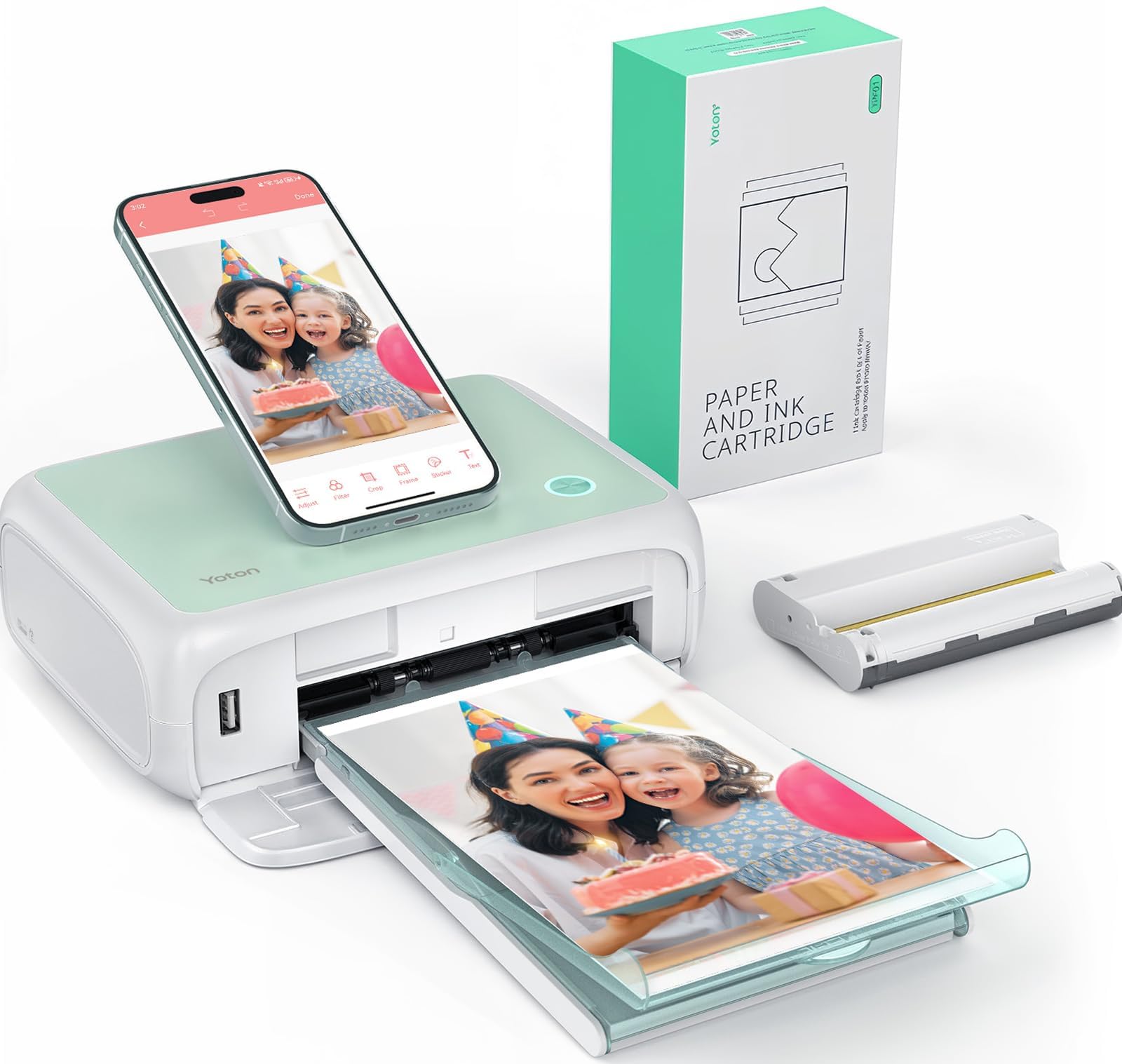
2. YOTON Photo Printer 4×6
An AR video printer that makes your printed photos come to life on your phone screen.
The YOTON’s a neat extra is AR video printing — it captures up to 15 seconds of a moving image, and when you scan the printed photo with the app, the video plays on your phone. This makes it a genuinely unique gift for capturing baby milestones or travel moments in a way a static print can’t.
It uses the same dye-sublimation tech as the top pick, so prints have a durable protective layer against water and fingerprints. Its connectivity is the recurring weak spot, with the app demanding location permissions and the Wi-Fi needing a 2.4GHz band, and there are reports that it works on Android but not iPhone.
Owners who get past the setup say the sharp, vibrant prints match what you’d get from a full-size printer, and the included 54 sheets let you start right away. One ink ribbon covers a smaller batch — about 40 to 50 photos.
Vivid Output: Quality is the most-praised trait here, backed by 86 positive mentions, with owners calling the color layering sharp and vibrant.
Setup Hurdle: The connectivity is the flip side — the app setup is clunky, and a frustrated owner wrote: “do not buy!! This thing sucks.” The app never loads and takes ages to connect.
Best for: the gadget lover who wants the wow-factor of AR video prints that play on command.
Who should pass: anyone who wants a zero-fuss connection that just works with an iPhone on the first try.
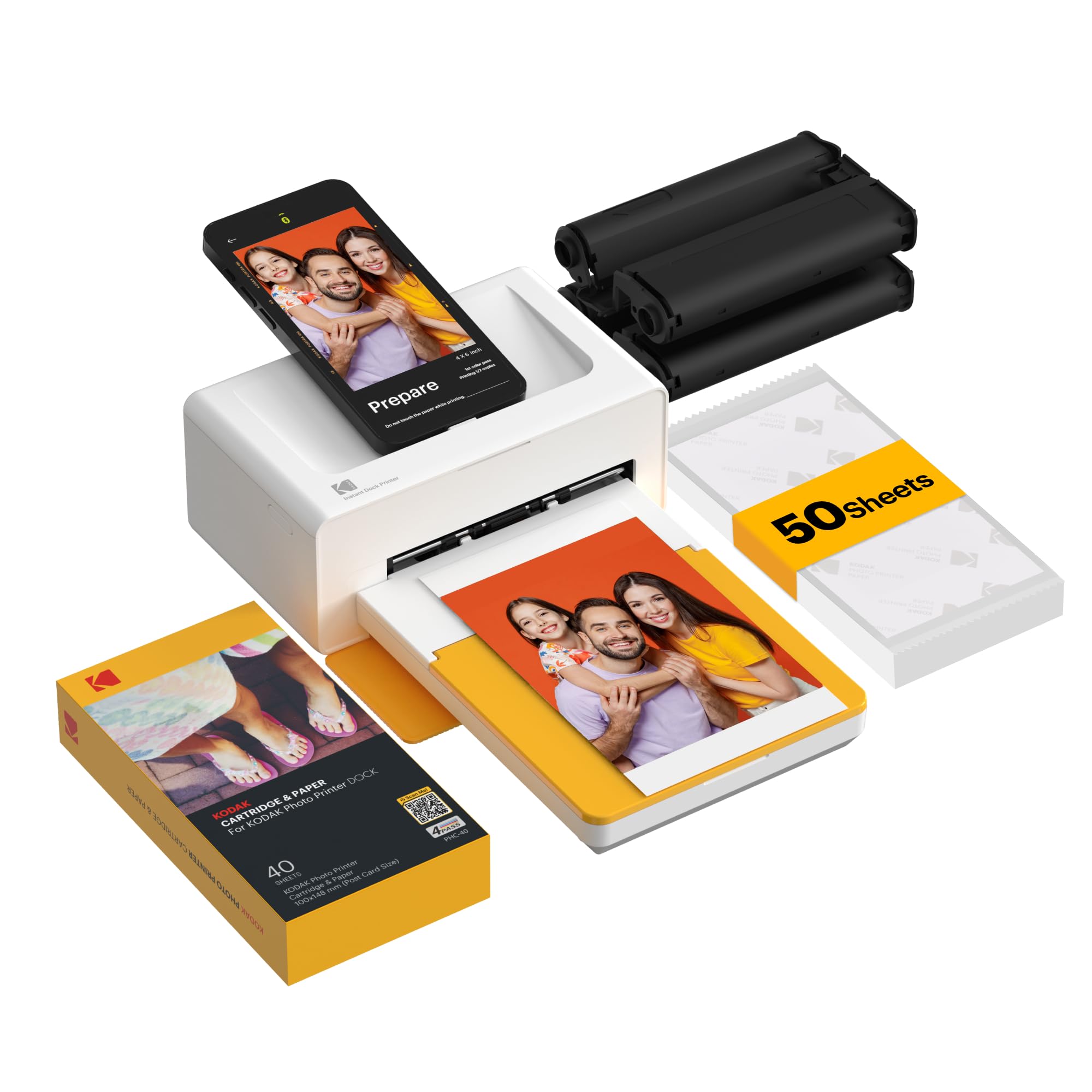
3. KODAK Dock Plus 4×6 Photo Printer
A dock-style printer that charges your phone while it prints a photo in about 55 seconds.
This KODAK uses an integrated docking station, so you literally place your phone on the printer to charge it during printing. It uses genuine 4PASS dye-sub printing, laying down three color layers plus a clear protective lamination that resists fingerprints and water.
The sheer volume of owners (tens of thousands) means you get a real picture of its behavior. The review landscape is honestly mixed — some report smooth operation printing ~200 photos in a week, while others struggle with Bluetooth pairing and paper jams.
The recurring gripe is that the instructions are poor and the app can be finicky, with color output described as “a little off” by some. But the consensus is that when it works, it’s a simple, affordable way to produce clear 4×6 prints.
Mixed Bag: Quality and functionality are the most-discussed points, but they land in a middle zone — it’s a fit-dependent printer, not a universal favorite.
What to Watch: The single-sheet loading mechanism is where jams happen, and the slow 4-pass cycle tests your patience on big batches.
Pick this if: you like the idea of charging your phone while you print and want a simple, dedicated home photo station.
Think twice if: you hate troubleshooting app pairing and need a printer that always connects first try.
4. HPRT Photo Printer 4×6 with 108 Sheets
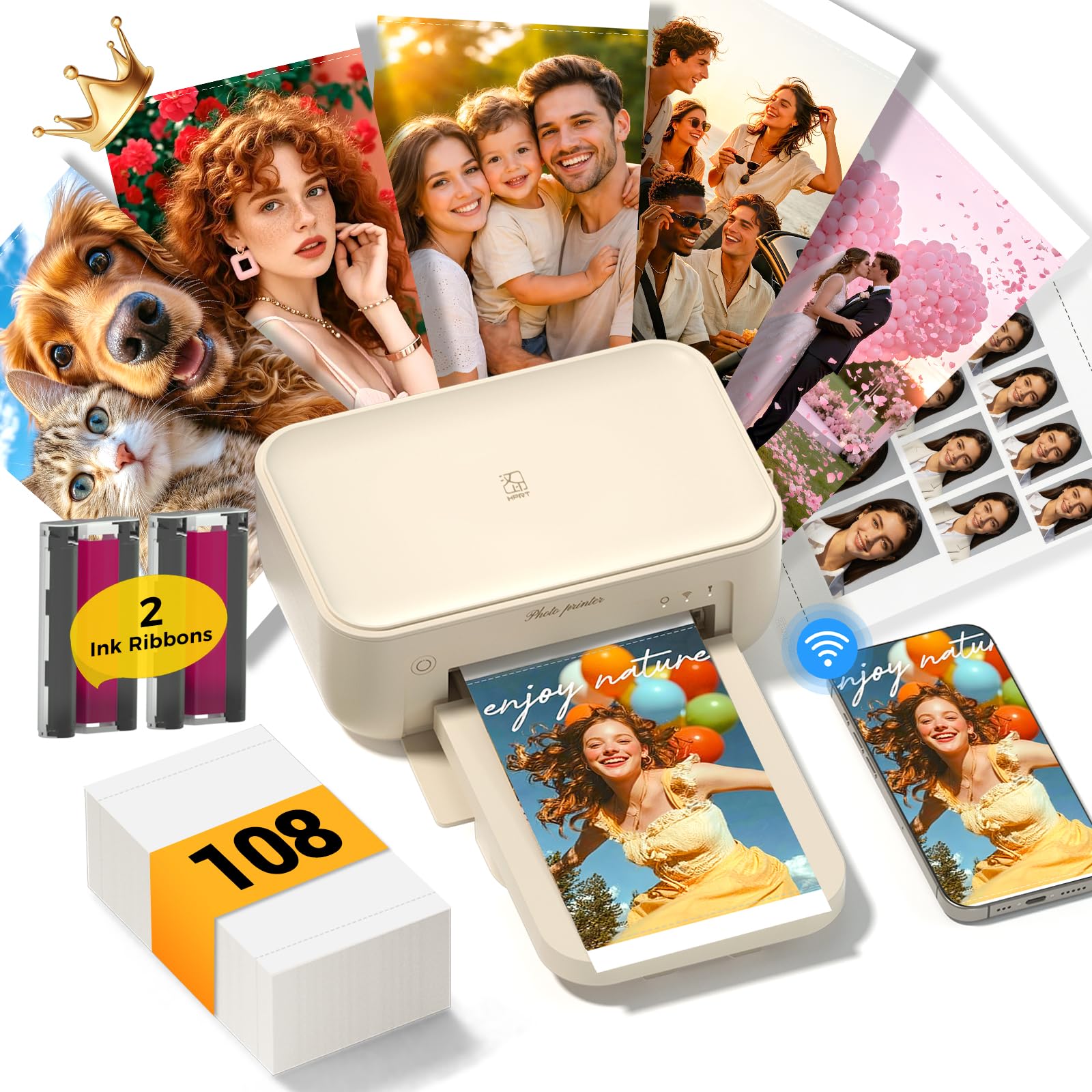
A generous bundle of 108 sheets and 2 ribbons that prints vibrant 4×6 photos in under 60 seconds.
The HPRT CP4100 challenges the top pick on value, packing 108 sheets and 2 ink ribbons into the box — significantly more starter media. It prints at a sharp 300 DPI resolution with a protective coating that resists water and fingerprints, making it great for family albums and wedding keepsakes.
Setup is a breeze with the HeyPhoto App, and owners consistently praise the “amazing” quality and speed. The AR video printing, where you scan a photo to replay the original video moment, is a fun gift angle for grandparents.
The honest downside is connectivity: owners mention it doesn’t connect reliably to iPhones and keeps disconnecting. There are also mixed reliability reports, with some saying it stops working after around 100 prints.
Quality Wins: Printer quality gets 81 positive mentions, with owners calling the prints “clear, vibrant, and true to color.”
The Catch: Connectivity is the most-flagged negative (17 mentions), specifically around maintaining a stable iPhone link.
Best for: the value-focused buyer who wants a bigger starter bundle of 108 sheets and 2 ribbons.
Not for: iPhone users who need a rock-solid, no-drop wireless connection every time.
5. Liene Amber M110 Bluetooth Photo Printer

The dual-tray printer that switches between 4×6 photo paper and 3×3 stickers in seconds.
The Liene Amber M110 stands out with its dual tray design — you can load standard 4×6 paper and sticky-backed 3×3 sticker paper at the same time. That makes it a versatile pick for scrapbookers and crafters who want instant prints and fun sticker labels.
Bluetooth pairing is quick, connecting in about 13 seconds, and it prints an initial page in 59 seconds. The dye-sub finish resists water, scratches, and fingerprints, which is why owners call the print quality “lab-quality” and comparable to a photo store.
The flip side is that it’s a slightly darker, less glossy output than some rivals, and the paper is thinner. It’s proven reliable for school fundraisers where multiple users print over 300 photos in 6 months.
Why It Shines
- Print quality is the star — 96 owners mention the vibrant, sharp output
- Compact size and quick Bluetooth pairing make it great for parties
- The dual tray means no swapping paper to print stickers
What’s the Trade-Off
- Prints come out a bit darker and less glossy than some competitors
- The app for filters and borders is quirky
- Paper feels thinner than premium stock
Reach for this if: you want one machine that handles both classic 4×6 prints and 3×3 stickers for scrapbooks or packaging.
Look elsewhere if: you’re after the highest-gloss, thickest premium print stock available.
6. Canon Megatank G3290 All-in-One

A supertank that prints up to 7,700 color pages from the included ink bottles.
If you want a printer that doubles as a document workhorse, the Canon Megatank G3290 is the pick. It comes with enough ink to print up to 7,700 color pages using a single set of bottles, so you’ll refill far less often than any cartridge model. It even includes up to 2 years of ink.
The 2.7″ LCD touchscreen and automatic 2-sided printing make it feel more like an office machine than a photo gadget. Owners who print crafts and reports love the compact design and reliable Wi-Fi, with one noting it worked flawlessly in a thick-walled farmhouse 50 feet from the router.
Photo color quality is where it gets tricky — reviews mention needing to tune the color for glossy paper, and true black can look muddy. Print speed for photos is also slow, with one report of 10 minutes per photo.
The Big Win
- Printer quality is praised by 207 owners for consistent, reliable output
- Ink tanks mean huge savings, with cheap aftermarket ink available
- Fast setup and easy ink level monitoring via visible windows
The Reality Check
- Photo color needs tuning and prints photos slowly
- Only a single-sheet top feed for paper
- The Canon software can be finicky, so you’ll use the app instead
Best for: the household that prints a mix of documents and photos and wants to stop buying expensive cartridges.
Not ideal if: you’re a photographer who needs lab-grade glossy prints straight from the box without tweaking.
7. HP Envy Photo 7975 Wireless Inkjet

A premium all-in-one that prints up to 10 color pages per minute with an AI assist.
The HP Envy Photo 7975 is the family multitasker, handling print, scan, and copy duties with an automatic document feeder and a separate photo tray. It prints borderless photos true to screen, and the HP AI engine cleans up web pages and emails so you don’t waste ink on blank space.
Speeds are decent for a home machine — up to 10 pages per minute color and 15 pages per minute black. On glossy HP photo paper, the resolution earns strong praise, with owners calling it a great all-in-one that’s easy to use and links quickly to a phone.
The weak spot is long-term reliability, with some Windows 11 users reporting they’re reinstalling drivers just to print. It’s photocentric, so expect cartridge costs to be higher than a tank system.
Photo Focus: Printer quality earns 95 positive mentions, specifically for sharp prints on glossy HP paper.
Caution: Reliability is split — 59 mentions land in the mixed zone, driven by driver and wireless connectivity quirks.
Choose this if: you need one jack-of-all-trades machine for homework, documents, and true-to-screen borderless photos.
skip it if: you want a simple, dedicated photo printer without relying on HP’s software ecosystem.
8. Canon SELPHY CP1500 Compact Photo Printer

A tiny dye-sub printer that prints 16.7 million colors and offers 4 paper sizes.
The Canon SELPHY CP1500 is the connoisseur’s compact — it prints in a huge 16.7 million colors at a resolution of 300×300 DPI. This bundle sweetens the deal with a KP-108IN set, giving you 108 sheets of 4×6 paper and 3 ink cartridges.
It supports four paper sizes, including 2.1×3.4 adhesive stickers, and you can pick glossy, semi-gloss, or satin finishes via the app. The SELPHY Layout app syncs over built-in Wi-Fi, making it a genuinely portable companion at roughly 7x5x2 inches, with an optional battery for true portability.
The honest caveat is that colors can look less strong than an iPad screen — it’s a minor quibble for such a compact, reliable device.
easy Output: Print quality is the most-cited strength at 48 mentions, with owners calling the prints “clear and really nice.”
Small Trade-Off: Color quality is the only mixed note (11 mentions) — prints are great, but slightly less punchy than a backlit screen.
Reach for this if: you want a portable, professional-grade dye-sub printer with multiple paper sizes and finish options from a trusted brand.
Look elsewhere if: you need larger than 4×6 prints or want a printer that also scans and copies.
9. Epson EcoTank ET-4950 All-in-One

The heaviest hitter — an EcoTank that prints up to 6,600 black pages from the included bottles.
At the top of the price range, the Epson EcoTank ET-4950 is a full office suite with print, scan, copy, and fax, plus a 250-sheet paper tray and an auto document feeder. The included ink bottles print up to 6,600 pages in black or 5,500 in color, roughly equivalent to 80 cartridges per replacement set.
It’s the fastest here on paper, hitting 18 pages per minute in black and 9 in color with zero warmup time. The 2.4″ color display and keyed EcoFit bottles make refilling simple, and owners appreciate the easy phone app setup and cheap OEM ink.
The recurring issues are glossy photo quality — some report garbled output on premium paper — and setup headaches that include paper jams. It’s a document machine first, photo printer second, and reliability reports are mixed after several months.
Office Beast: Printer quality leads at 139 positive mentions, with owners praising the fast monochrome speed and huge ink capacity.
Photo Caveat: Glossy photo quality is the weak link — treat it as a document specialist, not a lab replacement.
Best for: a home office that needs to print a high volume of documents plus the occasional photo, without buying cartridges again.
Think twice if: your primary use is printing glossy 4×6 photos, where this underperforms the dedicated dye-sub models.
Understanding the Specs
Dye-Sublimation vs. Inkjet
Dye-sub printers heat dye from a ribbon onto the paper, then seal it with a protective layer. This makes prints water, scratch, and fingerprint resistant. Inkjet printers spray liquid ink, which is cheaper but more prone to smudging and fading.
Dots Per Inch (DPI)
This measures print resolution — the higher the DPI, the finer the detail. A 300×300 DPI dye-sub printer is sharp enough for most 4×6 keepsakes. Inkjet models often boast higher numbers but the visible difference on glossy photo paper is often minimal.
FAQ
What’s the real cost per print on a dye-sub printer?
Why does my photo printer need a 2.4GHz Wi-Fi connection?
How long does a dye-sub print actually last?
Can I print from a memory card or USB drive?
What is AR video printing?
Is a tank printer more economical than a cartridge printer?
Why do my photos come out with a yellow tint?
Can I print passport or ID photos at home?
Final Thoughts: The Verdict
If you want one dependable pick, the at home photo printers winner is the Liene M100 because it bundles 180 sheets and 5 cartridges, making it the most complete and highest-rated starter kit. If you want the fun of AR video prints, grab the YOTON. And for a portable, lab-print-quality budget pick, the Canon SELPHY CP1500 is the one to reach for.
How We Picked
We do not accept paid placement. Every pick is matched to a real buyer and a real use-case; we do not hands-on test units.
Sources & Methodology
Specifications: manufacturer listings and product documentation. Review insights: verified customer reviews, as of August 2026. Pricing: not shown on this page (it changes often); check the current price via the retailer link.
As an Amazon Associate, Gadgets Feed earns from qualifying purchases. This does not affect which products we feature.