
Our readers keep the lights on and my morning glass full of iced black tea. As an Amazon Associate, I earn from qualifying purchases.
Specs are compiled from manufacturer listings and verified buyer reviews and can change over time — please confirm the key details on the product page before buying.
Paper clutter—receipts, tax forms, kids’ artwork, and unread mail—quickly takes over any desk. The right at home scanner converts that pile into searchable digital files in seconds, clearing your desk without losing anything important. The trick is matching the machine to your real workload: a quick single-sheet feeder for odd jobs, a duplex model for two-sided documents, or a photo-focused unit for old albums.
I’m Min — the founder and writer behind Gadgets Feed. This guide is built by comparing the manufacturers’ published specifications and the patterns across verified customer reviews, so you get each pick’s real strengths and trade-offs instead of marketing spin.
You want to clear that pile without losing your mind. The right at home scanner makes the job fast and painless, so focus on three things: how quick it scans, how many pages it holds at once, and whether the software is simple enough for you to use.
Our Picks at a Glance


How To Choose The Best At Home Scanner
Before buying, consider what you’ll actually feed into it. For mostly single receipts or occasional forms, a slim portable model suffices. For digitizing a filing cabinet, choose an auto document feeder that handles a whole stack at once.
Match the feeder to your workload
For occasional single pages, a single-sheet scanner works fine. For bigger stacks, an auto document feeder (ADF) pulls pages in automatically, saving you from manual feeding. A 20-sheet ADF handles typical home use, while 50 or 60 sheets suits a busier home office.
Decide if you need two-sided scanning
Duplex scanning reads both sides of a page in one pass, which is a huge time-saver for contracts, printed reports, or anything printed on both sides. If you mostly scan one-sided documents like photos or receipts, you can save money with a simplex (single-sided) model.
Check the software before you commit
The bundled software determines how easy it is to organize your scans. Look for a program that auto-detects the document edge, straightens the image, and lets you save directly to PDF or your cloud drive. Optical Character Recognition (OCR) turns scanned text into something you can search and edit, which is essential for going paperless.
Quick Comparison
| Model | Best For | Scan Speed | Paper Handling | Connectivity | Amazon |
|---|---|---|---|---|---|
| Doxie Pro★ Best Overall | Fast duplex scanning at home | Fast at 300dpi | 20-page auto feeder | USB | Amazon |
| Plustek S410 PlusDelicate Paper Pick | Gentle handling of delicate paper | Automatic button-free | Letter to business cards | USB | Amazon |
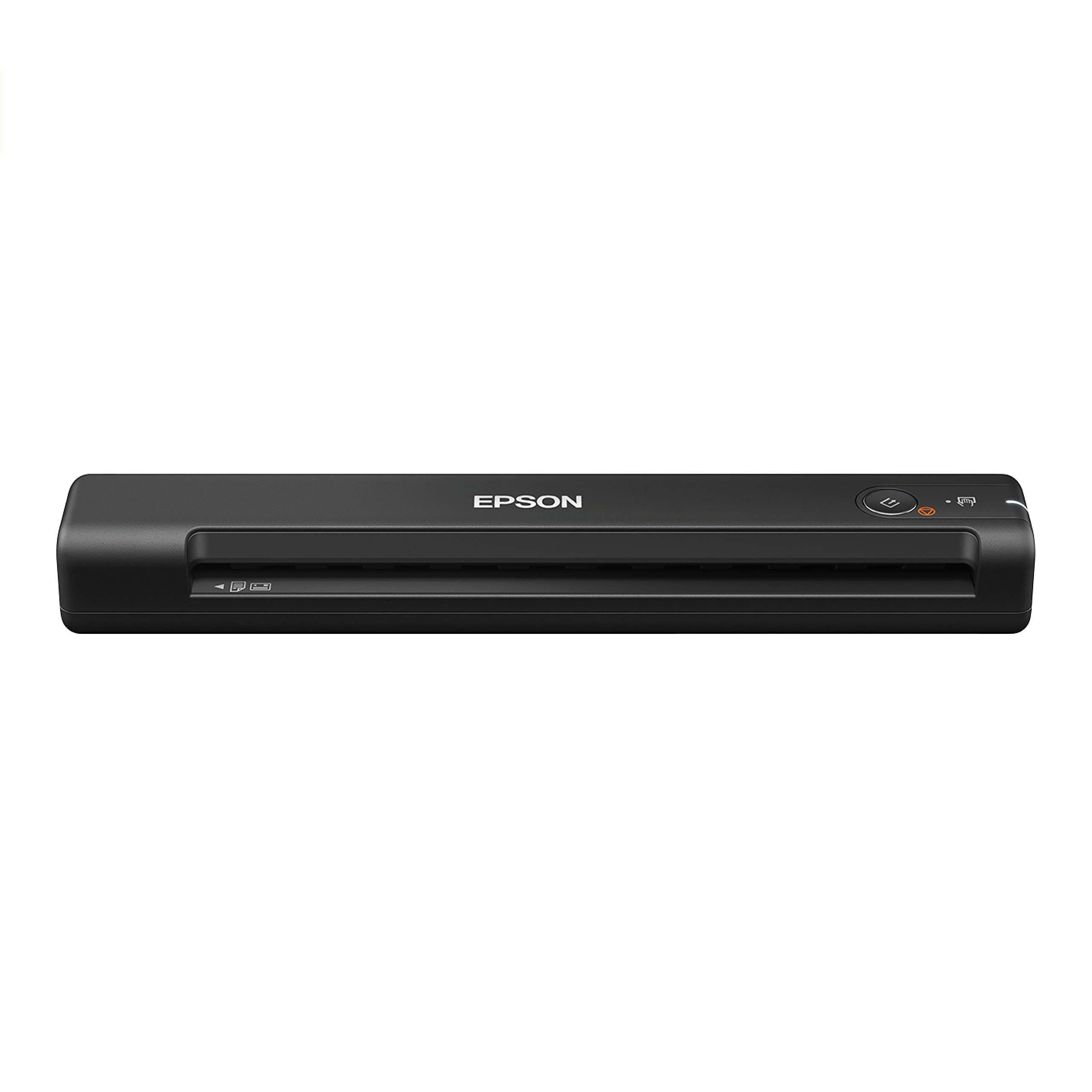
| Epson ES-50Ultra-Light Pick | Ultra-portable single-sheet jobs | 5.5 seconds per page | Up to 8.5 x 72 inches | USB 2.0 | Amazon |
| HP HPPS100 | Bag-ready travel scanning | 15 ppm (4 sec/page) | 2″ x 2.9″ to 8.5″ x 14″ | USB 2.0 | Amazon |
| Canon P-215II | Duplex scanning with a 20-sheet feeder | 15 pages-per-minute | 20-sheet ADF | USB | Amazon |
| ScanSnap iX100 | Cord-free wireless scanning | Up to 260 docs per charge | Single-sheet manual feed | USB, Wi-Fi | Amazon |
| Canon RS40 | Digitizing stacks of photos | Up to 40 items per minute | Auto feeder for photos | USB | Amazon |
| Epson ES-500W II | High-volume wireless desktop use | 35 ppm / 70 ipm | 50-sheet ADF | Wi-Fi | Amazon |
| Brother ADS-3100 | Heavy-duty home office batches | Up to 40 ppm | 60-sheet ADF | USB 3.0 | Amazon |
In‑Depth Reviews
1. Doxie Pro
Our pick — over 4.5★ from 650+ verified ratings; the strongest balance of quality and price.
The desk-friendly duplex machine that makes scanning two-sided paper feel easy.
This is the pick for anyone drowning in double-sided documents. The Doxie Pro scans both sides of a page automatically, so you never manually flip a sheet again, and it does it quickly even at 300 dpi. Owners consistently call it easy to use, which makes sense given its simple, intuitive interface and compact footprint that respects your desk space.
Its 20-page auto feeder handles a stack of mixed paper, while a direct feed slot takes thick or delicate items like folded mail without jamming. The software is a big part of the appeal: it auto-crops, straightens, and boosts contrast, then lets you send scans straight to Dropbox, Evernote, OneNote, or iCloud. There is no complicated driver installation to wrestle with—just plug in via the included USB-C cable and go.
The trade-offs are real but minor. There is no SD card slot, no built-in battery, and no Chromebook app, so it is strictly a wired, computer-connected device. One long-time owner notes jam clearance is easy, happening roughly once every 300 pages, and a fold or wrinkle in paper rarely stops it. For a home office that wants fast, reliable, two-sided scanning without a learning curve, this is the one.
What wins people over
- Fast duplex scanning with automatic both-side capture
- Intuitive software with auto-crop, rotation, and contrast boost
- 20-page auto feeder plus direct slot for thick paper
- Sends scans directly to Dropbox, Evernote, OneNote, iCloud
Fair limitations
- No SD card slot or built-in battery for standalone use
- No dedicated Chromebook app
- Best value found when buying pre-owned
Reach for this if: you want a fast, easy duplex scanner for everyday home-office paper without driver headaches.
Look elsewhere if: you need a battery-powered or fully wireless scanner for travel.
2. Plustek S410 Plus
A featherweight portable that treats fragile family papers with surprising care.
At under 1 lb and slimmer than a bottle of mineral water, this scanner is built for gentleness and portability. It earns its keep on delicate documents—buyers report feeding decades-old, yellowed family recipes through it and getting beautiful, readable scans without tearing the fragile originals. It handles Letter and Legal sizes as well as business cards and plastic ID cards.
It is a button-free device, meaning it automatically detects the paper, processes the image, and saves it to your chosen folder with no clicks or screens. The included Plustek DocAction software adds built-in OCR (optical character recognition) to convert scans into searchable PDF, Excel, or Word files, saving them locally, to FTP, or a shared folder. USB power means no batteries or external power supply to carry.
Compatibility is the one area to watch. It runs on Windows 7 through 11 and works well with a Surface Pro, but some users hit issues connecting it to managed work computers. The scan quality itself wins consistent praise, and its performance on everyday office tasks—skipping the trip to a shared printer—is exactly what many buyers wanted.
Gentle on originals: built for delicate paper like old recipes and letters, scanning them beautifully.
Watch the setup: occasional compatibility snags on some work computers, so confirm your system first.
3. Epson WorkForce ES-50
The smallest Epson that slips into a laptop bag and scans a page in 5.5 seconds.
This is the go-to for anyone who scans on the move. Weighing just 9.44 ounces and measuring only 1.3 inches tall, it is dramatically more compact than the Plustek S410 Plus, which comes in at 1.9 inches tall. It powers entirely over USB 2.0, so there are no batteries or power bricks to pack, and it fits easily into a laptop bag for travel.
It scans a single page as quickly as 5.5 seconds and handles documents up to 8.5 x 72 inches—so long receipts and legal papers are no problem. The bundled Epson ScanSmart software lets you review and save easily, and the included Nuance OCR (optical character recognition) creates searchable PDFs plus editable Word and Excel files. Automatic feeding mode combines multi-page scans into one file as you insert each sheet.
Expect to load pages carefully. There are no paper guides, so you align each sheet by hand, and owners note that graphics come out decent but not outstanding. Durability gets mixed feedback, so treat it as a lightweight travel companion rather than a heavy-duty daily driver. For quick, portable document capture it delivers exactly what it promises.
Built for the bag: ultra-light 9.44-ounce design that slides into any laptop case.
The honest catch: careful page alignment needed and graphics quality is just decent.
4. HP HPPS100

A slim one-sided scanner that turns tax-season paper piles into tidy digital files.
For the home user who mostly scans single-sided paperwork—invoices, contracts, receipts—this HP delivers reliable 15 ppm speed (about 4 seconds per page) in both black-and-white and color. It is a simplex (one-sided) scanner, so it does not capture the back of a page, which is fine for most home documents and keeps the price and size down.
It offers a sharp 1200 dpi resolution (dots per inch, meaning finer detail) and accepts paper from a tiny 2″ x 2.9″ up to a full 8.5″ x 14″ legal sheet. Power comes over USB 2.0 with the cable included, and the slim profile slips into a bag for travel. The free HP WorkScan software handles auto-scan, size detection, and lets you crop, edit, clean up backgrounds, and save to your destination in a few clicks.
The main caveat is reliability. Some owners mention it works flawlessly for years, while others say the software is finicky or the unit stops working. It shines brightest for occasional scanning and travel use rather than daily high-volume jobs. A company that uses one in every office calls the quality perfect and the setup easy, making it a solid choice for light-duty home scanning.
Great for tax season: quick single-sided scans of receipts and contracts with a tiny footprint.
Keep expectations measured: reliability feedback is split, so it suits light, regular use best.
5. Canon imageFORMULA P-215II

A dependable duplex feeder that chews through stacks at 15 pages per minute.
If you routinely scan both sides of a document—rental agreements, contracts, double-sided reports—this Canon captures front and back simultaneously in color at up to 15 pages-per-minute. A 20-sheet automatic feeder lets you drop in a small stack and walk away, while the software auto-straightens and rotates images so your PDFs come out clean.
It handles a wide range of media: receipts, photos, business cards, plastic or embossed cards, and long documents. Bundled software includes a document manager and a business card organizer, and you can scan directly to cloud services like Dropbox, Google Drive, OneDrive, Box, QuickBooks Online, Evernote, and SharePoint. A one-year warranty with US-based support backs it up.
The biggest caution is compatibility. Mixed feedback shows some users struggle with newer Macs and installation, so verify your operating system first. Also, receipts longer than 11 inches can trigger a false jam—folding them solves it. For rental-property owners and anyone processing lots of two-sided paperwork, its speed and automatic features are a genuine time-saver.
Why it earns its spot
- Simultaneous two-sided scanning in one pass
- 20-sheet auto feeder for hands-free batches
- Direct scan to multiple cloud services
- Handles plastic cards and long documents
Before you buy
- Compatibility with newer Macs can be tricky
- Receipts over 11 inches may false-jam
- No power adapter included
Best for: home offices that scan lots of two-sided contracts and forms with a set-and-forget feeder.
Think twice if: you are on a brand-new Mac and want zero setup friction.
6. ScanSnap iX100
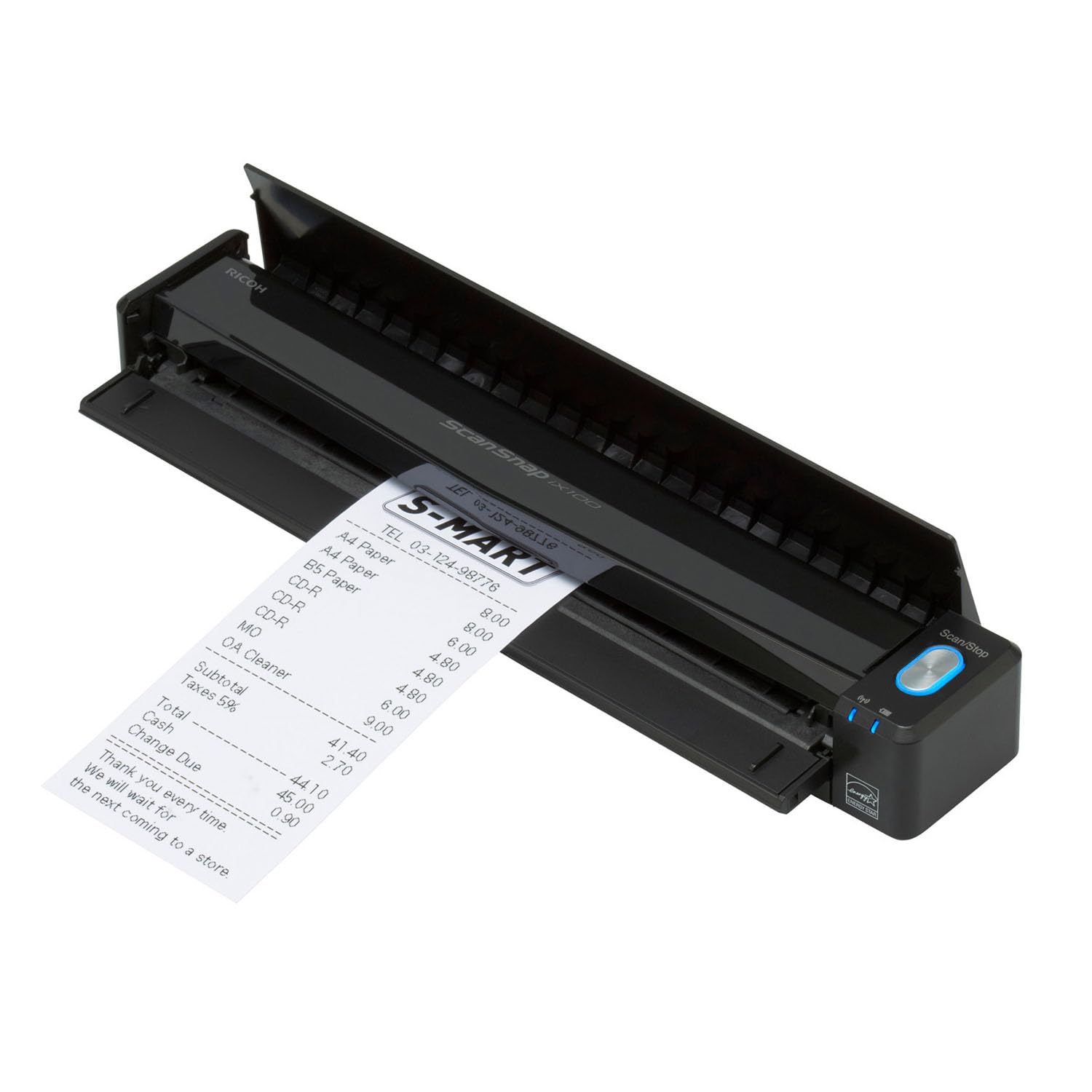
Cut the cord completely with a battery that scans 260 documents per charge.
You can scan anywhere without hunting for a wall outlet. The long-life battery powers up to 260 documents on a single charge, and Wi-Fi connects directly to your device or your home network—so you can work from a desk, coffee shop, or client visit. It weighs just 14.08 ounces, so it slips into a bag pocket easily.
ScanSnap Cloud does the organizational heavy lifting: it detects the document type, names your files, and routes receipts to one cloud service while photos go to another. A single touch starts continuous simplex (one-sided) scanning with automatic de-skew, color optimization, and blank page removal. It handles plastic cards and can even scan two small items at once to save time.
Mobile notaries love it—one reports cutting signing time dramatically by scanning, renaming, and faxing or emailing documents straight from an iPad. The catch is reliability and the Wi-Fi setup, which some find finicky; a few owners recommend sticking to USB for stability. The bundled software also draws mixed feedback for being heavy. For a portable, wireless workflow, the convenience is hard to match.
What stands out
- Truly wireless with Wi-Fi and a 260-scan battery
- Cloud auto-routing by document type
- Fits in a bag pocket at 14.08 ounces
- Handles plastic cards and two small items at once
Fair warnings
- Wi-Fi setup can be finicky for some
- Reliability and software draw mixed feedback
- Single-sided only, manual feed
Grab it if: you want a battery-powered, Wi-Fi scanner for on-the-go work like mobile notary or field visits.
skip it if: you prefer a simple wired connection and minimal software setup.
7. Canon imageFORMULA RS40

An auto feeder built to chew through decades of old photos without the flatbed grind.
If your project is a shoebox of family photos, this Canon is purpose-built for it. The automatic feeder scans both sides of photos and documents at the same time at up to 40 items per minute—customers note processing stacks of 20 to 30 mostly 4×6 photos at a time, with one scanning roughly 2,000 photos before any jam. It handles Polaroids, receipts, cards, driver licenses, and tax documents of varying sizes.
Resolution reaches 600 dpi standard with 1200 dpi interpolated (software-enhanced), which makes a big difference on small photos—one owner found 1200 dpi vastly better than 600 on tiny 3×3 images. The bundled software includes red-eye correction and digital face smoothing, plus tools to create, convert, and edit documents into JPG, TIF, BMP, PNG, PDF, and even PPTX formats.
The honest caveats: some reviewers point out photos lose detail or the unit occasionally fails to work, and color quality draws negative feedback. Dust on the glass can cause streaks, requiring cleaning about every 10 photos. For a family archivist ready to digitize thousands of prints, the raw speed and capacity are compelling—just budget time to clean it and tweak dark-photo settings.
Made for photo stacks: auto feeder handles hundreds of prints at up to 40 items per minute.
Expect maintenance: dust streaks need regular cleaning and color quality is a known weak spot.
8. Epson WorkForce ES-500W II
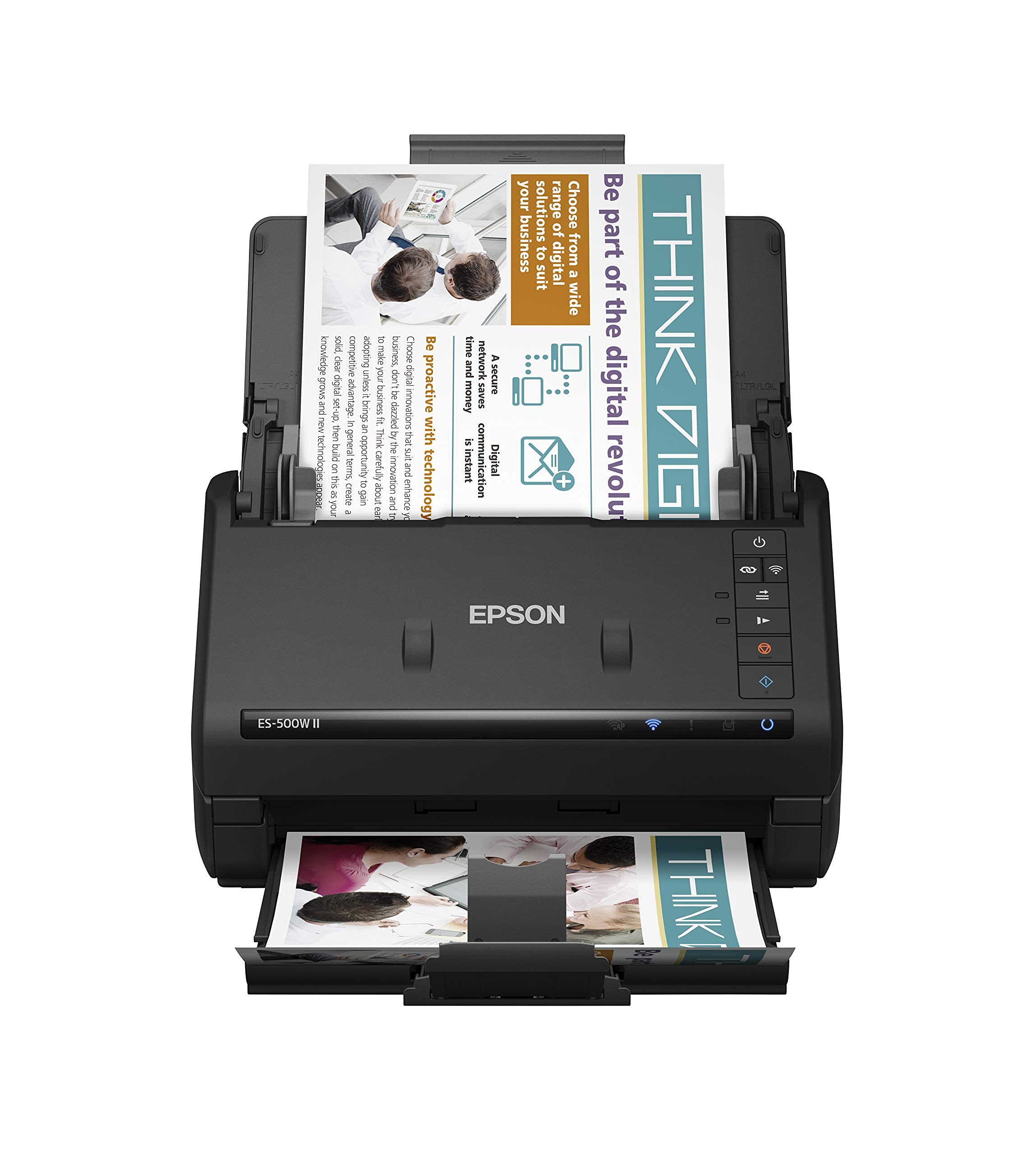
A 50-sheet desktop feeder that scans 130 pages in under five minutes.
When portables feel too slow, this is the serious home-office upgrade. A sturdy 50-sheet auto document feeder handles multiple paper types and sizes in one batch, and Single-Step Technology captures both sides in a single pass at up to 35 ppm / 70 ipm (images per minute). Owners confirm the speed—one reports scanning 130 pages in 3-5 minutes without breaking a sweat.
Wireless is the headline feature: the Epson Smart Panel mobile app lets you scan from a desktop, smartphone, or tablet and send files to cloud services like Dropbox, Evernote, Google Drive, and OneDrive. The included ScanSmart software offers preview, email, and automatic file naming, plus OCR (optical character recognition) to create searchable PDFs and editable Word and Excel documents. Ultrasonic Double Feed Detection prevents missing pages and protects against staple damage.
It also scans extra-long pages up to 240 inches, making banners and long contracts a non-issue. The catch is setup: Wi-Fi install can be non-intuitive, and a firewall sometimes interferes, leading some users to fall back on the included 6-foot USB cable. Mac compatibility also draws negative feedback, so PC users will be happiest here. For a fast, reliable desktop scanner that fits a mobile notary or busy home office, this earns its keep.
The strong points
- 50-sheet auto feeder for large batches
- Duplex scanning at 35 ppm / 70 ipm
- Wireless scanning via mobile app
- Scans extra-long pages up to 240 inches
Know before buying
- Wi-Fi setup can be frustrating
- Mac compatibility is limited
- Short included USB cable
Choose this for: high-volume home offices that want wireless convenience and a serious 50-sheet feeder.
Reconsider if: you are a Mac user or want a truly plug-and-play setup.
9. Brother ADS-3100

A 60-sheet feeder and 40 ppm speed that turns a month of filing into a lunch break.
This Brother is the fastest feeder in the lineup, scanning single and dual-sided documents at up to 40 ppm with a 60-page capacity. For anyone who faces a constant stream of paperwork—medical offices, small businesses, heavy home filing—that combination means dropping in a thick stack and letting it run while you do something else. It scans directly to your computer or to USB via Hi-Speed USB 3.0.
It handles business cards, ID cards, paper, photos, and receipts, and supports extra-long media up to 8.5″ x 197″. Triple Layer Security helps safeguard sensitive documents and securely connect to devices and networks, which matters for healthcare or financial paperwork. Seven bundled software applications let you tune, enhance, and customize documents and workflows.
Owners praise its quality and speed, with one business running two units and adding a third because the devices are “smart enough to ignore blank pages.” The main caution is feed reliability: one user reports it occasionally feeds multiple pages at once, missing content, so check batches carefully. Also, finding the correct drivers online can be confusing. For high-volume home-office duty, the speed and capacity are tough to beat.
Built for volume: 60-sheet feeder and 40 ppm speed make short work of big stacks.
Watch the feed: occasional multi-page feeding means spot-checking batches, and driver setup takes patience.
Understanding the Specs
Auto Document Feeder (ADF) Capacity
This is the number of pages the scanner can hold and process automatically without you feeding them one by one. A 20-sheet feeder suits light home use, while 50 or 60 sheets works for a busier desk. Larger capacity means you can drop in a whole stack and walk away.
Pages Per Minute (ppm) and Duplex
Speed is measured in pages per minute, telling you how fast a scanner chews through paper. Duplex scanning means it reads both sides of a page in one pass. If you scan mostly one-sided items like photos, a simplex model is cheaper; for contracts and reports, duplex saves serious time.
Resolution (dpi) and OCR
Resolution, measured in dots per inch (dpi), controls how much fine detail a scan captures. Higher dpi like 1200 is better for small photos, while 600 dpi handles most documents crisply. OCR (Optical Character Recognition) turns scanned images of text into searchable, editable files rather than just a picture.
Connectivity: USB vs. Wi-Fi
USB-powered scanners plug directly into your computer, drawing power from the cable—no battery or wall adapter needed. Wi-Fi models scan wirelessly to phones, tablets, or the cloud, offering more freedom but often a trickier setup. Choose wired for simplicity, wireless for flexibility.
FAQ
Will a sheet-fed scanner handle my old, fragile documents?
What is the difference between simplex and duplex scanning?
Can I scan directly to cloud storage like Dropbox or Google Drive?
Does an At Home Scanner need a battery or external power?
How fast can a home scanner process a large stack of paper?
Will these scanners work with my Mac or PC?
What is OCR and why does it matter for going paperless?
Can I scan plastic ID cards and receipts with these scanners?
Final Thoughts: The Verdict
If you want one dependable pick, the at home scanner winner is the Doxie Pro because it delivers fast, reliable duplex scanning with intuitive software and a compact footprint—the crowd favorite at 4.6 stars from 600+ owners. If you want battery-powered wireless freedom for scanning on the go, grab the ScanSnap iX100. And for digitizing a lifetime of family photos, the Canon RS40 with its 40-items-per-minute auto feeder is the one to reach for.
How We Picked
We do not accept paid placement. Every pick is matched to a real buyer and a real use-case; we do not hands-on test units.
Sources & Methodology
Specifications: manufacturer listings and product documentation. Review insights: verified customer reviews, as of August 2026. Pricing: not shown on this page (it changes often); check the current price via the retailer link.
As an Amazon Associate, Gadgets Feed earns from qualifying purchases. This does not affect which products we feature.