
Our readers keep the lights on and my morning glass full of iced black tea. As an Amazon Associate, I earn from qualifying purchases.
Specs are compiled from manufacturer listings and verified buyer reviews and can change over time — please confirm the key details on the product page before buying.
You need an audio interface (a small box that boosts your microphone’s weak, noisy signal before it reaches your computer) to get clean recordings from an XLR mic. Your choice depends on how many mic inputs you need (one or two), how much gain (the boost for quiet mics) you require, and whether you also want to record on a phone.
I’m Min — the founder and writer behind Gadgets Feed. This guide is built by comparing the manufacturers’ published specifications and the patterns across verified customer reviews, so you get each pick’s real strengths and trade-offs instead of marketing spin.
Match the interface’s XLR input count and gain range to your microphone’s output level. Whether you are a podcaster, a singer, or a guitarist, this roundup of the best audio interface for microphone needs will help you pick the unit that fits your gear and your budget.
Our Picks at a Glance

How To Choose The Best Audio Interface For Microphone
An audio interface converts your microphone’s analog signal into digital data your computer can record. It boosts the mic’s weak signal and converts it to digital audio your recording software can process. Before buying, match three specs: XLR input count, gain range in dB, and USB or OTG connection type.
Count Your XLR Inputs First
Count how many XLR microphones you’ll plug in simultaneously—one for solo, two for interviews. A single XLR input (the round 3-pin plug used by professional mics) is perfect for one vocalist or one podcaster recording solo. If you interview guests in person, you need two XLR inputs so both of you can be heard on separate channels. Extra inputs cost more, but too few limits future expansion to two-mic setups.
Check the Gain Range for Your Mic Type
Gain, measured in decibels (dB), is how much the preamp amplifies your mic’s signal. Dynamic microphones, like the Shure SM58, are quiet and need a lot of gain, usually 60dB or more. Condenser microphones are much louder and need less. Insufficient gain leaves your voice faint, forcing you to buy an external booster. Look for a range around 55dB to 60dB as a safe starting point for most home studios.
Match the Connection to Your Devices
Most interfaces connect to a computer via USB, and modern ones use USB-C (the oval-shaped port on new laptops and phones). Some interfaces also work with iPads and iPhones, which is a huge bonus if you record on the go. If you plan to use a phone, check that the interface supports an OTG connection (a way to connect external gear to phones) or that you have the right adapter cable.
Quick Comparison
| Model | Best For | Sample Rate | Mic Inputs | Gain Range | Amazon |
|---|---|---|---|---|---|
| Focusrite Scarlett Solo 3rd Gen★ Best Overall | Beginners wanting clean vocals | 192 kHz | 1 XLR | 56 dB | Amazon |
| Pyle PMUX6Best Value | Two dynamic mics on a budget | 48 kHz | 2 XLR | — | Amazon |
| iCON Panel 2Mobile Pick | Podcasting on a phone | 192 kHz | 1 XLR | 63 dB | Amazon |
| M-AUDIO M-Track Duo HD | Two inputs with a software suite | 192 kHz | 2 XLR | 55 dB | Amazon |
| MAONO AME2 | Live streamers needing sound pads | — | 2 XLR | 60 dB | Amazon |
| Shure MVX2U Gen 2 | Mobile recording with any XLR mic | 192 kHz | 1 XLR | 60 dB | Amazon |
| Focusrite Scarlett Solo 4th Gen | High-dynamic-range home studios | 192 kHz | 1 XLR | — | Amazon |
| MAONO AME2C Bundle | All-in-one streaming kits | — | 2 XLR | 60 dB | Amazon |
| Universal Audio Volt 2 | Warm vintage-style sound | 192 kHz | 2 XLR | — | Amazon |
| SSL 2 MKII | Clean pro recording with MIDI | 192 kHz | 2 XLR | — | Amazon |
| SSL 2 MKII Plus | Multi-output professional setups | 192 kHz | 2 XLR | — | Amazon |
In‑Depth Reviews
1. Focusrite Scarlett Solo 3rd Gen
Our pick — over 4.5★ from 29,000+ verified ratings; the strongest balance of quality and price.
The classic first interface that makes a cheap mic sound expensive.
The Scarlett Solo is the unit most people start with, and for good reason. Its +56dB gain range (the amount of boost available to make quiet microphones loud) is enough to drive dynamic mics without extra gear. A switchable Air mode adds brightness and clarity to vocals and acoustic instruments with a single button press, so you do not need to fiddle with EQ software.
Recording quality reaches up to 24-bit/192kHz, which means your voice retains all its detail and nuance. The two low-noise balanced outputs (a type of connection that cancels interference) keep playback clean, and the headphones jack lets you monitor yourself without lag. Buyers report: “I’ve been using the Focusrite Scarlett Solo (3rd Gen) with my microphone, and the audio quality is crisp.”
The package also includes Pro Tools Intro+, Ableton Live Lite, and Cubase LE, so you have three full recording programs the moment you open the box. It is a compact and sturdy unit at 12.32 ounces, and the three-year warranty backs it up if anything fails. The main trade-off is the single mic input — if you plan to record two people at once, you need to look at a two-input model.
Why It Wins
- Air mode adds instant vocal clarity with one button
- Top-tier sound quality praised across hundreds of owners
- 56dB gain drives dynamic mics without a booster
Before You Buy
- Only one XLR mic input, so no two-person interviews
- Some report occasional reliability issues with time
Who it fits: Solo podcasters and singers who want a proven, clean-sounding first interface.
Look elsewhere if: You need to record two microphones simultaneously for guest interviews.
2. Pyle Professional USB Audio Interface
Two mic inputs and a rugged metal shell at an entry-level price.
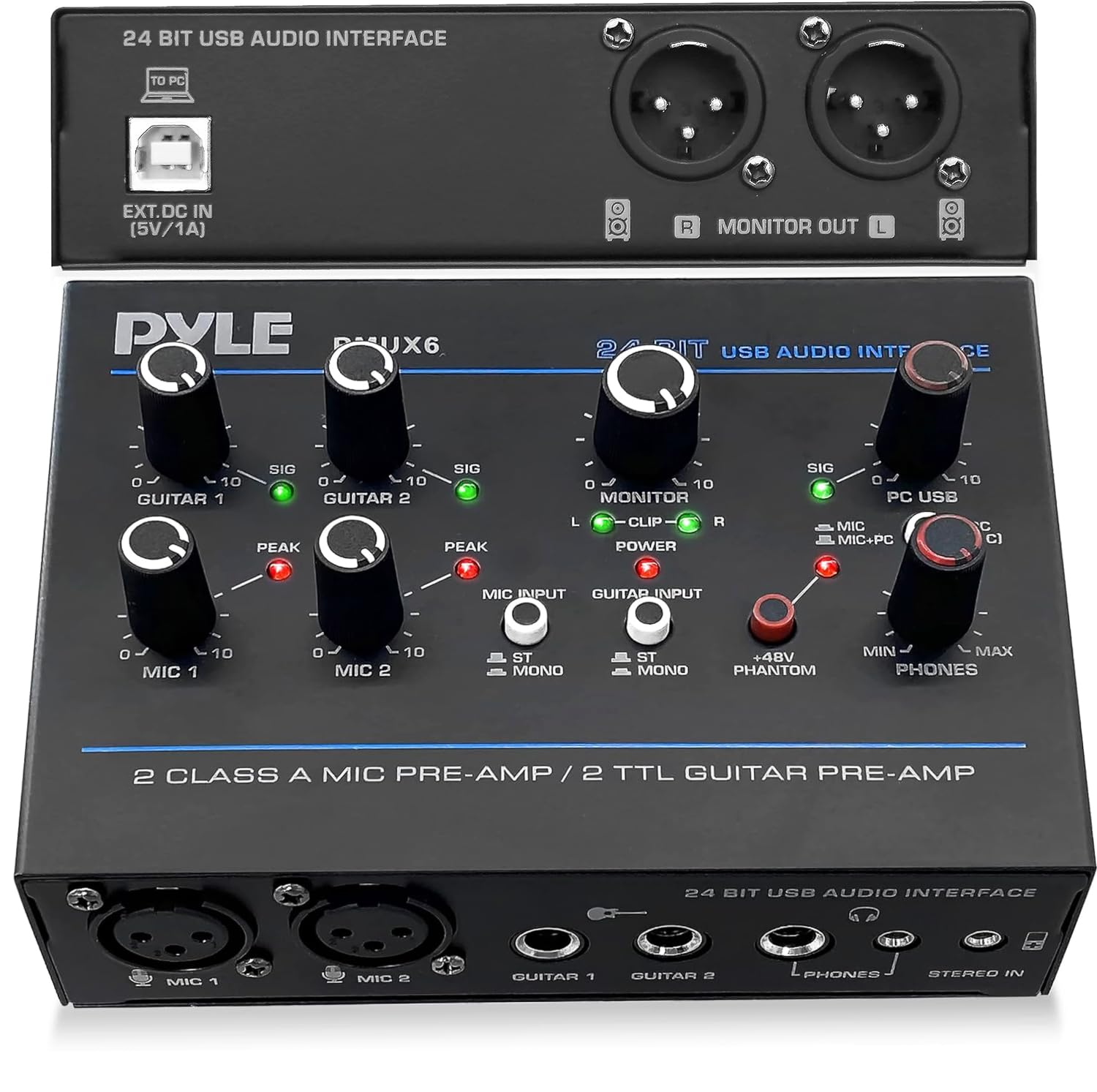
The Pyle PMUX6 is the budget pick that refuses to be ignored because it gives you two XLR inputs. That means you can plug in two dynamic microphones and record a conversation on one device, which is rare at this price point. Owners mention: “It works perfectly without any fiddling to link and control two dynamic mics to my Windows laptop to record to audacity.”
You get a 48V phantom power supply (a voltage that powers condenser microphones) with a phantom LED so you always know when it is active. Its 48kHz sample rate (the number of times per second audio is captured) is lower than the 192kHz on premium units — a 4.0x gap — but it still records clear, detailed podcasts and voice work. The metal housing measures 1.5″ x 5.6″ x 4.1″, so it tucks easily into a bag.
The major drawback is the noise floor, which is the basic level of hiss in the background. Several owners note it is audible, so this is best for spoken word rather than quiet musical passages. It also does not work well with bass guitar, so keep it for voice duties.
Functionality first: The two XLR inputs are what earns this its place — 24 owners single out its functionality as the standout feature.
Honest catch: The hiss is the trade-off; a few owners call out the noise floor as noticeable.
Reach for this if: You want two dynamic mics working on a Windows laptop with zero setup fuss.
Not ideal for: Bass guitar recording or anyone who needs a totally silent background.
3. iCON Panel 2 24Bit/192kHz USB Audio Interface
The streaming-focused interface that records straight to your phone.
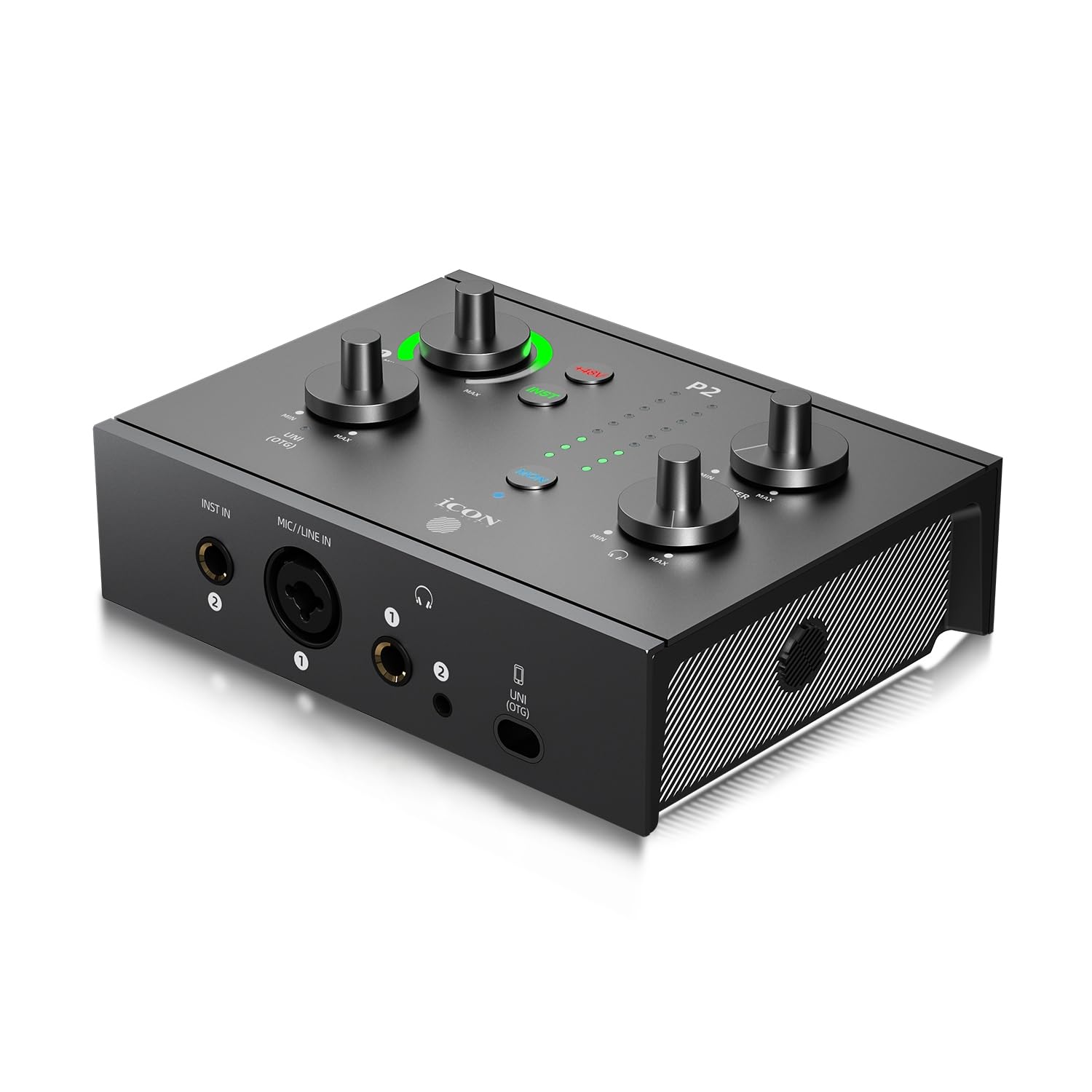
The iCON Panel 2 is built for creators who live on their phones. It has a dedicated USB-C/OTG port that lets you record and stream directly to an iPhone, iPad, or Android device with no adapter required. That is a level of portability most desktop interfaces simply do not offer.
It matches the premium units on resolution with 24-bit/192kHz AD/DA conversion, which captures every detail of your voice. The preamp delivers up to 63dB of gain, which is more than enough to drive quiet dynamic mics like a Shure SM7B. A 9-segment LED meter shows your input level in real time, so you can avoid clipping (distortion from being too loud) before it happens.
The aluminum build gets glowing feedback, with a pro audio engineer praising the smooth knobs and the LED metering. What wins people over is the balance of a rugged metal chassis and studio-level sound at a value price. The trade-off is that it is a newer model with fewer long-term reliability reports.
Build and sound: The solid metal body and clean vocal recording are the things owners consistently highlight.
Note: Physical faders let you adjust levels mid-stream without touching software.
Who it suits: Podcasters and streamers who record on phones and tablets as often as laptops.
Keep in mind: Instrument inputs are not yet confirmed by owners, so it is voice-first.
4. M-AUDIO M-Track Duo HD USB-C Audio Interface
Two combo inputs that handle mics, guitars, and line-level gear.
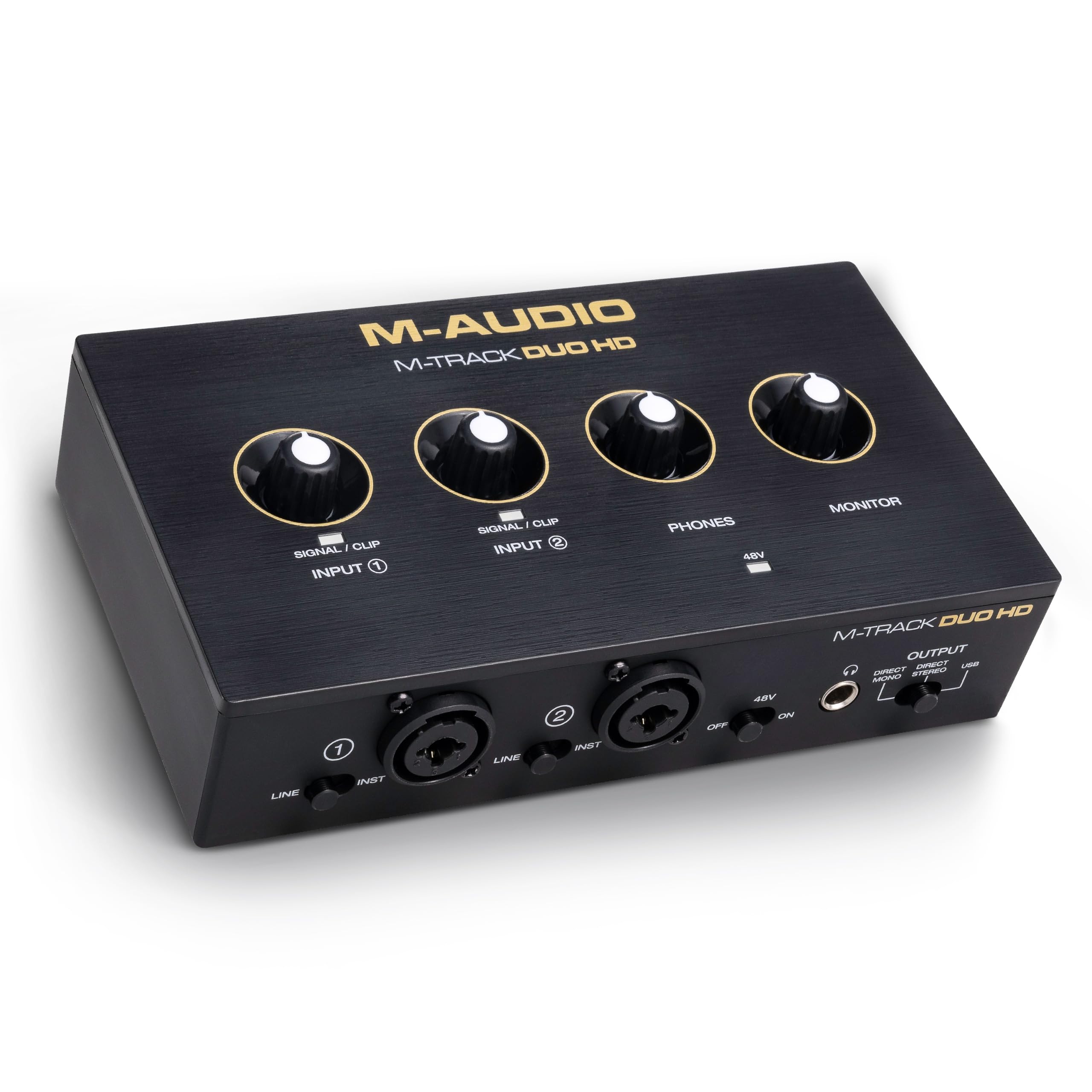
The M-Track Duo HD is a 2-in/2-out interface that gives you two combo inputs, which means each jack accepts both XLR microphones and 1/4-inch instrument cables. You can plug in a vocal mic and a guitar at the same time without any adapters. Its Crystal preamps deliver 55dB of gain for clean, detailed microphone capture.
It records at up to 24-bit/192kHz with zero-latency monitoring, so you hear yourself instantly without the annoying delay that throws off your timing. A switchable +48V phantom power feeds condenser mics, and a Direct/USB monitor switch lets you tailor how you hear your own voice. The included software bundle adds Ableton Live Lite, Akai Professional MPC Beats, and two months of Splice.
At 0.47 kg, it is light enough to toss in a gig bag, and the rugged enclosure is built to last. The HD resolution is the headline feature owners point to as making the unit worth the money. The catch is compatibility — it is marked as mixed, meaning some setups need a powered USB hub to run reliably.
Audio quality first: The 24-bit/192kHz conversion is what owners rave about for the price.
Fit note: Plug-and-play is easy on most rigs, but a powered hub may be needed for some computers.
Choose this if: You want to record a mic and an instrument at once with a full software bundle.
Think twice if: Your computer has weak USB ports that struggle to power external gear.
5. MAONO AME2 Audio Interface Mixer

A 10-channel mixer with sound pads built for live streaming energy.
The MAONO AME2 is less a traditional interface and more a podcast console. It gives you 11 customizable sound pads so you can trigger laugh tracks, jingles, or your signature intro sound with a single press. Three of those pads record up to 60 seconds of audio each, while the remaining eight hold up to 20 seconds, and every pad has its own volume control.
Sound quality is handled by a preamp with 3-level gain adjustment supporting up to 60dB, plus a 32-bit chipset and a DENOISE function (a button that reduces background hiss) for clearer voice capture. It also has six reverb modes, 12-step auto-tune, and three modifiable tone knobs for treble, mid-range, and bass. Bluetooth input lets you bring in music or sound effects wirelessly from your phone.
The sound quality is the thing everyone praises, and for a live streamer this is a genuinely fun tool. The catch is reliability — some units stop working completely, and the battery life gets mixed feedback. This is a strong pick for TikTok and YouTube streaming, but a long-term durability question mark lingers.
Streaming Power
- 11 pads with loop and custom audio via PC or Bluetooth
- 60dB gain plus DENOISE for clean vocals
- Reverb, auto-tune, and tone knobs for live effects
The Trade-Offs
- Reliability is mixed, with some units failing entirely
- Controls and battery life draw mixed owner feedback
Made for: Streamers and content creators who want sound effects at their fingertips.
Not for: Anyone who needs a dead-simple interface with a long track record.
6. Shure MVX2U Gen 2 XLR-to-USB-C Audio Interface
A pocket-size box that turns any XLR mic into a phone-ready USB mic.
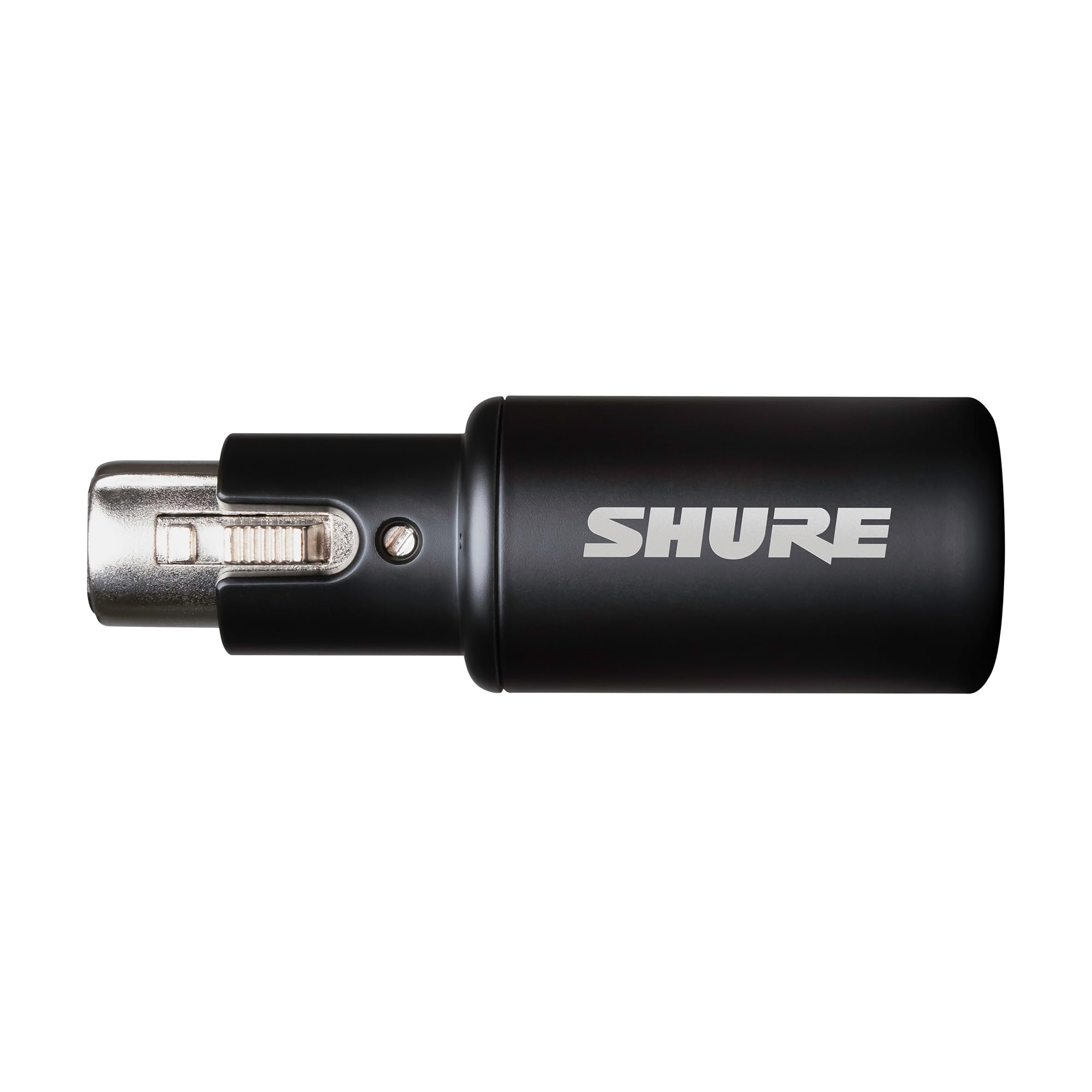
The Shure MVX2U is a different kind of interface — it is a tiny dongle that converts any XLR microphone into a USB-C microphone. This is the ultimate travel companion because it weighs just 100 grams and slips into any bag. You plug your mic into it, plug it into your phone or laptop, and you are recording.
It provides up to +60dB of clean gain and 48V phantom power, so it works with both dynamic and condenser mics. The onboard Shure Digital Audio Processing adds an Auto Level Mode that adjusts your gain in real time, a Real-Time Denoiser that cuts background hum, and a Digital Popper Stopper that reduces harsh “p” and “b” sounds. You can pick a tone profile of Dark, Natural, or Bright to shape your voice.
Owners use it to plug a Shure SM81 into an iPhone and get clean, noise-free recordings. The MOTIV app adds EQ, compression, and limiter control. The gain gets mixed reviews though — it is ample for loud talkers and singers, but some find it insufficient for very quiet dynamic mics.
Portability that works: The clean, noise-free recording and plug-and-play reliability are what owners highlight most.
Gain caveat: Best for singers and louder streamers; quiet talkers may want more boost than this provides.
Reach for this if: You record on an iPhone or travel and need studio quality from a pocket-size device.
Look elsewhere if: You use a very quiet dynamic mic and refuse to add a gain booster.
7. Focusrite Scarlett Solo 4th Gen
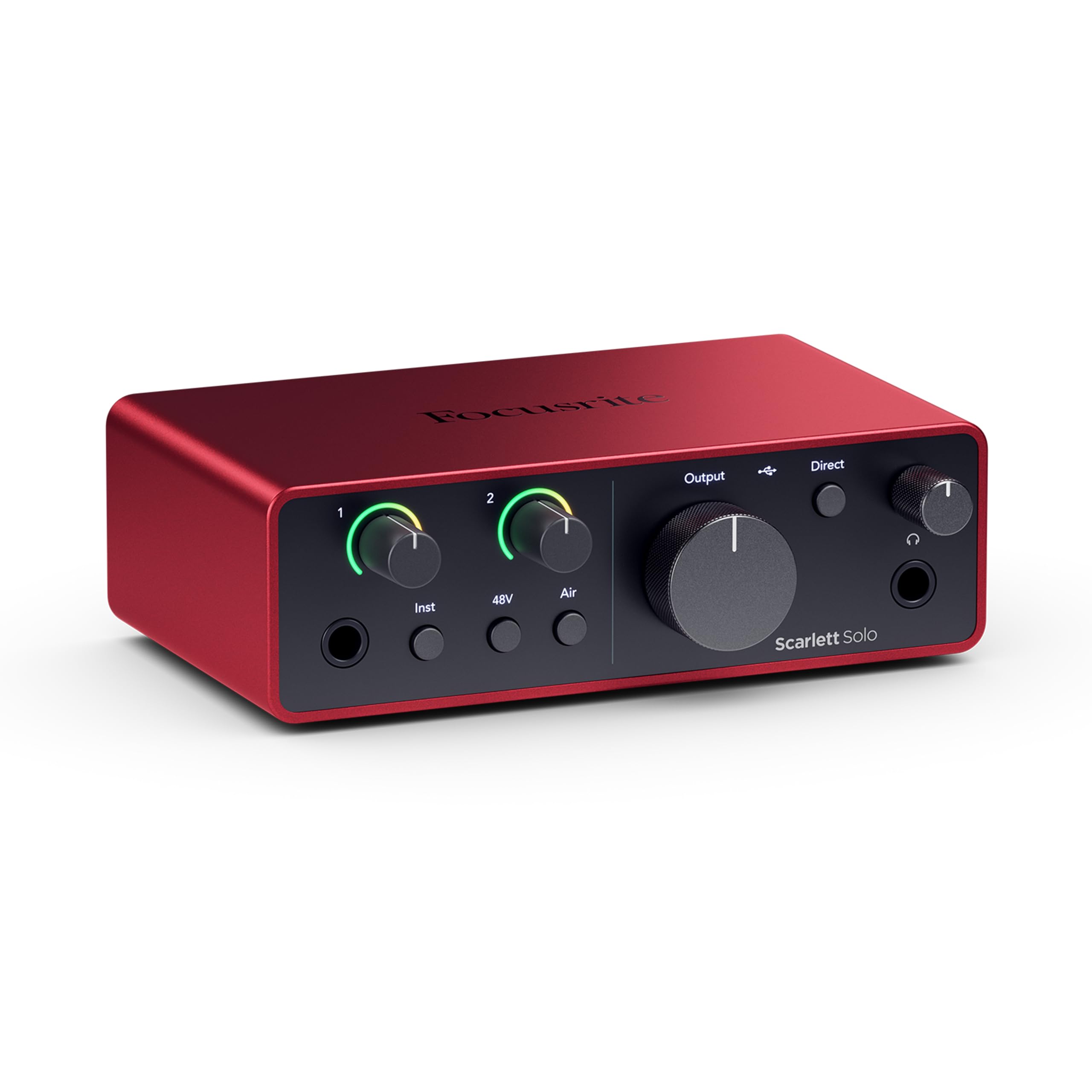
The next-gen Scarlett with flagship converters in a compact body.
The 4th Gen Scarlett Solo takes everything the 3rd Gen did well and raises the bar. Its headline feature is a huge 120dB dynamic range, which is the gap between the quietest and loudest sounds it can capture. That is the same converter tech used in Focusrite’s flagship studio interfaces, so your recordings have professional headroom.
The improved Air mode lifts vocals and guitars to the front of the mix, adding musical presence and harmonic richness. Owners describe the preamps as excellent for dynamic mics and note the near-zero latency and strong headphone amp. The package includes Pro Tools Intro+, Ableton Live Lite, Cubase LE, plus the Hitmaker Expansion suite of effects and instruments.
The build feels premium and compact at 14.4 ounces. The catch is that reliability and sound quality get mixed feedback — some customers note crackling issues or units that stop working. There is also a known quirk where you should update the firmware as soon as you plug it in, and the included cable is USB-A to C rather than C to C.
Sound and build: The premium feel and clear, warm sound are praised, with the AIR boost called out as a standout.
Fit note: Reliability is the mixed point — update the firmware right away to avoid quirks.
Pick this if: You want the latest converters and a brighter vocal sound straight from the start.
skip it if: You are uncomfortable doing a firmware update on day one.
8. MAONO AME2C Podcast Equipment Bundle

Everything you need to start podcasting lives in one box.
The AME2C bundle removes the guesswork from building a studio by including the audio interface, a dynamic XLR mic, a boom arm, a table clamp, an XLR cable, and two TRRS cables. You unbox it, clamp the mic arm to your desk, plug everything in, and you are live. It is the fastest route from zero to a working podcast setup.
At its core, this is the same 10-channel AME2 console with the 60dB preamp, 48V phantom power, Bluetooth, and 11 customizable sound pads. The included XLR dynamic mic has a built-in dynamic core and a double-layer pop filter to reduce harsh plosive sounds, with a frequency response of 60-14kHz for clean, mellow audio. The 32-bit chipset and DENOISE function keep your voice clear.
Owners call it an impressive value with pro-quality sound and easy setup, praising the programmable pads. The reliability is the mixed point — some report units working perfectly while others hit issues. The sound pad controls can also be finicky, so a pre-show sound check is wise.
Complete package: The 10-channel interface plus mic, arm, and cables is what owners call a great value.
Durability note: A small number of owners hit reliability issues, so test the pads before your first live show.
Best for: A brand-new podcaster who wants one purchase that covers everything.
Not for: Anyone who already owns a good XLR mic and just needs a plain interface.
9. Universal Audio Volt 2 USB Audio Interface

A 2×2 interface that brings Universal Audio’s classic tube sound home.
The Volt 2 is the affordable gateway into Universal Audio’s legendary preamp sound. Its Vintage mode engages a tube-emulation circuit based on UA’s classic 610 preamps, which adds the warm, rich character that made those units famous. One push of the button and your vocal takes on that full, album-ready color.
You capture audio at up to 24-bit/192kHz with converters that keep every nuance of your performance. The bundled LUNA Digital Audio Workstation (a recording software) mimics a real analog studio workflow. It works with macOS, Windows, iPad, and iPhone (iOS 14+), but mobile use requires an external Volt power supply and a Lightning to USB Camera Adapter on older iPads.
Owners describe the audio signal as “so warm and clear” and note that the preamps rival much pricier Apollo units. The build feels super solid and it is simple for beginners. The noise level gets mixed feedback — some report amazingly low self-noise while others hear some hiss. The vintage tone button is the thing that wins people over.
The sound: The warm, clear signal and affordable price are what owners keep highlighting.
Noise caveat: Self-noise is low for most but audible for a few, so test with your specific mic.
Choose this if: You want that classic tube warmth without spending Apollo money.
Consider something else if: You want the absolutely lowest noise floor on a tight budget.
10. Solid State Logic SSL 2 MKII

Legendary SSL console sound packed into a bus-powered desktop box.
The SSL 2 MKII brings the sound of SSL’s legendary mixing consoles into your home studio. Its Legacy 4K button adds analog enhancement that gives your vocals that signature SSL sheen and presence. Owners describe the sound as “legendary SSL sound in my HOME” and note it rivals much pricier gear.
The specs are hard to argue with: two XLR mic preamps, two 1/4-inch line or Hi-Z inputs, two headphone outputs, 32-bit/192kHz AD/DA converters, and a noise floor so low that reviewers point out only ambient room sound. The high-pass filter is a standout for voice artists because it instantly kills low-end booth rumble. MIDI I/O on 5-pin DIN jacks means you can connect keyboards and controllers.
At 2.57 pounds with a heavy, industrial metal build, this feels like serious studio gear. The voice-over community loves that the noise gauge shows numeric values rather than just colors, and the HPF clears rumble instantly. The one mixed note is reliability — a few shoppers say issues after computer restarts, though most find it functions exactly as expected.
Sound quality: The professional-grade clarity and low noise floor are what owners praise without reservation.
Note: A few units need a re-plug after restarts, but the majority run flawlessly.
Reach for this if: You want console-grade sound and a high-pass filter that cleans up your voice instantly.
Think twice if: You want the smallest possible footprint — this is deliberately heavy and solid.
11. Solid State Logic 2 MKII Plus USB-C Audio Interface
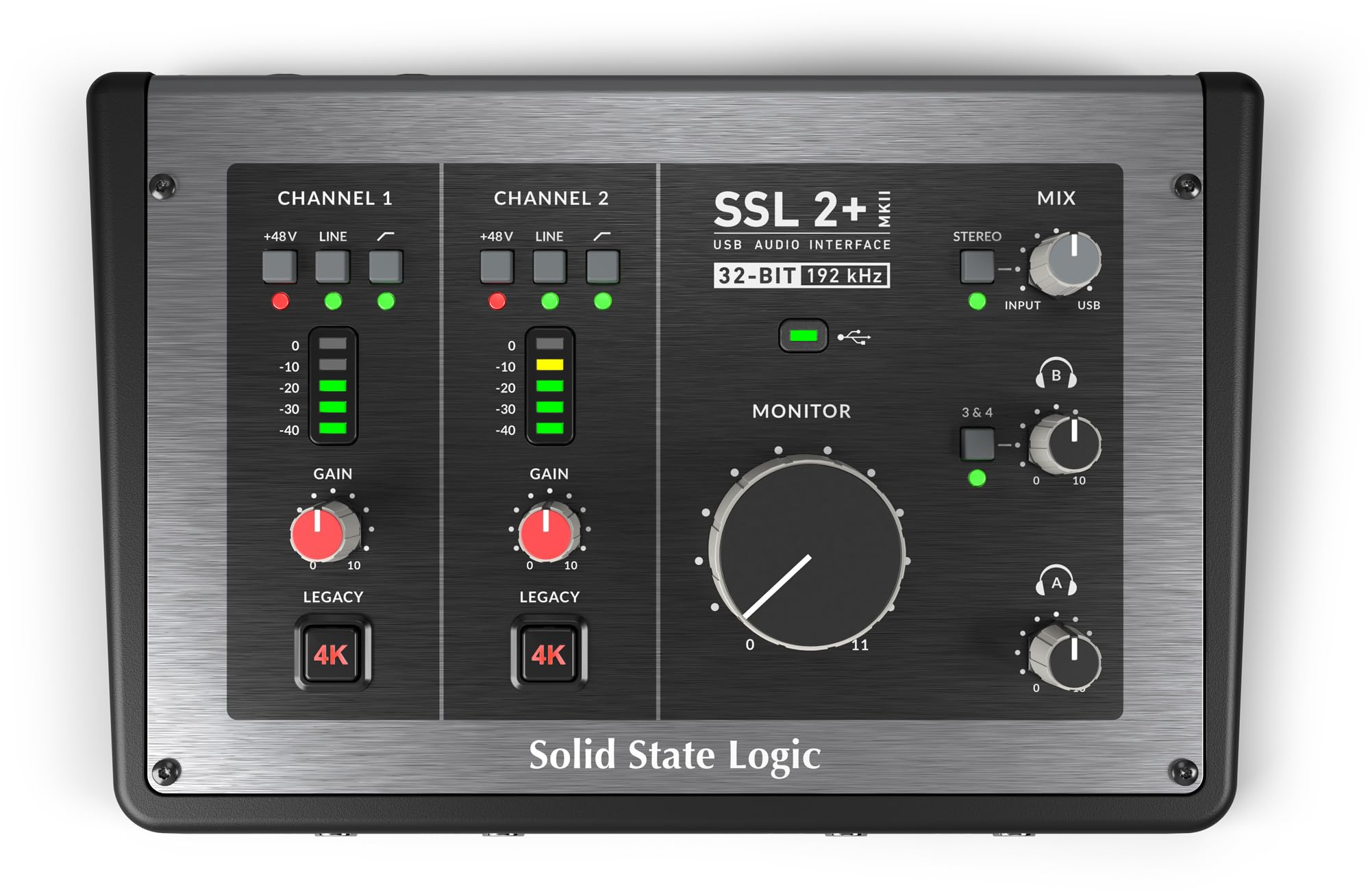
The Plus version adds four balanced outputs for serious routing flexibility.
The SSL 2 MKII Plus takes the legendary SSL sound and adds more routing options. Where the standard MKII has two line outputs, this version gives you four balanced outputs, which means you can send different mixes to multiple speakers or outboard gear. It also adds two discrete headphone outputs with independent volume knobs, so two people can monitor at different levels during a collaborative session.
It keeps all the core features that make the MKII great: 32-bit/192kHz AD/DA converters, the Legacy 4K analog enhancement, 48V phantom power, zero-latency monitoring, stereo loopback, and high-pass filters. The stainless steel build at 1.94 pounds feels premium, and the dedicated knobs for monitor and headphone levels are praised. Owners describe the sound as “clean” with SL4000-level quality.
The built-in DI eliminates the need for an external direct box when recording guitar, and zero-latency is verified in Audacity and FL Studio. Owners call it the best value USB interface for bedroom producers. The only nitpick is the plastic volume knob — owners wish it were metal like the rest of the unit.
Clean and quiet: The low-noise performance and dual headphone outs are the standout features for collaboration.
Small gripe: The main volume knob feels less premium than the rest of the stainless steel build.
Perfect for: Producers who want to route audio to multiple monitors and record with a collaborator.
Overkill if: You only ever record one vocal mic and listen on one pair of headphones.
Understanding the Specs
Gain Range (dB)
Gain is the amount of boost the preamp applies to your microphone signal, measured in decibels (dB). A higher number, like 60dB, means the interface can amplify very quiet microphones without you needing an extra booster box. Dynamic mics are naturally quiet and need more gain. Condenser mics are louder and need less. If your gain is too low, your recordings sound faint and you fight background hiss when you turn them up in software.
Sample Rate (kHz)
The sample rate is how many times per second the interface captures a snapshot of your audio, measured in kilohertz (kHz). Common rates are 48kHz and 192kHz. Higher rates capture more detail and give you more headroom when editing, which is why 192kHz interfaces are the standard for serious recording. For spoken-word podcasts, even 48kHz sounds clean. For music with lots of transient detail, the higher 192kHz rate is a meaningful upgrade.
FAQ
What is the difference between 48kHz and 192kHz sample rates?
Do I need 48V phantom power for my microphone?
How many XLR inputs do I need for a podcast?
Will a USB audio interface work with my iPhone or iPad?
What does zero-latency monitoring mean?
Is a 60dB gain range enough for a Shure SM7B?
What is the difference between an audio interface and a mixer?
Why does my USB interface need to be plugged into a powered hub?
Can I record guitar and microphone at the same time?
Final Thoughts: The Verdict
For the majority of shoppers, the audio interface for microphone winner is the Focusrite Scarlett Solo 3rd Gen because it balances clean sound, easy setup, and a proven track record that appeals to beginners and pros alike. If you want two mic inputs and instant streaming sound effects, grab the MAONO AME2. And for a mobile setup that records straight to your phone, the Shure MVX2U is the one to reach for.
How We Picked
We do not accept paid placement. Every pick is matched to a real buyer and a real use-case; we do not hands-on test units.
Sources & Methodology
Specifications: manufacturer listings and product documentation. Review insights: verified customer reviews, as of August 2026. Pricing: not shown on this page (it changes often); check the current price via the retailer link.
As an Amazon Associate, Gadgets Feed earns from qualifying purchases. This does not affect which products we feature.