
Our readers keep the lights on and my morning glass full of iced black tea. As an Amazon Associate, I earn from qualifying purchases.
Specs are compiled from manufacturer listings and verified buyer reviews and can change over time — please confirm the key details on the product page before buying.
When you shop for a USB-C audio interface, the real question is rarely “which one has the most features” and almost always “which one lets me record without fighting the gear.” You want a clean signal from your microphone or guitar, no annoying delay between what you play and what you hear, and a connection that simply works the first time you plug it in. The right pick depends on your workflow: a podcaster needs clean preamps, a guitarist needs a dedicated instrument input, and a small band needs multiple simultaneous inputs.
I’m Min — the founder and writer behind Gadgets Feed. This guide is built by comparing the manufacturers’ published specifications and the patterns across verified customer reviews, so you get each pick’s real strengths and trade-offs instead of marketing spin.
You will also learn exactly which specs determine whether a unit fits your setup, so you can confidently pick the right audio interface with usb c for your home studio, streaming rig, or mobile recording kit.
Our Picks at a Glance


How To Choose The Best Audio Interface With USB C
Your first decision is how many microphones or instruments you need to connect at once. A solo podcaster rarely needs more than one XLR input, while a band recording live drums might need four. Matching input count to your workflow avoids paying for unused ports and wasted desk space.
Understand the inputs before you count them
A combo input is a single jack that accepts both an XLR microphone cable and a quarter-inch instrument cable. A combo jack lets one port handle a condenser mic today and an electric guitar tomorrow. If you only record a single mic, a 1-in interface keeps things simple, but a 2-in unit gives you room to grow into stereo recording or a second guest mic.
Why phantom power is non-negotiable for many mics
Condenser mics need +48V phantom power from your interface to operate. Dynamic mics like the Shure SM58 skip it, but condenser users should confirm the 48V switch sits on the front panel for easy access.
Quick Comparison
| Model | Best For | I/O | Max Sample Rate | Weight | Amazon |
|---|---|---|---|---|---|
| MOTU M4★ Best Overall | Home studio flexibility | 4-in / 4-out | 192 kHz | 16 oz | Amazon |
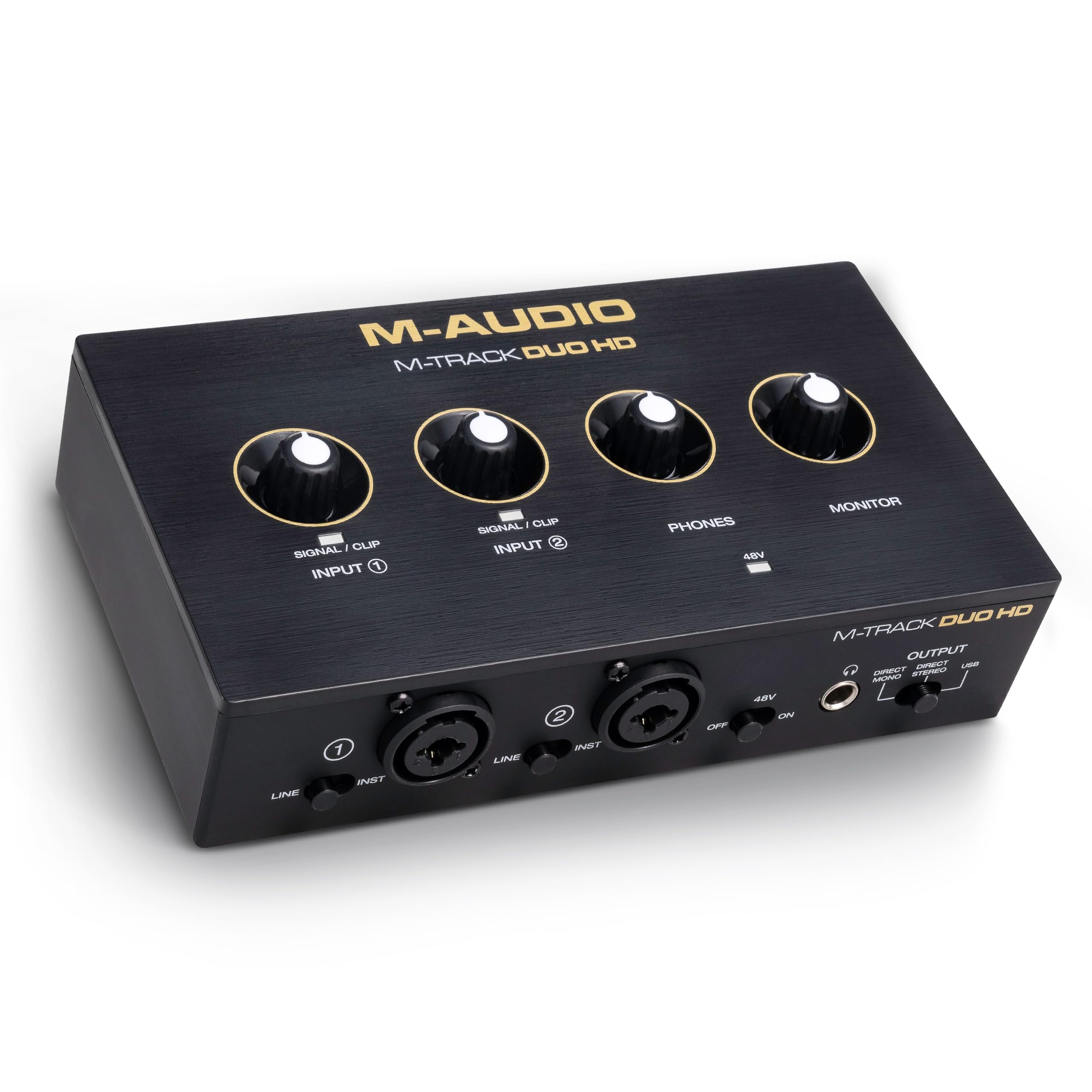
| M-AUDIO M-Track Duo HDBest Entry Value | Budget-friendly beginners | 2-in / 2-out | 192 kHz | 0.47 kg | Amazon |
| MAONO AME2Streamer’s Toolbox | Podcast effects and pads | 10-channel mixer | — | 0.95 kg | Amazon |
| MAONO P2 | Phone and iPad recording | 2-in / 2-out | 192 kHz | 0.45 kg | Amazon |
| Shure MVX2U Gen 2 | Single-mic mobile creators | 1-in XLR | 192 kHz | 100 g | Amazon |
| Universal Audio Volt 2 | Vintage tone lovers | 2-in / 2-out | 192 kHz | 650 g | Amazon |
| Zoom AMS-44 | Four-mic live streaming | 4-in / 4-out | 192 kHz | 320 g | Amazon |
| Audient iD24 | Outboard gear integration | 8-in / 8-out | 96 kHz | 1.45 kg | Amazon |
| Focusrite Clarett+ 2Pre | Transparent high-end recording | 10-in / 4-out | 192 kHz | 4.1 lbs | Amazon |
| Antelope Zen Quadro | Round-table podcasts | 14-in / 10-out | 192 kHz | 0.9 kg | Amazon |
In‑Depth Reviews
1. MOTU M4 4×4 USB-C Audio Interface
Our pick — over 4.5★ from 850+ verified ratings; the strongest balance of quality and price.
The home-studio workhorse that gives you room to grow without the learning curve.
If you record more than one source at a time, the MOTU M4 is the crowd favorite for good reason. It delivers a 4-in/4-out layout (meaning you can plug in four things and route them back out to four destinations), and it does so through two mic preamps plus an LCD screen that shows your levels at a glance. You get hardware monitoring, so you can hear yourself instantly without waiting for the computer, and loopback for capturing desktop audio alongside your mic.
The crowd favorite here — holding a 4.6-star score across 800+ owners — wins people over with build quality, which earns the most mentions by far, with over 60 buyers singling it out. The sound gets its own round of applause, praised as crisp and clear in recordings, and the four inputs plus low latency make it easy to use. Buyers report: “This is an incredible audio interface, works with my condenser microphone, and my guitar plugs right in!”
That said, reliability is the most-discussed aspect in the data, and it is marked as mixed rather than purely positive. The recurring quirk is an occasional pitch-shifted audio glitch tied to a clock sync error, which most owners fix by disabling Windows fast startup. It is a manageable workaround, not a reason to walk away.
What wins people over
- LCD level display makes setting gain quick and accurate
- Low-noise preamps and transparent sound
- Built-in loopback for streaming and recording desktop audio
The trade-offs
- Headphone amp is weak on USB bus power alone
- Volume knobs have a dead zone until 25% rotation
- Occasional clock-sync glitch on Windows
The smart pick for: anyone building a flexible home studio who wants clean preamps, low latency, and the option to expand I/O later.
A fair heads-up: if you only ever need two inputs, the MOTU M2 is the same experience with fewer ports, and owners say to grab that instead to save money.
2. M-AUDIO M-Track Duo HD USB-C Audio Interface
The lightweight 2-in/2-out that gets beginners recording with zero fuss.
For your first interface, the M-Track Duo HD is tough to top on sheer simplicity. It runs a 2-in/2-out layout (two combo inputs for mic, guitar, bass, or line-level, plus two TRS outputs) and it is noticeably more compact than the MOTU M4 above — its footprint measures 4.4″D x 7.5″W x 2.1″H, which is about 4% shorter in depth than the M4. At 0.47 kg it slips easily into a gig bag, and the rugged enclosure is built to survive that travel.
What makes it a genuine entry pick is the full 24-bit/192kHz resolution plus zero-latency monitoring, and owners mention: “So far this interface has worked perfectly.” The audio quality gets the most praise, with 8 owners calling it out, and ease of use matches it at 8 mentions. The included software bundle — Ableton Live Lite, MPC Beats, and 2 months of Splice — means you can start recording the day it arrives.
The mixed note here is compatibility, which is the most-discussed aspect at 10 mentions. Most owners have no trouble on Windows, Mac, iOS, or Android, but a few hit snags, so it is worth confirming your exact device and DAW before committing. It is also note the direct USB-C monitoring switch requires a quick read of the manual to tailor your output properly.
Why beginners love it
- Plug-and-play setup with any modern DAW or iOS/Android device
- +48V phantom power feeds condenser mics
- Crystal preamps deliver 55dB of gain
Things to check
- Compatibility is the most-discussed aspect and it is mixed
- Only 2 inputs, so no room for more than two sources at once
- No built-in effects or sound pads
Reach for this if: you are a first-time buyer or a gamer/artist who wants a reliable, lightweight 2-in interface with high-resolution audio from the start.
Look elsewhere if: you already know you will need more than two simultaneous inputs or integrated effects for podcasting.
3. MAONO AME2 Audio Interface Mixer
A 10-channel podcast console that layers in sound effects, reverb, and live-stream routing.
If your show lives on YouTube or TikTok, the AME2 is less of a traditional interface and more of a mini broadcast console. It runs a 10-channel mixer layout with 11 customizable sound pads — three of them can record up to 60 seconds of audio each with one-key looping, while the other eight hold 20 seconds. You can adjust each pad’s volume and upload your own sounds via smartphone, PC, microphone, or Bluetooth.
Owners praise the sound quality most, with 66 of them singling it out, and 18 call out the value for money. The 48V phantom power brings condenser mics to life, and the 32-bit chipset with a DENOISE function keeps things clean. It is also a genuine guitar option: the 6.35mm instrument jack has high headroom, so you keep your tone when recording bass or electric guitar.
The honest catch is reliability, which is the most-discussed aspect at 39 mentions and marked mixed. The noise level also comes up as a negative at 12 mentions, and some customers note the USB-C ports failing after roughly a year of heavy use. There is no charger in the box either, so you will want a spare USB-C cable and power source on hand.
What makes it a streamer’s pick
- 11 sound pads with looping for live effects
- Six reverb modes and 12-step auto-tune
- LIVE-OUTPUT 1/2 connects a smartphone for mobile streaming
The reliability reality
- Recurring reports of USB-C ports failing after months of use
- Noise level is a mentioned negative
- Not ideal for a dual-PC setup
The streamer’s console if: you want sound effects, pitch control, and smartphone streaming all in one box without needing external effects gear.
Think twice if: you need long-term daily reliability or clean spoken-word headphone audio; the recurring QC complaints make this a lighter-use pick.
4. MAONO P2 Hybrid USB Audio Interface
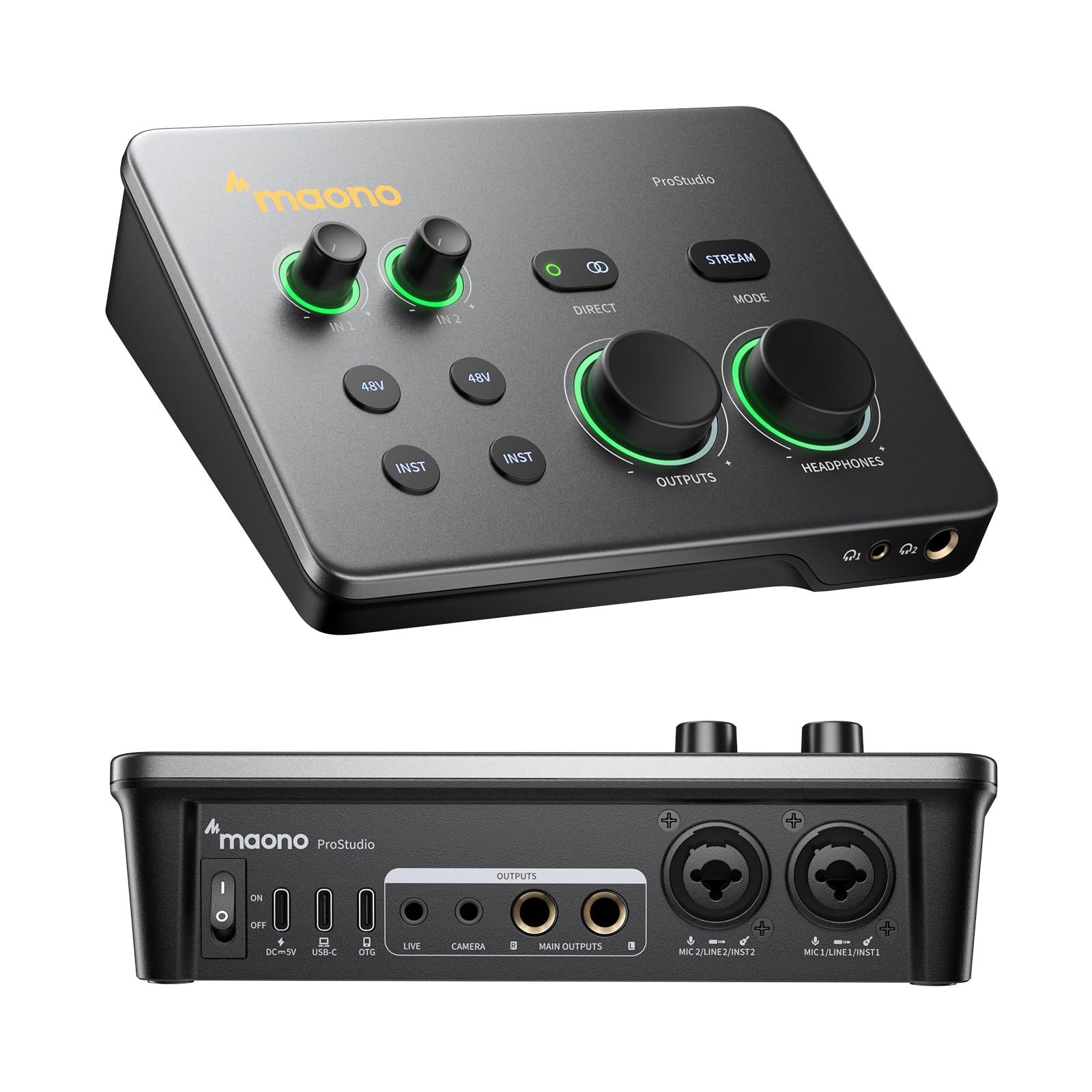
The dual-USB hybrid that records to your phone and computer at the same time.
The MAONO P2 has one trick most interfaces do not: dual USB ports with MFi-certified connectivity, so you can plug your computer into one and your phone or iPad into the other simultaneously. That means you can record in GarageBand or Logic Pro, then stream guitar and vocal covers straight from your mobile device without swapping cables. It works with Mac, PC, iPhone, Android, and even cameras.
The audio side is built for clean takes. You get 56dB of gain across two XLR inputs, a class-leading -130dB EIN (a measurement of how much hiss the preamp adds — lower is quieter), and 24-bit/192kHz capture. The aluminum-alloy housing and 15° tilt angle keep the controls at a comfortable reach, and the independent mute buttons stop unwanted noise when you swap guitars mid-stream.
Early owners are uniform in their praise: quality and sound quality each get 5 mentions, and the build is called very sturdy. The software bundle, ProStudio 2, routes FL Studio, Spotify, TikTok, or browser audio to dedicated channels and adds VST effects and real-time noise reduction. The main thing to know is that the review base is still small, so this is a newer design without a long reliability track record yet.
Why creators pick it
- Records to phone, tablet, and computer at once
- Independent mute buttons for clean instrument swaps
- Durable aluminum-alloy build with a compact footprint
What to keep in mind
- 2 inputs only, so no multi-mic recording
- Small review base means long-term reliability is unproven
- Software routing has a learning curve
The mobile creator’s pick: this is the one to reach for if your workflow lives on a phone or iPad and you record instruments or vocals on the go.
A fair caution: if you plan to record multiple mics at once, the 2-in limit will hold you back.
5. Shure MVX2U Gen 2 XLR-to-USB-C Audio Interface

The tiny 100g interface that turns any XLR mic into a plug-and-play studio mic.
Weighing just 100g, the Shure MVX2U Gen 2 is smaller than a smartphone and exists for one job: converting any single XLR microphone into a clean USB-C feed. It works with dynamic or condenser mics, provides up to +60dB of clean gain plus 48V phantom power, and pushes 192kHz sample rates. Because it draws power over USB-C, you can run it from a laptop, tablet, or phone without a wall adapter.
The standout feature is Auto Level Mode, which uses built-in Shure digital processing to adjust gain in real time so your volume stays consistent even if you move around. Add the Real-Time Denoiser and Digital Popper Stopper, and you get a setup that handles plosives and background hum before they reach your recording. The MOTIV app lets you tweak tone, EQ, compression, and a limiter from your desktop, phone, or tablet.
Functionality gets the most praise at 47 mentions, with reliability close behind at 41. Owners use it with shotgun mics and iPhones for crisp sound and easy plug-and-play, and one calls it fantastic for video conferencing. Versatility scores 16 mentions as another positive. The mixed note is gain: some find +60dB plenty, while others with quiet voices want more headroom — so treat this as a fit question, not a flaw.
What makes it special
- Auto Level Mode keeps your volume steady in real time
- Plug-and-play with any dynamic or condenser XLR mic
- Runs on USB-C power from laptop, tablet, or phone
Who should skip it
- 1-in only, so no stereo or multi-mic recording
- Some owners with quiet voices want more gain headroom
- Heavy for its compact size, per the reviews
The single-mic purist’s pick: if you already own a great XLR mic and just want the cleanest possible path into a laptop or phone, this is it.
Not for you if: you need two or more simultaneous inputs or you have a very quiet speaking voice that wants extreme gain.
6. Universal Audio Volt 2 USB Audio Interface

The 2×2 interface with a Vintage button that adds instant analog-style warmth.
Universal Audio built its name on the classic 610 preamps, and the Volt 2 brings that character to your desk. The headline feature is Vintage mode, which reproduces the rich, full sound of those legendary preamps at the press of a button. You get 2-in/2-out USB-C connectivity, 24-bit/192kHz converters, and MIDI I/O for hooking up keyboards and controllers.
The bundled LUNA Digital Audio Workstation and a full suite of UAD plugins and instruments give you a complete recording setup from the start. Owners call the sound both warm and clear, and the quality earns the most mentions at 40, with sound quality at 39. One buyer sums up the appeal: “The quality of the audio signal, both in and out, is so warm and clear.” The vintage tone button is called a highlight by several users.
Works with Mac, Windows, iPad, and iPhone (iOS 14+), though you will need an external power supply and an Apple Lightning-to-USB Camera Adapter for most mobile use. The noise level is the mixed note here: most hear almost no self-noise, but a few report audible noise in some setups. Guitarists in apartments also love it as a quiet practice amp alternative thanks to the amp modeling plugins.
Why it stands out
- Vintage mode delivers the classic 610 preamp tone
- Includes LUNA DAW plus UAD plugins and instruments
- USB-powered, so no wall adapter needed for desktop use
Consider this
- Noise level is the most-discussed mixed aspect
- Mobile use needs an external power supply and adapter
- Setup can take time given all the bundled software
The tone hunter’s pick: if you want that classic analog warmth on your vocals and guitars, plus a full software studio, this delivers.
Not the one if: you refuse to deal with external power adapters for mobile recording or you need more than two inputs.
7. Zoom AMS-44 USB Audio Interface

Four XLR inputs and zero floor noise in a tiny portable box that runs on AA batteries.
If your podcast has multiple hosts or you record from anywhere, the Zoom AMS-44 packs four XLR/TRS combo inputs with four low-noise preamps and 48V phantom power into a box that weighs just 320g. The a neat extra is power flexibility: it runs from USB-C on your computer or from two AA batteries when you are working from a tablet or mobile device with no outlet nearby.
The design centers on a single switch between two modes. Music mode routes each input independently for DAW recording, while Streaming mode combines all inputs into one signal for easy livestreaming. The Direct Monitor switch gives you zero-latency input monitoring, and the Loopback switch blends input audio with computer playback without extra software. Owners describe it as very small but working perfectly, with many functions and easy use.
The most striking real-world result is silence: reviewers point out no feedback or floor noise even with headphones turned up, and one calls it excellent value for the number of XLR inputs per cost. The honest trade-off is build quality — the plastic chassis feels less premium — and one power user hit a wall trying to run four independent mono channels, finding only two stereo pairs instead. This is a fit question for advanced routing needs, not a universal flaw.
Why it earns its spot
- Four XLR inputs at an affordable price per channel
- Runs on USB-C or two AA batteries for true portability
- No floor noise even with headphones turned up
Who might hit limits
- Plastic build feels less rugged than metal rivals
- No true 4-independent-mono-channel routing
- Small loopback slide-button can be mistaken for a defect
Grab it if: you need four mics on a tight budget and want the freedom of battery-powered mobile recording.
Pass it by if: you need fully independent mono routing for a complex multi-channel setup or you want a metal chassis.
8. Audient iD24 USB-C Audio Interface

The console-grade interface for engineers who run outboard gear into their sessions.
The Audient iD24 is built for people who treat recording as a craft. It packs two Class-A Audient Console mic preamps using the same discrete circuit design found in the company’s renowned ASP8024-HE mixing console — the result is ultra-low noise, low distortion, and a touch of classic analog warmth. The converters are class-leading, with 32-bit DAC technology and 126dB of dynamic range so you hear subtle details and make better mix decisions.
The defining feature here is the two fully balanced insert points. These let you route your outboard compressors or EQs into the signal path before conversion, bypassing the internal preamps entirely. For owners with external preamp collections, this replaces a separate interface, speaker switcher, and outboard preamp in one box. The ADAT optical input and output support both ADAT and SPDIF, letting you expand up to 8 additional channels when you tackle drums or a live band.
Owners who upgraded from other interfaces call the difference very noticeable, and one who moved up from the Volt 476 says they can finally hear minor issues, feedback, and hissing they could not before — exactly what a transparent converter should do. Three programmable function buttons let you assign speaker select, talkback, polarity invert, or mono sum to speed up your workflow. Two speaker output pairs with internal switching eliminate the need for a separate monitor controller.
The pro-level wins
- Insert points for external preamps and outboard FX
- Console-grade preamps from the ASP8024-HE design
- ADAT expansion for up to 8 extra channels
What to know
- Max sample rate is 96 kHz, lower than several rivals at 192 kHz
- Heavier at 1.45 kg, so less travel-friendly
- Runs on macOS and PC, with no phone support mentioned
The engineer’s pick: if you own outboard preamps or compressors and want them integrated into a clean, expandable USB-C setup, this is your box.
skip it if: you need 192kHz recording or you want a lightweight mobile interface for travel.
9. Focusrite Clarett+ 2Pre USB-C Audio Interface
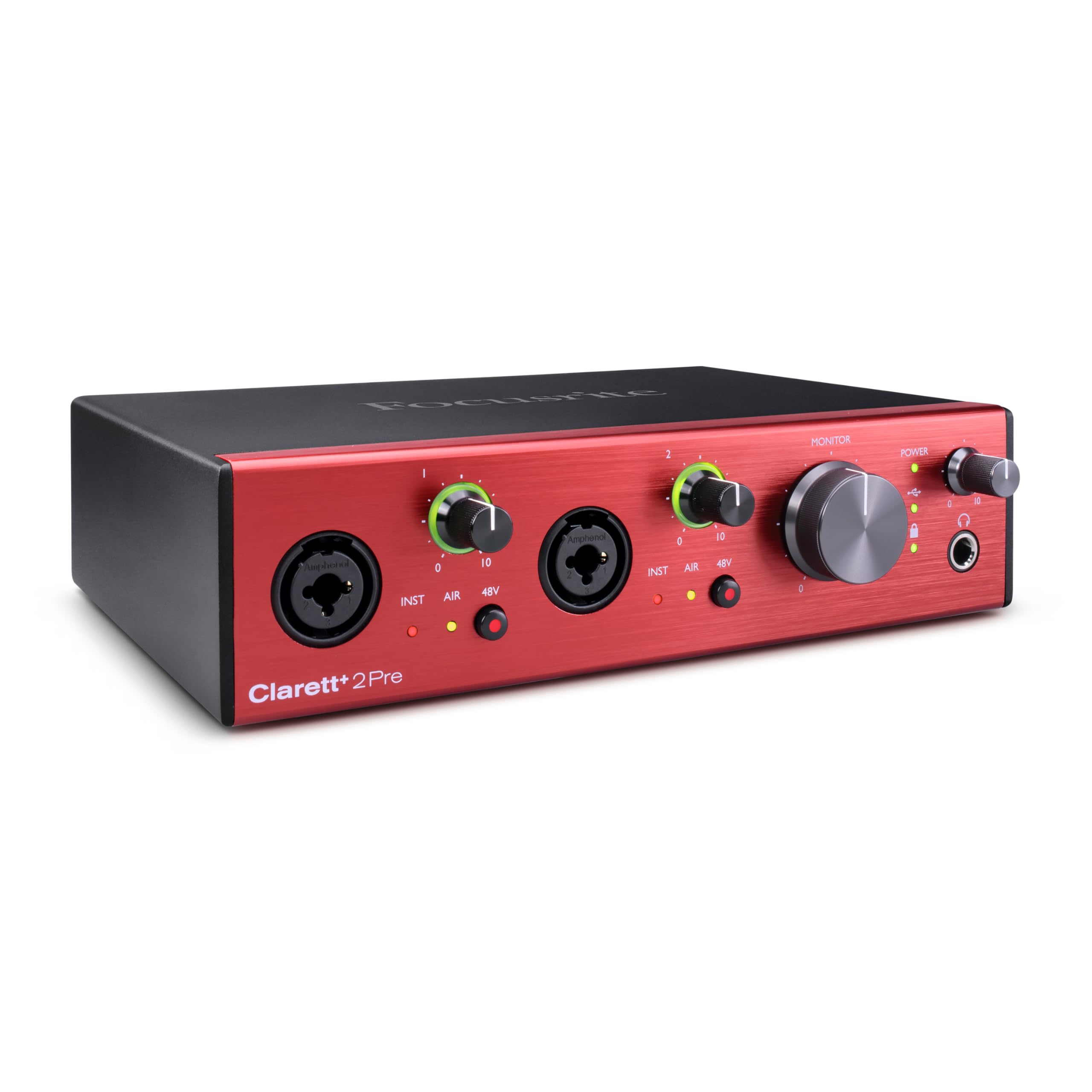
The bus-powered studio workhorse that adds a touch of ISA 110 character to every take.
Focusrite’s Clarett+ 2Pre is the step-up choice when you want professional results from a bus-powered unit — meaning it draws all its power over USB-C with no wall adapter. Two Clarett⁺ preamps bring masses of headroom, low distortion, and ultra-low noise, and the all-analogue Air mode emulates the classic ISA 110 by switching impedance to 2.2kΩ and adding a 4dB boost in the high frequencies. That makes vocals shine without harshness.
It handles 10-in / 4-out routing, with 4 balanced outputs, dedicated JFET instrument inputs that mimic guitar amp inputs to preserve natural tone, and an ADAT optical input for 8 channels of digital expansion via gear like the Clarett OctoPre. The improved headphone output provides a flat frequency response at all levels with any headphone type. The Focusrite Control software gives you complete command of all routing.
Buyers call it a definite step up from the Scarlett series, with cleaner sound and a tank-like build. Owners praise the sound quality most, with 8 mentions, and it is specifically recommended for grand piano recording with matched pairs of microphones. The bundled mixing plugins and virtual instruments add studio-grade results from the start. One caveat: the Clarett+ does not support simultaneous 24-bit/192kHz operation, and enabling that combo can cause a device malfunction.
What earns the premium
- All-analogue Air mode adds classic ISA 110 high-frequency detail
- Bus-powered with 10-in / 4-out routing
- Dedicated JFET inputs preserve true guitar tone
The honest limits
- No simultaneous 24-bit/192kHz operation
- Weighs 4.1 lbs, so not a travel interface
- Premium pricing puts it beyond entry budgets
The studio upgrade pick: if you record vocals, guitars, or pianos and want transparent, high-headroom sound with a sturdy build, this is worth the jump.
Not for you if: you specifically require simultaneous 24-bit/192kHz or you want a light, portable unit.
10. Antelope Audio Zen Quadro USB-C Interface

The four-preamp flagship with built-in effects and pro clocking for serious podcasts.
For the podcast that has outgrown a two-mic setup, the Antelope Zen Quadro records up to four microphones at once through discrete, studio-grade preamps with up to +75dB of clean gain. That headroom means clear voices with plenty of margin, even for guests with quiet speaking styles. Round-table real: the 14-in / 10-out layout covers mics, call-ins, music beds, and monitors.
The broadcast-polish secret is the built-in effects engine: 93 modeled analog effects in the library, with 37 included for compressors, EQs, gates, and reverbs, all running with near-zero-latency monitoring. That means you apply polish as you record, not after. The dual USB-C ports connect two devices at once — computer plus phone or tablet, or two computers — and route audio between them, making dual-PC streaming straightforward.
Quality is the most-praised aspect at 12 mentions, with sound quality at 9. Owners rave about the headphone amplifier, saying it powers even demanding headphones like the AKG 702 and DT 1990 Pro to deafening levels with clarity, and there is no hiss in the mic pres. One buyer notes it handles everything from a small band to studio work. The trade-off is complexity: the UI has a learning curve, and registration is required to activate the software.
The flagship wins
- Four studio-grade mic preamps with up to +75dB gain
- 37 built-in modeled effects for broadcast polish
- Dual USB-C for simultaneous computer and phone connection
Who should think twice
- Complex UI with a real learning curve
- No MIDI I/O
- Premium pricing for serious creators only
The serious podcaster’s flagship: if you host multiple guests, want built-in effects, and run a dual-computer stream, this is the most capable box here.
Hold off if: you are just starting out or you want simple plug-and-play without learning a complex software ecosystem.
Understanding the Specs
Input / Output (I/O) Count
I/O count shows how many mics, guitars, or line-level sources you can plug in and how many separate outputs you can route to. A 2-in/2-out unit handles a single mic plus one instrument, or two mics. A 4-in/4-out unit manages a small round table or a stereo guitar rig. The Antelope Zen Quadro at 14-in/10-out covers an entire small band with call-ins and monitors.
Sample Rate (kHz)
This measures how many times per second the interface captures your audio. A 192kHz rate on the MOTU M4, M-Audio Duo HD, and MAONO P2 captures twice the detail of a 96kHz unit like the Audient iD24. Higher rates give more headroom for pitch-shifting and editing, though most listening stays at 44.1kHz. The real benefit shows when you record and then want to manipulate the audio heavily.
Phantom Power (48V)
Condenser microphones need external power to operate, and that comes from the +48V phantom switch. Every interface here has it, but the placement matters: front-panel switches on the MOTU M4, MAONO AME2, and Shure MVX2U make it easy to toggle per session. Dynamic mics like the SM58 do not need phantom power, so knowing your mic type tells you whether this spec matters.
Latency and Direct Monitoring
Latency is the delay between when you play or speak and when you hear it through your computer. Low latency, like the zero-latency monitoring on the M-Audio Duo HD and the hardware monitoring on the MOTU M4, lets you hear yourself instantly. Direct monitoring routes your input straight to your headphones, bypassing the computer entirely, so you never feel that lag while recording.
FAQ
How many inputs do I actually need for podcasting?
Will my dynamic microphone like the Shure SM58 work with these interfaces?
What is the difference between 96kHz and 192kHz sample rates?
Can I use these interfaces with my iPhone or iPad?
What is loopback and why does it matter for streaming?
What is phantom power and when do I turn it on?
Do I need an external power supply or does USB-C power the interface?
Which interface is best for recording guitar?
Can I expand my interface later if I need more inputs?
Do all these interfaces work on both Mac and Windows?
Final Thoughts: The Verdict
If you want one dependable pick, the audio interface with usb c winner is the MOTU M4 because it balances four inputs, a useful LCD screen, low-latency hardware monitoring, and loopback in a package that has earned the trust of hundreds of home-studio owners. If you are just starting out and want a lightweight, plug-and-play 2-in interface, grab the M-Audio M-Track Duo HD. And for a round-table podcast with built-in effects, the Antelope Zen Quadro is the one to reach for.
How We Picked
We do not accept paid placement. Every pick is matched to a real buyer and a real use-case; we do not hands-on test units.
Sources & Methodology
Specifications: manufacturer listings and product documentation. Review insights: verified customer reviews, as of August 2026. Pricing: not shown on this page (it changes often); check the current price via the retailer link.
As an Amazon Associate, Gadgets Feed earns from qualifying purchases. This does not affect which products we feature.