
Our readers keep the lights on and my morning glass full of iced black tea. As an Amazon Associate, I earn from qualifying purchases.
Specs are compiled from manufacturer listings and verified buyer reviews and can change over time — please confirm the key details on the product page before buying.
You need an audiobook device you can operate by touch and sound alone, without ever looking at a screen. That usually means a dedicated player with large, tactile buttons and a simple on/off lever, not a touchscreen gadget that demands perfect vision. Your choice depends on how much independence you want, if you need audiobooks, podcasts, or radio, and how much time you can spend learning a new system.
I’m Min — the founder and writer behind Gadgets Feed. This guide is built by comparing the manufacturers’ published specifications and the patterns across verified customer reviews, so you get each pick’s real strengths and trade-offs instead of marketing spin.
We focus on specialized players that speak menus and use physical controls, which is what truly defines an audiobook device for blind users can master on their own.
Our Picks at a Glance
How To Choose The Best Audiobook Device For Blind
Finding the right player starts with one question: does the user need a device that reads menus out loud, or one with buttons so simple they barely need guidance? The answer shapes every other decision, from capacity to connectivity.
The Difference Between a Music Player and a Reader
A standard MP3 player plays music in order, but an audiobook player needs to remember a specific spot in a long chapter. Look for “playback memory” — a feature that resumes exactly where you left off after a pause or power off, so a listener isn’t lost in the middle of a story. Without it, a 10-hour book becomes frustrating to navigate.
Why DAISY and Text-to-Speech Matter
DAISY is a talking-book format that allows real navigation — moving by chapter, page, or paragraph — rather than just fast-forwarding. Devices that support DAISY or text-to-speech can read newspapers, emails, or documents aloud, which makes them far more than a simple audio player. If the user wants to hear the news or a PDF, this is a critical feature, not a luxury.
Physical Controls Beat Touchscreens
For someone who is blind, a raised button with a specific shape is far easier to find than a flat glass screen. Tactile keypads with distinct key shapes and a “Where Am I” key let users navigate without visual feedback. A volume knob on the side, hidden from accidental bumps, is another sign of a well-designed accessible device.
Quick Comparison
| Model | Best For | Storage | Playback Memory | Navigation | Amazon |
|---|---|---|---|---|---|
| SMPL Music Player with Lifter★ Best Overall | Simple on/off for dementia or low vision | 4 GB | Yes | Lift handle | Amazon |
| Victor Reader Stream 3Also Great | DAISY books and podcasts for blind users | 16 GB | Yes | Tactile keypad | Amazon |
| iGuerburn Simple Music Player | Large buttons for seniors and dementia | 32 GB | Yes | Large button | Amazon |
| Lamborsafe One-Button Player | One-touch operation for macular degeneration | 32 GB | Yes | Large one-touch button | Amazon |
| One-Touch Simple Music Player | High volume for hearing-impaired listeners | 32 GB | Yes | One-button switch | Amazon |
| Simple Music Player for Seniors | Special needs kids and basic playback | 32 GB | Yes | Oversized button | Amazon |
| OrCam MyEye Smart | Reading printed text, labels, and emails | — | — | AI wearable | Amazon |
In-Depth Reviews
1. SMPL Music Player with Lifter for Seniors
Our pick — 4.5★ from 90+ verified ratings; the strongest balance of quality and price.
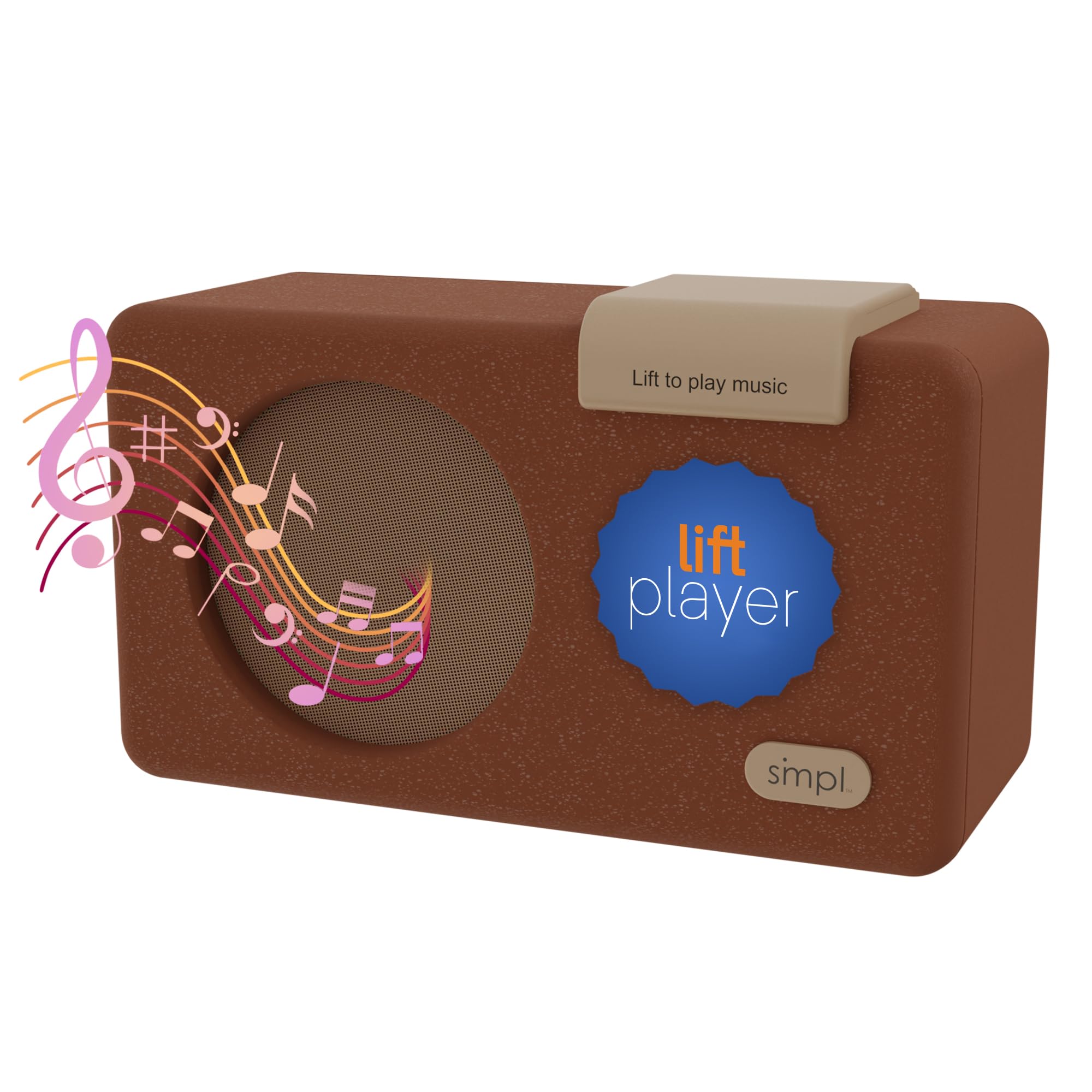
A wooden music box that starts playing the moment you lift its handle.
For a user with very significant dementia, Alzheimer’s, or visual impairment, the SMPL is the most intuitive option on this list. You simply lift the large handle to play and push it down to stop — there are no menus, no screens, and no remotes to lose. The durable wooden enclosure houses a 6W Class D mono amplifier and a 4ohm 90mm speaker, and it offers a headphone socket for private listening.
The device comes with a 16GB Micro SD card and pre-loaded nostalgic music, so it works right from the start. To add your own favorites, you transfer files via a computer — a process owners describe as easy, though it requires a desktop and not a Chrome laptop or Android. The multilingual labels are a thoughtful touch for diverse households. It needs no Wi-Fi and no subscription fees, which keeps things stress-free for caregivers.
Families in memory care and assisted living report this is a calming, sturdy companion that brings music back into a loved one’s life. The recurring caveat is that even at its lowest volume, some found it still too loud for a shared room. A missing label on the skip button is a minor gripe in an otherwise remarkably straightforward design.
easy by design: no menus, no remotes, just a handle to lift and a song plays.
One real limitation: the lowest volume setting may still be too loud for a care facility room.
2. Victor Reader Stream 3 Audio Book Player
The pocket-sized guide for talking books that speaks every menu aloud.
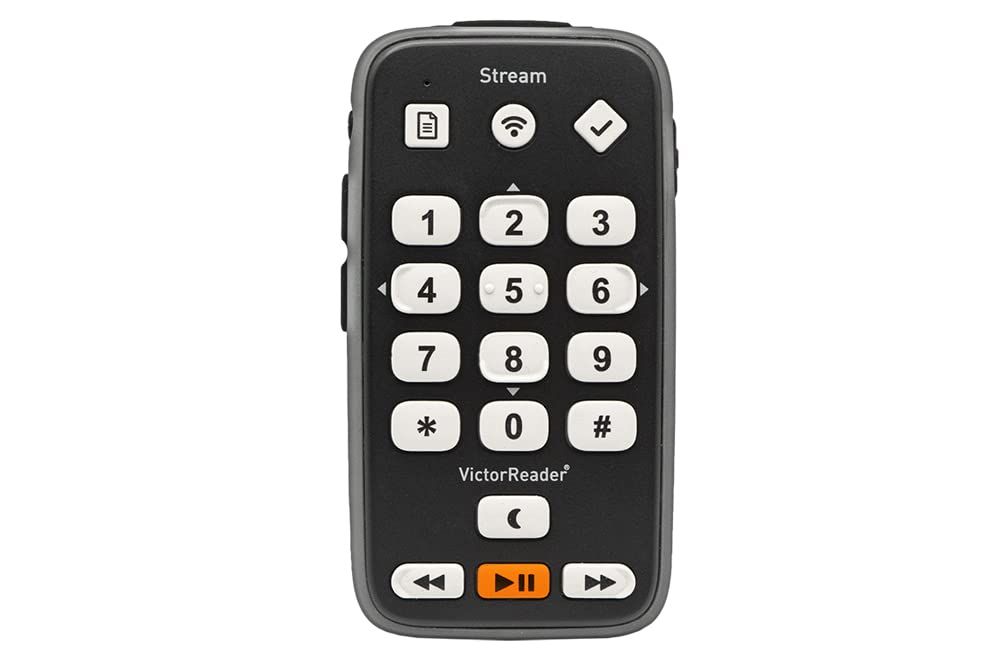
This is the device that truly understands how a blind person reads. The Victor Reader Stream 3 is a handheld player built specifically for people who are blind or have low vision, and it lets you listen to talking books, newspapers, web radio, music, and podcasts from one compact unit. Its tactile keypad has raised buttons with specific shapes, plus a “Where Am I” key, so you always know your place in a menu without ever looking at a screen.
The real power is in its reading independence. It supports DAISY navigation, text-to-speech, bookmarks, voice notes, audio recording, playback speed control, and a sleep timer. You can connect to Wi-Fi for online content, pair Bluetooth headphones or speakers, or transfer files and listen offline without a data plan. With a 16 GB internal memory and up to 15 hours of battery life, it lasts through long listening sessions — the 110 g weight means it slips easily into a pocket.
Owners praise the sound quality and note that some learning is involved. One critical review cites software bugs that can freeze or restart the device, and a firm recommendation to update firmware cautiously. It’s not a device for someone who refuses to learn a new system — but for a reader who wants structure and control over their audiobooks, this is the pick that wins.
Reading Independence
- DAISY navigation by chapter or page
- Text-to-speech reads documents aloud
- Bluetooth and Wi-Fi built in
- 15-hour battery for long sessions
Learning Curve
- Some software bugs reported after updates
- No USB port cover noted by users
Best for: a blind listener who wants to navigate books by chapter and page, not just fast-forward.
Think twice if: you want a zero-learning device — this rewards a little patience with the menus.
3. iGuerburn Simple Music Player for Dementia Seniors
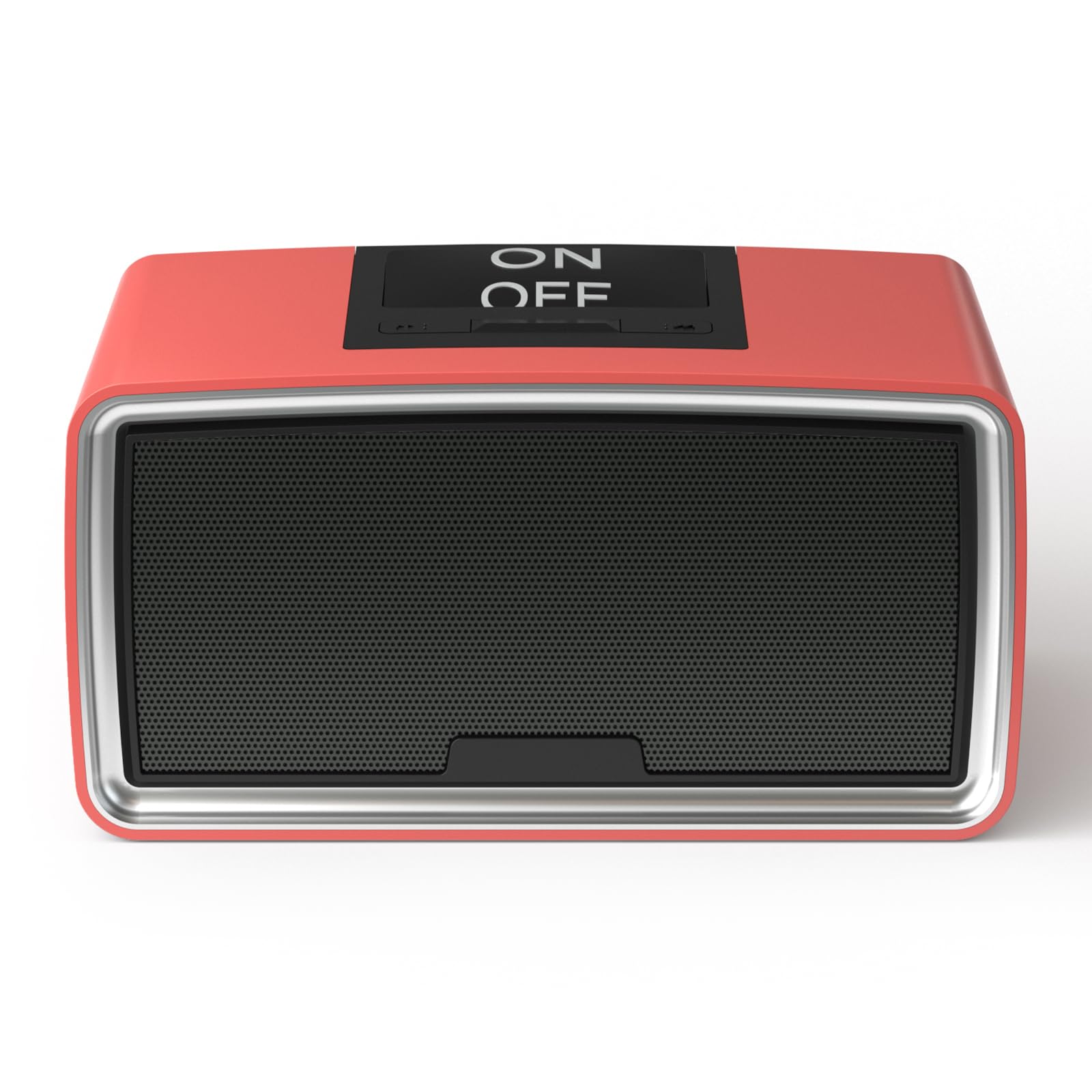
The retro desktop radio with a single large button and a hidden volume knob.
At 9.4 x 4.9 x 4.7 inches, the iGuerburn looks like a classic radio, but its operation is far from old-fashioned. It features a large button and a hidden volume knob, so a senior with dementia, Alzheimer’s, blindness, or low vision can turn it on and off easily with nothing complicated in the way. It plugs into an outlet — no battery to charge — and it remembers where you left off, starting from the exact spot each time you power it on.
The 32GB memory capacity holds nearly 5,000 songs, and the maker claims a minute can upload a hundred songs. Buyers report loading 4,200 songs for a birthday and having it play nonstop. A family caring for a 98-year-old blind aunt found daily use excellent, with very easy controls and superb sound. Support for FLAC files means you can enjoy CD-quality audio from your own library.
Reliability is the honest caveat here. The file transfer process gets mixed notes — some call it simple, others struggle. It weighs 1.47 kg, so it’s a stationary desktop companion rather than a travel device.
What Wins People Over
- Huge 32 GB capacity for thousands of songs
- No battery to worry about — just plugs in
- Memory playback resumes where you stopped
- FLAC support for rich CD-quality audio
The Trade-Off
- Long-term reliability is mixed in owner reports
- Tiny TF card is hard for a blind user to swap alone
Reach for this if: you want a large-capacity, no-nonsense player that stays on a desk and remembers the last track.
Look elsewhere if: you need a device that a blind user can swap cards or files on without sighted help.
4. Lamborsafe One-Button Simple Music Player
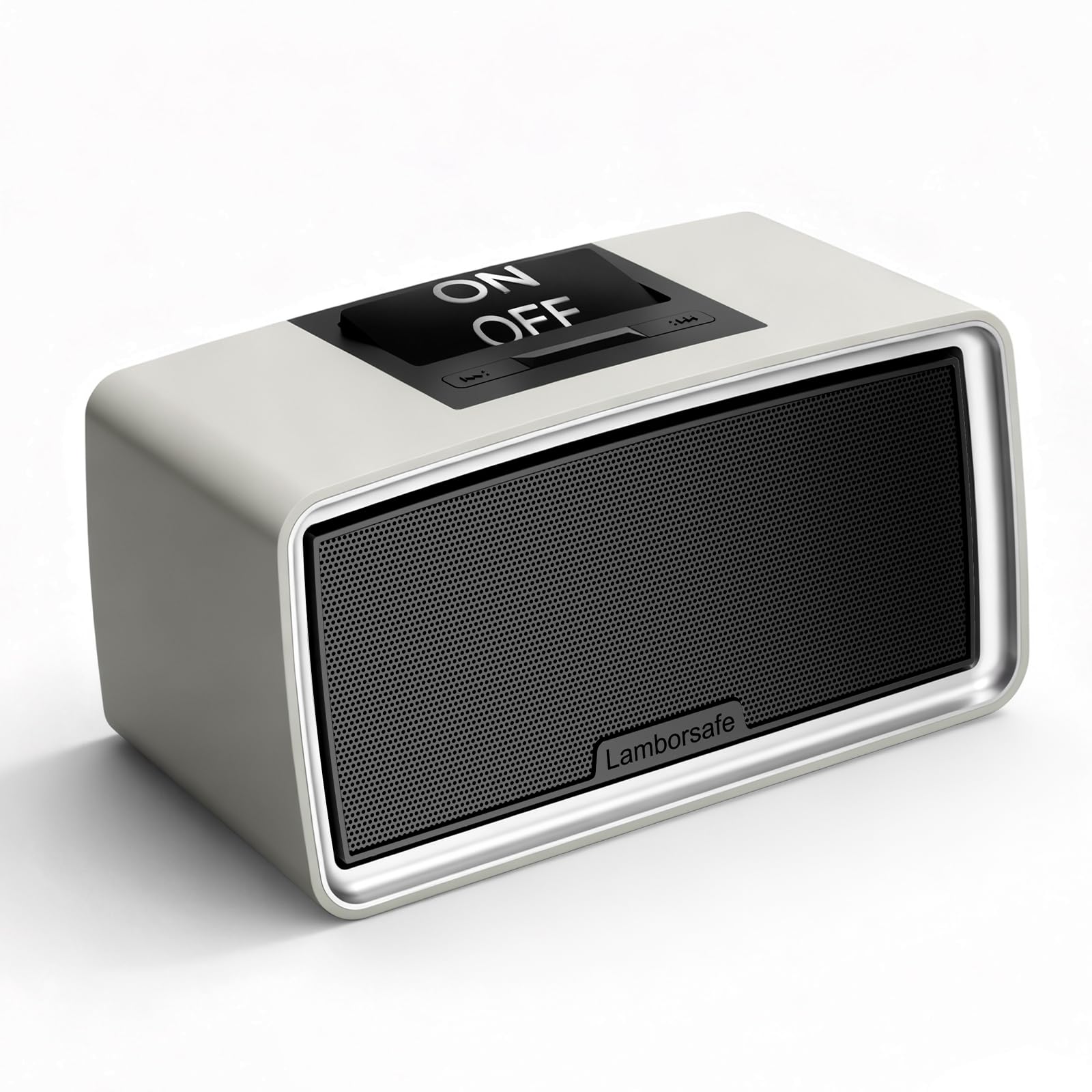
A single large button that’s easy to press even with arthritis or limited hand strength.
The Lamborsafe was designed with the visually impaired and those with mobility or memory challenges in mind. Its large one-touch button is easy to press even for users with arthritis, and a hidden side volume control prevents accidental changes. The retro look houses balanced sound — deep bass, clear mids, and crisp highs — for familiar music or soothing audiobooks.
It supports playback memory, automatically resuming from the exact spot where it last stopped, which is ideal for those with memory issues. It ships preloaded with a 32GB SD card holding up to 6,000 songs or audiobooks. Owners mention it works wonderfully for a father in a nursing home listening to hymns, and one caregiver found the on/off toggle large and easy to operate.
The honest catch is loading audiobooks. While music loading is simple for many, one family could not load any audiobooks after four days and returned the unit, and another found skip buttons nonfunctional on both units they received. This is a reliable music player first; audiobook support is less consistent.
Accessibility first: the large one-touch button is a genuine help for arthritic or low-vision hands.
Know the limit: loading audiobooks has been a struggle for some, so treat this as a music-first device.
5. One-Touch Simple Music Player for Seniors
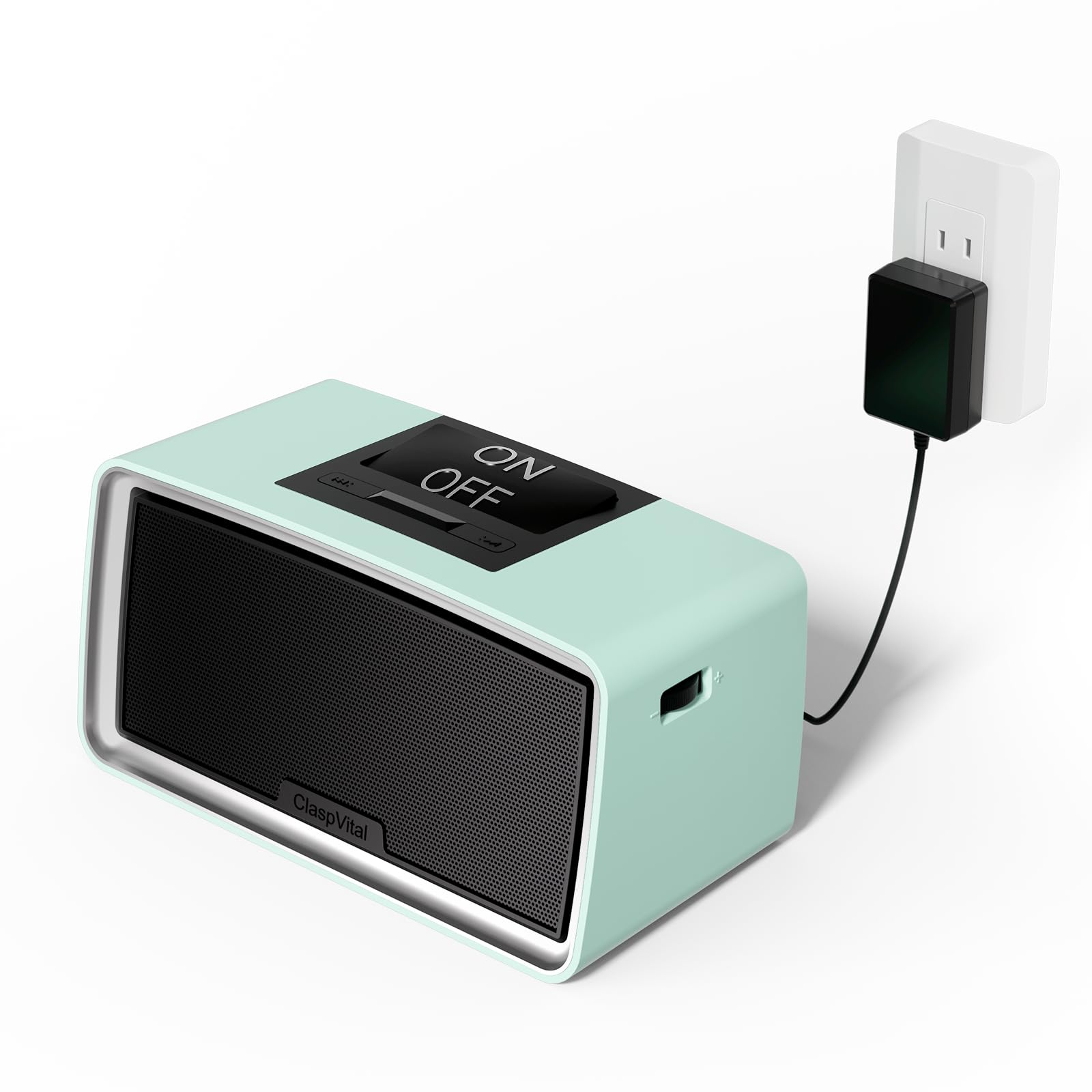
A one-button player that delivers audio up to 120 dB (a volume level for users with hearing loss), so you can hear every word clearly.
This ClaspVital player stands out because its sound reaches 120 dB, a level designed for users with hearing loss who need serious volume. It also delivers strong bass with clear vocals, so audiobook speech stays understandable even at high output. The one-button switch and a side volume knob keep operation simple for elderly users and dementia patients.
Storage is generous at 32GB on a micro TF card, which can hold up to 6,000 songs in MP3 format or 1,200 songs in FLAC. The play-pause memory means it remembers where you left off, and file switching skips — so a pause or power-off won’t lose your place. It comes with a charger, an aux line, and a card reader to get started.
Owners describe it as a great concept that works well for grandmothers who love just turning it on. But there are sharp warnings: one family found it impossible to load music despite four adults trying, and the same unit broke within three months. Battery life is listed at 4 weeks, which is excellent if your unit performs as promised.
Standout Strengths
- Up to 120 dB output for the hearing impaired
- 4-week battery life between charges
- Play-pause memory keeps your place
Watch Out For
- Some units fail to load music and break early
- No display means no visual track info
Best for: a listener who needs high volume and simple on/off controls, and who can manage file transfers.
Think twice if: you want guaranteed long-term reliability — quality control is inconsistent here.
6. Simple Music Player for Seniors & Elderly
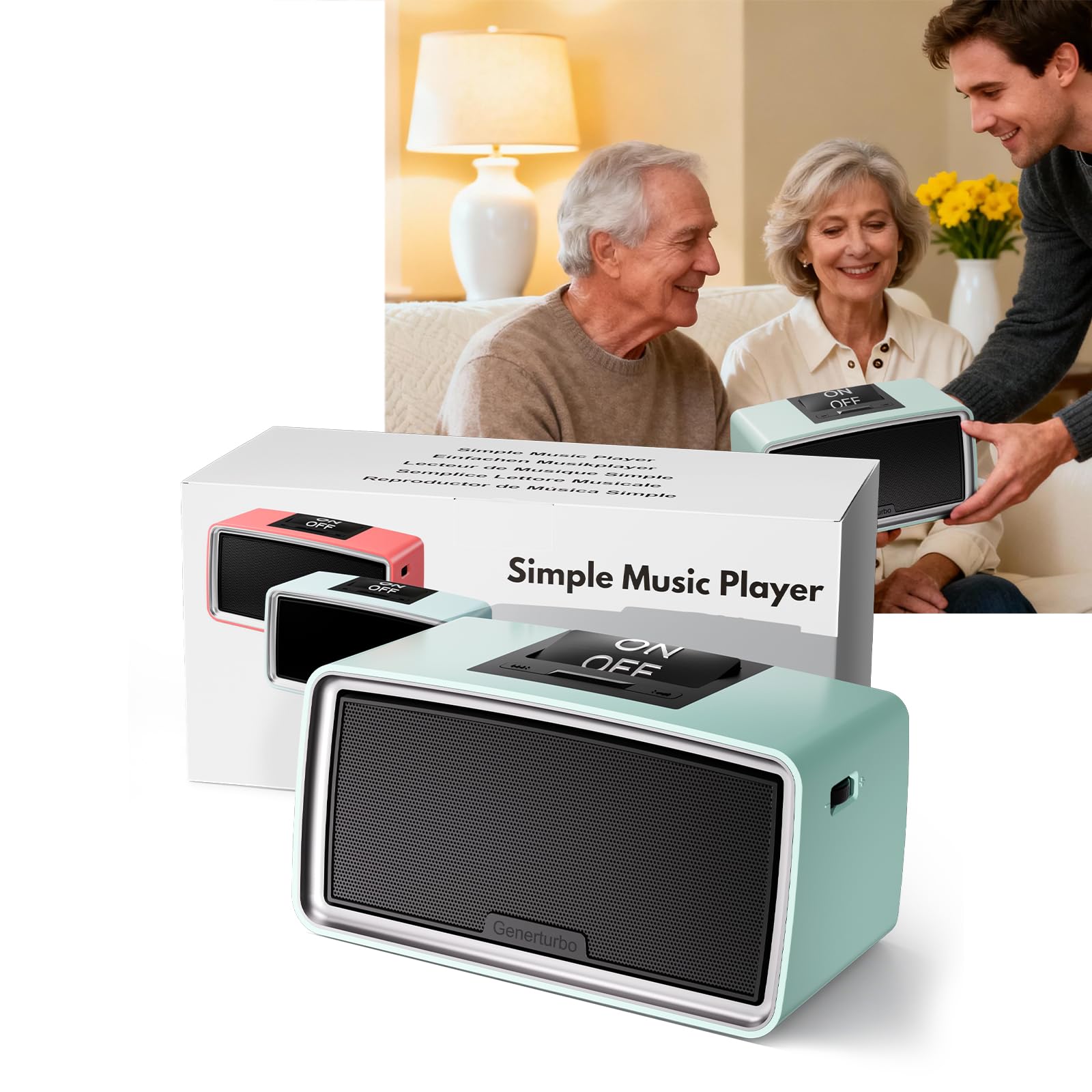
A plug-and-play companion with an oversized button and a large side volume knob.
This Generturbo player is ready to go right from the start — insert the included TF card and it starts playing instantly. It’s designed for anyone struggling with dementia, Alzheimer’s, visual impairment, blindness, or limited mobility, with a single on/off button and a large side volume knob that’s easy to locate by touch. The playback memory resumes where you left off after powering on, which is a relief for those with memory challenges.
The 32GB TF card stores over 5,000 songs and supports popular formats including MP3, WMA, FLAC, M4A, and WAV. Owners note the large top button rocks instead of pressing, which some find easier than traditional controls. It’s proven useful beyond the elderly — families report it works great for special needs kids, not just seniors.
The critical flaw for audiobook fans is the lack of a sequential play mode. One owner found it randomizes tracks, making it unsuitable for audiobooks without a book mode option. It’s a dependable music player with a simple, sturdy build, but not the right tool for chapter-by-chapter listening.
Great for music: a simple, sturdy speaker that plays thousands of songs with one button.
Not for books: without a sequential play mode, audiobook chapters can play in random order.
7. OrCam MyEye Smart

A wearable AI camera that reads the morning paper, labels, and emails aloud.
The OrCam MyEye is a different kind of audiobook device — it doesn’t play files, it reads the world around you. This tiny wearable, at 0.79 ounces, clips to your glasses and uses artificial intelligence to read printed text from books, newspapers, text messages, and emails out loud. For someone with dyslexia or reading difficulties, it transforms inaccessible text into spoken words.
Owners with profound vision loss describe it as life-changing, enabling them to read almost anything after a learning period. It also recognizes people and reads labels and menus, boosting independence in daily tasks. One user with dyslexia reported reading skills improved and passed tests after using it.
The reality check is the learning curve and the specific use case. One family’s mother couldn’t adjust to using it, and a professional found it couldn’t handle technical texts with equations, formulas, or charts. It’s not a simple audiobook player — it’s a powerful reading aid that demands patience and works best for straightforward printed material.
Reading Freedom
- Reads books, emails, and labels aloud
- Tiny 0.79 oz wearable design
- Helps with dyslexia and vision loss
Important Limits
- Cannot handle equations, formulas, or charts
- Steep learning curve for some users
Choose this if: you want to read printed text independently and are willing to learn a wearable AI system.
skip it if: you need a simple player for pre-recorded audiobooks — this is a reader, not a music box.
Understanding the Specs
Playback Memory
This is the single most important feature for audiobook listeners. Playback memory means the device automatically resumes from the exact spot where it last stopped, even after a power-off. Without it, you’d have to fast-forward through hours of audio to find your place again. Look for this spec on any player you consider, especially for dementia or memory-challenged users.
Tactile Keypad & Buttons
For a blind user, the shape and feel of buttons matter more than their labels. Raised buttons with specific shapes allow navigation by touch alone. A “Where Am I” key, like on the Victor Reader Stream 3, explains your current location in a menu. Large one-touch buttons or lift-handles, like on the SMPL, are even simpler for those with limited hand strength or significant visual impairment.
FAQ
What is the best audiobook device for a blind person who wants to navigate by chapter?
Does the SMPL Music Player support audiobooks or just music?
What does DAISY format mean for audiobook listening?
Can a simple one-button music player play audiobooks in order?
How long does the battery last on the Victor Reader Stream 3?
Is the One-Touch Simple Music Player good for someone with hearing loss?
How do I load songs or audiobooks onto a simple music player?
Can the OrCam MyEye read books and emails aloud?
What is the difference between a music player and an audiobook reader?
Which device is best for a senior with dementia and low vision?
Final Thoughts: The Verdict
For a blind listener who wants true reading independence, the audiobook device for blind winner is the Victor Reader Stream 3 because it offers DAISY navigation, tactile keypad control, and 15 hours of battery in a pocket-sized design. If you need the absolute simplest operation for a relative with dementia, grab the SMPL Music Player with its lift-to-play handle. And for high-volume playback with 32GB of storage, the One-Touch Simple Music Player is the one to reach for.
How We Picked
We do not accept paid placement. Every pick is matched to a real buyer and a real use-case; we do not hands-on test units.
Sources & Methodology
Specifications: manufacturer listings and product documentation. Review insights: verified customer reviews, as of August 2026. Pricing: not shown on this page (it changes often); check the current price via the retailer link.
As an Amazon Associate, Gadgets Feed earns from qualifying purchases. This does not affect which products we feature.