
Choosing an Augmented Reality Developer Kit means committing to a specific processor, camera stack, and spatial computing pipeline that will define your entire project’s capabilities. The wrong pick can lock you into a closed ecosystem or leave you struggling with insufficient tracking fidelity and limited field of view, wasting weeks of development time.
I’m Min — the co-founder and writer behind Gadgets Feed. I’ve spent hundreds of hours dissecting the technical specifications, SDK documentation, and real-world developer feedback across the full spectrum of AR headsets, glasses, and standalone spatial computers to find which kits genuinely deliver for serious builders.
Whether you’re building spatial applications for enterprise or prototyping the next consumer hit, this guide to the best augmented reality developer kit cuts through the marketing noise to reveal which hardware truly supports your development workflow.
How To Choose The Best Augmented Reality Developer Kit
Selecting an AR developer kit requires matching the hardware’s spatial awareness, processing power, and display quality to your specific development targets. A kit optimized for enterprise remote assistance workflows will differ drastically from one built for immersive gaming prototypes or 3D modeling tools.
Tracking Degrees of Freedom (DoF)
The simplest kits offer 0DoF, where the virtual screen follows your head like a monitor glued to your face. For real AR development, you need at least 3DoF to lock a virtual object in space as you turn your head. Advanced 6DoF tracking — combining rotational and positional data — is non-negotiable for building apps where users walk around and interact with persistent digital objects anchored to the real world.
On-Device Processing vs. Tethered
Standalone headsets with integrated chipsets like the Snapdragon XR2 Gen 2 allow you to run custom applications directly without a PC tether, critical for mobile demos. Glasses like the XREAL One Pro use a dedicated X1 chip for native spatial processing but still rely on a phone or PC for app execution. A developer kit with a powerful on-board computer, like the Rokid Station2 bundle, lets you iterate faster without juggling cables or device compatibility issues.
Camera Array and Sensor Stack
Hand tracking, depth sensing, and environmental understanding depend on the camera hardware. A dual RGB camera passthrough is sufficient for basic mixed reality, but a full array with depth sensors and an IR floodlight — like on the HTC Vive Focus Vision — enables submillimeter hand tracking and reliable occlusion, essential for professional-grade spatial applications. The presence of a front-facing RGB camera also unlocks features like spatial video capture and real-world object recognition.
Quick Comparison
On smaller screens, swipe sideways to see the full table.
| Model | Category | Best For | Key Spec | Amazon |
|---|---|---|---|---|
| Meta Quest 3 512GB | Standalone | Full VR/AR Development | Snapdragon XR2 Gen 2 | Amazon |
| XREAL One Pro | Glasses | Spatial Display Prototyping | 57° FOV, X1 Chip | Amazon |
| HTC Vive Focus Vision Wired Bundle | Professional | Enterprise PCVR & 6DoF | 5K per eye, DisplayPort | Amazon |
| VITURE Luma Ultra | Glasses | High-Brightness Spatial Apps | 1500 nits, 52° FOV | Amazon |
| Rokid AR Spatial (Max2 + Station2) | All-in-One | 3-Screen Multitasking | 3DoF, 5000mAh Station | Amazon |
| XREAL 1S | Glasses | Plug-and-Play 3DoF | 500″ virtual, 52° FOV | Amazon |
| TOZO VIZO Z1 | Glasses | Mobile AR Display | 3840×1080 3D mode | Amazon |
| VITURE Pro Neckband | Compute Module | Android AR Computing | 12GB RAM, 256GB storage | Amazon |
| Meta Quest 3S 128GB | Standalone | Entry-Level VR Dev | 1832×1920 per eye | Amazon |
| Rokid Max 2 | Glasses | Lightweight Display Testing | 50° FOV, 75g weight | Amazon |
| RayNeo Air 4 Pro Batman Edition | Glasses | Consumer AR Integration | HDR10, 120Hz, 1200 nits | Amazon |
In‑Depth Reviews
1. Meta Quest 3 512GB

The Meta Quest 3 512GB remains the standalone AR/VR developer workhorse, powered by the Snapdragon XR2 Gen 2 processor that delivers roughly double the graphical processing power of its predecessor. Its dual RGB color cameras enable full-color passthrough mixed reality, allowing you to build and test spatial anchoring applications without leaving your desk. The pancake lens stack dramatically reduces the device’s front weight while providing a wider sweet spot and sharper edge-to-edge clarity compared to fresnel alternatives.
With 8GB of RAM and 512GB of onboard storage, this headset handles large project builds, high-resolution textures, and the growing library of Untethered PC VR streaming via SteamVR without bottlenecking. The wireless freedom is a significant advantage for debugging room-scale experiences, though the 2.2-hour battery life remains a practical constraint — an external battery pack is almost mandatory for extended development sessions. Hand tracking has improved substantially over the Quest 2, with more reliable finger detection for gesture-based UI prototypes.
Developers targeting a broad consumer audience will appreciate the mature SDK ecosystem, including comprehensive documentation, the Oculus Integration for Unity, and widespread community support. The passthrough quality, while sufficient for AR prototyping, still exhibits some graininess and distortion around edges that higher-end professional headsets avoid. For the price point, however, no other kit offers the same balance of raw performance, spatial computing capability, and developer tooling maturity.
Why it’s great
- Industry-leading Snapdragon XR2 Gen 2 chipset for complex spatial apps.
- Full-color passthrough with dual RGB cameras for MR development.
- Mature SDK with Unity/Unreal support and large developer community.
- 512GB of space for large builds and media assets.
Good to know
- Battery life of about 2.2 hours limits untethered dev sessions.
- Default strap uncomfortable for long wear; third-party upgrade recommended.
- Passthrough video quality is grainy compared to professional headsets.
2. XREAL One Pro AR Glasses

The XREAL One Pro marks a significant leap for AR display-focused development, integrating the company’s self-developed X1 spatial computing chip that delivers native 3DoF tracking with an ultra-low 3ms motion-to-photon latency at 120Hz. This onboard processing eliminates the need for a separate compute puck for basic spatial anchoring, making it one of the most streamlined developer kits for testing screen-pinning and head-locked UI elements. The new X-Prism optics and 57° field of view project a 171-inch virtual screen from four meters away, providing a generous canvas for debugging AR interfaces.
At just 87 grams, the One Pro is remarkably light, though its birdbath optics introduce some internal reflections — a trade-off common to this form factor. The Bose-tuned audio system offers surprisingly good spatial audio cues for basic interactions, but developers needing precise positional audio calibration should plan on using external headphones. The dual IPD sizing (M: 57–66mm, L: 66–75mm) covers the vast majority of users, and the three-stage adjustable arms provide a comfortable fit for extended debugging sessions.
Pairing the One Pro with the optional XREAL Eye unlocks full 6DoF spatial anchoring, allowing you to lock virtual screens to real-world positions and walk around them — a critical feature for prototyping room-scale AR applications. The electrochromic dimming is a practical addition for testing outdoor visibility, and the 700-nit peak brightness ensures legibility in bright offices. The primary limitation is the lack of onboard myopia adjustment, requiring prescription lens inserts for nearsighted developers, and the reliance on a tethered device for actual app execution.
Why it’s great
- Dedicated X1 chip enables native 3DoF without a compute puck.
- Industry-leading 3ms M2P latency at 120Hz for smooth tracking.
- 57° FOV provides a spacious 171-inch virtual screen for UI testing.
- Electrochromic dimming and 700 nits for indoor/outdoor dev work.
Good to know
- No built-in myopia adjustment; prescription inserts required.
- Cannot run apps natively — requires a phone or PC for execution.
- Birdbath optics can cause internal reflections in bright scenes.
3. HTC Vive Focus Vision Wired Bundle

The HTC Vive Focus Vision Wired Bundle delivers the highest-fidelity standalone experience for professional developers, featuring a 5K resolution of 2448 x 2448 pixels per eye with a 120-degree field of view. The inclusion of a DisplayPort mode provides lossless, high-fidelity visuals directly from a high-end PC, eliminating the compression artifacts common in wireless streaming solutions. This makes it the premier choice for developing visually complex enterprise applications where every pixel of clarity matters for industrial design reviews or medical visualization.
The headset’s depth sensor enables genuine scene understanding, allowing developers to create mixed reality applications where virtual objects interact realistically with physical surfaces and obstructions. The hot-swappable battery system is a distinct advantage for long development days — the reserve battery keeps the headset powered long enough to exchange the main battery, effectively providing unlimited runtime. The built-in eye and face tracking support, combined with the IR floodlight for low-light hand tracking, unlocks advanced social presence features for avatar-based collaboration tools.
While the Vive Focus Vision offers the most complete hardware feature set for professional AR development, it carries compromises that affect daily use. The fresnel lenses reintroduce god rays and a narrower sweet spot compared to the pancake optics found in the Meta Quest 3, and some developers report that the auto-IPD adjustment can be inconsistent. At a significantly higher price point, and with a more finicky software setup experience reported by users, this kit is best suited for enterprise teams who need DisplayPort fidelity and face tracking support, not for solo indie developers on a budget.
Why it’s great
- 5K per eye resolution with lossless DisplayPort mode for PCVR.
- Depth sensor for real-world scene understanding and object occlusion.
- Hot-swappable battery design for unlimited development runtime.
- Built-in eye, face, and low-light hand tracking for social apps.
Good to know
- Fresnel lenses cause god rays and a narrower sweet spot.
- Software setup and stability reported as inconsistent by users.
- Requires a significant investment for professional-grade features.
4. VITURE Luma Ultra XR Glasses
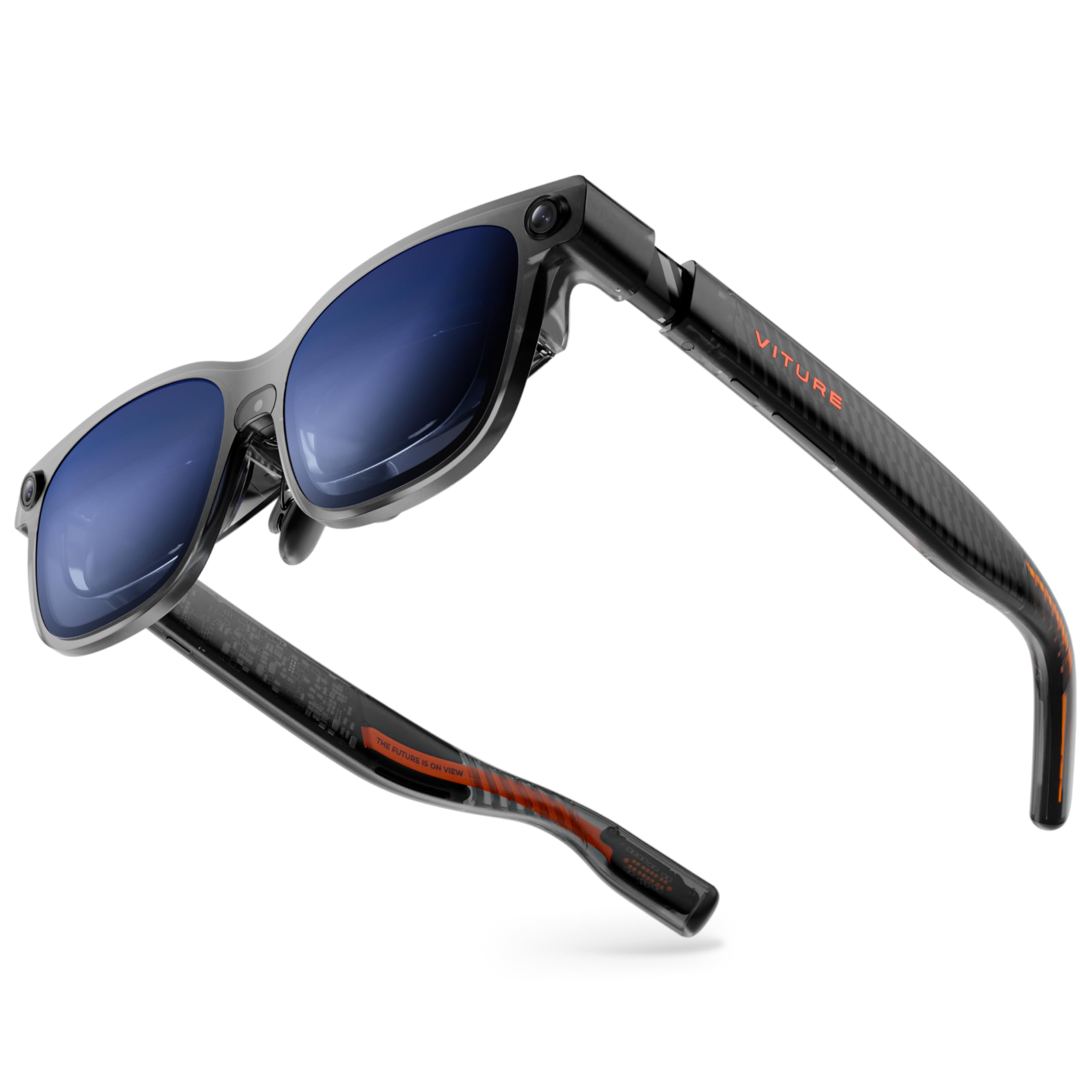
The VITURE Luma Ultra pushes the brightness envelope with a 1500-nit peak output, making it the only AR glasses in this roundup that remain genuinely usable under direct sunlight — a critical factor for developers building outdoor navigation or field-service AR applications. The 1200p resolution per eye, driven by VITURE’s proprietary optical system, delivers sharper text than the previous Pro model, which is essential for debugging code-heavy interfaces or reading detailed technical documents in a head-mounted display.
The triple-camera system — featuring a front RGB camera and dual depth cameras — enables zero-drift 6DoF tracking and hand gesture recognition when paired with the VITURE Pro Neckband. This is a genuine differentiator for developers building spatial computing applications that require persistent object anchoring and natural hand interaction. The 52-degree field of view and 120Hz refresh rate provide a responsive canvas, and the HARMAN-tuned audio system delivers richer bass than the XREAL One Pro’s Bose sound, though it’s less precise for spatial audio placement.
Built-in myopia adjustment up to -4.0D is a welcome convenience, eliminating the need for prescription lens inserts for many developers. The programmable RGB lighting on the frames is a novelty rather than a development tool, but the electrochromic film for instant lens darkening is genuinely useful for switching between indoor debugging and outdoor field testing. The primary concern for serious developers is the software maturity — the 2D-to-3D conversion feature has been reported to crash, and the triple-camera 6DoF functionality is locked behind the additional purchase of the Pro Neckband, significantly increasing the total cost of a fully capable developer setup.
Why it’s great
- Industry-leading 1500 nits for bright outdoor AR development.
- Triple-camera system enables zero-drift 6DoF tracking.
- Built-in myopia adjustment up to -4.0D without prescription inserts.
- HARMAN audio provides rich sound for immersive prototyping.
Good to know
- Full 6DoF and hand tracking require the expensive Pro Neckband accessory.
- Software features like 2D-to-3D conversion can be unstable.
- Heavier and bulkier than simpler glasses like the XREAL One Pro.
5. Rokid AR Spatial (Max2 + Station2)

The Rokid AR Spatial bundle pairs the Max2 AR glasses with the Station2 spatial computer, creating a self-contained AR development platform with a unique 3-screen multitasking mode. The Station2 packs an 8GB RAM, 128GB storage, Wi-Fi 6, and Bluetooth 5.2 into a compact 0.31kg computing puck, allowing developers to run multiple Android apps simultaneously in floating windows — a genuinely useful configuration for debugging documentation, code editor, and a live AR preview side by side. The 5000mAh battery provides roughly 3.5 hours of runtime, which is decent for untethered development sessions.
The Max2 glasses themselves offer a 1920×1200 resolution per eye at 120Hz with 600 nits brightness and 108% sRGB color gamut, delivering vibrant visuals for prototyping UI-heavy applications. The 50% larger Micro-OLED display compared to the previous Max model provides a more immersive viewing area. The support for up to 600 degrees of myopia adjustment via physical dials on the glasses is excellent for teams sharing a single kit, though astigmatism correction still requires separate prescription lenses. The Station2 runs YodaOS-Master and includes access to streaming apps like Netflix and YouTube, but Netflix is locked to 0DoF mode only.
Where the Rokid AR Spatial stumbles is software polish. Users report unintuitive navigation on the Station2, settings that revert unexpectedly, and some blurriness at the lower right corner of the display. The 3-screen multitasking only works with Android phones via DLNA — iPhone users are limited to single-screen mode. The gesture-based ray controller requires practice and is less precise than direct hand tracking found on the Quest 3 or Vive Focus Vision. For developers who need a standalone Android-based AR platform for productivity app prototyping, this kit has potential, but the rough software edges make it a mid-tier choice.
Why it’s great
- Station2 provides standalone Android AR computing with 8GB RAM.
- 3-screen multitasking mode for simultaneous code and preview.
- Physical myopia adjustment dials up to 600 degrees.
- 5000mAh battery supports several hours of untethered dev work.
Good to know
- Software UI is unintuitive with reported settings reversion.
- iPhone users are limited to single-screen display mode.
- Gesture-based ray control is less precise than hand tracking.
6. XREAL 1S AR/XR Glasses

The XREAL 1S is the direct predecessor to the One Pro, but it remains a strong mid-range option for developers who want plug-and-play 3DoF spatial display without the higher investment. Powered by the same X1 chip architecture as the One Pro, it delivers native 3DoF tracking with 3ms M2P latency at 120Hz, providing the same rock-solid screen anchoring for UI development. The 52-degree field of view projects a virtual screen up to 500 inches, and the individually color-tuned OLED panels produce excellent contrast and natural color reproduction that is TÜV Rheinland-certified for eye comfort.
The audio system co-developed with Bose delivers a spacious soundstage with deeper lows and clear mids, making it one of the best-sounding AR glasses for evaluating audio cues in spatial applications. The REAL 3D feature can convert any content into stereoscopic 3D at up to 30fps, which is useful for testing basic depth perception in your prototypes. The 120Hz refresh rate in 3DoF mode and 90Hz global refresh ensure motion blur-free visuals, and the advanced optical alignment reduces the edge blur that plagues many birdbath optics designs.
Where the 1S falls short of the One Pro is the smaller 52-degree FOV and the lack of electrochromic dimming — you get a physical blackout shade instead. The 3DoF anchor mode can drift occasionally, and settings reset on each boot, requiring developers to reconfigure their preferred display position every session. The birdbath reflections remain a visible issue in bright environments. For developers who need a reliable, well-built 3DoF display for testing AR interfaces without needing the latest FOV or dimming features, the XREAL 1S offers an excellent entry point into spatial display development.
Why it’s great
- Native X1 chip 3DoF with 3ms M2P latency for stable screen anchoring.
- Bose-tuned audio with excellent clarity and spatial soundstage.
- TÜV Rheinland certified for eye comfort during long dev sessions.
- Individual color tuning for accurate visual debugging.
Good to know
- 52° FOV is smaller than the One Pro’s 57°.
- Settings reset on each boot — no profile save functionality.
- Birdbath reflections visible in brighter environments.
7. TOZO VIZO Z1 AR Glasses
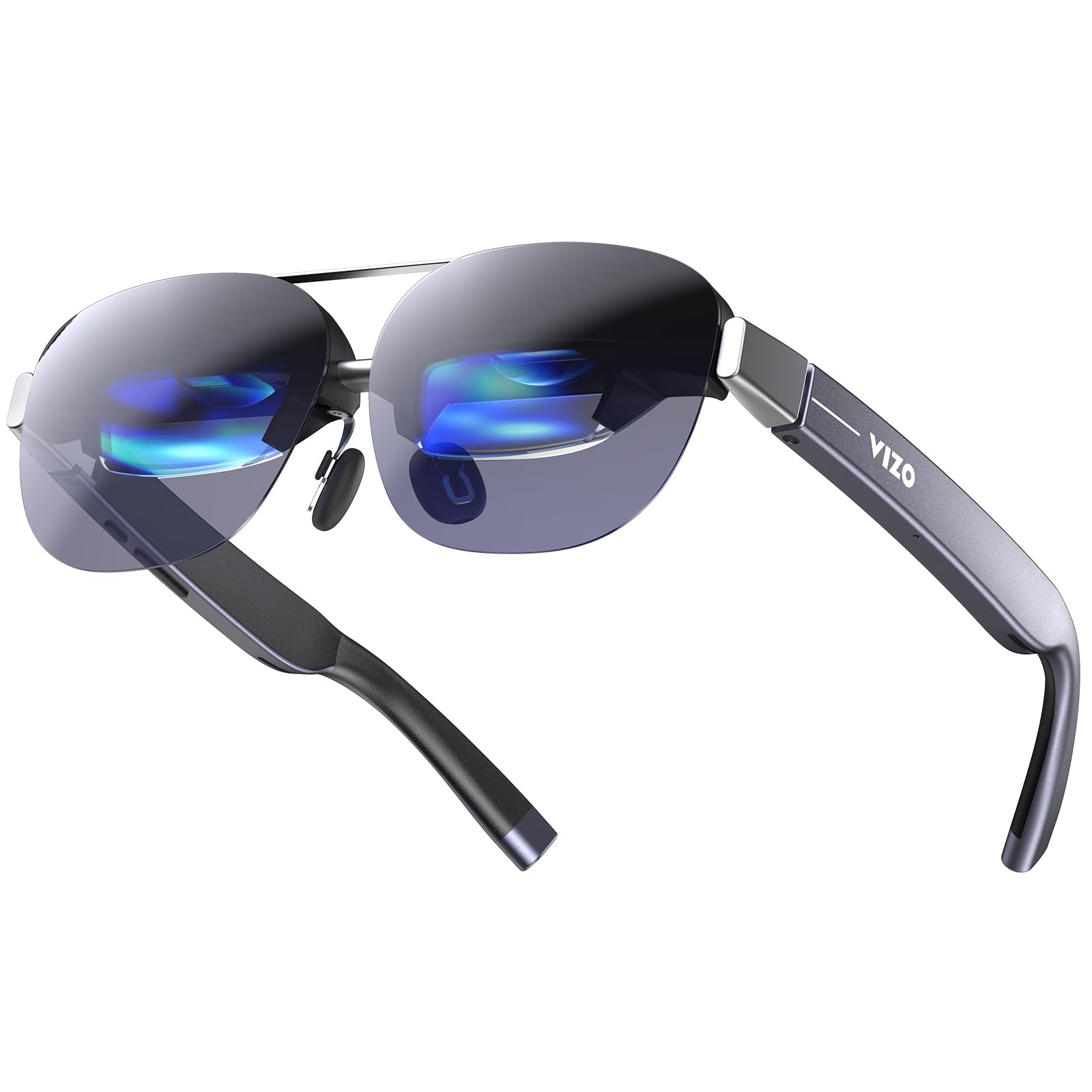
The TOZO VIZO Z1 enters the developer kit space as a budget-conscious option focused purely on high-resolution display output. It features a Real RGB 1080P Micro-OLED panel per eye with a 3840×1080 combined resolution when switched to 3D mode, providing full stereoscopic depth for testing 3D UI layouts. The 120Hz refresh rate ensures smooth motion, and the advertised 6000-nit peak brightness (with a 200,000:1 contrast ratio) makes it competitive with far more expensive glasses for indoor use, though real-world brightness is typically lower than peak claims.
At just 63 grams, the VIZO Z1 is one of the lightest AR glasses available, making it comfortable for extended wear during long debugging sessions. The detachable frame for custom prescription lenses is a practical feature for shared developer kits, and the 4-level adjustable nose pads with enlarged air-cushion design provide a customizable fit. The built-in stereo speakers and physical controls offer basic audio feedback without requiring separate headphones, though audio quality is adequate rather than exceptional.
The VIZO Z1 is purely a display device with no onboard spatial tracking — it offers 0DoF output only, meaning the screen follows your head movements without any anchoring to the real world. This severely limits its utility for developing spatial AR applications where screen pinning or object permanence is required. The lack of any DoF, screen size, or distance adjustment controls means you get a fixed virtual screen experience. For developers who need a lightweight, high-resolution monitor for testing 2D app interfaces or watching immersive 3D content, it works well, but it cannot replace a proper 3DoF or 6DoF developer kit for spatial computing projects.
Why it’s great
- Extremely lightweight 63g design for comfortable long wear.
- Full 3840×1080 resolution in 3D mode for stereoscopic testing.
- Detachable frame for custom prescription lenses.
- 120Hz refresh rate for smooth motion in fast-paced content.
Good to know
- No spatial tracking — 0DoF only, screen follows your head.
- No screen size, distance, or DoF adjustment controls.
- Built-in speakers adequate but not exceptional for spatial audio.
8. VITURE Pro Neckband

The VITURE Pro Neckband is not a standalone AR headset but a powerful Android-based compute module designed to pair with VITURE XR glasses, effectively turning them into a wireless spatial computing platform. With 12GB of RAM and 256GB of internal storage, it offers more memory and storage than most standalone headsets, providing ample headroom for running multiple development tools and streaming services simultaneously. The neckband form factor is ergonomically designed to be thinner and lighter than its predecessor, with no fan noise and no heat — a significant comfort upgrade for long development desk sessions.
The built-in AI assistant with voice control provides hands-free interaction, and the multi-screen support allows up to three apps to run simultaneously, which is genuinely useful for debugging workflows. The 4-hour battery life is acceptable for a wearable compute module, and the ability to charge while using it extends practical runtime indefinitely. The compatibility with PSPlay, XBXPlay, and Moonlight streaming apps makes it useful for testing AR overlays on game streams, though this is a niche use case for most developers.
The Pro Neckband’s primary limitation is its dependency on the entire VITURE ecosystem — it requires VITURE XR glasses to function, and the hand tracking and 6DoF features that make it a true spatial computing platform have been reported as inconsistent, with some users citing a 40% success rate for gesture recognition. The UI has rough edges, and ambient mode consumes a quarter of the visual field. Without the Neckband, the VITURE Luma Ultra glasses are just a high-brightness display — the Neckband is the component that adds spatial computing capability, but its current software maturity makes it a developer tool with potential rather than a polished product.
Why it’s great
- Massive 12GB RAM and 256GB storage for multitasking dev work.
- Ergonomic neckband design with no fan noise or heat buildup.
- Multi-screen mode supports up to three simultaneous apps.
- 4-hour battery with the ability to charge while in use.
Good to know
- Hand tracking and 6DoF functionality are inconsistent and buggy.
- Requires VITURE XR glasses to function — not standalone.
- Software UI has rough edges that need further polish.
9. Meta Quest 3S 128GB

The Meta Quest 3S shares the same Snapdragon XR2 Gen 2 processor and motion controllers as the flagship Quest 3, making it an excellent entry point for developers who want access to the same processing power at a lower entry cost. The resolution is 1832×1920 per eye, slightly lower than the Quest 3’s 2064×2208, but still significantly sharper than the Quest 2. The dual RGB color cameras enable full-color passthrough for mixed reality development, and the 2.5-hour battery life is marginally better than the Quest 3.
The 128GB storage option is a practical consideration for developers — it fills up quickly with large game builds and high-resolution textures, but the price savings can be redirected toward accessories like an external battery strap. The default strap is the same uncomfortable fabric design as the Quest 3’s entry-level configuration, and the included glasses spacer has been reported to scuff lenses. Developers should budget for a third-party head strap with integrated battery to extend development sessions beyond the 2.5-hour limit.
For developers who are primarily targeting the Meta Quest platform and need a secondary headset for testing, or who are new to AR/VR development and want the lowest-cost entry to the Snapdragon XR2 Gen 2 ecosystem, the Quest 3S is a rational choice. The trade-off is lower resolution and a front-heavy design that can be less comfortable during long debugging sessions. The 128GB storage is the main bottleneck — developers working with large assets should consider whether the 256GB version of the Quest 3S or the 512GB Quest 3 better suits their workflow.
Why it’s great
- Snapdragon XR2 Gen 2 processor matches the flagship Quest 3.
- Full-color passthrough with dual RGB cameras for MR testing.
- Affordable entry point to the Meta Quest developer ecosystem.
- Slightly better 2.5-hour battery life than the Quest 3.
Good to know
- Lower 1832×1920 resolution vs. Quest 3’s 2064×2208.
- 128GB storage fills quickly with large dev builds.
- Default strap is uncomfortable; third-party upgrade recommended.
- Glasses spacer can scuff prescription lenses.
10. Rokid Max 2 AR Glasses
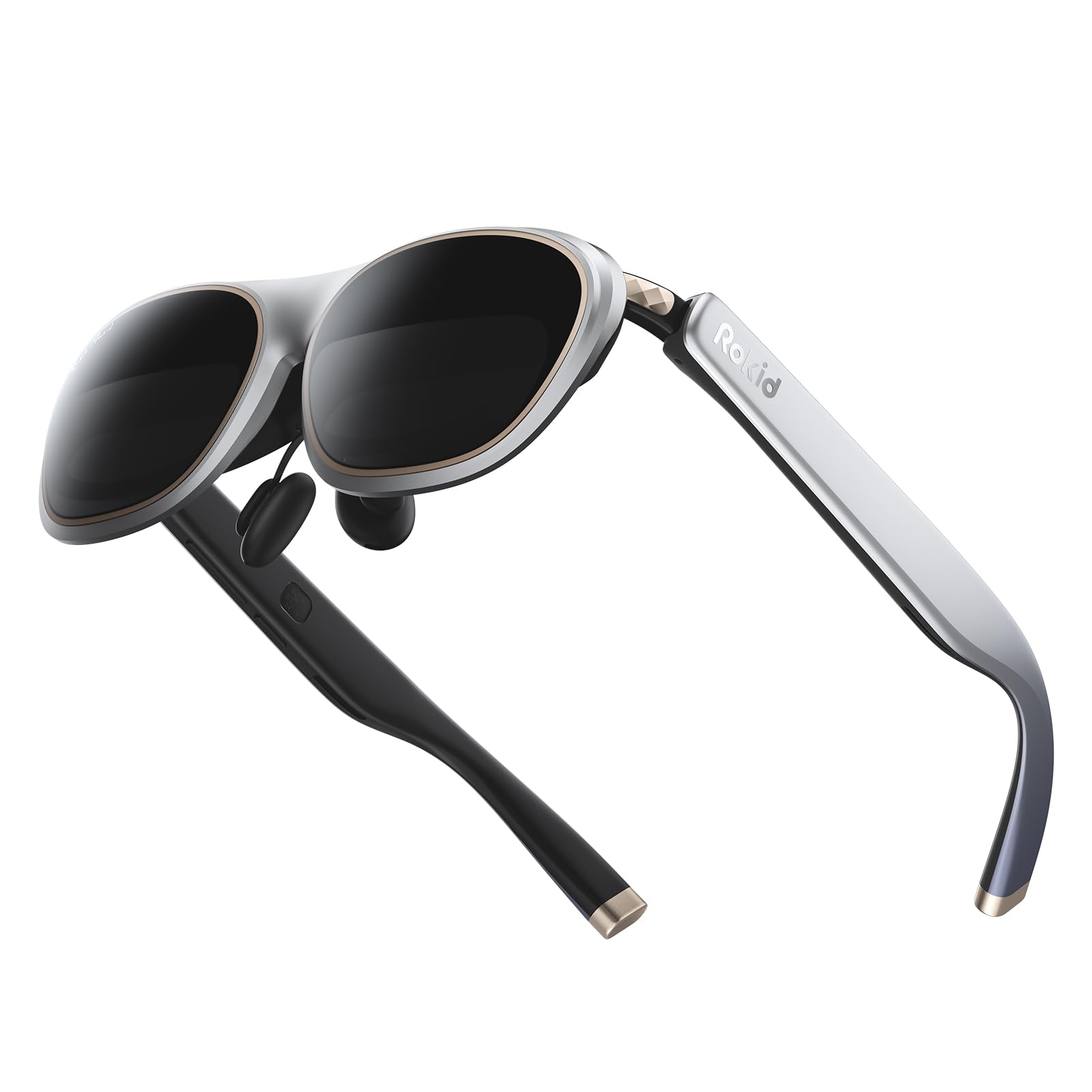
The Rokid Max 2 is a lightweight 75-gram display-focused AR glasses offering a 215-inch virtual screen at a 6-meter distance with a 50-degree field of view. The Micro-OLED panels deliver 1920×1200 resolution per eye at 120Hz with 600 nits of brightness, providing a sharp and vibrant canvas for testing display-driven AR applications. The physical myopia adjustment dial supporting up to 600 diopters is a standout feature for shared developer kits, though it does not compensate for astigmatism.
The redesigned nose pad with airy cushioning prevents slippage and reduces pressure fatigue, making the Max 2 comfortable for extended wear despite the lack of any onboard computing. The glasses are powered directly via USB-C from compatible devices, requiring no internal batteries. Compatibility spans iPhone 15 series, most Android phones with DP output, Windows laptops, and iPads from 2020 onward. The HDCP support ensures seamless content protection for streaming service testing.
The Max 2 offers no spatial tracking — it is a 0DoF display only, making it unsuitable for developing AR applications that require screen pinning or object permanence. The 50-degree FOV is narrower than the 57-degree XREAL One Pro, and the lack of any electrochromic dimming means outdoor visibility is limited. For developers who need a lightweight, high-refresh-rate display for testing 2D app interfaces or media consumption in a head-mounted format, the Rokid Max 2 is a solid choice, but it is not a spatial computing development tool.
Why it’s great
- Ultra-light 75g design for comfortable extended wear.
- Physical myopia adjustment dials up to 600 diopters.
- 120Hz Micro-OLED display with 600 nits brightness.
- Powered directly via USB-C — no internal battery needed.
Good to know
- No spatial tracking — 0DoF display only.
- 50° FOV is narrower than competing glasses.
- No electrochromic dimming for outdoor use.
- Does not support astigmatism correction.
11. RayNeo Air 4 Pro Batman Edition
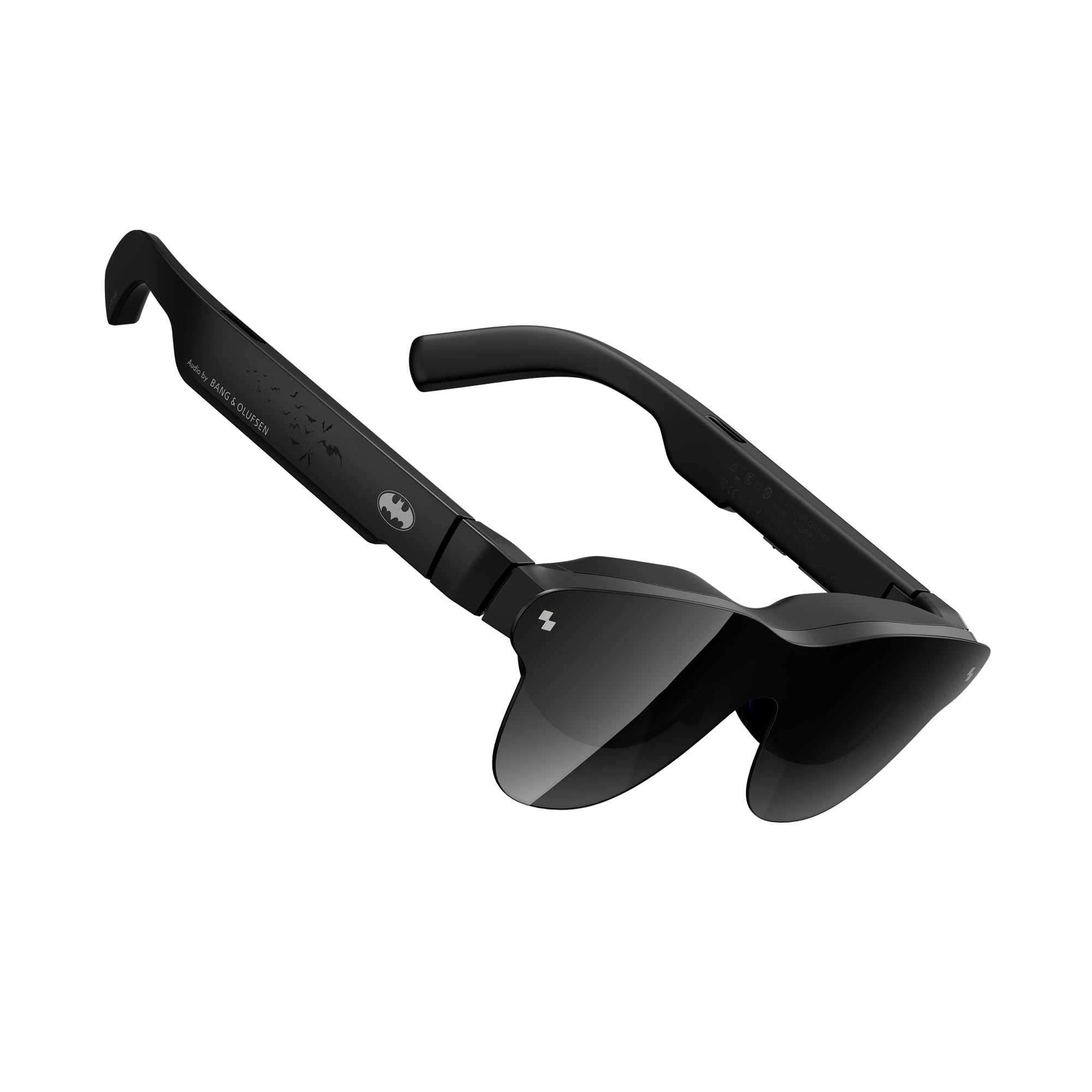
The RayNeo Air 4 Pro Batman Limited Edition is a collector-grade AR glasses that offers genuine technical merit for display-focused development. It features HDR10 support with an AI-powered 1200-nit peak brightness, driven by the Vision 4000 chip for real-time SDR-to-HDR conversion — a unique capability for testing how HDR metadata translates to AR display environments. The quad-speaker system co-tuned by Bang & Olufsen delivers a 360-degree soundstage that is genuinely impressive for evaluating spatial audio cues in a consumer AR format.
The 201-inch virtual screen with a 120Hz refresh rate provides a smooth canvas for interface testing, and the AI-powered 3D conversion can transform 2D content into stereoscopic depth — useful for rapid prototyping of depth perception in applications. The collector-grade packaging and special Batman-themed aesthetic are primarily for enthusiasts, but the underlying hardware represents a solid mid-range display platform. The USB-C connectivity ensures broad compatibility with modern DP-enabled devices.
The primary constraint for developers is the limited 345×201 display resolution — this is significantly lower than the 1920×1080 or higher resolutions found on competing glasses, and will result in visible pixelation when displaying detailed text or complex UI elements. The 3D effect is achieved through software processing rather than dual native displays, limiting its fidelity for spatial computing prototyping. Additionally, some users report that the tinted sunglasses design creates internal reflections, and the build quality, while generally good, has some reports of cheap plastic feel. This is a consumer AR accessory first and a developer tool a distant second.
Why it’s great
- HDR10 support with AI SDR-to-HDR conversion for display testing.
- 1200 nits brightness with 120Hz refresh rate.
- Bang & Olufsen quad-speaker system for spatial audio evaluation.
- Collector-grade packaging for brand display.
Good to know
- Low 345×201 resolution limits text and UI detail.
- Tinted lens design causes internal reflections in bright rooms.
- Software 3D conversion limits spatial computing fidelity.
- Build quality feels less premium than price suggests.
FAQ
What is the minimum DoF requirement for AR development?
Can I develop spatial apps with glasses that require a phone tether?
How important is processor choice for AR developer kits?
What is the difference between birdbath optics and prism optics in AR glasses?
Do I need hand tracking for AR development?
Final Thoughts: The Verdict
For most developers, the best augmented reality developer kit winner is the Meta Quest 3 512GB because it combines the most powerful Snapdragon XR2 Gen 2 processor, a mature development SDK ecosystem, and full-color passthrough mixed reality in a wireless standalone form factor that lets you iterate without cables or compute pucks. If you need the highest-fidelity optical display for spatial anchoring without the bulk of a standalone headset, grab the XREAL One Pro for its X1 chip’s 3ms M2P latency and 57-degree field of view. And for enterprise-grade face tracking, 5K resolution, and lossless DisplayPort connectivity, nothing beats the HTC Vive Focus Vision.