
Our readers keep the lights on and my morning glass full of iced black tea. As an Amazon Associate, I earn from qualifying purchases.
Specs are compiled from manufacturer listings and verified buyer reviews and can change over time — please confirm the key details on the product page before buying.
If you have boxes of old photos, the single biggest decision is whether to buy a scanner that feeds stacks automatically, or you’ll be placing each print on a flatbed one at a time for months. The real fix is an auto feed photo scanner that pulls a stack of prints through in seconds, so a weekend can turn thousands of pictures into digital files.
I’m Min — the founder and writer behind Gadgets Feed. This guide is built by comparing the manufacturers’ published specifications and the patterns across verified customer reviews, so you get each pick’s real strengths and trade-offs instead of marketing spin.
You need a scanner that feeds photos automatically so you don’t sit and place each one by hand. The best auto feed photo scanner for you depends on three things: how fragile your prints are, how many you have, and if you need both sides scanned at once. This guide covers the top options for each of those situations.
Our Picks at a Glance


How To Choose The Best Auto Feed Photo Scanner
Most people assume the highest resolution matters most for photos, but with an auto-feed scanner, how the machine handles the physical print is the first hurdle. A scanner that is fast but jams on every curled photo will be a constant frustration, so look at the feeder design before you look at the megapixel-equivalent specs.
Feed Speed and Batch Capacity
Speed is measured in pages or items per minute, and the feeder tray size tells you how many prints you can load at once. A 30-photo tray means you are loading a small stack per run, while a 100-sheet feeder lets you walk away between batches. If you are digitizing an entire shoebox of memories, the difference between 30 and 100 items per batch will shape your whole workflow.
Resolution and Print Condition
Resolution is measured in dots per inch (dpi), which tells you how much detail the scanner captures. The jump from 600 dpi to 1200 dpi matters most on small prints: a 3×3 photo has far fewer pixels than a 4×6, so the higher dpi pulls out real detail you would otherwise lose on those tiny images. Also check whether your photos are flat and glossy or old, curly, and fragile — that decides if you need a machine with a gentle, straight feed path that won’t bend them.
Quick Comparison
| Model | Best For | Feed Speed | Max Resolution | Feeder Capacity | Amazon |
|---|---|---|---|---|---|
| Epson FastFoto FF-640★ Best Overall | Large photo batch digitizing | 1 photo/second | 600 dpi | 30 photos | Amazon |
| Plustek PS188Best Value | Office document workflows | 30 pages/min | 600 dpi | 50 sheets | Amazon |
| IX500 ScanSnapDigital Hoarder | Photo and receipt hoarding | 25 pages/min | — | 50 sheets | Amazon |
| HPPS200 | Travel and on-the-go scanning | 25 pages/min | 1200 dpi | 25 sheets | Amazon |
| Canon imageFORMULA RS40 | Mixed photos and documents | 40 items/min | 1200 dpi | 60 sheets | Amazon |
| ScanSnap iX2400 | One-touch simplicity | 45 pages/min | 600 dpi | 100 sheets | Amazon |
| ScanSnap iX2500 Photo Edition | Photo-specific features | 100 photos/min | 600 dpi | 100 docs / 36 photos | Amazon |
| RICOH fi-800R | Compact desk batch scanning | — | — | — | Amazon |
| Fujitsu fi-7030 | Office and sports card scanning | — | — | — | Amazon |
In‑Depth Reviews
1. Epson FastFoto FF-640 High-Speed Photo Scanning System
Our pick — 4.5★ from 350+ verified ratings; the strongest balance of quality and price.
The stack-feeding workhorse that turns a weekend into a finished archive.
This is the pick for anyone staring down multiple shoeboxes of memories, because it scans up to 1 photo per second in its class and holds 30 photos at a time in the auto-feed tray. The magic is not just the speed — the built-in software applies automatic color and exposure correction and detects writing on the back of prints by scanning both sides and tagging them clearly.
Buyers report finishing 3,261 photos in 4 hours and even 5,000+ over a few days, with the straight feed path keeping prints undamaged. The trade-offs are real: curled photos can jam, Polaroids from certain eras are too thick, and the bundled sleeve for odd items needs manual cropping. There is a recurring note that dust control needs regular cleaning to keep scan lines away.
At 8.8 pounds, this is not a travel device; it is a dedicated home-archive station you leave on a desk. It earns the crowd-favorite spot with 4.5 stars across 300+ owners, making it the safest bet for serious batch work. The value-for-money verdict is mixed, so it is worth it mainly for large projects rather than a single album.
What the speed buys you
- Scans both sides and flags back-writing automatically
- Auto color and exposure correction straight out of the scan
- Straight feed path that handles mixed print sizes gently
What to prepare for
- Curled or very old prints can jam and may need flattening first
- Polaroids from certain eras are too thick to feed
- Dust builds up on the glass and needs regular cleaning
The archive ender: Reach for this when you have thousands of prints and a weekend to spare. It scans at 1 photo per second and auto-corrects colors, a pace no other pick here matches — so you can finish a shoebox of photos in one sitting.
Think twice if: Your pile is mostly heavy, curled, or thick instant photos — those are exactly the prints this feeder struggles with.
2. Plustek PS188 High Speed Double-Sided Document Scanner
The compact duplex feeder that keeps an office humming without eating the desk.
If your scanning diet is mostly documents with the occasional photo, this 5.9-pound machine delivers 30 pages per minute in a footprint that is just 5 inches deep. A 50-sheet automatic feeder plus one-touch button scanning means you can drop a stack of mixed paper and let the duplex (double-sided) scanning handle both faces in a single pass.
Owners love the gravity feed because it preserves pencil manuscripts that drive rollers would smudge, and one office ran three units in a row, calling it better than a leading Brother model. The honest caveat is reliability — feedback is mixed, with some reporting the feeder can jam and damage originals. The bundled instructions are minimal, so expect to calibrate and troubleshoot on your own.
It weighs 5.9 pounds versus the Epson’s 8.8 pounds, which makes it easy to move between desks, and its barcode-as-filename feature is a genuine time-saver for organized archivists. There is no invented value here — you trade some photo-specific polish for a genuinely budget-friendly price and real speed.
Office-ready, photo-polite: buy it for the 30-pages-per-minute duplex speed and small footprint, and keep expectations measured on ultra-delicate or curled prints.
3. IX500 Scansnap Receipt Scanner (Renewed)
A renewed classic that chews through bins of photos without a single jam.
Owners mention bringing this home specifically to digitize “about 4 bins of pictures” and coming away delighted, with one-touch searchable PDF creation turning the output into organized, findable files. The 50-page automatic document feeder and 25 double-sided pages per minute make it a legitimate batch machine for both photos and the paperwork pile.
The headline catch is that this is a renewed unit, and the quality of the refurbishment is a lottery — some arrive looking genuinely used, with cosmetic scuffs that make you wonder about the internals. Functionally it works as expected when you get a good one, and the 1-year warranty from AnyHDD (rather than Fujitsu) offers some cover.
Because it is a reconditioned unit, the smart play is to treat it as the bridge that finally gets those bins digitized, not as a long-term office cornerstone. It weighs 8.2 pounds, so it is a desktop fixture rather than a traveler, and the speed, per owners, never disappoints.
Bin-to-digital bridge: perfect for the one-time massive photo purge when you want proven ScanSnap speed at a lower entry point.
Look elsewhere if: you need a pristine, factory-new unit — the renewed condition means cosmetics and reliability are hit-or-miss.
4. HP Compact Desktop Duplex USB Mobile Document & Photo Scanner (HPPS200)

The 3.1-pound briefcase companion that scans on the road, not just at the desk.
For a bookkeeper or accountant who visits clients, this is the machine that fits in a rolling laptop bag and still delivers a true 1200 dpi duplex scan. The integrated rear tray auto-feeds up to 25 pages at a time, and the HP WorkScan software handles auto-scan, size detection, and background cleanup with just a few clicks.
The defining tension is real: one owner called it “the bomb” for travel and loved the vibrant scan quality, while another found the 1200 dpi claim did not hold up and that the auto-crop mangled photos. Extra-long receipts were a no-go for one buyer, which is worth knowing if you scan thermal register tape.
Reviews run the gamut from “works better than my knees” to a return, so treat this as a specialized travel scanner rather than a photo-archive solution. The instant setup and tiny footprint are the headline wins; heavy photo restoration is not this unit’s lane.
Why it travels
- Slips into a briefcase at just 3.1 pounds
- Auto-feed tray folds down flat when not in use
- Single-pass duplex scans both sides of a document
Where it struggles
- Some owners found the max resolution falls short of the claim
- Auto-crop can cut photos inappropriately
- Extra-long receipts do not scan
For the road warrior: grab this if you need a portable two-sided scanner for client visits and general paperwork, not for delicate photo archives.
Not for: anyone whose priority is high-dpi photo fidelity — the resolution questions make it a gamble for prints.
5. Canon imageFORMULA RS40 Photo and Document Scanner

The balanced all-rounder that feeds photos, Polaroids, and tax documents at 40 items per minute.
Canon’s RS40 is the rare machine that accepts the entire mixed pile — photos, receipts, cards, driver licenses, and even Polaroids — through its 60-sheet auto feeder. It scans both sides simultaneously and saves to JPG, TIF, BMP, PNG, PDF, and even PPTX, with bundled software that offers red-eye correction and digital face smoothing.
Owners consistently praise the speed, with 19 faded 3×3 photos taking about 70 seconds and a stack of 70 pages front-and-back finishing in under 2 minutes. The adjustable sensitivity for photo backs is a standout, and the auto-crop works well across varied print sizes, though postcards can jam when stacked. There is a notable software quirk: temp files at 1200 dpi can fill your C: drive, requiring manual cleanup every few hundred scans.
This is the choice when you refuse to sort before scanning. It has genuine photo polish — auto/fade correction that pulls detail out of dark, faded prints — while still being a serious document machine. The one-year limited warranty with US-based support adds confidence that renewed units cannot match, so you get help quickly if something breaks.
Sort nothing, scan everything: the RS40 is the best single-machine answer for a chaos pile of photos, IDs, and receipts, provided you keep an eye on temp files.
6. ScanSnap iX2400 High-Speed One-Touch Document Scanner
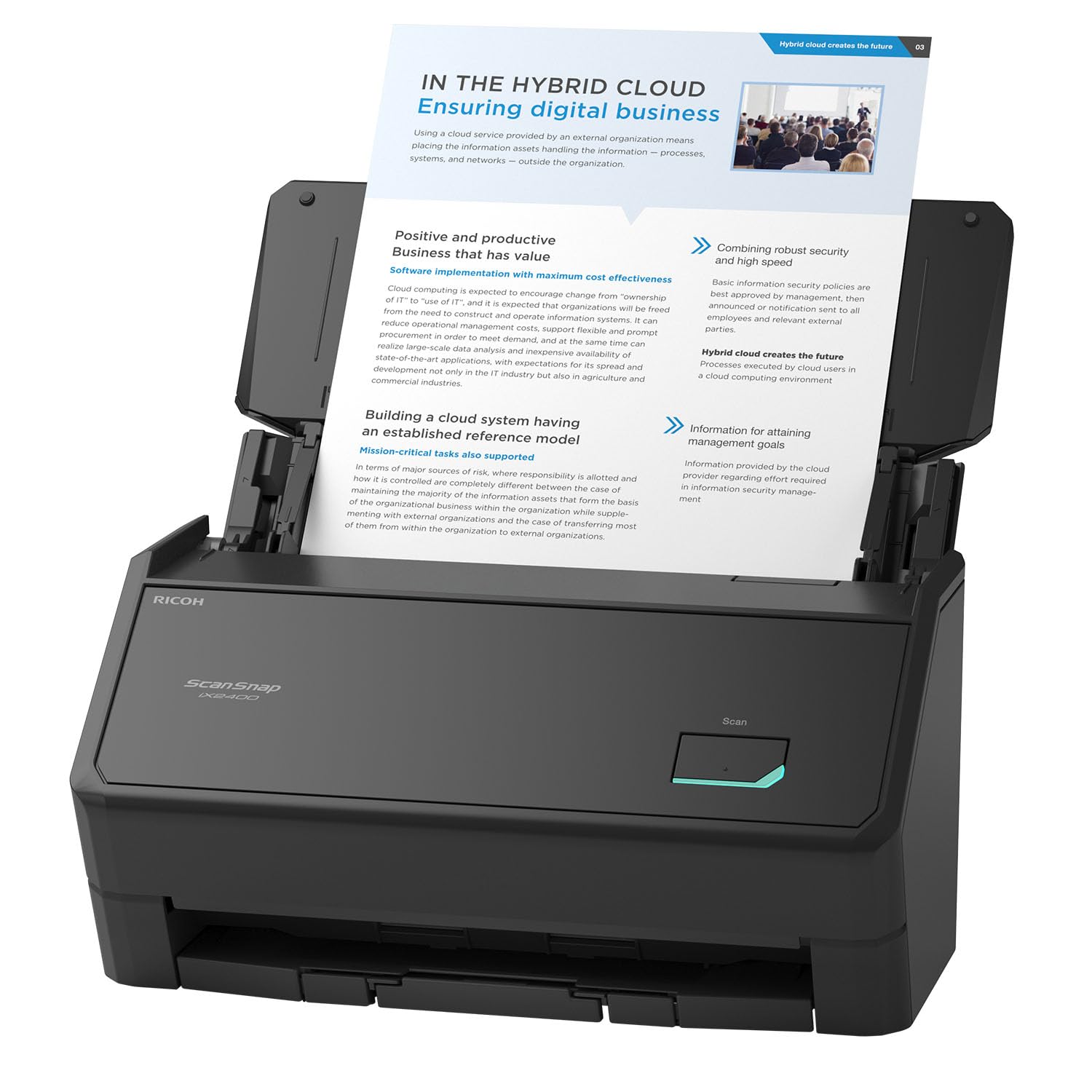
Press one button and a 100-sheet stack turns into cleaned, organized digital files.
Simplicity is the whole pitch here: a single button triggers scanning, clean-up, and organization at up to 45 pages per minute, and the 100-sheet feeder is the largest capacity on this list. The machine automatically detects document size and color depth, removes streaks and blank pages, de-skews, and rotates — so the output is ready to use without post-editing.
Buyers describe it as the “best scanner ever,” with easy setup and beautiful duplex scans, and it handles business cards and envelopes without jamming. The one surprise is that it is strictly wired USB — there is no Bluetooth or Wi-Fi — which caught a buyer off guard. Scanning performance gets mixed feedback overall, so it is not universally flawless.
If you want the largest feeder so you can walk away between batches, the 100-sheet capacity is the strong argument for this model over most rivals. The ScanSnap Home software is the centerpiece, and it is genuinely the friendliest organizational layer in this category, even if setup hiccups have frustrated a minority of owners.
Set it and walk away: choose this when you need the biggest feeder and the least fiddly one-touch workflow for a busy desk.
Mind the wire: if you wanted a wireless scanner, this direct-connect model is the wrong pick — USB only.
7. ScanSnap iX2500 Photo Edition Wireless or USB High-Speed Scanner
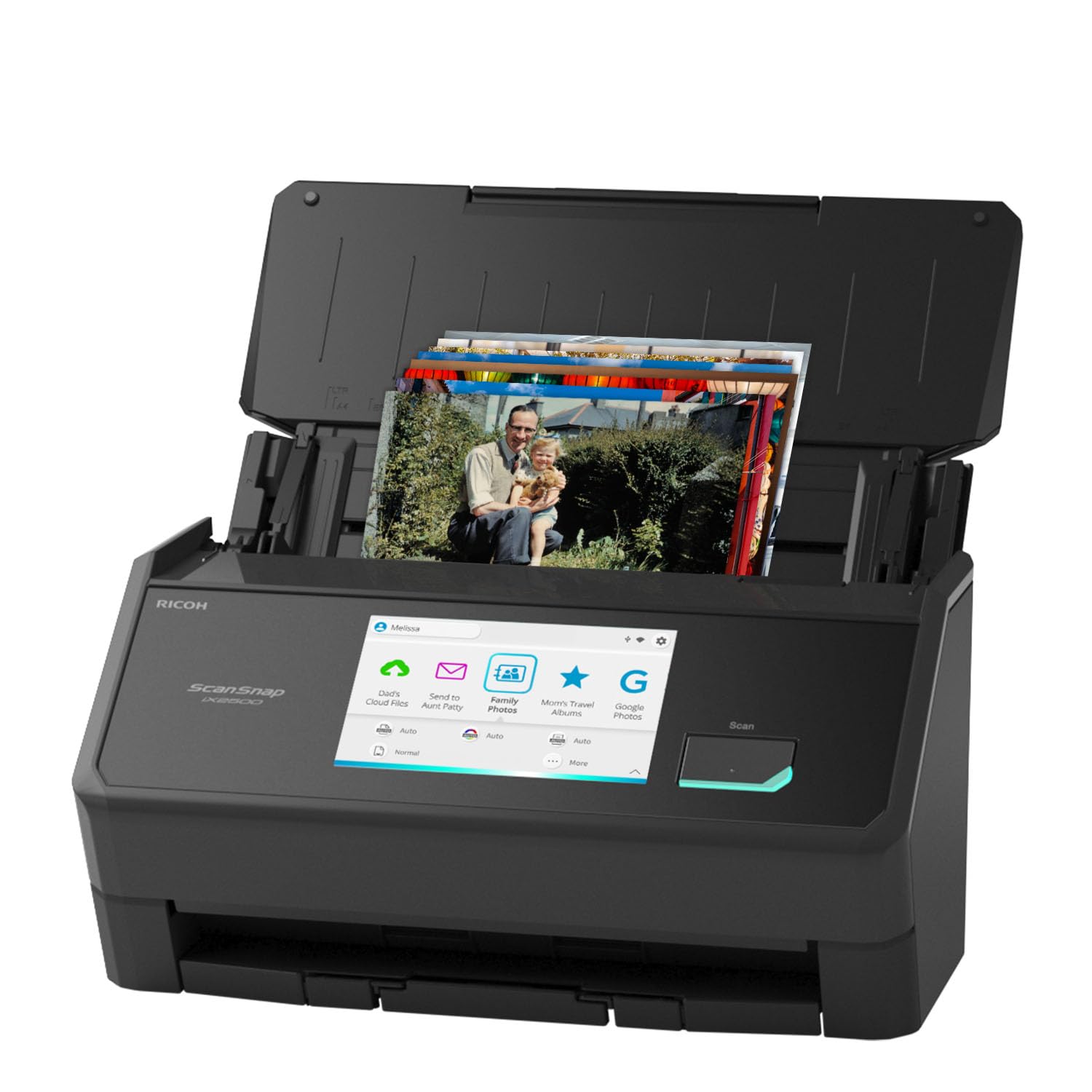
A large touchscreen and photo carrier sheets make this the most photo-serious ScanSnap yet.
This edition ships with 3 photo carrier sheets for delicate prints and a quick-start guide for building photo profiles, and its feeder holds up to 100 documents or 36 photos at a time. It scans up to 100 photos per minute and connects via built-in Wi-Fi 6 or USB-C, sending files to clouds and mobile devices without a computer in the loop.
Owners digitized 1,000+ photos with no scratches or misalignment, and even fed very thick 100-year-old photo tablets through one at a time. The 5-inch touchscreen lets you pick personalized profiles and send to PC, Mac, or mobile, and daily batches can back up straight to Google Cloud. The software is the weak link — the UI is clunky with multiple menu layers, and face-based auto-rotation fails on obvious images.
If you want the modern ScanSnap experience with wireless convenience and photo-specific features, this is the flagship. The trade-off is that the photography-oriented features like auto color correction trail dedicated photo scanners, so serious restorers may still want the Epson.
Wireless memory keeper: the iX2500 Photo Edition is the premium pick for cloud-synced, photo-first batch scanning with Wi-Fi 6 and a real touchscreen.
8. RICOH fi-800R Ultra-Compact Color Duplex Document Scanner

The ultra-compact dual-feeder that handles envelopes, IDs, and passports without a carrier sheet.
Ricoh’s fi-800R is built for the cluttered desk, with dual auto document feeders and a flexible return path that scans thick items like envelopes, booklets, and passports directly — no carrier sheet required. It weighs just 2 kg, and automatic skew correction plus active separation keep feeding reliable even with mixed media.
Owners who have used six scanners over 20 years call it the easiest yet, with one-touch color duplex PDFs and roughly 2 jams per 100 sets that reset quickly. The bundled PaperStream ClickScan software lets you push a button and send to email, print, or a folder. The honest photo caveat: scans of photos wash out darks, so this is not the machine for preserving low-light prints.
For a business that scans all day, the compact footprint and thick-document handling are the standout wins. There is a small reliability risk — one owner returned a unit that misfed roughly 40% of the time — so quality control is worth watching on delivery.
For the crowded desk: grab this when you routinely scan passports, envelopes, and IDs and need a tiny footprint with duplex power.
Not for photo purists: if your priority is dark print detail, the washed-out scans make this the wrong tool.
9. Fujitsu fi-7030 Value-Priced Front Office Color Duplex Document Scanner

The front-office feeder that flips through sports cards and receipts at a consistent clip.
Fujitsu’s fi-7030 is the pick for lighter office duty cycles, and it has a devoted following among sports card resellers who need fast duplex scans with auto-detect and auto-crop for uploading. It handles IDs, cards, receipts, and photos, and the brake roller separation plus skew reduction keeps feeding stable.
Customers note it outperforms a leading Xerox unit and have scanned thousands of pages with great quality, including old photos that come out well. The PaperStream ClickScan software keeps it to push-button simplicity — place paper, hit scan, send to email or folder. Value for money gets mixed marks, with several noting it is a bit costly, so the price needs the workload to justify it.
The one catch is that bound items need a flatbed, so it is not the only machine you will ever own. But for a front office that wants reliable duplex feeding day after day, this is the steady, predictable choice.
Consistent office workhorse: the fi-7030 earns its keep with stable feeding and high clarity for cards, receipts, and tax documents — the sports-card crowd swears by it.
Understanding the Specs
Feeder Capacity vs. Speed
The feeder capacity tells you how many items you can load at once, while the speed (items per minute) tells you how fast they process. A 30-photo tray with a fast scan rate means more frequent reloads but quick turnaround; a 100-sheet feeder means fewer interruptions but a larger upfront stack. Match the capacity to how many prints you can physically gather at a time.
Resolution (dpi)
Resolution is measured in dots per inch, and higher dpi captures more physical detail on small prints like a 3×3 snapshot. On larger 4×6 or 5×7 prints, the difference between 600 and 1200 dpi is less visible, but on tiny prints the extra resolution pulls out real detail. More resolution also means larger files and slower scans, so higher is not automatically better.
FAQ
Can an auto feed photo scanner handle old, curled, or fragile photos safely?
What is duplex scanning and why does it matter for photos?
Is 600 dpi enough for photos, or should I pay for 1200 dpi?
Will a document scanner do a good job scanning my photos?
How fast can I realistically digitize a large photo collection?
Why does my scanner leave streaks on photos?
Can I scan Polaroids and other thick instant photos?
What software do I need to organize scanned photos?
Is a renewed or refurbished photo scanner a good idea?
Final Thoughts: The Verdict
Across the board, the auto feed photo scanner winner is the Epson FastFoto FF-640 because it pairs the fastest feed with automatic color correction and back-scan detection, and the crowd consensus backs its reliability. If you want the most flexible machine for mixed piles of photos and documents, the Canon imageFORMULA RS40 is the one to reach for. And for a genuinely portable option that travels in a laptop bag, the HPPS200 is the compact pick.
How We Picked
We do not accept paid placement. Every pick is matched to a real buyer and a real use-case; we do not hands-on test units.
Sources & Methodology
Specifications: manufacturer listings and product documentation. Review insights: verified customer reviews, as of August 2026. Pricing: not shown on this page (it changes often); check the current price via the retailer link.
As an Amazon Associate, Gadgets Feed earns from qualifying purchases. This does not affect which products we feature.