
That moment you’re halfway down the driveway and the “did I lock the door?” thought hits — the one that forces a U-turn or gnaws at you all day — is precisely the problem an auto locking deadbolt solves. These smart locks don’t just secure your door; they remove the mental overhead of home security by automating the final check you’d otherwise have to remember.
I’m Min — the co-founder and writer behind Gadgets Feed. I’ve spent hundreds of hours analyzing smart lock specifications, comparing biometric sensors, battery chemistries, wireless protocols, and security certifications to separate the genuinely reliable deadbolts from the ones that frustrate you at the worst possible moment.
Whether you want to ditch physical keys, grant temporary codes for houseguests, or simply never second-guess your front door again, finding the best auto locking deadbolt means understanding which smart features actually hold up in daily use and which ones are just marketing fluff.
How To Choose The Best Auto Locking Deadbolt
An auto locking deadbolt is more than a motorized latch — it’s a system of sensors, wireless radios, and power management you interact with multiple times daily. Choosing wisely means evaluating four specific pillars: unlock speed and methods, battery strategy, smart home compatibility, and physical build quality. Here’s what separates trouble-free locks from constant headaches.
Unlock Speed & Sensor Accuracy
The most common pain point in this category is a slow or finicky fingerprint reader. Look for deadbolts that advertise unlock times under 0.5 seconds and use AI-learning algorithms that improve recognition over time. Models that allow you to register the same finger multiple times from different angles compensate for imprecise placement. Keypad responsiveness matters too — tactile buttons avoid the smudging and glare issues that plague touchscreens in direct sunlight.
Battery Longevity and Backup Options
Battery failure at the wrong moment is the single biggest reliability fear. Deadbolts in this category typically run on 4 to 8 AA alkaline batteries or a proprietary rechargeable pack. The battery life claims range from 6 months to a full year depending on your Wi-Fi usage. Emergency backup is non-negotiable: a physical key override is the gold standard, but a USB-C emergency power port that accepts a common power bank is a strong second. Always check whether the lock warns you via the app before the battery drops to critical levels.
Built-In Wi-Fi vs. Hub Requirement
Deadbolts with built-in Wi-Fi connect directly to your 2.4 GHz home network and let you control the lock from anywhere without extra hardware. Models that rely on Bluetooth for nearby access require a separate Wi-Fi gateway or bridge for remote control. Built-in Wi-Fi simplifies installation and reduces cost, but the lock’s Wi-Fi radio draws more power than Bluetooth-only modes. If you’re on a tight battery budget, consider a lock that defaults to Bluetooth for local use and only activates Wi-Fi for remote commands.
Security Certification and Weather Resistance
BHMA (Builders Hardware Manufacturers Association) grades are the standard for mechanical durability. Grade 2 is rated for 150,000 cycles and is ideal for residential front doors, while Grade 3 handles 100,000 cycles and suits lighter-use interior or side doors. IP (Ingress Protection) ratings matter for exterior installations: IP53 protects against dust and light rain, while IP55 or IP65 handles heavier weather. Don’t assume a lock can survive direct rain exposure just because it’s marketed as a front-door lock — always verify the actual IP code.
Quick Comparison
On smaller screens, swipe sideways to see the full table.
| Model | Category | Best For | Key Spec | Amazon |
|---|---|---|---|---|
| Wyze Lock Bolt v2 | Premium | AI-enhanced fingerprint users | 0.5s fingerprint, BHMA2, 8-month battery | Amazon |
| Philips 4200 Series | Premium | Handle + deadbolt combo | 0.3s fingerprint, 6-month battery, anti-drill | Amazon |
| Tapo DL110 | Premium | Rechargeable battery lovers | 0.42s fingerprint, BHMA2, 1-year battery | Amazon |
| Veise VE027 | Mid-Range | Feature-rich value | 0.2s fingerprint, IP65, 8-battery design | Amazon |
| Tapo DL100 | Mid-Range | TP-Link ecosystem fans | 200-day Wi-Fi, BHMA3, USB-C emergency | Amazon |
| Sifely Model O | Mid-Range | Airbnb and rental hosts | 100+ fingerprints, auto-lock, passage mode | Amazon |
| TEEHO TE012 | Budget-Friendly | Price-conscious buyers | Built-in Wi-Fi, BHMA3, IP55, 8-month battery | Amazon |
In‑Depth Reviews
1. Wyze Auto-Lock Bolt v2

The Wyze Lock Bolt v2 earns its top spot through a rare combination of speed, intelligence, and thoughtful engineering. Its AI-learning fingerprint scanner improves recognition accuracy with every use, delivering consistent unlocks in about half a second even after months of daily traffic. The scratch-resistant tempered glass surface keeps the sensor clean and reliable, avoiding the degradation that plagues cheaper capacitive readers.
Battery strategy is a standout here: the lock ships with eight AA batteries that power up to eight months of normal use, and the USB-C emergency port accepts any common power bank — not a proprietary charger — for instant backup. The built-in Wi-Fi eliminates the need for a separate hub, and the Wyze app integrates tightly with the company’s video doorbell ecosystem, letting you unlock directly from a live feed after visually confirming a visitor’s identity. The BHMA Grade 2 certification and IP53 weather rating provide solid residential durability, though it’s less heavy-duty than the IP65-rated Veise.
What keeps this ahead of the pack is the polish: the electrostatic keypad avoids the smudge issues of touchscreens, the auto-lock timer is fully adjustable, and the physical key backup ensures you’re never locked out by a dead battery. If you want one lock that does everything well without shortcuts, this is the choice.
Why it’s great
- AI fingerprint scanner improves over time
- 8-month battery life with USB-C emergency power
- Built-in Wi-Fi, no hub required
Good to know
- Larger footprint than standard deadbolts
- Wyze ecosystem lock-in for advanced features
2. Philips WiFi Keypad Door Lock (4200 Series)

The Philips 4200 Series differentiates itself by integrating the deadbolt into a full handle set — you get the lever handles, the keypad, the fingerprint sensor, and the deadbolt mechanism in one unified package. This eliminates the need to buy a separate deadbolt and handle, and the matte black brushed finish delivers a cohesive, high-end look that stands apart from the separate-component designs of most competitors.
Unlock speed is genuinely impressive at 0.3 seconds, and the fingerprint reader is positioned on the exterior handle’s thumb-turn area — a natural resting spot for your thumb. The Philips Home Access App supports permanent, temporary, recurring, and one-time PIN codes, making it equally practical for family use and short-term rental management. The auto-lock timer is adjustable from zero to 180 seconds via the app, though it ships disabled by default, so you must remember to activate it.
Battery life is rated at six months from eight AA batteries, and Philips provides US-based phone support six days a week — a significant advantage if you value manufacturer accessibility. The anti-drill feature adds physical tamper resistance that few budget locks offer. On the downside, the lock is designed for right-opening doors by default and requires a setting change for left-opening doors, and the company explicitly warns against using rechargeable batteries, which limits your power-source options.
Why it’s great
- All-in-one handle and deadbolt design
- 0.3-second fingerprint recognition
- Anti-drill construction for added security
Good to know
- Rechargeable batteries not recommended
- Auto-lock disabled by default; must turn on
3. Tapo Smart Wi-Fi Door Lock DL110

The Tapo DL110 solves the single biggest pain point of smart deadbolts: battery anxiety. Instead of feeding it disposable AAs, the DL110 ships with a removable, rechargeable battery pack that lasts a full year on a single charge — and user reports indicate the battery holds above 95 percent capacity after the first month. When it does need a top-up, the USB-C port makes recharging straightforward without removing the battery from the lock.
Fingerprint recognition is rated at 0.42 seconds and the sensor supports up to 100 stored prints. The BHMA Grade 2 certification means it’s built for heavier residential use than the Grade 3 locks in the mid-range tier. The Tapo app integrates seamlessly with TP-Link’s wider ecosystem of smart home devices, and the lock supports Alexa, Google Assistant, and IFTTT for advanced automation routines. Six unlock methods — fingerprint, keypad code, Wi-Fi, Bluetooth, voice, and physical key — cover every conceivable entry scenario.
The trade-off is weight: at 2.09 kilograms, the DL110 is notably heavier than most competitors, which may complicate installation on thinner doors. The lock also lacks a dedicated emergency power port for dead-battery scenarios — you must rely on the rechargeable pack’s charge level or the physical backup key. For homeowners who want to eliminate disposable battery waste and forget about power for a full year, this is the strongest option.
Why it’s great
- 1-year rechargeable battery, no disposables
- BHMA Grade 2 durability rating
- Works with IFTTT and major smart platforms
Good to know
- Heavier than average — 2.09 kg
- No dedicated USB-C emergency port
4. Veise VE027 Built-in Wi-Fi Smart Lock
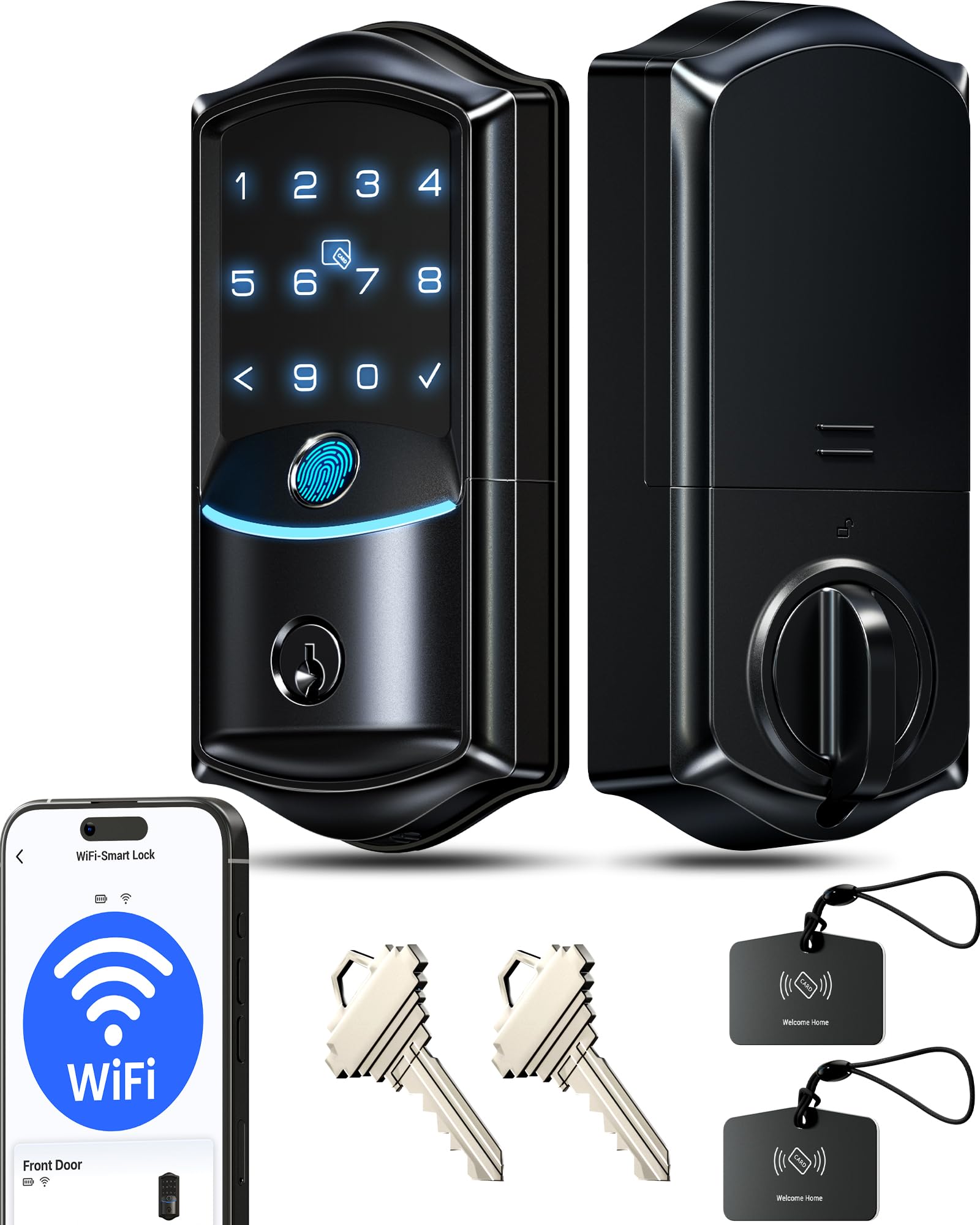
The Veise VE027 is the fastest fingerprint deadbolt in this lineup, with a claimed 0.2-second unlock time supported by AI self-learning technology that claims 99.8 percent accuracy. In practice, users report the sensor works reliably for both adults and children, and the lock’s ability to be rekeyed to match existing Schlage keys is a convenience that few smart locks offer — you can keep a single physical key for all your doors.
The 8-battery design is unique: Veise runs the lock on eight AA batteries to deliver double the signal strength of 4-battery Wi-Fi locks, resulting in stronger connectivity and an 8-month battery life. The IP65 rating provides genuine weather resistance — this lock can handle direct rain and dust exposure better than any other model here. Backup options include two physical keys, two IC cards, and a Type-C emergency power port, giving you multiple fallback paths for dead-battery scenarios.
The KK Home App (shared with the TEEHO lock) provides full remote management including code sharing and access logs. Veise backs the lock with a 2-year warranty and US-based phone support six days a week, which is competitive with premium brands. The trade-off is the app’s size at 120 MB and its Chinese developer origin — some users note occasional delays in lock status updates. For the speed, weather protection, and rekeyability, this is the strongest mid-range value.
Why it’s great
- 0.2-second fingerprint, fastest in category
- IP65 weatherproof for outdoor exposure
- Rekeyable to Schlage keyway
Good to know
- 8 AA batteries required, none included
- App is 120 MB with Chinese developer
5. Tapo Smart Wi-Fi Deadbolt DL100

The Tapo DL100 is the sensible, no-frills smart deadbolt from TP-Link that prioritizes reliability over headline specs. It uses tactile buttons rather than a touchscreen — a deliberate choice that eliminates the smudging, glare, and false-press issues common with capacitive keypads. The backlit buttons remain usable in complete darkness, and the anti-peep feature lets you pad your PIN with random digits for shoulder-surfing protection.
Battery life is rated at 200 days in constant Wi-Fi mode or 300 days in Bluetooth-only mode. The lock includes four AA batteries in the box and features a USB-C emergency power port for backup. BHMA Grade 3 certification is standard for this price tier, and the IP54 rating protects against rain and dust. The Tapo app supports creating groups for family, guests, and visitors with individual access schedules — useful for households with multiple recurring guests.
Integration with Alexa, Google Home, and Samsung SmartThings is seamless, and users report that voice control with PIN verification works reliably. The main reported drawback is that the lock’s battery drains faster than the 200-day claim when the Wi-Fi radio is active 18 hours per day, with some users seeing 17 percent drain after three months. If you primarily use Bluetooth for local access and only switch to Wi-Fi for remote commands, the battery performance aligns better with the stated specs.
Why it’s great
- Tactile keypad, no touchscreen smudging
- Compatible with SmartThings ecosystem
- USB-C emergency power included
Good to know
- Battery drains faster in constant Wi-Fi mode
- Grade 3, not Grade 2 certification
6. Sifely Fingerprint Smart Deadbolt (Model O)

The Sifely Model O positions itself as a dedicated rental-property and Airbnb lock, and its feature set backs that claim. It stores up to 100 fingerprints and 100 passcodes, supporting permanent, recurring, scheduled, and one-time codes that can be managed through the app or web portal. The passage mode — which keeps the door unlocked during daytime hours — is especially useful for common areas in multi-unit buildings or vacation rentals where guests need free movement.
Unlock options are extensive: fingerprint, keypad code, app, fob (two NFC cards included), and physical key. The auto-lock timer activates after each entry, and the one-touch lock button on the interior panel lets you secure the door without the app. The alloy and zinc construction gives the lock a solid, hefty feel at 2 pounds, and the installation takes roughly 20 minutes with just a screwdriver. Users consistently praise the fit and finish as punching above the price point.
The notable limitation is that remote app access requires the Sifely Gateway, sold separately — without it, you’re limited to Bluetooth range for app control. The fingerprint sensor occasionally requires a second attempt if your finger isn’t placed precisely, though enrolling multiple records of the same finger mitigates this. For hosts who need frequent code rotation and guest scheduling without spending premium-tier money, this is the targeted solution.
Why it’s great
- 100+ fingerprint and code capacity
- Passage mode and scheduled access
- Sturdy zinc alloy construction
Good to know
- Remote access requires extra gateway purchase
- Fingerprint may need a second attempt
7. TEEHO TE012 WiFi Smart Lock
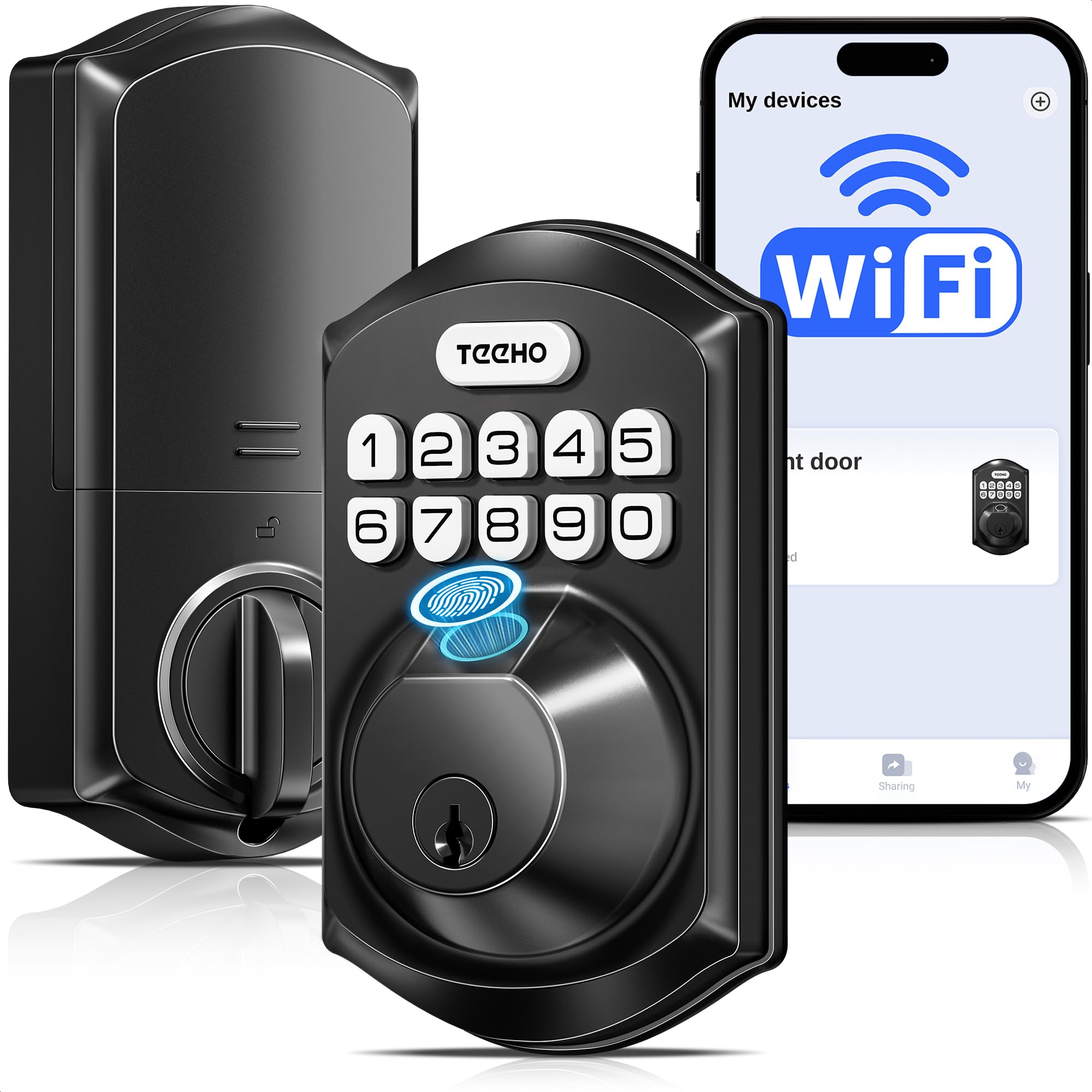
The TEEHO TE012 delivers a surprising amount of technology at an entry-level price point. It has built-in Wi-Fi — no hub needed — connecting directly to 2.4 GHz networks for full remote control via the KK Home App. Five unlock methods include fingerprint (up to 20 users), passcode (up to 100 codes), app, voice (Alexa/Google Assistant), and the two backup physical keys. The auto-lock timer is adjustable from 10 to 180 seconds, and the one-touch lock feature activates by holding any key for two seconds.
Security features punch above the price: AES-128 encryption stores data locally on the lock chip, break-in detection locks the deadbolt for three minutes after ten failed attempts and sends an app alert, and the anti-peep password lets you insert random digits before and after your real code. The BHMA Grade 3 certification and IP55 weather rating mean it survives rain and temperature swings — one user reported running five TEEHO locks through freezing winters and hot summers with only one rain-damaged unit. Installation takes 10 to 15 minutes with a screwdriver and fits standard door preparations.
The catch is the battery appetite: eight AA batteries are required (none included), and while TEEHO claims eight months of life, some users report replacing batteries around the three-to-four-month mark with heavy Wi-Fi usage. The KK Home app is 120 MB and developed by a Chinese firm, which may raise privacy considerations for security-conscious users. For buyers who want a fully featured smart deadbolt at the lowest possible investment, the TE012 is remarkably capable despite its power consumption trade-offs.
Why it’s great
- Built-in Wi-Fi at an entry-level price
- IP55 weather resistant for exterior use
- Break-in detection with instant alerts
Good to know
- 8 AA batteries drain faster with heavy use
- App is 120 MB, Chinese development team
FAQ
Can an auto locking deadbolt be used without Wi-Fi or app access?
What happens if the battery dies while I’m outside?
Will a smart deadbolt fit my existing door holes?
How does auto-lock work if the door isn’t fully closed?
Final Thoughts: The Verdict
For most users, the best auto locking deadbolt winner is the Wyze Lock Bolt v2 because it combines AI-enhanced fingerprint speed, 8-month battery life, built-in Wi-Fi, and USB-C emergency power at a price that undercuts the premium tier while outperforming the mid-range. If you want a complete handle-and-deadbolt set with fast 0.3-second recognition and anti-drill protection, grab the Philips 4200 Series. And for a full year of battery life with zero disposable AA waste, nothing beats the Tapo DL110.