
Our readers keep the lights on and my morning glass full of iced black tea. As an Amazon Associate, I earn from qualifying purchases.
Specs are compiled from manufacturer listings and verified buyer reviews and can change over time — please confirm the key details on the product page before buying.
Your front door shouldn’t need a key you can lose, a locksmith you have to call, or a phone in your hand just to get inside. The best automated deadbolt locks solve all three: fingerprint or code entry, auto-lock behind you, and a physical key as backup. This guide covers nine buyer-tested picks and matches each to your door, household, and budget.
I’m Min — the founder and writer behind Gadgets Feed. This guide is built by comparing the manufacturers’ published specifications and the patterns across verified customer reviews, so you get each pick’s real strengths and trade-offs instead of marketing spin.
Some models bolt on with just a screwdriver, some need a hub for remote control, and some skip the internet entirely by design. Read on for the plain-English breakdown of what separates a great automated deadbolt from a frustrating one. Here’s what to know before you buy an automated deadbolt locks.
Our Picks at a Glance

How To Choose The Best Automated Deadbolt Locks
An automated deadbolt is a deadbolt with a motor inside — a small electric drive that throws or retracts the locking bolt for you. That one part is why these locks can open up from a fingerprint or a code instead of only a key. Before you pick one, four things decide whether you’ll love it or fight with it.
Pick your entry methods before your features
More ways in isn’t automatically better. A fingerprint reader (a sensor that reads the ridges on your fingertip) is the fastest entry for adults with steady hands. A keypad code suits kids, dog-walkers, and guests who don’t live there. An app adds remote control — but only if the lock has Wi-Fi built in or you buy a separate gateway. And a physical key is your backup for a dead battery. Count how many people come and go from your door, then match the methods to them.
Wi-Fi built in vs. a gateway you buy later
Some locks connect straight to your home Wi-Fi so you can lock or open up from anywhere with no extra box. Others talk to your phone only over Bluetooth (a short-range wireless link) and need a separate gateway device for remote control. Built-in Wi-Fi is the simpler first-day experience; a gateway-based lock can cost less up front but adds a second purchase and a second app step later.
Check the durability and weather ratings
Look for a BHMA or ANSI grade (a security and durability rating from a standards body) — Grade 2 is sturdier than Grade 3. If your door faces rain, snow, or a coastal breeze, an IP rating (a score for how well a device resists dust and water) tells you how much weather the lock can shrug off. These two ratings matter more for an outdoor lock than any app feature.
Quick Comparison
| Model | Best For | open up Methods | Connectivity | Fingerprint Capacity | Amazon |
|---|---|---|---|---|---|
| Tapo Smart Wi-Fi Door Lock DL110★ Best Overall | Best overall daily driver | 6 ways | Bluetooth, Wi-Fi | 100 fingerprints | Amazon |
| Wyze Auto-Lock Bolt v2Best Fingerprint Upgrade | Best fingerprint upgrade | Fingerprint, app, code, keys | Wi-Fi | — | Amazon |
| Veise VE027 WiFi Smart LockBest Hub-Free Wi-Fi | Best hub-free Wi-Fi | 7 in 1 | Bluetooth, Wi-Fi | 20+ fingerprints | Amazon |
| Yale Assure Touchscreen Deadbolt | Best premium touchscreen | Keypad code, keys | Bluetooth, Wi-Fi (upgrade kit) | — | Amazon |
| Kwikset SmartCode 260 | Best no-app simplicity | Keypad code, keys | None (keypad only) | — | Amazon |
| Philips Fingerprint Keyless Entry Lock | Best offline fingerprint lock | Fingerprint, code, keys | None (no connection) | — | Amazon |
| Yamiry Smart Deadbolt | Best weather-rated value | 5 in 1 | Bluetooth, Wi-Fi (gateway) | 5 fingerprints | Amazon |
| Veise VE07 Fingerprint Smart Deadbolt | Best for rentals and guests | 7 in 1 | Bluetooth, Wi-Fi (gateway) | 50 fingerprints | Amazon |
| Sifely Model O Deadbolt | Best budget multi-pack buy | Fingerprint, keypad code, app, fob, key | Bluetooth, app/web portal | 100+ fingerprints | Amazon |
In‑Depth Reviews
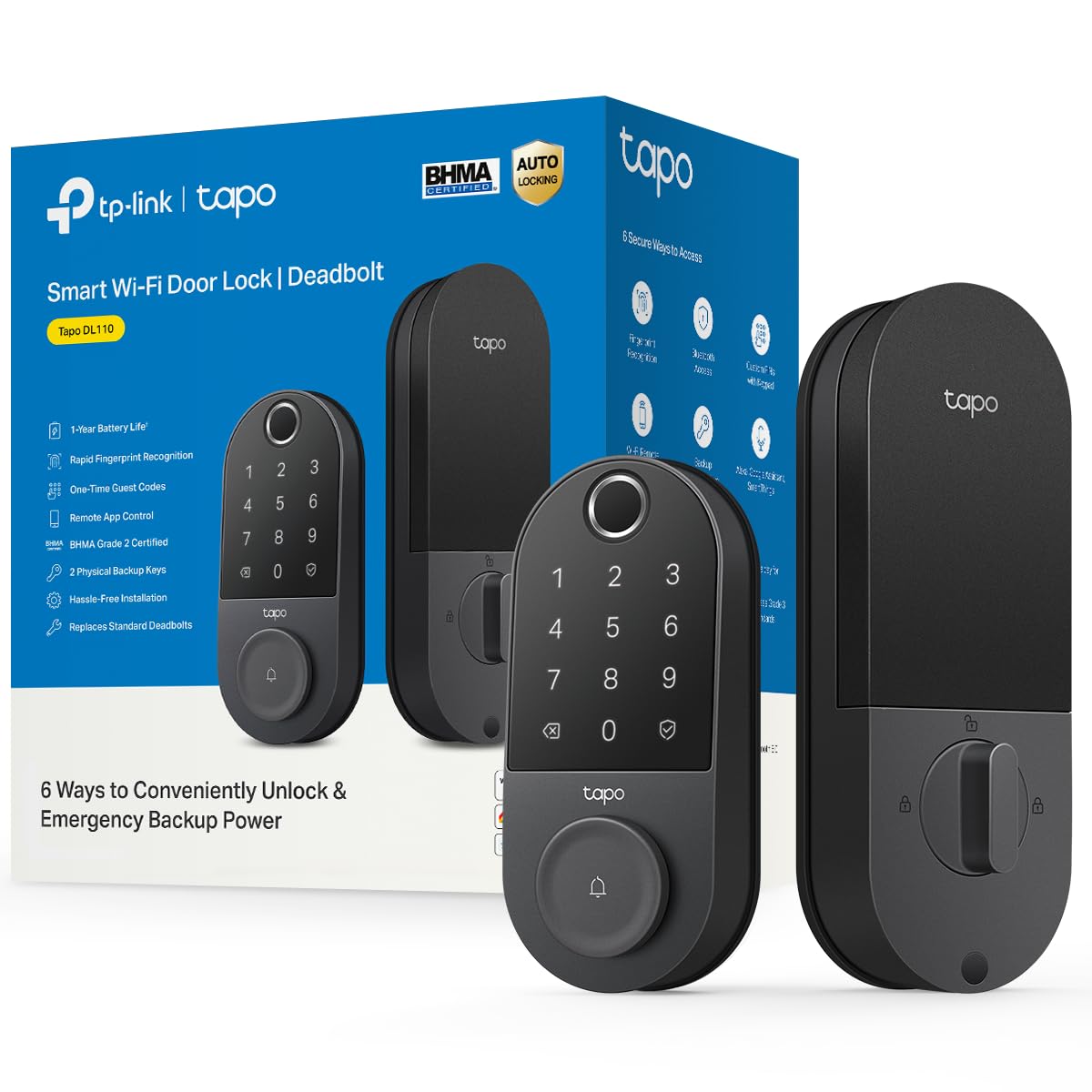
1. Tapo Smart Wi-Fi Door Lock, Deadbolt, Fingerprint Recognition, DL110
Our pick — over 4.5★ from 800+ verified ratings; the strongest balance of quality and price.
Six open up methods, built-in Wi-Fi, and a rechargeable USB-C battery — no gateway or extra hardware required
Here’s what makes the Tapo DL110 the pick to beat: it opens six different ways — fingerprint, keypad passcode, Wi-Fi from anywhere, close-range Bluetooth, your smart home assistant, or the two included backup keys. That means the whole household gets in without a keychain. The fingerprint sensor open up in 0.42 seconds, and you can register up to 100 different prints, so every finger in the family — plus a few guests — gets its own entry.
The battery deserves its own paragraph, because it’s the part that decides how often you think about this lock. It’s a removable, rechargeable pack rated for a full year of operation, and it charges over USB-C — the same cable your phone uses. One Tapo owner reports, “Battery at 60% after ~1 year; app shows level.” Note the live percentage readout in the app; you’ll never be surprised by a dead battery.
You get remote control without extra hardware here: the Tapo connects straight to your Wi-Fi, while the Sifely Model O Deadbolt further down this list needs its own app portal setup. The Tapo holds 100 fingerprints against the Sifely’s 100+, so both cover a full household. Buyers report the top praise across its review pages is build quality, with straightforward setup right behind it — owners routinely describe getting it mounted with just a Phillips screwdriver. The recurring nit is the fingerprint enrollment process, which can ask you to clean the sensor a couple of times before it accepts a print.
Why it leads: Built-in Wi-Fi plus a rechargeable USB-C battery means no gateway to buy and no AA batteries to swap. BHMA Grade 2 hardware backs up the convenience.
One honest catch: A few owners found the fingerprint setup prompts fussy at first, and the guest-code sharing across two locks in one app is more limited than they’d like.
The smart pick: Buy this if you want remote open up, a rechargeable battery, and fingerprint entry in one box with zero extra hardware.
Think twice if: You need daily auto-lock schedules or you plan to run several locks off a single shared code set.
2. Wyze Auto-Lock Bolt v2, Fingerprint Keyless Entry Smart Lock
A self-learning fingerprint reader with built-in Wi-Fi and 8 months on 8 AA batteries
The Wyze Lock Bolt v2 open up in 0.5 seconds, and its tempered glass sensor surface resists scratches and smudges so the reader stays clean and keeps reading. What stands out is the learning behavior: an AI algorithm reads every touch and sharpens its accuracy over time — a useful trick if your finger never lands in quite the same spot twice.
You won’t get locked out when the batteries die: it ships with 8 AA batteries and runs up to 8 months, and a USB-C port lets you feed it from any common power bank to get the door open. That emergency backup is the difference between “annoying” and “locked out.” Built-in Wi-Fi means remote checks and controls through the Wyze app with no hub, and pairing with a Wyze Video Doorbell even lets you open up straight from the live feed to see who’s there.
Owners describe a genuinely quick install — roughly ten minutes per unit is the common report — and the flexible auto-lock timer lets you set the delay that suits your household. The honest trade-off shows up in the fingerprint reader: it’s the most-discussed feature in the mix, and the feedback is split, with some folks finding enrollment takes a few tries. Pairing with the premium Yale Assure further down also reveals the difference in priorities: the Wyze trades a touchscreen keypad and legacy brand backing for Wi-Fi, app control, and a far lower price tier.
What buyers rave about
- Built-in Wi-Fi with no gateway purchase required
- 8 AA batteries included and rated for up to 8 months
- USB-C port for power-bank open up if the batteries die
- Adjustable auto-lock timer with delayed settings
Where it stumbles
- Fingerprint reads can miss, especially for dry or older fingers
- Set up prints slowly and carefully during enrollment
Reach for this if: you want app control and Wi-Fi without buying a bridge box, and you’d rather swap AA batteries than remember a charging cable.
Look elsewhere if: a touchscreen code pad or a decades-old brand name matters more to you than app integration.
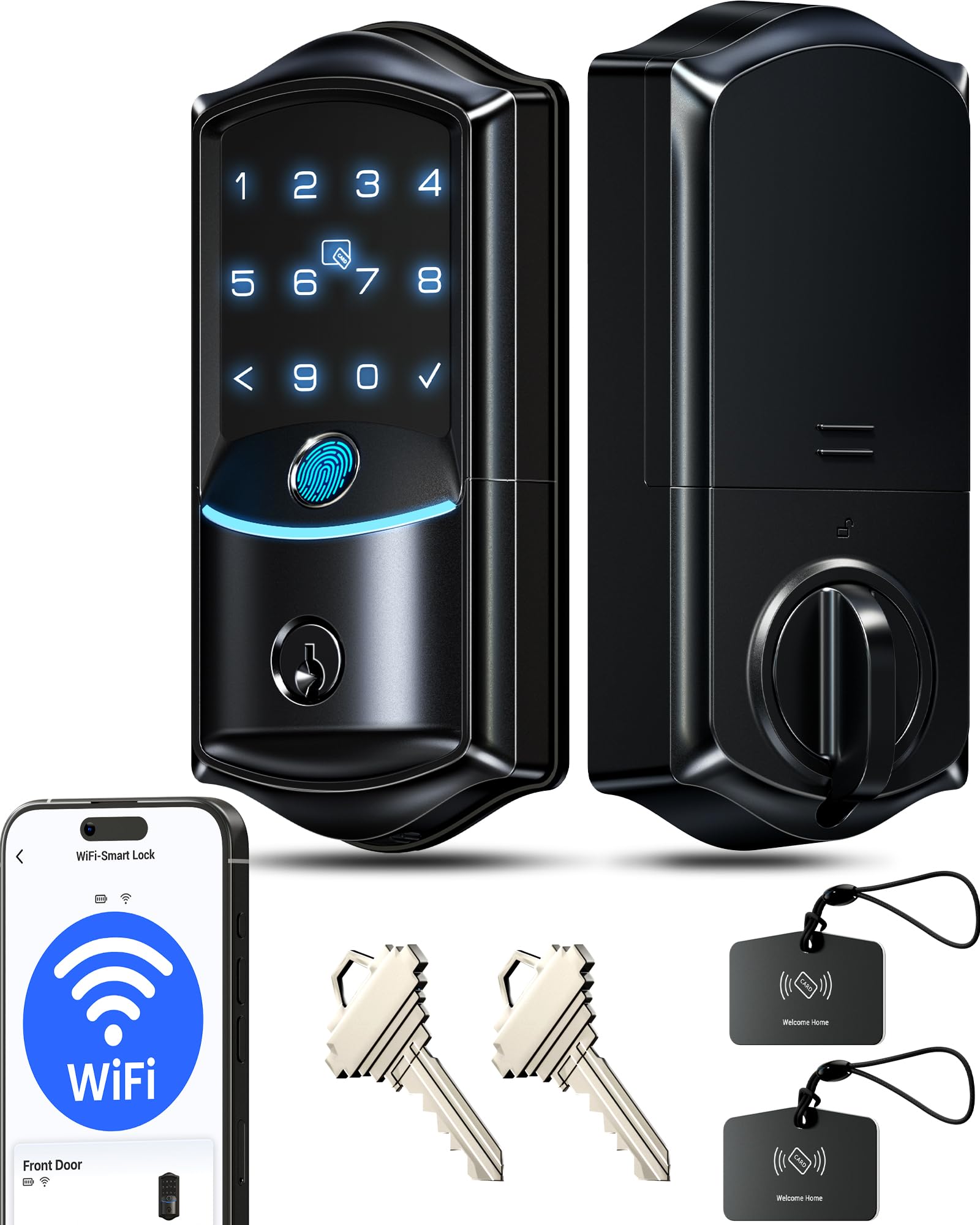
3. Veise VE027 WiFi Smart Lock Fingerprint Keyless Entry Deadbolt
IP65 weatherproofing and built-in 2.4GHz Wi-Fi for remote control with no hub
If you’ve owned a smart lock that only worked while you stood on the porch, the VE027 is the fix. It connects directly to 2.4GHz Wi-Fi — no gateway box to buy — so app remote locking, live status, entry logs, and instant alerts work from wherever you are. Its fingerprint reader open up in 0.2 seconds with 99.8% accuracy, stores 20+ prints, and uses AI self-learning to improve with every use, which is handy for a household where several people share the door.
Rain and dust won’t stop this one: it carries an IP65 weatherproof rating (the dust and water-resistance score) and professional BHMA and ANSI Grade 3 hardware. The battery design is the underrated detail: an 8-battery layout that Veise claims delivers double signal strength, up to 95% more stable connectivity, and 98% longer battery life than standard 4-battery Wi-Fi locks — maker figures worth knowing, though still the manufacturer’s own claim. You also get a backup Type-C power port and a physical key for power-free entry, plus AES local encryption (a scrambling method that keeps data unreadable to outsiders) so your codes and prints stay on the lock chip.
What owners praise most is straightforward functionality, and setup is right behind it. The most-discussed feature is the open up experience, and the notes there are mixed but small — a recurring one is that the lock has no door-closed sensor, so it can report “locked” even while the door sits open. The 7-in-1 access and auto-lock window from 10 to 180 seconds cover most households comfortably. Compared with the Tapo DL110 at the top, the VE027 matches on built-in Wi-Fi but leans harder into weatherproofing and print capacity, while the Tapo keeps the rechargeable-battery advantage.
Weather-first thinking: IP65 sealing plus an 8-battery layout make this the pick for a door that faces real weather without a covered porch.
Best match for: front doors exposed to rain and wind, where you want remote access without a separate hub purchase.
Know before you buy: with no door-closed sensor, you’ll want to glance back — or run it on a short auto-lock timer — to confirm the door actually shut.
4. Yale Assure Deadbolt Lock with Touchscreen, Satin Nickel

A touchscreen keypad deadbolt that runs offline and adds Wi-Fi later with the Yale Access Upgrade Kit
The Yale Assure is the lock for someone who wants the feel of premium hardware today and the option of smart-home control tomorrow. from the start it runs on its touchscreen keypad and a 4-digit entry code, with two physical keys as backup. When you want remote access, the Yale Access Upgrade Kit (sold separately) turns it into a full smart lock — your phone becomes the key. That staged approach makes it a different animal from the Wyze and Veise picks above, which bake the connectivity in from day one.
Durability and finish are the reasons to pay more here. The build is described as sturdy in owner feedback, and installation is repeatedly called straightforward, especially as a direct swap for an existing deadbolt. Auto-lock is adjustable from 0 to 180 seconds or can be switched to manual, so you decide how much the lock thinks for you. In a household with multiple people coming and going, unique codes for friends, family, and anyone you trust replace the spare key under the mat.
The honest caveat is that this model isn’t the lock for a fully app-driven setup unless you buy the upgrade kit — from the start there’s no Wi-Fi and no fingerprint reader. Auto-lock also draws a split verdict in owner feedback, with the main gripe being the door not always opening all the way when the bolt engages. The touchscreen itself earns praise for being easier to use than a push-button pad and for voice feedback during setup. If you value a premium keypad and a reputable lock brand over app-first convenience, this is the one.
Worth it for: a buyer who wants a solid touchscreen keypad deadbolt they can upgrade to Wi-Fi later, using only the kit.
Not for you if: you want fingerprint entry or full app control on day one without buying an extra module.
5. Kwikset SmartCode 260 Keyless Entry Electronic Keypad Deadbolt

A BHMA Grade 2 keypad deadbolt with 50 user codes and no app or Wi-Fi to configure
The Kwikset SmartCode 260 strips away the parts people find fussy and keeps the parts they need. There’s no app to install and no Wi-Fi to configure; you punch a code on the back-lit keypad, and the deadbolt handles the rest. It’s a deliberate choice, and owners who took this route describe the reduced functionality as a feature — one points out that skipping an always-on radio extends battery life.
The hardware story here is the headline. Security, durability, and finish are all BHMA Grade 2 certified, which Kwikset describes as up to 2.5x stronger than Grade 3 certified lock sets. The auto-lock is customizable to 30 seconds, 1 minute, 3 minutes, 5 minutes, or 10 minutes. Battery life is rated at least 12 months on 4x AA alkaline batteries (not included). Code management is generous for a non-connected lock: up to 50 user codes, 10 one-time codes, and 1 programming code.
Wrong codes get shut down fast: after three consecutive wrong codes the lock sounds an alarm and shuts the keypad down for 1 minute, and Vacation Mode disables the keypad entirely while you’re away. There’s SmartKey re-keying so you can match it to an existing KW1 key yourself, and a Microban-treated finish. The caveat is real but should be sized correctly: a small number of owners mention durability issues with the motor after short-term use — one notes partial opening and a slow warranty response — though the broader owner verdict on quality, installation, and ease of use is strongly positive.
What makes it dependable
- BHMA Grade 2 certified construction described as 2.5x stronger than Grade 3
- 12-month rated battery life with no always-on radio to drain it
- Up to 50 user codes plus 10 one-time codes
- Vacation Mode and intrusion alarm for extra confidence
The trade-offs to know
- No app, no Wi-Fi, and no fingerprint — you commit to the keypad
- A few customers note early durability trouble and slow warranty follow-up
Right for you if: you want a simple, hardened keypad lock for a household that just wants fewer keys to carry.
Step up if: you need remote access, guest-entry logs, or fingerprint open up — the connected picks above cover those.
6. Philips Fingerprint Keyless Entry Door Lock with Touchscreen

Offline fingerprint and touchscreen entry with unlimited one-time PIN codes and no Wi-Fi
The Philips lock is the pick for anyone wary of putting a door lock on the internet. There’s no Wi-Fi and no app to fight with; access is fingerprint, touchscreen code, or key, all managed offline. Owners who chose it for exactly that reason call it a strong front-door upgrade, and the absence of a network connection means there’s no remote attacker to worry about. The reader itself claims up to 99.99% accuracy and recognizes a print in 0.3 seconds.
The setup is the standout surprise. Voice-guided programming walks you through everything in English, French, or Spanish, so the manual stays in the drawer. A parent described installing it with a ten-year-old in roughly 15 minutes, and the recurring praise in owner feedback centers on quality and installation. Unlimited one-time PIN codes let you hand a delivery driver or a cleaner a code that dies after one use — useful if you run a rental. Auto-lock is adjustable from 30 to 180 seconds, and the one-touch lock engages when you press and hold any key for 2 seconds.
Two honest things to know. First, Philips notes the fingerprint reader may be less effective for children under 6 and adults over 65, and that fingers need to be clean and dry — a fair expectation for any fingerprint lock, and worth checking against your household. Second, auto-lock is off by default and only extends the bolt; it doesn’t sense whether the door is actually closed, so a shut door is your job. The lock fits standard doors 1-3/8 inches to 1-3/4 inches thick, and it runs on 1.5V AA alkaline batteries.
Who it suits best: renters, Airbnb hosts, and privacy-minded households that want fingerprint and code entry with no wireless connection and no gateway.
Ideal for: a door where guests come and go — unlimited one-time codes and offline operation make it a clean fit.
Also worth knowing: no Wi-Fi means no remote open up and no entry notifications from your phone.
7. Yamiry Smart Deadbolt Lock with Keypad and Fingerprint
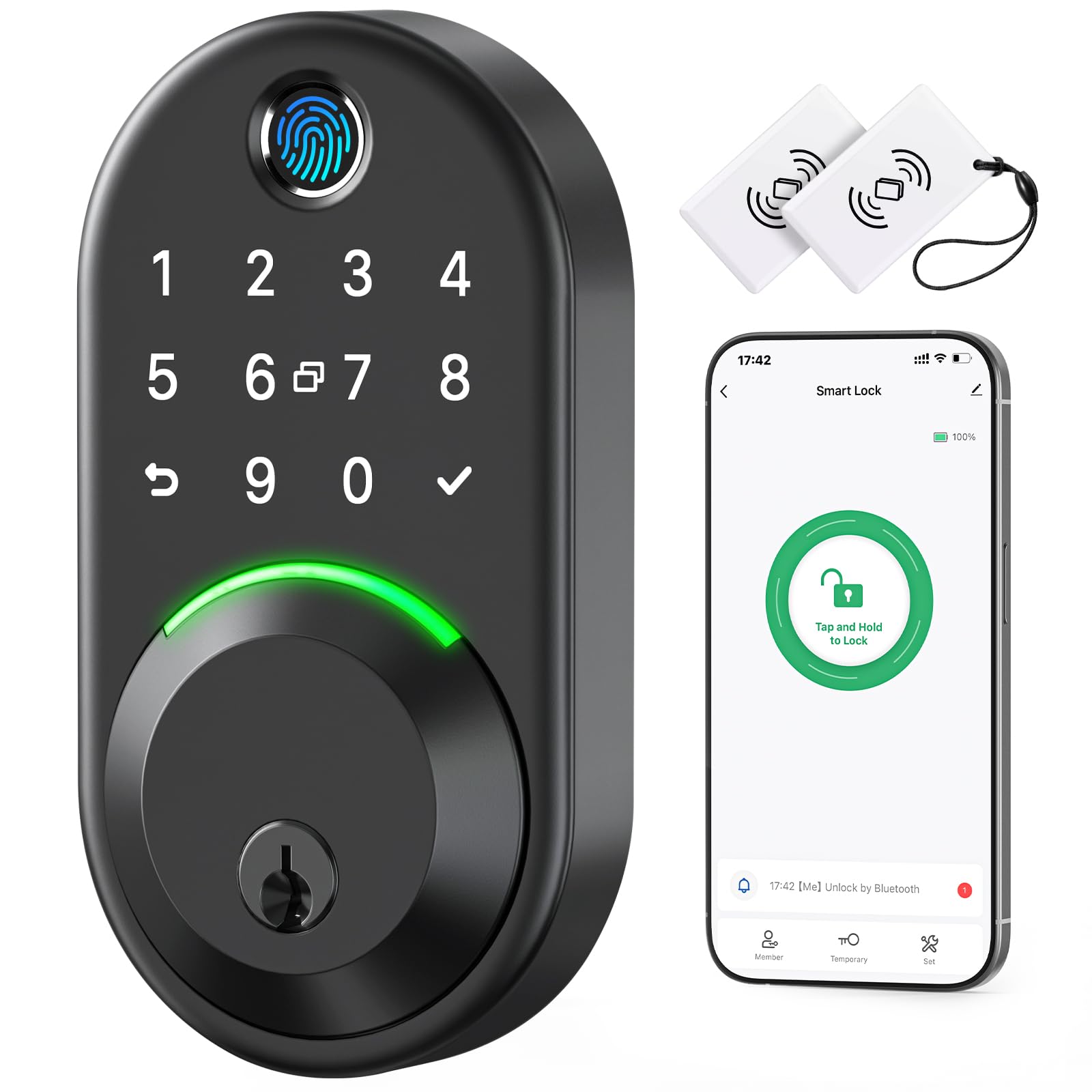
An off-brand sleeper that pairs a self-learning fingerprint chip with serious weather sealing
The Yamiry earns its spot on the weather rating alone. It’s IP66 waterproof — the strongest water-resistance score on this list — and rated to run from -30°C to 70°C (-22°F to 158°F), which covers a lot of North American climate. The fingerprint side is unusual: an AI algorithm plus AI chip keeps 2 fixed fingerprints and 3 self-learning fingerprints, which Yamiry says reads prints more accurately and quickly than traditional sensors. open up five ways — app, passcode, key fob, fingerprint, or physical key — and lock four ways, including a rotatable interior knob you can turn within 1 second.
Day to day, owners lean on the app over Bluetooth for a 6-foot range, with a Wi-Fi gateway (sold separately) for remote control once you want it. Setup is quick — under two minutes with the app, by the common report — and the fingerprint enrollment takes minutes. The user praise clusters on function and easy installation, and people specifically call out gaining entry by fingerprint and key card without carrying a key. There’s a 30-day money-back guarantee, a 1-year warranty, and lifetime support behind it.
The one honest wrinkle: this is a newer, smaller-name lock, and owner feedback includes at least one report of a unit failing after several months despite remaining battery charge. Yamiry’s support also leans on email, and an owner who needed remote access noted wanting a gateway for it. Sizing it fairly, most buyers describe reliable everyday performance; the durability question is the one to weigh against the price tier and the strong IP66 rating. If you want a proven ecosystem, the Tapo at the top is the safer bet — but the Yamiry punches above its class on weatherproofing.
A smart budget move for: a front door in a harsh climate where IP66 sealing outweighs brand familiarity.
The flip side: expect to buy the optional gateway later if you want true remote open up, and keep the warranty handy.
8. Veise VE07 Fingerprint Smart Deadbolt Lock, App Control, Fobs, Satin Nickel

Built to hand out access to a rotating cast of guests, cleaners, and renters
For a short-term rental or a busy family home, access management is the whole game, and the Veise VE07 plays it well. It open up seven ways — fingerprint, app, key fob, PIN code, eKey, Apple Watch, or backup key — and stores 50 fingerprints plus 250 user codes. From the free app or web portal you can generate one-time, permanent, recurring, or scheduled codes, which is exactly what you want when a housekeeper, a contractor, and a weekend guest all need in at different times.
It handles brutal weather: it withstands -31°F to 158°F, carries an IP54 waterproof rating, and includes wrong-attempt lockout plus anti-peeping codes (extra digits you type to hide your real code). It runs on Bluetooth with a Veise G2 gateway (sold separately) for remote control and Alexa or Google voice commands. Note the 50-fingerprint capacity sits below the Sifely Model O’s 100+ and the Tapo DL110’s 100, so if you’re enrolling dozens of regulars, those picks hold more prints — but for guest codes, the VE07’s 250-code capacity is the standout figure.
Where the VE07 splits opinion is the fingerprint reader, which draws a mixed verdict in owner feedback; the recurring note is that it’s inconsistent for some users, while key fob and physical key stay reliable. Installation, by contrast, is consistently praised, and support earns kind words for being responsive. The honest read: treat the fob and code pad as your dependable daily entry, and the fingerprint as a convenience for fingers it likes. Build quality and sizing feel solid, and it installs on a standard door with basic deadbolt knowledge.
The rental angle: 250 user codes plus one-time and scheduled generation is the most flexible guest management on this list.
Buy this if: you run a rental or manage a lot of temporary access and want codes you can create and kill remotely.
Consider the alternative if: fingerprint reliability is your top priority — the Tapo DL110 leads there.
9. Sifely Model O Fingerprint Smart Deadbolt with Keypad
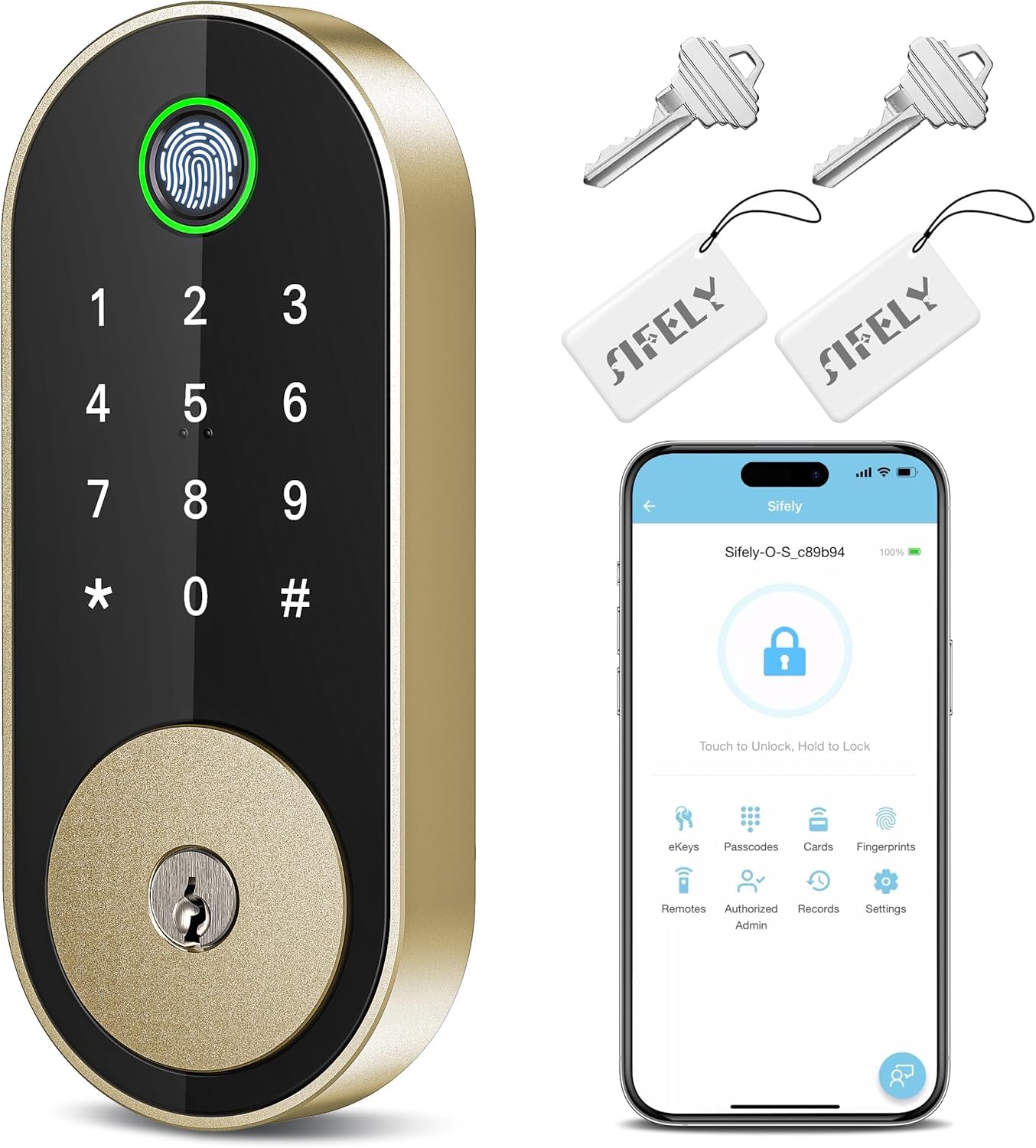
The budget route to fingerprint entry — with plenty of codes for a full house
The Sifely Model O is the entry point, and it earns the label by packing in serious capacity for its tier. It stores 100+ fingerprints and 100+ codes, so a big family, a shared rental, or an Airbnb with recurring guests all get their own entry. open up five ways — fingerprint, keypad code, app, fob, or physical key — and the lock fits single-family homes, apartments, and rentals, with left- and right-hand door support. Installation needs only a screwdriver and no locksmith; reviewers point out a genuinely fast setup here.
The free Sifely app or web portal manages codes, checks logs, shares eKeys, and sets schedules, with auto-lock after each entry, a one-touch lock (#), privacy and passage modes, and anti-peep codes. There’s an honest catch on connectivity: full remote access requires the Sifely Gateway (sold separately), and without it you’re on Bluetooth, which one buyer notes reaches roughly 10 to 12 feet and can’t confirm locked or open up status in the app. The plus side is a gap-free fingerprint approach — owners say it just works — and an untroubled install and setup process.
The fingerprint reader is the most-praised feature, and quality leads the user feedback overall, with features and appearance close behind. Keep it sized fairly: it’s a budget lock, and a few of the mixed notes concern occasional reliability quirks that Sifely’s support has resolved. Compared with the Yamiry above, the Sifely holds more fingerprints and codes and needs no drilling; the Yamiry counters with IP66 weatherproofing. Pick the Sifely for capacity and value, the Yamiry for a wetter climate.
Strongest budget pick if: you want fingerprint entry and a big pool of codes for a large household or rental — this is the best value on the list.
Just remember: remote control needs the optional Sifely Gateway, or you stay within Bluetooth range.
Understanding the Specs
open up Methods and Fingerprint Capacity
open up methods are the ways you can open the door — fingerprint, keypad code, app, key fob, or physical key. More methods mean more redundancy if one fails, but a lock only needs the ones your household will actually use. Fingerprint capacity tells you how many separate fingers the lock can remember; a lock storing 100 prints fits a large family, while one storing a handful suits a couple. If a reader claims a very low recognizability for children under 6 or adults over 65, factor that into a multi-generational home.
Connectivity, Battery, and Durability Ratings
How far from home you can control the lock depends on connectivity: built-in Wi-Fi works from anywhere, Bluetooth works only up close (often about 6 to 12 feet), and a gateway bridges the two for a lock that ships without Wi-Fi. Battery type and rated life — rechargeable USB-C, 8 AA, or 4 AA — set how much upkeep you’ll do each year, so weigh a convenient USB-C pack against the simplicity of standard alkaline cells. Finally, look at the strength and weather ratings: a BHMA or ANSI grade tells you how tough the hardware is, and an IP rating tells you how much rain and weather the lock tolerates on an exposed door.
FAQ
Can I install an automated deadbolt myself without a locksmith?
What happens if the battery dies while I am locked out?
Do I need to buy a separate gateway for remote open up?
How many fingerprints can these deadbolts store?
Which lock is best for a rental or Airbnb with many guests?
Is a fingerprint reader more reliable than a keypad code?
What do BHMA and IP ratings actually mean for a deadbolt?
Can an automated deadbolt work with Alexa or Google Assistant?
Will an automated deadbolt fit my existing door?
How long will the battery really last in an automated deadbolt?
Final Thoughts: The Verdict
For most people, the automated deadbolt locks winner is the Tapo DL110, because it pairs six ways to get in with a rechargeable USB-C battery, built-in Wi-Fi, and 100-fingerprint capacity and needs no extra hardware — the single best all-around fit for a busy household. If you want the fastest fingerprint and a set-and-forget Wi-Fi lock with app control, grab the Wyze Lock Bolt v2. And for a rental or a home with a rotating cast of guests, the Veise VE07 with its 250 user codes is the one to reach for.
How We Picked
We do not accept paid placement. Every pick is matched to a real buyer and a real use-case; we do not hands-on test units.
Sources & Methodology
Specifications: manufacturer listings and product documentation. Review insights: verified customer reviews, as of September 2026. Pricing: not shown on this page (it changes often); check the current price via the retailer link.
As an Amazon Associate, Gadgets Feed earns from qualifying purchases. This does not affect which products we feature.