
Our readers keep the lights on and my morning glass full of iced black tea. As an Amazon Associate, I earn from qualifying purchases.
Specs are compiled from manufacturer listings and verified buyer reviews and can change over time — please confirm the key details on the product page before buying.
An automated home system coordinates lights, locks, and sensors to respond automatically to your routines and alerts. The challenge is choosing a hub that unifies your devices without forcing a subscription or a frustrating interface. This guide compares top hubs and systems to highlight which ones deliver reliable automation and which fall short.
I’m Min — the founder and writer behind Gadgets Feed. This guide is built by comparing the manufacturers’ published specifications and the patterns across verified customer reviews, so you get each pick’s real strengths and trade-offs instead of marketing spin.
Whether you prioritize local privacy, voice control, or professional monitoring, the right automated home system for you depends on which trade-offs you are willing to live with in daily use.
Our Picks at a Glance

How To Choose The Best Automated Home System
The first decision is whether your data stays local or goes to the cloud. A cloud-based system sends commands and footage to a remote server, which is easy to use but useless when the Wi-Fi fails. A local hub processes everything inside your home, keeping routines alive during outages and protecting your privacy.
Match the ecosystem to your devices
Each hub supports different wireless protocols like Z-Wave, Zigbee, or Matter. Some support the open standards Z-Wave and Zigbee, letting you mix brands freely, while others lock you into their own sensor line. Before buying, list the smart locks, cameras, and lights you already own, then make sure the hub you choose can talk to them.
Subscription: flexibility vs. simplicity
DIY systems with no monthly fees put you in charge of monitoring—you get the push notification, and you decide what to do. Professional monitoring adds a monthly cost but gives you 24/7 agents who can dispatch police or fire response even when you cannot reach your phone.
Quick Comparison
| Model | Best For | Local Processing | Max Sensors | Monthly Fee | Amazon |
|---|---|---|---|---|---|
| Ring Alarm 14-Piece★ Best Overall | Whole-home DIY security | No | Expandable | Optional | Amazon |
| SkylinkNet SK-200Best Value | Budget no-contract alarm | No | Up to 100 | None | Amazon |
| PGST 24PcsQuick Install | Quick install apartments | No | Up to 100 | None | Amazon |
| eufy HomeBase 3 | Local video privacy | Yes | Up to 50 devices | None | Amazon |
| OSI Alarm Gen 2 | Touchscreen control | No | Up to 160 | Optional | Amazon |
| Hubitat C-8 Pro | Advanced local automation | Yes | Unlimited | None | Amazon |
| Home Assistant Green | Tinkerers wanting control | Yes | Unlimited | None | Amazon |
| Amazon Smart Home Kit | Alexa-first households | No | Echo ecosystem | None | Amazon |
| SimpliSafe 8-Piece | Pro monitoring on demand | No | Expandable | Optional | Amazon |
| Qolsys IQ Panel 4 | Pro-grade smart panel | Yes | 100+ sensors | Optional | Amazon |
In‑Depth Reviews
1. Ring Alarm 14-Piece Kit
Our pick — over 4.5★ from 6,000+ verified ratings; the strongest balance of quality and price.
A pre-synced 14-piece kit that arms your entire home with a simple voice command.
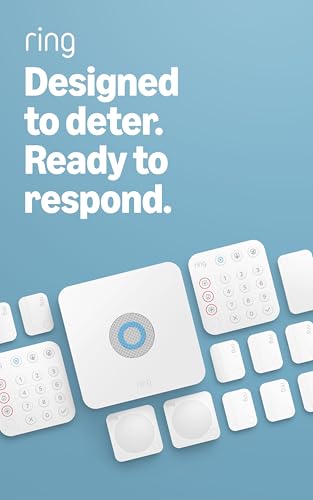
Ring’s 14-piece kit is built for the 2-4 bedroom home, bundling one Base Station, two Keypads, eight Contact Sensors, two Motion Detectors, and one Range Extender right from the start. The pre-synced components mean you skip the tedious pairing dance and go straight to placing sensors on doors and windows.
What makes this the crowd favorite — it earns 4.6 stars from thousands of owners — is how easily it handles the daily routine. Scheduled arm and disarm routines, mobile alerts when a sensor trips, and the ability to voice-control everything through Alexa with a Ring Protect subscription. The whole-home coverage also stretches further than you might expect, with the included Range Extender keeping sensors responsive across larger layouts.
The catch is predictable: full remote arming and 24/7 professional monitoring require the optional Ring Protect Plan, sold separately. Battery life gets mixed feedback — most find it runs for months, but an occasional unit arrives with drained batteries. Contact sensors are also visible on doors, so the aesthetic is function-first, not hidden.
What owners love
- Setup is the star — the easiest install in this lineup, with no drilling required.
- The 14-piece bundle covers a full house without buying extras immediately.
- Works with non-Ring smoke detectors and integrates cleanly with Eero routers.
Where it compromises
- Professional monitoring and cellular backup are locked behind the paid plan.
- Single volume control means the entry delay chime can be hard to hear at low alert volume.
- Replacement sub-parts are not sold individually, so a broken sensor means a full reorder.
Reach for this if: you want a proven DIY system that secures a mid-to-large home with minimal setup effort and scales as you add sensors.
Look elsewhere if: you refuse any subscription for remote access — the free tier keeps alarms local but clips the app’s full power.
2. SkylinkNet SK-200
A budget-friendly alarm with no monthly fees and support for up to 100 sensors.
The SkylinkNet SK-200 is the budget hero here, delivering a real security system with none of the recurring fees. Arm and disarm from the Skylink smartphone app, get a push notification the moment a sensor triggers, and scale up to 100 sensors and controllers — all without ever pulling out a credit card for a subscription.
Setup is genuinely easy, thanks to a plug-and-play install and self-adhesive sensors that stick anywhere. The motion sensor flashes a red LED inside when it detects movement, and it smartly ignores new motion for 15 seconds after a trigger to avoid false alerts. Buyers report running it for two months with no false alarms at all, and the battery average life sits at a healthy 4320 hours on lithium cells.
Where it falls short of the Ring kit above is depth. The box includes only 2 door and 1 motion sensor, and the reliability picture is mixed — a few owners find the hub drops offline monthly, requiring a reset. The Android app is the weaker of the two mobile experiences, and the sensor limit is actually 96, not the 100 advertised.
Smart money move: this is the value king for renters or first-timers who want real security without the monthly bill, and it even works offline via key fob and keypad.
Worth knowing: the iOS app can be buggy during initial hub setup, so budget a few extra minutes for the first boot.
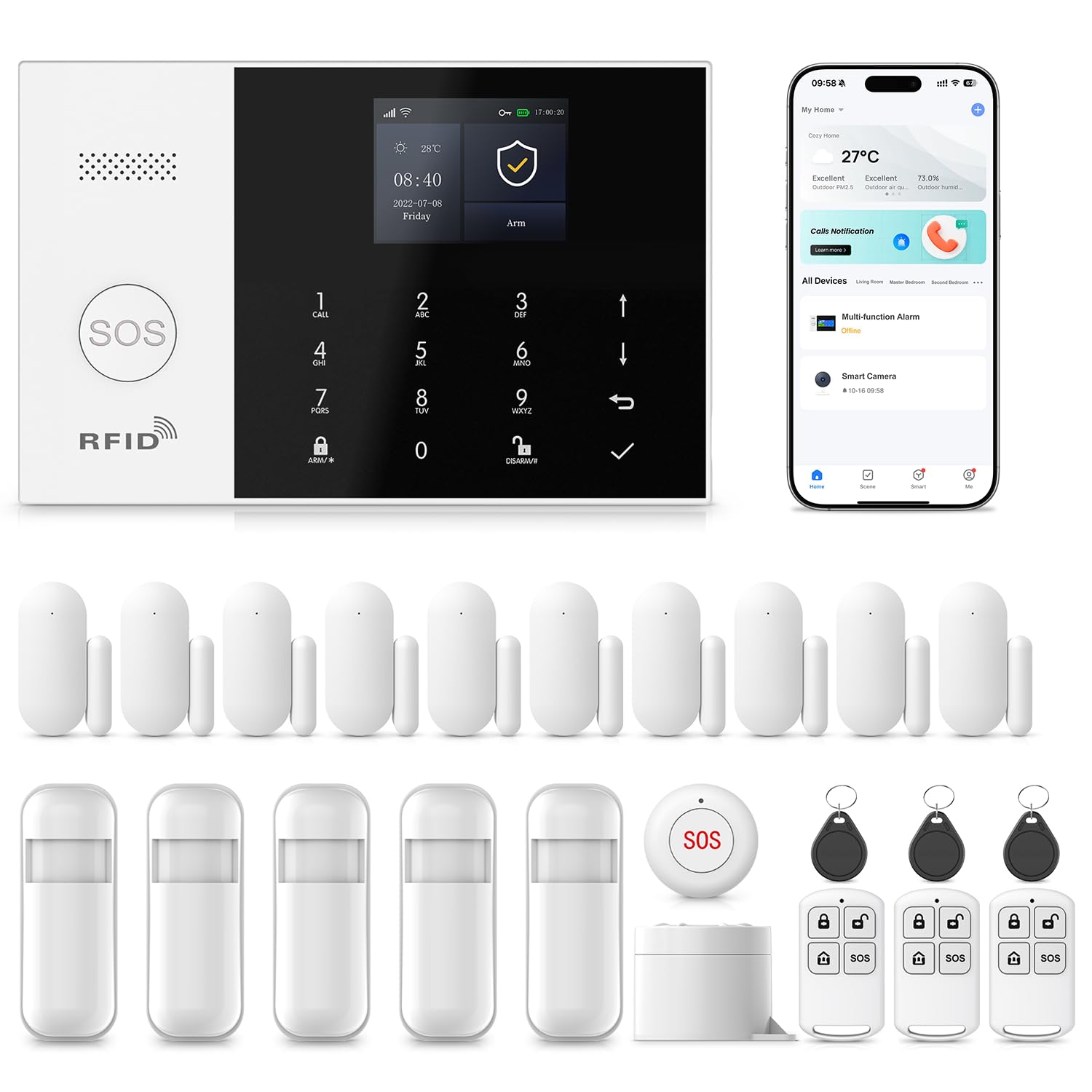
3. PGST 24-Piece WiFi/4G Alarm System
A 24-piece system with pre-paired sensors that installs in about ten minutes.
You get 24 pieces in the box, and the big win is that you don’t have to pair anything — components arrive pre-synced, so you can go from box to protected in roughly 10 minutes with just a screwdriver. That’s dramatically easier than most kits, which is exactly what apartment dwellers want.
The dual-network design is its smartest feature. The system runs on Wi-Fi at 2.4GHz, but falls back to GSM/4G if your internet dies, so the alarm keeps working during an outage. A 110 dB siren gets loud enough to wake the building, and the compact SOS button gives elderly family members or kids a one-press panic option that also lives on the remote control.
The review split here is sharp. Satisfied owners praise precise motion detection and a multi-day battery backup, but an unhappy minority hit a wall with poor customer service and confusing instructions. The Smart Life or Tuya app is well-liked once you are in, and the system expands to 100 wireless storage locations for extra sensors.
Best for: renters and small homes that want whole-apartment coverage immediately, with a cellular safety net and zero subscription fees.
Think twice if: you expect hand-holding during setup — the self-install experience is a mixed bag depending on luck of the draw.
4. eufy Security HomeBase 3

The video hub that keeps your footage on your hard drive, not on a server.
If security cameras are the core of your setup, the HomeBase 3 is the brain you want. It unites up to 16 eufy cameras or doorbells plus 34 sensors into one 50-device ecosystem, all managed from a single app. The real selling point is local storage — expandable up to 16TB of SSD — so your footage never leaves your house.
The BionicMind AI is what separates it from a dumb recording box. With up to 99% facial recognition accuracy, it distinguishes family from strangers and filters out false alarms from passing cars or swaying trees. A piercing 100 dB siren can trigger automatically on AI human detection, and daily security briefings summarize events on your phone so you are not drowning in notification spam.
Compatibility is the honest caveat — this hub lives and dies within the eufy ecosystem, and some owners mention connection issues with certain devices. The expanded storage claim also stretches reality: a 16TB drive is not physically supported, with 8TB being the practical ceiling on a 2.5″ drive. Smart home rivals like Ring demand a subscription for similar features; this does not.
The thing everyone raves about: no subscription pop-ups and rock-solid local video — the privacy payoff is real.
Reality check: “No Fee” access to stored clips can still require a /month plan, so read the fine print before relying on free cloud access.
5. OSI Alarm System Gen 2
A control panel so polished it feels twice the price.
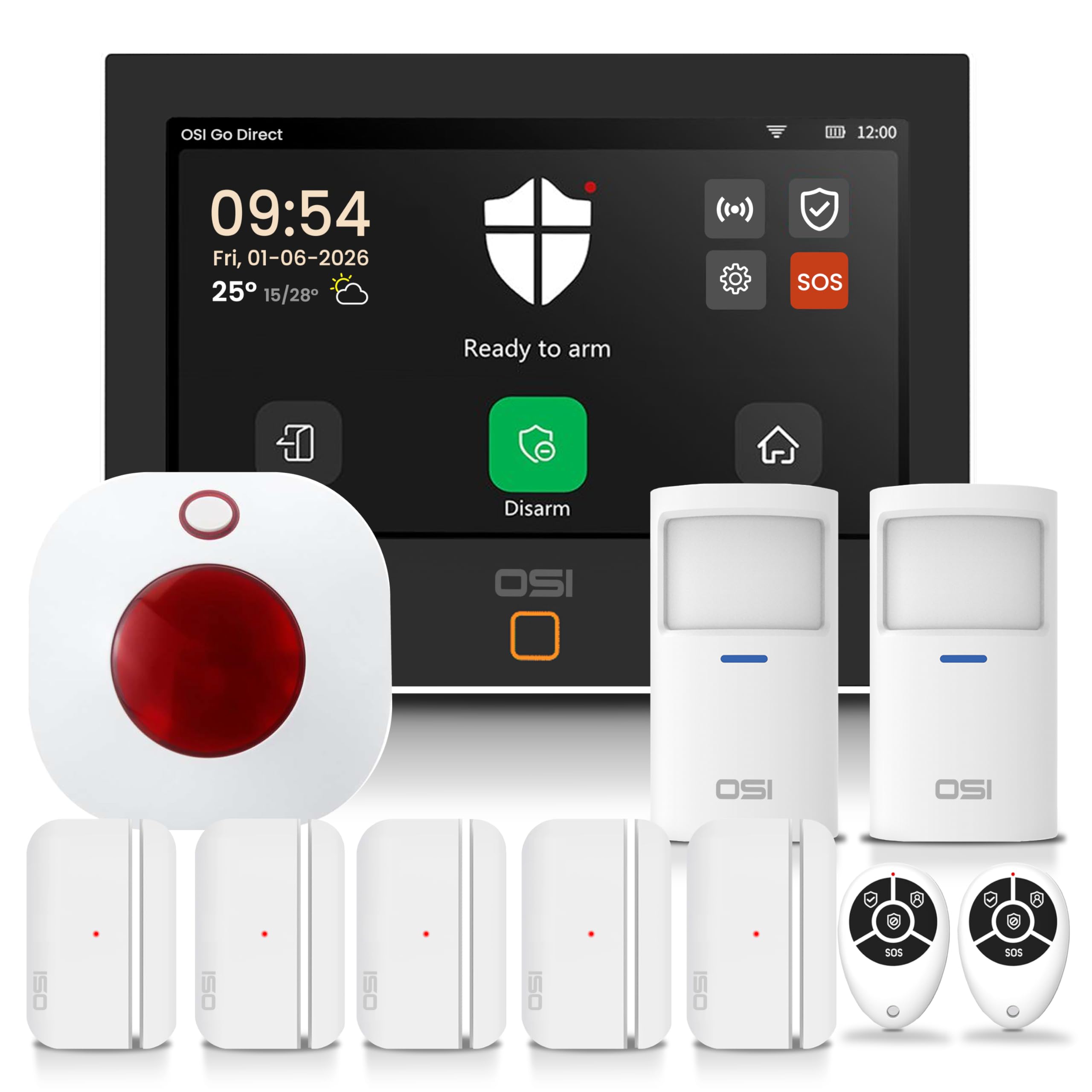
The OSI Gen 2 centers on a 7-inch HD touchscreen at 1024 x 600px with an anti-fingerprint finish, giving you a responsive wall-mounted command center that most kits simply lack. It ships with 2 Motion Sensors, 5 Contact Sensors, a Wireless Strobe Siren, and 2 Remote Controllers — a genuinely complete starter set.
Flexibility is the theme here. Monitor yourself for free via the Smart Life app, or opt into 24/7 professional alarm monitoring starting at /month with no long-term contract. The system scales to 160 sensors, 6 controllers, 6 doorbells, and 6 keypads, making it viable for houses, apartments, and even small businesses. A 24-hour backup battery keeps it running through power cuts, and the SOS button on the display, app, and remote triggers the siren instantly.
Ex-pro installer types have called this the best DIY alarm they have tested, praising the 433MHz sensors that punch through large cement and rebar homes. The quirks are minor but real: the built-in siren is a bit cheap with centered prongs that take two wall sockets, and the Smart Life app lacks a history delete function and does not display well on tablets.
Why it stands out
- The 7-inch touchscreen is the best interface in this roundup.
- Optional 24/7 monitoring with no contract lock-in.
- 5 user accounts let you lock guests and kids out of system settings.
Where it stumbles
- The siren’s wall prongs occupy two sockets instead of one.
- Verbally naming a door on open is not possible — it just chimes.
- The hub is only sold within the kit, not as a standalone.
Who it beats: any system that makes you fumble with a phone app — this one puts control on your wall in full color.
Who it does not beat: those wanting a hidden, invisible security system; the touchscreen is proudly front and center.
6. Hubitat Elevation C-8 Pro
The tinkerer’s router for a private, brand-agnostic smart home.
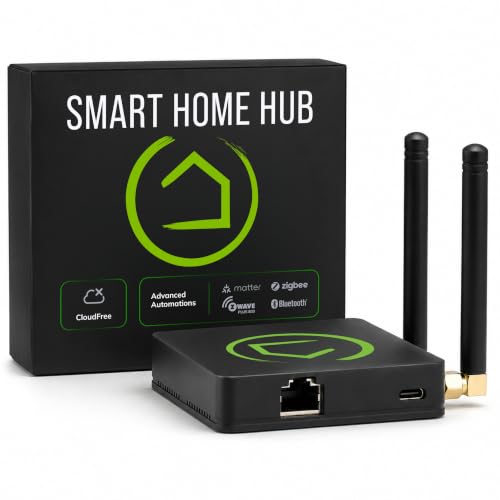
The C-8 Pro is for the person who already owns a chaotic mix of smart devices and wants one brain to rule them all. It runs every automation locally inside your home rather than on remote servers, so your lights, locks, and thermostats keep working even when the internet drops. That local processing also delivers snappier response times and keeps your data out of the cloud entirely.
Protocol support is its superpower: Matter 1.5, Z-Wave 800 Series, Z-Wave Long Range, Zigbee 3.0, and Bluetooth all work here. That multi-protocol reach means a 7-8-year-old Z-Wave switch and a brand-new Matter bulb can coexist, which is the dream for anyone tired of buying new hardware to match a new hub. The text-to-automation feature even lets you describe what you want and the hub builds the logic.
This is not a plug-and-play appliance, and the mixed reviews say so honestly. The interface is less polished than the competition, and the learning curve is steep enough that even a software engineer found device onboarding took real effort. But for those who invest the time, the local control payoff is huge — no subscription, no cloud dependency, just reliable automation.
balance: power users who want brand-agnostic control and are willing to trade setup ease for long-term flexibility.
Honest warning: Alexa voice control integration has been shaky for some legacy Zigbee and Z-Wave devices, so it shines brightest as a standalone controller.
7. Home Assistant Green

The fanless brain that gives you total control over every device you own.
Home Assistant Green is the official hardware from Nabu Casa, the team behind the Home Assistant open-source platform. from the start it runs a quad-core processor with 32GB of storage and 4GB of RAM, and setup is literally plug in the power supply and Ethernet cable — the software is already installed. It is small, fanless, and silent, drawing just a couple of watts of power.
The power here is the automation depth. Customers note controlling 60+ devices flawlessly, integrating with Alexa, and using HomeKit Bridge to give Siri control over non-Apple devices. Your data stays in your home on the Green, and you can export it anytime. The ecosystem is vast enough that many devices are discovered automatically, and USB expandability adds Z-Wave, Zigbee, and Thread support when you are ready.
The honest catch is that “easy to set up” is relative. Purists will tell you it is not plug-and-play for beginners — one owner needed 4 USB antennas and a powered hub to get full coverage. The interface has a learning curve, though the online community is famously helpful. The trade-off is absolute: you trade convenience for the deepest, most flexible automation platform available.
Reach for this if: you love customizing and want one dashboard that unifies every protocol without paying a subscription.
Look elsewhere if: your idea of setup is unbox, stick, and forget — the Green rewards patience with power.
8. Amazon Smart Home Starter Kit
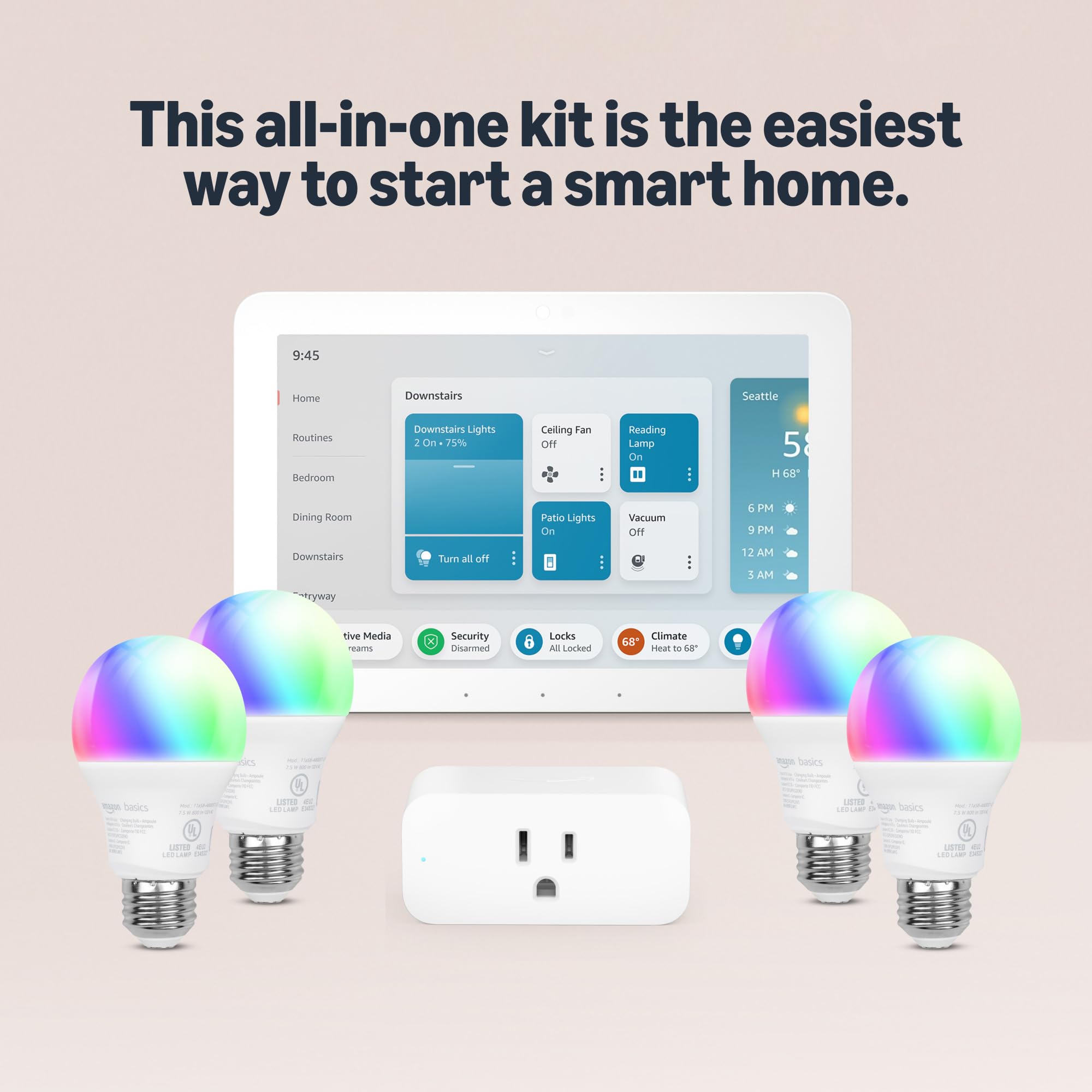
The gentlest on-ramp to voice-controlled living for Alexa loyalists.
For anyone already living in the Alexa ecosystem, this kit is the fastest way to build out a smart home. It bundles the Echo Hub, an Amazon Smart Plug, and 4 Amazon Basics Smart Bulbs, and the guided setup walks you through unboxing to controlling your first scene in minutes. The Echo Hub works with thousands of connected cameras, lights, locks, plugs, and thermostats, placing them all in one visual interface.
The four included lights solve the classic “am I home?” problem — set them on a schedule to make it look like someone is home when you are away. With Alexa+, you can set routines using just your voice, control multiple devices at once, and chat casually to make requests. The kit also plays nice cross-platform, welcoming Ring cameras, Kasa Smart Switches, and other Alexa-compatible gear into the fold.
Reviews are universally positive but small in number, so this is a newer option with less long-term track record. It is also, by design, a starter — you will outgrow four bulbs and one plug quickly as the automation bug bites. There is no local processing here; everything lives in the Amazon cloud, which is smooth until your Wi-Fi drops.
Built for: families who want the whole household on voice commands — kids and elderly relatives alike find it intuitive.
Not for: privacy purists who want local control; this kit is cloud-native through and through.
9. SimpliSafe 8-Piece System

Serious security that turns professional monitoring on and off like a tap.
SimpliSafe is the name most people recognize, and the 8-piece kit backs that familiarity with substance. The Base Station, Keypad, 4 Entry Sensors, Motion Sensor, and Panic Button cover the essentials, with setup taking under an hour thanks to app-guided instructions and tape-labeled sensors. The motion sensor detects movement within 35 feet across a 90-degree field of view and ignores pets under 60lbs.
The flexibility is the standout: use it as a free self-monitored alarm with app alerts, or opt into 24/7 professional monitoring starting at less than /day with no long-term contract. The monitoring agents can dispatch police instantly, and the silent panic option on the Panic Button summons help discreetly. The 95 dB siren is genuinely loud enough to be heard through a whole house.
SimpliSafe’s footprint shows in the review count — over 2,600 owners have weighed in, and the consensus is that installation and value are excellent. The honest gaps are limited smart home integration compared to Ring, some app features locked behind subscription, and no sensor name announcements. Connectivity hiccups come up in a minority of reviews, as does the occasional struggle staying connected.
What makes it click
- Professional monitoring on demand without long-term contracts.
- Pet-friendly motion detection that ignores companions under 60lbs.
- Secret Alerts quietly notify you when private areas are accessed.
The trade-offs
- No sensor name announcements — you cannot tell which door opened by voice.
- Limited to 4 user codes, fewer than some rivals offer.
- Some app features and smart integrations sit behind the subscription tier.
Grab it for: the confidence of professional dispatch without being chained to a multi-year contract.
skip it if: you want deep smart home integration; this is a security system first, automation hub second.
10. Qolsys IQ Panel 4

The installer-grade panel that brings a security camera into the keypad itself.
The Qolsys IQ Panel 4 is the closest thing to a professionally installed system you can buy off Amazon. It is a modern touchscreen control panel for residential and small commercial use, and it packs an 8MP front camera with a 120-degree wide-angle lens and FlexTilt capability right into the wall unit. When the alarm triggers, it captures up to a 4-minute video clip stored locally on the panel.
Wireless range is the hidden strength — Qolsys claims top-tier range with its processing unit, and Z-Wave device support (switches, Yale locks, thermostats) extends the automation reach far beyond security. The Alarm.com integration is the real power move: view cameras, answer video doorbells, remotely lock and open up doors, and adjust thermostats and lights, all from the mobile app.
Life safety is where this panel goes beyond the rest. It can pair with smoke detectors, carbon monoxide detectors, flood detectors, and temperature sensors to guard against fires, floods, and HVAC failures — not just break-ins. It also supports well over 100 wireless sensors and devices, and ships with 3 months of professional monitoring included.
Ideal for: the security-conscious buyer who wants installer-grade hardware with the option of full 24/7 professional monitoring over LTE cellular.
Be aware: it lacks some smart hub features found in dedicated home automation hubs, so it shines brightest as a security panel with automation perks.
Understanding the Specs
Local vs. Cloud Processing
A hub that runs automations locally, like the Hubitat or Home Assistant, processes commands inside your home. That means faster responses and routines that survive a Wi-Fi outage. A cloud-based hub like Ring or SimpliSafe offers easier setup but stops working if your internet drops, leaving your smart home dumb until the connection returns.
Wireless Protocols: Z-Wave, Zigbee, Matter
These are the languages your devices speak. Z-Wave and Zigbee are the established standards known for reliability and low power use, while Matter is the newer universal standard aiming to make everything compatible. A hub that supports multiple protocols, like the C-8 Pro with Matter 1.5 and Z-Wave 800 LR, lets you mix brands freely instead of being locked to one vendor.
FAQ
Will a smart home hub work with devices I already own?
What happens to my automated home when the internet goes down?
Is professional monitoring worth the monthly fee?
How many sensors can each system support?
Will my smart home work with Alexa or Google Assistant?
Do I need to drill holes to install a wireless alarm system?
What is the difference between a security system and a smart home hub?
Can I expand my system later without buying a whole new kit?
How long does the backup battery last during a power outage?
Final Thoughts: The Verdict
For most households, the automated home system winner is the Ring Alarm 14-Piece Kit because it marries the easiest setup with a proven 4.6-star track record from thousands of owners and genuinely expandable whole-home coverage. If you want local video privacy with facial recognition and no subscription, the eufy HomeBase 3 is the standout. And for the tinkerer who wants total control, local processing, and zero fees, the Home Assistant Green is the one to reach for. Rather than chase the latest gadget, pick the hub whose control philosophy matches your patience level — your smart home will feel easy only when the brain fits how you actually live.
How We Picked
We do not accept paid placement. Every pick is matched to a real buyer and a real use-case; we do not hands-on test units.
Sources & Methodology
Specifications: manufacturer listings and product documentation. Review insights: verified customer reviews, as of August 2026. Pricing: not shown on this page (it changes often); check the current price via the retailer link.
As an Amazon Associate, Gadgets Feed earns from qualifying purchases. This does not affect which products we feature.