
A conference call where remote participants strain to hear the person at the far end of the table is a productivity killer. The right AV conference system eliminates that distance, turning a chaotic meeting room into a seamless collaboration space where every voice is picked up and every face is visible in clear detail.
I’m Min — the co-founder and writer behind Gadgets Feed. I’ve spent countless hours dissecting the technical specifications, reading through customer feedback, and comparing the hardware trade-offs of dozens of all-in-one meeting room solutions to separate the genuinely effective systems from the ones that still leave you shouting at a speakerphone.
This guide cuts through the marketing to find the hardware that actually solves the real-world challenges of hybrid meetings, outlining the key specs that define the best av conference system for your specific room and budget.
How To Choose The Best AV Conference System
The single biggest mistake buyers make is prioritizing resolution over coverage. A 4K camera is useless if it forces you to choose between seeing the whiteboard and seeing the person sitting at the head of the table. Start with your room’s dimensions and participant layout, then work backwards to field of view, zoom capability, and audio pickup range.
Field of View and Zoom: Matching the Lens to the Room
The camera’s field of view (FOV) determines how much of the room it captures in a single frame. A 90° FOV is typical for small huddle rooms seating 4-6 people. For medium rooms with 8-12 participants, you want 110° to 120°. For larger boardrooms, look for PTZ (pan-tilt-zoom) cameras with 12x or higher optical zoom to pick up individual speakers at the far end. Digital zoom is a software trick that degrades image quality; optical zoom uses the lens to magnify the image without losing resolution, which is non-negotiable for large rooms.
Audio Pickup Range and Microphone Array Design
Audio is the category killer. A mediocre camera with great audio produces a functional meeting. A great camera with bad audio produces frustration. Look for speakerphones with at least a 15-foot pickup range for small rooms and 20+ feet for larger spaces. Beamforming microphone arrays (4 to 8 mics) actively steer pickup toward the speaker’s voice while rejecting noise from HVAC systems, rustling papers, and side conversations. Full-duplex audio — the ability for both sides to speak simultaneously without cutting out — is the baseline for a professional system.
AI Tracking Intelligence: Speaker Tracking vs. Auto Framing
There are two main AI modes in modern systems. Speaker tracking follows the active talker as they move around the room, keeping them centered in the frame. Auto framing adjusts the entire view to include all participants in the room, zooming out if someone stands up or walks in. Some premium systems offer both modes plus a gallery view that frames each participant in their own tile. The right choice depends on your meeting culture: dynamic brainstorming sessions benefit from auto framing, while presentations or lectures work better with speaker tracking.
Quick Comparison
On smaller screens, swipe sideways to see the full table.
| Model | Category | Best For | Key Spec | Amazon |
|---|---|---|---|---|
| Logitech Rally Plus | Premium | Large boardrooms, 20+ people | 4K PTZ, 15x zoom, 2 satellite mics | Amazon |
| Meeting Owl 4+ | Premium | Medium rooms, all-around 4K 360° | 4K 360° video, 18ft audio pickup | Amazon |
| Meeting Owl 3 | Premium | Medium rooms, proven reliability | 1080p 360° video, Owl Intelligence System | Amazon |
| Jabra PanaCast 50 | Premium | Small to medium rooms, 180° panoramic | 180° FOV, 3x 13MP cameras, 8 mics | Amazon |
| Logitech Group | Mid-Range | Large rooms, 20 participants | 1080p, 90° FOV, 28ft audio range | Amazon |
| KanDao Meeting Pro | Mid-Range | Medium rooms, standalone Android OS | 360° video, 8-mic array, built-in OS | Amazon |
| Tenveo 4K PTZ Bundle | Mid-Range | Large rooms, 10-25 participants | 12x optical zoom, 33ft pickup range | Amazon |
| COOLPO AI Huddle Pana | Mid-Range | Small to medium rooms, 360° view | 4K 360°, 15ft pickup range | Amazon |
| BizEye Dual-Lens (v AV Access) | Mid-Range | Small rooms, dual-lens AI framing | 4K PTZ + 1080p panoramic, 360° mic | Amazon |
| TONGVEO 4K Gesture Control | Value | Small to medium rooms, gesture tracking | 4K, 120° FOV, 5x digital zoom | Amazon |
| TONGVEO 4K PTZ Camera System | Value | Small rooms, budget all-in-one | 4K, 3x optical zoom, 16.4ft pickup | Amazon |
In‑Depth Reviews
1. Logitech Rally Plus

The Logitech Rally Plus is a studio-grade system engineered for the largest and most demanding conference rooms. Its 4K PTZ camera delivers exceptional clarity with a 15x optical zoom that can frame a single speaker at the far end of a 25-foot table without any digital degradation. The two satellite microphone pods and right/left speakers create a true stereo sound field that makes remote participants feel like they are sitting at the table.
This system integrates seamlessly with Zoom Rooms and Microsoft Teams Rooms when paired with a compatible computer, and it offers advanced audio processing including echo cancellation and noise suppression that handles even open-plan offices. The inclusion of a dedicated hub means all connections — camera, mics, speakers, and display — terminate in one clean cable run to the PC.
Setup does require mounting hardware and some professional installation for larger rooms, but the result is a permanent, enterprise-grade solution that will serve a boardroom reliably for years. For organizations that demand the absolute best in large-format video collaboration, the Rally Plus is the benchmark.
Why it’s great
- Professional-grade 4K image with 15x optical zoom captures detail across large rooms.
- Dual satellite mics and stereo speakers provide exceptional beamforming audio.
- Robust build quality and dedicated hub simplify permanent installation.
Good to know
- Mounting brackets sold separately, adding to overall investment.
- Requires a separate processing unit (NUC or PC) for full smart-room functionality.
2. Meeting Owl 4+

The Meeting Owl 4+ represents the mature evolution of the all-in-one 360-degree conference camera. It captures a full 360° view of the room in true 4K resolution, and its Owl Intelligence System uses visual and audio cues to instantly frame the active speaker with smart zooming. The 18-foot audio pickup range covers most medium-sized conference rooms without needing external microphones.
Setup is remarkably simple: place it in the center of the table, plug in the USB cable, and the device is recognized by Zoom, Teams, Google Meet, and Webex within minutes. For IT administrators, The Nest management tool allows bulk registration and firmware updates across a fleet of devices. The new enterprise features, including Power over Ethernet support via an adapter and a built-in Kensington lock, make it suitable for permanent deployments.
The 4K upgrade over the previous generation is a significant step forward for large displays, ensuring that remote participants can clearly read body language and whiteboard content. It remains the gold standard for plug-and-play hybrid room cameras.
Why it’s great
- True 4K 360° video eliminates blind spots and dead zones in the room.
- Industry-leading ease of use — unbox to first meeting in under 10 minutes.
- The Nest management platform simplifies fleet administration for IT teams.
Good to know
- PoE requires a separate adapter, not included in the box.
- At this premium price point, some larger rooms may still need an Expansion Mic.
3. Meeting Owl 3

The Meeting Owl 3 is the device that defined the modern all-in-one conference camera category. While it outputs 1080p rather than 4K, the 360° panoramic view and the Owl Intelligence System with auto-focus and smart zooming still deliver an outstanding hybrid meeting experience. The 18-foot audio pickup ensures that voices from every corner of a medium room are captured clearly.
Its durability and simplicity are legendary among IT administrators. The device has survived numerous drops and rough handling while maintaining accurate voice tracking and excellent audio quality. The plug-and-play USB connection means no drivers or complex network configuration — just plug it into any laptop and select it as the audio and video device.
For organizations on a tighter budget that still want the all-around 360° experience, the Owl 3 remains a compelling choice. The ecosystem allows pairing two Owls or adding an Expansion Mic for larger spaces, providing a clear upgrade path.
Why it’s great
- Proven reliability and durability over years of daily use in real conference rooms.
- Effortless plug-and-play setup that works with virtually every video conferencing platform.
- Expandable with additional Owls or Expansion Mics for larger spaces.
Good to know
- 1080p resolution may look soft on large 4K displays.
- Lacks wireless connectivity, relying solely on USB.
4. Jabra PanaCast 50

The Jabra PanaCast 50 uses three 13MP cameras and real-time video stitching to create a single, seamless 180-degree panoramic image — an approach that avoids the fisheye distortion common with 360-degree single-lens cameras. You can select between 90°, 120°, 140°, and 180° field-of-view presets depending on your room setup, giving you flexibility without changing hardware.
The integrated sound bar houses eight beamforming microphones and four speakers that deliver excellent full-duplex audio. Jabra’s intelligent zoom technology automatically adapts the frame to include everyone in the room, and the virtual director feature can follow the active speaker. The system is certified for Microsoft Teams and compatible with Zoom and Google Meet.
One notable omission: the remote control is not included, and some key functions require it. Despite that, the PanaCast 50’s combination of distortion-free panoramic video, superior sound, and intelligent framing makes it an excellent choice for small to medium rooms.
Why it’s great
- Seamless 180° panoramic video without the fisheye effect of 360° cameras.
- Selectable FOV presets adapt to different room sizes and meeting styles.
- Eight-mic array with excellent noise suppression during calls.
Good to know
- Remote control is an additional purchase that is needed for full functionality.
- Does not offer a true 360° view — 180° max.
5. Logitech Group

The Logitech Group is a veteran bundle purpose-built for large conference rooms with up to 20 participants. Its HD 1080p camera features a Zeiss-certified lens with autofocus, digital pan/tilt/zoom, and a 90-degree field of view that works well for rectangular tables. The real star, however, is the audio system — the main speakerphone plus two expansion microphones deliver a massive 28-foot audio pickup range.
Deployment is straightforward: connect the speakerphone and camera to your laptop via USB, and the system is recognized by most UC platforms. The expansion mics are heavy and stable on the table, with long enough cables to reach the far ends of a boardroom table. The system is certified for Skype for Business and compatible with Cisco Jabber and Webex.
The bundled computer tower with a Core i7 processor and Windows 10 removes the need to tie up a separate laptop, though the system works perfectly well when plugged into a standard PC. For organizations needing a proven, reliable solution for large rooms without breaking into the five-figure range, the Group bundle remains a strong contender.
Why it’s great
- 28-foot audio pickup with expansion mics covers even the longest conference tables.
- Bundled computer tower simplifies setup and avoids dependency on personal laptops.
- Proven reliability from Logitech’s enterprise conferencing lineup.
Good to know
- Camera is limited to 1080p and 90° FOV, which may feel narrow in wider rooms.
- Bulkier setup compared to modern all-in-one soundbars.
6. KanDao Meeting Pro
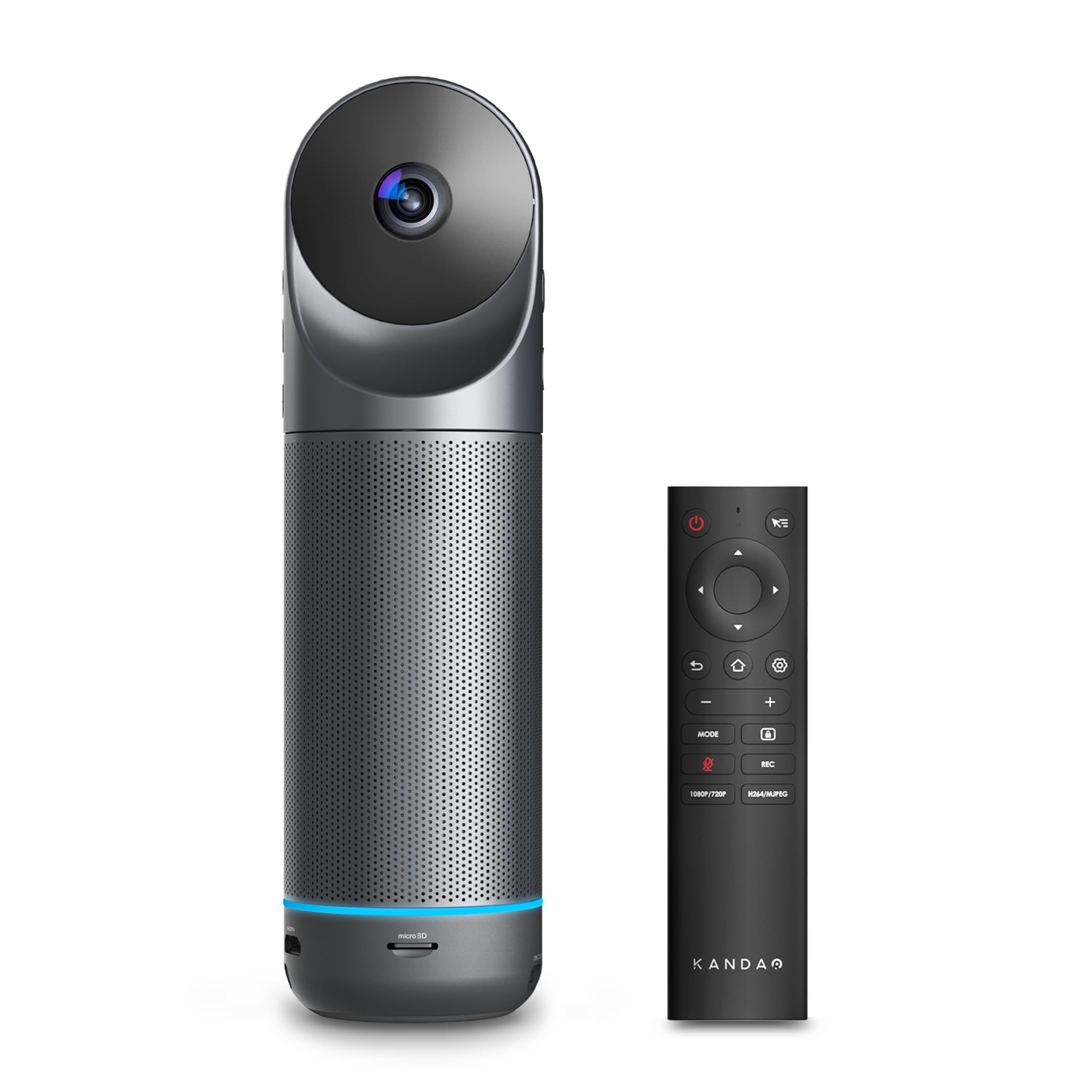
The KanDao Meeting Pro stands out because of its built-in Android operating system, which allows it to run video conferencing apps directly without needing a connected computer. This makes it uniquely portable — you can carry it into a room, connect it to a display via HDMI, and start a meeting over Wi-Fi or Ethernet. The dual 195° lenses create a full 360° view, and AI face and voice tracking automatically highlights the active speaker.
The 8-microphone array and 5W speaker deliver an 18-foot audio pickup range with effective noise and echo cancellation. The five smart viewing modes — Discussion, Global, Presentation, Patrol, and Custom — give teams flexibility for different meeting formats. For security-conscious organizations, the device supports local recording to a Micro SD card without transmitting data to the cloud.
The main caveat is that the Android OS is not Google Play Protect certified, meaning installing apps requires manual APK downloads. When used as a standard USB camera with a PC or Mac, however, it works flawlessly with all major platforms.
Why it’s great
- Standalone Android operation eliminates the need for a PC in the room.
- Five smart viewing modes adapt to different meeting dynamics.
- Local recording to SD card enhances data security.
Good to know
- Android OS lacks Google certification, complicating app installation.
- Setup of the standalone mode requires navigating developer settings.
7. Tenveo 4K PTZ Bundle
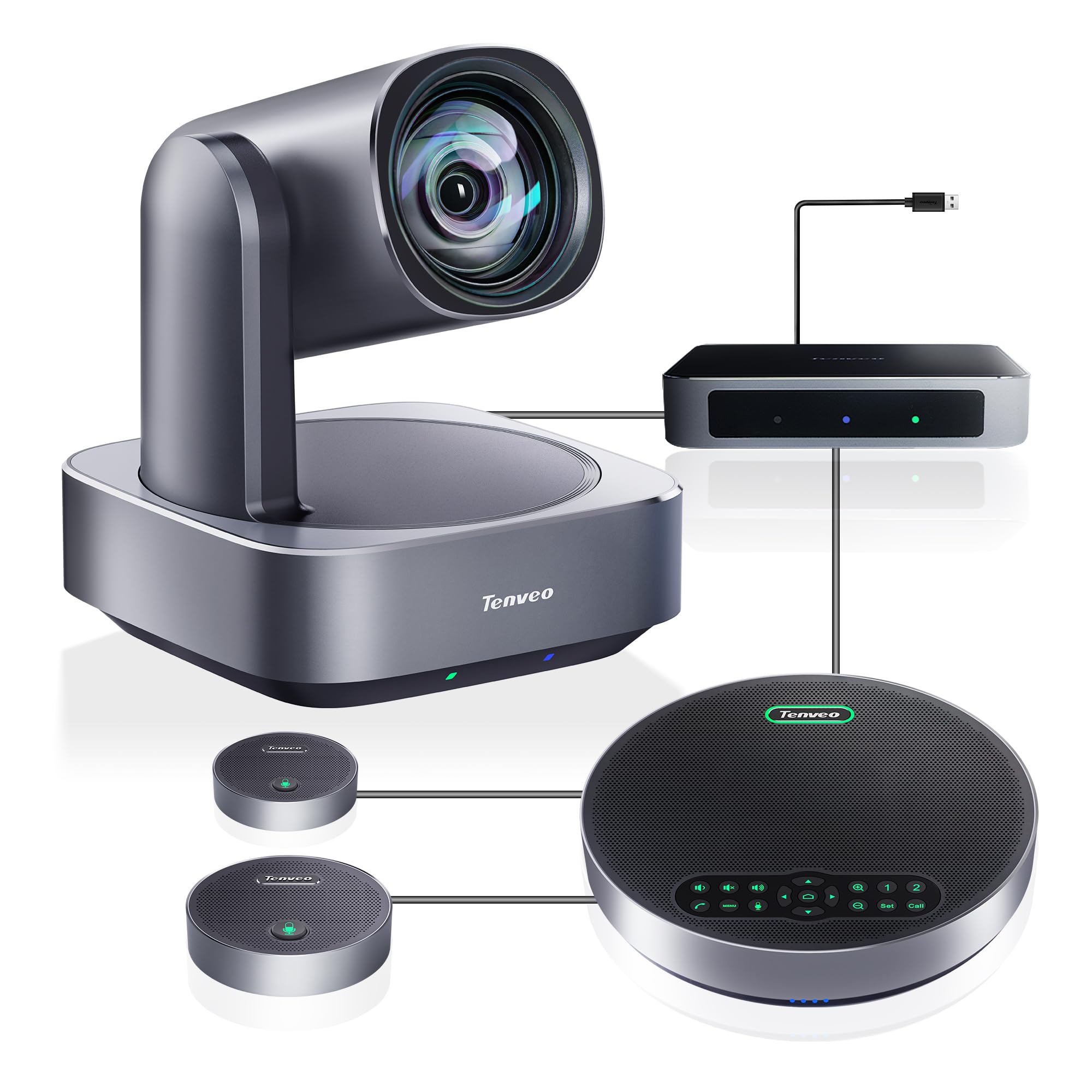
The Tenveo 4K PTZ Bundle is engineered for large rooms (40-100 square meters) accommodating 10-25 participants. The 12x optical zoom on the PTZ camera is the key differentiator here — it can zoom in on a whiteboard or a presenter at the far end of a long room without losing resolution. The bundle includes a Bluetooth speakerphone and two expansion microphones that together provide an impressive 33-foot voice pickup range.
AI humanoid and face auto-tracking ensures that the camera follows the speaker even if they move around the room, and the presenter can easily switch between tracking and auto-framing modes. The connection hub simplifies cabling: the camera and speakerphone both connect to the hub, which then connects to the PC via a single USB cable.
The build quality is solid, and the included wall mount and remote control cover most installation scenarios. For the price, the optical zoom performance and audio reach rival systems costing significantly more, making this a smart choice for organizations with large meeting spaces.
Why it’s great
- 12x optical zoom provides exceptional detail capture across long rooms.
- 33-foot audio pickup with expansion mics handles large tables effortlessly.
- Hub connection simplifies cable management and reduces clutter.
Good to know
- Camera and speakerphone must be connected through the included hub to function.
- Some initial configuration required for optimal AI tracking performance.
8. COOLPO AI Huddle Pana

The COOLPO AI Huddle Pana takes a unique approach to 360° video by using a single 4K camera with a 360° lens rather than stitching multiple images together, which eliminates the seam artifacts that sometimes appear in multi-camera systems. The AI voice tracking system uses its 8 microphones to identify and focus on the active speaker, with intelligent zoom optimizing the screen space.
The device runs all its AI processing locally using edge computing, meaning no video or audio data is sent to external servers — a significant privacy advantage for organizations handling sensitive meetings. Setup is truly plug-and-play: select it as your camera and microphone in Zoom, Teams, or Google Meet, and the AI kicks in automatically.
Some users report that the speaker tracking can occasionally snap between participants too frequently, and the micro-USB connection feels dated. Still, for the price, the COOLPO delivers 360° functionality that competes with devices twice its cost, making it an excellent mid-range option.
Why it’s great
- True single-lens 360° video avoids stitching artifacts and complexity.
- On-device AI processing ensures data privacy and low latency.
- Easy plug-and-play setup with no driver installation required.
Good to know
- Speaker tracking can occasionally be too sensitive, switching frames rapidly.
- Micro-USB connection is outdated compared to USB-C on newer devices.
9. BizEye Dual-Lens (v AV Access)
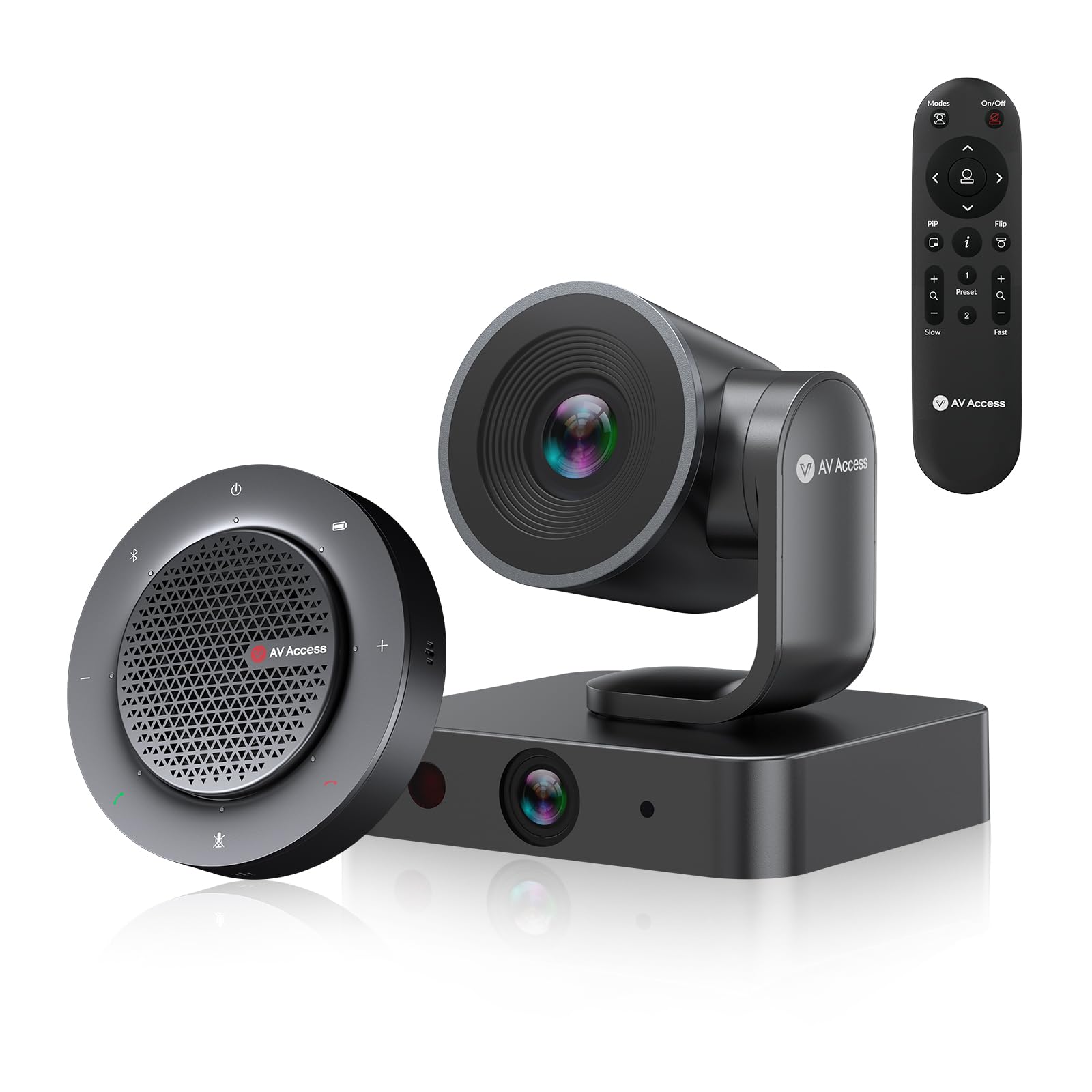
The BizEye from v AV Access introduces a smart dual-lens concept that separates the room view from the speaker detail. A 4K PTZ camera with 3x optical zoom provides the main room coverage, while a dedicated 1080p panoramic lens captures a 120° wide view. The AI uses both feeds simultaneously to automatically frame participants and switch between views as needed.
The unique Individuals Gallery mode detects and frames up to four people in separate tiles, making each participant’s facial expressions clearly visible to remote attendees — a feature typically found on much more expensive systems. The included speakerphone uses 4 omnidirectional microphones with 360° pickup, acoustic echo cancellation, and noise reduction for clear conversation.
Setup is plug-and-play via a single USB-C connection, and the camera supports up to 9 preset positions accessible via the included IR remote or web UI. For teams that want the advanced framing capabilities of a dual-lens system without the enterprise price tag, the BizEye delivers.
Why it’s great
- Dual-lens design enables simultaneous wide room view and detailed close-ups.
- Individuals Gallery mode frames up to 4 people, improving remote engagement.
- 3x optical zoom preserves image quality when zooming in on presenters.
Good to know
- Speakerphone audio quality is adequate but not class-leading for music or loud rooms.
- Best suited for rooms with 4-8 participants, not large boardrooms.
10. TONGVEO 4K Gesture Control
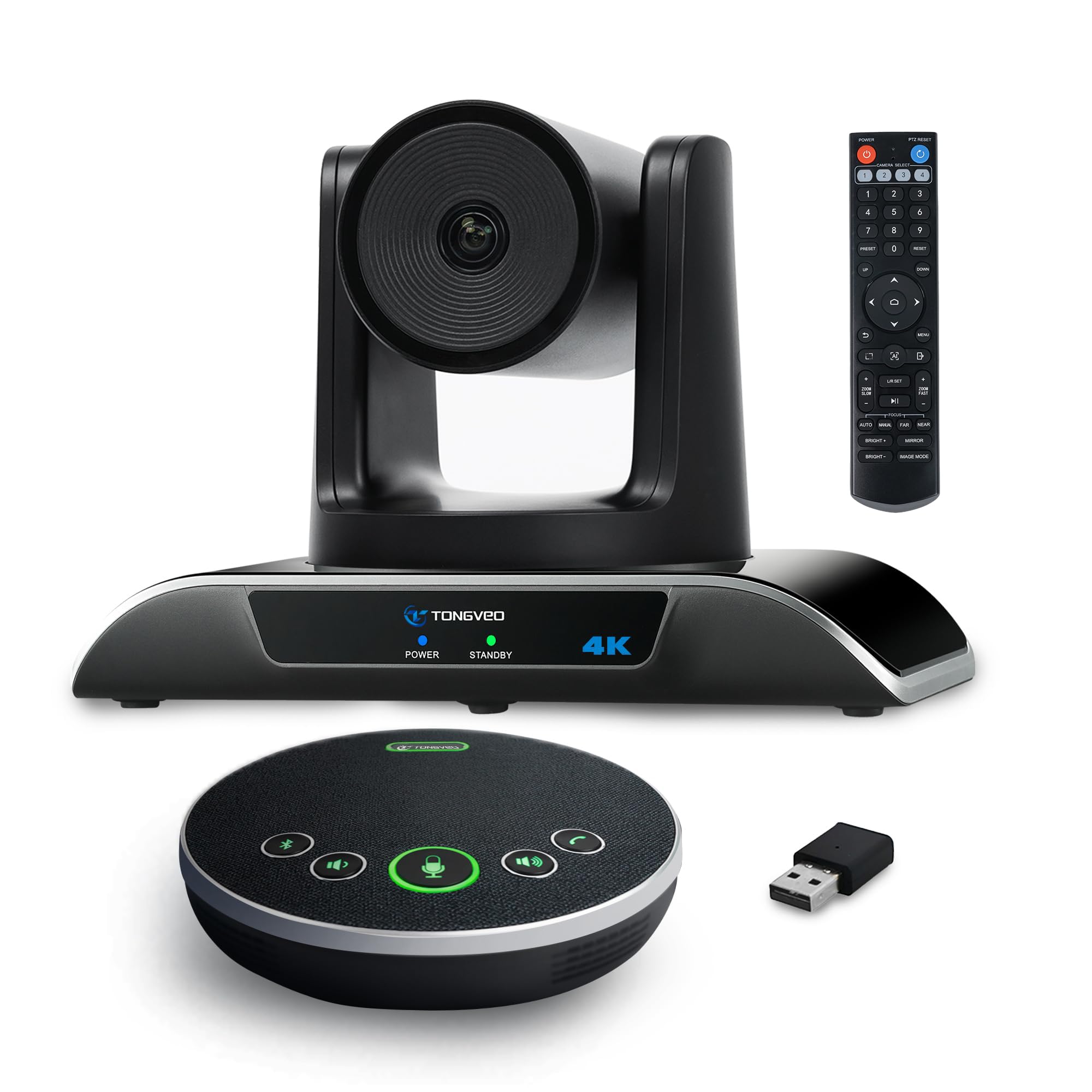
The TONGVEO 4K Gesture Control system brings an interactive element to video conferencing with its AI-powered gesture recognition. Presenters can start or stop auto-tracking, zoom in and out, and switch between solo and multi-human tracking modes using simple hand signals — no remote required. The 120° wide-angle lens and 5x digital zoom provide good coverage for small to medium rooms.
The included Bluetooth speakerphone has a 16.4-foot pickup range and a built-in 2400mAh battery that provides 6-8 hours of use. The camera connects via USB 3.0 and outputs a crisp 4K image at 30fps, with smooth 350° horizontal and 180° vertical rotation. The system is compatible with all major conferencing platforms including Zoom, Teams, and Webex.
While the gesture control is a fun and useful feature, some users note that the remote control has limited functionality and that the auto-tracking cannot always be disabled during calls without navigating the camera menu. For its price, however, this is a feature-rich system that outperforms its position in the market.
Why it’s great
- Gesture control provides intuitive camera management without a remote.
- 120° wide-angle lens ensures no one is cut out of the frame.
- Wireless speakerphone with long battery life adds flexibility to room setup.
Good to know
- Remote control has limited feature parity with the gesture system.
- Camera uses digital zoom only — no optical zoom for long-distance detail.
11. TONGVEO 4K PTZ Camera System
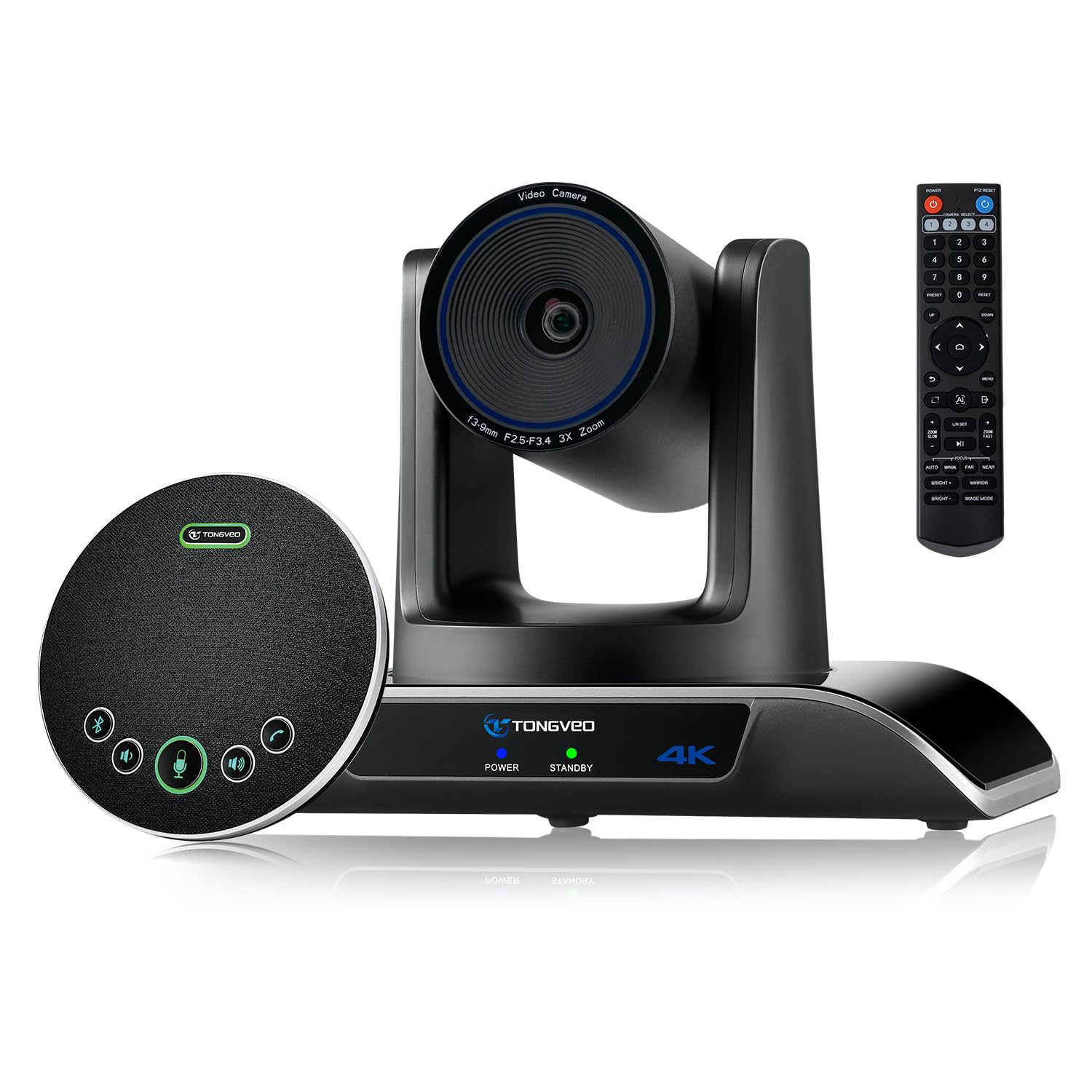
The TONGVEO 4K PTZ Camera System is the most accessible entry point into a professional PTZ-based conference setup. It pairs a 4K PTZ camera with 3x optical zoom and a 93° wide-angle lens with a wireless Bluetooth speakerphone, creating a complete video and audio solution for small to medium rooms seating 8-12 people. The camera outputs 4K at 30fps via HDMI and 1080p via USB 3.0.
The AI auto-tracking uses both facial and humanoid recognition to keep speakers centered, and the tracking algorithm has been refined to maintain lock even when a subject is temporarily obscured. The speakerphone offers three connection methods: USB, Bluetooth 5.0, or a wireless dongle, providing flexibility for different room layouts. The 2400mAh battery supports 6-8 hours of continuous use.
For teams on a limited budget that still need a PTZ camera with optical zoom, this system delivers reliable performance. The 3-year manufacturer warranty adds peace of mind, and the included ceiling mount and IR remote cover most installation scenarios. The main trade-off is the 93° FOV, which is narrower than some competitors.
Why it’s great
- 3x optical zoom provides genuine zoom capability without resolution loss.
- Triple connectivity (USB, Bluetooth, dongle) offers versatile setup options.
- 3-year manufacturer warranty for long-term confidence.
Good to know
- 93° FOV may require the camera to be placed farther from the table.
- Speakerphone audio quality is suitable for speech but not for music playback.
FAQ
Do I need a 4K conference camera if my remote participants are watching on laptops?
What is the difference between a 360-degree camera and a PTZ camera for a meeting room?
Can I use a consumer webcam instead of a dedicated conference system?
How many participants can a single speakerphone realistically cover?
Final Thoughts: The Verdict
For most users, the av conference system winner is the Logitech Rally Plus because its 4K PTZ camera with 15x optical zoom and satellite microphone system deliver uncompromising quality for large, permanent boardroom installations. If you want a simpler, all-in-one 360° solution with true 4K resolution and effortless setup, the Meeting Owl 4+ is the premium choice. And for the best balance of optical zoom, AI tracking, and range in large rooms without the enterprise price tag, the Tenveo 4K PTZ Bundle offers exceptional value.