
Our readers keep the lights on and my morning glass full of iced black tea. As an Amazon Associate, I earn from qualifying purchases.
Specs are compiled from manufacturer listings and verified buyer reviews and can change over time — please confirm the key details on the product page before buying.
You want a B Key SSD that actually boots in your laptop, tablet, or Chromebook — not one that just looks like it fits. The tiny notches on the connector edge decide compatibility: a B+M key drive (with notches on both sides) drops into a B key slot, while a pure M key drive (one notch on the right) will not fit at all. This guide covers B+M key SATA drives that physically fit B key slots, so you get a working upgrade on the first try.
I’m Min — the founder and writer behind Gadgets Feed. This guide is built by comparing the manufacturers’ published specifications and the patterns across verified customer reviews, so you get each pick’s real strengths and trade-offs instead of marketing spin.
Here are the best B Key SSD options ranked for real-world upgrades, from compact Chromebook rescues to 1TB capacity upgrades, with honest trade-offs for each. b key ssd
Our Picks at a Glance

How To Choose The Best B Key SSD
B key and B+M key drives look nearly identical, but they serve different slots. Before you buy, you need to match the physical key notch on the drive to the slot on your motherboard or laptop, because forcing the wrong key can physically damage the connector.
Check the physical key first
Look at the gold connector edge of your current drive or your empty M.2 slot. A B key slot has the notch positioned toward the left pins, while an M key slot has it toward the right. A B+M key drive has two notches, so it fits both B key and M key slots — that dual-notch design is exactly why B+M key drives dominate this category. A pure B key drive fits only B key slots.
Match SATA to SATA, not NVMe
Your B key slot is almost always wired for SATA, not NVMe (a faster interface standard). If you buy an NVMe drive, it will not be recognized even if it fits physically. Most B+M key drives here are SATA III (the third generation of the SATA interface), so they work with older laptops, tablets, and Chromebooks. Check your device manual for “SATA” or “NVMe” before ordering.
Know your length: 2242 vs 2280
The four numbers after “M.2” tell you the drive’s length in millimeters. A 2242 drive is 42mm long and fits shorter slots in compact devices like Chromebooks, while a 2280 drive is 80mm long and is the standard size for most laptops and desktops. Measure your empty slot or check your device’s spec sheet before buying, because a drive that is too long physically will not fit.
Quick Comparison
| Model | Best For | Capacity | Read Speed | Length | Amazon |
|---|---|---|---|---|---|
| Transcend MTS820S★ Best Overall | Reliable boot drive | 120GB | 560MB/s | 2280 | Amazon |
| S SHARKSPEED 2242 | Compact Chromebooks | 128GB | 480MB/s | 2242 | Amazon |
| OSCOO 512GB | Laptop capacity upgrade | 512GB | 550MB/s | 2280 | Amazon |
| Silicon Power A55 | Max capacity value | 1TB | 560MB/s | 2280 | Amazon |
In-Depth Reviews
1. Transcend 120GB MTS820S M.2 SATA SSD
Our pick — over 4.5★ from 500+ verified ratings; the strongest balance of quality and price.
The dependable 120GB boot drive that revives a bricked laptop without drama
Transcend’s MTS820S is the kind of drive you install and forget about — it is built to be a boot drive, not a storage vault. It delivers read speeds up to 560MB/sec and write speeds up to 510MB/sec, noticeably quicker than the HDD it replaces, so your system boots and opens apps faster. The 120GB capacity is snug, but for a dedicated OS drive it holds Windows and your core programs fine.
What makes this a safe pick is the engineering underneath. It uses premium 3D TLC NAND flash memory chips and supports Trim, S.M.A.R.T., and NCQ commands to keep the drive healthy over time. Transcend backs it with a 3-year warranty, which is a meaningful comfort for a part that lives inside your machine
The main trade-off is capacity — 120GB fills up fast if you install large games or keep big local libraries. And while most buyers report it works as advertised, a few hit an occasional compatibility wall where the drive was not recognized by systems that supposedly supported its spec. The fix is to confirm your slot is SATA, not NVMe, before you buy.
What owners love
- Fast boot performance with 560MB/sec read speeds
- 3D TLC NAND for reliable long-term storage
- 3-year manufacturer warranty included
Keep in mind
- 120GB is tight for large game libraries
- Verify your slot is SATA before ordering
Best reach-for: This is the drive for anyone replacing a dead boot drive in a laptop or tablet and wanting a name-brand, warrantied part.
Think twice if: You need room for big media collections — 120GB runs out quickly.
2. S SHARKSPEED 128GB M.2 2242 NGFF SSD

The 42mm short drive that turns a retired Chromebook into a usable mini laptop
Not every M.2 slot is the standard 80mm long — compact devices often use the shorter 2242 form factor, and this drive is built specifically for that. The 42mm length is what lets it slip into tight spaces where a 2280 drive physically cannot go. At 128GB it is also a genuinely useful capacity for a mini laptop or a secondary OS drive, reading up to 480 megabits per second over its SATA III connection.
The real-world story here is Chromebook resurrection. Owners mention using it to turn an old EOL Chromebook into a mini laptop with no issues, loading fast with perfect storage capacity for that kind of machine. It is also confirmed to work in an Aros ONE M.2 RPI 4 Enclosure, which matters if you are building a retro or Raspberry Pi-style project rather than upgrading a laptop.
You get a 5-year warranty and S SHARKSPEED’s promise of free technical support, which is strong backing for a budget-tier drive. Its data transfer rate of 480 megabits per second is slower than the 560 megabits per second on the Silicon Power A55 below, so it is not the speed king — but for a compact legacy device, it is more than enough.
Smart early pick: The dual-notch B+M key design and short 2242 length make this the logical choice for compact laptops, Chromebooks, and SATA enclosures.
Honest limit: One buyer received a unit that formatted but showed 0 storage, so test the drive immediately on arrival and use the 5-year warranty if needed.
3. OSCOO 512GB M.2 2280 SATA SSD
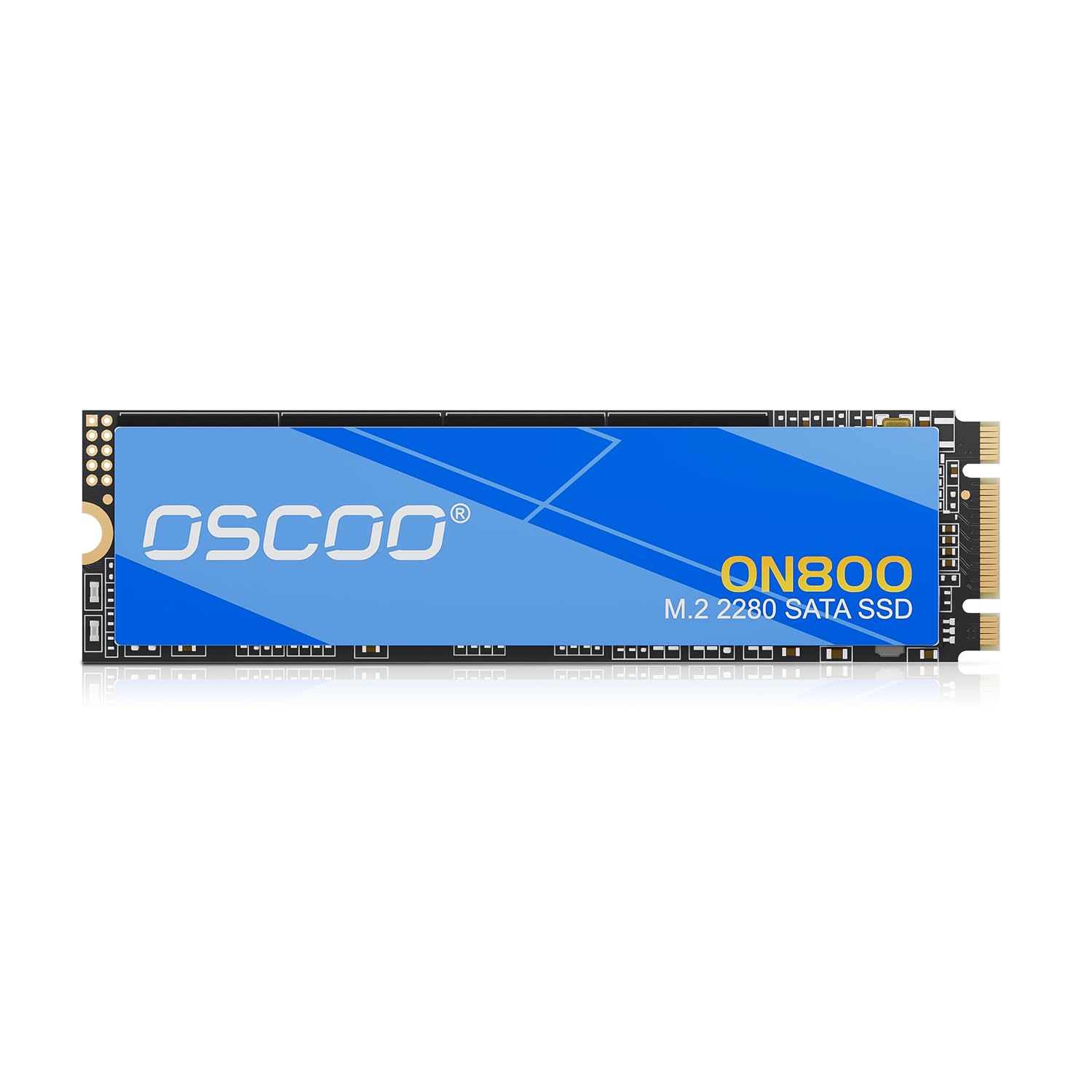
The 512GB capacity upgrade that doubles your storage and boots in seconds
If your laptop works fine but you are drowning in a tiny 256GB drive, this OSCOO is the capacity upgrade you actually want. It delivers 512GB of space on the standard 2280 length, with read speeds up to 550MB/s and write speeds up to 500MB/s. Customers note using it to clone a 256GB original drive and boot perfectly — effectively doubling storage in a Surface Pro 9.
The performance is backed by solid engineering: premium 3D NAND Flash with an advanced SATA controller, plus TRIM, SMART monitoring, LDPC ECC, and wear leveling to protect your data. OSCOO rates it for up to 1.5 million hours MTBF (mean time between failures), a stated reliability figure for long-term stability.
It is also confirmed working in a Dell Latitude 7200 2-in-1 tablet using Acronis True Image to clone the old drive. The caveat is printed right in the specs: it is not compatible with NVMe slots, so a pure M key NVMe port will not accept it. Verify your slot before purchase.
Capacity story: At 512GB this is the middle-ground pick between the 120GB Transcend and the 1TB Silicon Power — enough room for a full OS plus apps and games.
Check first: This is an 80mm drive and will not fit a 2242 slot, so confirm your laptop’s M.2 length before ordering.
4. Silicon Power 1TB A55 M.2 SATA SSD

The 1TB SATA M.2 that gives you the most capacity for the money
Silicon Power’s A55 is the capacity champion of this list, offering a full 1TB of storage on a standard 2280 M.2 SATA drive with the dual-notch M+B key design. The 3D NAND flash and high-quality controller keep transfer speeds consistent.
Buyers rave about the easy installation and faster boot times than the HDDs it replaces. It is a popular choice for older Dell systems that do not support NVMe, and one owner reported cloning a 1TB HDD in about 30 minutes with Macrium Reflect, seeing read speeds of 552.85 MB/s. It also works in a Mac Mini with a quick Disk Utility erase.
Reliability is the honest tension here. While the majority of owners are happy, there are reports of failures after about four months of use, so this is a budget-friendly 1TB option, not a bomb-proof enterprise drive. Silicon Power includes a 3-year warranty and U.S. tech support to help if your drive stops being recognized or formatting fails.
Why it wins
- 1TB capacity is the most room in this lineup
- 560 megabits per second read speed leads the list
- 3-year warranty with U.S. tech support
Weigh this
- Some units failed after months of use
- Not NVMe — confirm your slot is SATA
Grab it for: Anyone with a SATA M.2 slot who wants maximum storage without moving to a pricier NVMe platform.
skip it if: You need a drive for a machine that runs 24/7 with zero tolerance for downtime — a few owners hit failures around the four-month mark.
Understanding the Specs
M.2 Key Types
The key is the arrangement of notches on the gold connector edge. A B key has one notch toward the left, an M key has one toward the right, and a B+M key has both notches so it fits either slot. For this category, a B+M key drive is the safe choice because it drops into a B key slot (and an M key slot too), while a pure M key drive will not fit a B key slot at all.
SATA vs NVMe Protocol
A B key slot is usually wired for SATA, while NVMe slots are usually M key. A SATA M.2 drive will physically slide into many NVMe slots but will not be recognized. B key slots almost always need SATA drives, so always confirm your slot is SATA before buying a B key or B+M key SSD.
FAQ
What is the difference between B key and M key M.2 drives?
Will a B+M key SSD work in my M key slot?
How do I know if my laptop uses a 2242 or 2280 M.2 drive?
Why is my new B+M key SSD not recognized by my computer?
Can I use a B key SSD in an NVMe slot?
How many GB do I need for a boot drive?
Can I clone my old HDD to a new B+M key SSD?
Is a SATA M.2 SSD faster than a regular hard drive?
What does TRIM and S.M.A.R.T. do on an SSD?
Do I need to format a new M.2 SSD before using it?
Final Thoughts: The Verdict
For the majority of shoppers, the b key ssd winner is the Transcend MTS820S because it pairs a trusted brand with a 3-year warranty and fast 560MB/sec reads for dependable boot-drive duty. If you want the most capacity for the money, grab the Silicon Power A55 with its 1TB of space. And for a compact Chromebook or short-slot device, the S SHARKSPEED 2242 is the one to reach for.
How We Picked
We do not accept paid placement. Every pick is matched to a real buyer and a real use-case; we do not hands-on test units.
Sources & Methodology
Specifications: manufacturer listings and product documentation. Review insights: verified customer reviews, as of August 2026. Pricing: not shown on this page (it changes often); check the current price via the retailer link.
As an Amazon Associate, Gadgets Feed earns from qualifying purchases. This does not affect which products we feature.