
Our readers keep the lights on and my morning glass full of iced black tea. As an Amazon Associate, I earn from qualifying purchases.
Specs are compiled from manufacturer listings and verified buyer reviews and can change over time — please confirm the key details on the product page before buying.
A back-to-school laptop is a four-year decision, not a four-week one. The real question isn’t which one looks coolest in the campus bookstore ad — it’s which machine will still boot up fast on the morning of a final exam in your senior year. This guide cuts through the spec-sheet noise to show you which processors, screens, and storage setups actually matter for lectures, libraries, and late-night study sessions.
I’m Min — the founder and writer behind Gadgets Feed. This guide is built by comparing the manufacturers’ published specifications and the patterns across verified customer reviews, so you get each pick’s real strengths and trade-offs instead of marketing spin.
The honest truth is that the best back to school laptop balances a keyboard you can type on for hours with a battery that outlasts your class schedule and storage that won’t force you to delete projects.
Our Picks at a Glance


How To Choose The Best Back To School Laptop
Your laptop should match your major and your daily routine. An engineering student running simulation software needs more power than an English major writing essays, but you both need a comfortable keyboard and a battery that lasts through back-to-back classes.
Match the Processor to Your Coursework
The processor (the brain of the computer) controls how quickly apps open and how many programs run at once without freezing. A higher core count (the number of individual processing units) lets the laptop juggle more tasks at the same time, which matters when you have a browser with 15 tabs, a word processor, and a video call open during a study session.
Don’t Underestimate Storage Capacity
Storage is where your files, photos, and installed software live. Many budget laptops ship with 128GB, which fills up quickly after Windows updates, a few large apps, and a semester of projects. The SSD (solid-state drive) type matters too, because it controls how fast your laptop boots and how quickly files open.
Quick Comparison
| Model | Best For | Processor Cores | RAM | Storage | Amazon |
|---|---|---|---|---|---|
| Lenovo IdeaPad Slim 3i★ Best Overall | Best Overall Value | 8 Cores | 8GB DDR5 | 128GB SSD | Amazon |
| Acer Aspire Go 15Best Value | Multitasking on a Budget | 8 Cores | 8GB DDR5 | 128GB UFS | Amazon |
| ASUS Vivobook Go 15Top Performer | Fast Charging & Big Storage | 4 Cores | 8GB RAM | 512GB SSD | Amazon |
| HP Essential Laptop | Budget Basic Tasks | 4 Cores | 4GB LPDDR5 | 128GB UFS | Amazon |
| Lenovo IdeaPad Slim 3i (2026) | Rugged Daily Driver | 4 Cores | 8GB DDR5 | 128GB SSD | Amazon |
| MALLRACE N95 17.3″ | Large Screen on a Budget | 4 Cores | 16GB DDR4 | 256GB SSD | Amazon |
| jumper 17.6″ Laptop | Backlit Keyboard & Big Display | 2 Cores | 16GB RAM | 256GB SSD | Amazon |
| Acer Aspire 14 AI | All-Day Battery & AI Features | 8 Cores (Ultra 5) | 16GB LPDDR5X | 512GB SSD | Amazon |
| HP OmniBook 3 17.3″ | Touchscreen & Massive Storage | 6 Cores | 16GB DDR5 | 1TB SSD | Amazon |
| Dell Inspiron 15 Touchscreen | High RAM for Heavy Multitasking | 6 Cores | 32GB DDR4 | 1TB SSD | Amazon |
| Dell 16 Plus Touchscreen | Premium Performance & Build | Intel Core 7 | 16GB DDR5 | 512GB SSD | Amazon |
In‑Depth Reviews
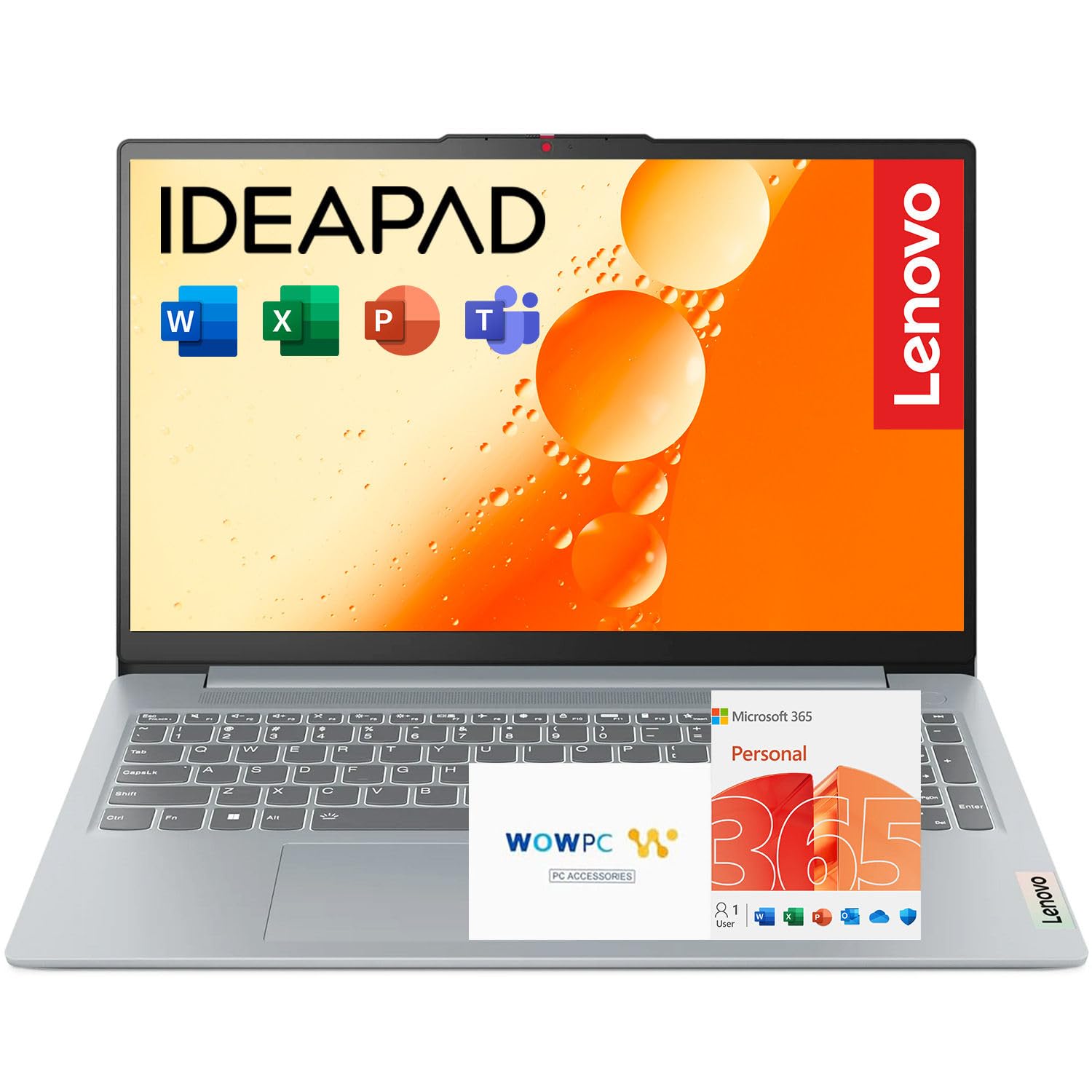
1. Lenovo IdeaPad Slim 3i
Our pick — over 4.5★ from 700+ verified ratings; the strongest balance of quality and price.
The classroom workhorse that doubles its nearest rival’s core count for smooth multitasking.
At the heart of this Lenovo is the Intel i3-N305 processor, which brings 8 cores and 8 threads — a full 2.0x more cores than the HP Essential’s 4-core chip. That headroom means you can keep your lecture slides, a research paper, and a video call open without the machine gasping for air. The crowd favorite here, backed by 4.6 stars across 700+ owners, is the kind of dependable multitasker that carries a student through a full day of classes.
The 15.6″ Full HD (1920×1080) IPS display with 250-nit brightness uses an anti-glare coating, so you are not squinting at your own reflection in a brightly lit lecture hall. It comes with a 1-year Microsoft 365 subscription for Word, Excel, and PowerPoint, which is real money saved on software you will actually need for assignments. Buyers report this machine survived two years of drops, DIY repairs, and even a screen replacement — proof of how much punishment it can take before giving up.
Connectivity covers the essentials with USB Type-C, USB Type-A, HDMI, Wi-Fi 6, and Bluetooth for hooking up to campus printers and external monitors. The HD webcam has a privacy shutter, so you can physically cover the lens between Zoom classes.
Why it makes the grade
- 8-core processor delivers a 2.0x performance gap over 4-core rivals for smoother multitasking
- Full HD 1920×1080 IPS screen with anti-glare for crisp, reflection-free viewing
- 1-year Microsoft 365 subscription is included for schoolwork
Where you should be careful
- 128GB storage fills quickly if you install large programs
- A few owners hit hardware failures early on, like a unit that stopped working days after purchase
Reach for this if: you want the smoothest multitasking experience at a student-friendly price, with software included.
Consider alternatives if: you know you will need more than 128GB of storage for video or design work.
2. acer Aspire Go 15 AI Ready Laptop
A value-first Acer with the screen sharpness that beats budget rivals by 41%.
The Acer Aspire Go 15 pairs an 8-Core Intel Core 3 N355 processor with 8GB DDR5 memory, giving you genuine multitasking muscle at an entry-level price. That processor runs up to 3.9 GHz, which is 8% faster than the HP Essential’s 3.6 GHz ceiling, so everyday apps feel snappier. What wins people over here is the performance — well over 150 owners single it out as the machine’s standout trait, calling it a fast and efficient workhorse for everyday tasks.
The screen is where this Acer clearly separates itself from the cheapest tier. It packs a 15.6″ Full HD 1920×1080 IPS display, which is 41% more resolution than the 1366 x 768 panel on the HP Essential, and the 15.6-inch size is 11% larger than that HP’s 14-inch screen. With Acer BluelightShield, you can lower blue light levels for late-night study sessions. Owners describe the display as looking “clear as day,” making it easy on the eyes for reading articles and streaming lectures.
Value for money is the second most-discussed positive, with buyers noting the buck goes further here than with comparable machines. Setup is user-friendly with dual full-function USB Type-C ports for charging or connecting devices, plus Wi-Fi 6 and HDMI 2.1. The 720p HD camera uses Acer’s TNR technology and PurifiedVoice AI noise reduction for clearer video calls — a feature that matters when your grade depends on a group project meeting.
Praise from the dorms
- 8-core processor with up to 3.9 GHz speed for responsive multitasking
- Full HD 1920×1080 IPS screen with blue-light reduction for late-night work
- Dual USB Type-C ports support charging and fast 10 Gbps data transfer
Know before you buy
- Battery life draws mixed feedback — some report hours of use, others see quick discharge
- 128GB storage earns mixed reviews, with some finding it limited
Best for: students who want a sharp large screen and strong multitasking without spending premium money.
Look elsewhere if: you need guaranteed all-day battery or plan heavy storage use.
3. ASUS Vivobook Go 15
The fast-charging ASUS that tops up 50% battery in just 30 minutes between classes.
If you dash between buildings with little time to charge, the ASUS Vivobook Go 15 fits your pace. Its fast-charge technology refills the battery to 50% capacity in just 30 minutes, so a quick stop at a campus outlet gives you real hours of use. The AMD Ryzen 5 7520U processor runs up to 3700 MHz, paired with 8GB RAM and a 512GB SSD — four times the storage of many entry-level rivals — so you can keep years of projects and media without an external drive.
Owners praise its reliability most, with around two dozen buyers citing trustworthy performance. One family bought it for a college-bound son who calls himself a computer nerd, and he reports it is working great so far. The 15.6-inch FHD (Full High Definition, 1920×1080) display with ultra-slim NanoEdge bezels gives you an rich screen for streaming lectures, and the AI Noise-Canceling Technology (a feature that filters out background sounds) cleans up your video calls.
ASUS built this to meet US military-grade standards for durability, and the IceCool thermal technology helps keep it from overheating during long study marathons. The ErgoSense keyboard is precisely measured to reduce strain on your hands and wrists — a quiet win for anyone typing multiple essays a week. You get USB-A, USB-C, and HDMI ports plus Wi-Fi 6E support, which is the newer wireless standard for the fastest campus network connections.
Trustworthy speedster: The 512GB SSD and Ryzen 5 processor make this a future-proof mid-range pick, and owners praise its reliability above all else.
The honest trade-off: Owners mention the keyboard lacks backlighting, and the screen has a narrow optimal viewing angle that causes color distortion when viewed off-center.
4. Acer Aspire 14 AI Copilot+ PC

A featherlight AI laptop with battery life that outlasts even your longest lab day.
The Acer Aspire 14 AI is the choice for students who want premium portability and never want to hunt for an outlet. It delivers up to 22 hours of battery life under video playback test conditions, which is a serious step up from the 12.5-hour claim of the budget Acer Aspire Go 15. That endurance means you can leave the charger at home for a full day of classes, study groups, and library sessions. The Intel Core Ultra 5 processor 226V pushes up to 4.5 GHz and combines CPU, GPU, and NPU (neural processing unit) for AI-assisted productivity features.
Performance is what owners praise most about this compact machine, with over 60 buyers calling it fast and responsive even with demanding programs running. One college student called it great for a backpack, noting the speed and display exceed expectations for the price. The 14″ WUXGA display runs at a crisp 1920 x 1200 resolution, giving you extra vertical space for reading long documents and research papers. The sleek aluminum chassis with a 180° lie-flat hinge makes it easy to share your screen during group work.
With 16GB LPDDR5X RAM and a 512GB SSD, this is a machine that will not feel outdated by your junior year. It includes the Copilot key for AI assistance and AcerSense software for managing system performance. The backlit keyboard lets you type comfortably in dim lecture halls.
All-day companion: The 22-hour battery and lightweight aluminum build make this the most portable option here for students who are always moving.
Watch out for: Some buyers describe the screen quality as decent but lackluster, and there is no number pad for spreadsheet-heavy majors.
5. HP OmniBook 3 17.3″ Touchscreen Laptop
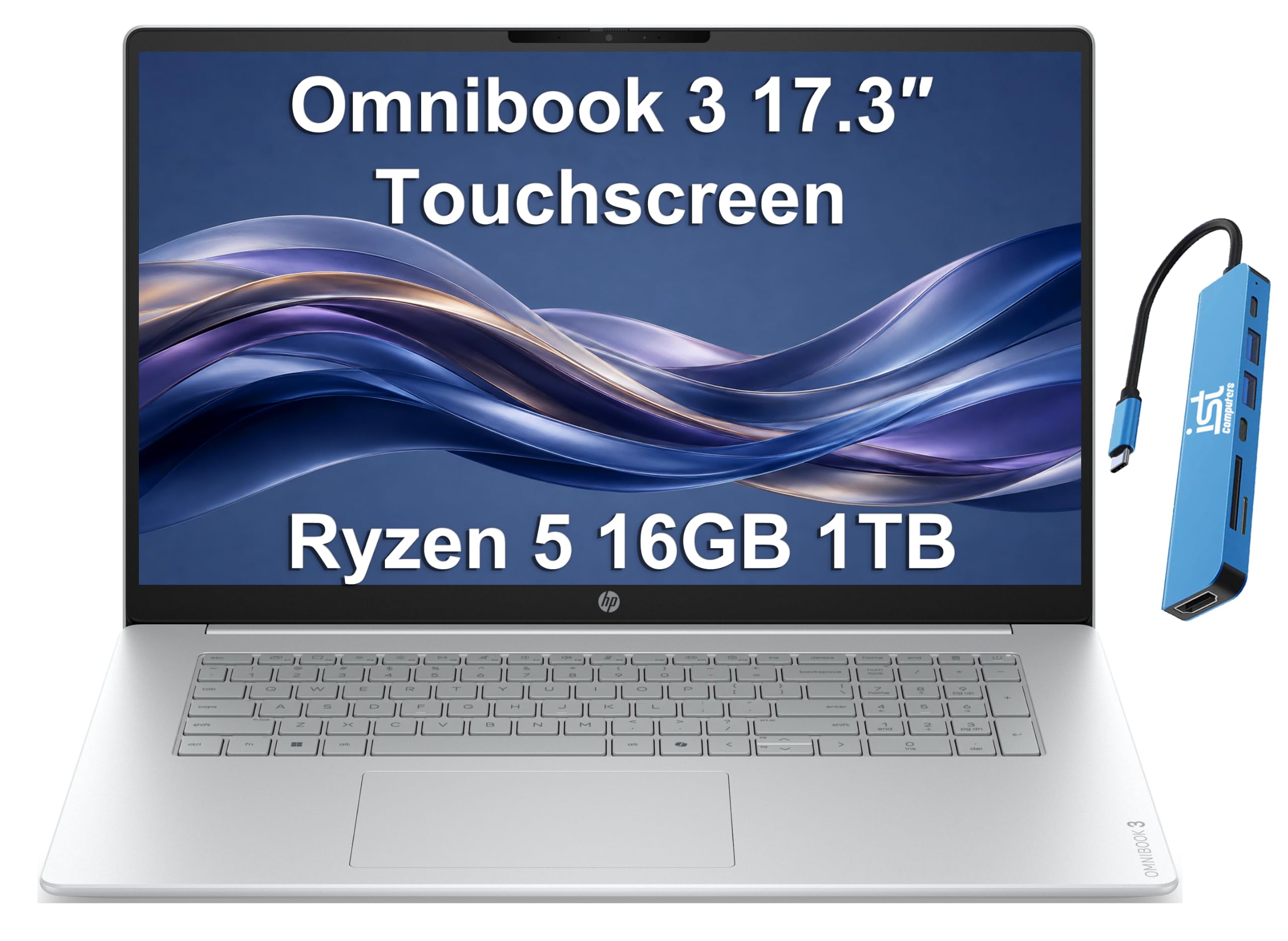
Spacious 17.3-inch touchscreen with 1TB storage for the student who wants it all.
The HP OmniBook 3 is the big-screen answer for students who find 14-inch and 15-inch displays too cramped for side-by-side research. Its 17.3-inch FHD (1920×1080) touchscreen with 300-nits brightness and anti-glare coating gives you a generous canvas for multitasking between lecture notes and reference material. A reviewer noted the large screen is ideal for drafting long assignments and easy on the eyes, though it is too big to slip into a standard backpack easily. The spacious display is the second most-praised feature, with over a dozen owners appreciating the roomy workspace.
Performance stays strong with the AMD Ryzen 5 130 processor running 6 cores at up to 4.55 GHz, paired with 16GB DDR5 RAM. Storage is the real standout here: a full 1TB PCIe SSD, which is more than enough for a four-year collection of papers, presentations, and media files without ever worrying about space. You can even expand to three external monitors via HDMI 2.1 and USB Type-C ports at up to 4K@60Hz without a docking station — useful for a serious home workstation setup.
The backlit keyboard enables precise typing in low light, and the FHD camera with temporal noise reduction keeps your video calls clear. Customers note it is fast, easy to set up without help, and handles long assignments without issue. It comes with Windows 11 Home and AI-powered Copilot built in.
Why it stands out
- Huge 1TB PCIe SSD for ample storage of files, photos, and backups
- Touchscreen FHD display with 300-nit brightness and anti-glare coating
- 6-core AMD Ryzen 5 processor running up to 4.55 GHz
The catch
- 17.3-inch size is too large for most backpacks — better suited to desk use
- Battery reports vary, with a few owners seeing much shorter life
Right for: students who work mostly at a desk and want a big touchscreen plus no storage worries.
Not ideal for: commuters who need a laptop that fits easily into a daily carry backpack.
6. Lenovo 2026 IdeaPad Slim 3i Rugged Laptop

The campus-tough Lenovo tested to MIL-STD-810H standards for drops and rough days.
Students are rough on their gear — laptops get shoved into overstuffed backpacks, knocked off desks, and dropped between classes. This Lenovo IdeaPad Slim 3i is built specifically for that reality, having undergone strict tests to meet MIL-STD-810H standards, which are military-grade durability benchmarks for withstanding drops, vibration, and temperature extremes. It comes bundled with a laptop cooler to help manage heat during long study periods.
The 15.6-inch FHD (1920×1080) micro-edge display delivers 250 nits of brightness with an anti-glare coating, reducing distracting reflections in bright lecture halls. It measures just 0.70 inches thin and weighs 3.42 lbs, so it slides into a backpack without adding noticeable bulk. The Intel N150 processor (up to 3.6 GHz) keeps things moving for web browsing, streaming, and school assignments, and owners confirm the build quality and speed are top-notch for the price.
With up to 12 hours of battery life and Fast Charge technology, you can top up quickly between classes. Buyers praise the long-lasting battery and crisp picture, calling it perfect for everyday study use. The full-size keyboard includes a number pad, a real advantage for accounting, math, and science students who type numbers constantly.
Built to survive
- Military-grade MIL-STD-810H testing for drop and vibration resistance
- Up to 12-hour battery with Fast Charge for all-day classes
- 15.6″ FHD anti-glare display with 250-nit brightness
Consider this
- 4-core N150 processor is less powerful than the 8-core chip in the top pick
- 128GB storage may require cloud or external drive use
The durability pick: Choose this Lenovo if you are accident-prone and want military-grade confidence, plus a number pad for numeric-heavy coursework.
Think twice if: you plan to run demanding software or games that need a more powerful processor.
7. HP Essential Laptop 2026
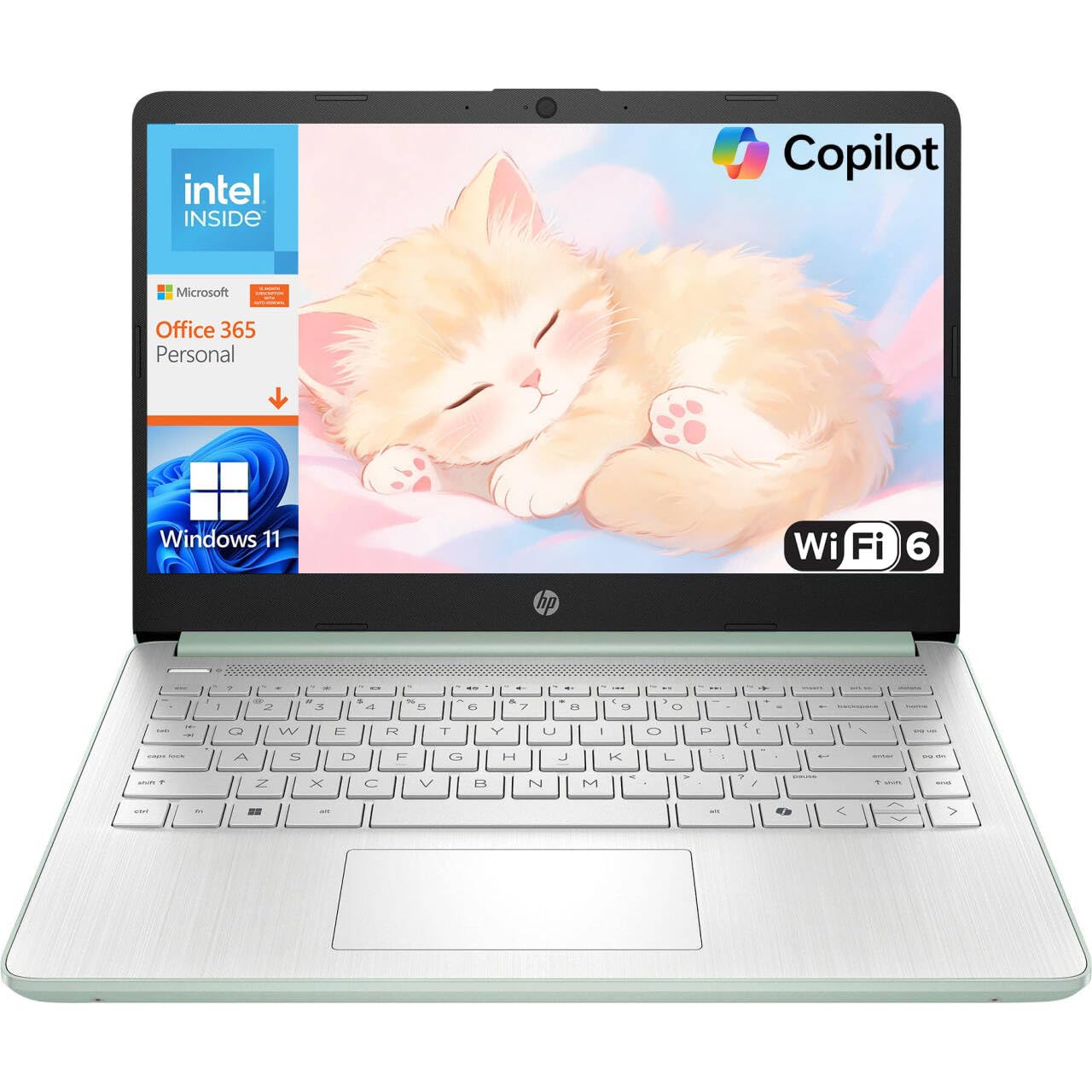
The featherlight HP that keeps basic schoolwork moving for a full day of classes.
The HP Essential is the no-frills option for students whose workload is mostly web browsing, document editing, and video calls. Weighing just 3.24 lb and measuring a slim 0.71 inches thick, it is one of the lightest machines here, designed to disappear into your backpack. The Intel N150 processor with up to 3.6 GHz Turbo Boost and 4 cores handles daily tasks smoothly, while 4GB LPDDR5 RAM covers basic multitasking like having a few browser tabs open alongside Word. Reviewers point out delivery arrived early and the screen looks “big and clear.”
Battery life is a genuine strength for the price, with up to 11 hours of video playback, 7.5 hours of mixed usage, or 7.5 hours of wireless streaming on a single charge. That covers a full day of campus without hunting for a charger. It comes with a 1-year Microsoft 365 Personal subscription for Word, Excel, and PowerPoint with cloud storage — a real cost saver for students who would otherwise pay for Office. The dedicated Copilot key gives you instant AI assistance, and AI Noise Reduction filters background sounds for clearer video calls.
The 14-inch HD (1366 x 768) micro-edge display delivers 250-nit brightness with anti-glare coating in a compact design. The HP True Vision 720p HD camera with dual-array microphones supports clear video calls for remote learning. In real-world terms, this is a budget-friendly machine for essay writing and web research, not for heavy multitasking or creative work.
Light and long-lasting
- Featherlight 3.24 lb design with 11-hour video playback battery
- 1-year Microsoft 365 Personal subscription included
- Wi-Fi 6 and Bluetooth 5.4 for fast, stable connections
Keep in mind
- 4GB RAM limits how many apps you can run at once
- HD 1366 x 768 resolution is lower than Full HD rivals — 41% fewer pixels than the Acer Aspire Go
Good for: students on a strict budget with basic needs, and those who want maximum portability.
skip it if: you plan heavy multitasking or want a sharper Full HD screen.
8. MALLRACE 17.3″ Laptop with N95 Processor
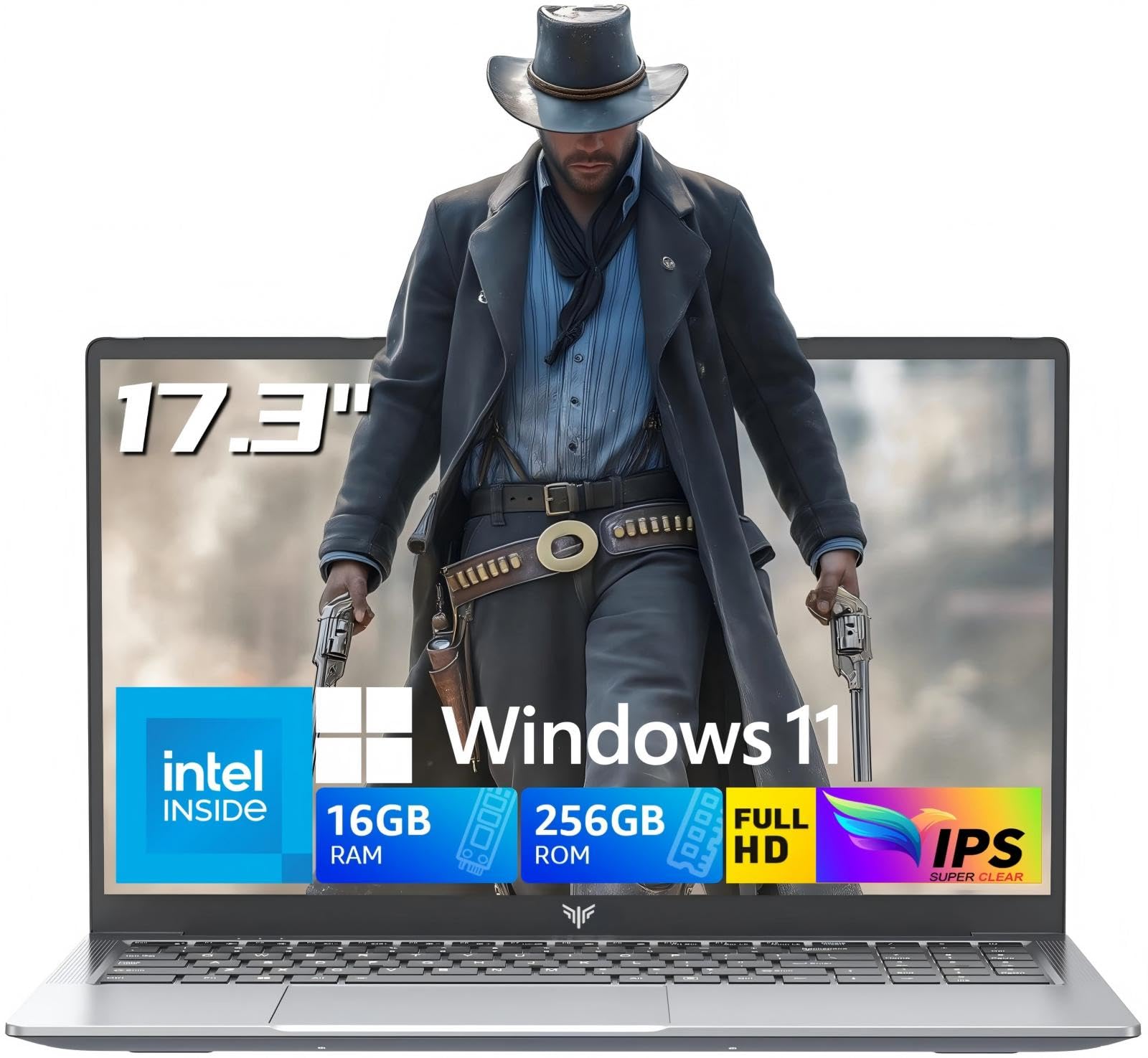
An affordable 17.3-inch screen with 16GB RAM for students who want a big view.
The MALLRACE delivers one of the biggest screens in the budget tier — a 17.3-inch IPS FHD (1920×1080) display with an ultra-narrow 4mm bezel that boost your viewing area. For students on a budget who find smaller screens straining, this large display makes reading documents and watching lectures more comfortable. The 16:9 aspect ratio and sharp 1080p resolution keep text and images detailed, while the built-in webcam sits centered above the screen for natural video call angles.
Multitasking gets a solid boost from the 16GB DDR4 RAM — a rare amount at this price point — paired with 256GB SSD storage offering high-speed data transfer up to 2.14GB/s. The Intel N95 processor with a 3.4 GHz turbo frequency and Intel UHD Graphics handles document work, web browsing, and streaming without the slowdowns that plague cheaper 4GB machines. Owners describe it as running smoothly and working well for school, work, and general use, with the large clear screen earning consistent praise.
The 6000mAh lithium-ion battery supports up to 5 hours of uninterrupted use, enough for a morning of classes or a long library session. A 180° hinge makes it easy to share your screen with a study partner. It ships with a 1-year warranty and comes in a gray-silver finish.
The appeal
- Massive 17.3-inch FHD IPS screen with ultra-narrow bezels
- 16GB DDR4 RAM handles multitasking without slowdowns
- 180° hinge for easy screen sharing during group projects
The limitations
- 5-hour battery life is shorter than many rivals
- Not built for gaming or demanding creative software
Choose this for: a growing student who needs a big, clear screen and plenty of RAM without a big budget.
Look past it if: you need all-day battery or do processor-heavy work like video editing.
9. jumper 17.6″ Laptop
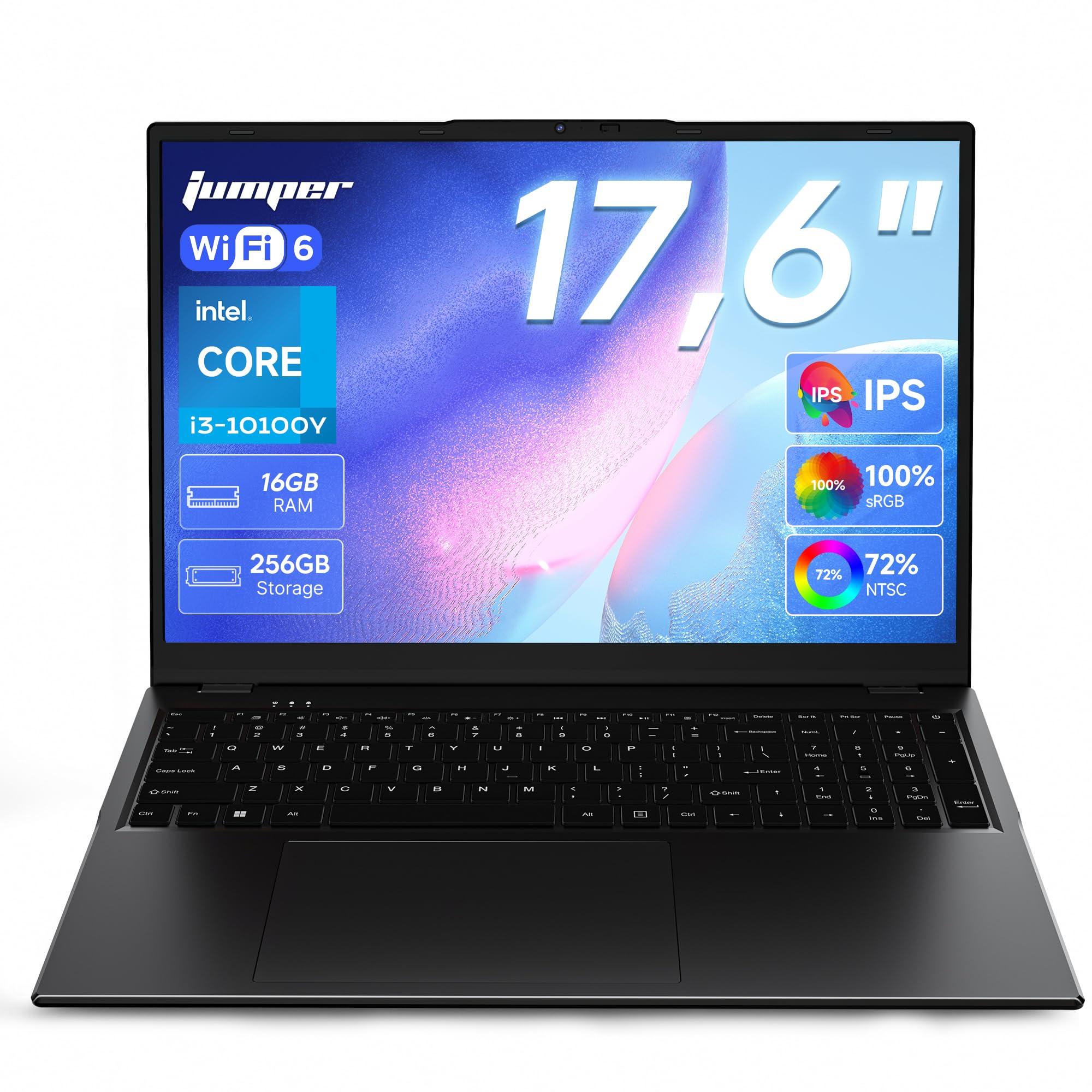
An expansive 17.6-inch screen with color accuracy that makes media look vivid.
The jumper laptop makes a bold statement with the largest display on this list — a 17.6-inch screen running at 1920×1200 FHD resolution with a 16:10 aspect ratio. That taller aspect ratio gives you more vertical space for reading long articles and coding, and the 100% sRGB coverage means colors come through accurately and vividly — a meaningful upgrade for students in design or media classes. Owners consistently praise the vibrant colors and large, clear viewing area.
Backing the display is an Intel 10100Y processor with 16GB RAM and 256GB SSD storage, making it a solid choice for multitasking, light creative work, and office tasks. The 7000mAh (53.2Wh) battery supports up to 8 hours of daily study and work, with fast charging to reduce downtime between classes. A backlit keyboard lets you type accurately in dark lecture halls or dorm rooms after lights-out — a feature that is rare at this price point and drew specific praise from owners for night typing.
Connectivity is comprehensive with dual-band Wi-Fi 6 (2.4G/5G) and Bluetooth 5.2, plus a full port selection: 1x Type-C, 1x HDMI, 1x 3.5mm headphone jack, 3x USB 3.0, and 1x Micro TF slot. Two stereo speakers provide clear audio for streaming lectures and media. Windows 11 arrives preinstalled and ready to use from the start.
Vivid and roomy
- Huge 17.6-inch 1920×1200 display with 100% sRGB color coverage
- Backlit keyboard for comfortable typing in low light
- Up to 8 hours of battery from a 7000mAh (53.2Wh) cell
Before you commit
- 2-core processor is weaker than the 8-core chips in top picks
- Large size makes it a desk companion rather than a backpack regular
Standout feature: The 100% sRGB 1920×1200 panel and backlit keys make this the best choice for media-focused students who value color accuracy.
Consider elsewhere if: you need sustained processing power for coding or video work over a big screen.
10. Dell Inspiron 15 Touchscreen
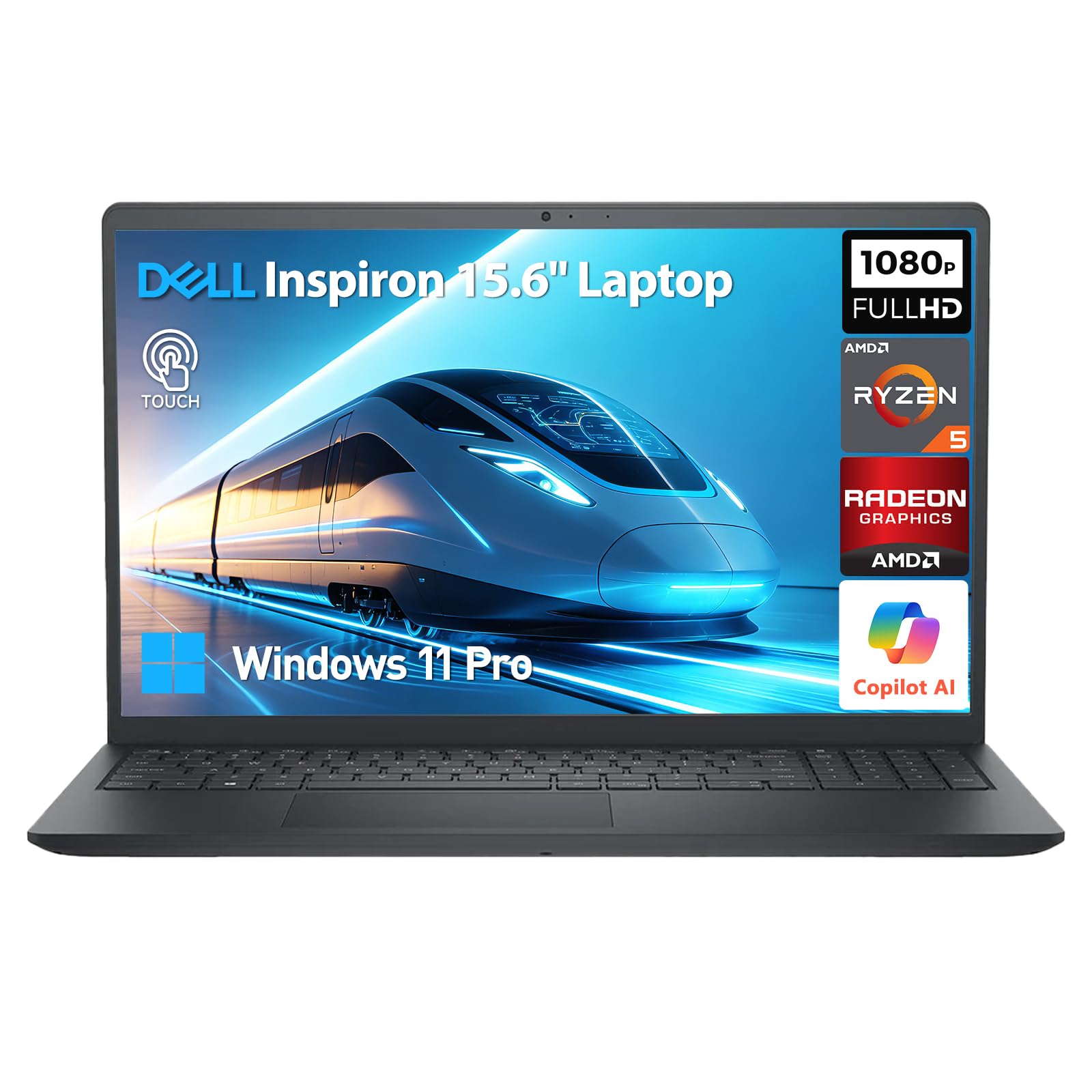
The 32GB RAM powerhouse built for the most demanding college workloads.
For students tackling data-heavy majors like engineering, data science, or video production, the Dell Inspiron 15 brings serious hardware. It pairs a 6-core AMD Ryzen 5 processor running up to 4.5 GHz with a hefty 32GB DDR4 RAM — the most on this list. That combination allows you to run virtual machines, compile code, edit large datasets, and keep dozens of browser tabs open without the machine breaking a sweat. The 1TB PCIe NVMe SSD provides fast boot times and ample space for every project across four years.
The 15.6-inch FHD (1920×1080) IPS touchscreen adds an interactive layer for navigating documents, zooming into diagrams, and taking notes. Dell’s ComfortView technology reduces blue light for more comfortable viewing during long study sessions, and the anti-glare WVA panel keeps reflections down in bright rooms. A full-size keyboard includes a 10-key numeric pad, an ergonomic lift hinge, and intelligent thermal management to stay cool and quiet under load.
Running Windows 11 Pro, this laptop comes with enterprise-grade security and is Copilot-ready. The HD webcam includes AI noise-reducing microphones, while stereo speakers are tuned by MaxxAudio Pro for clearer video calls. It connects via SuperSpeed USB-C 3.2, USB-A, HDMI 1.4, Wi-Fi 5, and Bluetooth.
Serious firepower
- 32GB DDR4 RAM handles the heaviest multitasking and data work
- 1TB PCIe NVMe SSD with fast boot and massive storage
- Full-size keyboard with 10-key numeric pad for number-heavy majors
Watch out for
- One owner found the power button behavior confusing compared to an older Dell
- Low review volume means less long-term owner data
The right tool for: graduate students and STEM majors who run memory-hungry applications and need Windows 11 Pro features.
Overkill for: students whose work stays in browsers, word processors, and light apps.
11. Dell 16 Plus Touchscreen Laptop
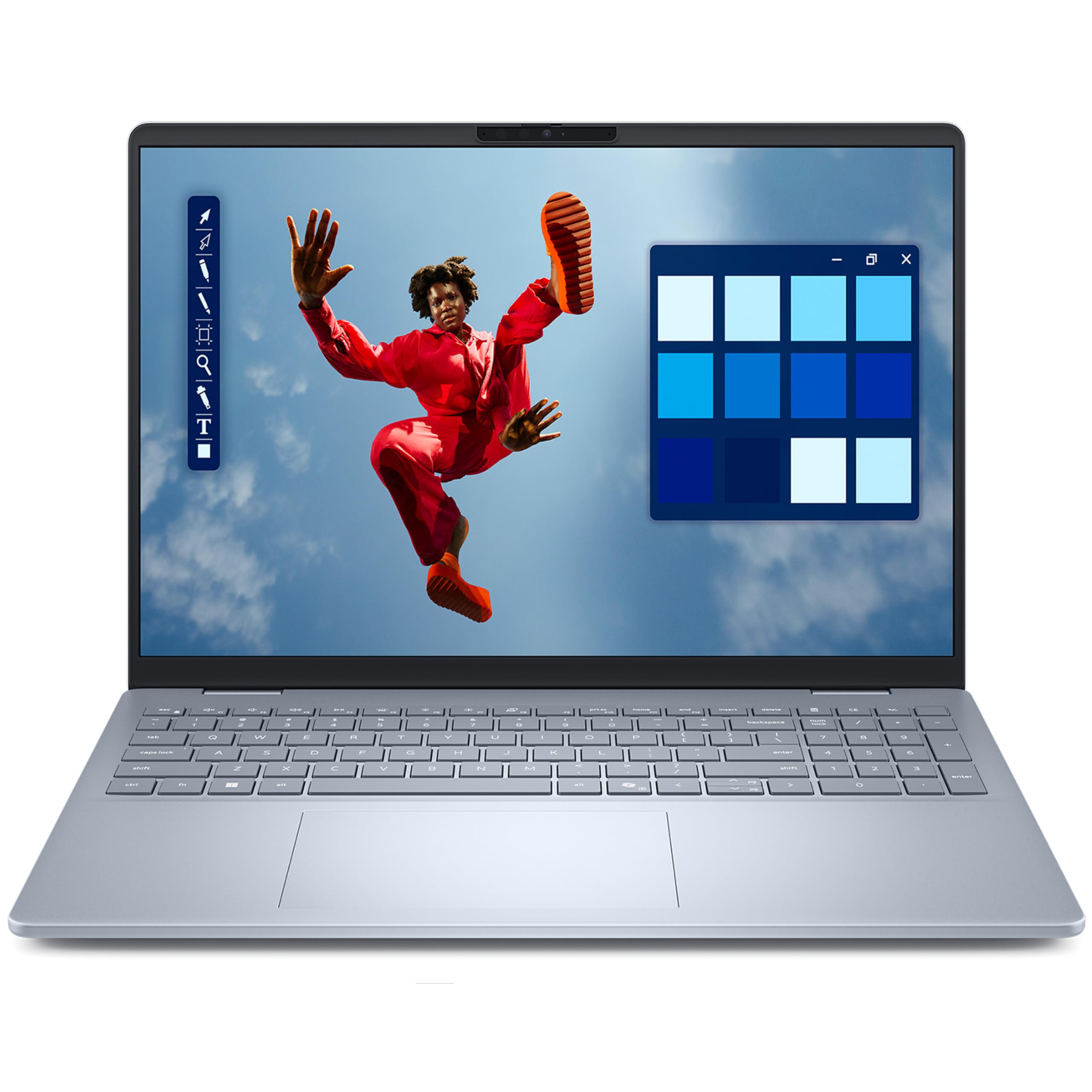
The premium Dell that runs at 5.4 GHz for the fastest, smoothest school experience.
If performance is your top priority and budget allows, the Dell 16 Plus is the most powerful machine here. Its Intel Core 7 150U processor reaches up to 5.4 GHz — a full 1.5 GHz higher than any other pick on this list — so heavy multitasking, content creation, and demanding apps run smoothly. Review data backs this up: owners universally praise it. smooth OneDrive transfer from an older machine and immediate boot-up from the start are recurring themes.
The 16-inch IPS touchscreen runs at FHD+ resolution (1920×1200) with wide viewing angles, giving you vibrant colors and a sharp canvas for creative work, streaming, and interactive study. With 16GB DDR5 RAM and a 512GB SSD, it handles everything from document editing to photo and video projects with ease. The laptop comes with Copilot AI integration built into Windows 11 Home, providing intelligent assistance for research and writing tasks.
Daily security and convenience come standard with a fingerprint reader for secure, instant login — no more typing passwords in a hurry. WiFi 6E and Bluetooth 5.3 deliver ultra-fast wireless performance on modern campus networks. The backlit keyboard ensures comfortable typing in any lighting, and the blue chassis gives it a premium, distinctive look.
Top-tier speed
- Intel Core 7 processor reaches up to 5.4 GHz — the fastest on this list
- Fingerprint reader for quick, secure login
- 16-inch FHD+ 1920×1200 touchscreen with wide viewing angles
Be aware
- Premium price puts it beyond typical back-to-school budgets
- Relatively few owners so far, though all report high satisfaction
Go for this if: you want the fastest, smoothest experience possible and a touchscreen with fingerprint security for all four years.
Save your budget if: your work doesn’t demand cutting-edge processor speed.
Understanding the Specs
Processor: The Brain
The processor, or CPU, handles all your computing tasks. Its core count (like 4 or 8 cores) determines how many things it can process at once, while the clock speed (measured in GHz) sets the pace. A laptop with 8 cores keeps running smoothly with many programs open, whereas a 4-core model may slow down under heavy multitasking pressure.
RAM: Your Working Memory
RAM (random access memory) is the short-term workspace your laptop uses for active apps and files. More RAM, measured in gigabytes (GB), lets you run more programs simultaneously without freezing. For school, 8GB is the practical starting point for basic work, while 16GB or 32GB suits heavier workloads like programming, data analysis, or video editing.
Storage: Where Your Files Live
Storage capacity, in GB or TB, defines how much coursework, media, and software you can keep on the machine. SSDs (solid-state drives) are faster and more reliable than older hard drives. A 128GB drive is tight for four years of school, while 512GB or 1TB gives generous room for projects, photos, and applications.
Screen Resolution: Clarity and Space
Resolution describes how many pixels (tiny dots) make up your display. HD at1366 x 768 is the entry-level minimum, showing text and images at a basic clarity. Full HD at 1920 x 1080 (or 1920 x 1200) packs in 41% more pixels, so text appears sharper and you can fit more windows side-by-side on screen — a real advantage when researching with multiple documents open.
FAQ
How much RAM do I actually need for a back-to-school laptop?
Is 128GB of storage enough for four years of college?
Which is better for school, a 4-core or an 8-core processor?
What is the difference between an HD and a Full HD screen for studying?
How long should a back-to-school laptop battery last?
Is a touchscreen worth it for a student laptop?
Does a bigger screen make a laptop harder to carry to class?
Are budget laptops with an Intel N-series processor good enough for school?
Do I need Windows 11 Pro or is Home enough for college?
Should I prioritize a number pad when choosing a school laptop?
Final Thoughts: The Verdict
For most students, the best back to school laptop is the Lenovo IdeaPad Slim 3i because its 8-core processor gives you the smoothest multitasking experience for the money, with software included and a Full HD screen. If you want a sharper display and strong value, grab the Acer Aspire Go 15. And for the student who needs serious long-term performance and won’t settle for less, the Dell 16 Plus is the one to reach for.
How We Picked
We do not accept paid placement. Every pick is matched to a real buyer and a real use-case; we do not hands-on test units.
Sources & Methodology
Specifications: manufacturer listings and product documentation. Review insights: verified customer reviews, as of September 2026. Pricing: not shown on this page (it changes often); check the current price via the retailer link.
As an Amazon Associate, Gadgets Feed earns from qualifying purchases. This does not affect which products we feature.