
Our readers keep the lights on and my morning glass full of iced black tea. As an Amazon Associate, I earn from qualifying purchases.
Specs are compiled from manufacturer listings and verified buyer reviews and can change over time — please confirm the key details on the product page before buying.
Choosing a backup flash drive means betting your photos, documents, and projects on a piece of plastic smaller than your thumb. The real question is not just how much it stores, but whether it will still work next year when you actually need that one irreplaceable file. The best picks here pair trusted memory brands with real speed ratings so you are not left waiting on a slow write that fails midway.
I’m Min — the founder and writer behind Gadgets Feed. This guide is built by comparing the manufacturers’ published specifications and the patterns across verified customer reviews, so you get each pick’s real strengths and trade-offs instead of marketing spin.
You need a backup flash drive that won’t let you down when your files matter most. This roundup focuses on reliable 128GB storage, balancing durability, dual-connector options, and speed to match how you actually work.
Our Picks at a Glance

How To Choose The Best Backup Flash Drive
For a backup drive, reliability outranks raw speed. You are buying confidence for your data, so the brand’s track record and the physical build matter as much as the megabytes-per-second number on the box.
Write Speed Beats Read Speed for Backups
Manufacturers love quoting read speeds like 150MB/s, but backing up is a write operation. A drive that reads fast can still crawl when saving a large folder of photos, turning a 10-minute job into an hour. Check for write-speed figures in reviews, since they often fall far below the headline read number.
Metal Casing vs. Retractable Design
Your backup drive will live in pockets, bags, and keychains. A metal casing shrugs off drops and crushing pressure, while a retractable or capless design means you never lose a cap but must accept moving parts that can wear out.
Quick Comparison
| Model | Best For | Interface | Read Speed | Build | Amazon |
|---|---|---|---|---|---|
| SanDisk Ultra (CZ48)★ Best Overall | The crowd favorite | USB 3.0 | Up to 100MB/s | Plastic housing | Amazon |
| Samsung BAR PlusAlso Great | Rugged premium reliability | USB 3.2 Gen 1 | Up to 400MB/s | Rugged metal casing | Amazon |
| SanDisk Ultra FlairTop Performer | Fast all-rounder with security | USB 3.0 | Up to 150MB/s | Metal casing | Amazon |
| Lexar D400 Dual Drive | Phone and laptop flexibility | USB 3.2 Gen 1 | Up to 130MB/s | Metal swivel housing | Amazon |
| PNY Turbo Attaché 3 | Budget keychain companion | USB 3.0 | Up to 100MB/s | Sliding collar, capless | Amazon |
| Amazon Basics USB 3.1 | Simple high-capacity value | USB 3.1 Gen 1 | Up to 130MB/s | Retractable, key hole | Amazon |
| Lexar JumpDrive S80 | Encrypted backups | USB 3.2 Gen 1 | 150MB/s | Retractable | Amazon |
| SamData 128GB | Budget bulk storage | USB 2.0 | — | Rotating metal clip | Amazon |
In‑Depth Reviews
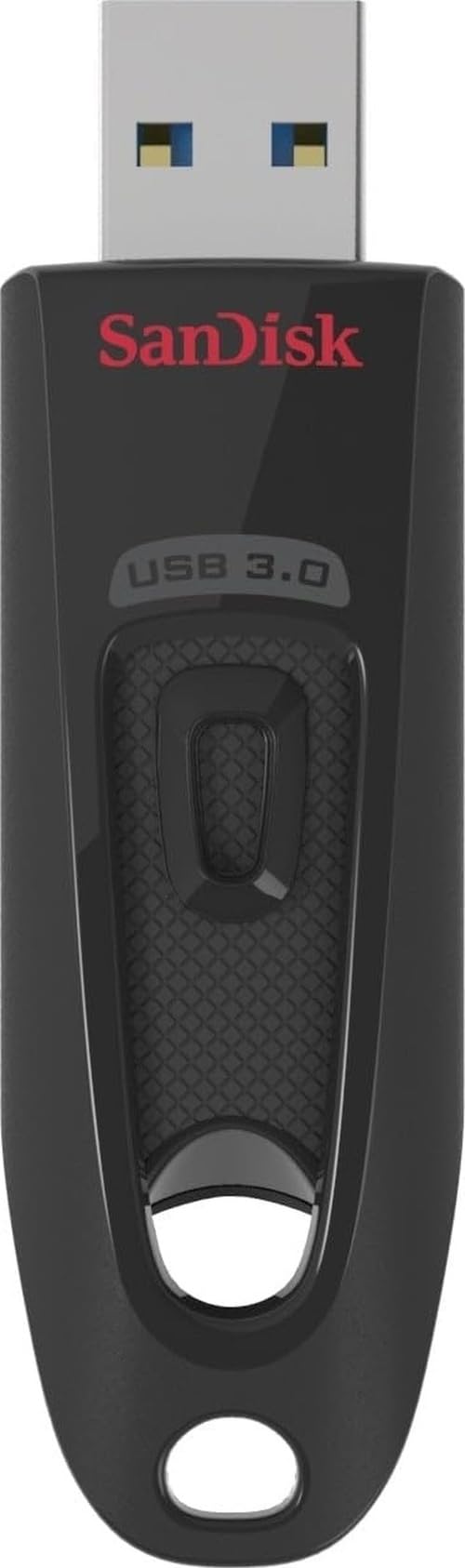
1. SanDisk Ultra 128GB (CZ48)
Our pick — over 4.5★ from 133,000+ verified ratings; the strongest balance of quality and price.
A crowd favorite with over 100,000 owners, offering 100MB/s reads and Rescue PRO recovery software.
With well over a hundred thousand owners behind it, this is the backup drive people actually buy and trust. It delivers read speeds up to 100MB/s over USB 3.0, which the maker says transfers large files up to ten times faster than USB 2.0 drives, and it stays backward compatible with older ports. It also includes Rescue PRO Deluxe file recovery software with a one-year subscription, a genuinely useful lifeline if a file goes missing.
Buyers consistently praise its functionality and value, noting the 128GB capacity is big enough to hold vast photo and music libraries without worry. Its size strikes a balance — large enough not to vanish in a pocket, unlike some micro-sticks. Many owners have used SanDisk for decades and refuse to buy anything else, trusting it with their most precious photo collections.
The catch is write speed. Owners mention that writing to the drive hovers around 15 MB/s, which is fine for reading and occasional saves but slow if you frequently move large folders. Durability gets mixed feedback too — most find it reliable for months of use, though an occasional unit dies early, so keeping a second backup is wise for truly critical data.
Why owners love it
- Rock-solid brand reputation for reliability
- Great value for a 128GB capacity
- Rescue PRO recovery software included
Keep in mind
- Write speeds near 15 MB/s make large transfers slow
- Mixed durability reports mean backups should be duplicated
Who it fits: photo hoarders and casual users who want a trusted, affordable 128GB drive and do not move huge files daily.
2. Samsung BAR Plus 128GB
A rugged metal body and 400MB/s read speeds make this the most dependable pick for critical backups.
This is the drive you grab when your data absolutely cannot afford to fail. The Samsung BAR Plus hits read speeds up to 400MB/s, which means moving a hefty 3GB 4K UHD video to your PC takes about 10 seconds — a pace that makes nightly backups feel instant rather than a chore you postpone.
Durability is where it separates itself from the plastic crowd. The rugged metal casing is waterproof, shock-proof, temperature-proof, magnet-proof, and X-ray-proof, and it arrives with a 5-year limited warranty. An integrated keyring keeps it tethered to your bag so it does not vanish into a couch cushion. Owners who have crushed other drives under pressure found this one survives, though it runs noticeably hot during extended use without any drop in performance, and there is no dust cover for the port.
What wins people over is the easy write speed — a 250MB folder copies in seconds, and it runs full operating system installs faster than pricier rivals. The only recurring complaint is the price tag, which has crept upward over the years, but for a backup you set and forget, that premium buys genuine confidence.
Built to outlast: The metal body and 5-year warranty make it the safest home for irreplaceable files, and the 400MB/s read speed means restores are quick when you need them.
Worth the premium: If you have watched a cheap drive die with your photos on it, this is the insurance policy that ends that anxiety.
Reach for this if: you want a rugged, high-speed drive for important backups that will survive drops, water, and years of use.
Look elsewhere if: you need a dual connector for phones, since this is USB-A only.
3. SanDisk Ultra Flair 128GB
A slim metal casing with 128-bit AES encryption protects sensitive files at up to 150MB/s reads.
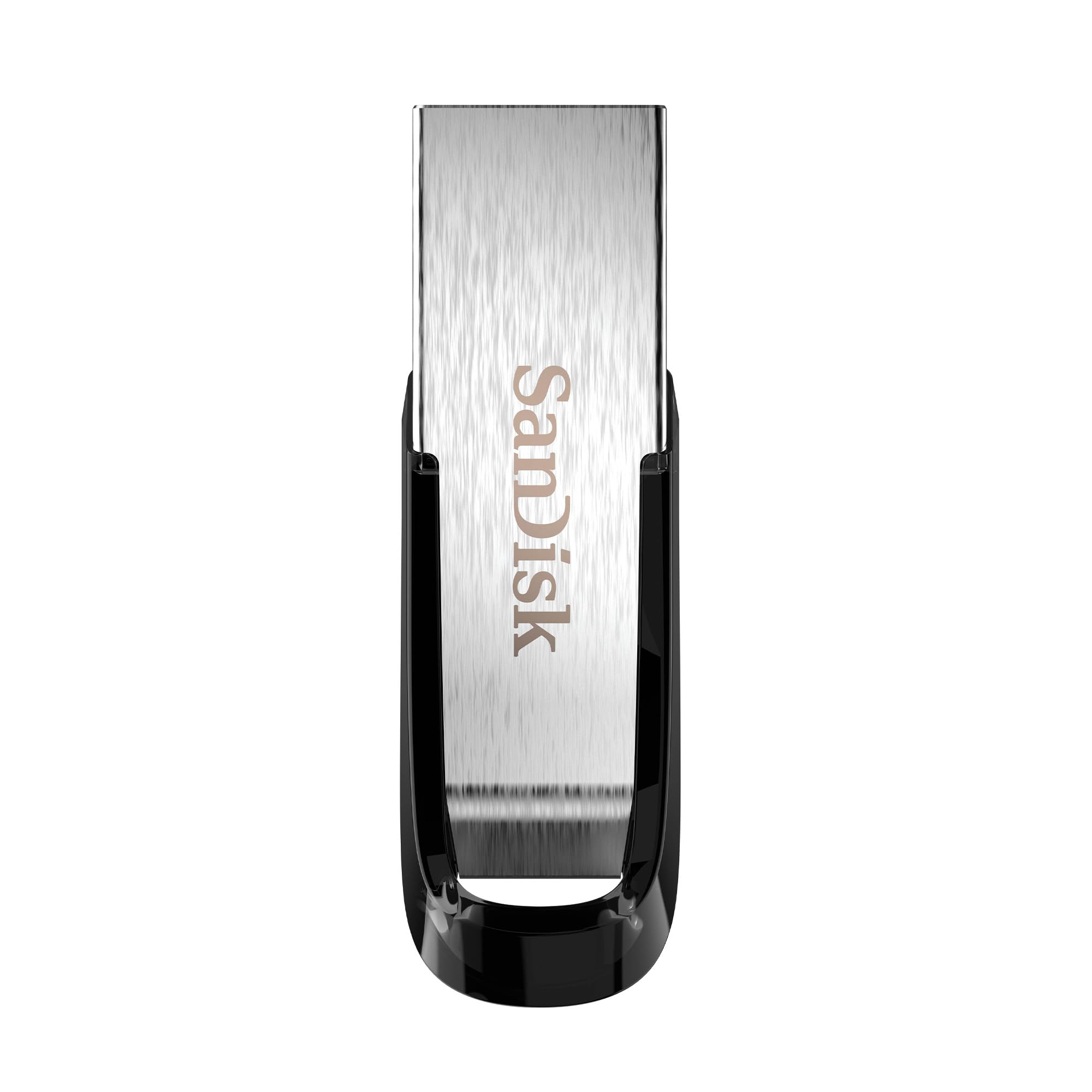
If you back up sensitive documents alongside family photos, the Ultra Flair brings an extra layer of protection. It supports read speeds up to 150MB/s and includes easy-to-use password protection that uses 128-bit AES encryption, so your private folders stay for your eyes only even if you misplace the drive.
The build is a sleek, durable metal casing that feels a cut above budget plastic sticks, yet it stays small enough to slip into a pocket without noticing it. Buyers report that transferring gigabytes of data finishes in minutes rather than the agonizing waits they endured on older USB 2.0 drives. The drive is also what DJs reach for when they need reliable, fast storage for gigs on CDJ decks.
The honest trade-off is heat — during long transfers the metal body gets warm to the touch, though it does not seem to hurt performance. Its compact size is a double-edged sword: easy to carry, but also easy to lose if you are not careful.
Where it shines
- Metal casing survives daily pocket and bag life
- Built-in password protection for private files
- Fast 150MB/s read speed moves movies in seconds
Know before you buy
- Runs warm during heavy write sessions
- Small footprint increases the chance of misplacing it
Best for: anyone who wants password-protected backups in a sturdy metal body without paying flagship prices.
4. Lexar D400 Dual Drive 128GB
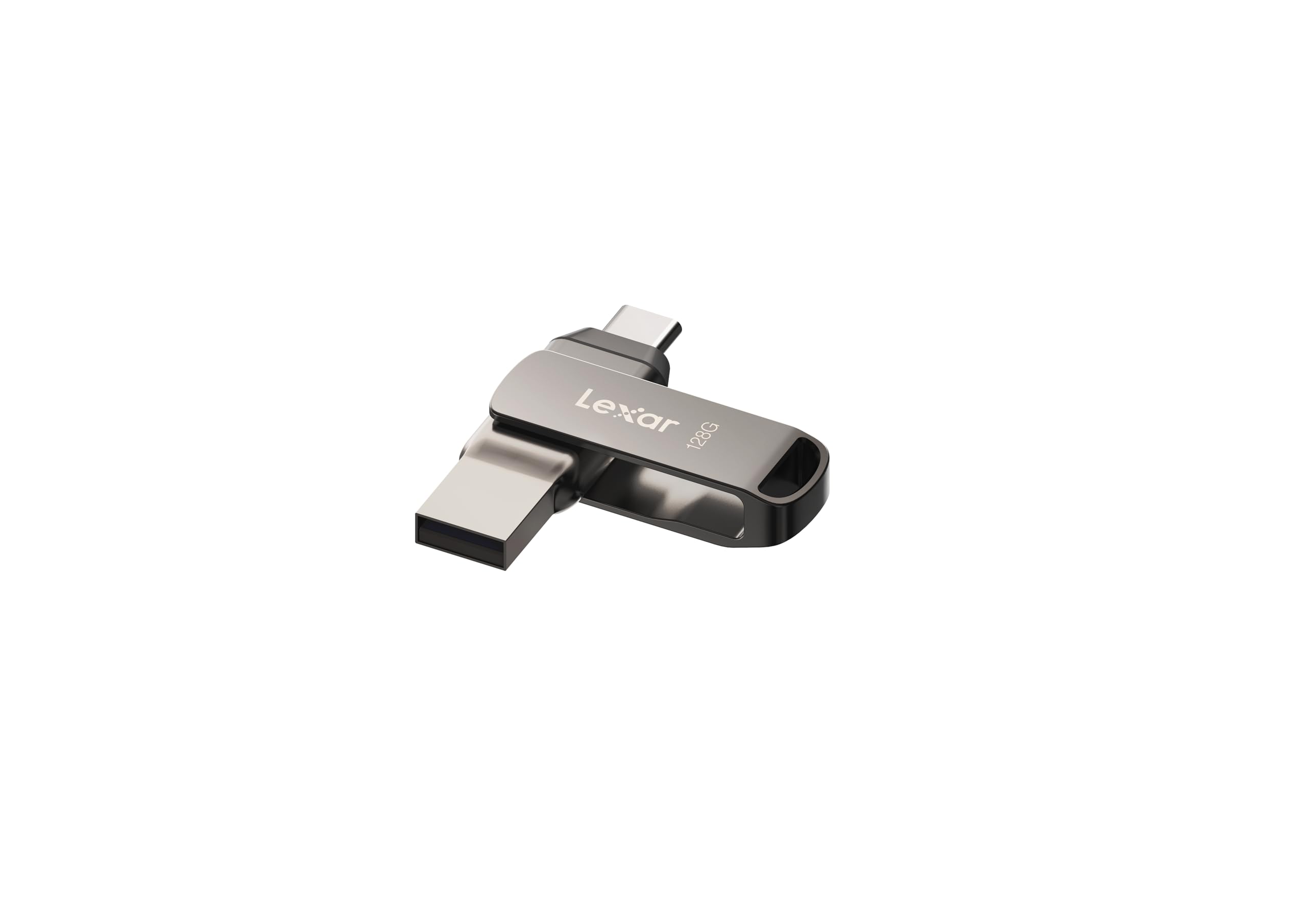
Dual USB-C and USB-A connectors in a metal swivel housing let you move files between phone and computer at 130MB/s.
This is the drive for the person juggling an iPhone 15, an Android device, and a laptop, because it packs both USB Type-C and Type-A connectors into one body. Backing up phone photos directly to the drive is the headline move, and it transfers files at up to 130MB/s over USB 3.2 Gen 1, so large video projects move quickly between devices.
The metal housing with a swivel design protects whichever connector is not in use, adding a layer of durability that plastic drives lack. It works with Android, PC, and Mac systems, and for extra security it includes the Lexar DataShield solution to lock away sensitive files. Owners handling big projects like tutorial films find it handles heavy read/write workloads between iPhone, iPad, computer, and cloud without complaint.
The durability picture is mixed, though. The swivel casing has drawn some complaints about feeling flimsy, and a few customers note random disconnects or failure after about a year of light use. There is also no cap on the connector ends, so dust can collect in your pocket.
What it does best
- Dual USB-C and USB-A for cross-device flexibility
- Metal swivel protects the unused connector
- Fast enough for large photo and video projects
Consider this
- Swivel casing durability draws mixed reviews
- No cap means the port collects pocket lint
Grab it if: you want one drive to shuttle photos off your phone and onto your computer without needing an adapter.
5. PNY Turbo Attaché 3 128GB

A capless sliding collar and keychain loop make this a durable, no-fuss companion for on-the-go backups.
The PNY Turbo Attaché 3 is built for the person who wants their backup drive permanently attached to their keys. Its sliding collar, capless design means there is no cap to lose, and an integrated loop makes it easy to secure to keychains or backpacks. It delivers transfer speeds about 10 times faster than standard PNY USB 2.0 drives, and the 128GB capacity holds roughly 23,674 songs.
Owners using it on the move, like with a Surface Pro hub, appreciate that the sturdy slider will not open accidentally in a bag. The keychain hole feels secure, and the drive is compact and rugged enough for a mobile professional’s daily routine.
The trade-off is visible in direct comparisons — the plastic build feels cheaper than metal rivals, and benchmark tests show it lags on small random reads, which can make running an operating system from it feel sluggish. As a straightforward backup for large files, it holds its own and then some for the price.
It wins on
- Capless slider means no lost caps and easy one-hand use
- Integrated loop secures it to a keychain
- Strong value for large file backups
Watch out for
- Plastic build feels less premium than metal drives
- Slow random reads make it poor for running apps or OS
Choose it for: a cheap, dependable backup stick that lives on your keychain and handles big file dumps without fuss.
6. Amazon Basics 128GB USB 3.1

A compact retractable drive that delivers real-world write speeds up to 50MB/s, beating its 30MB/s rating.
The Amazon Basics drive is the quiet overachiever of this list, offering read speeds up to 130MB/s and write speeds up to 30MB/s — figures the maker says run 15 times faster than USB 2.0 drives. In real testing, owners have seen write speed top out around 50 MB/s, comfortably exceeding the advertised number. It is a rare case of the product beating its own spec sheet.
The retractable, telescopic design hides the connector when not in use and includes a key hole for added security. Owners moving 10-20GB of video files finish the transfer in under 2 minutes, compared to 10-15 minutes on older USB 2.0 drives. It holds a full RAW photo portfolio and works across Windows and Mac without reformatting.
The catch is that it is a basic stick — no encryption software, no rugged metal shell. A few note that it is not tough enough for rough keychain abuse, and the factory FAT32 format means files over 4GB require a reformat to exFAT or NTFS, which is a hassle for video backup.
The upside
- Real-world write speeds exceed the 30MB/s rating
- Retractable connector with key ring for travel
- Excellent value that beats pricier brand-name rivals
The downside
- FAT32 default limits single files to 4GB until reformatted
- Not rugged enough for heavy keychain wear
Pick this if: you want maximum gigabytes per dollar for everyday backups and do not need encryption or a metal shell.
7. Lexar JumpDrive S80 128GB

A retractable design with 256-bit AES encryption keeps sensitive data secure at 150MB/s read speeds.
When your backups contain sensitive documents, the Lexar S80 adds serious security with 256-bit AES encryption — the same standard used widely in banking and government. It protects files with advanced security software, giving you a password barrier that keeps data unreadable if the drive falls into the wrong hands.
Performance holds up with USB 3.2 Gen 1 speeds rated at 150MB/s read, and it is backward compatible with USB 3.1, 3.0, and 2.0 ports. The protective, retractable design keeps the connector tucked away when not in use, and it carries a three-year limited warranty. Buyers using it to back up the apps they create find it holds plenty of data and runs flawlessly on Windows PCs.
Write speed is the honest limitation. Reviewers point out write speeds around 10-12 MB/s, which roughly matches Ethernet and makes large backups a slow burn, though reads are snappy. As a backup device, that is acceptable — you write once and read often.
It protects
- 256-bit AES encryption keeps sensitive files private
- Retractable design guards the connector
- 150MB/s read speed for quick restores
It tests patience
- Write speeds near 10-12 MB/s make big backups slow
- Encryption software setup adds an extra step
Reach for it if: you back up financial records or work documents that need a real encryption layer, and you can tolerate slower writes.
8. SamData 128GB USB 2.0

A low-cost 128GB option with a rotating metal clip, though USB 2.0 speeds and mixed reliability limit its appeal.
This is the entry-level pick for anyone who just needs a big chunk of storage without spending much. The 128GB capacity gives you room for music, photos, movies, and school or business files, and the rotating metal clip spins 360 degrees around the ABS plastic body to protect the port when not in use — a capless design that avoids losing a cap entirely.
It is genuinely plug-and-play: no software installation, just insert and use on Windows 7 through 10, Linux, and Mac OS. An LED indicator shows transfer status at a glance, and it comes with a 12-month warranty for confidence on a budget buy.
The honest reality is that this is a USB 2.0 drive, so transfers crawl compared to the USB 3.0 drives above — a 50% slower interface than the fastest here. Reliability is the bigger caveat; some shoppers say drives failing after about a month of use, so the smart play is treating it as one copy among several, not your only backup. For the price, it is a fine way to store bulk files that are not irreplaceable.
It delivers
- Large 128GB capacity at a rock-bottom price
- Rotating clip protects the port with no cap to lose
- True plug-and-play across Windows, Mac, and Linux
It cuts corners
- USB 2.0 interface makes big transfers painfully slow
- Reliability is inconsistent; some units fail within weeks
Best for: cost-conscious buyers who need bulk storage for school files and will keep a second copy of anything that matters.
Understanding the Specs
USB 3.0 vs. USB 3.2 Gen 1
These labels often describe the same real-world speed. USB 3.2 Gen 1 is the newer name for what used to be called USB 3.0, both delivering up to 5Gbps theoretical bandwidth. What matters for backups is the actual sustained write speed, which is always lower and varies by drive.
Read Speed vs. Write Speed
The big number on the box is read speed — how fast files come off the drive. Backups are writes, which are usually far slower. A drive rated 150MB/s read might only write at 15MB/s, turning a quick backup into a long wait. Look for write-speed reports in reviews, not just the marketing read figure.
FAQ
Is USB 3.0 or USB 3.2 Gen 1 better for backups?
Why does my 128GB drive show less than 128GB of space?
How long does a flash drive last with regular backups?
Can I back up my iPhone photos to a USB flash drive?
What is the difference between USB 2.0 and USB 3.0 flash drives?
Should I use a metal or plastic flash drive for backups?
Is 128GB enough for backing up my computer?
Why does my flash drive get hot during transfers?
What is AES encryption on a flash drive and do I need it?
Can a flash drive replace an external hard drive for backups?
Final Thoughts: The Verdict
If you want one dependable pick, the backup flash drive winner is the Samsung BAR Plus because it pairs the fastest speeds here with a rugged metal body and a 5-year warranty that makes data loss feel like a distant fear. If you want a password-protected metal stick at a friendlier price, grab the SanDisk Ultra Flair. And for the rare buyer who needs one drive for both phone and laptop, the Lexar D400 is the one to reach for.
How We Picked
We do not accept paid placement. Every pick is matched to a real buyer and a real use-case; we do not hands-on test units.
Sources & Methodology
Specifications: manufacturer listings and product documentation. Review insights: verified customer reviews, as of September 2026. Pricing: not shown on this page (it changes often); check the current price via the retailer link.
As an Amazon Associate, Gadgets Feed earns from qualifying purchases. This does not affect which products we feature.