
Our readers keep the lights on and my morning glass full of iced black tea. As an Amazon Associate, I earn from qualifying purchases.
Specs are compiled from manufacturer listings and verified buyer reviews and can change over time — please confirm the key details on the product page before buying.
A ball tracking camera saves you from needing a dedicated cameraperson at every game. Whether you are a coach wanting to review formations, a parent who cannot be at every match, or a content creator filming action sports, these cameras use AI to follow the ball or player automatically. Some use a motorized gimbal that physically pivots, while others use a wide lens to digitally crop the action—each approach has its own strengths. This guide breaks down the ten best ball tracking cameras on the market, covering how they differ in tracking accuracy, video resolution, and overall value.
I’m Min — the founder and writer behind Gadgets Feed. This guide is built by comparing the manufacturers’ published specifications and the patterns across verified customer reviews, so you get each pick’s real strengths and trade-offs instead of marketing spin.
From the all-in-one sports recorder to the budget-friendly smartphone gimbal, the ball tracking camera category has an option for every sideline and budget.
Our Picks at a Glance


How To Choose The Best Ball Tracking Camera
Picking the right ball tracking camera depends on where you are using it, what sport you are filming, and if you want to livestream. These three factors will guide you to the right model.
PTZ vs. Digital Tracking
A PTZ (Pan-Tilt-Zoom) camera physically moves to follow the action, which gives you a traditional broadcast look. A digital system uses an ultra-wide lens and then crops into the frame—this is common in dedicated sports cameras like the BallerCam. PTZ is great for a more cinematic follow shot, while digital tracking covers the entire field without mechanical noise.
Standalone vs. Smartphone-Powered
Some ball tracking cameras are all-in-one devices with their own lens and battery. Others, like the XbotGo Chameleon, are motorized gimbals that hold your smartphone. A standalone unit usually offers better image quality because of its dedicated sensor, but a smartphone-powered system saves you the cost of a camera if you already own a good phone.
Subscription Requirements
Always check if the camera needs a monthly or yearly subscription for its AI features or cloud storage. The Veo Cam 3 requires a subscription for its advanced analysis tools, while many others like the XbotGo Falcon and BallerCam offer free live streaming and local recording without any ongoing fee.
Quick Comparison
| Model | Best For | Video Resolution | Tracking Type | Max Zoom | Amazon |
|---|---|---|---|---|---|
| AVKANS LV20N★ Best Overall | Church & Studio | 1080p 60fps | PTZ + AI | 20x Optical | Amazon |
| FoMaKo FMK20UHNDI Certified | NDI Production | 1080p 60fps | PTZ + AI Gen 3 | 20x Optical | Amazon |
| TONGVEO 4K PTZTrue 4K | 4K Broadcast | 4K 30fps / 1080p IP | PTZ + AI | 20x Optical | Amazon |
| EMEET PIXY | Desktop Streaming | 4K 30fps | PTZ + AI | — | Amazon |
| OBSBOT Tiny 3 Lite | Compact Desktop | 4K 30fps | PTZ + AI | 4x Digital | Amazon |
| BallerCam | Team Sports (iPhone) | iPhone Res. | Digital (180°) | — | Amazon |
| AKASO 360 | 360° Action | 5.7K 360 | Software AI | — | Amazon |
| XbotGo Chameleon | Smartphone-based Sports | Phone 4K | Gimbal + AI | Phone Zoom | Amazon |
| XbotGo Falcon | All-in-one Sideline | 4K 30fps | Dual-lens AI | Digital | Amazon |
| Veo Cam 3 5G | Pro Team Analysis | 1080p HD | AI Auto-Tracking | — | Amazon |
In‑Depth Reviews
1. AVKANS LV20N AI Auto Tracking PTZ Camera
Our pick — over 4.5★ from 200+ verified ratings; the strongest balance of quality and price.
A production-ready PTZ camera that brings broadcast-quality tracking to houses of worship and live events.
For church services, school auditoriums, and event halls, the AVKANS LV20N is the crowd favorite with a 4.6 rating across hundreds of owners. It delivers 1080p 60fps video through NDI HX3 (the latest NDI protocol with lower delay than HX2), and its 20x optical zoom lets you pull in a tight shot of a speaker from across the room without losing detail. The Gen-3 AI tracking offers three modes—Presenter, Zone, and Hybrid—so you can tell the camera to follow a single person, stay locked on a stage area, or switch between the two when the presenter moves. Setup is handled through a free Windows CMS or a web interface on Mac, and the included IR remote lets volunteers start tracking at the press of a button.
The camera supports HDMI, SDI, USB, and NDI outputs simultaneously, meaning you can feed a switcher, a livestream, and a monitor all from one unit. SDI runs up to 300 feet without extra gear, which is a real money-saver for large venues. The built-in tally light turns green in preview and red when the camera is live—buyers report this small feature makes a big difference in multi-camera productions. It tracks one person at a time and is not designed for fast-moving soccer or hockey players, but for stationary or walking presenters, it is rock solid.
The Crowd-Pleasers
- Sharp 1080p 60fps video with vibrant color reproduction.
- Three customizable AI tracking modes (Presenter, Zone, Hybrid).
- NDI HX3, HDMI, SDI, and USB connectivity in one box.
- Excellent customer support with free remote assistance.
Know Before You Buy
- Limited to tracking a single person at a time.
- Not designed for tracking fast-running athletes (e.g., soccer).
- Some users report a learning curve for the software setup.
Reach for it if: You need a reliable, affordable NDI PTZ camera for church, education, or live event streaming.
Look elsewhere if: Your main use is recording fast-paced team sports like soccer or basketball.
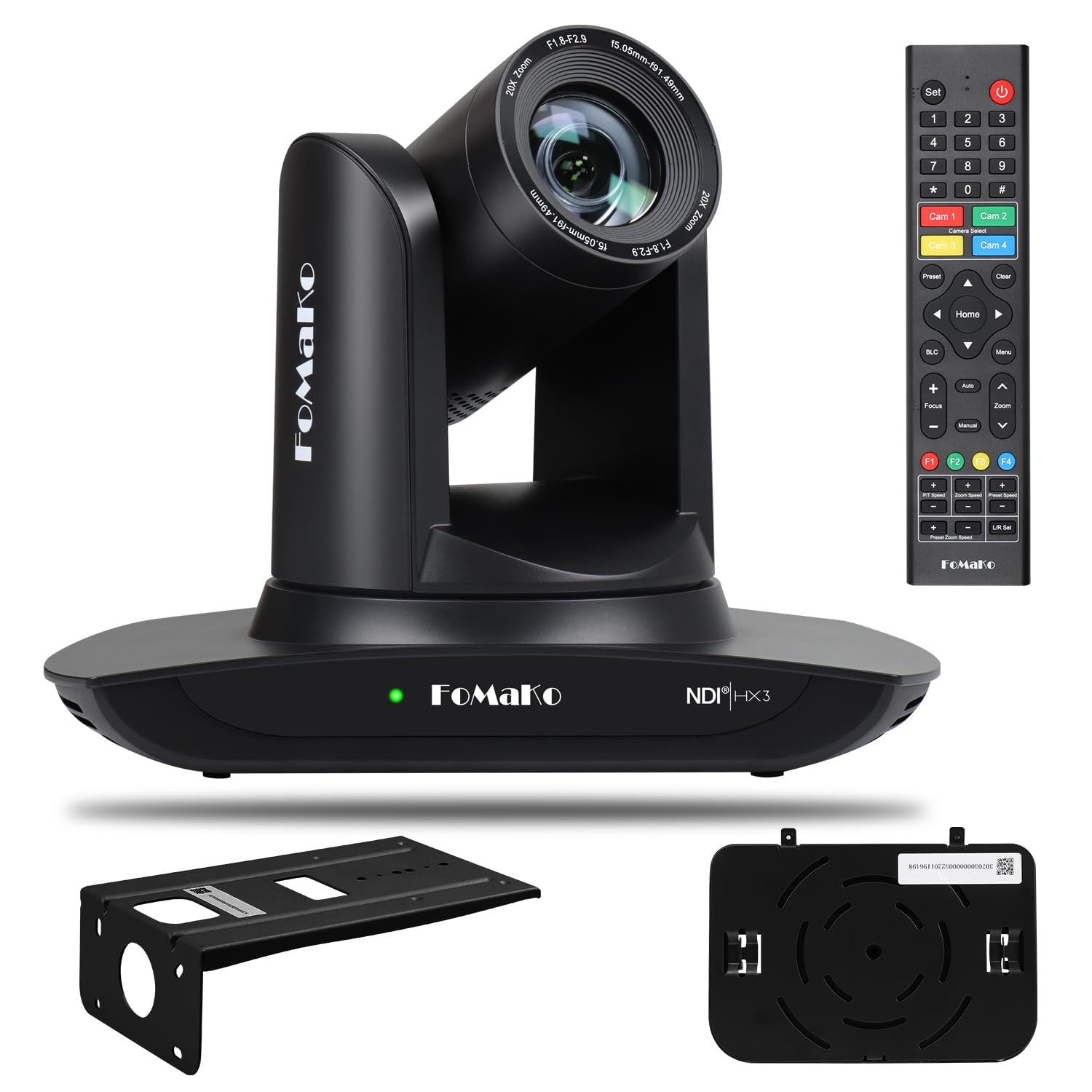
2. FoMaKo FMK20UH NDI PTZ Camera
An official NDI PTZ with Gen-3 AI tracking that delivers broadcast-grade 1080p across a professional AV setup.
The FoMaKo FMK20UH is officially certified for both NDI 6 and NDI HX3, meaning you get verified stability and video quality over your network—something the review data confirms owners appreciate for smooth integration with OBS, vMix, and Propresenter. Its 20x optical zoom is paired with a Gen-3 AI tracking system that lets you adjust tracking modes, sensitivity, figure size, and what the camera does when it loses the target. You can choose between real-time tracking and regional tracking, and the IR remote makes it easy to enable tracking with a single button press (F2 on the remote).
Where this camera shines is its low-light performance. The 2D and 3D noise reduction combined with a high SNR CMOS sensor means you get a clear image even when the venue lighting is dim. It supports up to 255 presets (10 via remote), and the built-in gravity sensor enables auto-flip for ceiling-mounted installations. The one caveat: it has no built-in microphone, so you will need an external mic if you need audio. Owners also note that the setup process can be fiddly for novices, but the lifetime technical support and free remote assistance help close that gap.
Crisp in the dark, connected to everything: The FoMaKo is the right pick if you need a rock-solid NDI camera for a permanent installation, especially where lighting is unpredictable.
Ideal for: Churches, studios, and conference rooms that want a certified NDI workflow with excellent low-light clarity.
Consider something else if: You need a built-in mic or a camera that can record audio on its own.
3. TONGVEO 4K NDI PTZ Camera
A true 4K PTZ camera that combines a 20x optical zoom with AI tracking for high-end live production.
The TONGVEO delivers 4K 30fps video over HDMI and USB, which is a significant step up in detail compared to the 1080p-only units on this list. Owners describe the video quality as “stunningly clear” and note that it works perfectly with Linux systems for church and school streaming. The AI auto-tracking uses both facial and human body recognition—if a person’s body is blocked by a podium or another speaker, the camera can resume tracking as soon as their face reappears. It offers two modes: Presenter Tracking and Auto-Framing, controllable via the included IR remote or from a web browser.
Connectivity is a highlight here. Alongside HDMI and USB, you get SDI output that runs up to 300 feet with locking connectors—ideal for connecting to an ATEM switcher without signal loss. PoE (Power over Ethernet) simplifies the cable run to a single ethernet cable for both power and data. The main trade-off is that network streaming (IP/NDI) is limited to 1080p, so the 4K resolution is only available on the direct HDMI/USB outputs. A few owners mention that the remote control is a bit clunky, but the overall consensus is that this camera offers exceptional value for the price.
The sharpest option at its price: If your production demands true 4K detail from the camera body itself, the TONGVEO is the one to beat in this category.
Best for: Productions that need 4K resolution via direct HDMI/USB connections, like broadcast studios and high-end church streaming.
Not ideal if: You require 4K resolution over NDI or IP networking, as those outputs are limited to 1080p.
4. XbotGo Falcon All-in-One Action Camera
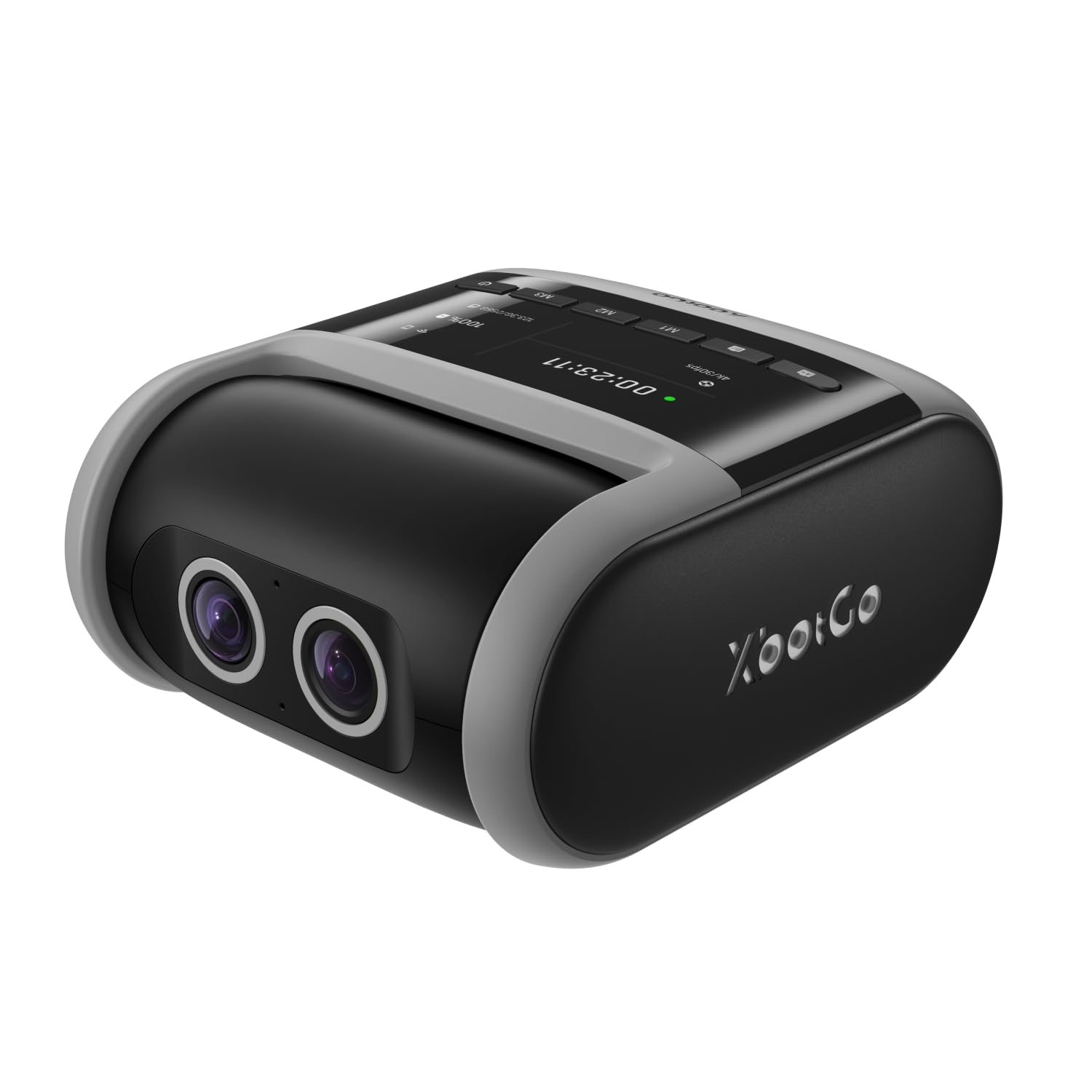
An all-in-one sports recorder that does not need a subscription and brings 4K AI tracking straight to the sideline.
The XbotGo Falcon is the rare camera that packs its own AI processing (6 TOPS with an 8-core processor) and dual lenses into a single weatherproof body—no gimbal, no phone required. It records in 4K and uses one lens for recording and one for AI-assisted tracking, letting you focus on the game rather than the gear. Reviewers consistently praise the video quality, calling it “sharp” and “excellent,” and they love that there is no monthly subscription for the tracking or live streaming features. It is also IPX5 water-resistant, so a light rain on the soccer field will not stop it.
The setup is straightforward: mount it on any standard 1/4″ tripod, connect via Wi-Fi to the app, and start recording or streaming. It supports cloud service and microSD storage (sold separately). The AI tracking itself gets mixed marks—some say it tracks the ball perfectly, while others note it struggles to follow individual players. The zoom is digital, so you lose some resolution when you punch in. This is the best choice for a parent or coach who wants a simple, no-subscription device that records fast-paced soccer or basketball without needing a smartphone.
Truly all-in-one: The Falcon is the most portable standalone option for sideline recording, with an IPX5 build that handles the weather.
Pick this if: You want a dedicated sports camera with no subscription and you are comfortable with digital zoom limitations.
skip it if: You need optical zoom or if you are filming sports where the camera needs to track a specific jersey number rather than the play.
5. BallerCam AI Auto-Tracking Filming System
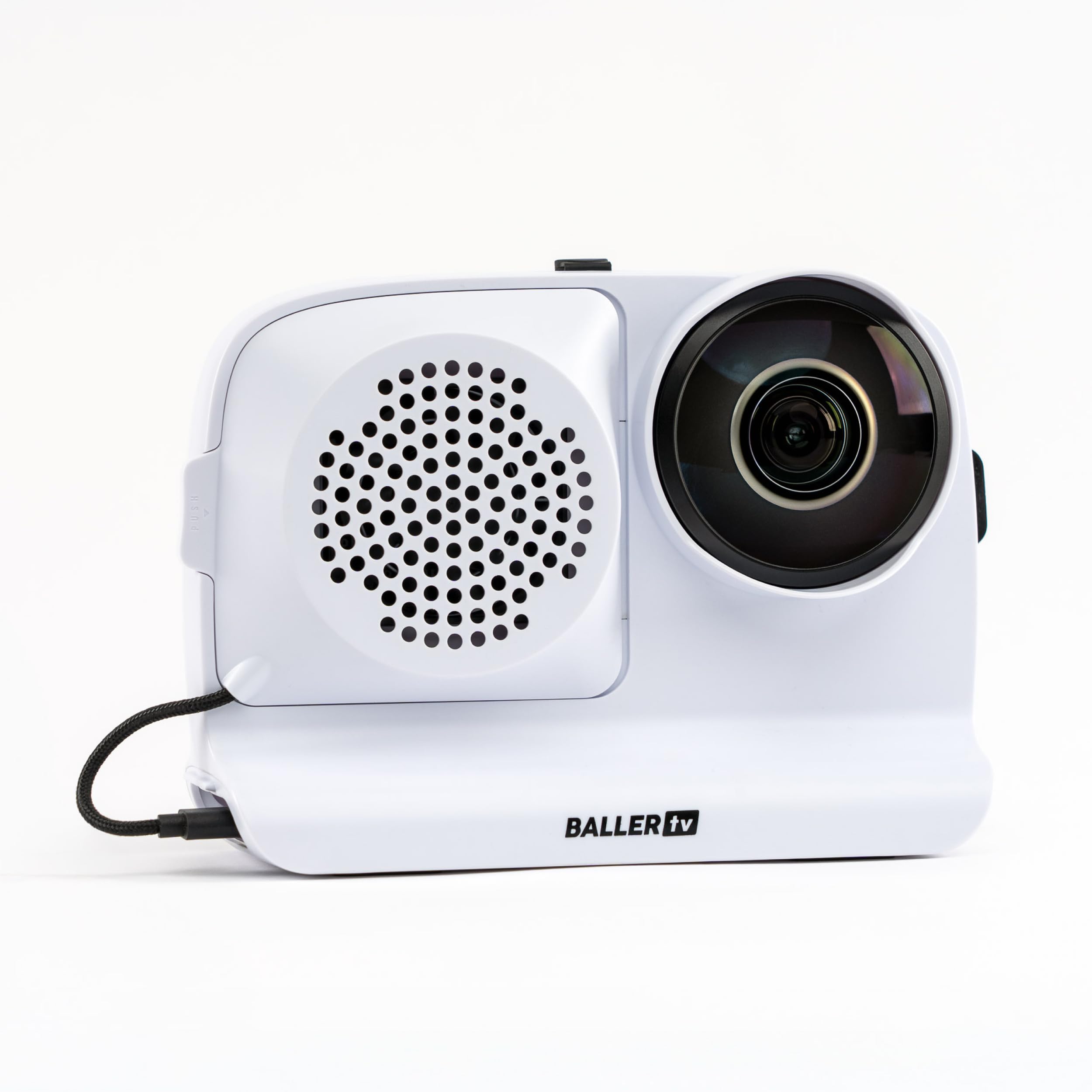
An iPhone-powered system that films the whole court with a 180° lens and follows the ball without moving a muscle.
The BallerCam takes a different approach: it does not use a panning gimbal. Instead, its 180° ultra-wide lens captures the entire field of view, and the app digitally crops into the action to follow the ball. This means you never miss a play due to mechanical panning lag. The crowd of owners—mostly parents—say it is “easy to set up” and works great for basketball, soccer, and volleyball. The battery is a swappable 10,000 mAh unit that lasts 2-3 games, and the included sun/rain shade lets you record in outdoor conditions.
Live streaming is simple: start a stream in the app, send a link, and family can watch immediately—no logins or complicated setup. It also includes 20 hours of free cloud storage with no subscription required. The tracking is generally reliable, though a few owners mention it can be off in crowded gyms with multiple balls in play. The setup requires an iPhone (compatible with iPhone 16 Pro), so it is not a standalone system. It is the lightest and easiest way to get broadcast-style coverage of a full-court game using the phone you already own.
No missed plays, no moving parts: The BallerCam’s digital tracking is great for full-field sports, and the no-subscription livestreaming is a huge win for parents.
Grab this if: You have a compatible iPhone and want the simplest possible way to film and livestream full-field games.
Think twice if: You need a standalone camera, or you film fast-moving individual players rather than the ball.
6. XbotGo Chameleon AI Auto Sports Gimbal
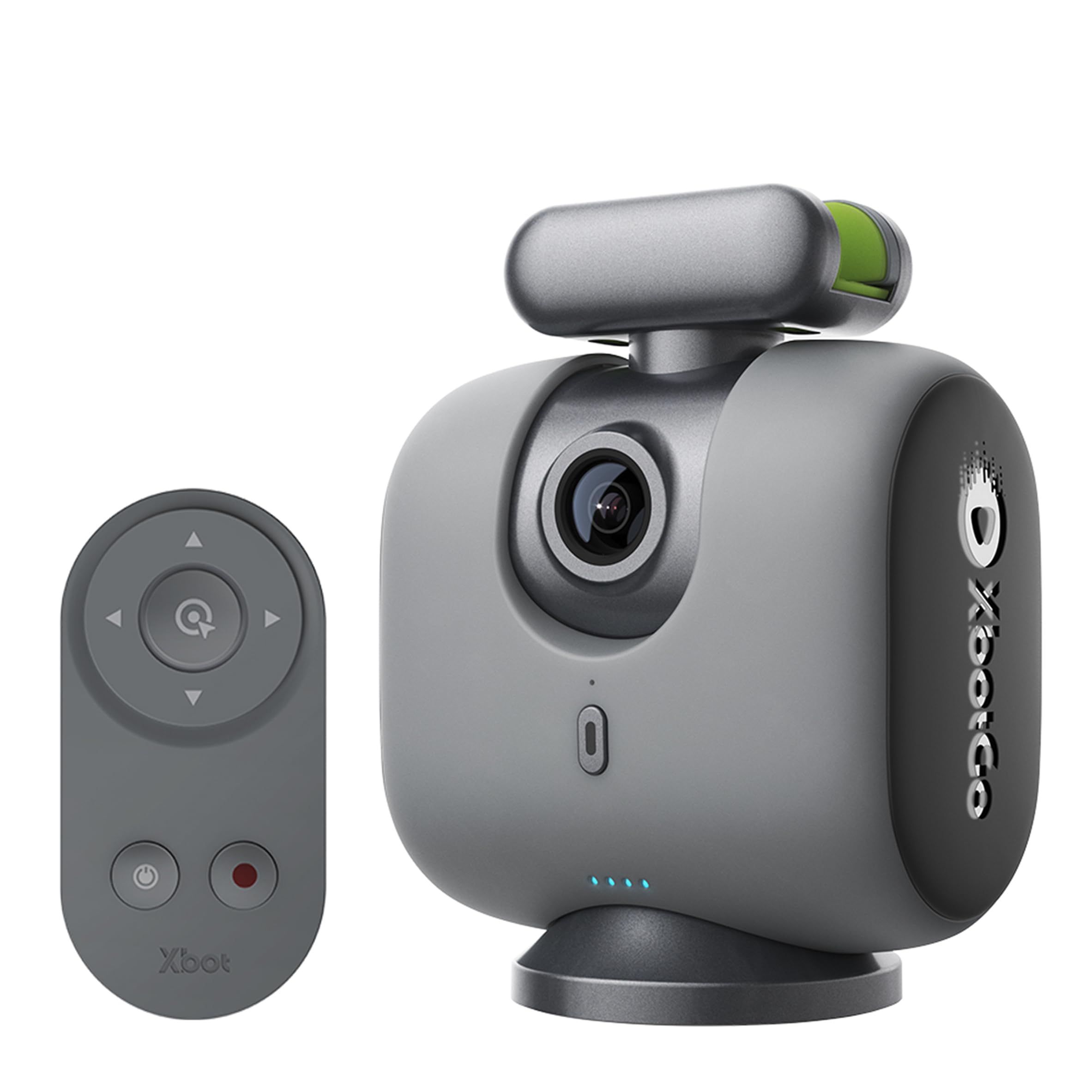
A smart gimbal that turns your phone into a 360° sports tracking camera with 8 hours of battery life.
The Chameleon is a motorized gimbal designed to hold your smartphone and track sports automatically. Its xbotVision AI 2.0 algorithm covers over 20 sports, including soccer, basketball, gymnastics, and martial arts, and it offers 360° panoramic tracking with a 120° ultra-wide AI lens. The battery life is a standout feature—an impressive 8 hours, which covers an entire tournament day without needing a recharge. It connects via Bluetooth to the XbotGo app and can be controlled with the included remote or an Apple Watch.
Live streaming is built in, and the app supports AI-assisted auto-editing to create highlight reels. The key trade-off is that this is a smartphone-powered system—you need to provide your own phone camera, which means the video quality depends on your device. The AI tracking gets mixed reviews: while it works well for most games, some users find it can lose the ball in multi-court setups. The manual is also described as sparse, and several owners mention a steep learning curve for advanced features like setting up a second phone for a scoreboard overlay. For the price, this is a versatile tool that gives you professional-grade tracking without a dedicated camera.
A battery champ with broad sports support: The 8-hour runtime and 360° tracking make the Chameleon a solid choice for long tournament days.
Best suited for: Tech-savvy coaches and parents who already own a good smartphone and want to upgrade to automated tracking.
Not for everyone: If you prefer a standalone camera or are not comfortable with app-based setup and configuration.
7. EMEET PIXY Dual-Camera PTZ 4K Webcam
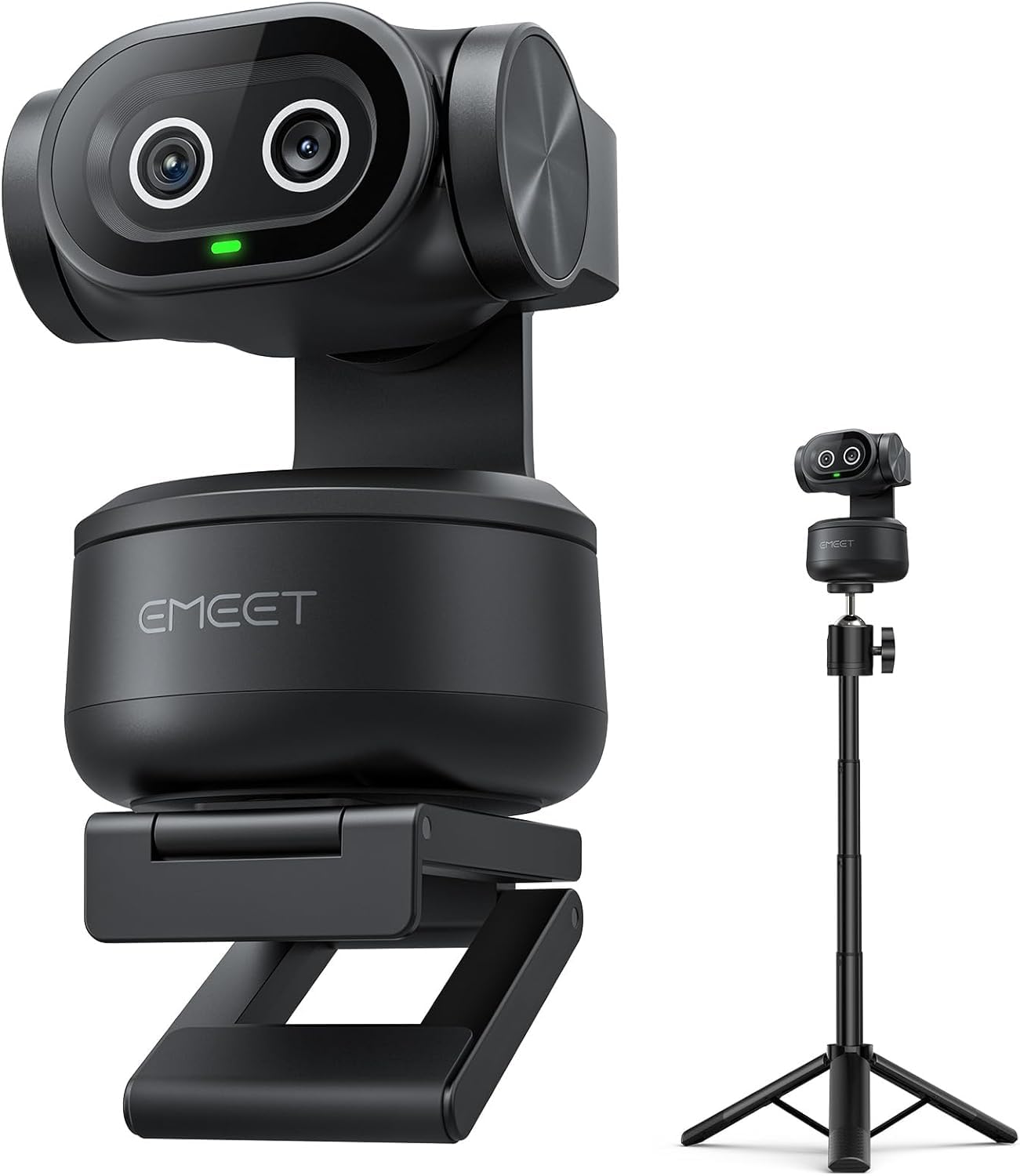
A desktop PTZ webcam with a world-first dual-camera design that focuses in 0.2 seconds and tracks smoothly.
The EMEET PIXY is a compact powerhouse for content creators who work at a desk. It uses a dual-camera system: a main camera with a 1/2.55-inch Sony sensor for 4K video, and an auxiliary camera that detects your face to tune autofocus and exposure in any lighting. The result is a blink-speed 0.2-second autofocus that keeps you sharp even when you are moving during a product demo or fitness stream. It tracks with a 310° pan and 180° tilt range, and it can be activated with a gesture—just hold your palm open for two seconds.
EMEET STUDIO software gives you preset positions, whiteboard mode, and privacy mode (the camera tilts down automatically). The triple-mic array is very capable, with Live Mode for filtering fan noise, Noise Canceling Mode for podcasts, and Original Sound Mode for music. The included tripod adjusts from 6.7 to 18.5 inches. The main limitation is that its tracking is designed for a single person at a desk—it is not a sports tracking camera. A few owners note that the software update prompts can be annoying, and the tracking can occasionally lose you when you stand up and sit back down. For streaming or business meetings, it is a fantastic choice.
Lightning-fast and desktop-friendly: The dual-camera autofocus is genuinely impressive, and the 4K sensor captures great detail for streaming and calls.
Perfect for: Streamers, podcasters, and remote workers who need a responsive, high-quality PTZ webcam for desk use.
Not for: Filming sports or tracking subjects that move across a large space.
8. OBSBOT Tiny 3 Lite AI Webcam
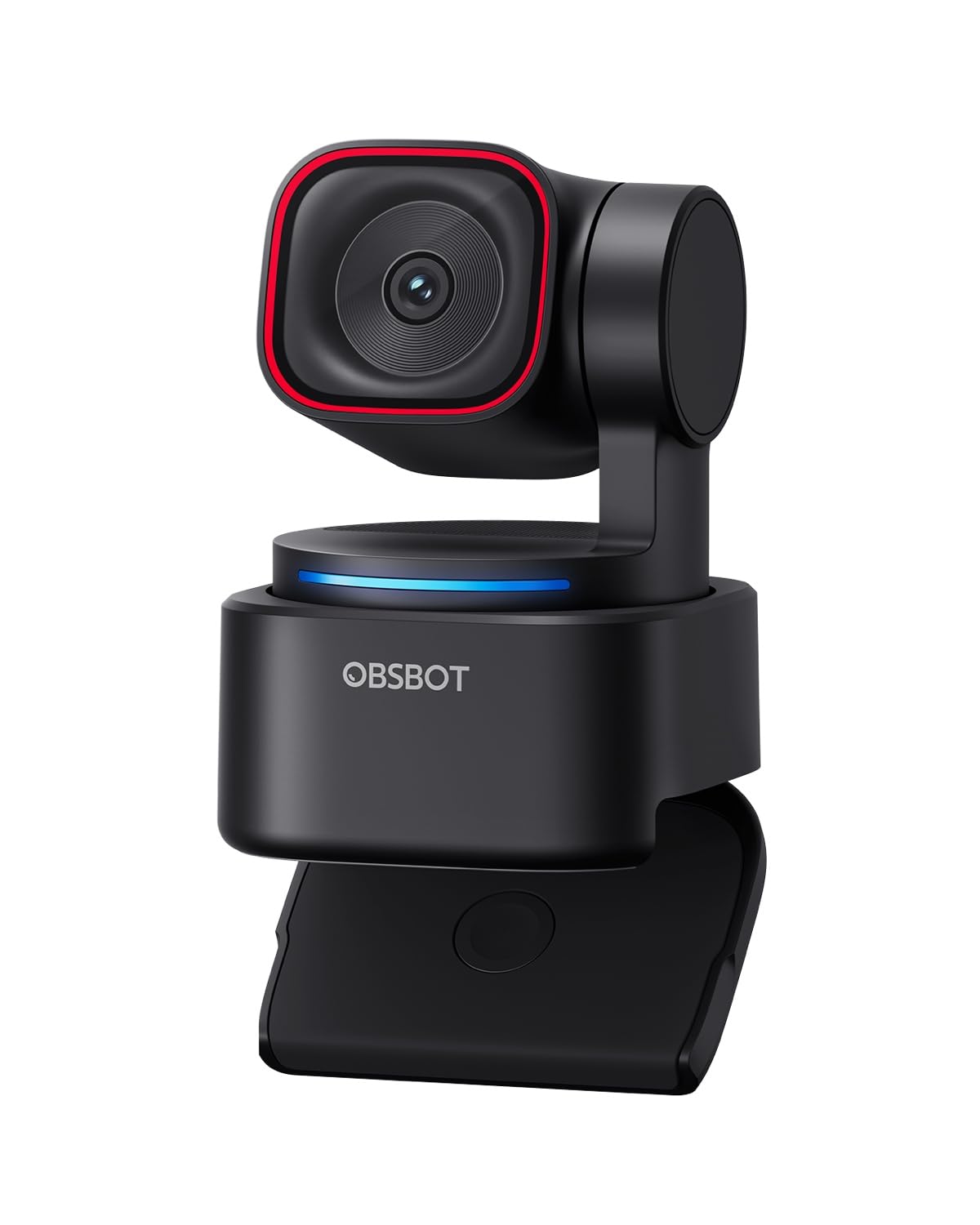
A tiny PTZ webcam that is 48% smaller than its predecessor yet packs a larger 1/2-inch sensor and spatial audio.
The Tiny 3 Lite is the compact champion of desktop ball tracking (or person tracking, really). Despite being 48% smaller than the previous generation, it houses a larger 1/2-inch CMOS sensor that shoots 4K at 30fps or 1080p at 120fps. The PDAF autofocus keeps you sharp, and the wide ISO domain of 100-6400 helps in low-light environments. The AI Tracking 2.0 system can lock onto a single person, a group, or even over 200 types of objects, making it incredibly versatile for a webcam.
Audio is a strong point here with a triple-mic array that includes an omnidirectional mic and two MEMS directional mics, feeding into five specialized audio modes. You can control the camera with voice commands or hand gestures. The OBSBOT Center software includes tools like Beauty Mode, Background Blur, and a Teleprompter. The compact design is a hit with owners, but there are mixed reports on reliability—some users report software issues that can render the camera unusable. For a desk streaming setup, it is a well-equipped and tiny package.
Small body, big sensor: The 1/2-inch sensor and 120fps capability make this a serious step up from basic webcams, especially in low light.
Reach for this if: You want a premium, ultra-compact desktop webcam with excellent audio and reliable person-tracking.
Exercise caution if: You have read the reports of software-related reliability issues—ensure your return window is ample.
9. AKASO 360 Action Camera
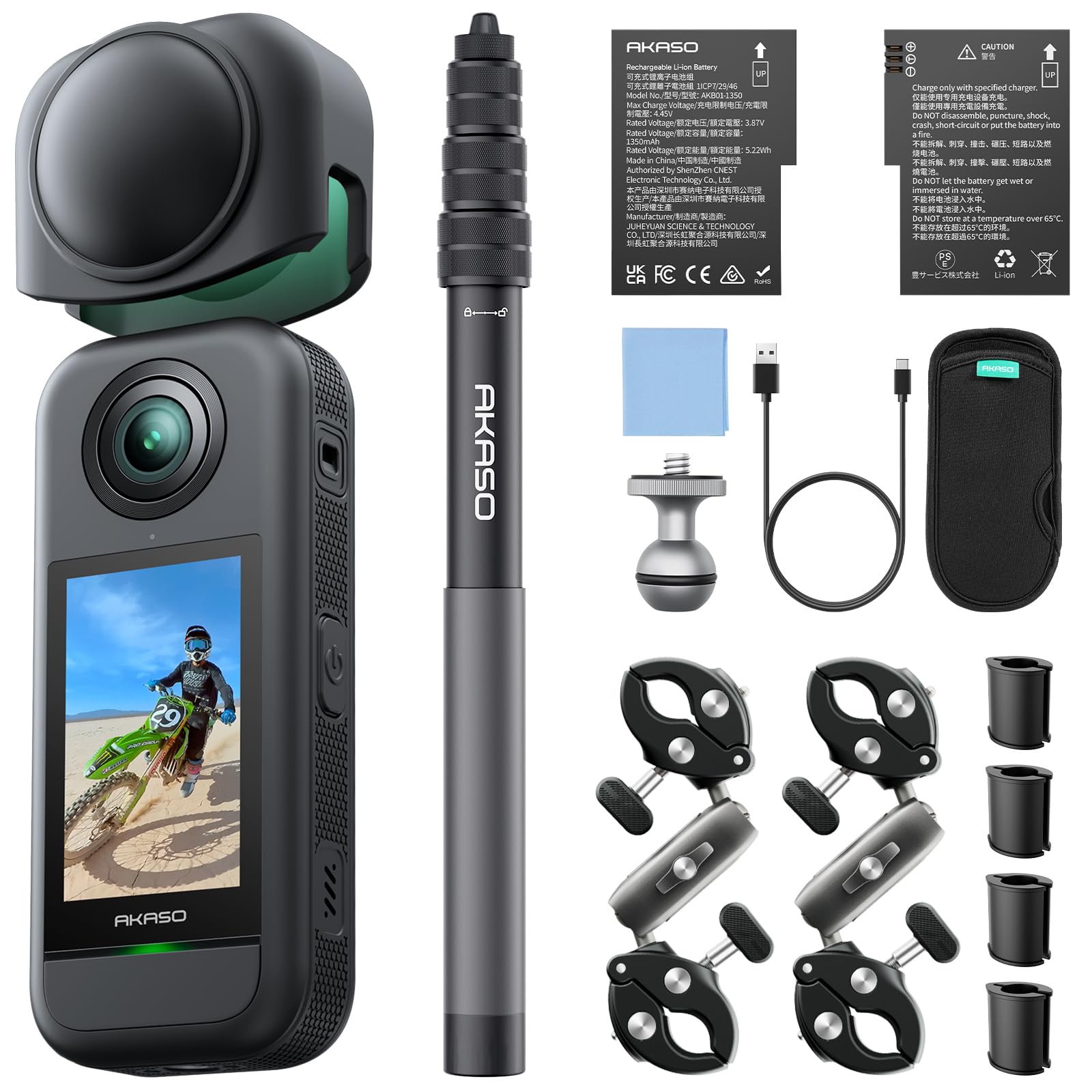
A 360-degree action cam with dual 48MP sensors that records 5.7K video and lets you choose the angle after the ride.
For motorcycle riders and adrenaline junkies, the AKASO 360 is the most creative pick on this list. Its dual 1/2-inch 48MP sensors capture a full 360-degree sphere in 5.7K resolution. The “shoot first, frame later” approach means you mount it on your helmet or handlebars, hit record, and decide the perfect angle in the app afterward—the invisible selfie stick effect makes it look like a drone shot. The in-app stabilization smooths out bumps without a gimbal, and the 360° Horizon Lock keeps your footage level no matter how much you tilt.
Owners highlight the solid build quality and great value compared to more expensive 360 cameras. The app is well-designed for quick editing and uploading. Battery life is the main trade-off: each of the two included batteries lasts about 35 minutes, so you will need to swap them on longer rides. Low-light quality is also mediocre. If you want to track a subject (like a cyclist ahead of you), the AI Subject Tracking feature can keep them centered in the frame. This is not a traditional ball tracking camera, but for action sports where you want to capture every angle and decide where the “ball” is later, it is unbeatable.
The ultimate “shoot first, frame later” camera: 5.7K 360 video with dual 48MP sensors gives you class-leading flexibility for action sports.
Best for: Motorcyclists, cyclists, and skaters who want to capture rich 360-degree footage with no worry about framing.
Not for: Live game streaming or single-subject tracking—the 360 workflow is post-production, not real-time.
10. Veo Cam 3 5G Sports Camera
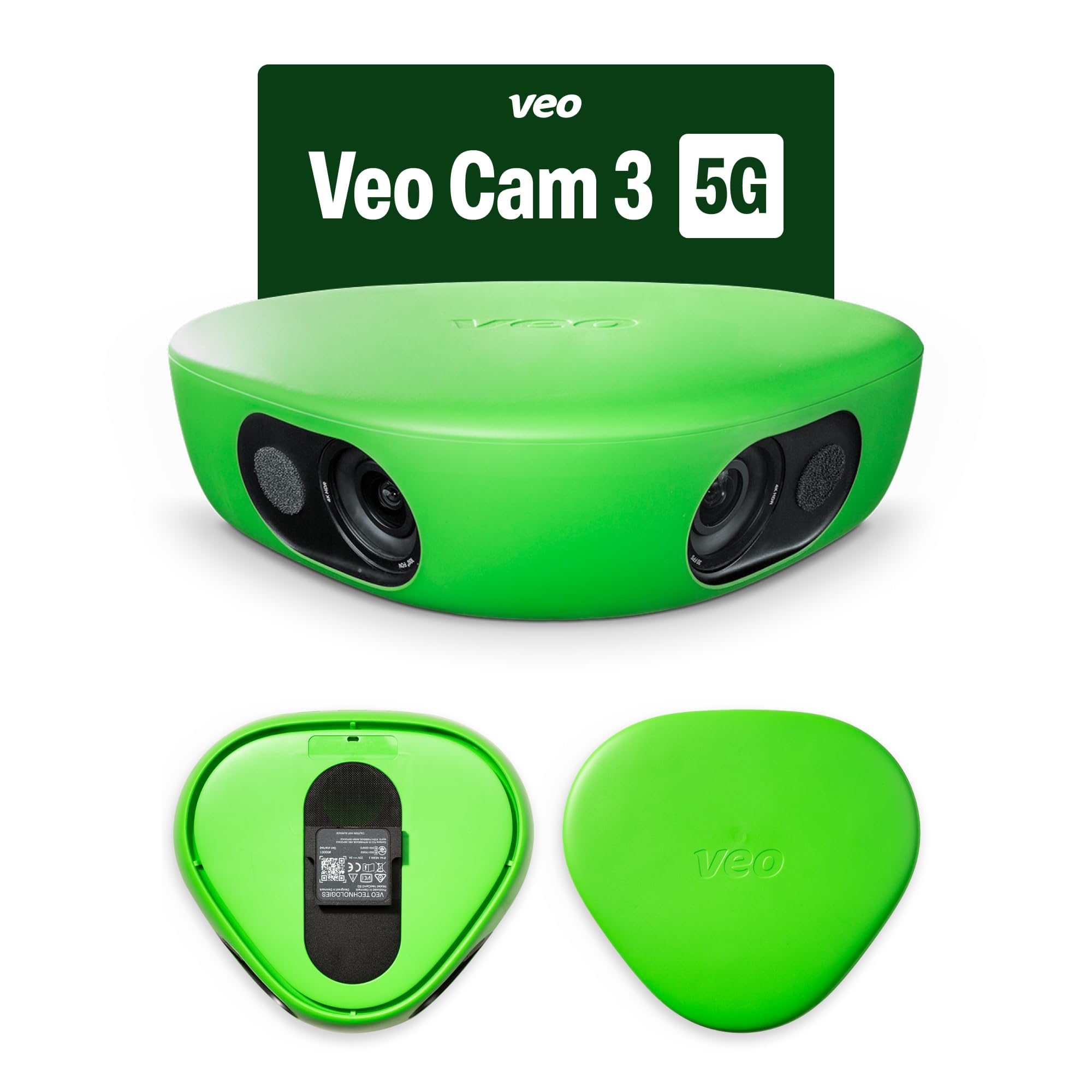
A weatherproof, portable sports camera with extended 6.5-hour battery life that uses AI-powered auto-tracking and cloud sync.
The Veo Cam 3 is the professional-grade option for serious teams and coaches. It records in 1080p HD and uses AI-powered auto-tracking to follow the action across the field. It is weatherproof from -10°C to 45°C, so it handles rain and snow just fine. The 6.5-hour battery life covers a full day of tournaments, and the cloud sync means the footage is available for analysis almost immediately. The camera is lightweight and portable, making it easy to carry to any field.
The major consideration here is the subscription model. The Veo ecosystem requires a subscription for its full features, including the AI analysis and cloud storage. The camera itself is a big investment, and the ongoing cost is a factor. The review data is mixed: some call it the “best investment ever” for team analysis, while others report issues like missing mounts in the box and a credit that cannot be used on the cheaper family plan. If your team has a budget for pro-level software and hardware, and you need a rugged, long-lasting camera, the Veo Cam 3 is the most capable option. It is limited to 1080p, so it does not match the resolution of other flagship sports cameras.
Built for the long game: The 6.5-hour battery and weatherproof design are class-leading for outdoor sports, but the subscription model changes the total cost equation.
Choose this for: Competitive teams and coaching staff that need automated analysis, cloud sync, and a durable camera for all-weather use.
Look elsewhere if: You want a one-time purchase without ongoing costs, or you need 4K or higher resolution.
Understanding the Specs
PTZ vs. Digital Tracking
PTZ (Pan-Tilt-Zoom) cameras have a motorized head that physically rotates and tilts to follow the subject. This gives a smooth, broadcast-style shot but can miss fast, jerky movements. Digital tracking uses a wide-angle lens to capture the whole scene, then crops the frame electronically to follow the action—this is more resilient to sudden direction changes but can look a bit zoomed in.
NDI Protocol
NDI (Network Device Interface) is a standard for sending video over a standard Ethernet network. An NDI camera lets you use a single Cat 5 or Cat 6 cable for both power (via PoE) and video, which massively simplifies a multi-camera setup. NDI HX3 is the newest version, balancing high quality with low network bandwidth. It is essential for church or studio installations where you are routing multiple camera feeds to a switcher.
Optical vs. Digital Zoom
Optical zoom uses the camera’s lens to magnify the image without losing quality—20x optical zoom lets you fill the frame with a speaker at the back of a large hall. Digital zoom is simply cropping and enlarging the image, which reduces sharpness. For a ball tracking camera used on a large field, optical zoom is generally preferred for the best detail, while digital zoom is acceptable for close-up desktop streaming.
AI Tracking Modes
Not all AI tracking is the same. Basic systems simply follow a face or a ball. More advanced cameras offer Presenter mode (follow a single person), Zone mode (track any movement within a defined area), and Hybrid mode (switch between the two). Some also offer Auto-Framing, which adjusts the zoom to keep a group of people nicely composed in the shot.
FAQ
What is a ball tracking camera?
Do I need a subscription for a ball tracking camera?
Can a ball tracking camera also track a person?
What is the difference between PTZ and digital tracking?
How long does the battery last on a sports tracking camera?
Do I need a special tripod for these cameras?
What is NDI and why does it matter for a PTZ camera?
Can I livestream with a ball tracking camera?
How many people can a ball tracking camera follow at once?
Is 4K necessary for a ball tracking camera?
Final Thoughts: The Verdict
If you want one dependable pick, the ball tracking camera winner is the AVKANS LV20N because it combines professional NDI connectivity with flexible Gen-3 AI tracking and a 20x optical zoom at a price that makes sense for churches and event spaces. If you want a standalone sports camera with no subscription, grab the XbotGo Falcon. And for the simplest way to livestream full-court games using your iPhone, the BallerCam is the one to reach for.
How We Picked
We do not accept paid placement. Every pick is matched to a real buyer and a real use-case; we do not hands-on test units.
Sources & Methodology
Specifications: manufacturer listings and product documentation. Review insights: verified customer reviews, as of July 2026. Pricing: not shown on this page (it changes often); check the current price via the retailer link.
As an Amazon Associate, Gadgets Feed earns from qualifying purchases. This does not affect which products we feature.