
Our readers keep the lights on and my morning glass full of iced black tea. As an Amazon Associate, I earn from qualifying purchases.
Specs are compiled from manufacturer listings and verified buyer reviews and can change over time — please confirm the key details on the product page before buying.
Forget the beige tower under the desk. A barebones gaming PC skips the case, motherboard, and power supply you’d normally choose, so you can drop in your own CPU, RAM, and SSD. The payoff is a system that fits in a backpack, draws a fraction of the power, and still chews through modern games — if you pick the right foundation. That’s why this guide focuses on which mini-PC chassis is worth your time and which is a trap.
I’m Min — the founder and writer behind Gadgets Feed. This guide is built by comparing the manufacturers’ published specifications and the patterns across verified customer reviews, so you get each pick’s real strengths and trade-offs instead of marketing spin.
You want a gaming PC that you can upgrade later, and the best barebones gaming pc gives you a fast processor plus RAM and SSD slots you fill yourself. It works for a quiet office or a 4K-capable gaming setup.
Our Picks at a Glance

How To Choose The Best Barebones Gaming PC
Your choice depends on three things: the processor’s built-in graphics, the memory and storage slots, and the external expansion ports. Get those right and you have a system that feels fresh for years.
The CPU Is Your Graphics Card
In a barebones mini PC, there’s no slot for a full-size graphics card. The processor’s integrated GPU does all the visual work. AMD’s Radeon 780M is the current star for gamers, while Intel’s Arc graphics is a solid alternative for media work.
Memory and Storage That Fit Your Plan
Check whether it takes DDR5 and how many M.2 SSD slots it has. A dual-channel RAM setup (two sticks) and a PCIe 4.0 SSD slot keep load times short and multitasking smooth.
Quick Comparison
| Model | Best For | Max CPU Speed | Graphics | RAM Support | Amazon |
|---|---|---|---|---|---|
| Reatan Oculink Gaming Mini PC★ Best Overall | High-Speed Connectivity | 4.9 GHz | Radeon 780M | 96GB (Dual SODIMM) | Amazon |
| AOOSTAR GEM12 MAXTop Performer | DIY Tinkerers | 5.1 GHz | Radeon 780M | 128GB (Dual DDR5) | Amazon |
| Reatan AI Oculink Mini | Build Quality | 4.9 GHz | Radeon 780M | 64GB (DDR5) | Amazon |
| AOOSTAR GEM12+ | eGPU Enthusiasts | 5.1 GHz | Radeon 780M | 128GB (Dual DDR5) | Amazon |
| MINISFORUM M1 Pro-125H | Quiet Content Creation | 4.5 GHz | Intel Arc | 96GB (DDR5) | Amazon |
| GEEKOM A8 Max | Network & Storage Servers | 4.9 GHz | Radeon 780M | 64GB (DDR5) | Amazon |
| GMKtec K15 AI | AI and Media Tasks | 4.3 GHz | Intel Arc 140T | 128GB (Dual DDR5) | Amazon |
In‑Depth Reviews
1. Reatan Oculink Gaming Mini PC
Our pick — over 4.5★ from 60+ verified ratings; the strongest balance of quality and price.
The networking king that keeps your frames and your files flying.
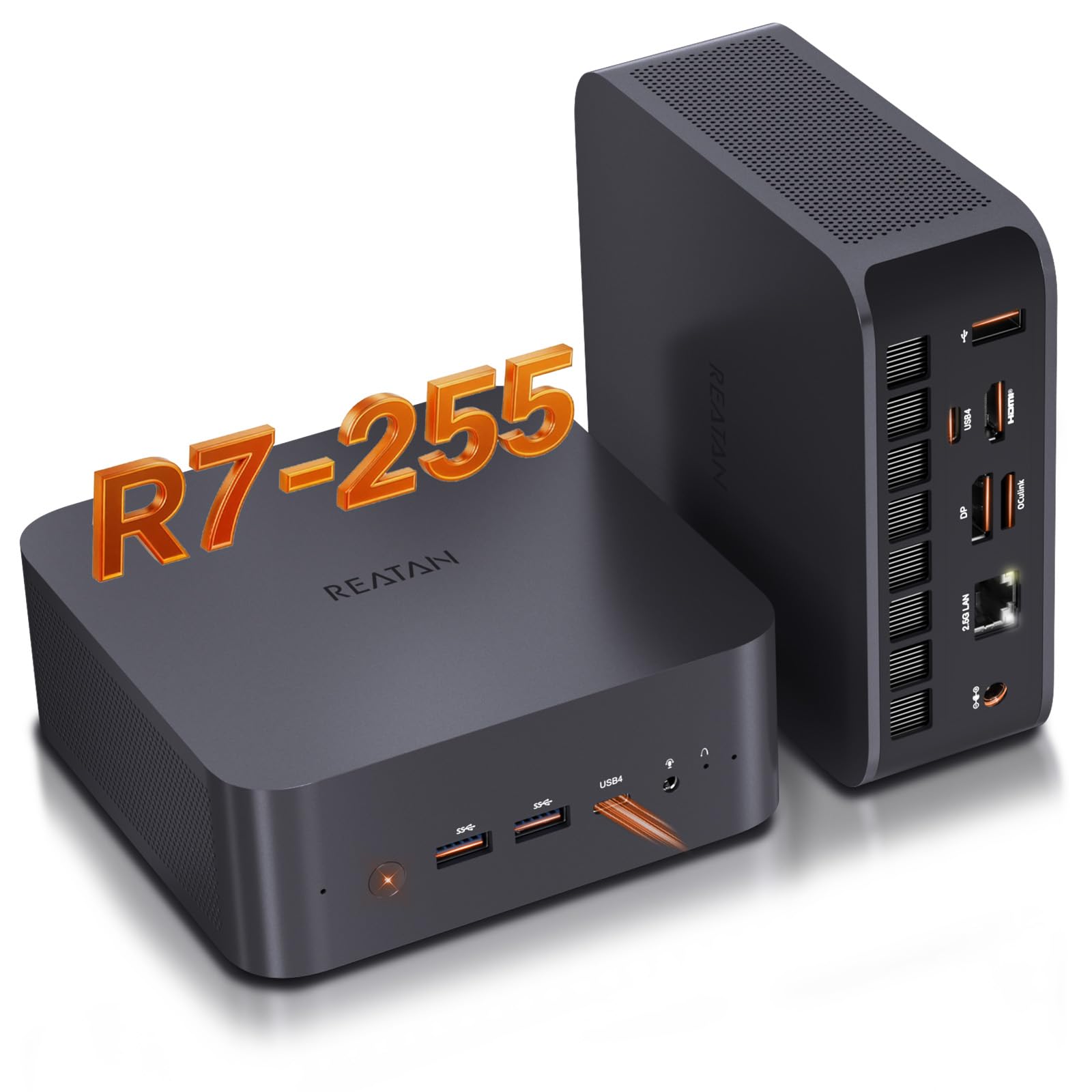
This barebones box pairs the Ryzen 7 255 (8 cores, 16 threads, up to 4.9 GHz) with a Radeon 780M, so you get smooth 1080p gaming and 4K media playback from a chassis that sits quietly on your desk. What really separates it is Wi-Fi 7, which uses 320MHz channels and Multi-Link Operation to outpace older Wi-Fi 6E for streaming and downloads.
It’s a true barebones unit, so you’ll supply your own RAM and SSD — and it makes that easy with dual SODIMM slots (up to 96GB) and two M.2 2280 PCIe slots that each take up to 2TB. For external power, an OCuLink port delivers 64Gbps, which is faster than Thunderbolt 4 for hooking up a graphics card later. The all-metal chassis, dual side grilles, and dedicated memory and SSD cooling fans keep it stable during long sessions.
Buyers report “insanely fast” performance from a tiny machine, and the top praise centers on exactly that speed and solid build quality. It also supports four independent displays through HDMI 2.1 and DP 2.1 ports (both 8K@60Hz) plus two USB4 ports, making it a genuine multitasking hub.
Why it wins
- Wi-Fi 7 and 2.5G LAN for lag-free networking
- OCuLink port for an external GPU upgrade path
- Two M.2 slots and 96GB RAM ceiling for big builds
Know before you buy
- OCuLink is not hot-swappable
- Needs a 65W PD power supply for USB4 features
Reach for this if: you want the best out-of-the-box wireless performance and a clear route to an external GPU later.
Look elsewhere if: you were expecting a built-in GPU slot — this relies on its integrated graphics and OCuLink add-on.
2. AOOSTAR GEM12 MAX Mini PC
The speed demon that dares you to push it past 5GHz.
If raw clock speed is your priority, the GEM12 MAX tops the list here with a Ryzen 7 8745HS that boosts to 5.1 GHz — a 4% higher ceiling than the Reatan’s 4.9 GHz.. This 8-core, 16-thread chip, built on a 4nm process and Zen 4 architecture, is a genuine powerhouse for gaming, content creation, and heavy multitasking in a 0.66kg package.
It’s a DIY builder’s playground with dual DDR5 5600MHz SODIMM slots (up to 128GB) and dual M.2 2280 NVMe PCIe 4.0 slots (up to 8TB). The catch is the included 120W power supply, which is tight for high-power external GPUs — but the OCuLink port (64 Gbps) doesn’t occupy an M.2 slot, so you can expand storage and graphics simultaneously.
Buyers consistently call out the exceptional value and quiet, cool operation, with several noting it’s a “powerhouse” that runs 24/7 without issue. Three BIOS modes (Silent, Balanced, Performance) let you dial in power draw from 45W up to 75W, and the Vapor Chamber plus CPU fan keeps things stable under that load.
Built to tweak
- Fastest CPU in this lineup at 5.1 GHz
- Dual PCIe 4.0 slots with no OCuLink conflict
- Quiet dual cooling for high loads
Trade-off
- 120W power supply may limit top-end eGPU cards
- OCuLink non-hot-swappable
Best for: the tinkerer who wants maximum CPU headroom and full control via BIOS settings.
Think twice if: you plan a high-wattage external GPU; you might need a stronger power adapter.
3. Reatan AI Oculink Mini Barebone PC
The premium-feeling foundation with a 3-year safety net.
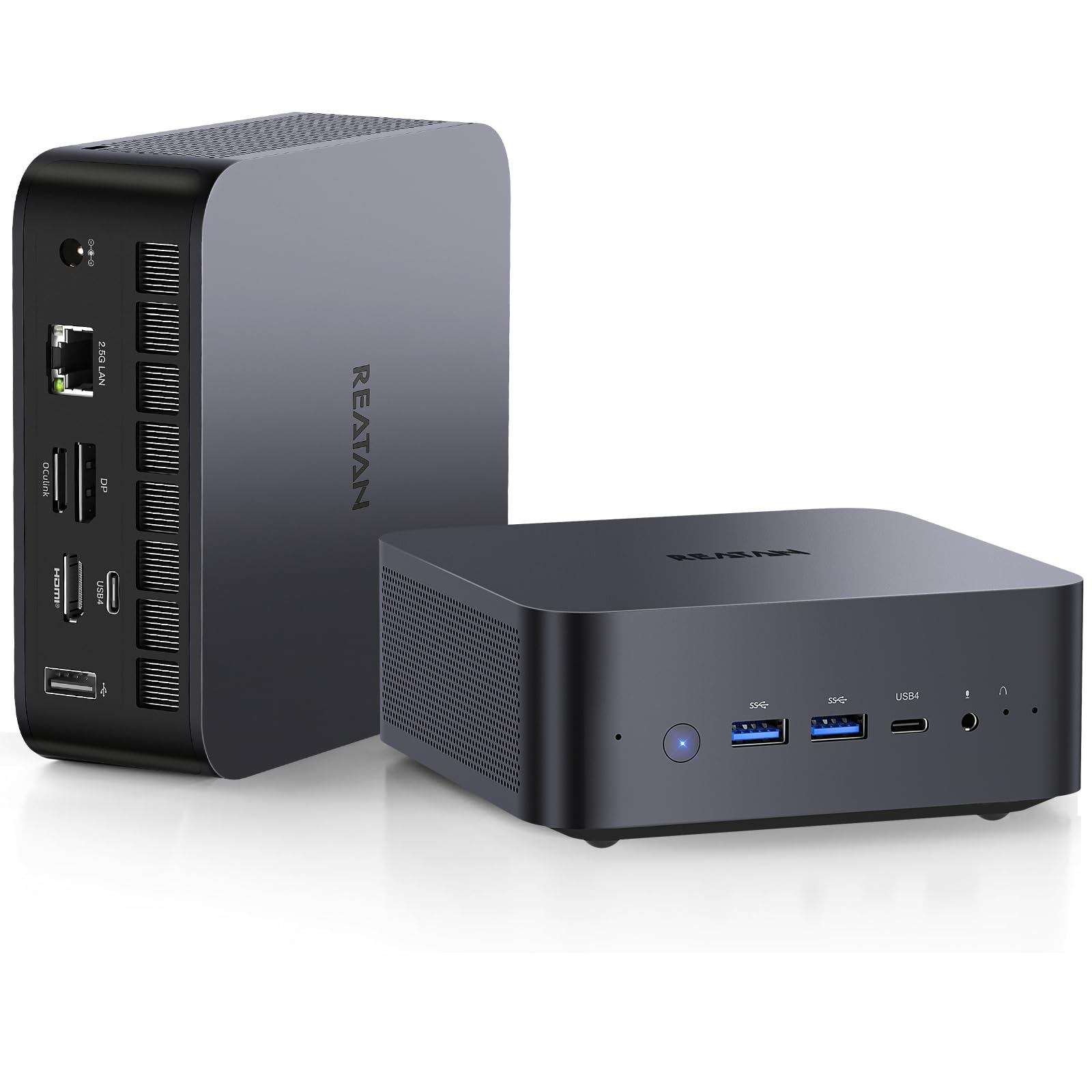
Same Ryzen 7 255 and Radeon 780M heart as our top pick, but the X7BB stands apart with its build quality — the aspect buyers praise most. The metal chassis feels far more expensive than the class suggests, and the video editing and 3D modeling workflows it handles without lag make it a creative’s first choice.
Storage flexibility is a highlight: it supports DDR5 RAM up to 64GB, a main M.2 2280 PCIe 4.0 SSD slot up to 4TB, and a second M.2 2280 PCIe 4.0 slot up to 2TB. That second slot is where you can add a drive for media libraries without sacrificing your boot drive.
The reassurance here is the 30-day no-questions-asked return policy and 3-year quality support, the longest warranty promise in this guide.. Owners mention the 8K quad-display output (via HDMI 2.1, DP2, and dual USB4) is better than advertised, though one dissatisfied owner hit a failing unit and slow refund — a reminder that even good batches have occasional defects.
Standout quality: the all-metal build and 3-year support give this long-term confidence the others don’t match.
One caveat: the OCuLink port requires self-installation, and a rare unit arrives faulty.
4. AOOSTAR GEM12+ Barebone Mini PC

The enterprise-grade core that turns any desk into a workstation.
This GEM12+ swaps the standard chip for the Ryzen 7 PRO 8845HS, an enterprise processor that still hits 5.1 GHz and adds AI Performance up to 16 TOPS with AV1 decoding support. That makes it a rare find for users who want hardware-accelerated AI tasks alongside smooth 1080p gaming.
It’s a pure barebones unit — the listing is explicit that there’s no RAM, SSD, or OS included. What you get is a dual-channel DDR5 5600MHz setup expandable to 128GB, plus dual M.2 2280 PCIe 3.0/4.0 slots for up to 8TB. The OCuLink port runs on an independent channel, so it doesn’t eat your storage slots.
The real-world proof is in the eGPU stories: customers note it works with Nvidia 5060 Ti and AMD RX 9060 XT via an external dock, with a simple fix for a driver error (unplugging the BIOS battery for 5 minutes). It’s also a 24/7 workhorse, with one owner running heavy calculations for days straight without a hiccup.
The power player
- Enterprise CPU with 16 TOPS AI performance
- OCuLink uses no M.2 slot
- Silent, fast, and stable for 24/7 use
Honest limits
- No user-adjustable CPU fan curve
- Listed dimensions are inaccurate; real size is about 13cm x 12.5cm x 5.6cm
Who it beats: anyone running sustained workloads will find the PRO chip’s stability a step above consumer parts.
Who it doesn’t: if you hate tinkering in BIOS, the fan curve limitation might frustrate you.
5. MINISFORUM M1 Pro-125H

The whisper-quiet creator that never breaks a sweat.
This is the Intel play in our lineup, with a Core Ultra 5 125H (14 cores, 18 threads, up to 4.5 GHz) and integrated Intel Arc graphics. It’s the pick for content creation and light gaming where you want smooth HD output and AI-boosted productivity, with a pre-installed Copilot to help.
Silence is the defining trait. The dual fan design with large silent blades and dual pure copper heat pipes keeps standby temps at 47°C, full load under 86°C, and noise below 45dB. Buyers rave about the quiet operation — it “ramps up smoothly under heavy load without creating distracting noise,” which is exactly what you want in a shared space.
Memory tops out at 96GB of DDR5 SODIMM, and dual M.2 2280 PCIe 4.0 slots support RAID 0 (for speed) or RAID 1 (for data protection). Connectivity is strong with dual 2.5G LAN, Wi-Fi 7, and Bluetooth 5.4, plus quad 4K display output through HDMI 2.1, DP 1.4, and dual USB4.
Why it stands out
- Extremely quiet under full load
- RAID 0/1 support for data safety or speed
- Dual 2.5G LAN for fast NAS access
Consider this
- OCuLink is an M.2 adapter card, not native
- Fan cable is short, making upgrades fiddly
Pick this for: a home office or studio where fan noise is your pet peeve.
skip it if: you need a native OCuLink port — the adapter eats an M.2 slot here.
6. GEEKOM Barebones A8 Max
The network backbone that isolates traffic and keeps noise under 36dB.
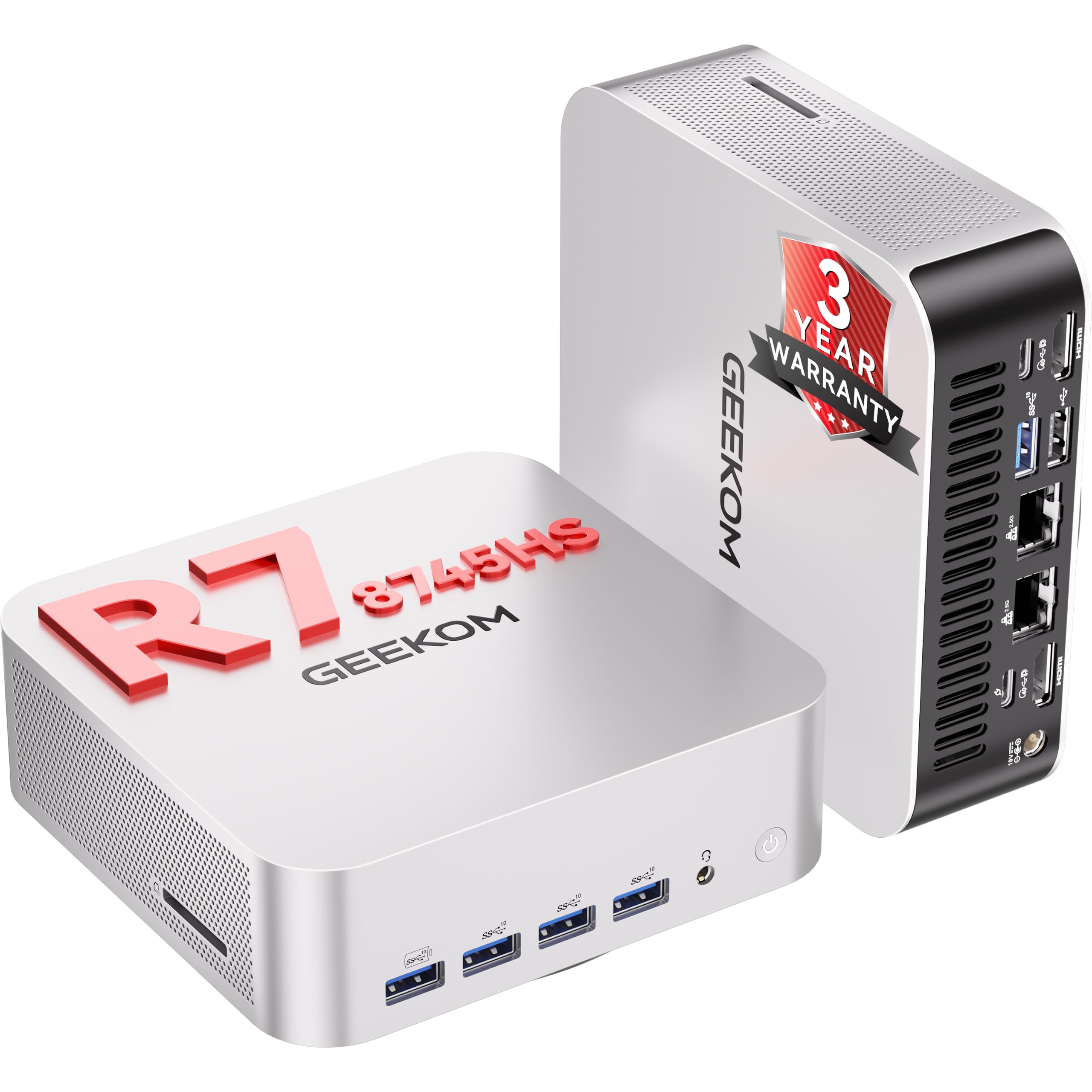
The A8 Max is built for a different kind of power user: the person who runs a home server or a small office. With dual 2.5G Ethernet ports, IT staff can set up physical network isolation between private and guest networks, or aggregate connections for fast NAS transfers. The Ryzen 7 8745HS (up to 4.9 GHz) and Radeon 780M still handle light gaming and rendering duties fine.
Cooling is the headline feature. The IceBlast 2.0 system uses dual copper heat pipes that transfer 210% more heat than standard designs. than standard designs., paired with a silent fan twice the size of competitors’. The result is Operating noise stays below 36 decibels, quieter than a library’s 40dB hum.. That makes it a smooth fit for a living room media center or a recording environment.
Storage freedom is complete: no pre-installed RAM or drive, dual SO-DIMM DDR5 slots up to 64GB, and dual M.2 2280 PCIe 4.0 SSD slots up to 4TB. A 40Gbps USB4 port supports eGPU connections, and the UHS-II SD card reader is a fast import path for photographers.
Built for pros
- Whisper-quiet under load
- Dual 2.5G Ethernet with physical isolation support
- 3-year global warranty
Know this
- Performance feedback is mixed — some units need BIOS tinkering
- Case screws for antenna wires are tricky to reattach
Best if: your barebones doubles as a router, NAS, or media center where silence and networking matter more than raw FPS.
Pass if: you want a plug-and-play gaming box — this rewards patience and careful setup.
7. GMKtec K15 AI Mini PC
The AI workstation with a 24TB storage ceiling in a palm-sized frame.
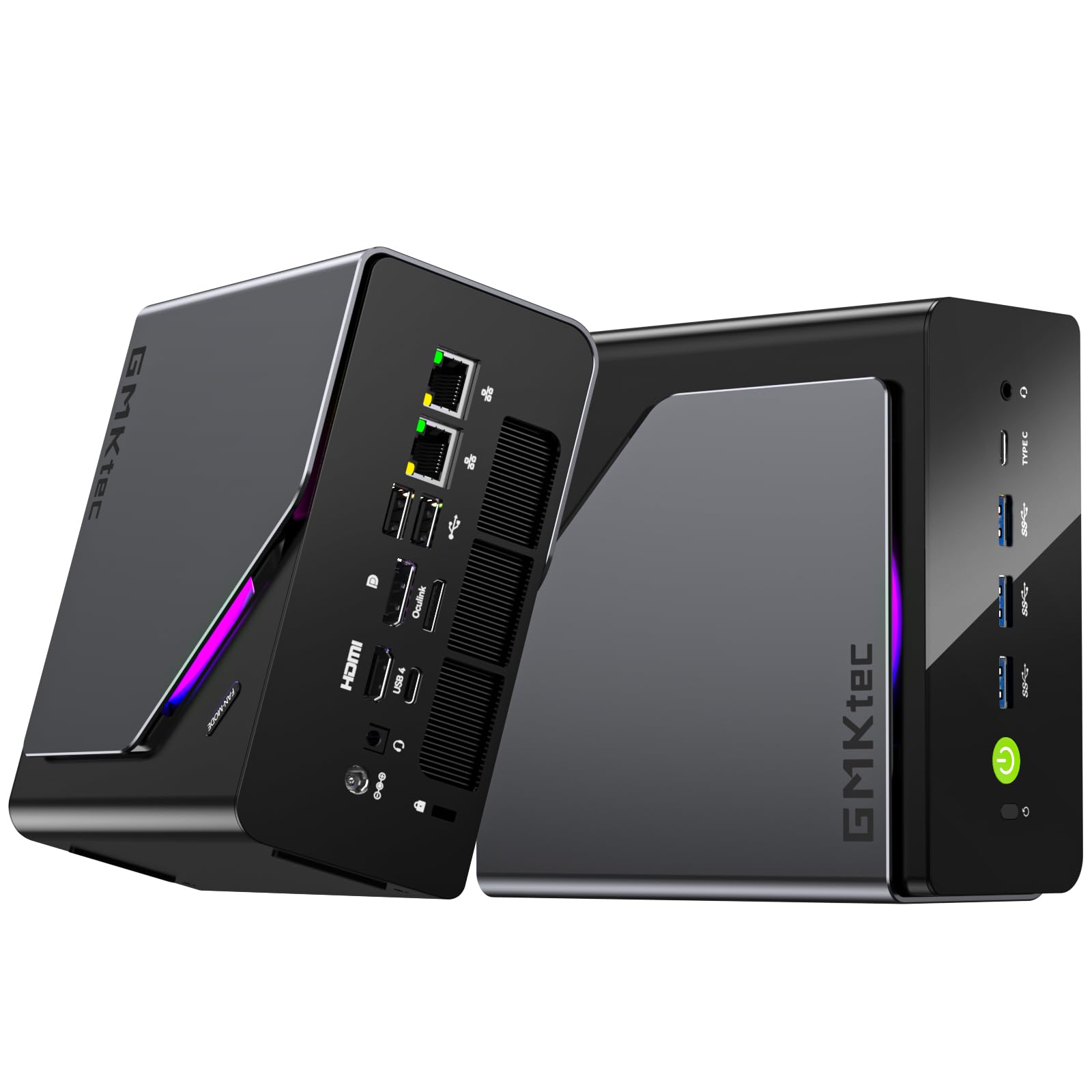
The K15 is the future-proof pick, powered by Intel Core Ultra 5 125U with a dedicated Intel AI Boost NPU that delivers 13 TOPS (INT8) of machine-learning performance. That’s hardware acceleration for AI development, real-time analytics, and smart home automation — features no other barebones here matches.
Storage is genuinely extreme: three PCIe 4.0 x4 M.2 slots support up to 24TB of SSD, and dual-channel DDR5-4800MHz RAM scales to 128GB. The The OCuLink port delivers 64Gbps bandwidth (2x faster than Thunderbolt 4) and cuts eGPU latency by 40%., making it a stellar render node or AI server.
Gaming arrives via the Intel Arc 140T GPU with 8 Xe-cores, supporting DX12, OpenGL 4.5, and OpenCL 3 for modern titles at medium-high settings. Quad 8K display output (HDMI 2.1, DP 1.4, dual USB4) lets you run stock dashboards or video walls. Buyers running it as a home server and software instructor workload praise the responsiveness, especially for Hyper-V VMs.
The standout
- 13 TOPS AI NPU for machine learning
- Triple M.2 slots with 24TB max
- 0+0 barebone design with full upgrade freedom
The warning
- BIOS is third-party with confusing settings
- No USB-C port for a single-cable setup
Choose this if: AI workloads and massive storage are your endgame.
Alternatively: if you want a one-cable desk setup, the missing USB-C port is a dealbreaker.
Understanding the Specs
Integrated Graphics: The Radeon 780M vs Intel Arc
The processor’s built-in GPU does all the heavy lifting in a barebones mini PC, since there’s no slot for a full card. AMD’s Radeon 780M, based on RDNA 3 architecture, is the gamer’s favorite for smooth 1080p. Intel’s Arc graphics (found in the MINISFORUM and GMKtec) excels at media encoding and AI tasks, making it a better all-rounder for creators.
OCuLink: The External GPU Gateway
An OCuLink port is a high-bandwidth connection (64Gbps) that lets you attach an external graphics card dock. It’s faster than Thunderbolt 4 and doesn’t occupy an M.2 SSD slot on most models here, so you can upgrade graphics power later without losing storage space. Remember: it’s not hot-swappable, so you must plug in before powering on.
FAQ
What does “barebones” mean for a gaming PC?
Is a mini PC good for gaming?
What RAM should I buy for these barebones units?
Can I upgrade the storage later?
What is OCuLink used for?
Do these mini PCs come with an operating system?
Are these computers quiet enough for an office?
Can I connect multiple monitors?
Is Wi-Fi 7 worth it over Wi-Fi 6E?
Which one should I pick for video editing?
Final Thoughts: The Verdict
For most people, the barebones gaming pc winner is the Reatan Oculink because it pairs a fast Ryzen 7 with Wi-Fi 7, an OCuLink port, and the best balance of price and performance. If you want maximum CPU speed for DIY tinkering, grab the AOOSTAR GEM12 MAX. And for a whisper-quiet creator studio, the MINISFORUM M1 Pro is the one to reach for.
How We Picked
We do not accept paid placement. Every pick is matched to a real buyer and a real use-case; we do not hands-on test units.
Sources & Methodology
Specifications: manufacturer listings and product documentation. Review insights: verified customer reviews, as of August 2026. Pricing: not shown on this page (it changes often); check the current price via the retailer link.
As an Amazon Associate, Gadgets Feed earns from qualifying purchases. This does not affect which products we feature.