
Our readers keep the lights on and my morning glass full of iced black tea. As an Amazon Associate, I earn from qualifying purchases.
Specs are compiled from manufacturer listings and verified buyer reviews and can change over time — please confirm the key details on the product page before buying.
You want a desktop that handles your daily work, streaming, and multitasking without spending a fortune. A bargain desktop PC doesn’t mean slow or unreliable — the trick is knowing which specs actually matter for the price. You need enough RAM, a solid-state drive for speed, and a processor that keeps up with modern software, all without blowing your budget.
I’m Min — the founder and writer behind Gadgets Feed. This guide is built by comparing the manufacturers’ published specifications and the patterns across verified customer reviews, so you get each pick’s real strengths and trade-offs instead of marketing spin.
After poring through the data, here are the best value-packed options in the bargain desktop pc space — from mini PCs that hide behind a monitor to all-in-ones that include the screen.
Our Picks at a Glance
How To Choose The Best Bargain Desktop PC
A great budget desktop starts with knowing which corners you can safely cut. Focus on the parts that directly impact your everyday speed — storage type, memory size, and processor generation.
Processor (CPU): Look for 4 Cores and Up
The processor is the brain of your PC. For a bargain desktop, aim for at least a 4-core model running at 3.0GHz or higher. A newer generation chip (like the Intel N100 or AMD Ryzen 7330U) often outperforms an older i5 or i7 at the same price point because of efficiency improvements.
Memory (RAM): 16GB Is Your Target
8GB of RAM is the bare minimum for Windows 11, but you will hit walls if you multi-task across many browser tabs and office apps. 16GB of DDR4 RAM gives you real breathing room for everything from spreadsheets to video streaming without stuttering.
Storage: Prioritize an SSD Over a Hard Drive
A solid-state drive (SSD) makes your computer feel instant — booting in seconds rather than minutes. A 256GB or 512GB SSD is the standard for a bargain machine, and you can always add a second hard drive later for more bulk storage if the PC has expansion slots.
Quick Comparison
| Model | Best For | Processor | RAM / Storage | Display Output | Amazon |
|---|---|---|---|---|---|
| KAMRUI AK1PLUS★ Best Overall | Ultra-Compact & Quiet | Intel Celeron N5095 (2.9 GHz) | 16GB / 256GB SSD | Dual 4K@60Hz | Amazon |
| GEEKOM IT12Also Great | Performance & Connectivity | Intel i5-12450H (4.4 GHz) | 16GB / 512GB SSD | Dual USB4, 8K | Amazon |
| Lenovo IdeaCentre AIOBest All-in-One | All-in-One Simplicity | Intel N100 (3.4 GHz) | 8GB / 512GB SSD | FHD Built-in | Amazon |
| KAMRUI Pinova P2 | Triple 4K Productivity | AMD Ryzen 7330U (4.3 GHz) | 16GB / 256GB SSD | Triple 4K@60Hz | Amazon |
| HP ProDesk 600G4 | Heavy Multitasking & Storage | Intel i7-8700 (4.6 GHz) | 32GB / 1TB SSD | 2x DisplayPort, 4K | Amazon |
| Dell OptiPlex 7040 | Wi-Fi 6E & Triple Monitor | Intel i7-6700 (3.4 GHz) | 32GB / 1TB NVMe SSD | 3x 4K via DP+HDMI | Amazon |
| Lenovo 24″ AIO (16GB) | Built-in Screen & More RAM | Intel N100 (3.4 GHz) | 16GB / 128GB SSD | FHD Built-in | Amazon |
| HP Windows 11 Desktop | Complete Family Setup | Intel i5-8500 | 16GB / 500GB SSD | 24″ LCD Included | Amazon |
| Dell OptiPlex 5060 | Dual Storage & Speed | Intel i5-8500 (4.3 GHz) | 16GB / 500GB SSD + 1TB HDD | 1920×1080 | Amazon |
In‑Depth Reviews
1. KAMRUI AK1PLUS Mini PC
Our pick — over 4★ from 2,000+ verified ratings; the strongest balance of quality and price.
The tiny quiet PC that streams dual Twitch feeds without breaking a sweat.
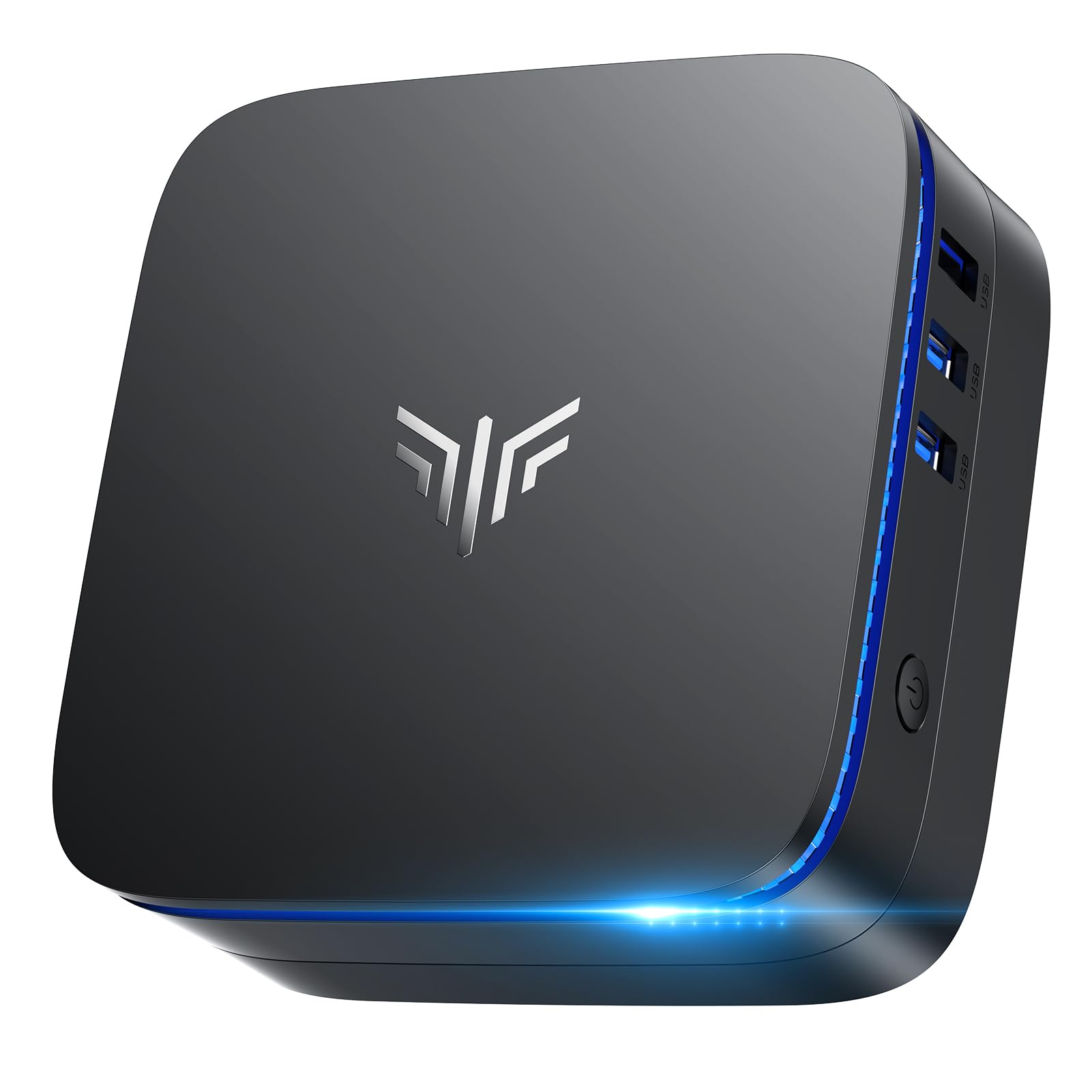
The KAMRUI AK1PLUS is the entry-level darling of this list. It runs an Intel Celeron N5095 (4 cores, up to 2.9 GHz) with 16GB LPDDR4X RAM and a 256GB M.2 SSD. The dual HDMI 2.0 outputs support two 4K@60Hz displays at up to 3840×2160 resolution, at 3840×2160 resolution versus the Dell OptiPlex 5060’s 1920×1080 max. Storage expands up to 4TB total via M.2 and a 2.5-inch SATA bay.
Shoppers say it is “surprisingly fast” for the money. One owner said: “It is snappy and loads chrome and the two twitch streams just fine with each stream in a separate window (one on each monitor).” The cooling system keeps noise low, and the PC supports Auto Power On, RTC Wake (a feature that turns the PC on at a set time), and Wake-on-LAN (lets you start it remotely over your network) for business or kiosk use.
Why It Wins on Budget
- 16GB RAM at this price point is rare in mini PCs
- Dual 4K@60Hz output for a massive workspace
- Expandable storage up to 4TB for future growth
The Limit
- Celeron N5095 has a CPU speed of 2.9 GHz versus the Dell i5-8500 at 4.3 GHz
- Not suited for heavy gaming or video rendering
Best for: Extreme bargain hunters who need a dual 4K-capable machine for streaming, office work, and light multitasking — and who are fine with a modest processor for basic tasks.
2. GEEKOM IT12 Business Mini PC
The mini PC that packs 48% more multi-core punch than older laptop chips.
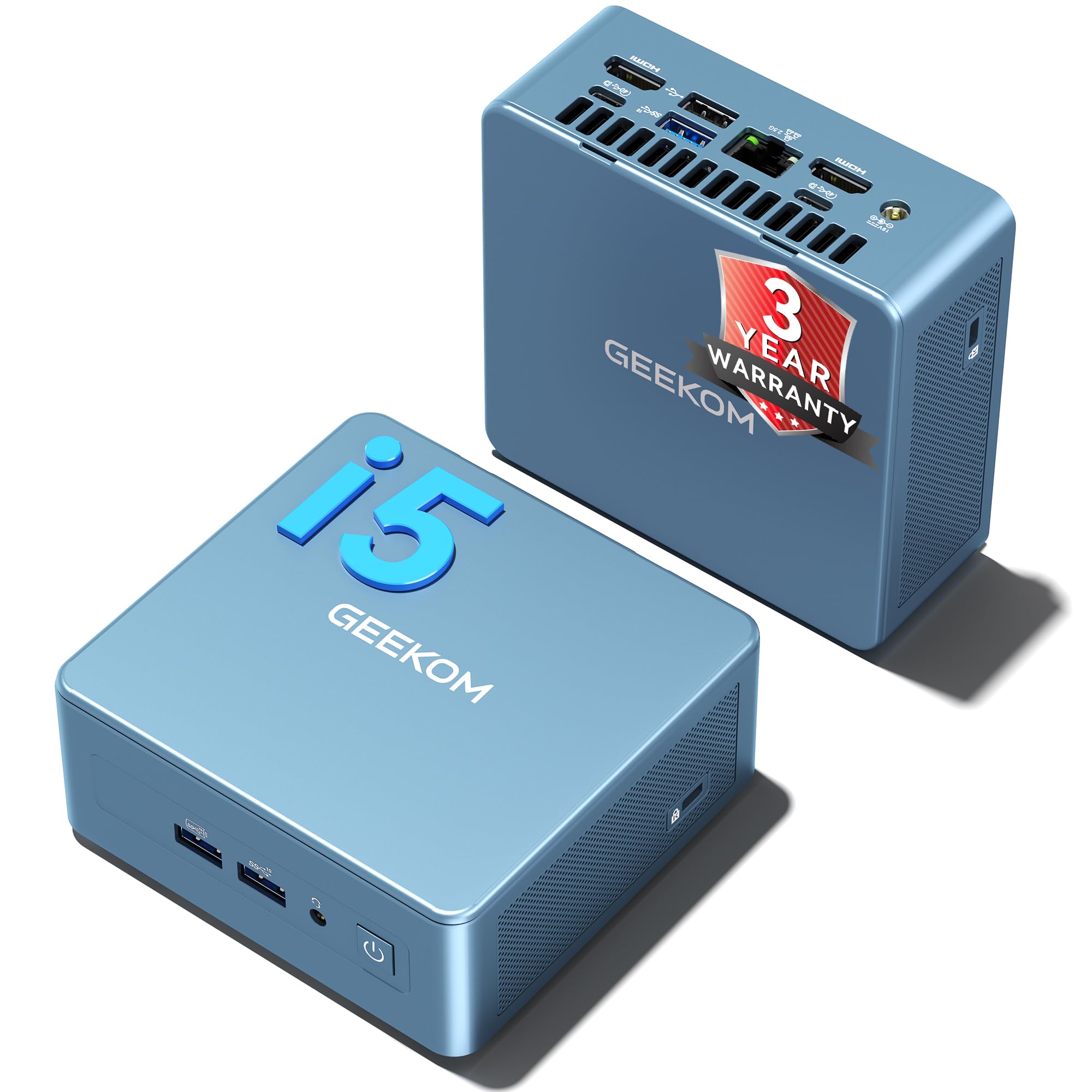
This GEEKOM is for the buyer who needs serious computing power in a tiny box. It runs on an Intel Core i5-12450H processor that maxes out at 4.4 GHz, and the manufacturer claims single-core speeds comparable to an AMD Ryzen 9 6900HX. The built-in Intel Quick Sync feature accelerates 4K video transcoding by 30%, which matters if you run a Plex server or edit short video clips.
You get 16GB of RAM (expandable to 96GB) and a 512GB NVMe SSD. It supports storage up to 4TB total through additional SATA slots. The IT12 drives dual USB4 ports with 8K support (7680 x 4320 pixels) thanks to Intel UHD Graphics — a huge leap beyond the standard 1920×1080 many systems cap at. The 2.5Gb Ethernet is faster than a regular Gigabit port (2.5 Gbps versus 1 Gbps), and Wi-Fi 6E keeps connections lag-free. Buyers report it works flawlessly for Formula One MultiViewer setups and Adobe design apps like InDesign and Photoshop.
The catch: The 16GB model is not LPDDR memory, and the price is higher than basic mini PCs. But you get a full 3-year warranty (three times longer than most competitors) plus US-based support.
Performance Highlights
- Intel i5-12450H with 12MB cache and turbo up to 4.4 GHz
- Expandable RAM up to 96GB — future-proof for heavy workloads
- Dual USB4 ports support 8K displays simultaneously
Trade-offs
- Does not come with a monitor, keyboard, or mouse
- Higher upfront cost than entry-level mini PCs
Reach for this if: You need serious multi-core performance for transcoding, VMs, or design work in a space-saving chassis.
Look elsewhere if: Your budget is strict and you absolutely need a bundled monitor and peripherals.
3. Lenovo IdeaCentre All-in-One Desktop
A near-perfect all-in-one that hides the computer behind the screen.
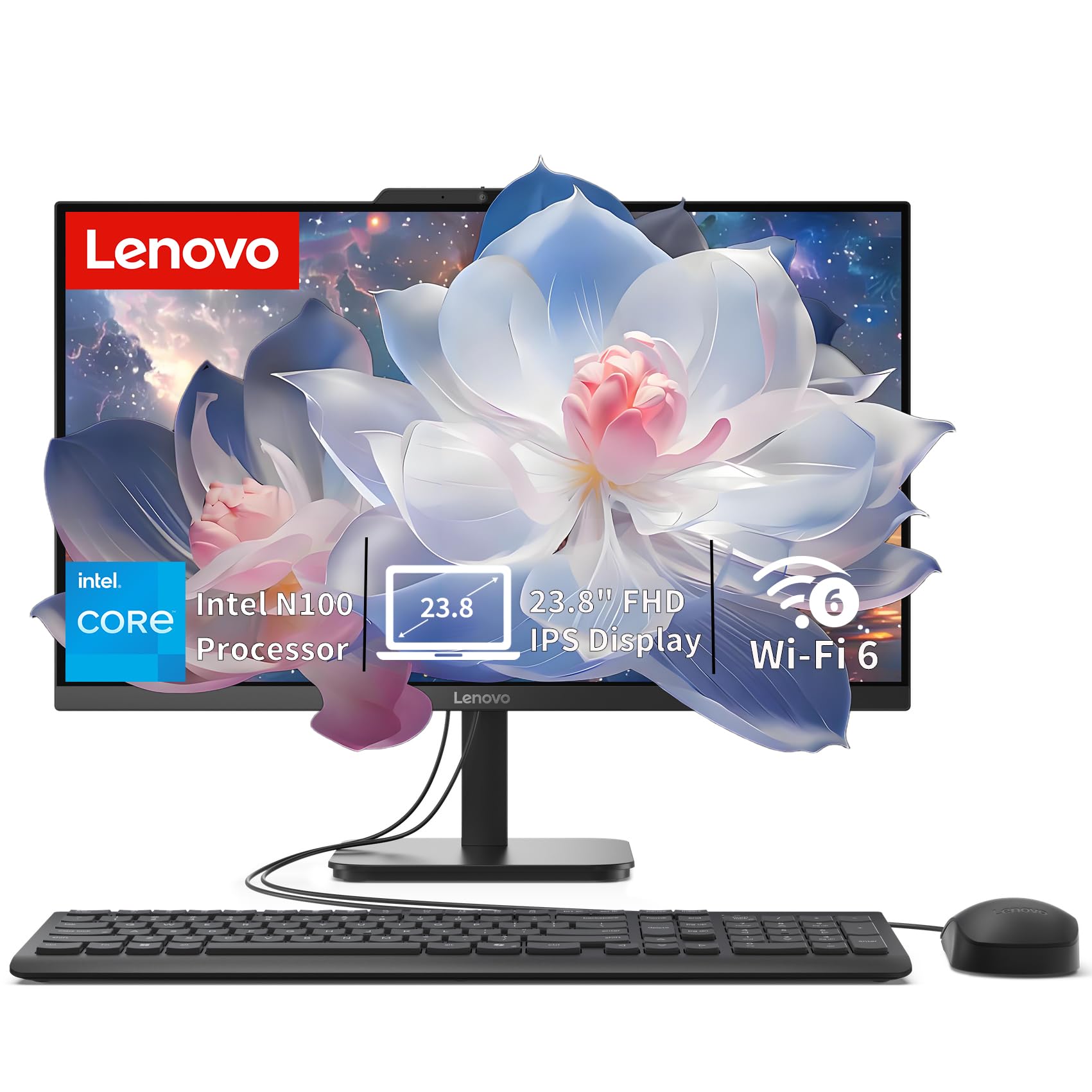
The IdeaCentre is a grab-and-go desktop for anyone who hates tangled cables. It packs an Intel N100 processor (4 cores, up to 3.4 GHz) with 8GB of DDR4 RAM and a 512GB PCIe SSD right into the back of a 23.8-inch Full HD IPS display. The screen delivers 250 nits of brightness with 99% sRGB color coverage, so photos and videos look vivid right from the start. An anti-glare coating means you can sit near a window without fighting reflections.
For connectivity, you get Wi-Fi 6 (AX203), Bluetooth 5.2, and a full port array including USB-C at 10Gbps and HDMI-out to run a second display. Owners mention the machine is “super fast” and the display is “gorgeous,” with one reviewer noting the packaging was so immaculate they thought it was brand-new.
The catch: 8GB of RAM is enough for everyday browsing and office work, but you might feel the pinch with 20+ browser tabs or heavy spreadsheets. RAM is upgradable to 32GB if you are willing to open the chassis.
Who it suits: Students, remote workers, and families who want a clean desk with zero tower clutter.
4. KAMRUI Pinova P2 Mini PC

An AMD mini PC that drives three 4K monitors at the same time.
The Pinova P2 is built around an AMD Ryzen 7330U processor (Zen 3, 4 cores, 8 threads, up to 4.3 GHz) with 8MB of L3 cache. The maker claims it is faster in single-core performance than the older Ryzen 3 4300U and beats Intel i3-10110U chips in multi-core tasks. The integrated Radeon Graphics (6 compute units running up to 1.8 GHz) is powerful enough to drive triple 4K@60Hz displays via HDMI 2.0, DisplayPort 1.4, and USB-C with DP Alt Mode.
It comes with 16GB of LPDDR4X RAM and a 256GB M.2 SSD, with expansion slots supporting up to 4TB total. One USB 3.2 Gen2 Type-C port hits 10Gbps (21 times faster than USB 2.0). Buyers call it “fast” and say it handles multiple browser tabs, streaming, and office work flawlessly. One owner noted the Wi-Fi can be inconsistent at times.
Standout Specs
- AMD Radeon Graphics with 6 CUs — beats older Intel integrated graphics
- Triple 4K output via HDMI, DP, and USB-C for massive desktop space
- Compact 5.05″ x 5.05″ footprint; includes VESA mount
Note
- Some users report intermittent Wi-Fi stability
Grab it for: A multi-monitor workstation without spending on a discrete graphics card.
5. HP ProDesk 600G4 Tower Desktop
A refurbished tower with a massive 32GB RAM and a 1TB SSD.
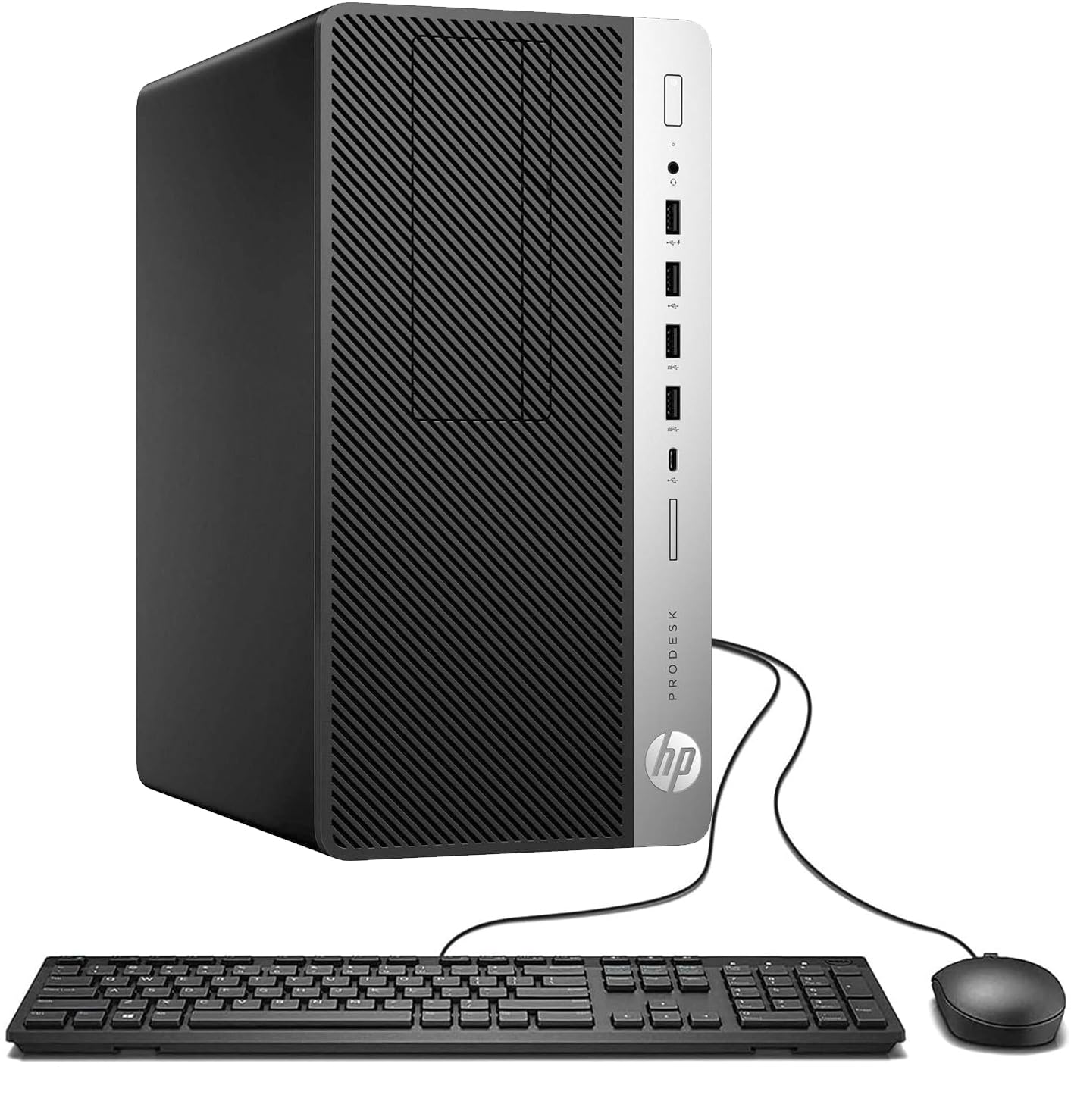
The HP ProDesk 600G4 packs an 8th Gen Intel Core i7-8700 hexa-core processor that turbos up to 4.6 GHz, paired with 32GB of DDR4 RAM and a 1TB solid-state drive. That is 32GB RAM, which is more than the typical 16GB in most competitors, and speed-of-light boot times. Intel HD Graphics 630 handles 4K output at up to 3840 x 2160 pixels across two DisplayPort connections, making it a strong pick for photo and video editing.
You get a full tower with plenty of expansion: 6 USB 3.0 ports, 4 USB 2.0, USB Type-C, and internal SATA slots for adding more drives. Customers note it is “fast” and “impressive” from the start, though a few noted the included USB Wi-Fi adapter is lackluster and the cheap keyboard and mouse are best replaced.
Why It Stands Out
- 32GB RAM handles heavy multitasking without slowdowns
- 1TB SSD provides massive, fast storage for large files
- Full tower design offers future upgrade options
Heads-Up
- Renewed unit; some buyers received units with cosmetic issues
- Bundled Wi-Fi adapter and peripherals may need upgrading
Best fit: Content creators or power users who need abundant RAM and storage for large projects, and who are comfortable with a renewed product.
6. Dell OptiPlex 7040 Desktop PC

A small-form-factor Dell with the latest Wi-Fi 6E and a 1TB NVMe drive.
The OptiPlex 7040 SFF uses an Intel Core i7-6700 quad-core processor at 3.4 GHz, but the real story is the upgrades. It comes with 32GB of DDR4 RAM and a brand-new 1TB M.2 NVMe SSD for blistering read/write speeds. The built-in Intel AX210 card supports Wi-Fi 6E across the 2.4 GHz, 5 GHz, and 6 GHz bands, so you are not forced to use an Ethernet cable for fast internet.
On the video side, you get 2 DisplayPorts and 1 HDMI output, allowing three 4K monitors at up to 3840 x 2160 resolution. Buyers appreciated the speed for home office use, though a few pointed out mismatched RAM sticks (affecting dual-channel performance) and unstable Wi-Fi with the supplied card. One reviewer noted the fan is audible, but nothing a replacement cannot fix.
The decision: If you crave the fastest possible wireless speed in a compact chassis with triple 4K support, this is your pick. Be aware that some units may need minor configuration tweaks from the start.
7. Lenovo 24″ FHD All-in-One Desktop (16GB)
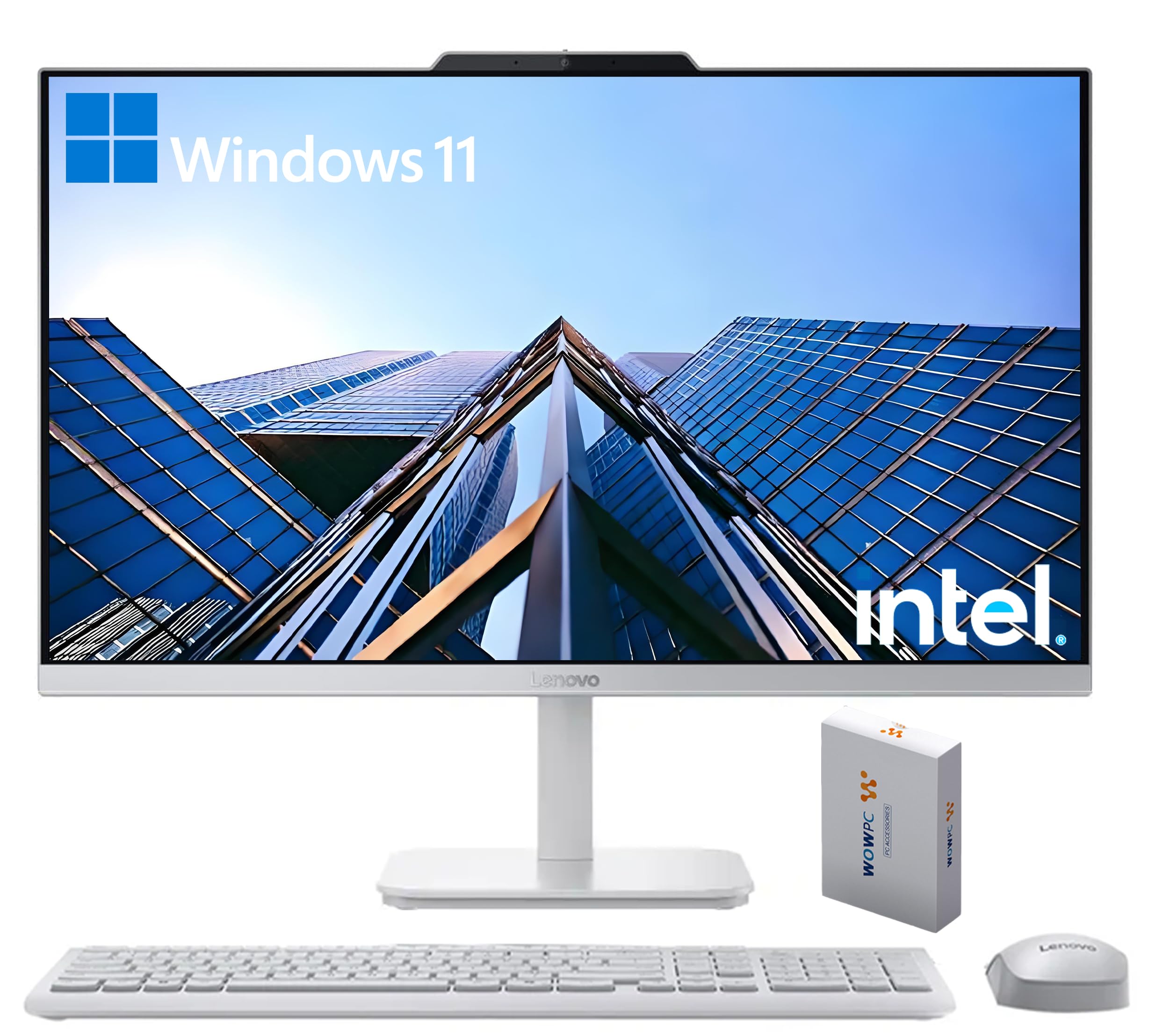
An all-in-one with double the RAM of most budget AIOs.
This Lenovo gives you a 23.8-inch Full HD IPS display (1920×1080, 250 nits, 99% sRGB) paired with an Intel N100 processor, 16GB DDR4 RAM, and a 128GB PCIe SSD. The 16GB memory is the key differentiator — it keeps dozens of browser tabs open without reloading, which matters for students and office workers. Storage is limited to 128GB, but you can expand via the USB ports or an external drive.
Connectivity includes Intel Wi-Fi 6 AX203, Bluetooth 5.2, Gigabit Ethernet, and a range of ports: 2x USB-A 2.0, 2x USB-A 10Gbps, HDMI-out 1.4b, and a headphone jack. Buyers love the “beautiful” display and excellent value, though some note the included keyboard has key mapping issues (the @ symbol appearing on the wrong key).
Pick this if: You want a clean, single-cable desktop with enough RAM to handle real multitasking and do not mind a smaller SSD (128GB) for daily documents and streaming.
8. HP Windows 11 Desktop (Intel i5)

An all-in-one bundle that includes a monitor, speakers, keyboard, and webcam.
This HP ProDesk SFF package is the ultimate grab-and-go family setup. You get an Intel Core i5-8500 hexa-core processor, 16GB DDR4 RAM, a 500GB SSD, plus a refurbished Grade A 24-inch LCD monitor, RGB keyboard and mouse, speakers, and a 2K webcam. That means you can set up a full workstation right from the start — no extra shopping required.
It ships with Windows 11 Pro pre-installed. Connectivity includes built-in Wi-Fi and Bluetooth for wireless peripherals and networks. Reviewers point out it “works great” from the start and the speakers sound good. One reviewer did warn that this is a refurbished machine, and some units may need a Wi-Fi adapter separately since the specific ProDesk model lacks the drivers and antenna for wireless from the start.
Perfect for: Families or students who want a single shipment that covers everything — monitor, computer, keyboard, mouse, speakers, and webcam. Just plug in and start.
9. Dell OptiPlex 5060 Desktop PC

A refurbished Dell with 1.5TB total storage for under.
The OptiPlex 5060 combines a fast 500GB SSD for Windows and apps with a 1TB hard drive for file archives — giving you 1.5TB total. The Intel Core i5-8500 hexa-core processor turbos up to 4.3 GHz, which is at 4.3 GHz versus the KAMRUI’s Celeron N5095 at 2.9 GHz. 16GB of DDR4 RAM keeps things moving smoothly across multiple applications.
Connectivity includes Wi-Fi, Bluetooth, and Gigabit Ethernet. The integrated Intel UHD Graphics 630 supports 1920×1080 resolution (a smaller display cap than some competitors, but fine for standard office monitors). Buyers call it “fast, reliable, and very easy to use,” though a few note the fan can be noisy and the Wi-Fi drops after sleep mode. An Ethernet cable fixes the Wi-Fi issue.
Great value if: You need a dual-drive setup — SSD for speed and HDD for bulk storage — and you want a familiar Dell tower with a strong 4.3 GHz processor.
Understanding the Specs
Processor Speed (CPU)
The CPU is the brain of your computer. A faster base or turbo speed (measured in GHz) means snappier everyday performance. For a bargain desktop, look for a processor that reaches at least 3.4 GHz or higher. More cores (4 to 6) help with multitasking — running many apps at once without stuttering.
Memory (RAM) and Storage
RAM (your computer’s short-term memory) at 16GB lets you keep many apps open without slowdowns. Storage comes in two types: SSDs (solid-state drives) load your operating system and apps in seconds, while HDDs (hard drives) give you cheap bulk space for files. A 256GB or 512GB SSD is ideal for a budget machine, with room to add a larger HDD later if your PC has expansion bays (slots inside the case for extra drives).
FAQ
Can I upgrade the RAM and storage on a bargain desktop PC?
Is a refurbished desktop PC reliable?
How much RAM do I need for everyday use?
Can a mini PC replace a full-sized desktop?
Do I need a dedicated graphics card for a budget PC?
What is the difference between an SSD and an HDD?
Will a bargain desktop support dual monitors?
How do I know if a refurbished PC is a good deal?
Can I play games on a budget desktop PC?
What should I check before buying a bargain desktop?
Final Thoughts: The Verdict
Across the board, the bargain desktop pc winner is the GEEKOM IT12 because it delivers serious i5 performance, 8K connectivity (supports ultra-high-resolution 8K displays), and a 3-year warranty in a tiny chassis. If you want the cleanest setup with a screen included, grab the Lenovo IdeaCentre All-in-One. And for an ultra-low price with dual 4K output (lets you run two 4K monitors at once), the KAMRUI AK1PLUS is the cheapest way to get that.
How We Picked
We do not accept paid placement. Every pick is matched to a real buyer and a real use-case; we do not hands-on test units.
Sources & Methodology
Specifications: manufacturer listings and product documentation. Review insights: verified customer reviews, as of July 2026. Pricing: not shown on this page (it changes often); check the current price via the retailer link.
As an Amazon Associate, Gadgets Feed earns from qualifying purchases. This does not affect which products we feature.