
Scoring a gaming monitor that delivers high-refresh smoothness without wrecking your budget used to mean settling for outdated panels and low resolutions. Today’s bargain tier has moved past that compromise, offering 1440p QHD resolutions, 180Hz-plus refresh rates, and even OLED panels at prices that were unthinkable a few years ago. The challenge now is cutting through the spec sheet noise to find the one that actually fits your GPU, your desk space, and your preferred game genres.
I’m Min — the co-founder and writer behind Gadgets Feed. For this guide, I’ve dug into the technical specifications, real customer feedback, and competitive pricing of nine monitors to isolate the true stars of the bargain segment, focusing on measurable metrics like refresh rate, response time, resolution, and panel type rather than marketing fluff.
Whether you are assembling a first rig or hunting for a second display, the best bargain gaming monitor is the one that balances refresh rate, resolution, and build quality at a price that makes sense for your setup.
How To Choose The Best Bargain Gaming Monitor
A bargain gaming monitor is defined by its refresh rate, resolution, panel technology, and connectivity — all at a price that doesn’t require a second mortgage. Before you click “buy,” match the specs to your gaming habits and hardware.
Refresh Rate vs. Resolution: The Trade-Off
For competitive shooters and esports, a 240Hz or 280Hz 1080p panel gives you the smoothest motion tracking. For open-world RPGs and story-driven titles, a 144Hz QHD panel delivers sharper detail that makes environments more immersive. Your GPU’s horsepower dictates which side of this trade-off you can realistically use — a mid-range card will struggle to push 1440p at high frame rates.
Panel Type Matters More Than You Think
IPS panels dominate the mid-range for their color accuracy and wide viewing angles, but their contrast ratio typically stays around 1000:1. VA panels push deeper blacks (3000:1 or higher) at the cost of slower pixel response in dark transitions. OLED offers infinite contrast and near-instant response, but burn-in risk and higher entry cost remain concerns. Each panel chemistry suits a different visual priority.
Ergonomics and Connectivity
Height-adjustable stands and VESA mounting support are not luxuries — they are essentials for long sessions. A stand that only tilts forces you into a fixed posture. Similarly, ensure the monitor includes at least one DisplayPort 1.4 if you plan to run 1440p above 144Hz, as HDMI 2.0 caps out earlier. Built-in speakers are a bonus but rarely replace dedicated desktop audio.
Quick Comparison
On smaller screens, swipe sideways to see the full table.
| Model | Category | Best For | Key Spec | Amazon |
|---|---|---|---|---|
| ASUS TUF Gaming VG27AQM5A | Premium | Competitive 1440p | 300Hz / 0.3ms GTG | Amazon |
| Samsung Odyssey OLED G5 | Premium | OLED visual fidelity | QHD / 0.03ms GTG | Amazon |
| AOC Q27G41ZE | Mid-Range | High-speed QHD | 240Hz (OC 260Hz) | Amazon |
| Alienware AW2725DM | Mid-Range | All-round gaming | 180Hz / 1ms GTG | Amazon |
| Dell S2725DSM | Mid-Range | Work + casual play | 144Hz / 1ms MPRT | Amazon |
| Samsung Odyssey G55C | Mid-Range | Immersive curved QHD | 165Hz / 1000R curve | Amazon |
| LG 27GS50F-B | Entry-Level | 1080p budget gaming | 180Hz / 1ms MBR | Amazon |
| KTC H32C5 | Entry-Level | Large curved 1080p | 280Hz / 1500R curve | Amazon |
| Sceptre C345B-QUT168 | Entry-Level | Ultrawide productivity | 3440×1440 / 180Hz | Amazon |
In‑Depth Reviews
1. ASUS TUF Gaming VG27AQM5A

The ASUS TUF Gaming VG27AQM5A packs a 27-inch QHD Fast IPS panel that refreshes at a staggering 300Hz — a spec that normally belongs to the four-digit price bracket. Its 0.3ms GTG response time and ELMB Sync technology eliminate both ghosting and tearing simultaneously, a rare combination in this price tier. The 95% DCI-P3 color gamut makes HDR content pop, while the built-in speakers offer convenient desktop audio without cluttering your desk.
Setup is straightforward with DisplayPort and dual HDMI inputs, and the included stand provides tilt, swivel, and height adjustments. Customer feedback consistently praises the fluid motion clarity and vibrant colors out of the box, with most users noting a massive upgrade from standard 60Hz or 144Hz panels. The shadow boost feature also helps reveal enemies hiding in dark corners without washing out bright areas.
The one recurring critique is moderate peak brightness — at around 300 nits, it is sufficient for indoor use but not class-leading. A few units have also been reported with minor IPS glow, though no backlight bleed severe enough to distract during gameplay. For competitive 1440p gaming on a budget, this ASUS is the benchmark.
Why it’s great
- 300Hz refresh with ELMB Sync for blur-free motion
- QHD Fast IPS panel with 95% DCI-P3 color coverage
- Full ergonomic stand with height, tilt, and swivel adjust
Good to know
- Built-in speakers are adequate but lack depth
- Peak brightness is moderate for HDR content
2. Samsung Odyssey OLED G5 (G50SF)

The Samsung Odyssey OLED G5 is the only QD-OLED panel in this lineup, and it delivers the deepest blacks and most vibrant colors of any monitor tested here. With a 1,000,000:1 contrast ratio and a 0.03ms GTG response time, this monitor makes IPS panels look washed out by comparison. The 180Hz refresh rate is paired with both G-Sync and FreeSync compatibility, ensuring a tear-free experience across NVIDIA and AMD GPUs.
The Glare Free coating effectively handles reflections in bright rooms, and the OLED Safeguard system uses a thermal modulation method to reduce burn-in risk. Pantone Validation means the color accuracy is high enough for photo editing alongside gaming. Auto Source Switch+ also simplifies multi-device setups by detecting which input is active.
On the downside, the stand only offers tilt adjustment — no height or swivel — which may force an aftermarket VESA mount for proper ergonomics. It also lacks built-in speakers and includes only one HDMI 2.1 and one DisplayPort input. For media consumption and immersive single-player games, however, the OLED G5 is unmatched in its price bracket.
Why it’s great
- True OLED blacks and infinite contrast ratio
- 0.03ms response eliminates all motion blur
- Pantone Validated for color-accurate work
Good to know
- Stand is tilt-only, no height adjustment
- No built-in speakers and limited port selection
3. AOC Q27G41ZE

The AOC Q27G41ZE hits a sweet spot few monitors in this range can match: a 27-inch QHD IPS panel that runs at 240Hz out of the box, overclockable to 260Hz over DisplayPort 1.4. The 0.3ms MPRT response time keeps fast motion crisp, and Adaptive-Sync support works with both FreeSync and G-Sync compatible GPUs. At 300 nits brightness and a 1000:1 contrast ratio, the image is punchy enough for most gaming conditions.
The three-sided frameless design looks clean on any desk, and the VESA 100x100mm mount pattern gives you flexibility for monitor arms. The on-screen display includes game-specific presets like sniper mode, crosshair overlays, and a timer tool — features that competitive players will appreciate. Customer reviews highlight the massive smoothness upgrade from 60Hz panels and the absence of dead pixels out of the box.
The main complaints center on the stand, which only offers tilt adjustment and feels slightly wobbly if the desk is bumped. Some users also note that the brightness, while adequate, could be higher for well-lit rooms. For those who prioritize speed and resolution equally, the AOC delivers the highest refresh-per-dollar ratio in the QHD segment.
Why it’s great
- 240Hz (OC 260Hz) at QHD resolution
- G-Sync compatible with FreeSync support
- Extensive gaming OSD features
Good to know
- Stand wobbles on unstable desks
- Brightness is only average for bright environments
4. Alienware AW2725DM

The Alienware AW2725DM brings Dell’s premium engineering to the bargain segment with a 27-inch QHD IPS panel running at 180Hz with a 1ms GTG response time. The 95% DCI-P3 color coverage and VESA DisplayHDR 400 certification make this monitor suitable for both gaming and creative work. The stand offers full height, tilt, swivel, and pivot adjustments — a rarity at this price point that eliminates the need for an aftermarket mount.
NVIDIA G-Sync and AMD FreeSync compatibility cover both major GPU ecosystems, and the console mode optimizes performance for PlayStation and Xbox users. The hardware-based low blue light solution reduces eye strain without washing out colors, a big advantage for marathon gaming sessions. Users consistently praise the sturdy build, crisp text rendering, and the lack of dead pixels on arrival.
The only notable omission is the lack of built-in speakers and a headphone jack, which means you will need external audio. The HDMI port also caps the refresh rate at 144Hz, so achieving the full 180Hz requires a DisplayPort cable. For buyers who want Alienware DNA without the premium markup, this is an easy recommendation.
Why it’s great
- Full ergonomic stand with height, pivot, and swivel
- DisplayHDR 400 with 95% DCI-P3 coverage
- Console mode for PlayStation/Xbox optimization
Good to know
- No built-in speakers or headphone jack
- HDMI limited to 144Hz
5. Dell S2725DSM

The Dell S2725DSM in Ash White is a 27-inch QHD IPS monitor that runs at 144Hz with a 1ms MPRT response time, making it a strong hybrid pick for both office productivity and casual gaming. The 1500:1 contrast ratio is higher than typical IPS panels, giving deeper blacks for media consumption. Dual 3W integrated speakers deliver clearer audio than most monitor speakers, handling video calls and YouTube without external gear.
What sets the Dell apart is the full ergonomic stand offering height, tilt, pivot, and swivel adjustments — the same premium stand found on Dell’s UltraSharp line. The 4-star TÜV-certified eye comfort technology reduces blue light without a yellow tint, a feature office users and students will appreciate. The 99% sRGB coverage ensures accurate colors for document work and light photo editing.
Some gamers may find 144Hz limiting for competitive esports, and the lack of HDMI 2.1 means you cannot run the monitor at full refresh over HDMI from a console. For buyers who need one monitor for work and play, the Dell S2725DSM offers the best stand and build quality in the mid-range tier.
Why it’s great
- Full ergonomic stand with four-axis adjustability
- Built-in speakers with better-than-average clarity
- 1500:1 contrast ratio for richer blacks
Good to know
- 144Hz may be too slow for competitive esports
- No HDMI 2.1 for console full-rate support
6. Samsung Odyssey G55C

The Samsung Odyssey G55C wraps a 32-inch QHD VA panel around a tight 1000R curvature, matching the natural focal range of the human eye for deep immersion. The 165Hz refresh rate and 1ms MPRT keep motion smooth, while the 2500:1 native contrast ratio produces much deeper blacks than any IPS alternative in the same price bracket. HDR10 support and a 99% sRGB gamut deliver vibrant colors for games and movies.
AMD FreeSync Premium keeps screen tearing under control, and the anti-glare coating reduces reflections in brightly lit rooms. The VA panel’s high contrast is especially effective in horror games and dark-themed RPGs where shadow detail matters. Users report excellent out-of-box calibration and no dead pixel issues, with many noting a clear visual upgrade over older 1080p TN panels.
The main trade-offs are the stand — which only offers tilt — and the lack of built-in speakers. The plastic build feels less premium than some competitors, and the 32-inch size may overwhelm smaller desks. For anyone seeking a curved QHD experience that pulls you into the game world, the G55C delivers exceptional contrast per dollar.
Why it’s great
- 1000R curve for deep immersion
- 2500:1 VA contrast for true blacks
- 165Hz with FreeSync Premium
Good to know
- Plastic stand with tilt-only adjustment
- No built-in speakers
7. LG 27GS50F-B
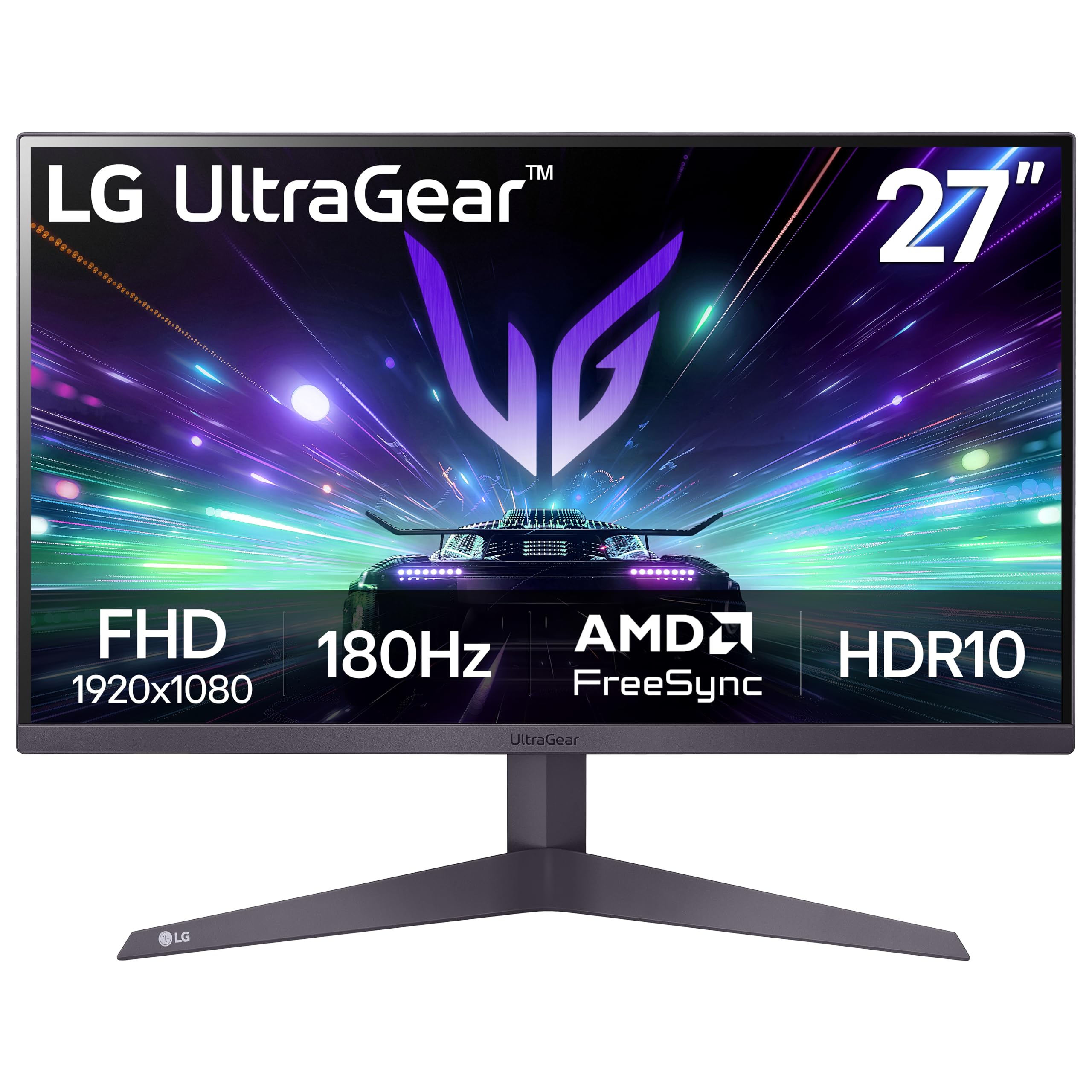
The LG 27GS50F-B proves you do not need to spend a lot for a solid 1080p gaming experience. Its 27-inch VA panel runs at 180Hz with a 1ms MBR response, backed by AMD FreeSync for tear-free motion. The 3000:1 native contrast ratio is a standout feature at this tier, providing deep blacks that IPS competitors cannot match. HDR10 support adds extra punch to supported titles despite the 250-nit peak brightness.
The three-side virtually borderless design maximizes screen real estate on smaller desks, and the Dynamic Action Sync feature reduces input lag for competitive shooters. Black Stabilizer helps illuminate dark areas without over-exposing the rest of the image, a useful tool for spotting enemies in shadows. The tilt-adjustable stand is basic but functional, and the dual HDMI plus DisplayPort connectivity covers all modern consoles and PCs.
At 27 inches, the 1080p resolution results in a lower pixel density (roughly 82 PPI) compared to QHD alternatives, so text and fine details will appear less sharp. Brightness at 250 nits is adequate for indoor use but struggles in very bright rooms. For entry-level gamers or secondary displays, the LG offers the best contrast and refresh rate in its price tier.
Why it’s great
- 3000:1 VA contrast for deep blacks
- 180Hz with FreeSync for smooth motion
- Three-side borderless design
Good to know
- 1080p at 27 inches has lower pixel density
- 250-nit peak brightness is on the dim side
8. Sceptre C345B-QUT168

The Sceptre C345B-QUT168 brings ultrawide WQHD resolution (3440×1440) to the bargain segment with a 34-inch 1500R curved VA panel running at 180Hz. The 1ms MPRT response minimizes ghosting, and FreeSync support keeps multi-monitor setups tear-free. The 99% sRGB coverage produces vibrant colors, and the 1,000,000:1 dynamic contrast ratio makes HDR content pop more than typical budget ultrawides.
The 21:9 aspect ratio provides roughly 30% more horizontal screen space than a standard 16:9 monitor, making it excellent for racing sims, flight games, and productivity workflows with multiple windows side by side. Built-in speakers save desk space, and the luminous backcover LED lights add a gaming aesthetic. Customers consistently praise the immersive experience and the value for a true ultrawide resolution at this price.
Quality control is the biggest variable here — some units ship with backlight bleed or dead pixels, and the stand is tilt-only with no height adjustment. The included cable is DVI rather than HDMI, so you will likely need to buy a separate DisplayPort cable for full 180Hz. For buyers willing to accept some compromise in build quality, the Sceptre delivers the cheapest ultrawide WQHD experience available.
Why it’s great
- 3440×1440 ultrawide at a bargain price
- 180Hz VA panel with 1ms MPRT
- Great immersion for racing and flight sims
Good to know
- Inconsistent quality control on panels
- No height-adjustable stand
9. KTC H32C5
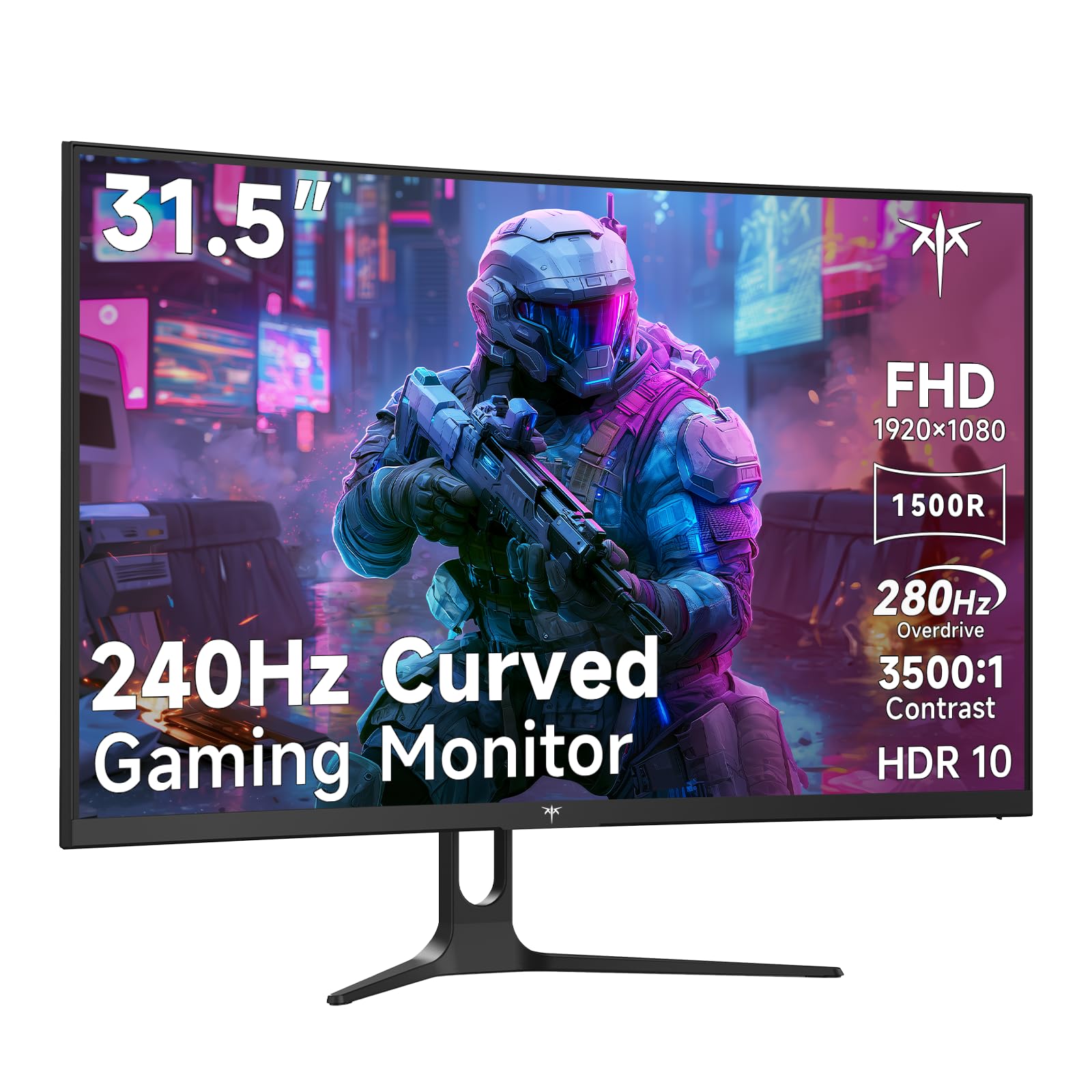
The KTC H32C5 is a 32-inch 1080p curved gaming monitor that punches well above its price with a native 240Hz refresh rate overclockable to 280Hz via DisplayPort. The 1500R curvature wraps around the periphery for immersive viewing, and the 3500:1 VA contrast ratio delivers deep, inky blacks that IPS panels cannot reproduce. The 128% sRGB color gamut gives colors a vivid, punchy look out of the box.
Adaptive-Sync technology eliminates screen tearing, and the HDR10 support adds extra dynamic range to compatible games. The tilt-adjustable stand (ranging from -5° to 15°) and VESA 100x100mm mounting provide flexible placement options. The dual HDMI 2.0 and single DP 1.4 inputs give you plenty of connectivity for multi-platform setups. Customer reviews highlight the smooth, clear picture quality and the easy setup process.
The 1080p resolution on a 32-inch panel results in a pixel density of roughly 69 PPI, making text less sharp than smaller 1080p monitors. Some users also report that the OSD settings can become unresponsive after the monitor wakes from sleep mode, requiring an input switch to regain control. For competitive gamers who want a large screen and ultra-high refresh rates on a tight budget, the KTC H32C5 is the fastest panel in its class.
Why it’s great
- 280Hz maximum refresh for competitive play
- 3500:1 VA contrast for deep blacks
- 32-inch screen with 1500R curve
Good to know
- 1080p on 32 inches has low pixel density
- OSD can be unresponsive after sleep mode
FAQ
Is a 144Hz monitor enough for competitive gaming or do I need 240Hz?
Should I get a 1080p 240Hz monitor or a 1440p 144Hz monitor on a budget?
Does a curved monitor actually improve gameplay or is it just for looks?
What does 1ms response time actually mean for gaming?
Can I use a bargain gaming monitor for professional photo or video work?
Final Thoughts: The Verdict
For most users, the best bargain gaming monitor winner is the ASUS TUF Gaming VG27AQM5A because it delivers a 300Hz QHD Fast IPS panel with full ergonomic adjustability at a price that redefines the value ceiling. If you want true OLED black levels and infinite contrast for immersive single-player games, grab the Samsung Odyssey OLED G5. And for a budget-friendly 1080p build where contrast and refresh rate matter most, nothing beats the LG 27GS50F-B.