
Finding a laptop that costs less doesn’t mean accepting a slow, flimsy machine that struggles to keep up. The real challenge in this segment is spotting the exact hardware mix—RAM, storage, processor generation, and display quality—that lets a sub- machine genuinely handle daily workloads without frustrating pauses. Many budget-tier options cut corners with eMMC storage or soldered memory that can’t be upgraded, locking you into a device that will feel sluggish within a year.
I’m Min — the co-founder and writer behind Gadgets Feed. I’ve spent dozens of hours combing through the spec sheets and customer feedback in this precise price bracket to identify the models that actually deliver on their promises versus those that just look good on paper.
After analyzing over a dozen contenders under , the standouts are clear: these bargain laptop computers prove that smart engineering and generous memory can coexist with an accessible price tag for everyday computing needs.
How To Choose The Best Bargain Laptop Computers
The sheer range of sub- laptops can be confusing, especially when marketing specs blur the line between a capable daily driver and a machine that will frustrate you within weeks. Focusing on three core hardware categories cuts through the noise and leads you to the right pick.
RAM and Storage: The Real Performance Gate
Windows 11 runs comfortably on 8GB of RAM, but 12GB or 16GB provides genuine headroom for multiple browser tabs, Office documents, and background updates. Avoid models with soldered 4GB — they simply cannot handle modern multitasking. For storage, insist on a PCIe NVMe SSD or at least UFS storage; eMMC drives are painfully slow for boot times and app launches. A 512GB or 1TB NVMe drive is ideal, but even 128GB UFS with an external storage option is acceptable for light users.
Processor Generations: What Actually Matters
Within the budget segment, Intel’s N-series (N100, N150, N355) offers decent efficiency for web and office tasks, while older Celeron N4500 chips feel sluggish by comparison. For a noticeable jump in performance, look for an AMD Ryzen 5 7520U or a used business laptop with an Intel Core i5-8265U — these deliver snappier response for streaming, light photo editing, and heavier productivity. Clock speed alone isn’t the story; core count and architecture matter more for smooth everyday use.
Display and Build: Don’t Settle for Blurry
A 1366×768 panel will leave text looking soft and cramped. Prioritize a 1920×1080 (FHD) IPS display for sharper text and better color reproduction. Anti-glare coatings are a bonus if you work near windows. Build-wise, look for a backlit keyboard if you type in dim rooms, a fingerprint reader for convenience, and at least two USB-A ports plus an HDMI output for connecting to external monitors without a dongle.
Quick Comparison
On smaller screens, swipe sideways to see the full table.
| Model | Category | Best For | Key Spec | Amazon |
|---|---|---|---|---|
| Auusda Business Laptop | Mid-Range | Heavy multitasking & storage | 16GB DDR4 / 1TB NVMe | Amazon |
| NIMO 15.6 FHD IPS (Intel) | Mid-Range | Fast connectivity & backlit keyboard | 16GB DDR4 / Wi-Fi 6 | Amazon |
| HP 15.6 Laptop | Entry-Level | Basic Office & browsing | 128GB UFS + 512GB SD | Amazon |
| Dell Latitude 5400 (Renewed) | Premium | Business-grade performance | 32GB DDR4 / 1TB NVMe | Amazon |
| HP 14 Laptop (2025) | Mid-Range | All-in-one bundle & Office 365 | 16GB DDR4 / 128GB UFS | Amazon |
| ASUS Vivobook Go 15 | Premium | AMD Ryzen performance | Ryzen 5 7520U / 8GB | Amazon |
| Acer Aspire Go 15 | Mid-Range | Efficiency & AI features | 8-Core Intel Core 3 N355 | Amazon |
| NIMO 15.6 Ryzen 5 | Premium | Light gaming & creative work | 16GB DDR4 / Ryzen 5 | Amazon |
| Lenovo IdeaPad 1 | Entry-Level | Basic home & student tasks | 12GB DDR4 / 512GB SSD | Amazon |
| Lenovo IdeaPad Slim 3i | Entry-Level | Portability & durability | 4GB DDR4 / 128GB SSD | Amazon |
| Dell 15 DC15250 | Premium | 120Hz display & on-site service | Intel Core 3 / 8GB DDR4 | Amazon |
In‑Depth Reviews
1. Auusda Business Laptop

This machine delivers a spec sheet that is almost unheard of in its price tier: 16GB of DDR4 3200MHz RAM paired with a full 1TB PCIe NVMe SSD. That combination means you can keep dozens of browser tabs open, run Office apps simultaneously, and still have the entire storage speed for quick file access without slowdowns. The 15.6-inch FHD IPS display with slim bezels and a 180-degree hinge makes sharing your screen in a meeting or study session easy, and the inclusion of a backlit keyboard, fingerprint reader, and numeric keypad adds genuine productivity value.
The processor is a multi-threaded chip that turbo clocks up to 3.4 GHz, and while it is not a high-end Core i7 or Ryzen 7, it handles typical daily tasks — web browsing, video streaming, document editing, video calls — with smooth responsiveness. Reviewers consistently note how fast and lightweight the Auusda feels, with many comparing its build quality favorably against machines costing twice as much. The 6000mAh battery (45.6Wh) provides a full day of mixed use, and the port selection includes dual USB 3.0, a MicroSD slot, and Mini HDMI out.
The main trade-off here is that the processor is a lower-power N-series chip, not a performance-class CPU, so it won’t handle heavy video editing or modern gaming. Some users also mention the built-in speakers are only average in volume. However, for anyone who needs a reliable, fast, and well-equipped daily laptop without spending a fortune, this Auusda model hits a rare sweet spot of memory, storage, and features that outclasses most rivals in the same budget.
Why it’s great
- Generous 16GB RAM + 1TB NVMe storage at an unbeatable price point
- Full FHD IPS display, backlit keyboard, and fingerprint reader included
Good to know
- Processor is a low-power N-series chip, not for heavy gaming or rendering
- Speakers are adequate but not loud for room-filling audio
2. Dell 15 DC15250

The Dell 15 DC15250 stands out in the bargain segment because it offers a 120Hz FHD display — a feature usually reserved for gaming laptops. This higher refresh rate makes scrolling through long documents, web pages, and social media feeds feel noticeably smoother and more fluid than standard 60Hz panels. Under the hood, the Intel Core 3 processor 100U (12th Gen, up to 4.7 GHz) provides enough grunt for everyday productivity, streaming, and light multitasking, while the 8GB of DDR4 RAM and 512GB SSD keep boot times and app launches snappy.
Dell built this machine with comfort in mind: the lifted hinge design creates an ergonomic typing angle, and Dell ComfortView software reduces harmful blue light emissions during extended work sessions. The inclusion of a dedicated numeric keypad and a calculator hotkey adds real utility for number-crunching tasks. It also comes with Dell’s 1-year Onsite Service, which means a technician will come to your home if hardware issues can’t be resolved remotely — a level of warranty support rarely seen at this price point.
Battery life is average, not exceptional, and the webcam quality is passable rather than impressive. Some users note that it only has two USB-A ports, so you might need a hub for multiple peripherals. Despite these small compromises, the combination of a premium display, solid performance, and proper after-sales support makes this a standout option for students and professionals who want a smooth daily computing experience.
Why it’s great
- 120Hz FHD display delivers unusually smooth scrolling for a budget model
- 1-year on-site service provides peace of mind rarely found at this level
Good to know
- Battery life is moderate, not all-day for heavy usage
- Only two USB-A ports; a hub may be needed for extra peripherals
3. NIMO 15.6 FHD IPS (Intel)

NIMO packs serious value into this 15.6-inch machine: 16GB of DDR4 RAM, a 1TB SSD, and the latest 12th Gen Intel N100 processor paired with Wi-Fi 6 and Bluetooth 5.2. The inclusion of Wi-Fi 6 is a meaningful advantage for anyone on a modern router — it delivers faster, more stable wireless performance in congested networks, which is a real boon for students or remote workers in shared-living spaces. The anti-glare FHD IPS display with an 85% screen-to-body ratio looks crisp and reduces reflections, making it more comfortable to use near windows or under harsh lighting.
Typing on the backlit keyboard is a genuine pleasure, especially in dimly lit environments, and the fingerprint sensor integrated into the touchpad offers quick, secure login. The N100 processor is a quad-core chip that provides a noticeable improvement over older Celeron-based budget laptops, handling Office 365, video streaming, and multiple browser tabs without stuttering. Users report that it handles light creative work like photo editing and even some older games at 720p with acceptable frame rates.
The most common criticism is that the battery life is average — around 4 to 5 hours of mixed use — so you’ll want to keep the USB-C charger within reach. Some users note that Windows 11 can feel slightly laggy out of the box with the default power settings, but switching to a high-performance profile typically resolves this. For the price, this NIMO delivers a premium feature set that rivals more expensive mainstream brands, especially if you prioritize fast wireless connectivity and a spacious, upgradeable SSD.
Why it’s great
- Wi-Fi 6 and Bluetooth 5.2 ensure fast, modern wireless connectivity
- Generous 16GB RAM and 1TB SSD with upgrade potential for future needs
Good to know
- Battery life is average, expect to charge after 4–5 hours of use
- Windows 11 may feel slightly sluggish until power settings are adjusted
4. NIMO 15.6 Ryzen 5

This NIMO model swaps the Intel N100 for an AMD Ryzen 5 processor — a meaningful upgrade for anyone who wants smoother performance for light gaming, digital art, or more demanding productivity apps. The Ryzen 5 7520U is a quad-core chip with a 3.7 GHz boost clock, and paired with 16GB of DDR4 RAM and a 512GB PCIe SSD, it offers noticeably snappier response than Intel N-series machines when multitasking or running multiple apps simultaneously. The 15.6-inch FHD IPS anti-glare display with an 85% screen-to-body ratio provides sharp, vibrant imagery.
The package includes a 65W USB-C PD fast charger, and users report that a 15-minute charge can deliver roughly two hours of runtime — a legitimate convenience for heavy travelers. The backlit keyboard is crisp and adjustable, and the fingerprint reader on the touchpad is fast and reliable. Buyers who have tested the laptop with Steam games report it handles titles like Skyrim, Left 4 Dead, and Greedfall at playable frame rates, which is impressive for a sub- machine.
Battery life comes in at around 5 hours for mixed web and email use, not class-leading but acceptable given the performance trade-off. The front-facing camera is also noticeably grainy in low light, which may be a concern for frequent video callers. With a 2-year warranty and partial U.S. assembly, this NIMO Ryzen model is a strong choice for budget-conscious users who need a bit more CPU and GPU muscle without stepping into a true gaming-laptop price bracket.
Why it’s great
- AMD Ryzen 5 provides a genuine performance boost over Intel N-series chips
- 65W USB-C fast charging offers quick top-ups during the day
Good to know
- Webcam quality is poor, especially in dim environments
- Battery life is decent but not exceptional for all-day use
5. Acer Aspire Go 15

The Acer Aspire Go 15 introduces the new Intel Core 3 processor N355, an 8-core chip that handles multi-threaded workloads more efficiently than older dual-core budget CPUs. With 8GB of DDR5 memory and 128GB of UFS storage, boot times and app loading are fast, though the storage capacity is limited — a common trade-off at this price point. The 15.6-inch FHD IPS display with thin bezels is crisp and bright, and Acer’s BluelightShield technology reduces eye strain during long reading sessions.
A standout feature is the dedicated Copilot key, giving you instant access to AI assistance within Windows, which can help summarize content, answer questions, and generate text on the fly. The dual USB-C ports both support DisplayPort and charging up to 45W, so you can connect to external monitors and power with minimal dongles. The 720p webcam uses Acer’s TNR (Temporal Noise Reduction) for better low-light clarity, and the Acer PurifiedVoice system with AI noise reduction keeps audio clear on calls.
The plastic chassis feels a bit less premium than metal alternatives, and the 128GB UFS drive fills up quickly if you store many large applications or media files locally. Some users recommend immediately upgrading to a separate 1TB SSD via the internal slot. Still, for a student or professional who works mainly in the cloud and values battery life (rated up to 12.5 hours) and modern connectivity, the Acer Aspire Go 15 is a compelling package for the price.
Why it’s great
- 8-core Intel Core 3 N355 offers strong multi-threaded performance for daily tasks
- Dual USB-C ports with DP-out and 45W charging add flexibility
Good to know
- 128GB UFS storage is limited; plan on using cloud storage or an external drive
- Plastic construction feels less premium than metal-bodied laptops
6. Dell Latitude 5400 (Renewed)

The Dell Latitude 5400 is a certified refurbished business laptop, and it offers something most budget-minded new laptops cannot match: 32GB of DDR4 RAM and a 1TB NVMe SSD. Driven by an Intel Core i5-8265U processor (8th Gen, up to 3.9 GHz), this machine can handle heavy multitasking — dozens of browser tabs, resource-hungry spreadsheets, and multiple virtual desktops — without breaking a sweat. The 14-inch FHD display is sharp and compact, making it an excellent choice for professionals who value portability and screen clarity.
Business laptops are built to a higher standard, and the Latitude 5400 feels solid in the hand with a sturdy magnesium alloy chassis. Port selection includes Thunderbolt, HDMI, USB 3.1, and an SD card reader, so you can connect to peripherals without a hub. Many users report that this refurbished unit looks and functions like new, with responsive performance that far exceeds typical sub- hardware. The 32GB RAM is especially valuable for anyone running virtual machines or data-heavy analysis tools.
The trade-off for this power is that the chassis is a bit heavier than modern thin-and-lights, and the battery life (around 5–6 hours) isn’t extraordinary. As a refurbished product, build consistency can vary — one user noted a loose USB port, while others praised the excellent condition. If you’re comfortable with a renewed device from a reliable seller, this Dell Latitude delivers workstation-level memory and storage that no new laptop at this price can touch.
Why it’s great
- 32GB of RAM and a 1TB NVMe SSD offer performance that rivals + laptops
- Business-grade build quality with Thunderbolt and HDMI for expansion
Good to know
- It is a renewed (refurbished) product, so cosmetic condition varies
- Battery life is modest; older processor architecture is less power efficient
7. ASUS Vivobook Go 15

The ASUS Vivobook Go 15 pairs an AMD Ryzen 5 7520U processor (up to 4.3 GHz) with 8GB of DDR4 RAM and a 512GB SSD, offering performance that comfortably beats Intel N-series chips for streaming, light gaming, and creative apps. The 15.6-inch FHD NanoEdge display with 45% NTSC color gamut and 250 nits brightness provides decent clarity, though color accuracy isn’t its strong suit — it’s fine for web and Office, less ideal for photo editing. The military-grade durability certification means it can handle the bumps of daily commutes and campus life.
ASUS has included a physical webcam shutter and a SonicMaster audio system that delivers richer sound than most budget laptops. The Ryzen 5’s integrated Radeon graphics can handle casual gaming — titles like Rocket League and older AAA games at low settings — and video playback is smooth. The battery life is solid, easily lasting through a full day of classes and note-taking, and the fast-charging feature gives you a meaningful boost during a short break.
The 8GB of RAM is soldered and not upgradeable, so you’re locked into that capacity for the laptop’s lifespan — a limitation for heavy multitaskers. The build is mostly plastic and feels less premium than metal alternatives. However, for students who need a lightweight, reliable, and reasonably powerful machine that won’t break the bank, the Vivobook Go 15 hits the right notes.
Why it’s great
- Ryzen 5 processor and Radeon graphics deliver capable everyday and light gaming performance
- Military-grade durability and a physical webcam shutter for privacy
Good to know
- 8GB RAM is soldered and not upgradeable
- Display color gamut is limited, not suitable for color-critical work
8. HP 14 Laptop (2025 Flagship)
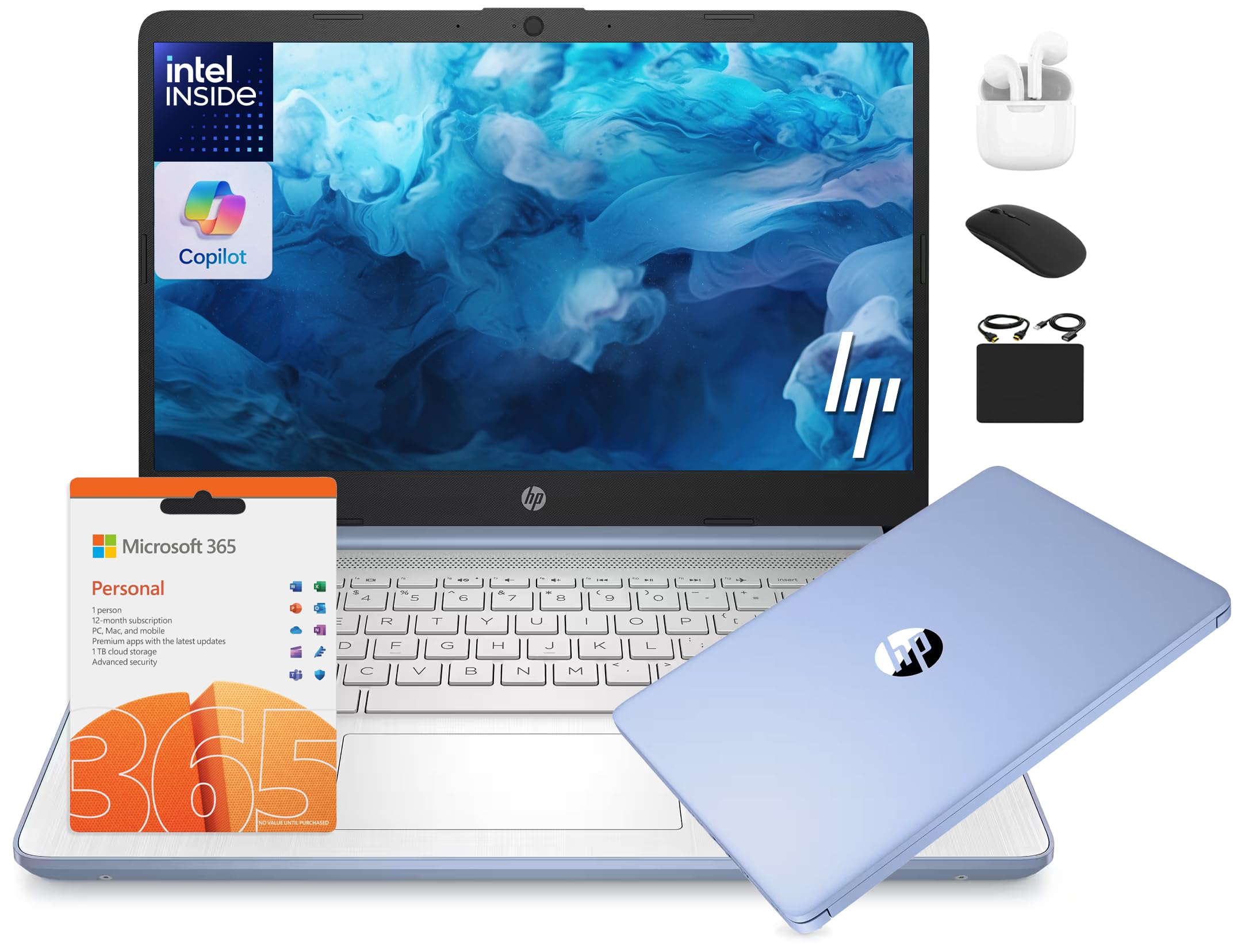
HP’s 2025 flagship budget model is built around the 13th Gen Intel N150 processor — a modest but capable chip for web browsing, remote learning, and Office productivity. What makes this bundle stand out is the 16GB of DDR4 RAM, which gives you genuine headroom for keeping many apps and tabs open simultaneously. The 14-inch HD display (1366×768) is the clear weakness here — it’s not as sharp as a 1080p panel — but the inclusion of a 1-year Microsoft Office 365 subscription and a 6-in-1 accessory kit (wireless earbuds, 500GB external drive, mouse, HDMI cable, etc.) adds substantial value for students or first-time laptop buyers.
The laptop comes pre-loaded with Windows 11 in S Mode for security and performance, and you can easily switch out of S Mode via the Microsoft Store if you need to install non-Microsoft apps. The blue color is aesthetically pleasing, and the machine is lightweight enough for a backpack. The battery life is competitive, with ratings around 9 hours for light use, so you can get through a school day without hunting for an outlet.
The most common reliability concern among users is the SSD: some buyers report the storage unit failing within the first week. While this doesn’t happen to everyone, it’s a risk worth noting. The HD display is also a downgrade compared to the FHD panels on many competitors at this price.
Why it’s great
- 16GB RAM with a 1-year Office 365 subscription and accessory kit provide excellent value
- 13th Gen N150 processor delivers adequate performance for school and Office work
Good to know
- 1366×768 display is noticeably less sharp than 1080p panels on rival models
- Some reports of SSD failure early in the ownership period
9. Lenovo IdeaPad 1

The Lenovo IdeaPad 1 punches above its weight class by offering 12GB of DDR4 RAM and a 512GB PCIe NVMe SSD at an entry-level price point. Most budget laptops top out at 8GB, so this extra headroom makes a real difference for users who tend to keep 10–15 browser tabs open alongside Office apps. The 15.6-inch FHD display delivers the full 1920×1080 resolution, which means text is sharp and video content looks clean — a meaningful advantage over HD-only rivals.
The Intel Celeron N4500 processor is the limiting factor here — it’s a dual-core chip that won’t set any speed records, especially compared to Intel N100 or Ryzen 5 alternatives. It handles web browsing, email, streaming, and basic document editing without major complaints, but it will feel slow under heavier multitasking or if you try to play modern games. The inclusion of a numeric keypad, an SD card reader, and two USB-A ports (one 3.0, one 2.0) adds practical value for students and home users.
Reviewers consistently describe the IdeaPad 1 as a solid, reliable machine for basic tasks, with fast boot times thanks to the NVMe SSD. It also comes with a 1-year subscription to Office 365, making it an appealing option for anyone who needs Office apps right out of the box. The build is plastic but feels reasonably sturdy. If your workload is light and you prioritize RAM and screen quality over raw CPU speed, this Lenovo is a brilliant pick for the money.
Why it’s great
- 12GB of RAM and a 512GB NVMe SSD provide a smooth, responsive basic experience
- FHD screen and numeric keypad add value for productivity and media consumption
Good to know
- Celeron N4500 processor is weak for gaming or heavy multitasking
- Plastic build feels less premium than metal alternatives
10. HP 15.6 Laptop
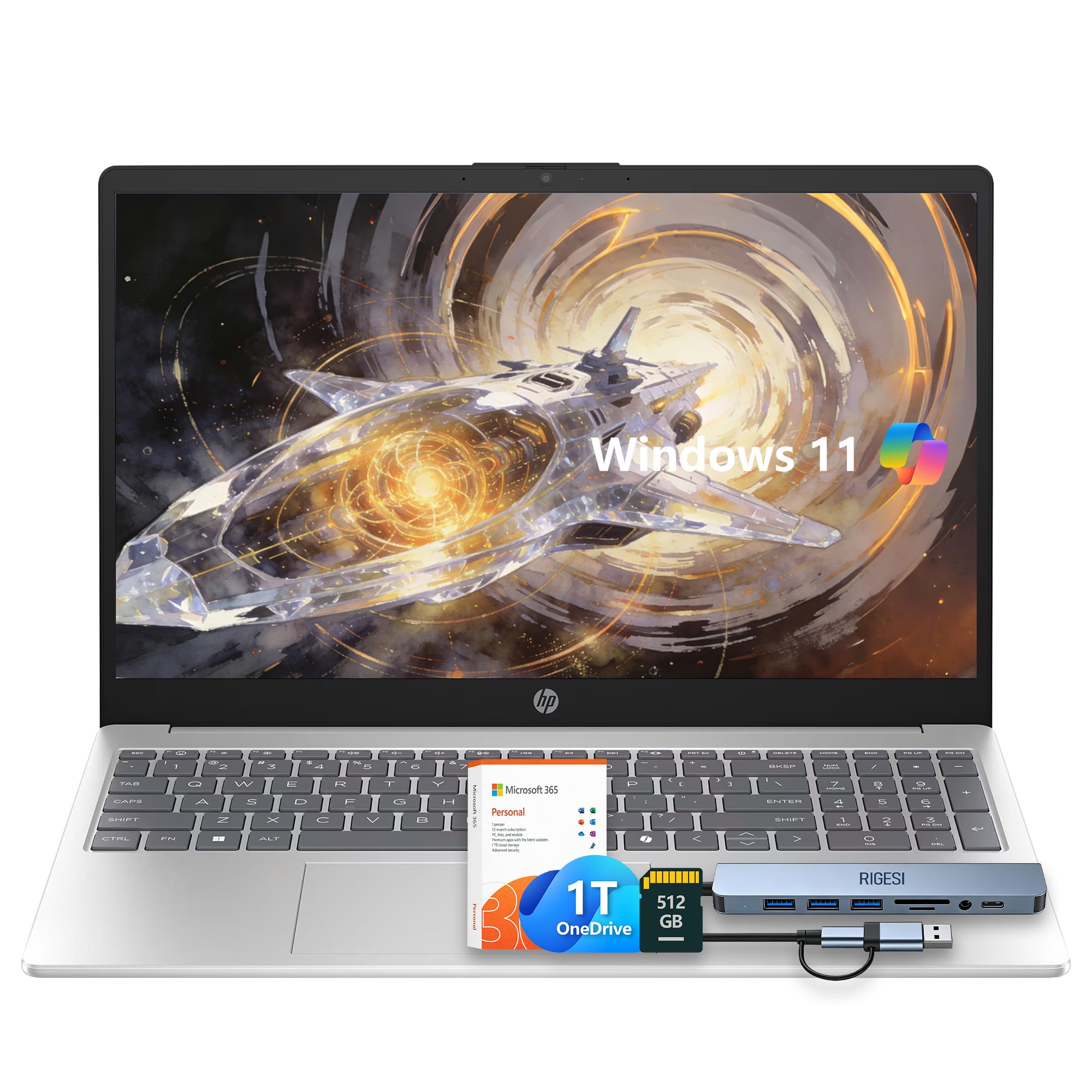
HP’s 15.6-inch entry laptop targets users who need a simple, reliable machine for email, web browsing, and basic Office productivity — and it delivers on that promise at a very low cost. The Intel N100 processor is a modern quad-core chip that handles these light workloads with ease, and the 8GB of RAM ensures you can keep a handful of tabs open without the machine grinding to a halt. Storage is a split system: a 128GB UFS drive for fast boot and core apps, plus a 512GB SD card for media and documents.
The 15.6-inch HD display (1366×768) is the most obvious compromise — it’s not especially sharp, and colors look muted compared to FHD panels. However, for users moving from a very old laptop or who mainly use the machine for text-based tasks, it’s adequate. The lightweight silver chassis is easy to carry, and the included accessories (webcam, detachable dongle) cover basic needs. Users also appreciate that it comes with a 1-year Office 365 subscription.
There is no backlit keyboard, and the audio quality is mediocre for music and video — fine for voice calls but not for enjoying content. Some users note that the setup process requires patience with initial updates and software prompts. Still, as a no-frills machine for retirees, young students, or anyone whose needs are genuinely modest, this HP provides a solid, low-cost entry point into Windows 11 computing.
Why it’s great
- Quad-core N100 processor offers smoother basic performance than older Celeron chips
- Very lightweight design with Office 365 included for easy start
Good to know
- 1366×768 HD display lacks the sharpness of FHD screens
- No keyboard backlight and below-average audio for music/video
11. Lenovo IdeaPad Slim 3i
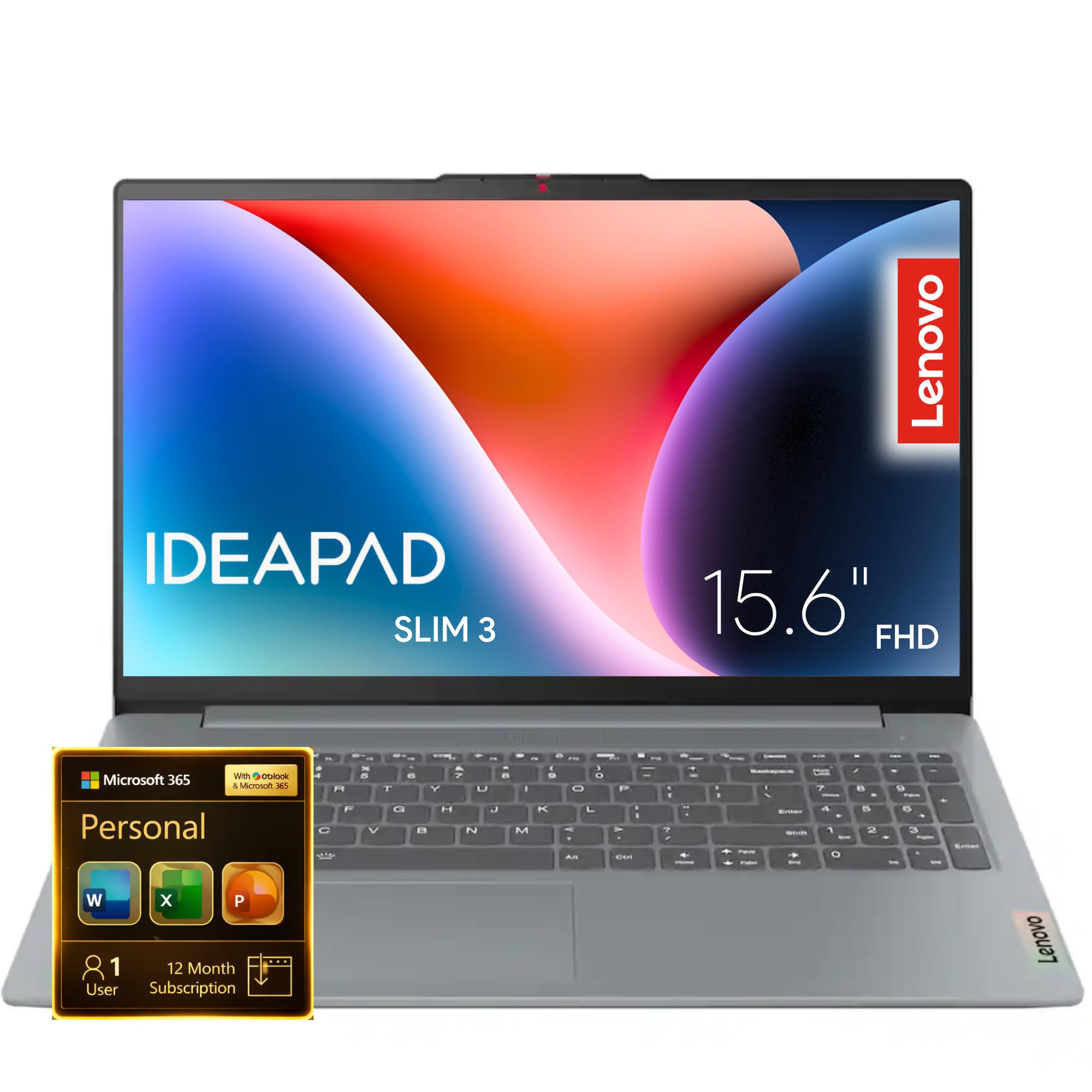
The Lenovo IdeaPad Slim 3i is built for portability: it is up to 10% slimmer than its predecessor, has a military-grade durability rating, and weighs less than most comparable budget laptops. Its 15.6-inch FHD display (1920×1080) delivers sharp text and decent colors, and the TÜV-certified low blue light feature helps reduce eye strain during long study sessions. The Intel Processor N4500 with 4GB of RAM is the weakest component here — 4GB is the bare minimum for Windows 11, and the machine will feel sluggish if you push it beyond simple web surfing and email.
The slim design includes a larger touchpad, a 720p camera with a privacy shutter, and user-facing Dolby Audio speakers that sound better than many budget machines. The battery life is excellent — rated at up to 11 hours — and the Rapid Charge Boost feature gives you two hours of use from just a 15-minute charge. This makes it a strong candidate for travelers or anyone who needs a laptop that can last through a full day away from a power outlet.
The core issue is the 4GB of RAM — it is simply not enough for smooth multitasking in Windows 11. The operating system alone can consume nearly half of that memory, leaving very little room for apps. Users report occasional sluggishness and frequent disk usage as the system swaps data to cope. For a very simple secondary machine or a device for a child doing light schoolwork, it might suffice, but most users will be better served by a model with at least 8GB. If the RAM limitation doesn’t scare you, the slim build, long battery, and FHD screen offer real value.
Why it’s great
- Military-grade durability and a very slim, lightweight design for portability
- Excellent battery life with rapid charge for all-day mobile use
Good to know
- 4GB of RAM is insufficient for comfortable multitasking in Windows 11
- Processor is a dual-core model, limiting it to the lightest workloads
FAQ
Can a bargain laptop with 4GB of RAM run Windows 11 smoothly?
Is an Intel N100 processor good enough for college or office work?
Should I buy a refurbished business laptop or a new budget laptop?
What is the difference between UFS and eMMC storage in a budget laptop?
Final Thoughts: The Verdict
For most users, the bargain laptop computers winner is the Auusda Business Laptop because it delivers a rare combination of 16GB RAM and a 1TB NVMe SSD — specs that guarantee smooth multitasking and ample storage without breaking the bank. If you want a smoother display and after-sales service, grab the Dell 15 DC15250. And for light gaming and creative work that demands a faster CPU, nothing beats the NIMO 15.6 Ryzen 5.