
The true battle for a bargain monitor buyer isn’t about finding a screen that works—it’s about cutting through a sea of nearly identical 1080p panels to find the one that hides a genuinely useful spec at a price that feels like a mistake. Most budget screens cap out at a stuttery 60Hz, leaving scrolling and casual gaming feeling sluggish.
I’m Min — the co-founder and writer behind Gadgets Feed. I’ve dug through thousands of verified customer reviews and spec sheets to separate the 120Hz sleepers from the 60Hz pass-throughs in the sub- space.
bargain monitors often trade refresh rate for a low sticker price, but a few IPS panels now deliver 100Hz to 120Hz motion clarity without breaking budget constraints.
How To Choose The Best Bargain Monitors
Buying on a tight budget means you must prioritize specs that actually improve daily use over flashy marketing terms. The three factors below will help you separate a true value from a compromise that will annoy you every day.
Refresh Rate — The Silent Productivity Booster
A 60Hz monitor refreshes the image 60 times per second. That feels fine for static documents, but scrolling a webpage or a spreadsheet reveals visible judder. A 100Hz or 120Hz monitor doubles the fluidity, making everyday cursor movement and window dragging feel significantly smoother. On a budget, prioritizing 100Hz over a slightly larger screen size is often the better trade.
Panel Type — IPS Wins the Value Race
TN panels offer fast response times but wash out colors when viewed from an angle. VA panels deliver deeper blacks but suffer from slower pixel transitions. IPS panels in this price range hit the sweet spot: wide 178-degree viewing angles, decent color reproduction, and no color shift when you lean back. Always check for IPS in the title or specs before clicking buy.
Connectivity and Ergonomics — Don’t Get Trapped
A bargain monitor that only offers VGA forces you to buy an adapter for modern laptops. Look for at least one HDMI port. VESA mount compatibility is another hidden gem—a cheap monitor with VESA holes can be paired with a arm to free up desk space, compensating for a wobbly or fixed-height stand common at this price point.
Quick Comparison
On smaller screens, swipe sideways to see the full table.
| Model | Category | Best For | Key Spec | Amazon |
|---|---|---|---|---|
| AOC 24B35H3 | Mid-Range | All-Around Value | 24″ IPS 120Hz | Amazon |
| ViewSonic VS2447M | Mid-Range | Office & Home | 24″ 100Hz 3000:1 Contrast | Amazon |
| Amazon Basics 24″ | Mid-Range | Built-In Speakers | 24″ IPS 75Hz | Amazon |
| LG 24U411A-B | Mid-Range | Gaming & Smoothness | 24″ IPS 120Hz 1ms MBR | Amazon |
| Dell SE2725HM | Premium | Eye Comfort & Build | 27″ IPS 100Hz | Amazon |
| KTC H27P27 | Premium | 4K Resolution | 27″ 4K IPS HDR400 | Amazon |
| Acer Nitro KG271U | Premium | QHD Gaming | 27″ QHD IPS 180Hz | Amazon |
| LG 32MR50C-B | Premium | Immersive Screen | 32″ Curved VA 100Hz | Amazon |
| Samsung Odyssey G4 25″ | Premium | Competitive Esports | 25″ IPS 240Hz 1ms | Amazon |
In‑Depth Reviews
1. AOC 24B35H3 24″ IPS 120Hz
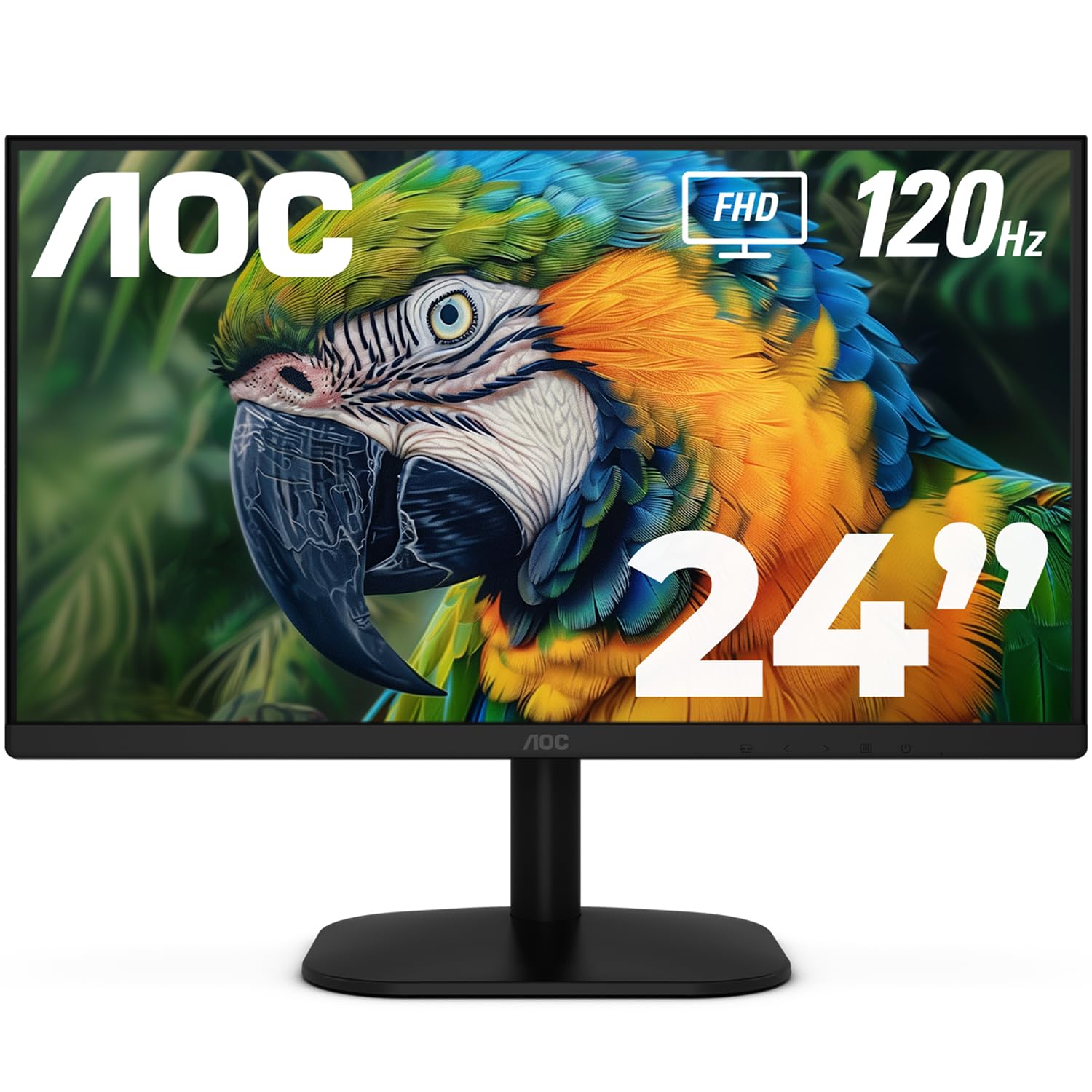
The AOC 24B35H3 is the category-defining entry-level monitor because it delivers a 120Hz refresh rate on an IPS panel at a price that typically buys a basic 60Hz office screen. The 1920×1080 resolution with 100% sRGB coverage ensures colors pop for both productivity documents and light gaming.
Adaptive Sync via FreeSync eliminates screen tearing when paired with a compatible GPU, while the VGA and HDMI ports offer broad compatibility with older desktops and modern laptops alike. The tilt-adjustable stand and 100x100mm VESA mount provide ergonomic flexibility that is rare at this price.
The 7.32-inch depth keeps the footprint small on crowded desks, and the Flicker-Free technology combined with Low Blue Light mode reduces eye strain during long work sessions. Users consistently praise the crisp image and thin bezels, calling it a stunning value for the feature set.
Why it’s great
- 120Hz refresh makes scrolling and casual gaming feel fluid
- IPS panel with 100% sRGB delivers accurate colors
- Tilt adjustment and VESA mount provide ergonomic flexibility
Good to know
- No built-in speakers — requires external audio
- Stand lacks height and swivel adjustment
2. ViewSonic VS2447M 24″ 100Hz

The ViewSonic VS2447M punches above its weight with a native 100Hz refresh rate and a 3000:1 contrast ratio that is unusual for this price tier. The elevated contrast makes blacks appear deeper and text sharper, which is a tangible benefit for coders and anyone who stares at dark-mode interfaces all day.
Flicker-Free technology and a Blue Light Filter are built in to reduce fatigue during extended sessions, and the Variable Refresh Rate support helps smooth out frame pacing without the premium cost of full Adaptive Sync modules. Connectivity is straightforward with one HDMI and one VGA input.
The thin bezels make the 24-inch panel feel larger on a desk, and the overall build quality feels solid for the price point. Customer feedback highlights the clear picture and easy setup, with many calling it an exceptional monitor for home office and student use.
Why it’s great
- High 3000:1 contrast ratio for deeper blacks
- 100Hz refresh smooths scrolling and video playback
- Eye Care features reduce strain during long sessions
Good to know
- Only HDMI and VGA — no DisplayPort
- No built-in speakers or USB hub
3. Amazon Basics 24″ IPS 75Hz

The Amazon Basics 24-inch monitor is a rare entry in the bargain space that includes built-in 2-watt speakers, saving you from buying separate desktop speakers for basic system sounds and video calls. The 1920×1080 IPS panel delivers consistent color reproduction from all viewing angles thanks to AOC-sourced technology.
Connectivity is generous for the tier, with one HDMI 1.4, one DisplayPort 1.2, and one VGA input, plus a 3.5mm audio jack for private listening. The stand tilts from -5 to 23 degrees, and the 100x100mm VESA pattern allows easy wall or arm mounting.
Energy Star certification means this monitor sips power, making it a cost-effective choice for always-on office setups. Verified buyers note the display is crisp and bright out of the box, though the built-in speakers are thin and described as “kazoo-like” for music — adequate for alerts, not immersion.
Why it’s great
- Built-in speakers for basic audio without extra hardware
- Includes HDMI, DisplayPort, and VGA for broad compatibility
- Energy Star certified for low power consumption
Good to know
- Speakers are low-quality — fine for alerts only
- 75Hz refresh is lower than other bargain options
4. LG 24U411A-B 24″ IPS 120Hz

The LG 24U411A-B pushes bargain monitor boundaries by combining a 120Hz refresh rate with 1ms Motion Blur Reduction, making fast-paced gameplay and cursor movement exceptionally crisp. The 99% sRGB color gamut coverage on an IPS panel ensures accurate color representation for photo editing and media consumption.
Dynamic Action Sync reduces input lag for responsive gaming, while the Black Stabilizer brightens dark scenes to reveal details in shadows. The Switch app allows screen splitting into up to six sections, turning the 24-inch display into a multitasking hub.
The virtually borderless design on three sides creates a clean look ideal for dual-monitor setups, and the tilt-adjustable stand provides basic ergonomic relief. Customer reviews note that colors can appear over-saturated out of the box but look excellent after calibration, and the 120Hz performance is praised as a steal at this price point.
Why it’s great
- 120Hz refresh with 1ms MBR for smooth, blur-free motion
- 99% sRGB coverage delivers vibrant, accurate colors
- Dynamic Action Sync reduces input lag noticeably
Good to know
- No built-in speakers
- Stand is sturdy but lacks height adjustment
5. Dell SE2725HM 27″ IPS 100Hz

The Dell SE2725HM steps into the premium tier of bargain monitors by offering a 27-inch IPS panel at 100Hz with Dell’s ComfortView Plus, a built-in low-blue-light solution that reduces eye strain without washing out colors. The anti-glare matte coating is particularly effective in brightly lit rooms.
The 1920×1080 resolution on a 27-inch screen results in a pixel density of roughly 81 PPI, which is acceptable for productivity work but not as sharp as smaller 24-inch 1080p panels. The trade-off is a spacious canvas for spreadsheets, documents, and media without scaling issues.
Dell includes a built-in power supply and a cable holder to keep the desk tidy, and the tilt-adjustable stand has a compact footprint. Customer feedback highlights the uniform color temperature across multiple units, making this an excellent choice for multi-monitor setups where consistency matters.
Why it’s great
- ComfortView Plus reduces blue light without color shift
- Effective anti-glare coating for bright environments
- Uniform color across units for multi-monitor setups
Good to know
- No built-in speakers
- 1080p at 27-inch size yields lower pixel density
6. KTC H27P27 27″ 4K IPS 60Hz

The KTC H27P27 cracks the 4K barrier at a price that rivals many 1080p budget monitors, delivering 3840×2160 resolution on a 27-inch IPS panel with HDR400 certification. The DCI-P3 95% color gamut coverage makes this a legitimate option for photo editing and video work, provided you can calibrate the panel.
At 60Hz, this monitor is not aimed at competitive gamers, but it is perfectly suited for media consumption, productivity, and console gaming where 4K resolution trumps high frame rates. The HDMI 2.0 and DisplayPort 1.4 connections support the full 4K signal without compression.
The stand offers tilt adjustment and the 100x100mm VESA mount adds flexibility for arm mounts. Customer reviews consistently praise the clear picture quality and color accuracy, with one notable caveat: the settings menu may become unresponsive after the monitor wakes from sleep, requiring an input switch to reset it.
Why it’s great
- True 4K UHD resolution at a bargain-friendly price
- DCI-P3 95% color gamut for professional-grade color
- HDR400 support adds dynamic range for media
Good to know
- 60Hz refresh — not ideal for competitive gaming
- Occasional menu bug after sleep mode
7. Acer Nitro KG271U 27″ QHD IPS 180Hz

The Acer Nitro KG271U delivers a QHD 2560×1440 resolution with a blistering 180Hz refresh rate and a 0.5ms GTG response time, making it the standout choice for gamers who want high-fidelity visuals without upgrading to an RTX 4080. The IPS panel ensures wide viewing angles and DCI-P3 95% color coverage.
AMD FreeSync support eliminates tearing, and the dual HDMI 2.0 ports plus DisplayPort 1.2 allow simultaneous connection to a PC and a console. The zero-frame design is sleek, but the included stand is the weak link — it tilts but lacks height and swivel adjustment and feels wobbly according to user feedback.
Built-in speakers are included, though customers describe them as mediocre at best. The overwhelming consensus is that the panel quality is exceptional for the price, and most users recommend mounting the monitor on a third-party arm to overcome the stand limitations.
Why it’s great
- QHD 2560×1440 resolution offers sharp detail
- 180Hz refresh with 0.5ms response is elite for gaming
- DCI-P3 95% color gamut for vivid visuals
Good to know
- Stand is flimsy and lacks height adjustment
- Built-in speakers are poor quality
8. LG 32MR50C-B 32″ Curved VA 100Hz

The LG 32MR50C-B offers a 32-inch curved VA panel at 1920×1080 resolution with a 100Hz refresh rate and a native 3000:1 contrast ratio, delivering an immersive viewing experience for media and productivity. The VA panel’s deep blacks make this a strong choice for watching movies and playing dark-themed games.
AMD FreeSync support smooths out frame pacing, and LG’s Black Stabilizer brightens shadow details without washing out the rest of the image. The curved form factor wraps around your peripheral vision, which users say helps reduce eye strain during long sessions by creating a more natural focal distance.
The tilt-only stand is functional, but the 100x100mm VESA mount is recommended for optimal ergonomics. Customer feedback is overwhelmingly positive, with many highlighting the edge-to-edge sharpness and vibrant colors. A small subset of users with trifocal glasses report dizziness from the curve, so it is worth testing if you wear progressive lenses.
Why it’s great
- 32-inch curved VA panel creates immersive viewing
- 3000:1 contrast ratio delivers deep blacks
- 100Hz refresh with FreeSync for smooth motion
Good to know
- 1080p on 32-inch results in lower pixel density
- Curve may cause discomfort for some users with glasses
9. Samsung Odyssey G4 25″ IPS 240Hz

The Samsung Odyssey G4 is the fastest bargain monitor on this list, boasting a native 240Hz refresh rate with a 1ms GTG response time on an IPS panel. This makes it the definitive choice for competitive esports titles where every millisecond of input delay matters more than resolution.
NVIDIA G-Sync compatibility and AMD FreeSync Premium support ensure tear-free gaming across both GPU ecosystems. The Ultrawide Game View feature lets you adjust the aspect ratio to 21:9 for a wider field of view in supported games, a premium software perk at this price.
The fully adjustable stand supports height, tilt, and swivel adjustments — a rarity in this segment — and the Auto Source Switch+ feature automatically detects and switches to active inputs. Verified buyers consistently praise the color brightness and fluid motion, noting that 1080p at 25-inch size keeps pixel pitch tight and images sharp.
Why it’s great
- 240Hz refresh at 1080p is ideal for competitive gaming
- G-Sync and FreeSync Premium for tear-free play
- Fully adjustable stand with height, tilt, and swivel
Good to know
- No built-in speakers
- 1080p resolution may lack detail for single-player games
FAQ
Is 60Hz enough for a bargain monitor in 2025?
Will a 1080p monitor look blurry on a 27-inch screen?
Why do bargain monitors often have bad built-in speakers?
Can I use a FreeSync monitor with an NVIDIA graphics card?
Final Thoughts: The Verdict
For most users, the bargain monitors winner is the AOC 24B35H3 because it delivers a 120Hz IPS panel with solid color accuracy and VESA compatibility at a price that undercuts the competition. If you want a larger 27-inch screen with superior eye comfort and build quality, grab the Dell SE2725HM. And for hardcore competitive gaming where frame rates rule, nothing beats the Samsung Odyssey G4 25″ 240Hz.