
Our readers keep the lights on and my morning glass full of iced black tea. As an Amazon Associate, I earn from qualifying purchases.
Specs are compiled from manufacturer listings and verified buyer reviews and can change over time — please confirm the key details on the product page before buying.
Picking a budget-friendly router used to mean accepting dead zones and constant buffering. That trade-off is gone — today’s entry-level and mid-range models pack Wi-Fi 6, gigabit ports, and mesh-friendly features at prices that make your internet provider’s monthly rental fee look like a bad joke. The real question isn’t whether to ditch the rental; it’s which of these seven routers matches the size of your home, the number of devices you run, and how much control you want over your network.
I’m Min — the founder and writer behind Gadgets Feed. This guide is built by comparing the manufacturers’ published specifications and the patterns across verified customer reviews, so you get each pick’s real strengths and trade-offs instead of marketing spin.
We ranked the top value picks by real-world coverage, speed, and ease of setup to help you choose the best bargain router for your home without overpaying for features you don’t need.
Our Picks at a Glance

How To Choose The Best Bargain Router
The cheapest router isn’t always the best deal. A box that drops signal in your bedroom forces you to buy a second unit or a range extender, which wipes out any savings. Focus on the specs that decide whether your Wi-Fi actually reaches every room and handles everything you throw at it.
Match the speed rating to your internet plan
Router speed ratings like AX1500 or AC1200 tell you the theoretical ceiling of the device, not what your provider delivers. If your plan is 300 Mbps, buying a router rated for 3000 Mbps won’t make your connection faster. The opposite problem hurts more — a bargain router rated under your plan’s speed becomes the bottleneck. Buy a router whose rating at least matches your internet speed, and make sure it has gigabit Ethernet ports so wired devices like a gaming PC or smart TV can use your full plan.
Know your home’s square footage
Coverage is the spec people ignore until they’re standing in a dead zone. Budget routers typically cover around 1,400 to 1,500 square feet, but walls, floors, and interference from neighbors cut that down. A single router is fine for apartments and small homes; larger houses may need a mesh system instead of one overpowered box. If a reviewer mentions a 2,000-square-foot home getting full coverage, treat that as a strong signal for that specific model.
Count your devices before you count your dollars
If your home has just two phones and a laptop, almost any router will do. But when you add streaming sticks, security cameras, smart speakers, and gaming consoles all at once, you need MU-MIMO (technology that lets the router talk to several devices at once instead of taking turns) and OFDMA (a Wi-Fi 6 feature that packs more data into each transmission). These features stop the network from grinding to a halt when everyone is online at the same time.
Quick Comparison
| Model | Best For | Speed Rating | Wi-Fi Standard | Coverage | Amazon |
|---|---|---|---|---|---|
| Cudy WR3000S★ Best Overall | Customization & speed | 3000 Mbps | Wi-Fi 6 (AX3000) | 1400 sq ft | Amazon |
| TP-Link Archer C59Reliable Pick | Reliable gigabit coverage | 1350 Mbps | Wi-Fi 5 (AC1350) | Entire home | Amazon |
| TP-Link Archer AX10 | Refurbished Wi-Fi 6 value | 1500 Mbps | Wi-Fi 6 (AX1500) | Strong dual-band | Amazon |
| Tenda RX2L Pro | Quiet vertical design | 1500 Mbps | Wi-Fi 6 (AX1500) | Large homes | Amazon |
| Cudy WR1300 | First-time gigabit upgrade | 1200 Mbps | Wi-Fi 5 (AC1200) | Long range | Amazon |
| Tenda AC10 | Tightest budget | 1200 Mbps | Wi-Fi 5 (AC1200) | Long range | Amazon |
| NETGEAR R6700AX | Whole-home Wi-Fi 6 at retail | 1800 Mbps | Wi-Fi 6 (AX1800) | 1500 sq ft | Amazon |
In‑Depth Reviews
1. Cudy AX3000 Dual-Band Wi-Fi 6 Router (WR3000S)
Our pick — over 4.5★ from 250+ verified ratings; the strongest balance of quality and price.
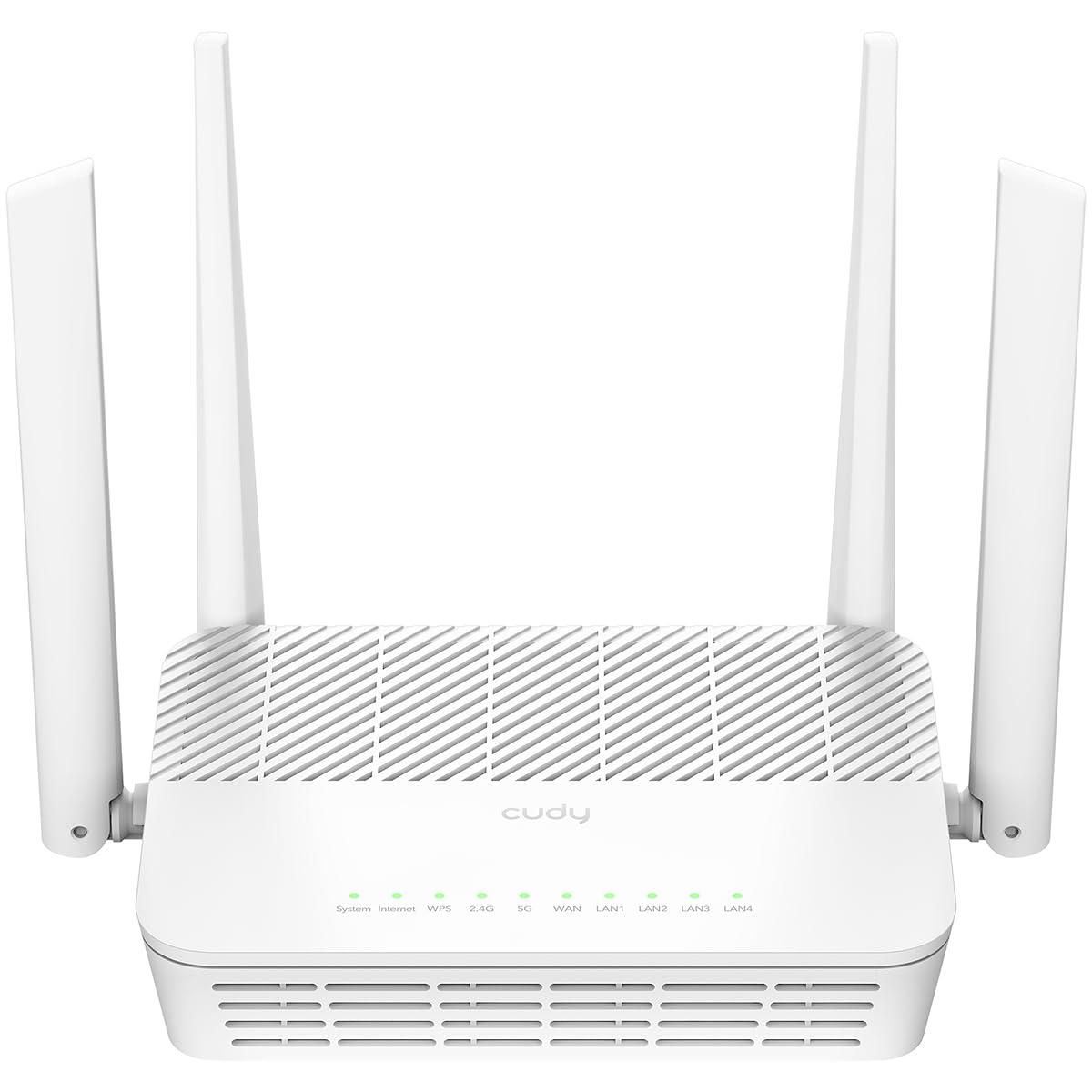
A fast, customizable tower that hides in plain sight on your shelf.
The headline here is the speed — a 3000 Mbps data transfer rate, which is 2.5 times the 1200 Mbps of the older AC1200 designs like the Tenda AC10 in this list. That bandwidth shows up in real life as smoother 4K streaming and quicker downloads across multiple devices, all coordinated by a 1.3 GHz dual-core processor that keeps all five gigabit ports running at full speed without choking.
What wins people over is the rare combination of performance and openness. This is one of the few Wi-Fi 6 routers that fully supports OpenWrt (an open-source firmware that gives you deep control over your network). Buyers report its Wi-Fi range beats older gear, with one noting “full coverage of my 2000 sqft home in the 5GHz bands.” The stock firmware already handles VLANs (virtual networks that separate devices), custom firewall rules, and traffic shaping, so you get enterprise-style control without a steep learning curve.
The design earns its keep too — a clean white vertical tower that doesn’t scream “tech gadget” means you’ll leave it out in the open where the signal performs best, rather than burying it in a closet. The crowd favorite in this roundup holds a 4.6-star rating, and the design-conscious build is a big part of the appeal.
What wins people over
- Performance is the top praise — well over a dozen owners cite the speed and stability first
- OpenWrt compatibility means you can customize firmware without losing support
- Compact white vertical form fits into a living room instead of needing a closet
Where it asks something of you
- Flashing OpenWrt requires care — downloading the wrong build risks bricking the unit
- Only available in white, a minor gripe for those who prefer darker gear
Your best bet if: you want Wi-Fi 6 speed with room to tinker, or you just want a router that looks good enough to leave in the open.
Think twice if: you never plan to touch advanced settings — you’d be paying for customization you won’t use.
2. TP-Link Archer C59 AC1350
The steady workhorse that covers a two-bedroom apartment without fuss.
Reliability is the defining trait here — the most-cited strength by a wide margin. This AC1350 router delivers 450 Mbps on the 2.4 GHz band and 867 Mbps on the 5 GHz band, and the four gigabit LAN ports plus one gigabit WAN port mean your wired devices get full-speed connections. One owner measured its reach through every room of their two-bedroom apartment, which tracks with the three external omni-directional antennas pushing coverage across the whole home.
Under the hood, MU-MIMO lets the router serve multiple devices at once instead of making each wait its turn, which keeps streaming and browsing snappy when the household is busy. The guest Wi-Fi feature creates a separate network for visitors, so your main network and passwords stay protected. The Tether App for Android and iOS handles setup and daily management, and the smooth top surface with ventilation grooves is easy to wipe clean.
The trade-off — a long-term design keeps this at Wi-Fi 5 rather than Wi-Fi 6, so it can’t pack quite as much data into each transmission as the newer AX models above it. But for homes with modest internet plans, the rock-solid connection earns its place as the dependable mid-price pick.
Steady as she goes: owners routinely report no connectivity issues and no need to restart the box, which is exactly what most people want from a router.
One honest note: if you’re chasing the latest Wi-Fi 6 speeds, look at the Cudy WR3000S instead — this one wins on stability, not on bleeding-edge throughput.
Reach for this if: you want a set-and-forget router with strong coverage and gigabit ports at a value price.
Look elsewhere if: your internet plan exceeds around 1 Gbps — the Wi-Fi 5 standard will cap your wireless speeds.
3. TP-Link Archer AX10 AX1500 (Renewed)

Wi-Fi 6 speeds at a price that makes the refurbished gamble worth it.
This is the budget route into Wi-Fi 6, the newer wireless standard that communicates with more devices simultaneously. The AX1500 rating breaks down to 300 Mbps on 2.4 GHz and 1201 Mbps on 5 GHz, and owners mention near-wire-speed performance in the same room — one measured a jump from 50/150 Mbps to 500-800 Mbps up and down on a gigabit fiber connection. The 1.5 GHz tri-core processor keeps the data flowing without the buffer-free stutter that plagues lesser hardware.
Its OFDMA and MU-MIMO technology let the router handle many devices at once efficiently, which is why it shines as a third access point for whole-house coverage or as the main box for a busy apartment. Setup runs through the TP-Link Tether app, and the unit is backward compatible with all older Wi-Fi devices, so your five-year-old laptop will connect without drama.
Customers note that durability gets mixed feedback, with some units lasting about a year before needing replacement. That’s the trade-off of a renewed (refurbished) unit — you get Wi-Fi 6 for less, but you’re accepting some risk on longevity. Factory reset and a firmware update are recommended right from the start.
Speed for the penny: the performance gains reported — roughly a tenfold wireless speed increase on gigabit fiber — make this the obvious choice for anyone who wants Wi-Fi 6 without the flagship price.
Fair warning: it’s renewed, not new, and a few owners saw failures around the one-year mark, so keep your expectations calibrated.
Pick this if: your internet plan is gigabit-class and you want Wi-Fi 6 throughput without paying retail prices.
skip it if: you’d rather have a brand-new unit with a fresh warranty than a refurbished bargain.
4. Tenda RX2L Pro AX1500
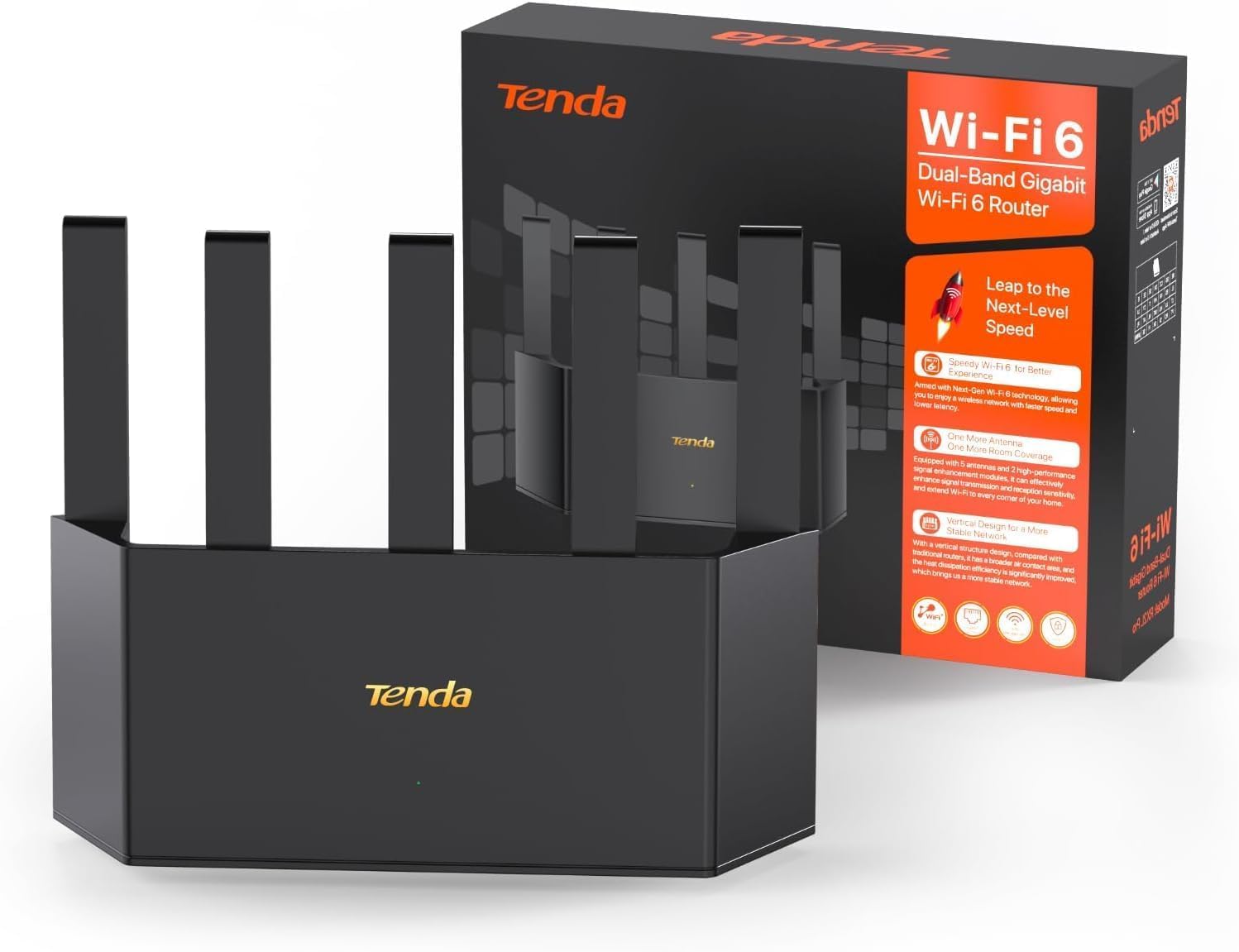
A slim, cool-running tower built for whole-home Wi-Fi 6 on a budget.
The standout design choice here is the vertical form factor, which exposes more surface area to the air and improves heat dissipation (the process of pulling heat away from the internal components). That matters because a router that runs cooler keeps its connection stable during long gaming sessions or all-day streaming. The AX1500 rating delivers 1201 Mbps on the 5 GHz band and 300 Mbps on 2.4 GHz.
Coverage comes from five external high-gain antennas plus two signal enhancement modules, which owners say reach corner rooms without issue. The Tenda Wi-Fi+ networking feature lets you link this router with other Tenda Wi-Fi+ routers for smooth whole-home coverage, so you can expand later without replacing the box. Setup takes minutes through the web GUI (graphical user interface) or the Tenda Wi-Fi app, and built-in parental controls let you schedule when the kids’ devices can go online.
WPA3 security (the newest Wi-Fi encryption standard) protects against unauthorized access from the start. Reviewers point out it’s faster than older routers and saves them the monthly rental fee, though setup was noted as slightly less intuitive than a previous Tenda model — nothing a few minutes in the app won’t solve.
Its case for a spot
- Setup is the most-praised aspect — owners call it quick and easy with a strong signal
- Vertical design runs cooler and takes less shelf space than flat routers
- Expandable via Tenda Wi-Fi+ if you later need a mesh setup
What to know first
- One owner could not connect to their 2.4 GHz AC device despite repeated attempts
- Quality control gets mixed feedback, so check your unit’s firmware early
Choose this if: you want a modern Wi-Fi 6 router that looks slim, runs cool, and covers corner rooms in a larger home.
Reconsider if: you rely on older 2.4 GHz-only gadgets, since a few owners hit compatibility snags.
5. Cudy WR1300 AC1200

The entry-level gigabit upgrade that future-proofs your wired devices.
Quality is the most-cited strength here, and it shows in the build. The WR1300 pushes 1200 Mbps total (300 Mbps on 2.4 GHz plus 900 Mbps on 5 GHz), and crucially, all four LAN ports are full gigabit — so your desktop, NAS (network-attached storage), or smart TV gets wired speeds that match your internet plan. The four external antennas with beamforming (a feature that focuses the signal toward your devices) extend the coverage across a long-range footprint.
MU-MIMO on the 5 GHz band keeps multiple devices moving at high speed simultaneously, and the dual-band design reduces buffering for 4K streams. An Access Point Mode lets you turn a wired connection into wireless if you’re extending an existing network. The OpenWrt-based firmware is officially supported, with a simple GUI that owners find easy to configure.
The honest caveat: performance draws mixed reviews. Some report stellar speeds on fiber connections while others see the signal weaken during peak afternoon hours, and a portion of units reportedly stop working after about 7 months. The interface and value for money get consistent praise, but reliability is the variable to watch.
Solid first gigabit router: for the price of a takeout dinner, you get gigabit ports and a clean interface that apartment dwellers repeatedly recommend.
Know the risk: signal dips at peak hours and some early failures mean this suits lighter use more than a house that runs heavy streaming all day.
Best if: you want an affordable way to get gigabit wired speeds and a user-friendly interface in a small space.
Not ideal if: you need rock-solid performance during peak evening hours across a busy household.
6. Tenda AC10 AC1200
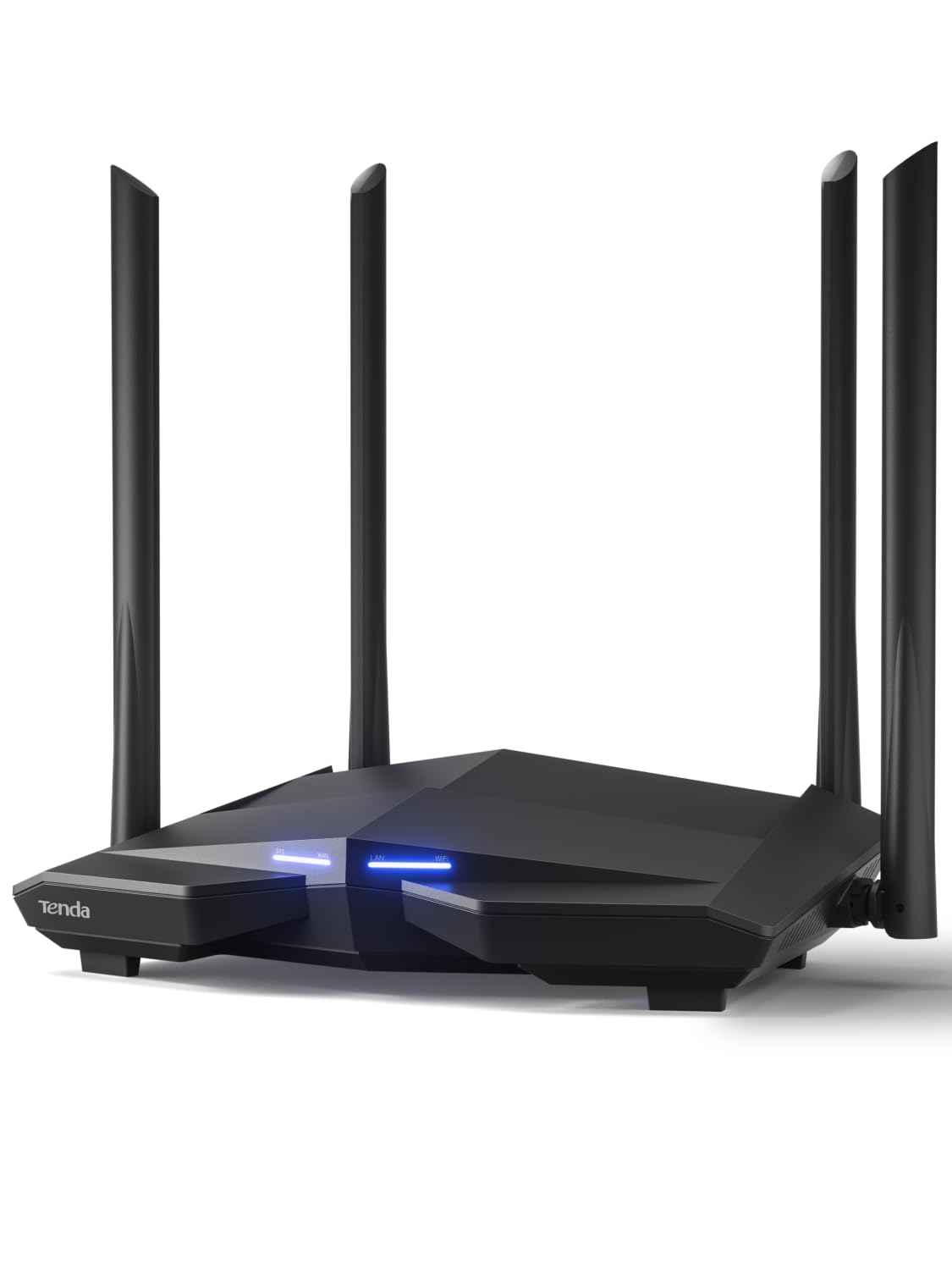
The cheapest honest way to cover a medium home with four strong antennas.
At the bottom of the price ladder sits the AC10, and its appeal is pure value math. The 1200 Mbps rating splits into 867 Mbps on 5 GHz and 300 Mbps on 2.4 GHz — a 2.5x speed gap behind the Cudy WR3000S above, but enough for steady streaming, gaming, and browsing in medium to large homes. Four high-gain 6dBi antennas punch through walls, which buyers confirm with reports of strong signal and easy linking across the house.
The 1 GHz processor handles data traffic from multiple connected devices without the stutter you’d expect at this price. Setup runs through a web browser or the Tenda smart app, and WPA2-PSK security (the previous Wi-Fi encryption standard) keeps your network locked from unauthorized access. If you’re replacing a decade-old rental from your ISP, this is the cheapest way to stop paying that monthly fee.
The catch appears before you buy, not after: this is a router, not a modem. It has no way to connect directly to your ISP’s line — you plug it into the modem your provider supplies. A few buyers missed that detail and felt the unit was useless, but once connected to a modem it works as intended. VPN users should also expect to enter connection details manually rather than having them carry over automatically.
Pure budget logic: strong signal, four antennas, and dual-band speed for less than most people spend on a month of coffee — if your internet plan is modest, this covers it.
Read before buying: you need an existing modem from your ISP, and a small number of owners expected modem functionality that this unit does not have.
Grab it if: you already have a modem and want the cheapest reliable router to stop paying rental fees.
Pass if: you need modem functionality built in or you plan to upgrade to gigabit internet soon.
7. NETGEAR R6700AX AX1800

The retail Wi-Fi 6 box that covers 1,500 square feet and 20 devices without breaking a sweat.
NETGEAR’s R6700AX is the premium pick of the bargain bunch, and the extra dollars buy you genuine headroom. The AX1800 rating delivers speeds up to 1.8 Gbps across both bands, covering up to 1,500 square feet and handling up to 20 connected devices at once. Shoppers say true 1-gigabit wired performance through the four 1 Gig Ethernet ports — plug in your gaming console or streaming player for the fastest, most reliable connection.
Security is a strong suit here. WPA3 encryption (the newest standard, which protects against unauthorized access more robustly than older protocols), automatic firmware updates, and a guest network come enabled from the start with no subscription needed. NETGEAR Armor adds an optional 30-day free trial for enhanced protection — a separate subscription after that, but the baseline security is already solid.
Setup runs through the free Nighthawk app on iOS or Android, with owners reporting a 10-to-20-minute process that resolves setup issues precisely. One measured 113.72 Mbps down on a cable connection and praised the coverage across a 1,500-square-foot condo with 10 devices. Made for use in the US only, and it pairs with any existing modem or ISP gateway.
Why it leads the premium tier
- Quality and setup are the two most-praised aspects, with owners calling it easy and intuitive
- 20-device capacity suits busy smart homes and gaming households
- WPA3 plus automatic firmware updates keep security current with zero effort
What to weigh
- Reliability draws the most negative feedback, with some owners reporting failures around the 6-month mark
- Internal antennas mean coverage depends more on placement than the external-antenna models
Worth the extra if: you want a retail box with a proper warranty, strong security defaults, and capacity for 20 devices in a small-to-medium home.
Think twice if: you’re handy with settings — the Cudy WR3000S gives you more control for less money, and a few owners here hit early failures.
Understanding the Specs
Wi-Fi 5 vs Wi-Fi 6
Wi-Fi 5 (AC) routers like the AC1200 and AC1350 models are cheaper and perfectly fine for modest internet plans and a handful of devices. Wi-Fi 6 (AX) routers communicate more efficiently — features like OFDMA let them pack more data into each transmission, so they handle busy households with many connected devices without slowing down. If your internet plan is gigabit-class or your home runs dozens of smart gadgets, Wi-Fi 6 is worth the small premium. If you just stream and browse on a 300 Mbps plan, Wi-Fi 5 will serve you fine.
Speed ratings explained
The number after AX or AC (like AX1500 or AC1200) is the theoretical maximum speed in Mbps across both bands combined. It’s a ceiling, not a promise — real-world speeds run lower. Use it as a comparison tool: a 3000 Mbps router has roughly 2.5 times the headroom of a 1200 Mbps router, which matters when multiple devices stream, game, and video-call at once. Match the rating to your internet plan’s speed so the router never becomes the bottleneck.
Gigabit Ethernet ports
A gigabit port moves data at up to 1000 Mbps, which matches modern fiber and cable plans. Older 10/100 ports cap out at 100 Mbps and silently throttle your wired devices. If you plug a gaming console, desktop PC, or smart TV directly into the router, check that it has gigabit LAN ports — otherwise you’re paying for internet speed you can’t actually use on wired connections.
MU-MIMO, OFDMA, and beamforming
MU-MIMO lets a router talk to several devices at once instead of making each one wait in line. OFDMA is a Wi-Fi 6 feature that slices each transmission into smaller pieces so more devices share the same broadcast efficiently. Beamforming focuses the Wi-Fi signal toward your specific devices rather than spraying it in all directions evenly. Together they determine how well a router handles a busy household — and they matter more than raw speed for everyday comfort.
Router vs modem
A router creates your home Wi-Fi network and shares the internet connection among your devices. A modem connects your home to your internet service provider’s line. Most ISPs supply a combined modem-router box, and many bargain routers are router-only — you plug them into your existing modem via an Ethernet cable. If you’re replacing an ISP rental, confirm you’re buying a router and not expecting modem functionality, or your new gear won’t connect to the internet at all.
WPA3 and security
WPA3 is the newest Wi-Fi encryption standard, protecting your network from unauthorized access more robustly than the older WPA2. Budget routers sometimes ship with WPA2 only, which is still secure for most homes but less future-proof. If you can get WPA3 at the same price, it’s worth having — especially if you run smart home devices or handle sensitive data on your network.
FAQ
Do I still need a modem if I buy a bargain router?
Will a bargain router work with my gigabit internet plan?
How many square feet will a bargain router cover?
What is OpenWrt and why does it matter for a cheap router?
Is a refurbished router like the TP-Link Archer AX10 a good idea?
What does AX1500 or AC1200 actually mean?
Can I use a bargain router as an access point to extend coverage?
How many devices can a budget router handle at once?
Is WPA3 security worth prioritizing on a bargain router?
Which brand is most reliable among budget routers?
Final Thoughts: The Verdict
For most buyers, the bargain router winner is the Cudy WR3000S because it delivers Wi-Fi 6 speed, full OpenWrt customization, and a design you’ll actually want to leave out in the open — a rare combination at this price. If you want a dependable router that just works with minimal fiddling, grab the TP-Link Archer C59, whose reliability is its most-praised trait. And for the tightest budget where every dollar counts, the Tenda AC10 is the one to reach for — just remember it needs a modem from your ISP to function.
How We Picked
We do not accept paid placement. Every pick is matched to a real buyer and a real use-case; we do not hands-on test units.
Sources & Methodology
Specifications: manufacturer listings and product documentation. Review insights: verified customer reviews, as of September 2026. Pricing: not shown on this page (it changes often); check the current price via the retailer link.
As an Amazon Associate, Gadgets Feed earns from qualifying purchases. This does not affect which products we feature.